Shortcuts are essential part of Windows, and one of the most known shortcuts is probably Alt + Tab. This shortcut has been in Windows for decades, and it has changed a bit in Windows 10, so let’s see how Alt + Tab has changed in Windows 10.
Alt + Tab shortcut was introduced a long time ago, and over the years it was changed slightly. Although the core functionality of the shortcut remained the same, it was renamed to Windows Flip in Windows Vista, but the name didn’t really catch up and it was soon forgotten. The way shortcut works wasn’t changed, and by holding Alt and tapping Tab button you could switch between open applications with ease. When you find the application that you want just release the keys and you’ll switch to it.
We also have to mention that Windows Vista added a new shortcut, Windows Key + Tab that took all your active applications and aligned them one behind another, and you could keep tapping Tab button to switch between open applications. When it was released this feature looked impressive, and although it was present in Windows 7 Microsoft decided to remove it from Windows 8. In the Windows 8 the Windows Key + Tab shortcut had different functionality and it was confusing to use so Microsoft decided to fix that with Windows 10.
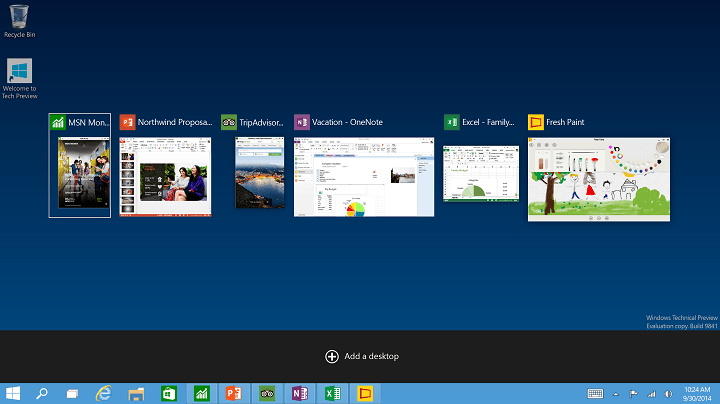
In Windows 10 Alt + Tab hotkey works like before, but it gives you much larger thumbnails so you can see better which application you’re switching to. As for the Windows Key + Tab, this shortcut will also bring all open applications, but at the same time it will allow you to switch to a different desktop or create a new desktop in Windows 10. One great thing about this shortcut is that you don’t have to keep keys pressed, it’s enough just to press them once and you’ll get access to virtual desktops and open apps.
Windows 10 has changed many things, and one of those things is the Windows Update section and the dedicated settings. But honestly, they are more streamlined and optimally placed than before, making things all the easier.
So, while updating Windows remains the same, managing or changing the settings is now relatively easier. But for those still unsure about things, here is all you need to know about the Windows 10 update settings.
What are the changes to Windows 10 update settings?
1. Updates are not accessible from the Control Panel anymore
Maybe one of the biggest changes is that now you cannot access Windows Update from Control Panel. Instead, the only way to access Windows Update settings on Windows 10 is to use the Settings app and navigate to Update & Security section.
With Windows 10, all updates are installed automatically, and when you visit the Windows Update section, you’ll only find the Check for updates button that locates updates, and if any are available, it downloads them automatically.
2. Windows now download updates automatically
In addition, Windows 10 will also check for updates in the background and download them automatically.
This means that you won’t be able to select individual updates. Instead, you’ll automatically download all of the updates from security updates, optional updates to driver updates.
We should also mention that Windows Update won’t download updates on metered connections, so it won’t use your mobile data. Instead, it will download updates once you connect to a stable Wi-Fi network.
However, in order to prevent Windows Update from downloading updates, you have to set your current connection as metered.
Advanced options in Windows Updates
We also have to mention that Windows 10 Professional users will have the option to defer upgrades under the Advanced options section.
They will still get all the updates like Home users, but their updates might be delayed until they have been tested for some time by Home users.
Under the Advanced options, you can choose how updates are installed. You can choose Automatic, and Windows will download updates automatically, install them, and schedule a reboot when you’re not using your PC. You can also schedule a restart that will allow you to set a reboot at a specific time.
One new feature that Microsoft has introduced with Windows 10 is peer-to-peer download for updates.
For example, if you have multiple PCs in your network, you can choose to download updates directly from them and speed up the download process.
In addition, your PC will both send and receive updates from other Windows 10 computers over the Internet, but if you don’t want to send and receive updates from other computers on the Internet, you can turn this option off.
4. View history and uninstall updates
If, for some reason, you have issues with your PC after installing an update, you have the option to view your update history under the Advanced options.
Update history in Windows 10
You’ll see the list of updates there, but you can also uninstall an update if it’s causing any problems.
5. Updates remain unchanged after a reset
Probably one of the most useful features of Windows Update is the ability to keep your updates after you reset your PC.
Windows 10 comes with a PC Reset feature that will perform a clean install of Windows 10, but now you can keep your updates and won’t have to download all updates again.
That’s it! There are all the Windows 10 update settings and features you should know about! And by now, managing or changing these should be much easier.
Before you leave, find out how to fix Windows update errors and effortlessly install the latest version.
For any other queries or to share your feedback, drop a comment below.
Just like Windows 8, Windows 10 is designed to be single operating system for variety of platforms and it’s fully compatible with tablets and other touchscreen devices. In order to achieve that Windows 10 comes with Tablet Mode, so let’s learn a bit more about about it.
When you first start Tablet Mode you’ll notice that all of your open apps and windows are in full screen mode and that all of your desktop icons are hidden. Don’t worry, you can still access your desktop using the File Explorer.
In addition to desktop icons, app icons from the taskbar are missing as well, but this is done so you can have more space to work with and not launch any application by accident. Speaking of taskbar, there is a back button that works the same way as on Windows phones. Also Cortana search bar is replaced by button, and all other taskbar icons are bigger and there’s more space between the icons. We should also mention that Tablet Mode works fine with keyboard and mouse, so you can use them instead of your fingers.
In order to use Tablet Mode, you don’t need a touchscreen device, you can enter it by following these instructions:
Open Action Center by pressing Windows Key + A.
Click the Tablet mode button and you’ll instantly switch to tablet mode.
We should also mention that you can access Tablet Mode automatically if you’re using 2-in-1 devices such as Surface tablet. All that you have to do to access Tablet Mode is to remove Type Cover, or any other keyboard and you’ll switch to Tablet Mode.
You can also configure Tablet Mode by navigating to Settings > System > Tablet Mode. Here you can change when the device enters Tablet Mode, or whether to remember your Tablet Mode state when you sign in.
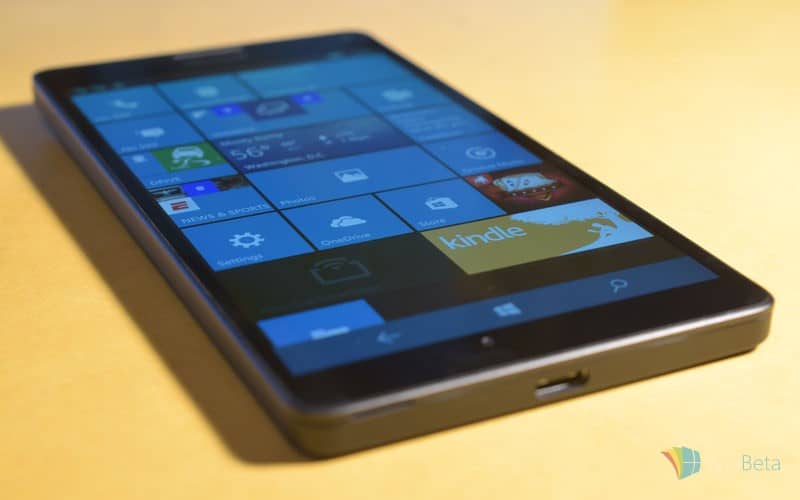
Microsoft Lumia 950 and 950XL are here, and users are more than satisfied with these two premium devices from Microsoft. But, what would a brand new device be without at least one reported problem?
This time, one user of Microsoft Community forums has reported that his new Lumia 950 restarts during the calls. This is really a serious issue, and it needs to be resolved immediately. But even though it’s a serious problem, Microsoft remained silent about it, as none of the company’s employees reached out to users on this forum thread.
But in Microsoft’s defense, this problem is not caused by them, or by the bug in Lumia 950. It’s simply a technical issue, and we have a solution for it.
What to do if Lumia 950 Restarts During Calls
This issue was caused by the wrong provider settings. Namely, when you buy your Lumia 950 (or any other phone), there’s a chance that your vendor already installed settings for a certain provider. However, if you’re a user of a different provider, some errors may occur. In Lumia 950’s case, it restarts during calls.
All you need to do to solve the problem is to hard reset your phone. When you perform a hard reset, all the settings will be reset as well, and your phone will adjust the new settings by your current provider.
To perform a hard reset on your Lumia 950 phone, do the following:
Go to Settings, and go to About section
Find Reset your phone, and tap on it
Answer Yes
Wait for the process to finish
After you reset your phone, your new provider settings will be included, and you should not have any problems during the call. Since the device is pretty new, you probably don’t have a lot of content to lose, but just in case, you can head to Settigs>Backup>More options> Back up now, to backup your existing staff.
Microsoft’s Surface Pro devices are great for artists and animators, because it gives them a lot of options to exploit their creativity to the fullest. The latest device from the Surface Pro series is the Surface Pro 4, which offers more features and tools to artists than any other Surface Pro device before.
But, Surface Pro 4 is relatively new device, which means that some bugs or problems may occur. And after screen and Wi-Fi issues on Surface Pro 4, some users noticed that the pen pressure isn’t working properly, as paint brush strokes aren’t equal when working in programs like Adobe Photoshop.
“I love the new SP4 pen, but I’ve noticed the pen pressure is not consistent. The biggest problem is that paint brush strokes in Photoshop don’t taper smoothly when drawing. I tried using the SP4 pen on my Surface Pro 3 and it doesn’t have any problem.”
Microsoft recognized the problem, but one of its employees only said that the company is working on the fix, without mentioning when the fixing update will arrive. Microsoft’s employee also pointed out that the cause of the problem lays in the outdated version of Photoshop, but since users confirmed that they’re using the latest version of the software, and that the problem appears on other similar programs as well, obviously the problem is not in third-party programs.
One of the users reported that in the program called Lazy Nezumi, pen pressure sensor works well. But no one else confirmed this, so we can’t surely tell you if it’s true. The program is paid, so it is not advisable to buy it just for experimental purposes, but you can use the 30-days trial version, to see if the issue actually doesn’t occur in this program. Hopefully Microsoft will provide a fixing update in the next 30 days.
It is normal for a new device to features certain bugs and errors, but it looks like errors in Surface Pro 4 and Surface Book are pretty consistent, so Microsoft will have to do a lot of work to provide a fixing update for all of them.
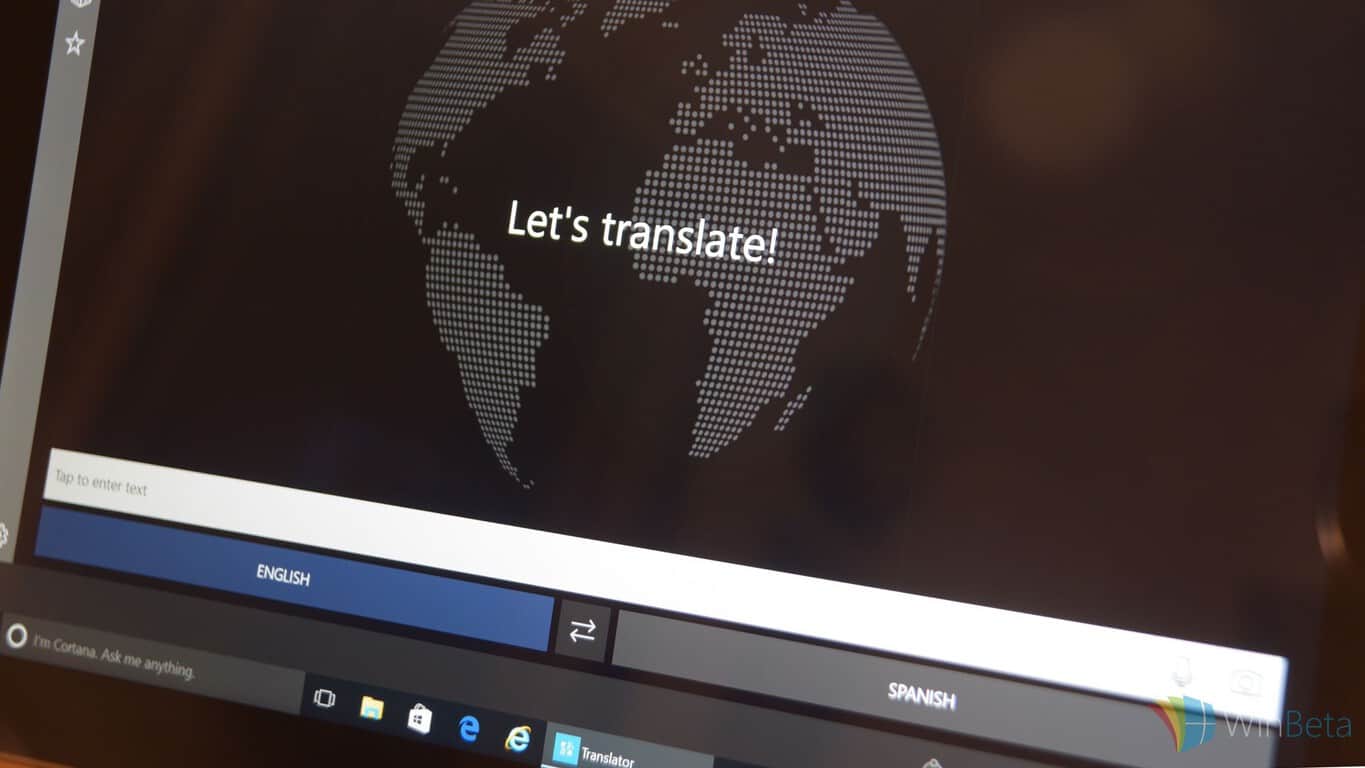
Translation apps are getting increasingly accurate, thanks to cloud processing and other advancements. Microsoft’s latest attempt is one of the best out there, a handy tool for international travelers especially.
Microsoft Translator runs on a number of platforms, including iOS, Android, and as a Universal App for Microsoft’s own Windows 10 and Windows 10 Mobile. Translator supports text translation for 50 languages, voice translation for 18 languages, and picture translation that can display what’s printed on a picture or sign in 19 languages. It’s no surprise, then, that this example of Microsoft’s machine language prowess has gotten Time’s attention.
You can give Translator a try by clicking on one of the links below, but if you’re much of a traveler or have the need to communicate with people from other countries, you’re probably already using Microsoft Translator. One day, we’ll enjoy language translation provided by the artificial intelligence that timeshare inside our brains, but for now, Microsoft’s Translator app is the next best thing.
It was nearly two years since Microsoft released a flagship device and now that the Lumia 950 XL is finally available, here are some ways to keep it safe. With a massive 5.7 in glass gorilla display and a polycarbonate body, there is quite a bit of phone that needs protecting. There are quite a few options available to keep the Lumia 950 XL safe, but here are five of the best cases we’ve found.
Olixar Armourdillo’s protective case provides two layers of defense. The case includes a TPU polymer skin that is covered with a polycarbonate exoskeleton. This case comes is either black, red, or blue and has a built in kick stand for the phone.
Olixar also offers a Leather-style wallet case for the Lumia 950XL. This case fits around the back of the device, wrapping around to the front, with two pockets to carry credit cards. This case can also be used as a kick stand, but is only available in black.
Mozo, Microsoft’s official designer for Lumia 950 XL cover accessories, provides a number of protective cases crafted specifically for this phone. As a part of Microsoft’s desire to provide users with features they wanted, such as replaceable batteries and Micro SD expansion, the Lumia 950XL’s simple design allows for a removable back and replaceable covers by Mozo.
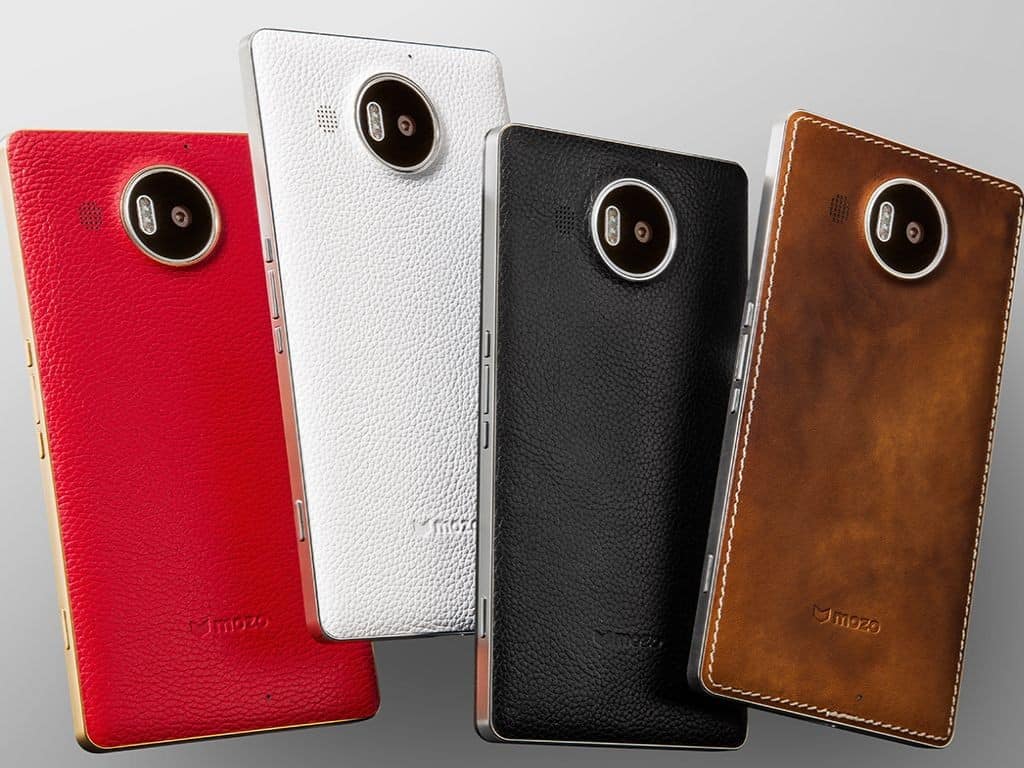
Mozo offers a Genuine Leather back cover with a metallic rim, that comes in Cognac, black, white, or red with gold trim. As this case replaces the back cover of the Lumia 950 XL, it is built with NFC and wireless charging.
Mozo’s Genuine leather flip cover also comes in Cognac and acts as a replacement back cover for the Lumia 950 XL. This case also provides a sleeve to house credit cards or personal identification and is sealed with a magnetic cover to flips around the bottom of the device.
Finally, Mozo offers a thin flip case made of the same genuine leather cover that comes in either black or Cognac. This case also provides credit card slots as well as NFC/Wireless charging built in.
The Lumia 950 XL can be purchased unlocked from the Microsoft Store and the cases above can be found at Mobilefun.co.uk. Let us know how you are keeping your 950 XL protected in the comments below.
The Skype team has taken to their blog to share the success of Skype-a-Thon this year, a Microsoft-hosted event to promote learning without borders. The event lasted for 2 days, with 3,046,124 virtual miles collectively travelled by students and teachers around the world.
Microsoft has had a long history of promoting Skype for educational purpose, starting in 2009 with the launch of the Skype in the Classroom program, where students uses Skype to view and connect with other locations, cultures and people around the globe remotely. The program has seen very positively received, participation from over 400,000 teachers from 265 regions.
Continuing on that momentum, this year, Microsoft hosted the first ever Global Skype-a-Thon: on December 3 and 4, teachers conducted pre-scheduled Skpe calls with guest speakers, other classrooms around the world, and did virtual field trips, in order to travel one million virtual miles.
I think Skype-a-Thon is such a great event, because you can really connect with people all over the world. And like my teacher says, ‘If you say yes to an opportunity, you never know what doors will open and take you on a new adventure.’” – A 5th grade student at Allisonville Elementary School, Indiana
The resulted far exceeded that initial goal: the number was surpassed on day one, and by the end of the event, more than 3 million virtual miles have been travelled by teachers and student from India, Australia, Mexico, China, Finland, Kenya, the United States and more. Activities included
“This was honestly the highlight of my day. Especially when our guest speaker talked about leadership, it was extremely inspiring and motivating.” – Ryli, a 7th grade student at Andover Middle School, Florida
The advancement of technology has made the world a more magical place than ever: think back to just 20 years ago if you ever imagined visiting Mount Everest and talking with climbers without ever leaving your class. With companies and educators pushing the boundaries of practical application of technology like Microsoft and the Skype-a-Thon participants, it’s never been better to be a student.
. @SkypeClassroom Thank YOU for encouraging teachers around the world to connect their Ss globally! @Skype has changed my classroom forever!
Over time, all of us tend to stock and pile up plenty of unnecessary files inside our Windows systems. Luckily, there are many solutions that we have at our disposal, include some free ones, such as Wise Disk Cleaner.
Recently the software has been bumped to version 9, and you can now make use of this free disk utility to clean up your Windows 10 OS and to make sure that everything is nice and tidied up. Here are some of the main features of the software:
Securely Cleans Up Useless Files and Makes Your Computer Run Faster
Over time, junk files, temporary files, all kinds of system files and other items you do not need at all accumulate on your Windows Computer. Those useless files take up valuable hard disk space and slow down your computer. Wise Disk Cleaner can delete these unnecessary files on your hard disk to free up disk space and make your computer run faster. It also provides many custom options to allow advanced users to clean up more files they don’t need. Equipped with advanced algorithms, Wise Disk Cleaner can scan and remove them within seconds, making it one of the most efficient disk cleaners out there.
Cleans Internet History and Other Traces on Your Computer – Protecting Your Privacy
Wise Disk Cleaner can clean Internet histories, cache files, and cookies of Internet Explorer, Chrome, Firefox, Opera and Safari browsers. It also detects and cleans all other traces caused by Windows System, components and other applications. By removing all these traces thoroughly, your privacy will be well protected from prying eyes.
Improve Your PC performance by defragging and re-arranging files on Your Disk
Your hard disk drive will get fragmented over time. Fragmentation makes your hard disk do extra work that can slow down your computer. The ‘Disk Defrag’ feature of Wise Disk Cleaner can rearrange fragmented data so your disks and drives can work more efficiently. ‘Disk Defrag’ also offers you a clear graphic chart of the selected drive, letting you know the drive usage at a glance. You can also use it to analyze and defragment any external storage devices.
Scheduled Automatic Disk Cleaning
You can set Wise Disk Cleaner to clean the disk on a daily, weekly, or monthly schedule according to your own need. Wise Disk Cleaner will automatically clean up the useless files in the background when the scheduled time is up. In settings, you can also create a ‘Clean with 1-click’ icon and place it on the desktop. With this feature, you can clean up the junk files by just clicking the icon without opening Wise Disk Cleaner.
Freeware & Low CPU Usage
Wise Disk Cleaner Free is completely free. Anyone can download it for free and enjoy free automatic update and technical support by email. Better yet, Wise Disk Cleaner is a small and absolutely virus-free program that consumes very little system resource.
Wise Disk Cleaner Free provides lifetime free update service and Unlimited Free technical support which is a really awesome feature. Go ahead and make use of it on your devices.
While still in its infancy, Continuum has great potential for Windows 10 Mobile and Windows 10 Universal apps. In this Channel 9 presentation, Keri Moran, Gino Sega, and Liz Threlkeld of the Windows Shell Engineering team, talk about how developers can create Windows 10 Universal apps for Continuum in the video below.
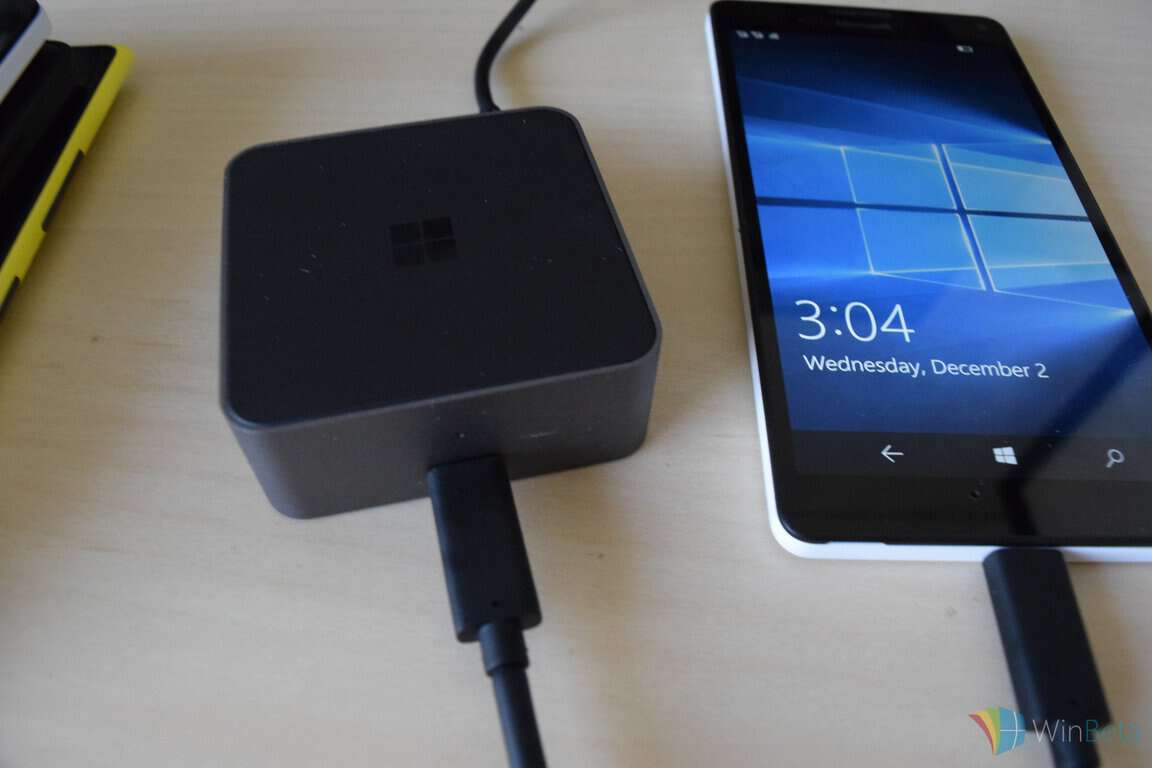
Microsoft tries to lure developers to create apps as part of the Windows 10 Universal app system by showing them an early look at Continuum. Throughout the Channel 9 presentation, numerous issues and hiccups that arise with the demonstration of Continuum. However, the potential of what Continuum can become is evident to anyone that sees it in action. If you are using the Wireless Display Adapter, or the Wired Display Dock, Continuum allows you to use your Lumia 950 or Lumia 950 XL as a portable PC.
Continuum is hobbled by the fact that it is only available using Lumia 950 or Lumia 950 XL. To grow and reach more users as Microsoft plans to in this Channel 9 presentation, Microsoft will have to find a way to make Continuum available on more Lumia phones.
US cellular provider Verizon is attempting to corral the rest of the wireless providing industry into a new business strategy and standard that, on paper, could offer tremendous gains to the end customers. Unfortunately, in practical use, Verizon’s new approach could also potentially encroach on the lovely WiFi access systems that are currently in place. The result is WiFi enabled devices could see the same level of congestion and the dreaded ‘throttling’ as do current cell phones.
Verizon, along with a host of other US-based wireless carriers and chipset maker Qualcomm are attempting to introduce a new standard for the industry called LTE in Unlicensed Spectrum or LTE-U for short. Before LTE-U testing, carriers would spend billions to license spectrum from the government to deliver content wirelessly. With over 70 percent of people in the US utilizing smartphones on the licensed spectrum, not only are carrier’s bills inflating, but traffic has now become congested. Now it seems carriers and chipset have a plan in place to address the current state of wireless delivery while also keeping more money their pockets presumably.
The problem arises when Microsoft, Comcast, and Google get together and study Verizon and Co’s proposal. According to the research from the unlikely consortium, LTE-U would use smaller cell towers to help offload traffic in combination with home wireless routers to deliver content.
That’s right, Verizon and Co are looking to use wireless routers in homes to help push content to customers, presumably without reimbursement. On top of what unlicensed routers are being used for such as WiFi network traffic to gaming consoles, TV’s, tablets, phones, or home automation, the wireless carriers would like to access that network to free up space from licensed spectrum they pay for.
The consortium of Microsoft, Google and Comcast argue that the proposed standard of LTE-U would ‘substantially degraded consumer WiFi’ service across the country in a recent FCC filing. There is also no mistaking the effect LTE-U would have on the consortiums bottom line, as each service provider utilizes those unlicensed spectrums through gadgets and content to customers. Bloomberg Business reports that both wireless carriers and the tech consortium have research backing their respective positions on the matter while also offering counter arguments to the oppositions testing and reporting methods.
Adding to the heated debate is wireless chipset maker, Qualcomm’s introduction of LTE-U enabled chips. Even without formal adoption, Qualcomm seems to be betting on a future where LTE-U is a standard.
Ultimately, it comes down to companies such as Microsoft, Google, Time Warner and Comcast fighting against the carriers for the valuable spectrum of unlicensed commercial WiFi. On one side resides the carriers who believe they can provide better cellular experience to customers by tapping their wireless routers as a communal bridge for offloading their current congested traffic. On the other are the content providers arguing that carriers have not made enough of an argument for wanting to encroach on the unlicensed spectrum both they and customers are currently benefiting from.
At the end of the day, it may be up to FCC Chairman Tom Wheeler and the agency to make the final call. Wheeler is asking the two opposing parties to come together on a solution before the FCC has to step in a choose a side. However, with the future of access to valuable customers and dollars on the line, it seems unlikely wireless carriers and the content consortium will see eye to eye anytime soon.
Earlier today, Microsoft enabled the Lumia 950 and Lumia 950 XL with the ability to install new Windows 10 Mobile Insider Preview builds. For those of you who own either of these two flagship Windows 10 Mobile phones, you probably want to test out the latest and greatest from the Redmond giant. Here’s what you need to do:
First, head over here and download the Windows Insider app for your phone.
Open the app and tap on “get preview builds”
Follow the on-screen instructions to enroll in the Windows Insider program.
Select Insider Slow if you want pre-release builds of Windows 10 Mobile, but less buggy. Select Insider Fast if you want every new build that gets released, regardless if they have any issues.
Once you are done, your phone will reboot.
Go into Settings > Phone updates and check for updates!
You should now be able to download any new Windows 10 Mobile preview builds as part of the Windows Insider program. Keep in mind that these are preview builds, so they will probably be buggy. Let us know in the comments below if you are enrolling your Lumia 950 or 950 XL in the preview program!
Microsoft is big on Big Data, particularly as gathering, analyzing, and securing the information that impacts individuals, organizations, and societies becomes increasingly important. To that end, Microsoft is ushering in its inaugural Data Insights Summit on March 22-23, 2016.
The summit will gather business analyst professionals, industry experts, and Microsoft product staff in Bellevue Washington to delve into the Microsoft tools that are aimed at utilizing Big Data to make an impact in the real world. Power BI and Excel are two such products, and they will be featured in hands-on demos, workshops, and other sessions.
Attendees will also be able to schedule one-on-one meetings with Microsoft engineers, and Ask-the-Expert sessions will provide additional opportunities to ask questions and get answers. You can register for the event starting today, and you’ll want to get in line for what it likely going to be a popular event. Find out more about the summit at its very own page, DataInsightsSummit.com.
In 1991, former Microsoft Chief Technology Officer Nathan Myhrvold wrote a 21-page argument for more Microsoft investments in basic research and development. Founder and then-CEO Bill Gates was apparently swayed by Myhrvold’s arguments, because Microsoft Research was founded and will enjoy its 25th anniversary next year.
Perhaps in preparation for the anniversary, Microsoft has been tapping into the smarts behind the Microsoft Research team–made up of over 1,000 scientists and engineers working across many different technology disciplines in research labs spanning the globe–to prognosticate about the future of technology and its impact on society. In November, the company published a free eBook anthology, “Future Visions,” written by prominent science fiction writers who gained access to Microsoft Research staff and facilities, which is available on Amazon and elsewhere.
This month, Microsoft has published a set of predictions over at the Microsoft News Center, whereby 16 leading Microsofties in the Technology and Research group provide their thoughts on what 2016 should produce in the way of innovation as well as what we should enjoy by the time 2026 rolls around. As you can imagine, if these individuals are correct then we should see some pretty cool stuff coming in the very near future.
It’s a distinguished group of technology gurus, and they have some pretty wild ideas on just where technology is headed. If they’re correct, then next year should bring some key breakthroughs and 2026 could end up pretty trippy. Here are some highlights.
Chris Bishop, Managing Director of Microsoft Research, Cambridge, UK, Microsoft Distinguished Scientist, Major technological advance in Europe in 2026
“By 2026 we will have ubiquitous, human-quality translation among all European languages, thereby eliminating the language barrier throughout Europe.”
Bill Buxton, Principal Researcher, Microsoft Research, 2016 will be the year that…
“The age of digital baubles, do-dads and planned obsolescence will begin to fade, and the focus of industry and consumers will shift from technology, per se, to enhanced human experience, values and potential.”
Lili Cheng, Distinguished Engineer & General Manager, Microsoft Research NExT, major technological advance in 2026
“Every kid who goes to school will learn to code and create the kinds of experiences we use every day. This means we’ll be able to better design and control how computers impact our lives.”
Kate Crawford, Principal Researcher, Microsoft Research, major data science advance in 2026
“AI agents like XiaoIce will feel so real and play such a central, trusted role in our lives that we will require them to have the same ethical and legal relationships that we have with doctors, lawyers and therapists.”
Jasmin Fisher, Senior Researcher, Microsoft Research, Cambridge, UK, major executable biology advance in 2026
“Ten years from now, cancer will be a solved problem thanks to interdisciplinary, ground-breaking approaches that will enable researchers and clinicians to compute driver mechanisms of cancer, as well as to understand, detect, diagnose and treat patients at an individual level.”
Hsiao-Wuen Hon, Corporate Vice President, Microsoft Research Asia, 2016 will be the year that…
“Video distribution on the Web will overtake TV broadcast. More people in China will watch the Olympics through the Web than through TV. Video analytics technology as offered by Project Oxford will facilitate more intelligent video processing in the cloud.”
In reading through the entire list of predictions, one gets the impression that perhaps more than anything, advances machine learning will have a very real and potentially very valuable impact on our lives. This makes sense, because a great deal of Microsoft’s research revolves around artificial intelligence and the hardware and software components that go into making it ever more powerful. We see the impact of machine learning today in products like Bing and Cortana, and we’ll no doubt see Microsoft continuing its significant investments in the technology going forward.
No matter what, Microsoft should remain an important player in advancing technology well into the future. Researchers like these are key to making sure the investments turn into real solutions. We strongly recommend that you read the entire piece, and we look forward to reporting on Microsoft’s continued advancements.
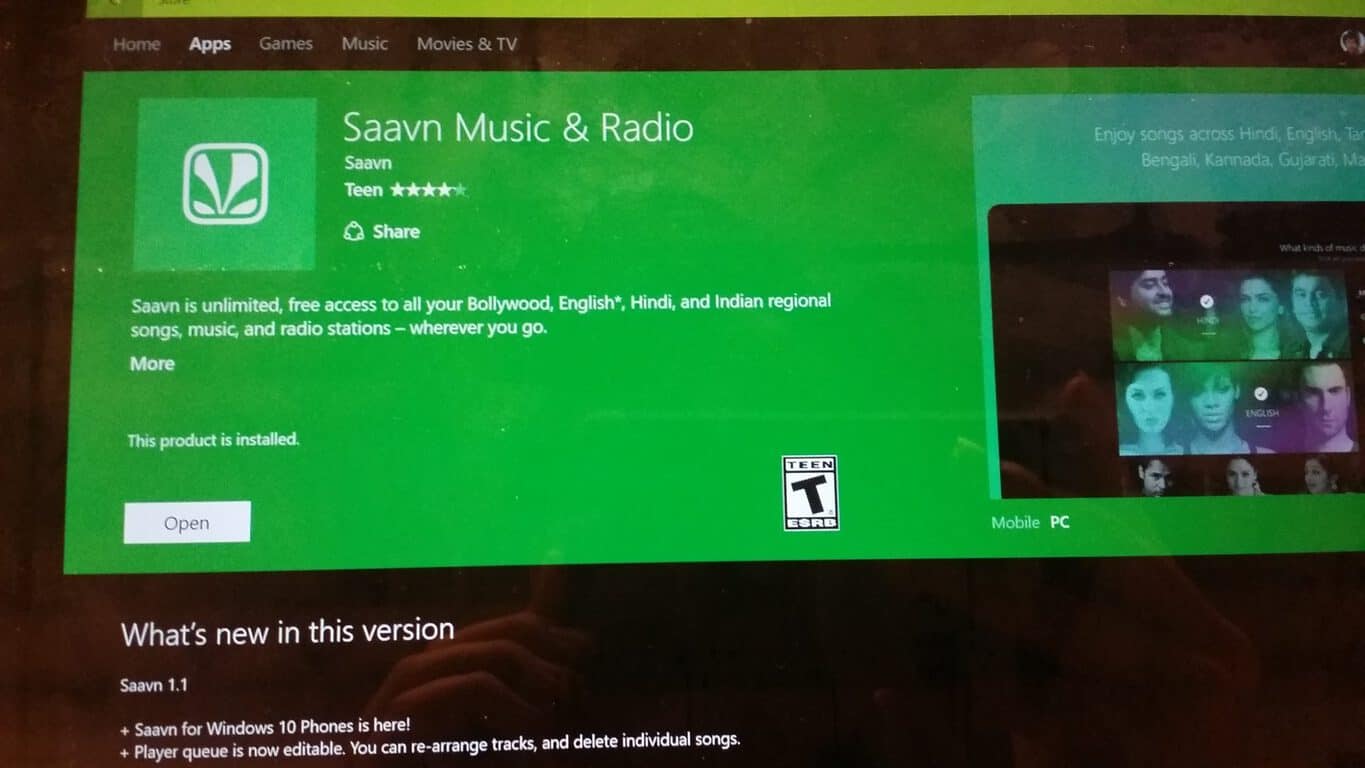
Universal Windows Apps (UWA) lies at the core of Microsoft’s current vision and strategy, as it continues to unify all its platforms under one operating system, so it’s always exciting to see developers adopting the model. The newest apps to join the ranks of run-everywhere is Indian music streaming service Saavn.
One of the most popular digital distributors of Indian and Bollywood music, Saavn holds the rights to more than 7 million tracks, with 13 million active users monthly. They offer ad-free and offline streaming, similar to Spotify. Saavn has had a Windows Phone app before, and with the newly-released version, they have moved to Microsoft’s UWA model, with a redesigned interface.
The app has a very nice interface that strictly follows Windows 10’s new Modern design guidelines. There is a mix of light and dark themes in the main interface and the queue page, but a consistent dark theme across the app would be welcome. There are also light visual ads that do not distract from the experience. You also can choose stream quality in the settings.
Overall, the app is well-designed and a nice attempt from the developer at the UWA model. Fans of Indian music around the world will welcome this as another addition to their music sources.
Last Friday evening, Microsoft pushed out an update to Windows Insiders using the latest Windows 10 Mobile build, updating their devices to version 10586.29. Unfortunately for early adopters who have purchased a Lumia 950 or 950 XL, the updates are not yet available, although a blog post that came along with the updates promises that those devices (along with the Lumia 550 and the LG Lancet) will be updated sometime early this week:
We are also taking this opportunity to onboard some new devices in the Windows Insider Program to receive these updates. These devices will be added early next week, along with an update to the Windows Device Recovery Tool that resolves detection issues on these devices.
Additional devices available to Windows Insiders early next week:
LG Lancet
Microsoft Lumia 550
Microsoft Lumia 950
Microsoft Lumia 950 XL
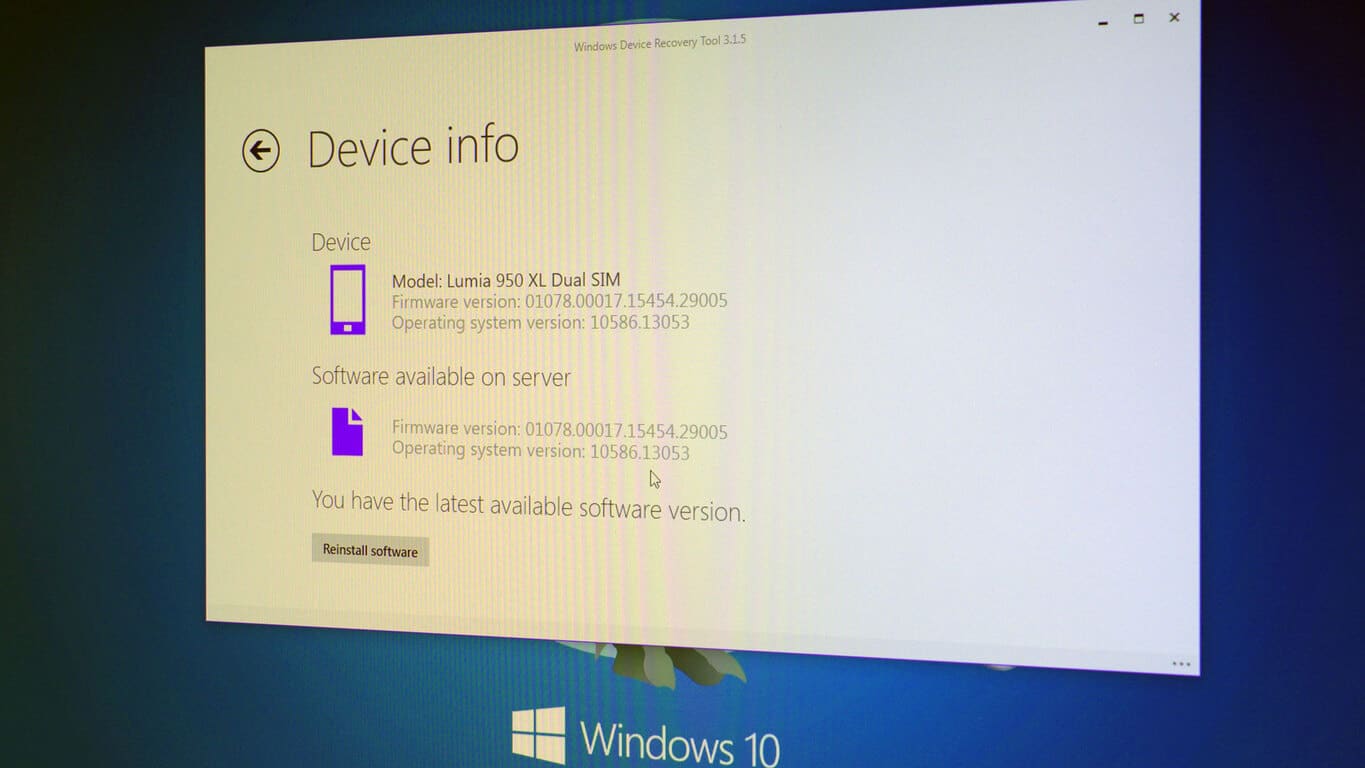
While we’re still waiting for the actual updates, The Windows Device Recovery Tool looks like it has been updated to detect the new devices, also as promised in the blog post. A mandatory update to the Tool updates it to version 3.1.5, and does properly detect the Lumia 950 XL:
Normally we’d be expecting an update to land sometime on Tuesday morning, but after last Friday night’s release of the latest update for Windows 10 Mobile, all bets are off. What’s next, Sunday morning releases? Anyway, stay tuned to WinBeta, we’ll be watching for all the latest news.
Thanks Tero for the tip!
Update errors are common in Windows 10, and users are encountering problems with various updates (bigger and smaller ones) since the release of the system back in July this year. Microsoft just released a minor update for Windows 10, labelled as KB3122947, and guess what? People are having problems to install it.
People Report the Installation Error with KB3122947 Update
It looks like the majority of users who received the update today is not able to install it normally, through Windows Update feature. Complaints immediately flooded Community forums, as users were reporting the problem to Microsoft.
“Hi, My Windows Update is not working. I have tried running the troubleshooter in control panel and the WindowsUpdateDiagnostic download as well, but it did not work. Is this update available in a stand alone installation? Thanks.”
“I just checked too see if there where any , it popped up for a second tried to download and the error occurred. I have been over reacting on issues found out if I wait Win 10 fixes itself but then I thought I would make it know what found out.”
Besides the big amount of negative reports on Microsoft forums and other forums around the internet, Microsoft still didn’t say a word about the update or the way to fix the installation error, probably because the update is minor, and doesn’t bring any major changes to the system.
Luckily, some users managed to find the solution on their own, and that solution appears to work for the majority of users.
Solution for KB3122947 Update Installation Error
As one Reddit user pointed out, if you’re not able to install the update through Windows Update, you’ll have to install it manually, using the Command Prompt.
“I managed to install the update manually using the below command (run it in elevated Command Prompt):
Performing this action in Command Prompt will install the KB3122947 update manually, and the problem will be solved. Most of the users who tried this method reported that it worked for them, so if you’re encountering this error as well, we hope that it will fix it for you.
It only takes one short look at Microsoft’s research and development team to know that it consists of an inconceivably vast amount of incredibly talented people, each working every day to make the world a better place. One of those people, Li Deng, has just received some well deserved accolades from the IEEE (Institute of Electrical and Electronics Engineers) in the way of their Technical Achievement award.
Li Deng is the research manager in Microsoft’s lab in Redmond, Washington, and has made incredible strides in the fields of language processing, deep learning, and voice recognition. Li Deng was present at NIPS 2015 just recently presenting some of his team’s research on deep learning, stating that “People see machine learning as more and more important – and deep learning is increasingly central to business.” It’s that conviction to his field that earned him this award, and that will be propelling his team forward into the future.
Deng, of course, doesn’t attribute his success to himself alone. He had a team collaborating with him to make the breakthroughs that he did, and he made a note to thank them.
“Many collaborators, in Microsoft as well as at universities, have been working closely with me on developing deep learning technology and applying it to a range of applications including notably automatic speech recognition, language processing, and business data analytics,” Deng says. “They share this honor by the amazing teamwork exhibited for many years.”
This award serves to affirm that vast amount of talent. With people like Li Deng working to keep discovering the bleeding edge of technology in machine learning and neural networks, we can all be assured that the future for technology remains an exciting prospect. Here’s hoping that Deng and his team of collaborators keep up the great work.
Former Microsoft CEO, Steve Ballmer made his thoughts known about Microsoft during this year’s annual shareholder’s meeting in Bellevue, Washington. Microsoft didn’t disclose profit margins and sales from its cloud and hardware businesses, which set Ballmer off. Ballmer is Microsoft’s largest individual shareholder; certainly he has a right to be ticked. Microsoft disclosed an annualized revenue run rate, which is a projected rate of growth.
Ballmer voiced his opinion that Microsoft should report the profit margin and sales for its cloud and software services:
“It’s sort of a key metric — if they talk about it as key to the company, they should report it. They should report the revenue, not the run rate, it’s bullshit. Margin — a measure of profitability — is important because while gross margins for software are very high, they are far lower for things like hardware and cloud services.”
Today at JSConf Last Call in Florida, Microsoft made something of a bombshell announcement: they’re open sourcing much of their Chakra JavaScript engine. The company will host ChakraCore on GitHub, beginning early next year. ChakraCore is most of what’s included in Microsoft’s new Edge web browser, minus some specific bindings to the browser or the Universal Windows Platform, and some COM based diagnostic APIs, which will be replaced by a new set of modern diagnostic APIs.
ChakraCore is described as:
…a fully fledged, self-contained JavaScript virtual machine that can be embedded in derivative products and power applications that need scriptability such as NoSQL databases, productivity software, and game engines. ChakraCore can be used to extend the reach of JavaScript on the server with platforms such as Node.js and cloud-based services. It includes everything that is needed to parse, interpret, compile and execute JavaScript code without any dependencies on Microsoft Edge internals.
The JavaScript engine was built to run the web faster, and Microsoft is using it to not only power Edge, but to run Azure DocumentDB, Cortana, and Outlook.com, as well as Universal Windows applications running on anything from a phone to a PC an Xbox One. Chakra in Edge is performing well against its competitors, even including IE 11, as you can see in this chart:
Chakra’s performance on key JavaScript benchmarks – Octane and JetStream (System info: 64-bit browsers on Intel Core i5-34755 @ 2.90Ghz with 4.0GB RAM running Windows 10)
While Chakra is Windows only at the moment, Microsoft is “committed to bringing ChakraCore to other platforms in the future”. You can learn more about the announcement from the blog post, or by following @MSEdgeDev on Twitter
(featured image credit: Kenneth Auschenberg)
Back in July last year, Microsoft introduced three new Office 365 plans for small/mid-size business, offering them a variety of features to deploy within the organization (via ZDNet). The three new plans, namely Office 365 Business Essentials, Office 365 Business and Office 365 Business Premium are now available for businesses. Microsoft delayed promoting the new offerings to businesses, first to an October deadline, which they then moved back to December 1st. The delay was to “enable users to be able to move to Office 2016 ‘more seamlessly’”.
The most basic plan is the “Essentials” which starts at $5 a month or $60 a year and offer users with a lot of features including email, calendar and contacts with 50GB storage limit per user, instant messaging and video conferencing, 1TB of OneDrive for Business storage and sharing, Yammer social networking for employees and Office Online apps. It doesn’t include Office apps for PCs or Mac, but users can use Online office apps to get the things done.
Office 365 Business costs $8.25 a month or $99 a year. It doesn’t include Email Exchange, Lync or SharePoint, but users can downloadable Office applications (Outlook, Word, Excel, PowerPoint, OneNote and Publisher) for up to 5PCs or Macs as well as 1TB of cloud storage space. Users can also install the Office apps on their tablets or phones to get their work done.
Office 365 for Business includes all sorts of features, including a full set of downloadable Office applications, Email Exchange with storage of up to 50GB per user, Lync for HD video conferencing, 1TB of cloud storage space per user, office apps on tablets and phones, and Yammer enterprise social network. The Premium plan offer users with most of the features they need to get their activities done within the organization, but it costs higher than the basic plans — it costs $12.5 a month or $150 a year. This isn’t too costly for an SMB if they want to get access to Office 365 services and get their things done.
If you’re unsure on which plan is best for you, you can check out the comparison on Microsoft Office 365 website to help you make up your mind.
The team responsible for development of Windows IoT operating system announced today that it will bring some new features and improvements to the system, as well as making it available for commercial developers to develop their apps for this variant of Windows 10 operating system.
Windows 10 IoT Core powers ‘smaller’ devices, like Raspberry Pi series, and it is available for free for all developers and other users who want to work and create on such devices.
Microsoft considers this release of Windows 10 IoT core very important, and here’s what they say about it:
“This release marks an important step in the evolution of Windows 10 IoT Core for our Original Equipment Manufacturers (OEM)/ Original Device Manufacturers (ODM) partners. As part of the Windows 10 IoT edition family, Windows 10 IoT Core provides an optimized platform for building smaller and low cost industry devices like IoT gateways. It brings scale to our partners’ investments across form factors leveraging the same business ready capabilities customers expect in Windows: leading connectivity, enterprise-grade security, servicing and manageability.”
As we already say, this update provides a lot of improvements to the system, including:
Ability to manage devices powered by Windows IoT with the same tool used for managing PCs
Performance improvements and expanded the ecosystem of supported peripherals
‘Direct memory access bus’ driver that gives you the ability to run native code for the significant performance improvements in GPIO
Full support for the TX/RX pins on the Raspberry Pi2
Support the official Raspberry Pi Wi-Fi dongle
Support two Realtek Wi-Fi chipsets (RTL8188EU & RTL8192EU)
If you want to find out more about this release and all the changes, you should check out Windows Blog post for more precise details. What do you think about using devices like Raspberry Pi for education and development? Tell us your views in the comments below.
Perhaps in defense of some insistent questioning coming from former Microsoft CEO Steve Ballmer, current CEO Satya Nadella is attempting to wrangle the narrative around Windows Phone’s app strategy. Yesterday, Ballmer attended the annual Microsoft shareholders meeting and as an active member with arguably the largest shareholding for an individual, the former CEO held nothing back on his view of how Microsoft as a company is operating.
Specifically, Ballmer attacked current Microsoft CEO Satya Nadella’s approach to mobile with regards to Windows Phone through a comment made to Bloomberg reporter Dina Bass. Geekwire reports the conversation between a shareholder who’s question shadowed Ballmer’s sentiment:
With applications on the Windows Phone, I find it strange that things like the Starbucks app is not available on the Microsoft phone, and I would think that investing some development money into making the apps available that everybody sees with the Apple store and the other store, it’s like, why would I get the Windows Phone when I can’t do all this stuff?
The shareholder’s question is one that has been echoed by tech critics, journalists, and consumers for some time now, and Nadella’s answer is one that sounds eerily familiar as well.
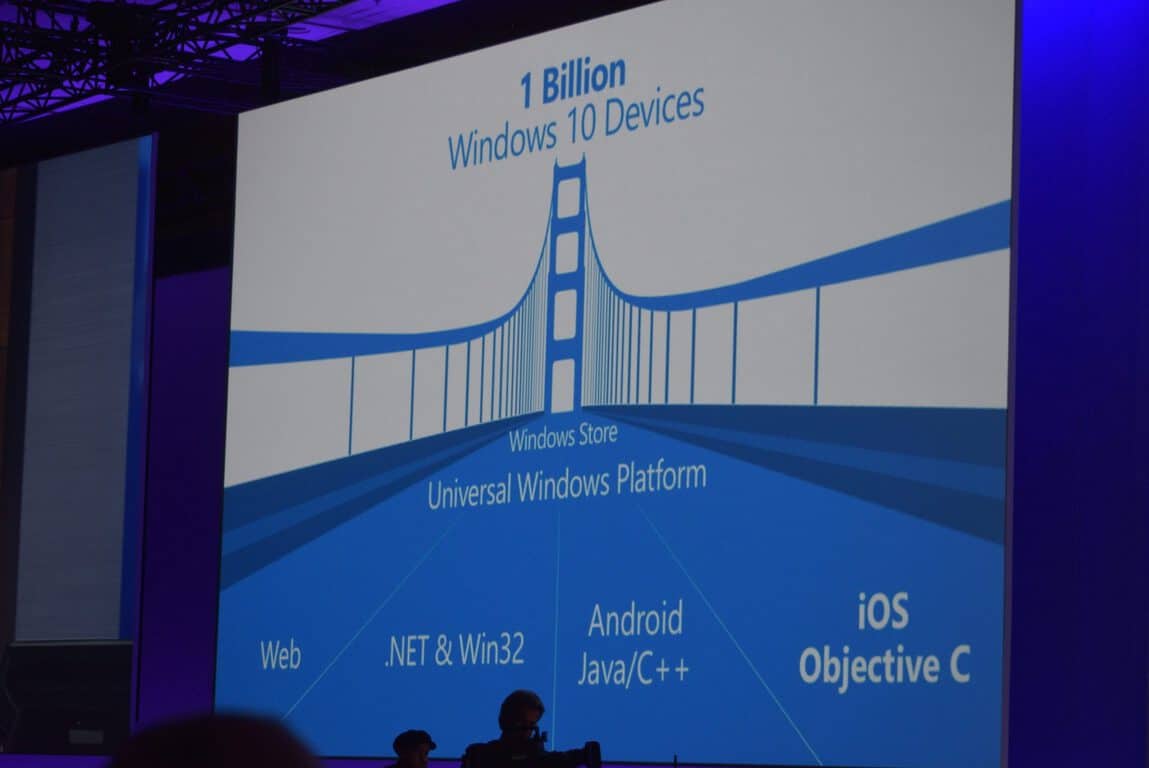
On the application side, the goal we have is, look, we don’t think of our phones to PCs to consoles and even to HoloLens as all these separate platforms with separate marketplaces with separate applications, because the powerful concept of Windows and Windows 10 is that it’s one application platform, one store for developers, that then should attract developers to build once and then have them run across all of Windows. That’s the value proposition: for Starbucks, or for anyone else, to be able to write it and get the returns for that investment on the Windows platform.
This is new. We’ve had different efforts in the past but we now have one store and one app platform. Give us time to keep focused on it. We are seeing, for example, for the first time on the core of Windows desktop, with 100-plus million users, active engagement, the fact that they can find these Windows applications in the store, some of the developers like Netflix are seeing more engagement for the Netflix app vs. the web. So that’s an early indicator of data that I think will entice more of these developers to build more of these applications.
But we are very focused on that challenge. We recognize how the challenge influences choice on the phone. But we do need to think of the unified platform and make sure organically — instead of doing one-off deals to get one app — we’ve got to organically build momentum for the platform and that’s what we plan to do.
Nadella rephrased his requests with highlighting the need for Microsoft to build ‘organic’ momentum. He states that developers (albeit a big one) such as Netflix are seeing the benefit of Microsoft’s One-app platform as most of the 100 million plus core PC Windows users are finally moving over to app versus using their browsers.
After years of missteps with mobile, Ballmer slammed on the pedal to get Microsoft back into mobile competition. For better or for worse, Ballmer purchased the remaining mobile handset division of the only semi-profitable Windows Phone partner and presumably gave the green light for mobile app porting projects such as Astoria and Islandwood. The unified platform that Nadella has been championing over the past year is in part a Ballmer approved initiative as well.
Since his departure, Nadella has made some arguably ‘business conscious’ decisions to ease off, and in some cases, idle or reverse Ballmer’s mobile efforts. As many continue to watch the development of Windows 10, Windows 10 Mobile, Xbox One and the unified platform, it will be interesting to see where Ballmer’s initiatives stop, and Nadella-specific decisions begin.
For those of you who are new Lumia 950 or Lumia 950 XL owners, you have your very own personal digital assistant called Cortana. But did you know you can train your personal assistant to recognize your voice and wake it up just by calling its name?
This is a feature called Hey Cortana where you can easily wake up your phone and enable Cortana to take commands, requests, or actions. How cool is that? Here’s how you can get Hey Cortana set up on your Lumia 950 or Lumia 950 XL.
First, open up Cortana by tapping on the Cortana tile on your home screen (or go into your app list and tap on Cortana). Hit the menu button on the top-left of the screen and tap on Notebook. Then go into Settings.
From there, you will see an option to enable Hey Cortana, with a little description under the option warning you that if you enable Hey Cortana, you will use more battery. Under the Respond Best option, set Cortana to respond only to you and have her relearn your voice if necessary. You’re all set!
Simply say Hey Cortana when you have your Lumia 950 or Lumia 950 XL in your hands and you will hear a little sound indicating that Cortana is listening to you. Give her some commands!
Example commands: Hey Cortana, what’s the weather like? What’s on my schedule? Show me directions to [place], Set an alarm, Who is the CEO of Microsoft? What time is it in California?
For those of you who are not new to the Lumia 950 or Lumia 950 XL, have you been using this feature? How do you like it? Would you recommend it?
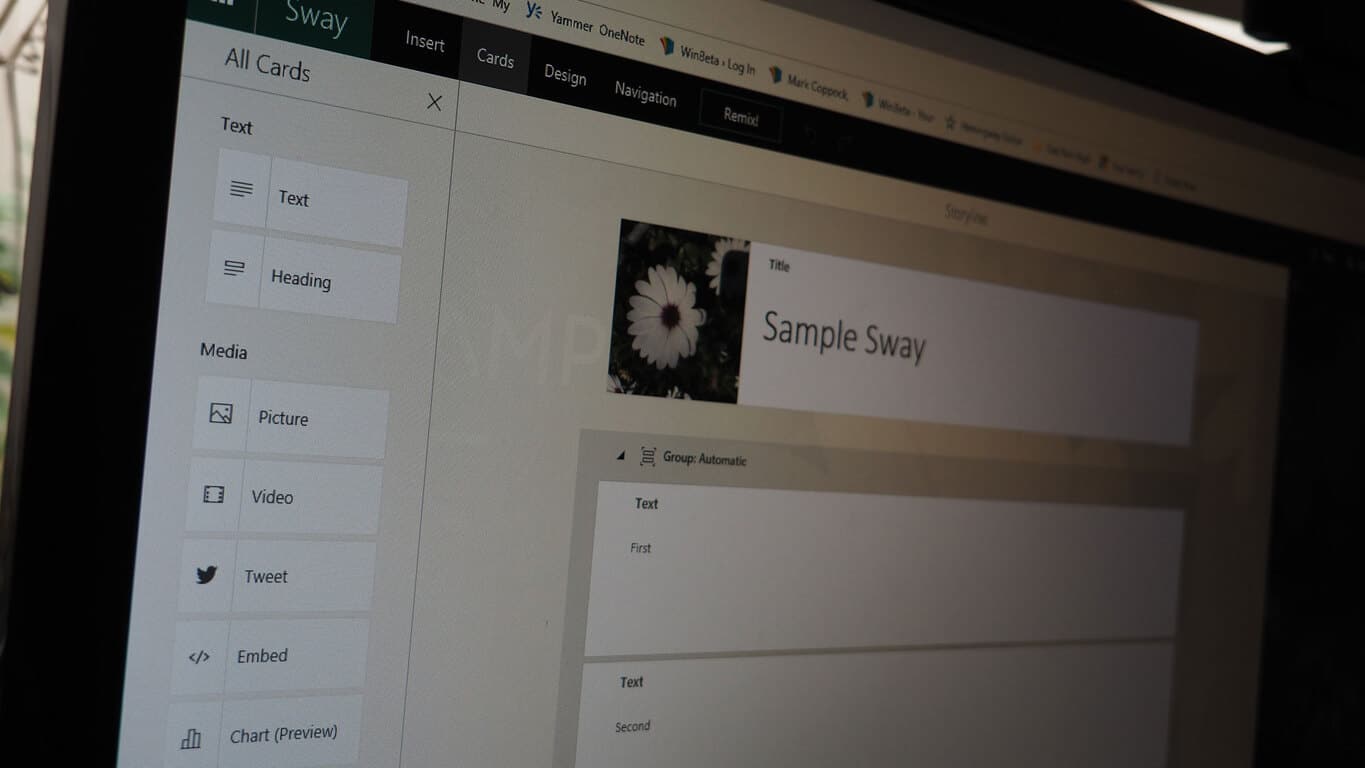
Microsoft Sway is a relatively new member of Office 365 that allows users to more easily create and share compelling multimedia presentations, and Microsoft has implemented some new administrative tools for managing Sway, as outlined at the Microsoft Office blog.
Three tools have been added, specifically the ability to license on a per-user basis as opposed to organization-wide, Office 365 admins can now choose Insert tab sources, and Sway status is now included in the Office 365 Service Health Dashboard.
Per-User Licensing
Previously, organizations could only enable Sway use on an organizational basis. This limited the ability to enable Sway use by certain users and to test the app via pilot groups. Only users for whom Sway has been enabled will see the app in their Office switchers and home pages. By default, users will have access to Sway, and admins will need to disable them specifically.
Insert tab sources
One of the Sway’s more powerful features is the ability to select content from a number of sources in creating Sway presentations. Flickr, Twitter, and Youtube are only a few sources that are supported, and the new admin functionality allows IT departments to control what sources are available to users on a granular basis. An example sited is educational customers who need to be able to limit access to certain sources by students.
Service Health Dashboard
Finally, Sway is now included in the Office 365 Service Health Dashboard, which provides updated information on how well various Office components are running.
The more administrative control that organizations have over products like Sway, the more likely they are to roll them out to their users. Microsoft understands this well after decades of providing solid business solutions, and so it’s no surprise to see the company implement such tools for a powerful new solution like Sway.
As always, Microsoft solicits feedback on these and other changes to Sway and other Office 365 apps. Don’t be shy in letting the company know exactly how you feel.
One of the more intriguing new features in Windows 10 is the ability to sign in to your computer or phone using Windows Hello facial recognition. In essence, you just sit down in front of your computer, or hold your phone to your face, and the system recognizes you and signs you in.
The problem with the system is that it doesn’t work with a regular webcam or phone camera, you need special equipment, either a computer or phone shipping with Windows 10 capabilities, or up until now, the use of an Intel Realsense hardware development kit.
Now however, according to a post over at Windows SuperSite by our friend Rich Hay, you can use a Kinect, either a Kinect for Windows or an Xbox One Kinect using a Kinect Adapter for Windows connected to your computer to get Windows Hello working.
It’s all still a bit experimental, using beta drivers, but basically you set up your Kinect connected to your computer, set up the drivers, and make some changes to the registry, as Windows SuperSite explains:
You can follow the instructions here to set up your registry by hand, or you can use the following text to create a .reg file to right-click and import the settings:
Next, you can use Device Manager to update to the preview version of the Kinect driver and runtime:
Open Device Manager (Windows key + x, then m).
Expand “Kinect sensor devices”.
Right-click on “WDF KinectSensor Interface 0”.
Click “Update Driver Software…”
lick “Search automatically for updated driver software”.
Allow it to download and install the new driver.
Reboot.
After that, set up Windows Hello (here’s some instructions), and you should be good to go.
In the long run, it’s probably better to buy a computer with Windows Hello technology built in, but if you have an unused Kinect sitting around, this looks like a fun project. Let us know how you do!
Microsoft’s consumer versions of Windows 10 have been out since July this year, and just got their first major update last month in Version 1511. An upcoming release from Microsoft, however, is barely getting its pricing. Microsoft’s Windows Server 2016, both the Standard and Datacenter Editions, have gotten pricing officially set for companies to prepare for. The two versions of server software are set to release in the latter half of 2016, but today Microsoft published various documents detailing a change in the way they will be pricing Server 2016.
Previously, Microsoft had a model for licensing that was cost per-server. The Client Access Licensing model, known as CAL for short, has a different pricing scheme than the new to-be-implemented per-core model. Both, however are different than the to-be-defunct per-server model. What is important to note is that the new pricing model, according to Wes Miller, Research VP at Directions on Microsoft, will be utilizing a CAL and per-core model, instead of a CAL and per-server one. Miller also notes on Twitter that “Client-side licensing of Windows Server 2016 is effectively unchanged. This is a Per-Core+CAL model, where it was previously a Server+CAL.”
Miller also told ZDNet that “The change won’t likely have much of an impact for most customers,”and that the largest portion of people to be affected by the change are those with older servers that utilize many processors with a low per-server core count and those with high core-counts. This pricing datasheet that Microsoft provided on the Server 2016 page shows a small table of comparative aspects of the Standard and Datacenter Editions. The table is below, but the gist of it is that the Standard Edition will cost $882 while the Datacenter Edition will be $6,155 to license 16 cores. Microsoft is also, according to ZDNet, set to share more details regarding licensing and pricing on Windows Server 2016 in the Q1 of next year, so more information will be coming soon.
There’s no doubt that HoloLens is one of the more interesting members of the Windows 10 platform family. While every other Windows 10 platform member displays information on a 2D screen (or perhaps no screen, as with many IoT applications), HoloLens displays its information in an immersive 3D space. That makes developing HoloLens applications a bit more complex than the typical Windows 10 project, and Microsoft has some suggestions over at the Windows blog as to the best practices for building apps for HoloLens.
Of course, Microsoft is doing its part to generate a strong HoloLens ecosystem. They’ve been giving out development funds to academics, as well as soliciting ideas from the general HoloLens community. So far, according to the company, the latter effort has been paying dividends, with scads of new ideas pouring in over just the last couple of days.
Microsoft stresses that any app developed via the Universal Windows Platform can be made to run on HoloLens, but that doesn’t mean the environment is precisely the same. Microsoft recognizes that developing strong HoloLens solutions will require some different thinking:
With HoloLens you can both develop 3D content and see that 3D content in the world around you. Apps targeting the features of HoloLens take advantage of volume, environment and human interaction. These apps are no longer confined to a two-dimensional plane. You can bring the solar system into your living room, you can see a mime run across a piano or create holographic greeting cards and share those experiences through mixed reality capture. Ideas like the Animated Storybook take advantage of placing holographic content into the real world, letting you walk around it and see everything with full volume.
In all likelihood, developing HoloLens apps will also require different team members, and Microsoft highlighted the team that will produce the winning app in their Share Your Idea project:
• 3 Developers
• 2 Artists
• 1 Designer
• Some additional help from an audio designer
The blog post uses the example of HoloChess, which will require additional work to turn the typical 2D (or even on-screen 3D) chess implementation into a good augmented reality experience. Just intuitively, it’s clear that creating a chess game that can be manipulated in a fully 3D environment will require additional artwork and attention to detail that typical chess games don’t require.
HoloChess sounds absolutely awesome.
It’s a short piece full of generalities, but the post does highlight just how much more complex the process will be of creating truly immersive, compelling HoloLens applications. We’re chomping at the bit to see how HoloLens develops over the years, and are certainly happy to see Microsoft focusing on the skills and teams necessary to turn HoloLens into a real-world solution.
Microsoft’s Project Oxford has proven an impressive machine learning tool with various applications. And it has powerful potential as Microsoft has introduced machine learning APIs so developers can integrate Project Oxford’s capabilities into their platforms. These changes have included the addition of “emotion, video, spell check, speaker recognition, the Custom Recognition Intelligent Service and improvements to our existing Face APIs.”
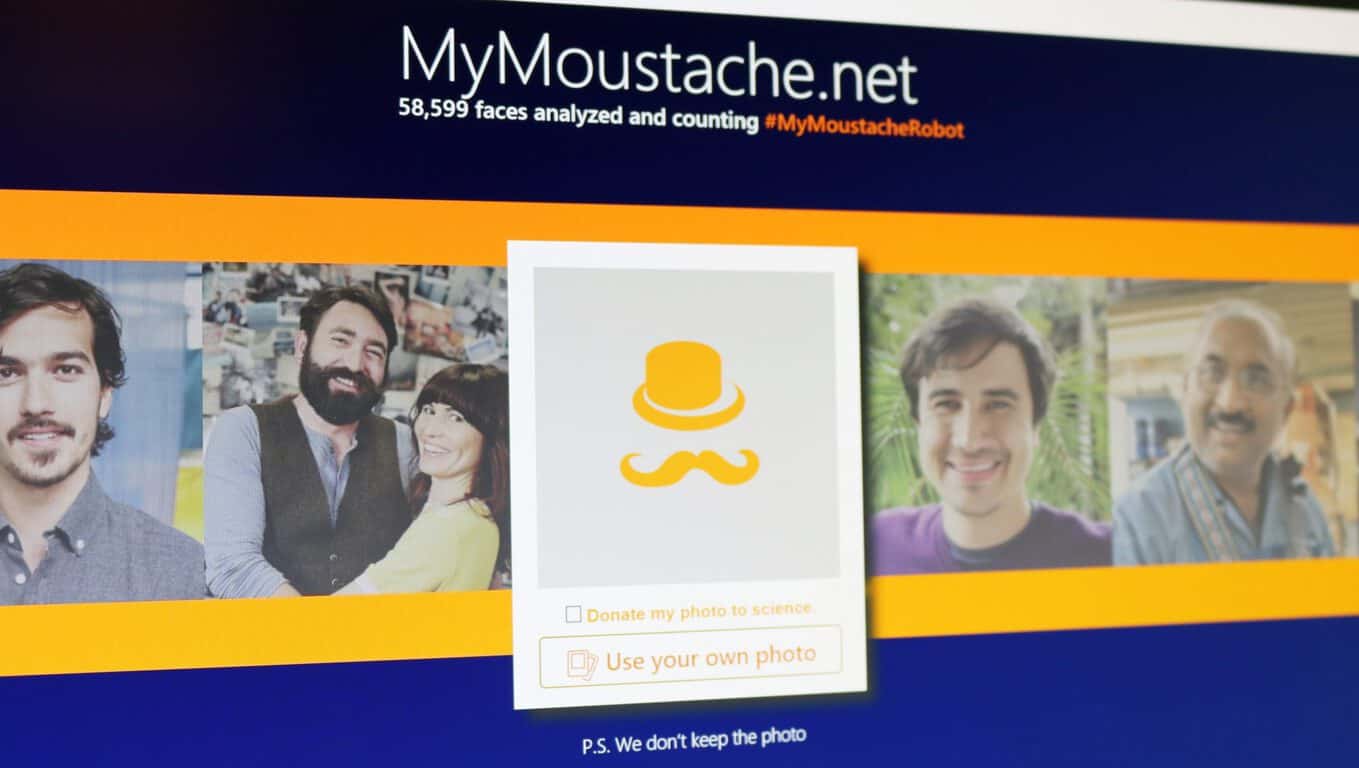
And of course, Microsoft’s machine learning team has taken multiple opportunities to create fun showcase sites using Project Oxford such as How-old.net and TwinsOrNot.net. Most recently, the team created MyMoustache.net, which uses Project Oxford’s Face API to detect and quantify facial hair to again showcase the technology, but also to help raise awareness for Movember and the Movember Foundation. The website works by allowing the user to upload a photo of their facial hair, and having machine learning algorithms rate your stache and compare it to the rest of the world.
Now that Movember is officially over, the machine learning team has posted the results of all the submissions, and there was quite a global response to MyMoustache.net. In total, 145 countries participated. The continent with the highest average mustache length was North America, but when broken down country by country, the island nation of Mauritius topped the charts with the greatest average moustache length. Of all the participants, 27% received the “ultimate mo” status for achieving a perfect score for moustache length. To see more of the results, you can read about MyMoustache.net and Movember here.
Via TechNet.comVia TechNet.com
For all the fun with showcase sites like MyMoustache.net, there was some serious computer science behind it. On technet.com, the Machine Learning team writes:
Jokes aside, one might ask what it takes to train a new ML algorithm, specifically one that measures facial hair? We took it as a classification problem. Face hair normally grows on three face areas: moustache above lips, beard under lips, and sideburns in front of ears. “Density” is introduced to describe how bushy that facial hair is in those face areas – level ranges include clean-shaven (no facial hair) stubble, medium and bushy.
If you missed your chance to participate in Movember, fret not. MyMoustache.net is still up and raising money for men’s health through collaboration with the Movember Foundation.
Windows 10 runs on all kinds of devices, including desktops, notebooks, hybrids, tablets, smartphones, and even the Xbox One. However, one of the device types that receives the least coverage is Windows 10 for the Internet of Things, or Windows 10 IoT. Just because many people don’t pay attention to it, though, doesn’t mean that Microsoft isn’t constantly improving it, and the Windows blog wants us all to know what’s new in Windows 10 IoT.
The focus of Windows 10 IoT includes many of the same factors as other versions of Windows, including security, and adds in some serious attention given to machine-to-machine and machine-to-cloud connectivity. IoT makes up millions and eventually billions of very small footprint, low cost devices that need to communicate with each other and cloud services like Microsoft Azure, and Windows 10 will be the framework that holds everything together.
IoT devices including applications such as ATMs, handheld terminals, and retail point of sale systems, and Microsoft has already outlined the versions that will support these sorts of applications, Windows 10 Enterprise, Windows 10 Mobile Enterprise, and Windows 10 IoT Core. The latter version is for devices with the least resources, and it’s this version that Microsoft would like to talk about.
The two areas that Microsoft is focusing on at the moment are commercialization of Windows 10 IoT core, and improvements to the platform in terms of performance via various hardware configurations, connectivity via serial/UART support, Wi-Fi dongle support, and support for more development capabilities.
Commercialization
Microsoft already offers a royalty-free Windows 10 IoT Core edition that utilizes automatic updating. Today, the company is announcing a Windows 10 IoT Core Pro SKU for OEMs that enables update deferral and controlled update distribution via Windows Server Update Services. Microsoft also created a commercialization process to allow early adopter businesses to access Windows 10 IoT Core on a commercially licensed and royalty free basis.
In addition, Windows IoT Core will be offered as a part of a Raspberry Pi service offered by Raspberry Pi Trading and Element 14. This will make it possible for commercial OEM/ODMs to utilize maker hardware to produce products.
Platform improvements
Microsoft is adding support for a number of hardware enhancements to improve performance, manageability, and access to peripherals. These improvements include:
GPIO performance improvements via a direct memory access bus driver enabling the use of native code. Pin Muxing support and 100X performance improvements are some of the advantages of the new driver.
Serial/UART support on the Raspberry Pi with built-in FTDI USB-to-serial chipset driver. An example of applications that use these ports are home automation systems.
Support for additional Wi-Fi dongles, including the Raspeberry Pi dongle and the RTL8188EU and RTL8192EU Realtek Wi-Fi chipsets.
Finally, Microsoft is making it easier to create Windows 10 IoT Core Universal Windows apps using Arduino Wiring Sketches, libraries, and hardware. Visual Studio can be added to projects via drag-and-drop and Arduino wiring code can be debugged on Windows 10 IoT Core devices.
There’s a ton of technical detail available in Microsoft blog post, and so be sure to read the whole thing if you’re a Windows 10 IoT developer or your company is looking to leverage the platform in your products. It looks like Microsoft is making the platform ever more useful, and you can download the latest release today and get started.
The tweet was in response to another bit of news coming from Gabe Aul, on the Xiaomi Mi4, which just released a Windows 10 Mobile ROM for the Android device:
Windows 10 Mobile Insider Previews are now available for Xiaomi Mi4 devices! https://t.co/1uscpwJFHp
Of course the Mi4 won’t be getting newer builds than the rest of us, but it’s good to see that Microsoft is supporting the Android to Windows 10 Mobile experiment with the latest Insider builds. Still no news on Windows Insider availability for the Lumia 950 or 950 XL, and although we’re anxiously awaiting a new mobile (or any) build, we sure would like to be able to run it on the new flagships when it does arrive.
There are lots of expectations for a new set of builds to drop before the end of the year, including the first Redstone builds for Windows 10, including a first look at Microsoft Edge browser extensions. Stay tuned to WinBeta and we’ll keep you posted on all the latest Windows Insider news!
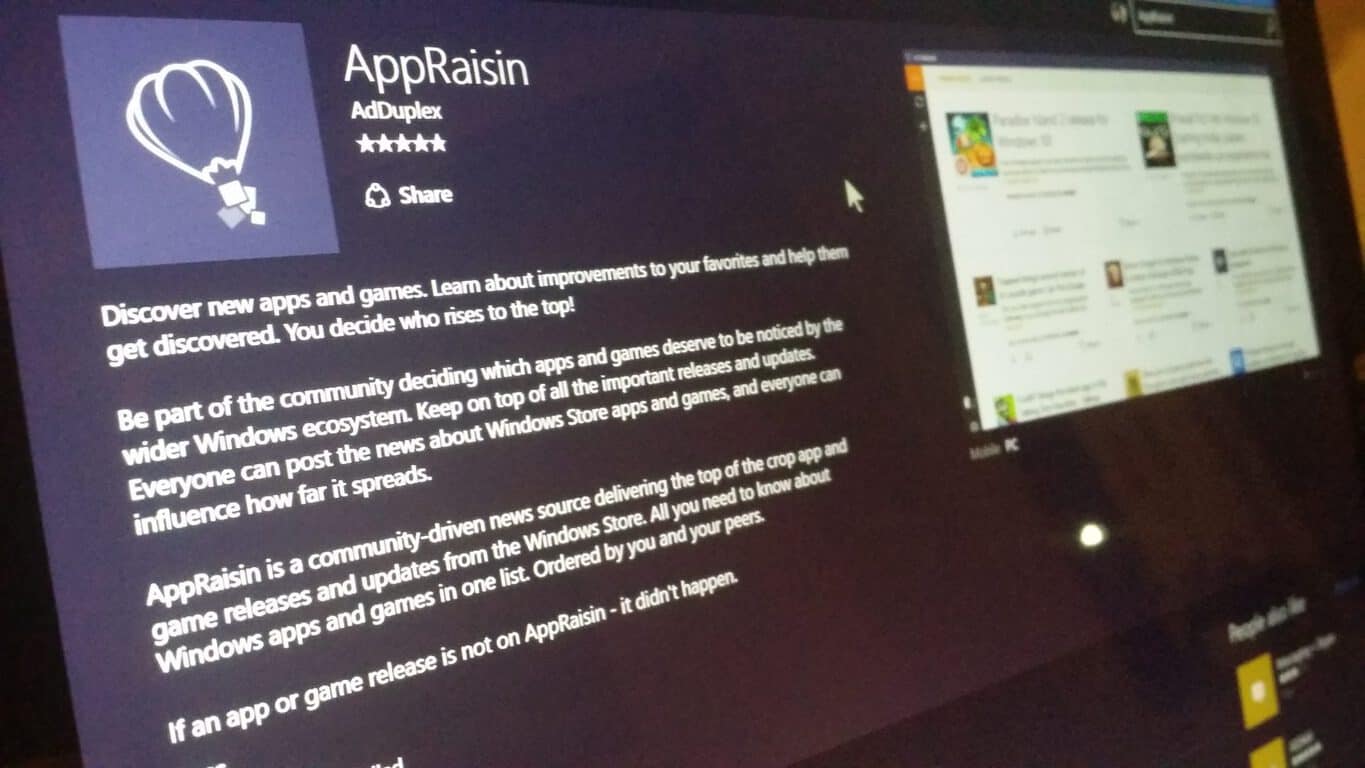
Windows-dedicated ad network AdDuplex has notified us of an update to their AppRaisin app, pushing the version number to 1.2 while introducing several UX and performance improvements.
A quick recap for those unfamiliar with AppRaisin: think of it like Reddit for Windows Store. A “community-driven news source,” AppRaisin provides a platform for its users to post news related to apps and games on the Windows Store, including updates, releases, deals and more. Other users will then be able to “raise” the news they find interesting, pushing its visibility up in the news panel, share the news, or get the app with a directly to the Store. It’s a novel and interesting idea, and from the positive user feedback, many seems to share the same sentiment (of course, helped along by the app’s polished Modern UI and well-doneness.) The app was released in November this year.
Exemplary UI for the new Windows apps.
A list of what’s new in version 1.2 of AppRaisin is as follows:
Pin AppRaisin to your start screen and get an update on the top app news with just a glance at our new Live Tile;
Each news item is now classified as either a New release, Update, Price drop or Discover (just an app recommendation from the fellow community members);
Now you can see who posted the news;
In case you have questions about AppRaisin and how it works – check out the help section in the About dialog;
Error messages are improved with more details. This will hopefully help us eliminate bugs faster;
Some users were getting a blank screen after posting news via sharing from the Store – this is now fixed;
Other minor improvements, UI tweaks and under the hood optimizations.
Overall AppRaisin is a very interesting app that’s an example of what we would want to have more on the Windows Store: a well-done, dedicated experience. By the nature of the app, the more users there are, the better and more useful it would be, so we suggest you dive in and start raisin’ your favorite app. Also, dark theme in next update please.
As part of the ongoing restructuring, Microsoft continues to make moves to streamline its business even more, especially in lagging parts like display advertising. The latest move involves expanding its partnership with ad tech giant AppNexus, reports Business Insider.
Specifically, the partnership has been expanded to cover 58 global markets, up from the previous 39, in which Microsoft ads will be bought programmatically using AppNexus’ technology. This extends from AppNexus’ previous announcement last week of bringing Microsoft ad sales 100% programmatic in 10 European countries, as well as the formation of a Supply Evangelist Team (SET) being set up specifically to work with Microsoft ads. No jobs were affected as a result of the expansion.
“Microsoft has a long standing relationship with AppNexus and we’re expanding our existing global technology partnership to simplify the buying process for our customers and resellers, across both reserved and programmatic inventory.” – Microsoft spoke person.
The partnership expansion marks another step of Microsoft moving away from the display advertising business. Microsoft already transferred 1200 advertising employees and a large part of the business to AOL earlier this year in exchange for a sweet search deal, and initiated the partnership with AppNexus. Microsoft’s deeped relationship with AppNexus also poses interesting questions regarding another big advertising partner, AOL, as profit has reportedly risen dramatically in markets AppNexus took over. It should also be noted that Microsoft is a big investor of AppNexus, pouring $50 million into the company in 2010.
The other part of Microsoft’s advertising business is Bing, which finally stopped being a money black hole for the company, bringing in more than $1 billion in revenue and becoming profitable this year. With the extended partnership, it’s clear Microsoft is focusing on the parts that work while cutting away excess to improve its bottom line; it will be interesting to see how the company will evolve in the future.
Microsoft has released the list of top searched queries via Bing this year. There are a number of categories, ranging from top news stories of 2015 to most searched athletes, most search celebrities, and more. Here’s the list: Top news stories of 2015
Paris attacks & the threat of ISIS
The EU refugee crisis
Earthquake in Nepal
Snowstorm buries NE US
Germanwings 9525 crash
Wildfires & drought devastate
US-Cuba relations restored
Planned Parenthood faces potential defunding
Ashley Madison hacked, data leaked
Discoveries on Pluto & Mars
Most searched athletes
Tom Brady
Ronda Rousey
Jordan Spieth
Stephen Curry
Aaron Rodgers
Serena Williams
Caroline Wozniacki
LeBron James
Danica Patrick
Cristiano Ronaldo
Most searched celebrities
Caitlyn Jenner
Miley Cyrus
Taylor Swift
Kim Richards
Kim Kardashian
Bindi Irwin
Chris Brown
Kylie Jenner
Justin Bieber
Kelly Clarkson
Strange but true stories
Hulk the pit bull challenges views
Man has surgery to remove car part, 51 years later
‘The Dress’ debate
Rare fawn raised by humans
Huge gold nugget discovered in China
Goliath fish caught by kayaker
Kermit-like frog discovered
Stowaway cat survives flight on plane’s wing
Pizza Rat
Spiders rain from sky
Top sports moments of 2015
Seahawks shocker at Super Bowl
American Pharoah wins Triple Crown
The world watches the cricket World Cup
US wins Women’s World Cup
Deflategate
FIFA corruption scandal
Pacquiao-Mayweather fight
Riley Curry outshines MVP dad
Devon & Leah Still’s emotional story
The Royals wins the world series
These are not just the only things searched using Bing this year, there are more categories like “People we lost” this year, celebrities on the rise, and more. The Bing Moments page also lists some of the events which took place this year, good and bad both. Head over to the Bing Moments page to read more details about them.
In case you still didn’t upgrade your Windows 7 or Windows 8.1 to Windows 10, Microsoft lets you to know that it really wants you to do so. Namely, the company just released two updates for Windows 7 and Windows 8.1, which make it easier for all genuine Windows 7/Windows 8.1 users to upgrade to Windows 10.
KB3112343 and KB3112336 Updates Are Here to Make Your Upgrade to Windows 10 Easier
The update for Windows 7 and Windows Server 2008 goes by the code of KB3112343, while the update for Windows 8.1 and Windows Server 2012 is KB3112336. Both updates basically do the same thing, only the operating system is different.
As we already mentioned, the purpose of these updates is to give you a few more upgrade options, and convince you to switch to Windows 10 as soon as possible.
“This update enables support for additional upgrade scenarios from Windows 8.1 to Windows 10, and provides a smoother experience when you have to retry an operating system upgrade because of certain failure conditions. This update also improves the ability of Microsoft to monitor the quality of the upgrade experience.”
Microsoft decided to release an update for older versions of Windows, besides releasing Threshold 2 for Windows 10, and the first update for Visual Studio 2015. But the only new feature that this update is bringing to Windows 7 and Windows 8.1 is an easier way to upgrade to Windows 10, as we didn’t notice any other changes to the system.
In case this new update didn’t convince you to upgrade your system to Windows 10, and you want to stick with your current version of Windows, you might want to check out this tool, which prevents the installation of Windows 10 on your computer.
Are you still using Windows 7 or Windows 8.1, and do you plan to upgrade to Windows 10 soon? Tell us in the comments below.
Gameloft has just announced a new fighting game called, Gods of Rome. A trailer has been released which shows off some of the gameplay and featured characters such as Spartacus and Zeus. Of particular interest is the platform icons listed towards the end which indicate it will launch on iOS, Android, and Windows platforms.
Bizarrely, a “Get it from Microsoft” icon is used in place of the usual Windows Store or Windows Phone ones so it’s unclear right now exactly which Windows platform will be getting it, Windows Phone or Windows PCs and Tablets. Details will likely be revealed closer to the game’s release date, which has yet to be announced.
Not much else is known about the game beyond a brief description and a hint at rewards for those who pre-register for the game on the official site.
Lead the world’s mightiest warriors in the fight against an ancient evil that threatens to enslave their souls! Pre-register to embark on your quest with great rewards when the epic battle begins! Receive your rewards by logging into Facebook and sharing.
Would you like to see this game on a phone or tablet? Let us know in the comments below.