Microsoft Working on a Fix for Battery Drain on Surface Pro 4, Surface Book

There are many customers who have been complaining about the display adapter crash problem on their new Surface Pro 4 tablets, and now it seems that Microsoft has finally acknowledge the problem and is working on bringing a fix.

Microsoft has recently released a firmware update that was supposed to take care of this issue for Surface Pro 4 and Surface Book owners, but apparently there are still problems being reported. Nonetheless, Redmond has been moving pretty fast, having already released fixes for screen flickering, touchpad anomalies, and others.

Fix incoming for battery drain on Surface Pro 4, Surface Book

Now Microsoft is working on a solution for the battery drain problem that affects both the Surface Pro 4 and the Surface Book. A Program Manager on the Surface engineering team reached out and said the following:

Yes, The ‘standby’ battery life is an issue we are working on and have been working on. We can put the processor into a deeper sleep state than it is currently set to. We couldn’t do it at RTM for a variety of reasons, power management is a very hard computer science problem to solve especially with new silicon. Currently it is not in the deepest “sleep” that it can be so there are wake events that would not otherwise wake it. We will have an update for this issue sometime soon in the new year.

One of the ways that you can improve the situation right away is to make sure you don’t have web sites open that are actively streaming when you close cover of go put the device to sleep. Especially if you have a website open that uses sound. This will keep the PLM service running.

To make it really sip power like your pro 2 did. Pro 2 did not have Connected Standby. It went straight to hibernate or S4. To do this on your book or Pro4 you can make that happen. To do this have the device go to Hibernate (deeper sleep and not listening) instead of “Sleep” (always on or connected Standby)…

So, as we can see, a fix is coming early next year, and meanwhile the suggestion for a temporary workaround is to change the power properties to Hibernate.

There are plenty of problems, bugs and glitches affecting both the Surface Pro 4 and the Surface Book, so this doesn’t help Microsoft too much in their quest to gain more market share. But let’s hope that they will become an increasingly better company when dealing with hardware products.
Posted in Fix

Windows Dev Center adds multi-user access, in-app purchase discounts, more

Today, Microsoft released an update to the Dev Center to add some features based on developer feedback this December. The Windows Dev Center adds a number of features to help developers as Microsoft merges its Windows PC and Windows mobile stores in preparation for a Universal App Store. Microsoft aims to periodically update the Dev Center with new updates, features, and to fix performance issues as they arise.
Here is the full list of updates and changed to the Dev Center in December:

  • Multi-user access with roles: support multiple users in a single account, with permissions controlled through user roles – this is one of the most voted for features in Uservoice, and is available now in all Dev Center accounts
  • Windows Store APIs: validate apps or in-app product acquisitions, useful for cross-platform services, or to add another layer of validation for customer purchases
  • In-app purchase discounts: schedule IAP price discounts for apps running on Windows 10
  • Access to Office and Azure programs: access the Office and Azure developer programs at no extra cost through the Dev Center registration
  • More effective Store lists: The Store is updating the algorithms for the “New and Rising” and “Best Rated” lists to be able to show more apps than before
  • Update to the Windows App Certification Kit:  with additional validation tests for UWP app submissions
That’s all the new features in the Dev Center for December. If you have more feedback for Microsoft or suggestions, let them know through the Dev Center UserVoice. Otherwise, if you are interested in taking a look at the new update and new features, check out the Windows Dev Center.

Microsoft and Rackspace partner to offer more options and savings to Office 365 users

Microsoft is upping its storage and security offerings for Office 365 with help from a recent partner, Rackspace. According to a press release from a Rackspace Blog, users of both Office 365’s suite of productivity services and members of Rackspace’s community will now be offered cost-saving measures with both tools.

Three of the four new features, Archiving, Azure Rights Management and Extra Storage, can be added on to new and existing Fanatical Support for Office 365 solutions. Office 365 Exchange Online Kiosk is a stand-alone offering.”

The Rackspace Email Archiving feature can now save customers the added time of having to manually move email to archive folders by automating the process for Office 365 data. With access to unlimited retention and storage amounts as well as the new automated sorting tool, Rackspace customers should find an immediate benefit to the time vs. cost savings of Email Archiving.
Moving on to Extra Storage, customers now gain support and access to larger SharePoint sites with the increase to unlimited storage capacity for Office 365 SharePoint. Previously, customers were hamstrung with an arbitrary storage limit of 100GB+500MB per subscriber for Office 365 storage.
Lastly, customers will also have access to a stand-alone, browser-based version of Exchange. The new Office 365 Exchange Online Kiosk gives enables customers to receive and send mail without the need for the entire suite of Office 365 applications, and can be implemented alongside other equally important tools such as Business Essentials, Business Premium or E3. Office 365 Exchange Online Kiosk also comes bearing 2GB of storage, calendar and contact access and ActiveSync features that help port features to mobile devices.
Even though Rackspace and Microsoft seemingly compete and produce tools for a similar clientele base, the managed cloud computing space appears to be benefiting greatly with a partnership of the two, as of late.

Microsoft's image recognition technology wins awards

Today, Microsoft announced it has made a substantial breakthrough in image recognition with neural network systems achieving five times more levels than any previous system. With this new technology, Microsoft took first place in both the ImageNet and Microsoft Common Objects in Context competitions, beating numerous academic, corporate and research institutions.
In both of these competitions, teams compete to see how well their systems identify objects either in a photograph or video without the aid of humans. Microsoft’s entry was able to beat the competition by achieving a high level of accuracy that would meet and sometimes exceed human capabilities.
In a post detailing the success, Jian Sun, a principal research manager at Microsoft Research, explains they were able to achieve such incredible results because of their new incredibly deep neural nets.
Jian Sun, principal research manager at Microsoft Research
To better explain today’s achievement, the post helps explain the context of its significance. A little background, neural nets are a computer process that mimics the biological processes of the human brain to make new connections between data points and learn continually. The adoption of neural nets has been a significant advancement in machine learning, and powers many of tools you may be familiar with and even use on a daily basis, such as Skype Translator’s real time translations or Project Oxford’s showcase projects How-old.net or TwinsorNot.net.
To put the scale of today’s achievement in context, neural net systems have been able to make huge advancements because computer scientists continue to find ways to add new layers. The challenge, however, is that adding more layers can result in signals disappearing in the system as” they pass through the system”, which stunts machine learning.
As Sun explains, computer scientists celebrated when they were able to have systems with eight layers just three years ago. Then last year, the field was excited by achieving “very deep neural networks” that comprised of 20 to 30 layers. By comparison, the system Microsoft used to win these competitions has 152 layers, five times more than any previous system. To make this complex neural network work, Microsoft researchers developed what they call a “residual learning” principle to “guide the network architecture designs.”
This new 152 layered system was what enabled the team to take first place in each of the three categories it entered for the ImageNet competition. And not just win but win by a large margin. Microsoft also won first place in its namesake MS Common Objects in Context challenge, which was originally funded by Microsoft but is now run by academics outside of the company.
The team was shocked by their own results, with Jian Sun saying “we even didn’t believe this single idea could be so significant” and Peter Lee, corporate vice president of Microsoft Research’s NExT Labs adding “it sort of destroys some of the assumptions I had been making about how the deep neural networks work.”

A video of Skype Translator’s neural network powered real-time translation in action.
The new residual neural networks are already being deployed in other contexts besides just research challenges. It is aiding Microsoft’s machine learning efforts in Project Oxford, which recently gained API’s for developers to tap into. And The Redmond-based technology company is “working tightly with Microsoft’s product groups to include the best image understanding in existing or future Microsoft products and services.” Giving a new sense of immediacy to how these breakthrough technologies make their way from research labs into the devices we use every day.
Today’s announcement concluded with a quote by Lee saying after all of the considerable improvements that came with the advancement of residual neural networks, “we don’t believe we’re anywhere close to the limit of the significant improvement in data classification accuracy for any of these tasks.” It will be interesting to see what Microsoft can do with these new systems to make the tools so many of us use today that much more intelligent and responsive to us and our surrounding world.

Microsoft Ventures in India signs three startups under its #CoInnovate program

Today at Think Next 2015, Microsoft announced three new partnerships for its #CoInnovate program. The program seeks to connect mature startups with corporations to facilitate greater market access for entrepreneurs. And now the program is expanding in India with three new partners, including Citi India, part of the multinational commercial and investment bank Citigroup; Kyron, a launchpad for enterprise startups; and Patni Healthcare, a firm set on transforming specialty healthcare in India through technology.
The three new partners will work with Microsoft and startups in India through #CoInnovate’s three distinct programs. CoInnovate is comprised of:

  • Market Access Program (MAP) which connects corporates to startups in the business vertical where their interests lie.
  • The High Potential program (Hi-Po) is where corporates nominate startups they want to work with to be accelerated at Microsoft Ventures in order to speed up their business potential.
  • The Partner in Acceleration (PIA) program where Microsoft Ventures helps organizations set up their own accelerator / incubator program by sharing knowhow.

Microsoft expands #CoInnovate partnerships at Think Next 2015
The partnerships announced today will span all of #CoInnovates programs to help spur on late stage startups. Citi India will be working through the Hi-Po program to find new technologies and solutions for client’s banking, e-commerce and transaction needs. Microsoft Ventures, the arm of Microsoft that runs #CoInnovate, will also work with select startups that participate in Citi’s own startup acceleration program, the Citi Mobile Challenge 2015.
Kyron will partner with Microsoft Ventures to help power their corporate accelerator and diffuse best practices and grow new connections in the startup ecosystem. This will give Kyron’s pool of startups access to a larger market of corporate partners and resources. Finally, Patni Healthcare will work through #CoInnovate’s MAP program to connect with healthcare startups, which can become part of their new technology based approach to hospitals and healthcare in general.
When speaking at Think Next 2015, Ravi Narayan, Director of Microsoft Ventures in India, highlighted the importance of this collaboration, saying:

Microsoft Ventures has always aimed to be an enabler for the startup ecosystem. During the last few years in India, we identified that market access remains one of the biggest stumbling blocks for startups, while corporates and governments often struggle to identify the right business partner. #CoInnovate is the bridge that can connect the two and we are happy that we have been able to bring such reputed partners on board today.

Along with the recent announcements by Satya Nadella at Future Unleashed, today’s announcement shows Microsoft’s commitment to increasing the breadth of its support for startups in India. Between empowering startups, supporting local development efforts, and expanding their own commercial reach, 2015 has marked some sizeable investments in the second most populous nation on the planet. What are you thoughts on Microsoft’s multipronged attention to India? Let us know in the comments section below.

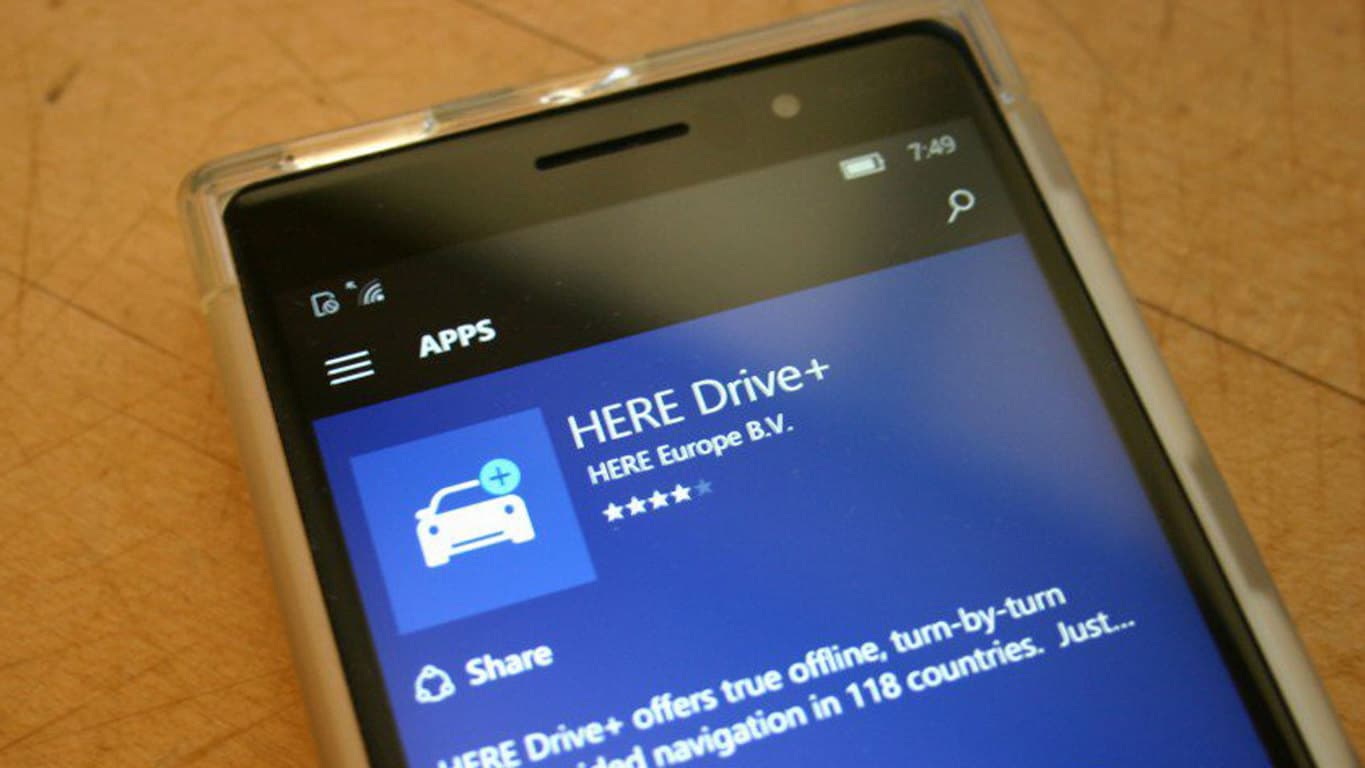
Official word: HERE Maps only temporarily unavailable on Windows 10

For a time, beginning shortly after Microsoft acquired Nokia’s phones businesses, it looked like Nokia Maps (later renamed HERE Maps), would overtake and possibly even replace Bing Maps as the mapping solution for Windows and Windows Phone.  Although Nokia refused to make maps and location services a part of the deal with Microsoft, the two companies worked closely together to push Nokia’s solution. No definitive decision was apparently ever made about which way to go, however, and maps on Windows was, to put it bluntly, a mess.
That all changed when new CEO Satya Nadella came on board, and Bing Maps was returned as the preferred mapping product. HERE Maps, which shipped on Windows Phones, remained, but with Windows 10, “Maps”, powered by Bing Maps, was the default. For some, at least, HERE Maps was still the better choice: in some regions, HERE Maps just had better detail than Bing, and HERE Drive, a traffic and directions app, was better suited for use while driving.
But then in an unfortunate series of blunders, HERE Maps basically disappeared from Windows phones. A problem with the Store prevented new users from downloading HERE Maps, which became glaringly real when Windows Insiders upgraded their phones to builds of Windows 10 Mobile, only to find that they couldn’t get HERE Maps back. A HERE Maps update rendered the apps, if you still had them, useless for a time, although that problem was fairly quickly resolved.
Still, HERE Maps has remained unavailable for Windows 10 Mobile users, but thanks to a comment over at WMPU by Social Media lead at HERE Pino Bonetti, that may be about to change:

Hi everyone, this is Pino from the HERE team. Thanks for all your feedback.
Existing HERE apps users on all Windows platforms will continue to have access to the apps. Working closely with Microsoft, we have corrected technical issues that were preventing some users from updating their HERE apps. If you still experience problems updating the HERE apps, please contact customer care at [email protected]. For new users, the HERE apps are temporarily unavailable in the Windows Store due to an issue unrelated to Microsoft. HERE apologizes for any inconvenience and we are working to resolve the situation as soon as possible.

For what it’s worth, we’ve been reaching out to HERE for weeks trying to get some kind of explanation, we’re glad they’re finally going public.
What’s probably more important than getting the maps back is that HERE, now owned by a consortium of European car makers, is treating Windows apps as first class citizens. In a way it’s good to hear that HERE Maps haven’t been pulled due to lack of interest or spite, but rather just an unfortunate series of mishaps.

Microsoft is now offering Linux on Azure certification once you pass two exams

Microsoft has taken to the company website to announce the creation of the Microsoft Certified Solutions Associate (MCSA) Linux on Azure certification, in collaboration with the nonprofit Linux Foundation.
The certification serves to demonstrate candidates’ ability to work with cloud-based Linux solutions running on the Microsoft Azure platform. In order to get this certification, two tests need to be passed: the Microsoft Exam 70-533 (Implementing Microsoft Azure Infrastructure Solutions), and the Linux Foundation Certifed System Administrator (LFCS) exam. To celebrate the creation of this new certification, there is currently a deal running for the LFCS exam which can be found on its main website.
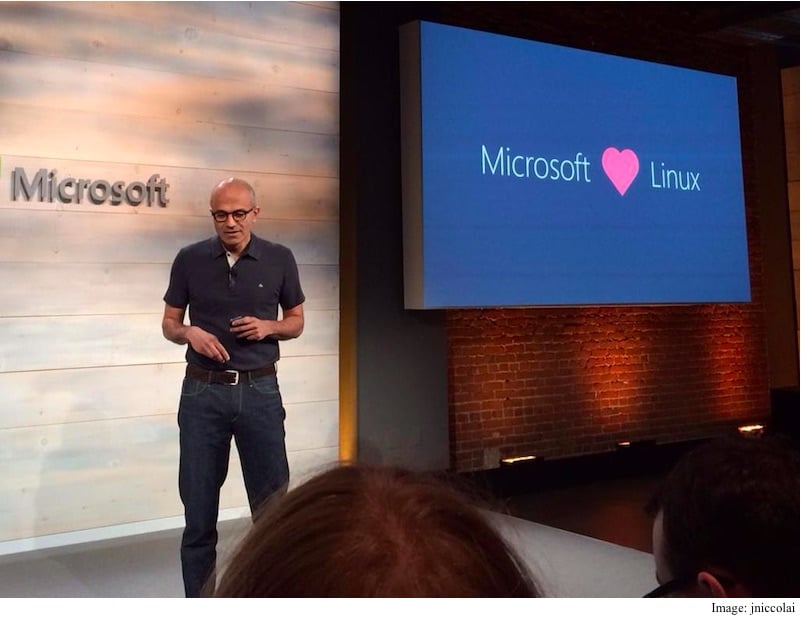
One important part of Microsoft’s image and culture change in recent years has been in the company’s increasing willingness to open up on its software development, most visible through a rekindled relationship with the open-source community. The creation of this certificate marks an important point in the continuing integration of Microsoft’s technology into open-source development and vice versa. It will be interesting to observe just how open Redmond can become in the years ahead.

Windows Live Writer is now Open Sourced into Open Live Writer [Download]

If you are a Windows user and your job involves writing, then you have probably heard about Windows Live Writer. This has been one of the most popular blogging tools, having been originally released back in 2006.

The last stable release was in 2012 then it received another one in April 21, 2014 to make it available for Windows 8 users. Microsoft had to do this because the tool was and still remains pretty popular.

Probably this was the reason which made the company announced back in June that it’s going to make it available as an open source program. Now this has officially happened as Microsoft has open-sourced Windows Live Writer and rebranded it into Open Live Writer.\

Go ahead and follow this link to download Open Live Writer find its GitHub repository here, if you’re interested in contributing towards this project. Microsoft’s Scott Hanselman made the announcement on his blog, saying the following:

“Today is the day. An independent group of volunteers within Microsoft has successfully open sourced and forked Windows Live Writer. The fork is called Open Live Writer (also known as OLW) and it is part of the .NET Foundation and managed by this group of volunteers.”

He also shared some of the added features, the removed features, so here they are:

What has been removed

  • Spell Checking. The implementation was super old and used a 3rd party spell checker we didn’t have a license to include an open source release. Going forward we will add Spell Check using the built-in spell checker that was added in Windows 8. Open Live Writer on Windows 7 probably won’t have spell check.
  • The Blog This API. It was a plugin to Internet Explorer and Firefox and was a mess of old COM stuff.
  • The “Albums” feature. It uploaded photos to OneDrive but depended on a library that was packaged with Windows Live Mail and Live Messenger and we couldn’t easily get permission to distribute it in an open source project.

New incoming features

  • Google runs the excellent Blogger blog service. We’ve worked with the Blogger Team within Google on this project, and they’ve been kind enough to keep an older authentication endpoint running for many months while we work on Open Live Writer. Soon, Google and Blogger will finally shut down this older authentication system. Blogger will use the more modern OAuth 2 and Open Live Writer will be updated to support OAuth 2. Windows Live Writer will never support this new OAuth 2 authentication system, so if you use Blogger, you’ll need to use Open Live Writer

Known problems

  • We are actively working on supporting Plugins. We have an plan in place and we are looking for your feedback on the most popular plugins that you want brought over from the Windows Live Writer ecosystem.

The current release of Open Live Writer is designated version 0.5, and, obviously, there are going to be plenty of bugs if you do decide to run it so early.

He recommends that those users who aren’t willing to deal with those bugs should stick with Windows Live Writer 2012, which can still be downloaded from Microsoft.

As Open Live Writer is no longer a Microsoft project, its success and evolution depends a great deal on the community. I for one am looking forward to start using it once again, and will probably try to do a small review about it. What about you, what’s your take on this?

How to hard (factory) reset your Lumia 950 or Lumia 950 XL

They may come a time where you need to reset your phone, for whatever the reason may be. Perhaps your device is malfunctioning or you want to refresh Windows 10 Mobile back to factory settings for a fresh experience. A hard reset is also ideal in situations where you plan to sell your device. Here’s a quick tutorial on how to hard (factory) reset your Lumia 950 or Lumia 950 XL.

Hard resetting your phone is really easy to do. Be mindful that doing a hard reset will erase all of your personal data and will restore the phone to its factory state. Make sure your phone is turned off before beginning the process listed below.

  • While your phone is completely shut off, hold down both the power button and the volume down button. (if your phone turns on, you need to repeat this process). This combo should be held for approximately 10 to 15 seconds until a vibration is felt.
  • After the vibration is felt, release the power button and keep holding the volume down button. You should now see an exclamation mark on your screen.
  • Now press the following key combinations: Volume up, Volume Down, Power Button, Volume Down.
  • Your phone will now reset itself to factory defaults.

Fhotoroom payment issue with Microsoft apparently resolved

Yesterday, we reported on Fhotoroom’s frustration with Microsoft, having to do with not getting paid for the last five months. Since then, Fhotoroom has taken once again to Twitter to clear up any thoughts that they were being paid by Microsoft to develop their app, this was purely a problem with getting paid for app revenues:


Since then, we’ve heard back from Microsoft, and while they were reluctant to go into any details on the record, they do report that the issue, which apparently was a single incident with Fhotoroom and not a symptom of a larger problem, has been resolved. Still, Microsoft should take note of Fhotoroom’s frustrations:


No developer should have to go through a “painful” process to get paid for their work, especially in an ecosystem that’s begging developers to work with them. We’ve reached out once again to Fhotoroom to see if everything is indeed ok on their end.
+++


Update: Indeed, Fhotoroom seems happy too, according to a response we received:

Yes, there is no question that Microsoft will resolve this and we are working together to resolve this. An Indie dev’s issues can sometimes get lost in the system. Another day in the mobile battle field.

+++
You can get Fhotoroom for Windows 10 or Windows 10 Mobile from the link below:

Fhotoroom
Fhotoroom
Price:
Free

Microsoft researchers receive more honors, including 3 ACM Fellowships

The Association for Computing Machinery, known more simply as ACM is “the world’s largest educational and scientific computing society”, and today Microsoft Research announced that five of its researchers have been bestowed with honors from the association.  Three of them, Cynthia Dwork, Mary Czerwinski, and Sriram Rajamani, have been honored as Fellows, for their “significant contributions to the development and application of computing across multiple disciplines”.
Two more researchers, Ratul Mahajan and Nachiappan Nagappan were named as Distinguished Scientists, and all of them will be formally recognized at the ACMs annual banquet in San Francisco next June.
Another Microsoft researcher, Li Deng, also recently received a prestigious Technical Achievement award, this time from the IEEE.
Microsoft Research, just about to celebrate its 25th anniversary, continues to be one of the most well respected private research institutions in the world, as their growing collection of accolades attests.

Forza Hub app now available for Windows 10, perfect for Forza fans

After Halo, the next Xbox community to get a Windows app are Forza players, with the arrival of the universal Forza Hub app for Windows 10.
As expected of a product straight from the maker of Windows itself, the new Forza Hub app is probably one of the most polished app experiences on Windows 10 that you can find. The user interface is wonderfully minimalistic and image-centric, evoking the image of the Xbox One dashboard, down to the black background and large tile interface. The app offers player info, news on the game, and cars and racing in general. By visiting the apps, players can receive free credits and cars every month.
forza-hub forza-hub-2
There are examples of attention-to-detail everywhere, from the transparent slide-out menu with slight shadows, to the animations as you press on different sections mimicking the Xbox experience. Forza is all about admiring lustrous cars rolling on perfect roads, and the apps almost feels as premium as the cars it shows off, which is a considerable achievement. A great experience for Forza fans, the app can be downloaded for free from the Windows Store on your device.

Forza Hub
Forza Hub
Developer:
Microsoft Studios
Price:
Free

Alt Tab in Windows 10: What Has Been Changed

Shortcuts are essential part of Windows, and one of the most known shortcuts is probably Alt + Tab. This shortcut has been in Windows for decades, and it has changed a bit in Windows 10, so let’s see how Alt + Tab has changed in Windows 10.

Alt + Tab shortcut was introduced a long time ago, and over the years it was changed slightly. Although the core functionality of the shortcut remained the same, it was renamed to Windows Flip in Windows Vista, but the name didn’t really catch up and it was soon forgotten. The way shortcut works wasn’t changed, and by holding Alt and tapping Tab button you could switch between open applications with ease. When you find the application that you want just release the keys and you’ll switch to it.alt tab windows 10

We also have to mention that Windows Vista added a new shortcut, Windows Key + Tab that took all your active applications and aligned them one behind another, and you could keep tapping Tab button to switch between open applications. When it was released this feature looked impressive, and although it was present in Windows 7 Microsoft decided to remove it from Windows 8. In the Windows 8 the Windows Key + Tab shortcut had different functionality and it was confusing to use so Microsoft decided to fix that with Windows 10.

windows 10 alt tab

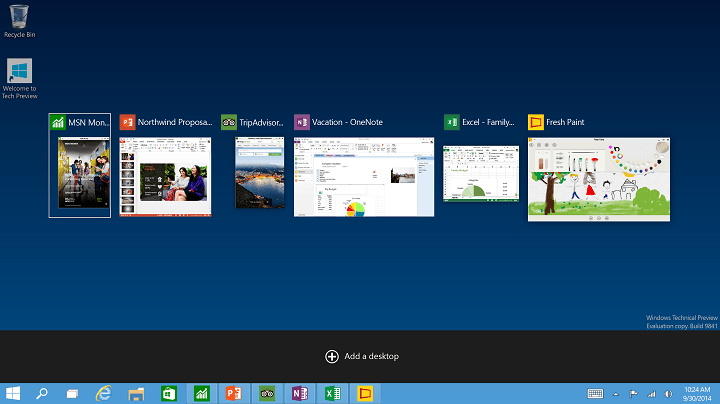
In Windows 10 Alt + Tab hotkey works like before, but it gives you much larger thumbnails so you can see better which application you’re switching to. As for the Windows Key + Tab, this shortcut will also bring all open applications, but at the same time it will allow you to switch to a different desktop or create a new desktop in Windows 10. One great thing about this shortcut is that you don’t have to keep keys pressed, it’s enough just to press them once and you’ll get access to virtual desktops and open apps.

Manage or Change Windows 10 Update Settings: How to Do It

Windows 10 has changed many things, and one of those things is the Windows Update section and the dedicated settings. But honestly, they are more streamlined and optimally placed than before, making things all the easier.

So, while updating Windows remains the same, managing or changing the settings is now relatively easier. But for those still unsure about things, here is all you need to know about the Windows 10 update settings.

What are the changes to Windows 10 update settings?

1. Updates are not accessible from the Control Panel anymore

Maybe one of the biggest changes is that now you cannot access Windows Update from Control Panel. Instead, the only way to access Windows Update settings on Windows 10 is to use the Settings app and navigate to Update & Security section.

With Windows 10, all updates are installed automatically, and when you visit the Windows Update section, you’ll only find the Check for updates button that locates updates, and if any are available, it downloads them automatically.

2. Windows now download updates automatically

In addition, Windows 10 will also check for updates in the background and download them automatically.

This means that you won’t be able to select individual updates. Instead, you’ll automatically download all of the updates from security updates, optional updates to driver updates.

We should also mention that Windows Update won’t download updates on metered connections, so it won’t use your mobile data. Instead, it will download updates once you connect to a stable Wi-Fi network.

However, in order to prevent Windows Update from downloading updates, you have to set your current connection as metered.

Advanced options in Windows Updates

We also have to mention that Windows 10 Professional users will have the option to defer upgrades under the Advanced options section.

They will still get all the updates like Home users, but their updates might be delayed until they have been tested for some time by Home users.

Under the Advanced options, you can choose how updates are installed. You can choose Automatic, and Windows will download updates automatically, install them, and schedule a reboot when you’re not using your PC. You can also schedule a restart that will allow you to set a reboot at a specific time.

3. Peer-to-peer downloads

One new feature that Microsoft has introduced with Windows 10 is peer-to-peer download for updates.

For example, if you have multiple PCs in your network, you can choose to download updates directly from them and speed up the download process.

In addition, your PC will both send and receive updates from other Windows 10 computers over the Internet, but if you don’t want to send and receive updates from other computers on the Internet, you can turn this option off.

4. View history and uninstall updates

If, for some reason, you have issues with your PC after installing an update, you have the option to view your update history under the Advanced options.

Update history in Windows 10

You’ll see the list of updates there, but you can also uninstall an update if it’s causing any problems.

5. Updates remain unchanged after a reset

Probably one of the most useful features of Windows Update is the ability to keep your updates after you reset your PC.

Windows 10 comes with a PC Reset feature that will perform a clean install of Windows 10, but now you can keep your updates and won’t have to download all updates again.

That’s it! There are all the Windows 10 update settings and features you should know about! And by now, managing or changing these should be much easier.

Before you leave, find out how to fix Windows update errors and effortlessly install the latest version.

For any other queries or to share your feedback, drop a comment below.

Windows 10 Tablet Mode: What You Need to Know

Just like Windows 8, Windows 10 is designed to be single operating system for variety of platforms and it’s fully compatible with tablets and other touchscreen devices. In order to achieve that Windows 10 comes with Tablet Mode, so let’s learn a bit more about about it.

When you first start Tablet Mode you’ll notice that all of your open apps and windows are in full screen mode and that all of your desktop icons are hidden. Don’t worry, you can still access your desktop using the File Explorer.tablet mode windows

In addition to desktop icons, app icons from the taskbar are missing as well, but this is done so you can have more space to work with and not launch any application by accident. Speaking of taskbar, there is a back button that works the same way as on Windows phones. Also Cortana search bar is replaced by button, and all other taskbar icons are bigger and there’s more space between the icons. We should also mention that Tablet Mode works fine with keyboard and mouse, so you can use them instead of your fingers.

In order to use Tablet Mode, you don’t need a touchscreen device, you can enter it by following these instructions:

  1. Open Action Center by pressing Windows Key + A.
  2. Click the Tablet mode button and you’ll instantly switch to tablet mode.tablet mode windows10

We should also mention that you can access Tablet Mode automatically if you’re using 2-in-1 devices such as Surface tablet. All that you have to do to access Tablet Mode is to remove Type Cover, or any other keyboard and you’ll switch to Tablet Mode.

You can also configure Tablet Mode by navigating to Settings > System > Tablet Mode. Here you can change when the device enters Tablet Mode, or whether to remember your Tablet Mode state when you sign in.

Fix: Lumia 950 Restarts During Calls

Microsoft Lumia 950 and 950XL are here, and users are more than satisfied with these two premium devices from Microsoft. But, what would a brand new device be without at least one reported problem?

This time, one user of Microsoft Community forums has reported that his new Lumia 950 restarts during the calls. This is really a serious issue, and it needs to be resolved immediately. But even though it’s a serious problem, Microsoft remained silent about it, as none of the company’s employees reached out to users on this forum thread.

But in Microsoft’s defense, this problem is not caused by them, or by the bug in Lumia 950. It’s simply a technical issue, and we have a solution for it.

What to do if Lumia 950 Restarts During Calls

This issue was caused by the wrong provider settings. Namely, when you buy your Lumia 950 (or any other phone), there’s a chance that your vendor already installed settings for a certain provider. However, if you’re a user of a different provider, some errors may occur. In Lumia 950’s case, it restarts during calls.

All you need to do to solve the problem is to hard reset your phone. When you perform a hard reset, all the settings will be reset as well, and your phone will adjust the new settings by your current provider.

To perform a hard reset on your Lumia 950 phone, do the following:

  1. Go to Settings, and go to About section
  2. Find Reset your phone, and tap on itlumia 950 restarts
  3. Answer Yes
  4. Wait for the process to finish

After you reset your phone, your new provider settings will be included, and you should not have any problems during the call. Since the device is pretty new, you probably don’t have a lot of content to lose, but just in case, you can head to Settigs>Backup>More options> Back up now, to backup your existing staff.

Several Surface Pro 4 Owners Unable to Use Pens Due to a Pressure Sensor Issue

Microsoft’s Surface Pro devices are great for artists and animators, because it gives them a lot of options to exploit their creativity to the fullest. The latest device from the Surface Pro series is the Surface Pro 4, which offers more features and tools to artists than any other Surface Pro device before.

But, Surface Pro 4 is relatively new device, which means that some bugs or problems may occur. And after screen and Wi-Fi issues on Surface Pro 4, some users noticed that the pen pressure isn’t working properly, as paint brush strokes aren’t equal when working in programs like Adobe Photoshop.

“I love the new SP4 pen, but I’ve noticed the pen pressure is not consistent. The biggest problem is that paint brush strokes in Photoshop don’t taper smoothly when drawing. I tried using the SP4 pen on my Surface Pro 3 and it doesn’t have any problem.”

Microsoft recognized the problem, but one of its employees only said that the company is working on the fix, without mentioning when the fixing update will arrive. Microsoft’s employee also pointed out that the cause of the problem lays in the outdated version of Photoshop, but since users confirmed that they’re using the latest version of the software, and that the problem appears on other similar programs as well, obviously the problem is not in third-party programs.

One of the users reported that in the program called Lazy Nezumi, pen pressure sensor works well. But no one else confirmed this, so we can’t surely tell you if it’s true. The program is paid, so it is not advisable to buy it just for experimental purposes, but you can use the 30-days trial version, to see if the issue actually doesn’t occur in this program. Hopefully Microsoft will provide a fixing update in the next 30 days.

It is normal for a new device to features certain bugs and errors, but it looks like errors in Surface Pro 4 and Surface Book are pretty consistent, so Microsoft will have to do a lot of work to provide a fixing update for all of them.

Microsoft Translator make's Time Magazine's Top 10 Apps list

Don’t look now, but Microsoft’s HoloLens augmented reality solution isn’t the company’s only technology that’s tickled Time Magazine’s fancy. Microsoft Translator also made the list, coming in as one of Time Magazine’s Top 10 Apps of 2015.
While HoloLens took the #1 spot, Translator rates a strong #7:

Translation apps are getting increasingly accurate, thanks to cloud processing and other advancements. Microsoft’s latest attempt is one of the best out there, a handy tool for international travelers especially.

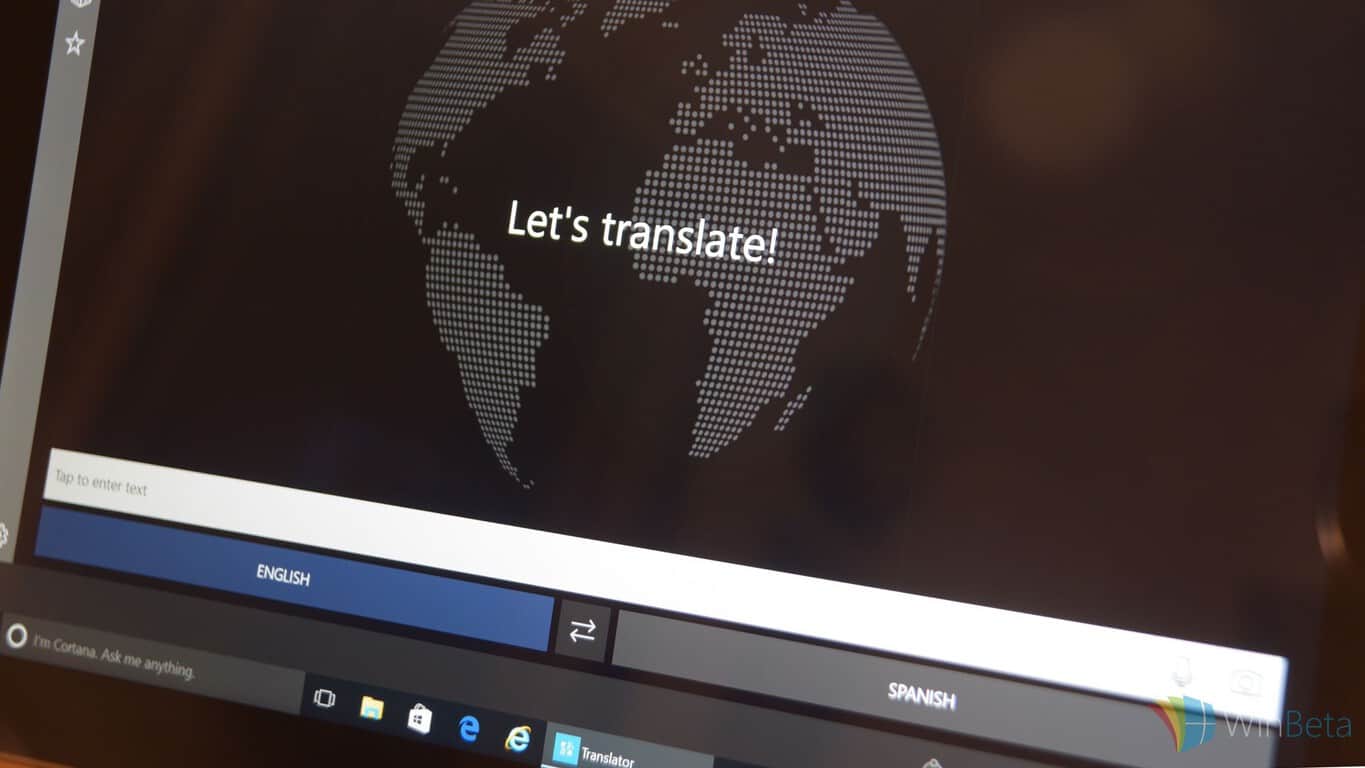
Microsoft Translator runs on a number of platforms, including iOS, Android, and as a Universal App for Microsoft’s own Windows 10 and Windows 10 Mobile. Translator supports text translation for 50 languages, voice translation for 18 languages, and picture translation that can display what’s printed on a picture or sign in 19 languages. It’s no surprise, then, that this example of Microsoft’s machine language prowess has gotten Time’s attention.
You can give Translator a try by clicking on one of the links below, but if you’re much of a traveler or have the need to communicate with people from other countries, you’re probably already using Microsoft Translator. One day, we’ll enjoy language translation provided by the artificial intelligence that timeshare inside our brains, but for now, Microsoft’s Translator app is the next best thing.

Translator
Translator
Price:
Free


‎Microsoft Translator


Microsoft Translator

The best cases for your Lumia 950 XL

It was nearly two years since Microsoft released a flagship device and now that the Lumia 950 XL is finally available, here are some ways to keep it safe. With a massive 5.7 in glass gorilla display and a polycarbonate body, there is quite a bit of phone that needs protecting. There are quite a few options available to keep the Lumia 950 XL safe, but here are five of the best cases we’ve found.

Olixar

Olixar Armourdillo’s protective case provides two layers of defense. The case includes a TPU polymer skin that is covered with a polycarbonate exoskeleton. This case comes is either black, red, or blue and has a built in kick stand for the phone.

Olixar 2

Olixar also offers a Leather-style wallet case for the Lumia 950XL. This case fits around the back of the device, wrapping around to the front, with two pockets to carry credit cards. This case can also be used as a kick stand, but is only available in black.

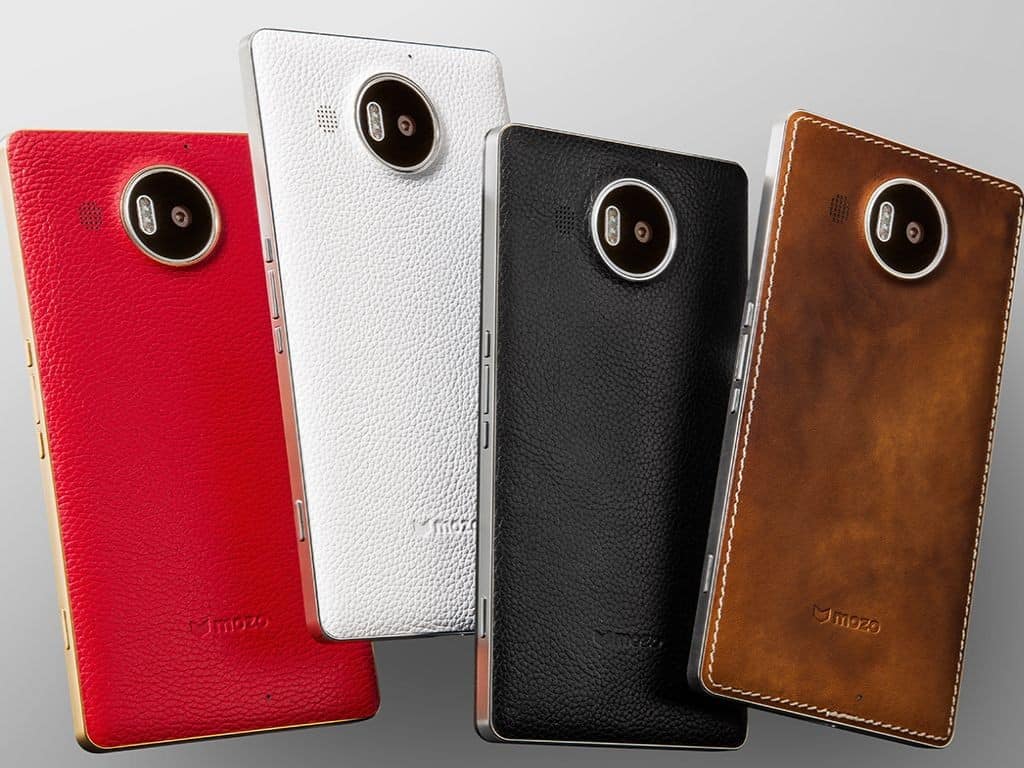
Mozo, Microsoft’s official designer for Lumia 950 XL cover accessories, provides a number of protective cases crafted specifically for this phone. As a part of Microsoft’s desire to provide users with features they wanted, such as replaceable batteries and Micro SD expansion, the Lumia 950XL’s simple design allows for a removable back and replaceable covers by Mozo.

mozo-lumia-950

Mozo offers a Genuine Leather back cover with a metallic rim, that comes in Cognac, black, white, or red with gold trim. As this case replaces the back cover of the Lumia 950 XL, it is built with NFC and wireless charging.

mozo 4

Mozo’s Genuine leather flip cover also comes in Cognac and acts as a replacement back cover for the Lumia 950 XL. This case also provides a sleeve to house credit cards or personal identification and is sealed with a magnetic cover to flips around the bottom of the device.

mozo3
Finally, Mozo offers a thin flip case made of the same genuine leather cover that comes in either black or Cognac. This case also provides credit card slots as well as NFC/Wireless charging built in.

The Lumia 950 XL can be purchased unlocked from the Microsoft Store and the cases above can be found at Mobilefun.co.uk.  Let us know how you are keeping your 950 XL protected in the comments below.

Students travel around the world in global Skype-a-Thon

The Skype team has taken to their blog to share the success of Skype-a-Thon this year, a Microsoft-hosted event to promote learning without borders. The event lasted for 2 days, with 3,046,124 virtual miles collectively travelled by students and teachers around the world.
Microsoft has had a long history of promoting Skype for educational purpose, starting in 2009 with the launch of the Skype in the Classroom program, where students uses Skype to view and connect with other locations, cultures and people around the globe remotely. The program has seen very positively received, participation from over 400,000 teachers from 265 regions.

Continuing on that momentum, this year, Microsoft hosted the first ever Global Skype-a-Thon: on December 3 and 4, teachers conducted pre-scheduled Skpe calls with guest speakers, other classrooms around the world, and did virtual field trips, in order to travel one million virtual miles.

I think Skype-a-Thon is such a great event, because you can really connect with people all over the world. And like my teacher says, ‘If you say yes to an opportunity, you never know what doors will open and take you on a new adventure.’” – A 5th grade student at Allisonville Elementary School, Indiana

The resulted far exceeded that initial goal: the number was surpassed on day one, and by the end of the event, more than 3 million virtual miles have been travelled by teachers and student from India, Australia, Mexico, China, Finland, Kenya, the United States and more. Activities included

“This was honestly the highlight of my day. Especially when our guest speaker talked about leadership, it was extremely inspiring and motivating.” – Ryli, a 7th grade student at Andover Middle School, Florida

The advancement of technology has made the world a more magical place than ever: think back to just 20 years ago if you ever imagined visiting Mount Everest and talking with climbers without ever leaving your class. With companies and educators pushing the boundaries of practical application of technology like Microsoft and the Skype-a-Thon participants, it’s never been better to be a student.


Wise Disk Cleaner 9 Released for Windows 10 Users [Download]

Over time, all of us tend to stock and pile up plenty of unnecessary files inside our Windows systems. Luckily, there are many solutions that we have at our disposal, include some free ones, such as Wise Disk Cleaner.

Recently the software has been bumped to version 9, and you can now make use of this free disk utility to clean up your Windows 10 OS and to make sure that everything is nice and tidied up. Here are some of the main features of the software:

Securely Cleans Up Useless Files and Makes Your Computer Run Faster

Over time, junk files, temporary files, all kinds of system files and other items you do not need at all accumulate on your Windows Computer. Those useless files take up valuable hard disk space and slow down your computer. Wise Disk Cleaner can delete these unnecessary files on your hard disk to free up disk space and make your computer run faster. It also provides many custom options to allow advanced users to clean up more files they don’t need. Equipped with advanced algorithms, Wise Disk Cleaner can scan and remove them within seconds, making it one of the most efficient disk cleaners out there.

Cleans Internet History and Other Traces on Your Computer – Protecting Your Privacy

Wise Disk Cleaner can clean Internet histories, cache files, and cookies of Internet Explorer, Chrome, Firefox, Opera and Safari browsers. It also detects and cleans all other traces caused by Windows System, components and other applications. By removing all these traces thoroughly, your privacy will be well protected from prying eyes.

Improve Your PC performance by defragging and re-arranging files on Your Disk

Your hard disk drive will get fragmented over time. Fragmentation makes your hard disk do extra work that can slow down your computer. The ‘Disk Defrag’ feature of Wise Disk Cleaner can rearrange fragmented data so your disks and drives can work more efficiently. ‘Disk Defrag’ also offers you a clear graphic chart of the selected drive, letting you know the drive usage at a glance. You can also use it to analyze and defragment any external storage devices.

Scheduled Automatic Disk Cleaning

You can set Wise Disk Cleaner to clean the disk on a daily, weekly, or monthly schedule according to your own need. Wise Disk Cleaner will automatically clean up the useless files in the background when the scheduled time is up. In settings, you can also create a ‘Clean with 1-click’ icon and place it on the desktop. With this feature, you can clean up the junk files by just clicking the icon without opening Wise Disk Cleaner.

Freeware & Low CPU Usage

Wise Disk Cleaner Free is completely free. Anyone can download it for free and enjoy free automatic update and technical support by email. Better yet, Wise Disk Cleaner is a small and absolutely virus-free program that consumes very little system resource.


Wise Disk Cleaner Free provides lifetime free update service and Unlimited Free technical support which is a really awesome feature. Go ahead and make use of it on your devices.

Microsoft shows how to build Windows 10 apps for Continuum

While still in its infancy, Continuum has great potential for Windows 10 Mobile and Windows 10 Universal apps. In this Channel 9 presentation, Keri Moran, Gino Sega, and Liz Threlkeld of the Windows Shell Engineering team, talk about how developers can create Windows 10 Universal apps for Continuum in the video below.
2_continuum
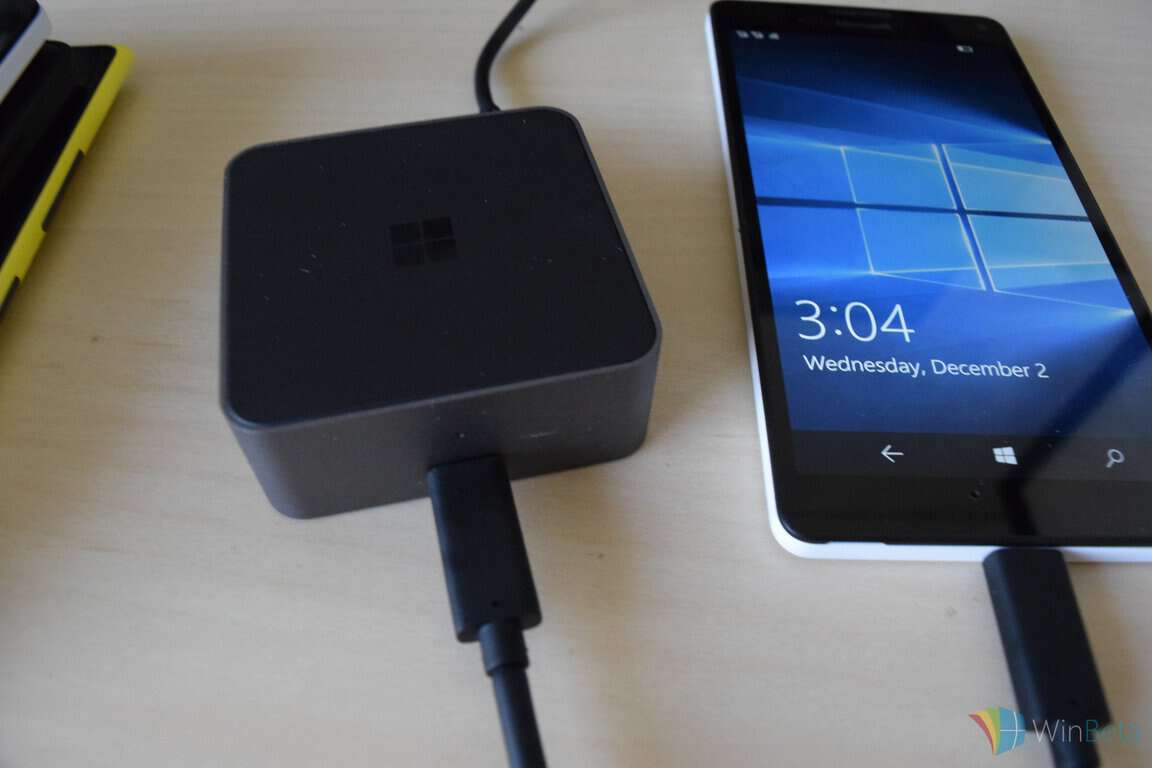
Microsoft tries to lure developers to create apps as part of the Windows 10 Universal app system by showing them an early look at Continuum. Throughout the Channel 9 presentation, numerous issues and hiccups that arise with the demonstration of Continuum. However, the potential of what Continuum can become is evident to anyone that sees it in action. If you are using the Wireless Display Adapter, or the Wired Display Dock, Continuum allows you to use your Lumia 950 or Lumia 950 XL as a portable PC.

Continuum is hobbled by the fact that it is only available using Lumia 950 or Lumia 950 XL. To grow and reach more users as Microsoft plans to in this Channel 9 presentation, Microsoft will have to find a way to make Continuum available on more Lumia phones.
 

Microsoft and Google come together again to fight Verizon over new WiFi tech

US cellular provider Verizon is attempting to corral the rest of the wireless providing industry into a new business strategy and standard that, on paper, could offer tremendous gains to the end customers. Unfortunately, in practical use, Verizon’s new approach could also potentially encroach on the lovely WiFi access systems that are currently in place. The result is WiFi enabled devices could see the same level of congestion and the dreaded ‘throttling’ as do current cell phones.
Verizon, along with a host of other US-based wireless carriers and chipset maker Qualcomm are attempting to introduce a new standard for the industry called LTE in Unlicensed Spectrum or LTE-U for short. Before LTE-U testing, carriers would spend billions to license spectrum from the government to deliver content wirelessly. With over 70 percent of people in the US utilizing smartphones on the licensed spectrum, not only are carrier’s bills inflating, but traffic has now become congested. Now it seems carriers and chipset have a plan in place to address the current state of wireless delivery while also keeping more money their pockets presumably.
The problem arises when Microsoft, Comcast, and Google get together and study Verizon and Co’s proposal. According to the research from the unlikely consortium, LTE-U would use smaller cell towers to help offload traffic in combination with home wireless routers to deliver content.
That’s right, Verizon and Co are looking to use wireless routers in homes to help push content to customers, presumably without reimbursement. On top of what unlicensed routers are being used for such as WiFi network traffic to gaming consoles, TV’s, tablets, phones, or home automation, the wireless carriers would like to access that network to free up space from licensed spectrum they pay for.
Verizon-Wireless-store-interior-001
The consortium of Microsoft, Google and Comcast argue that the proposed standard of LTE-U would ‘substantially degraded consumer WiFi’ service across the country in a recent FCC filing. There is also no mistaking the effect LTE-U would have on the consortiums bottom line, as each service provider utilizes those unlicensed spectrums through gadgets and content to customers.
Bloomberg Business reports that both wireless carriers and the tech consortium have research backing their respective positions on the matter while also offering counter arguments to the oppositions testing and reporting methods.
Adding to the heated debate is wireless chipset maker, Qualcomm’s introduction of LTE-U enabled chips. Even without formal adoption, Qualcomm seems to be betting on a future where LTE-U is a standard.
Ultimately, it comes down to companies such as Microsoft, Google, Time Warner and Comcast fighting against the carriers for the valuable spectrum of unlicensed commercial WiFi. On one side resides the carriers who believe they can provide better cellular experience to customers by tapping their wireless routers as a communal bridge for offloading their current congested traffic. On the other are the content providers arguing that carriers have not made enough of an argument for wanting to encroach on the unlicensed spectrum both they and customers are currently benefiting from.
At the end of the day, it may be up to FCC Chairman Tom Wheeler and the agency to make the final call. Wheeler is asking the two opposing parties to come together on a solution before the FCC has to step in a choose a side. However, with the future of access to valuable customers and dollars on the line, it seems unlikely wireless carriers and the content consortium will see eye to eye anytime soon.

How to enroll your Lumia 950 in the Windows 10 Mobile Insider preview program

Earlier today, Microsoft enabled the Lumia 950 and Lumia 950 XL with the ability to install new Windows 10 Mobile Insider Preview builds. For those of you who own either of these two flagship Windows 10 Mobile phones, you probably want to test out the latest and greatest from the Redmond giant. Here’s what you need to do:

  • First, head over here and download the Windows Insider app for your phone.
  • Open the app and tap on “get preview builds”
  • Follow the on-screen instructions to enroll in the Windows Insider program.
  • Select Insider Slow if you want pre-release builds of Windows 10 Mobile, but less buggy. Select Insider Fast if you want every new build that gets released, regardless if they have any issues.
  • Once you are done, your phone will reboot.
  • Go into Settings > Phone updates and check for updates!

You should now be able to download any new Windows 10 Mobile preview builds as part of the Windows Insider program. Keep in mind that these are preview builds, so they will probably be buggy. Let us know in the comments below if you are enrolling your Lumia 950 or 950 XL in the preview program!

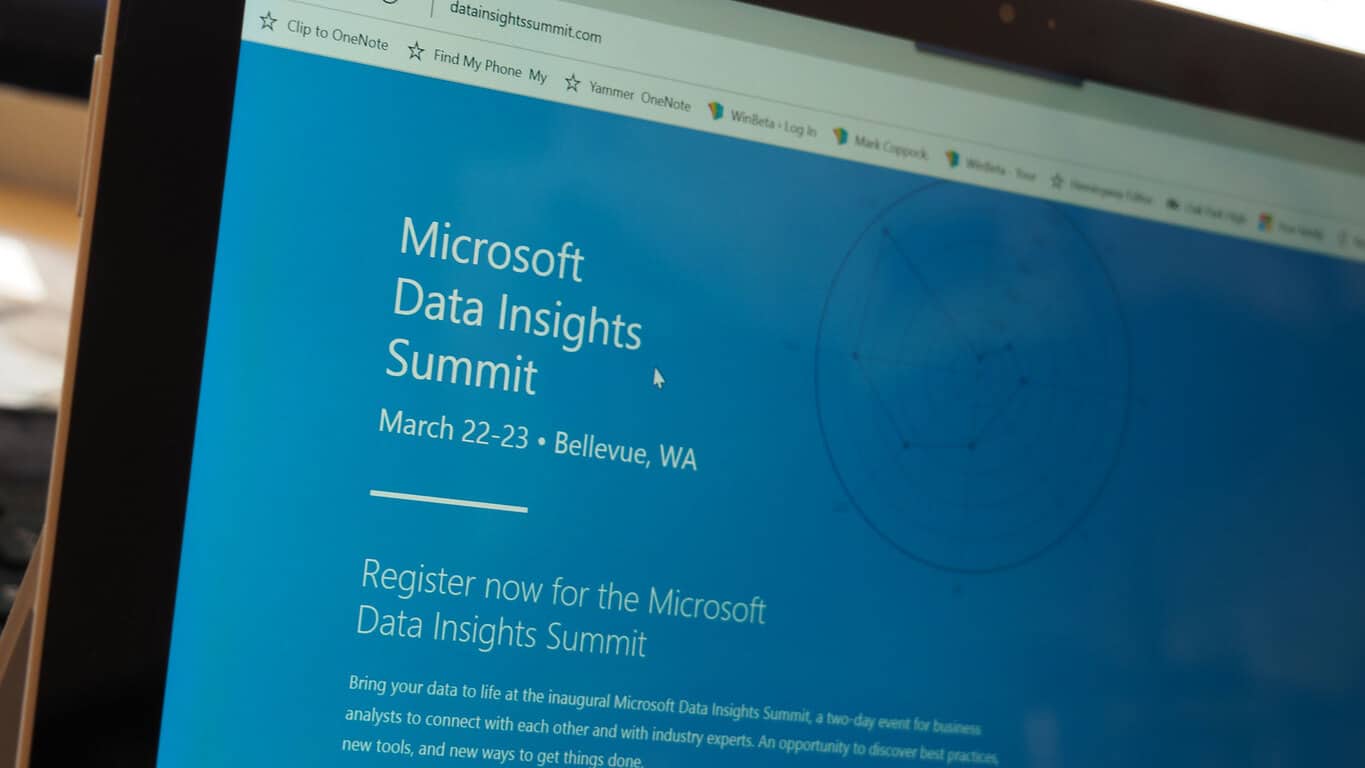
Microsoft holding Data Insights Summit in March

Microsoft is big on Big Data, particularly as gathering, analyzing, and securing the information that impacts individuals, organizations, and societies becomes increasingly important. To that end, Microsoft is ushering in its inaugural Data Insights Summit on March 22-23, 2016.
The summit will gather business analyst professionals, industry experts, and Microsoft product staff in Bellevue Washington to delve into the Microsoft tools that are aimed at utilizing Big Data to make an impact in the real world. Power BI and Excel are two such products, and they will be featured in hands-on demos, workshops, and other sessions.
Attendees will also be able to schedule one-on-one meetings with Microsoft engineers, and Ask-the-Expert sessions will provide additional opportunities to ask questions and get answers. You can register for the event starting today, and you’ll want to get in line for what it likely going to be a popular event. Find out more about the summit at its very own page, DataInsightsSummit.com.

Microsoft Researchers try their hand at predicting the future

In 1991, former Microsoft Chief Technology Officer Nathan Myhrvold wrote a 21-page argument for more Microsoft investments in basic research and development. Founder and then-CEO Bill Gates was apparently swayed by Myhrvold’s arguments, because Microsoft Research was founded and will enjoy its 25th anniversary next year.
Perhaps in preparation for the anniversary, Microsoft has been tapping into the smarts behind the Microsoft Research team–made up of over 1,000 scientists and engineers working across many different technology disciplines in research labs spanning the globe–to prognosticate about the future of technology and its impact on society. In November, the company published a free eBook anthology, “Future Visions,” written by prominent science fiction writers who gained access to Microsoft Research staff and facilities, which is available on Amazon and elsewhere.
This month, Microsoft has published a set of predictions over at the Microsoft News Center, whereby 16 leading Microsofties in the Technology and Research group provide their thoughts on what 2016 should produce in the way of innovation as well as what we should enjoy by the time 2026 rolls around. As you can imagine, if these individuals are correct then we should see some pretty cool stuff coming in the very near future.
It’s a distinguished group of technology gurus, and they have some pretty wild ideas on just where technology is headed. If they’re correct, then next year should bring some key breakthroughs and 2026 could end up pretty trippy. Here are some highlights.
Chris_Bishop_2015-200x300

Chris Bishop, Managing Director of Microsoft Research, Cambridge, UK, Microsoft Distinguished Scientist, Major technological advance in Europe in 2026

“By 2026 we will have ubiquitous, human-quality translation among all European languages, thereby eliminating the language barrier throughout Europe.”

Bill-Buxton-235-1-200x300

Bill Buxton, Principal Researcher, Microsoft Research, 2016 will be the year that…

“The age of digital baubles, do-dads and planned obsolescence will begin to fade, and the focus of industry and consumers will shift from technology, per se, to enhanced human experience, values and potential.”

Lili-Cheng-300x300

Lili Cheng, Distinguished Engineer & General Manager, Microsoft Research NExT, major technological advance in 2026

“Every kid who goes to school will learn to code and create the kinds of experiences we use every day. This means we’ll be able to better design and control how computers impact our lives.”

KCrawford.-300x300

Kate Crawford, Principal Researcher, Microsoft Research, major data science advance in 2026

“AI agents like XiaoIce will feel so real and play such a central, trusted role in our lives that we will require them to have the same ethical and legal relationships that we have with doctors, lawyers and therapists.”

Jasmin-Fisher-200x300

Jasmin Fisher, Senior Researcher, Microsoft Research, Cambridge, UK, major executable biology advance in 2026

“Ten years from now, cancer will be a solved problem thanks to interdisciplinary, ground-breaking approaches that will enable researchers and clinicians to compute driver mechanisms of cancer, as well as to understand, detect, diagnose and treat patients at an individual level.”

Hon

Hsiao-Wuen Hon, Corporate Vice President, Microsoft Research Asia, 2016 will be the year that…

“Video distribution on the Web will overtake TV broadcast. More people in China will watch the Olympics through the Web than through TV. Video analytics technology as offered by Project Oxford will facilitate more intelligent video processing in the cloud.”

In reading through the entire list of predictions, one gets the impression that perhaps more than anything, advances machine learning will have a very real and potentially very valuable impact on our lives. This makes sense, because a great deal of Microsoft’s research revolves around artificial intelligence and the hardware and software components that go into making it ever more powerful. We see the impact of machine learning today in products like Bing and Cortana, and we’ll no doubt see Microsoft continuing its significant investments in the technology going forward.
No matter what, Microsoft should remain an important player in advancing technology well into the future. Researchers like these are key to making sure the investments turn into real solutions. We strongly recommend that you read the entire piece, and we look forward to reporting on Microsoft’s continued advancements.

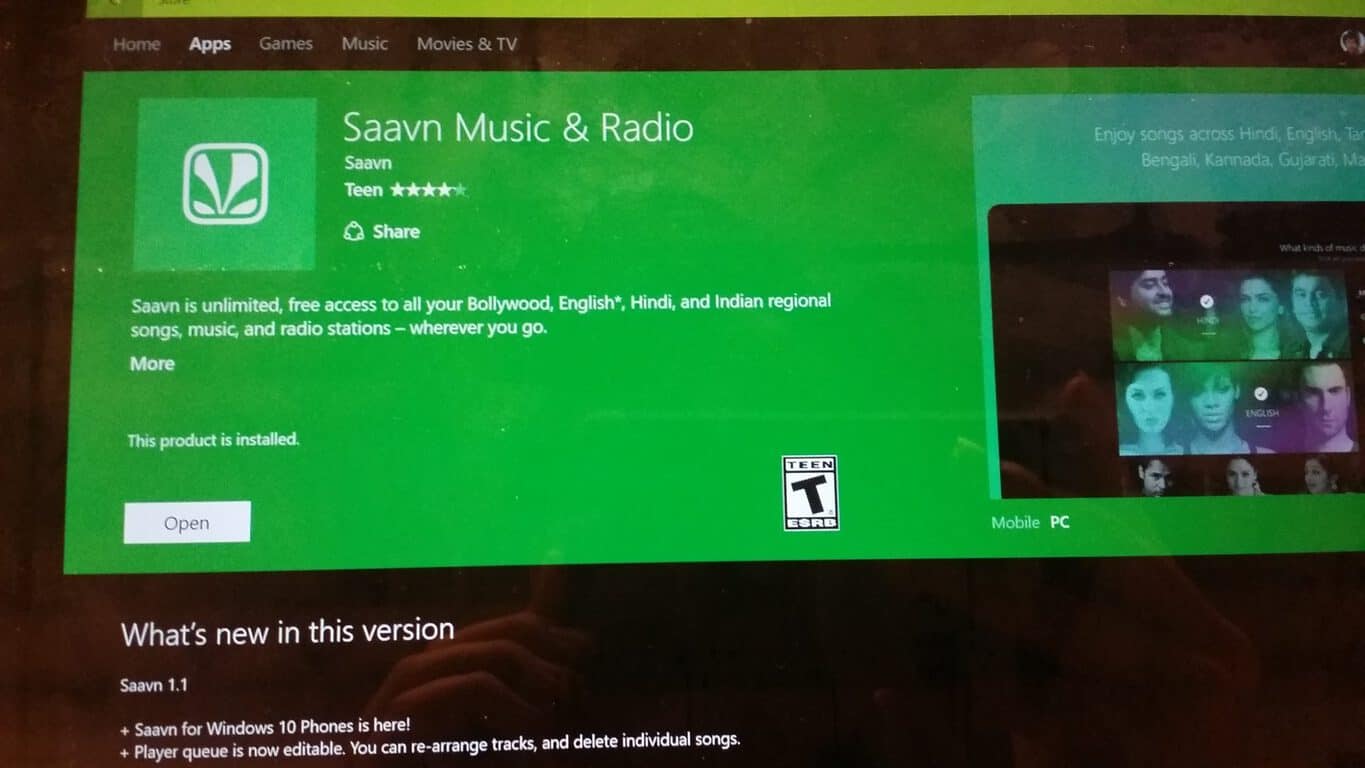
Saavn Music & Radio now has a universal Windows 10 app

Universal Windows Apps (UWA) lies at the core of Microsoft’s current vision and strategy, as it continues to unify all its platforms under one operating system, so it’s always exciting to see developers adopting the model. The newest apps to join the ranks of run-everywhere is Indian music streaming service Saavn.
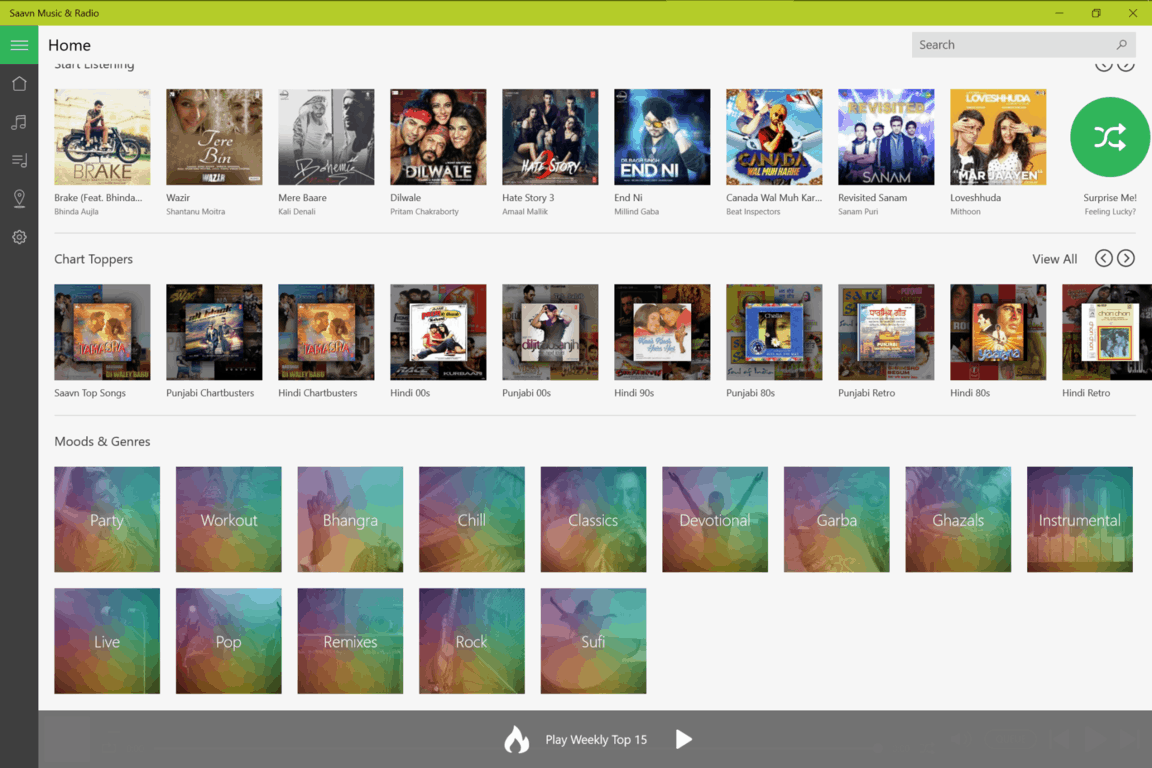
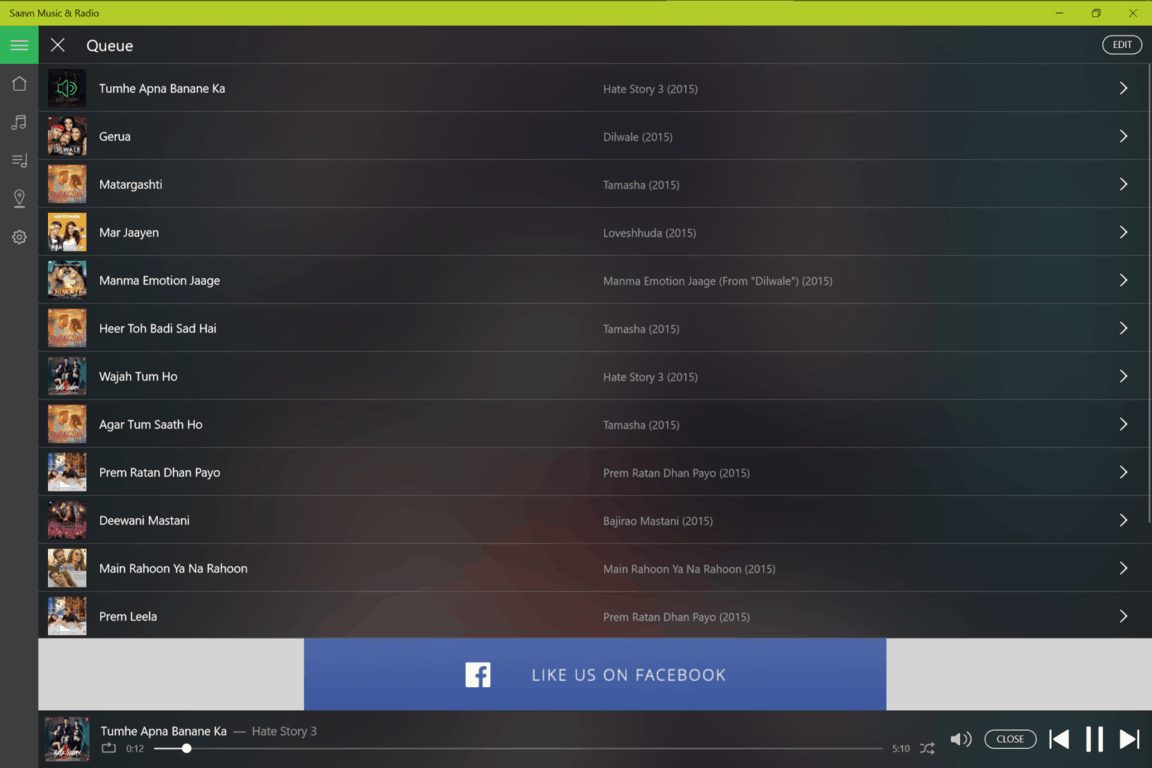
One of the most popular digital distributors of Indian and Bollywood music, Saavn holds the rights to more than 7 million tracks, with 13 million active users monthly. They offer ad-free and offline streaming, similar to Spotify. Saavn has had a Windows Phone app before, and with the newly-released version, they have moved to Microsoft’s UWA model, with a redesigned interface.
Screenshot (94) Screenshot (95)
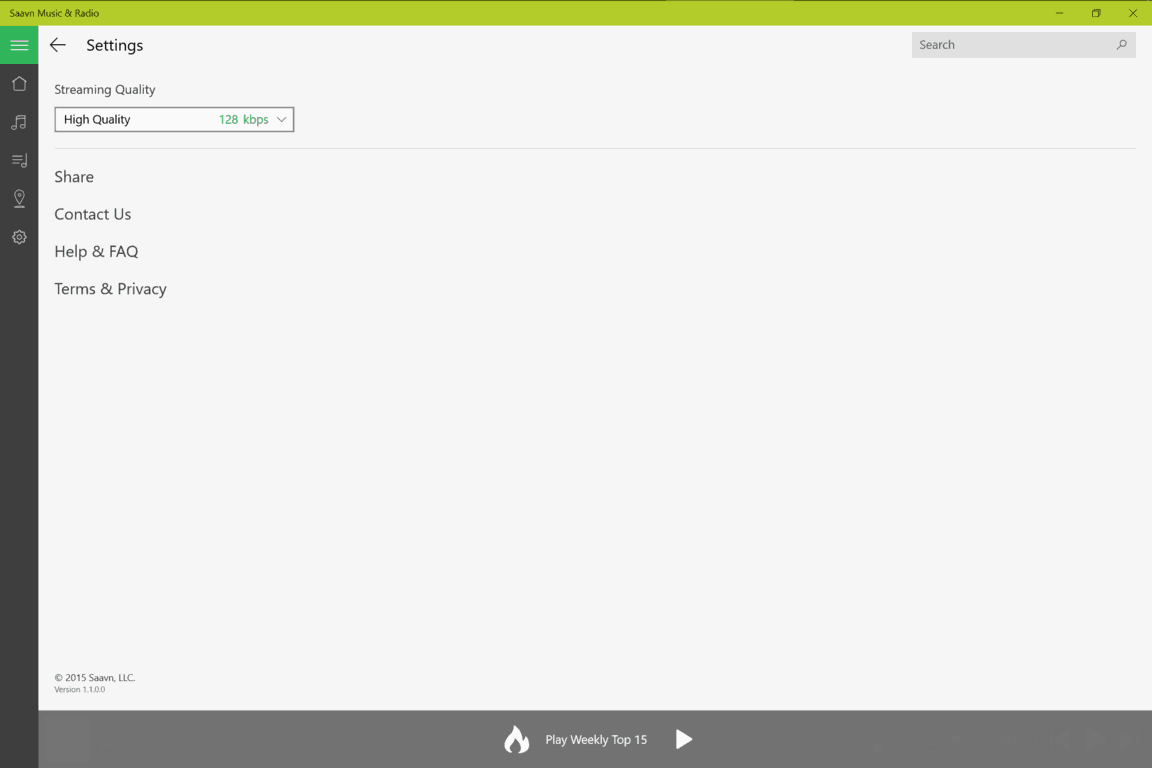
Screenshot (96)
The app has a very nice interface that strictly follows Windows 10’s new Modern design guidelines. There is a mix of light and dark themes in the main interface and the queue page, but a consistent dark theme across the app would be welcome. There are also light visual ads that do not distract from the experience. You also can choose stream quality in the settings.
Overall, the app is well-designed and a nice attempt from the developer at the UWA model. Fans of Indian music around the world will welcome this as another addition to their music sources.

JioSaavn Music & Radio
Developer:
Saavn
Price:
Free

Windows Device Recovery Tool now updated, Lumia 950, 950 XL updates coming

Last Friday evening, Microsoft pushed out an update to Windows Insiders using the latest Windows 10 Mobile build, updating their devices to version 10586.29. Unfortunately for early adopters who have purchased a Lumia 950 or 950 XL, the updates are not yet available, although a blog post that came along with the updates promises that those devices (along with the Lumia 550 and the LG Lancet) will be updated sometime early this week:

We are also taking this opportunity to onboard some new devices in the Windows Insider Program to receive these updates. These devices will be added early next week, along with an update to the Windows Device Recovery Tool that resolves detection issues on these devices.
Additional devices available to Windows Insiders early next week:

  • LG Lancet

  • Microsoft Lumia 550

  • Microsoft Lumia 950

  • Microsoft Lumia 950 XL

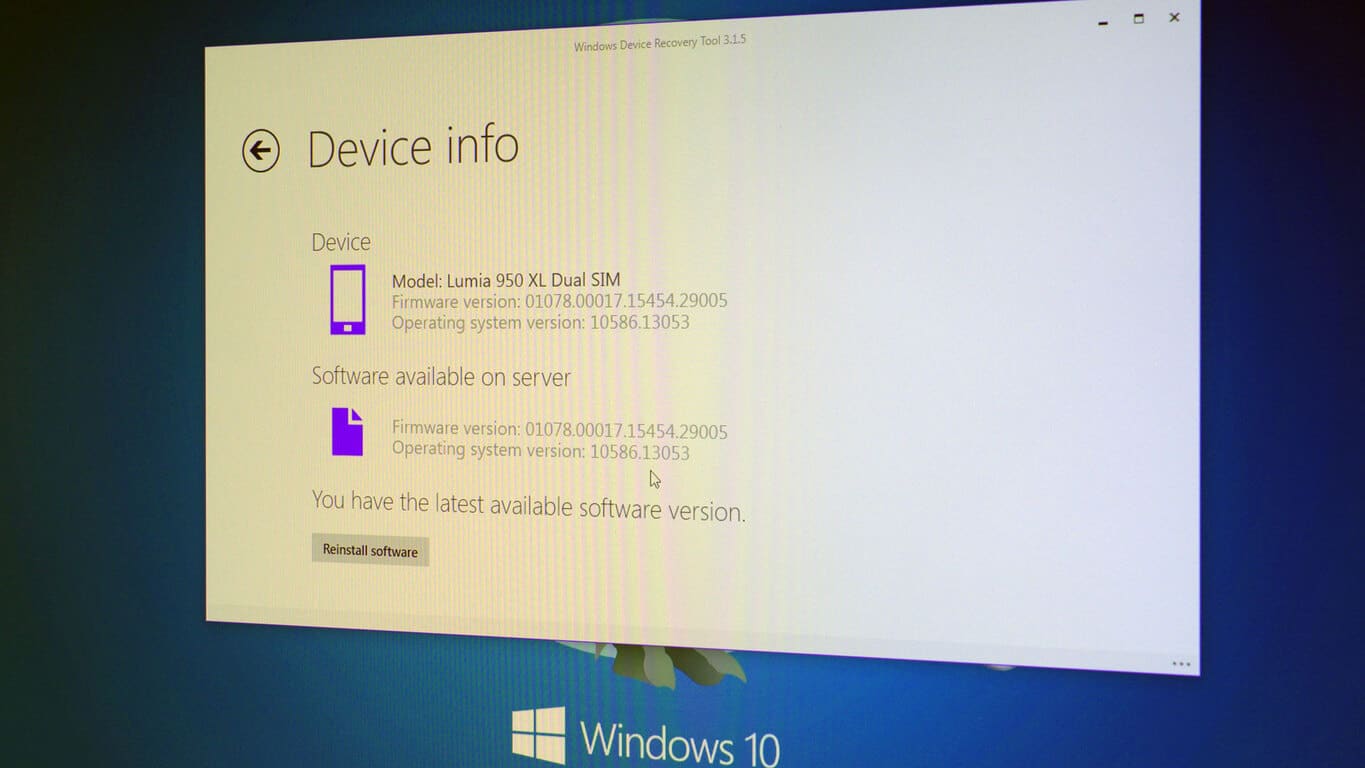
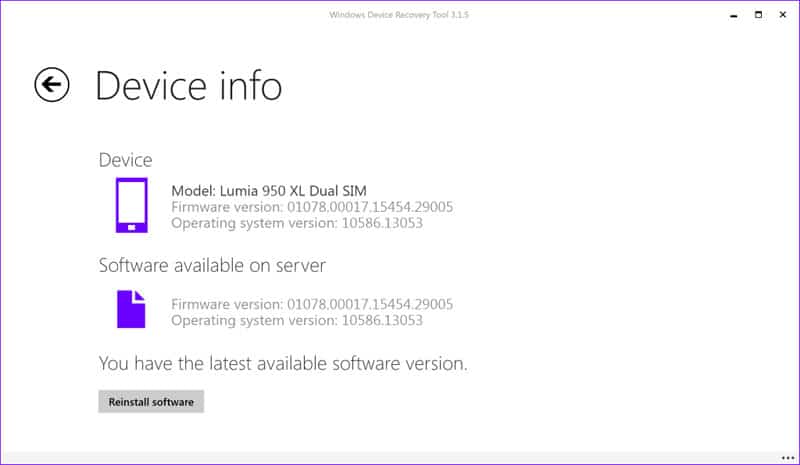
While we’re still waiting for the actual updates, The Windows Device Recovery Tool looks like it has been updated to detect the new devices, also as promised in the blog post.  A mandatory update to the Tool updates it to version 3.1.5, and does properly detect the Lumia 950 XL:
wdrt-315
Normally we’d be expecting an update to land sometime on Tuesday morning, but after last Friday night’s release of the latest update for Windows 10 Mobile, all bets are off. What’s next, Sunday morning releases? Anyway, stay tuned to WinBeta, we’ll be watching for all the latest news.
Thanks Tero for the tip!

Quick Fix for KB3122947 Windows 10 Update Installation Error

Update errors are common in Windows 10, and users are encountering problems with various updates (bigger and smaller ones) since the release of the system back in July this year. Microsoft just released a minor update for Windows 10, labelled as KB3122947, and guess what? People are having problems to install it.

People Report the Installation Error with KB3122947 Update

It looks like the majority of users who received the update today is not able to install it normally, through Windows Update feature. Complaints immediately flooded Community forums, as users were reporting the problem to Microsoft.

“Hi, My Windows Update is not working. I have tried running the troubleshooter in control panel and the WindowsUpdateDiagnostic download as well, but it did not work. Is this update available in a stand alone installation? Thanks.”

“I just checked too see if there where any , it popped up for a second tried to download and the error occurred. I have been over reacting on issues found out if I wait Win 10 fixes itself but then I thought I would make it know what found out.”

Besides the big amount of negative reports on Microsoft forums and other forums around the internet, Microsoft still didn’t say a word about the update or the way to fix the installation error, probably because the update is minor, and doesn’t bring any major changes to the system.

Luckily, some users managed to find the solution on their own, and that solution appears to work for the majority of users.

Solution for KB3122947 Update Installation Error

As one Reddit user pointed out, if you’re not able to install the update through Windows Update, you’ll have to install it manually, using the Command Prompt.

“I managed to install the update manually using the below command (run it in elevated Command Prompt):

dism /online /add-package /packagepath:C:\Windows\SoftwareDistribution\Download\

c4a1b8896ce9fbfea96c1ee6890d52a5\windows10.0-kb3122947-x64.cab”

To install the update manually with Command Prompt, do the following:

  1. Right-click on the Start Menu button, and choose Command Prompt (Admin)
  2. In the Command Prompt, paste the following line, and Press Enter:
  • dism /online /add-package /packagepath:C:\Windows\SoftwareDistribution\Download\
  • c4a1b8896ce9fbfea96c1ee6890d52a5\windows10.0-kb3122947-x64.cabkb3122947 for windows 10 update error
  1. Restart your computer

Performing this action in Command Prompt will install the KB3122947 update manually, and the problem will be solved. Most of the users who tried this method reported that it worked for them, so if you’re encountering this error as well, we hope that it will fix it for you.

Microsoft researcher Li Deng receives IEEE technical achievement award

It only takes one short look at Microsoft’s research and development team to know that it consists of an inconceivably vast amount of incredibly talented people, each working every day to make the world a better place. One of those people, Li Deng, has just received some well deserved accolades from the IEEE (Institute of Electrical and Electronics Engineers) in the way of their Technical Achievement award.
Li Deng is the research manager in Microsoft’s lab in Redmond, Washington, and has made incredible strides in the fields of language processing, deep learning, and voice recognition. Li Deng was present at NIPS 2015 just recently presenting some of his team’s research on deep learning, stating that “People see machine learning as more and more important – and deep learning is increasingly central to business.” It’s that conviction to his field that earned him this award, and that will be propelling his team forward into the future.
Deng, of course, doesn’t attribute his success to himself alone. He had a team collaborating with him to make the breakthroughs that he did, and he made a note to thank them.

“Many collaborators, in Microsoft as well as at universities, have been working closely with me on developing deep learning technology and applying it to a range of applications including notably automatic speech recognition, language processing, and business data analytics,” Deng says. “They share this honor by the amazing teamwork exhibited for many years.”

This award serves to affirm that vast amount of talent. With people like Li Deng working to keep discovering the bleeding edge of technology in machine learning and neural networks, we can all be assured that the future for technology remains an exciting prospect. Here’s hoping that Deng and his team of collaborators keep up the great work.
 

Steve Ballmer calls "bullshit" on Microsoft's cloud revenue

Former Microsoft CEO, Steve Ballmer made his thoughts known about Microsoft during this year’s annual shareholder’s meeting in Bellevue, Washington. Microsoft didn’t disclose profit margins and sales from its cloud and hardware businesses, which set Ballmer off. Ballmer is Microsoft’s largest individual shareholder; certainly he has a right to be ticked. Microsoft disclosed an annualized revenue run rate, which is a projected rate of growth.
Ballmer voiced his opinion that Microsoft should report the profit margin and sales for its cloud and software services:

“It’s sort of a key metric — if they talk about it as key to the company, they should report it. They should report the revenue, not the run rate, it’s bullshit. Margin — a measure of profitability — is important because while gross margins for software are very high, they are far lower for things like hardware and cloud services.”

At the same shareholder’s meeting, Ballmer voiced his concerns about Windows 10 Mobile and its need to run Android apps in order to be successful. Microsoft’s Project Astoria, the program that would allow Windows 10 Mobile to run Android apps was put on hold indefinitely in November.

Microsoft to open source most of Chakra JavaScript engine

Today at JSConf Last Call in Florida, Microsoft made something of a bombshell announcement: they’re open sourcing much of their Chakra JavaScript engine. The company will host ChakraCore on GitHub, beginning early next year. ChakraCore is most of what’s included in Microsoft’s new Edge web browser, minus some specific bindings to the browser or the Universal Windows Platform, and some COM based diagnostic APIs, which will be replaced by a new set of modern diagnostic APIs.
ChakraCore is described as:

…a fully fledged, self-contained JavaScript virtual machine that can be embedded in derivative products and power applications that need scriptability such as NoSQL databases, productivity software, and game engines. ChakraCore can be used to extend the reach of JavaScript on the server with platforms such as Node.js and cloud-based services. It includes everything that is needed to parse, interpret, compile and execute JavaScript code without any dependencies on Microsoft Edge internals.

The JavaScript engine was built to run the web faster, and Microsoft is using it to not only power Edge, but to run Azure DocumentDB, Cortana, and Outlook.com, as well as Universal Windows applications running on anything from a phone to a PC an Xbox One. Chakra in Edge is performing well against its competitors, even including IE 11, as you can see in this chart:

Chakra JavaScript performance
Chakra’s performance on key JavaScript benchmarks – Octane and JetStream (System info: 64-bit browsers on Intel Core i5-34755 @ 2.90Ghz with 4.0GB RAM running Windows 10)

While Chakra is Windows only at the moment, Microsoft is “committed to bringing ChakraCore to other platforms in the future”. You can learn more about the announcement from the blog post, or by following @MSEdgeDev on Twitter
(featured image credit: Kenneth Auschenberg)

Microsoft's three new Office 365 SMB plans now open for business

Back in July last year, Microsoft introduced three new Office 365 plans for small/mid-size business, offering them a variety of features to deploy within the organization (via ZDNet). The three new plans, namely Office 365 Business Essentials, Office 365 Business and Office 365 Business Premium are now available for businesses. Microsoft delayed promoting the new offerings to businesses, first to an October deadline, which they then moved back to December 1st. The delay was to “enable users to be able to move to Office 2016 ‘more seamlessly’”.
The most basic plan is the “Essentials” which starts at $5 a month or $60 a year and offer users with a lot of features including email, calendar and contacts with 50GB storage limit per user, instant messaging and video conferencing, 1TB of OneDrive for Business storage and sharing, Yammer social networking for employees and Office Online apps. It doesn’t include Office apps for PCs or Mac, but users can use Online office apps to get the things done.
Office 365 Business costs $8.25 a month or $99 a year. It doesn’t include Email Exchange, Lync or SharePoint, but users can downloadable Office applications (Outlook, Word, Excel, PowerPoint, OneNote and Publisher) for up to 5PCs or Macs as well as 1TB of cloud storage space. Users can also install the Office apps on their tablets or phones to get their work done.
Office 365 for Business includes all sorts of features, including a full set of downloadable Office applications, Email Exchange with storage of up to 50GB per user, Lync for HD video conferencing, 1TB of cloud storage space per user, office apps on tablets and phones, and Yammer enterprise social network. The Premium plan offer users with most of the features they need to get their activities done within the organization, but it costs higher than the basic plans — it costs $12.5 a month or $150 a year. This isn’t too costly for an SMB if they want to get access to Office 365 services and get their things done.
If you’re unsure on which plan is best for you, you can check out the comparison on Microsoft Office 365 website to help you make up your mind.

Windows 10 IoT Core Now Available for Commercial Use

The team responsible for development of Windows IoT operating system announced today that it will bring some new features and improvements to the system, as well as making it available for commercial developers to develop their apps for this variant of Windows 10 operating system.

Windows 10 IoT Core powers ‘smaller’ devices, like Raspberry Pi series, and it is available for free for all developers and other users who want to work and create on such devices.

Microsoft considers this release of Windows 10 IoT core very important, and here’s what they say about it:

“This release marks an important step in the evolution of Windows 10 IoT Core for our Original Equipment Manufacturers (OEM)/ Original Device Manufacturers (ODM) partners. As part of the Windows 10 IoT edition family, Windows 10 IoT Core provides an optimized platform for building smaller and low cost industry devices like IoT gateways. It brings scale to our partners’ investments across form factors leveraging the same business ready capabilities customers expect in Windows: leading connectivity, enterprise-grade security, servicing and manageability.”

As we already say, this update provides a lot of improvements to the system, including:

  • Ability to manage devices powered by Windows IoT with the same tool used for managing PCs
  • Performance improvements and expanded the ecosystem of supported peripherals
  • ‘Direct memory access bus’ driver that gives you the ability to run native code for the significant performance improvements in GPIO
  • Full support for the TX/RX pins on the Raspberry Pi2
  • Support the official Raspberry Pi Wi-Fi dongle
  • Support two Realtek Wi-Fi chipsets (RTL8188EU & RTL8192EU)

If you want to find out more about this release and all the changes, you should check out Windows Blog post for more precise details. What do you think about using devices like Raspberry Pi for education and development? Tell us your views in the comments below.

Satya Nadella says more time is needed for Windows 10 unified app platform to bear fruit

Perhaps in defense of some insistent questioning coming from former Microsoft CEO Steve Ballmer, current CEO Satya Nadella is attempting to wrangle the narrative around Windows Phone’s app strategy. Yesterday, Ballmer attended the annual Microsoft shareholders meeting and as an active member with arguably the largest shareholding for an individual, the former CEO held nothing back on his view of how Microsoft as a company is operating.
Specifically, Ballmer attacked current Microsoft CEO Satya Nadella’s approach to mobile with regards to Windows Phone through a comment made to Bloomberg reporter Dina Bass. Geekwire reports the conversation between a shareholder who’s question shadowed Ballmer’s sentiment:

With applications on the Windows Phone, I find it strange that things like the Starbucks app is not available on the Microsoft phone, and I would think that investing some development money into making the apps available that everybody sees with the Apple store and the other store, it’s like, why would I get the Windows Phone when I can’t do all this stuff?

The shareholder’s question is one that has been echoed by tech critics, journalists, and consumers for some time now, and Nadella’s answer is one that sounds eerily familiar as well.

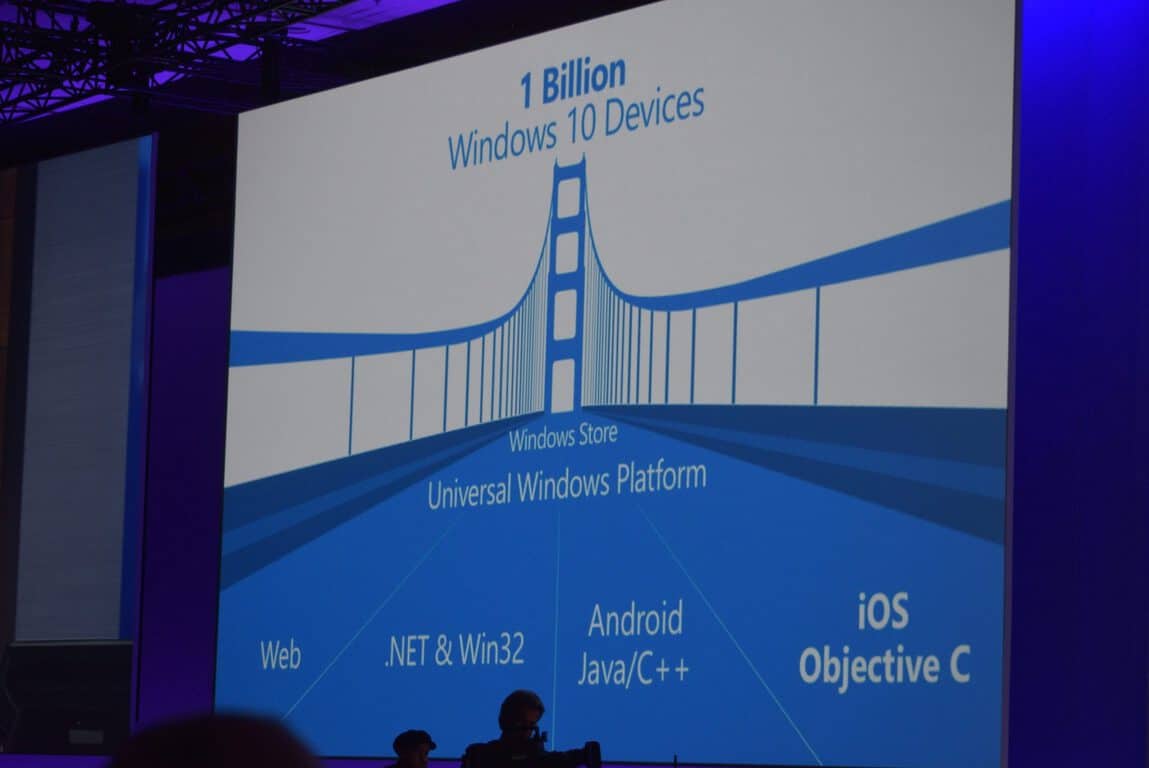
On the application side, the goal we have is, look, we don’t think of our phones to PCs to consoles and even to HoloLens as all these separate platforms with separate marketplaces with separate applications, because the powerful concept of Windows and Windows 10 is that it’s one application platform, one store for developers, that then should attract developers to build once and then have them run across all of Windows. That’s the value proposition: for Starbucks, or for anyone else, to be able to write it and get the returns for that investment on the Windows platform.
This is new. We’ve had different efforts in the past but we now have one store and one app platform. Give us time to keep focused on it. We are seeing, for example, for the first time on the core of Windows desktop, with 100-plus million users, active engagement, the fact that they can find these Windows applications in the store, some of the developers like Netflix are seeing more engagement for the Netflix app vs. the web. So that’s an early indicator of data that I think will entice more of these developers to build more of these applications.
But we are very focused on that challenge. We recognize how the challenge influences choice on the phone. But we do need to think of the unified platform and make sure organically — instead of doing one-off deals to get one app — we’ve got to organically build momentum for the platform and that’s what we plan to do.

Nadella rephrased his requests with highlighting the need for Microsoft to build ‘organic’ momentum. He states that developers (albeit a big one) such as Netflix are seeing the benefit of Microsoft’s One-app platform as most of the 100 million plus core PC Windows users are finally moving over to app versus using their browsers.
After years of missteps with mobile, Ballmer slammed on the pedal to get Microsoft back into mobile competition. For better or for worse, Ballmer purchased the remaining mobile handset division of the only semi-profitable Windows Phone partner and presumably gave the green light for mobile app porting projects such as Astoria and Islandwood. The unified platform that Nadella has been championing over the past year is in part a Ballmer approved initiative as well.
Since his departure, Nadella has made some arguably ‘business conscious’ decisions to ease off, and in some cases, idle or reverse Ballmer’s mobile efforts. As many continue to watch the development of Windows 10, Windows 10 Mobile, Xbox One and the unified platform, it will be interesting to see where Ballmer’s initiatives stop, and Nadella-specific decisions begin.

Lumia 950 and Lumia 950 XL tip: Hey Cortana

For those of you who are new Lumia 950 or Lumia 950 XL owners, you have your very own personal digital assistant called Cortana. But did you know you can train your personal assistant to recognize your voice and wake it up just by calling its name?

This is a feature called Hey Cortana where you can easily wake up your phone and enable Cortana to take commands, requests, or actions. How cool is that? Here’s how you can get Hey Cortana set up on your Lumia 950 or Lumia 950 XL.

First, open up Cortana by tapping on the Cortana tile on your home screen (or go into your app list and tap on Cortana). Hit the menu button on the top-left of the screen and tap on Notebook. Then go into Settings.

From there, you will see an option to enable Hey Cortana, with a little description under the option warning you that if you enable Hey Cortana, you will use more battery. Under the Respond Best option, set Cortana to respond only to you and have her relearn your voice if necessary. You’re all set!

Simply say Hey Cortana when you have your Lumia 950 or Lumia 950 XL in your hands and you will hear a little sound indicating that Cortana is listening to you. Give her some commands!

Example commands: Hey Cortana, what’s the weather like? What’s on my schedule? Show me directions to [place], Set an alarm, Who is the CEO of Microsoft? What time is it in California?

For those of you who are not new to the Lumia 950 or Lumia 950 XL, have you been using this feature? How do you like it? Would you recommend it?