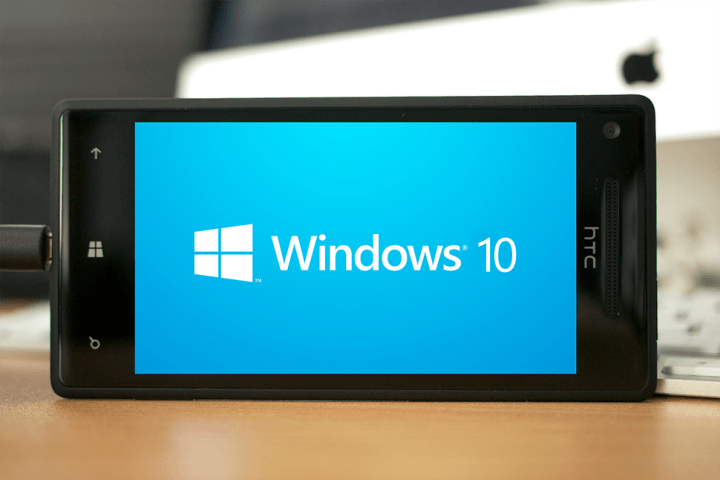
Preview software provides an opportunity for app developers to see into the future of a platform they are supporting. Windows 10 provides developers and enthusiasts a peak into Microsoft’s intentions concerning the design of Windows and the Universal App user experience. Since Windows 10 has been merging Microsoft’s operating systems into a single platform the way users interact with apps needs to be consistent. Windows 8.1 and Windows Phone 8.1 are similar but apps behave differently because elements like charms are only available to Windows 8.1 so Universal App developers would have to create different UI for phone and PC.
Ideally developers could spend time designing one app which could scale between different screen sizes but retain similar UI through out the different states. Microsoft seems to be holding out for Build in April to share their entire developer story which will revolve around Universal Apps, but in the mean time some developers are already modifying their apps to reflect changes in Windows 10. Some of these changes include the removal of the charms, and the renewed emphasis on mouse and keyboard computers.
One developer in particular has been taking Windows 10 design changes very seriously and has been updating their app to reflect this. Aphalina has made a range of different apps for Windows 8.1 and their Grapholite app holds the spot for top-grossing business app for Windows, which isn’t surprising because the app goes for $39.99 without any discounts. Grapholite enables users to create complex drawings for a variety of applications such as, flow charts, process charts, mind maps, floor plans, and more. The app makes it easy for users to create and modify drawing using touch or mouse and keyboard.
Now the developer has been working on getting the app ready for Windows 10 by reducing uses of charms, making the app bar UI more discoverable, and focusing on improving the app for bigger desktop displays. While Microsoft has only shared a few specific details on how developers can make their apps great for Windows 10 there’s no better time than now to begin investigating Universal APIs and UX so when Windows 10 does launch your apps are ready. Build will begin April 29th and Microsoft will share a massive amount of information with developers about developing apps for Windows 10.
Surface Pro 3 was very successful hybrid device that brought Microsoft $1.1 billion in revenue from the sales in the second quarter of 2014. And now the Redmond-based company plans to expend the Surface Pro family even more with the Surface Pro 4 hybrid device.
As the rumor spreads around the internet, the new Surface Pro 4 is very likely to be released by Microsoft soon. The tablet is expected to come in markets in two sizes, and of course with the full version of Windows 10 as its operating system. Just like its predecessor, the Surface Pro 4 will be a hybrid device, which means that it will feature a detachable keyboard and it could be used as a tablet as well as a laptop.
We assume that the new hybrid will be the usual 12-inch model with a resolution of 2160 x 1440 pixels, while the ‘other’ Surface Pro 4 will come as a device with a smaller display. Even before we heard about the release of the Surface Pro 4, there was a word around the internet that Microsoft will release the miniature version of the Surface Pro tablet, but it was eventually canceled as it didn’t offer enough quality features to be separated from the tough competition.
This is of course just a rumor, and we don’t have any official announcements from Microsoft yet, and we shouldn’t expect any until the company decides to manufacture the device for sure. But if Microsoft manages to create a successful operating system with Windows 10, there’s a high possibility that the Surface Pro 4 will be one of the first flagship devices powered by this OS. But until (if) all that happens, we advise you not to take these news for granted, because it’s just a rumor for now, but if something more comes up, we’ll notify you about that.
Read Also: VAIO Announces New PCs – Vaio Z and Vaio Z Canvas, Bring Top Notch Performance
New information has leaked on Windows Server vNext, or what Microsoft seems to be calling “Nano Server.” According to some leaked slides, Nano Server will be the ‘nucleus’ of next generation cloud infrastructure and applications.
Microsoft has apparently created Nano Server to address several complaints from customers. “Reboots impact my business — why do I have to reboot because of a patch to a component I never use” and “Large server images take a long time to deploy and consume a lot of network bandwidth” are just two common remarks Microsoft seems to hear about Windows Server. Security is also a big concern, just think back to all the major hacks and security breaches you read about on the internet.
This is where Nano Server apparently comes in. As Microsoft describes it in the leaked slides, Nano Server is “a new headless deployment option for Windows Server” which eliminates the need to sit in front of a server to manage it, along with the support for cloud applications, and much more.
You can head over to the VIA link below to check out the slides. Nano Server will be a part of the next release of Windows Server, with a limited Technology Adoption Program (TAP) later this year to gain early feedback. We’ll have more on Nano Server as details become available.
February has been an exciting month for Windows Phone users, with the release of Windows 10 for phones technical preview for those who are a part of the Windows Insider Program. Unfortunately for those on a desktop itching to get their hands on a new Windows 10 build, you will have to wait just a tad bit longer. We are likely to receive a new build this month.
On Thursday, February 12th, Microsoft released Windows 10 for phones preview. Gabriel Aul, head of the Windows Insider program, revealed via Twitter at the time that the next build of Windows 10 for desktop would not be released immediately following the phone preview, giving everyone the idea that it may come at the end of the month.
Aul stated a few times throughout the month that new preview builds would become available monthly, and sometimes perhaps faster. When Microsoft rolled out three hotfixes for Windows 10 build 9926 for desktops on February 18th, people became excited thinking a new build was on the immediate horizon. These hotfixes were supposed to help prepare for the new build’s arrival.
But, alas, February has come and gone. A new Windows 10 build for desktops did not arrive. Well, that’s because Microsoft didn’t actually promise a new desktop build in February, even though we are all guilty of thinking that. Here is what Aul stated today on Twitter in response to “when is the next desktop build coming:”
@minecpptech Hi Joshua, I actually didn’t promise a build in Feb. I said “roughly monthly” and “sooner than last one”. We’re working on it.
So what does this mean? It looks as if we will likely see a new desktop build sometime this month. Could Microsoft have been a bit clearer that a new Windows 10 build of desktops would not arrive in February? Sure.
Last month, it was rumored that Samsung was going to pre-install some Microsoft software on its upcoming flagship smartphone, the Galaxy S6. Today, with the launch of the S6 at Mobile World Congress 2015, those rumored proved true.
Microsoft has transformed itself into a ubiquitous software services company. It brought software like Office, OneNote, OneDrive, and more to iOS and Android. It made those apps and services unique to the platforms they ran on, and ensured that they were maintained with regular updates. As a result, more people got to experience those services, and they loved them judging by the high store ratings.
Samsung has become the first OEM to bundle Microsoft’s services with its Android smartphones, excluding Nokia of course. Buyers of the very well designed Galaxy S6 and Galaxy S6 Edge will be able to use those Microsoft services right out of box. Specifically, Skype, OneDrive, and OneNote will be put in a folder pinned to the homescreen. While there has been no sign of Office on the demo units at Mobile World Congress, the Office app may possibly be bundled on shipping units. Regardless, Office Mobile can still be manually downloaded from the Google Play Store for free. Users of the new flagship devices will also be eligible to 115GB of free OneDrive storage for two years as part of the partnership between Samsung and Microsoft.
This agreement will certainly sting Google should the Galaxy S6 devices prove to be commercially successful, which there isn’t much reason they won’t considering Samsung has finally dropped the cheap plastic for an all-metal and glass enclosure. The deal could prove deadly to Google should Microsoft strike up similar partnerships down the road with other Android OEMs like HTC and LG.
You know what would be even better than this partnership? A fully-backed and supported Samsung Ativ S6. But that’s just wishful thinking right now, so let’s revisit this once Windows 10 comes around.
Microsoft is yet to release a newer build of Windows Server 10 for Windows Insiders, as the company is working on a number of different things for it’s release. Still, that hasn’t stopped build 9926 of the Windows 10 Server Technical Preview to leak out onto the internet!
Not much is known about this release, however the leak does come from WZOR. Considering it wasn’t released to the public we assume this build is not stable enough and doesn’t include a complete set of new features. As per all leaks, WinBeta will not be linking directly to the download.
We ask our readers to also not link straight to the download, as these leaks can never be guaranteed safe. If you must try this leak out, a quick Google search will probably help you out.
Stay tuned at WinBeta for more news regarding Windows 10 and the many new builds being compiled daily!
The Superfish debacle was rather short-lived. Thanks to swift efforts from both Lenovo and Microsoft, Superfish was all but destroyed, although it was pre-installed on Lenovo PC’s starting September 2014 so the amount of damage done from that point till the reports emerged is unknown. But one thing’s for certain, it tainted Lenovo’s brand, and we all know what that can do to a product.
Just to recap, following the reports, Lenovo announced that Superfish has been disabled server-side and released an auto-removal tool to help cleanly uninstall the malicious application. Microsoft then decided to take matters into its own hands by updating Windows Defender to stop any of the apps’ malicious activity in its tracks.
Now, in an attempt to repair the damage done to its name, Lenovo has announced its plans to completely eliminate adware and bloatware from its PC’s by the time Windows 10 ships. The PC maker will do this by “significantly reducing preloaded applications”. With a single goal in mind of providing cleaner and safer PC’s, “starting immediately”, Lenovo will ship its computers with a clean install of Windows, hardware-specific drivers, security software, and unique Lenovo applications only.
“This should eliminate what our industry calls “adware” and “bloatware”… We view these actions as a starting point. We believe that these steps will make our technology better, safer and more secure.” – Lenovo
Lenovo will also be publishing information on every last one of pre-installed software so that its customers know exactly what each application does. The hardware-maker will also listen to user feedback from customers and enterprise partners to further enhance the user experience.
While Lenovo certainly won’t be shipping PC’s of Microsoft Signature caliber, and the “security software” will likely still be trials that will expire and start bugging users to pay up, this does sound like a good start as no potentially threatening third-party applications other than the anti-virus software will be preloaded.
Following the announcement by Docker that it is to considerably broaden its orchestration ecosystem, Microsoft, in keeping with its promise to continue supporting the Docker community, has announced beta releases for Docker Machine and Docker Swarm on Azure, and also Docker Machine Support on Hyper-V.
This means that users can now automate Docker host creation on Azure using the Docker Machine client for Linux or Windows. This allows for greater efficiency when automating management tasks, which is often quite a complex process. In addition to this, with Docker Swarm, developers can now choose their own infrastructure and scale as required according for their needs and which environments they test. This includes the capability to run Azure Virtual Machines, allowing developers to schedule automated tasks and save time further.
The list of partners working with Docker is quite expansive, including Amazon Web Services, Google, IBM, Joyent, Mesosphere and VMware in addition to Microsoft. Aiming to empower developers by removing barriers to their work, the Docker program has achieved considerable success, and with these latest improvements, will continue to do so.
Will you be making use of these new capabilities? Let us know in the comments below.
Back in December 2014, Microsoft surprised many with its acquisition of the lauded email app for Android, Acompli. Having made waves with its simple, yet elegant, handling of complex email tasks, Redmond’s purchase of the firm seemed to signal a match made in heaven.
Indeed, the renewed Outlook app for Android, released recently, has received a great deal of acclaim. Borrowing a number of elements from Acompli, the team succeeded in building something true to the original, yet thoroughly its own in both functionality and design. The former team of Acompli achieved something functional and pretty, no mean feat.
Yet, as might be expected, the writing was on the wall for the original app from the moment the ink dried on the deal for its acquisition by Microsoft. Users of the app have begun to receive emails, stating that Acompli, as it currently is, will cease to function within the next two weeks, instead being replaced by Outlook. As such users are advised to begin preparations either to move to Outlook or a different email service soon.
In addition to offering IMAP support, Outlook also offers customizable swipe gestures and support for over 30 languages, meaning that most ought to be able to make the switch with a minimum of effort.
Are you an Acompli user? Will you be switching to Outlook? Let us know in the comments below.
Every few years, Microsoft releases a video showcasing their video for the future. The last one was in 2011, which has been seen by over 4 million people. Now, the Research team is back with an updated version of its future vision, and it looks good. With huge collaborative work screens and wristbands with bendable screens, you’ll never be able to not be productive.
The video outlines how productivity can be in the future. Screens everywhere, on windows and walls, thin tablets, cupboard doors, you name it. Full size walls for Skype calling, making it seem like the other person is in the room. The future really does look exciting.
Of course, pretty much everything seen in the video is proof of concept right now, but this technology is definitely possible and most likely will be the way we live in the future. Maybe not in 5 or 10 years, but it will be sooner than you think.
Julie Larson-Green, Chief Experience Officer for Microsoft’s Applications and Services group has a storied history at the Redmond firm. For over twenty years, she has been at the forefront of delivering change to the Windows user experience, refining and improving it consistently. In addition to the Office ‘Ribbon’, Larson-Green has been responsible for the refocusing of Windows with the end user in mind.
In recognition of her work and her achievements, Larson-Green has been awarded the 2015 Women of Vision Leadership Award by the Anita Borg Institute. Accepting the award, she said
“I am honored to receive this award from the Anita Borg Institute and join this select group of individuals who represent great leaders in technology. It is very rewarding to serve and be recognized as a role model for experience-led engineers and for women who aspire to be future leaders in this industry. I have been very fortunate to work with and be inspired by a lot of amazing people in my career.””
Larson-Green’s work has been praised by many during her time at Microsoft, not least by Satya Nadella, who had this to say upon receiving the news,
“She is an advocate for good ideas and believes they can come from anywhere within the organization. This philosophy and her collaborative style have had a major impact on our engineering culture here at Microsoft and will continue to shape our industry for years to come”
The Anita Borg Institute is a social enterprise, founded in 1987, and designed to promote the role of women in technology, a notoriously male-dominated industry. Through promoting the achievements of female programmers, technicians and others in the technology industry across the globe, it hoped that things may change for the better, if only slowly.
Do you believe women should play a greater role in technology? Let us know in the comments below.
We recently wrote about the public event held by the New York City Department of Education. At the announcement, New York City Council Speaker Melissa Mark-Viverito announced that Microsoft would be offering free Office 365 ProPlus features for all of their 1.1 million students as well as teachers. Well it would seem that offer isn’t exclusive to just New York anymore.
It appears millions of students around the world are eligible to receive this same offer for their schools. Today, Microsoft’s Office team is announcing that they are making it easier for those eligible students globally to sign up themselves to get Office 365 and install free Office. This new extension will include 5.5 million eligible students in Australia, up to 5 million eligible students in Germany, 7 million in Brazil, 1.3 million in Turkey at the Anadolu University, every student in Hong Kong, and millions more.
In order to receive this offer, you’ll need a valid school email address to complete the sign up process. For teachers or students interested in finding out if they’re eligible, they can go to these respective links. Students – go to office.com/getoffice365 and enter a school-provided email address. Teachers – go to office.com/teachers and enter your school-provided email address.
Just a reminder, those who end up receiving Office 365 free for their schools will be receiving:
The latest version of Word, Excel, PowerPoint, OneNote, Access and Publisher installed on up to five PCs or Macs and up to five mobile devices like iPad, Android and Windows tablets.
1TB of storage on OneDrive you can use to store and share all your documents across all your devices.
Office Online for in-browser editing, collaboration and co-authoring
It looks like the only caveat is that Hebrew and Arabic languages won’t be rolled out until Mid-March and that self sign up is not yet available in China. Good luck!
Learning a second language is generally regarded as a sign of culture, learning and prestige. Yet despite this, at least in the English-speaking world, the number of multilingual persons in the general population is really rather low. As the benefits of learning a new tongue are felt not only by the pupil, but the economy at large, it is understandably a priority for many governments to give their citizenry a bit of a push.
As a multi-national employer, Microsoft has a vested interested in furthering the efficiency of communication between its various employees. To this end, Chekov, Universal Shaping Engine and Translator Hub are included in Windows 10. These are powerful tools that allow users to learn with more efficiency than ever before, taking their learning into their own hands.
This support doesn’t end here however, for there are a number of projects that Redmond supports which also work towards the same ends. The Matuto: Literacy for Life Partnership is one of these, enabling listeners from across the globe to further their literacy skills in the language of their choice. The Chekov tool works much to the same end, utilizing a dynamic E-book instead.
It isn’t only ‘living’ languages that are supported, but ‘dying’ languages too. Given that languages have, recorded within them, a whole culture’s worth of history and meaning, their preservation is something of a priority for those who wish to study the past. Yucatec Maya and Querétaro Otomi are supported by Microsoft Translator Hub, allowing users to work in these languages online, promoting an ailing segment of society further.
Microsoft is also releasing the Universal Shaping Engine, a script-rendering technology which allows Windows 10 to correctly display all the different writing systems of the world, be they Kanji, Roman or otherwise. This allows users to further engage with the web on their own terms.
Technology provides myriad new means by which to improve one’s skills, as such, as the Romans said, “Carpe Diem!”
Are you learning another language? Let us know in the comments below.
According to a new report from GFI, an average of 19 vulnerabilities per day were reported in 2014, according to the data from the National Vulnerability Database (NVD). 7,038 new security vulnerabilities were also added to the NVD database in 2014. So which operating systems were the most vulnerable in 2014? Apple’s Mac OS X and iOS, not Windows.
“It is interesting that although Microsoft operating systems still have a considerable number of vulnerabilities, they are no longer in the top 3. Apple with OS X and iOS is at the top, followed by Linux kernel,” the report states.
According to GFI, Apple Mac OS X had 147 vulnerabilities in 2014, with 64 of them having a high security impact. iOS came in second with 127 vulnerabilities in 2014, with 32 of them considered high impact. Linux came in third place with 119 vulnerabilities, 24 of which were high impact.
Microsoft’s Windows operating system was not as vulnerable as Apple or Linux, but still had their fair share of vulnerabilities in 2014. Windows Server 2008 had 38 vulnerabilities, while Windows 7 had 36. Windows 8 and Windows 8.1 both had 36, while Windows Vista had 34. Windows RT had the least amount of vulnerabilities with 30.
“2014 was a tough year for Linux users from a security point of view, coupled with the fact that some of the most important security issues of the year were reported for applications that usually run on Linux systems. Heartbleed, for example, is a critical security vulnerability detected in OpenSSL while Shellshock is a vulnerability that affects GNU Bash,” the report adds.
But, Microsoft isn’t free and clear from vulnerabilities, as we all well know. On the application side of things, Internet Explorer topped the charts with a total of 242 vulnerabilities in 2014, with 220 of them being high impact. Google Chrome came in second place with 124 total vulnerabilities, while Firefox came in third place with 117. Other applications that were facing security issues includes Flash Player from Adobe, Java, Mozilla Thunderbird, Adobe Air, Apple TV, and Adobe Reader.
“Not surprisingly at all, web browsers continue to have the most security vulnerabilities because they are a popular gateway to access a server and to spread malware on the clients. Adobe free products and Java are the main challengers but web browsers have continuously topped the table for the last six years,” the report explains.
Security is a huge issue when it comes to operating systems and applications — this is something we’ve come to learn over the years. Those of you who work in IT have your work cut out for you, but now you know that Windows is infact more secure than Mac OS X, iOS, and Linux. Regardless of this fact, don’t forget to stay updated when security patches are released!
Screenshots from Windows 10 build 10022 have leaked onto the internet from the upcoming public branch fbl_impressive. WinBeta understands that this build mainly focuses on under-the-hood improvements and doesn’t include many new features.
It’s likely that this build could be sent to Insiders next week, as 10022 is stable. Spartan is not included in this build, as Spartan is still not ready for primary usage and is missing a number of features.
It’s unclear whether Microsoft is planning to ship this particular build to Insiders next week, however WinBeta believes 10022 is the likely candidate. Of course, that could change at any time. What are your thoughts on this? Leave them in the comments below.
Another week of Windows 10 news is behind us, which means we’re a week closer to the end of Windows 10 development. This week kicked off with Microsoft announcing FIDO support in Windows 10. Microsoft has joined with Fast IDentity Online (FIDO) Alliance, to offer password alternatives for improved security in Windows 10.
Up next, Microsoft unveiled a few new hotfixes for Windows 10 build 9926, which prepare the operating system for upgrading to fbl_impressive sometime next week. WinBeta believes the next public build will be 10022, however that could easily change before launch.
Also this week, Microsoft pushed out an update to the Windows Insider app on Windows Phone which blocked unauthorized install of the Windows 10 for phones preview on unsupported devices. So, if you were planning to install the first preview on a device that isn’t in the supported list, you’re out of luck.
As a bonus, Microsoft began rewarding select Windows Insiders with tickets to MWC 2015 as well as an exclusive Insider dinner. To check if you’ve won, open the Insider app on Windows 10 desktop and check the announcements section!
And finally this week, screenshots from build 10014 and 10022 leaked onto the web which didn’t really reveal anything new. WinBeta understands that build 10014 was a problematic build, being account creation was bugged and only created Standard accounts, even when installing clean.
So there you have it, another week of Windows 10 news in the bag. What was your favorite story of this week? Let us know below!
New screenshots from build 10014 of Windows 10 have leaked onto the web this morning, revealing nothing new other than the fact a newer build than 10009 is out to partners. WinBeta understands that this build includes Spartan, and a few improvements to Task View, but other than that many things remain the same as 10009. We also understand that this build includes a show-stopper bug which limits accounts created on the install to Standard permissions, not Administrator, so keep that in mind if the build does leak.
The screenshots come from WZor, who was known back in the Windows 8 and Windows 7 days as a trusted leaker. His screenshots were posted onto their Twitter account, which is making many people believe a leak is imminent. WinBeta will keep you updated on all the ongoings regarding 10014.
What are you hoping to see in the next public build of Windows 10? Let us know in the comments section below!
Adware, junkware, and trialware – all possible items you may find when turning on your new Windows PC. For years, one of the aspects that have attracted consumers to “the fruit platform” has been their clean functionality out of the box. Technology savvy individuals, such as many of our readers, may simply wipe their disk and start from scratch, but the everyday soccer mom and businessman want nothing to do with technical know-how.
Why Your PC is Polluted
Selling Microsoft Windows PCs has always been a fight to create the most affordable solutions to consumers. To this day, the large majority of personal computers that are sold for over $1,000 are produced by Apple, with Microsoft making up a much smaller segment. In a race to create the most inexpensive PCs, OEMs have partnered with companies who are willing to pay to have their software installed on your machine. As a result, the price of your PC goes down.
In an ironic way, you may want to thank those junkware companies for helping to bring your PC down in price. However, many of us would rather pay a bit more and go without the trouble of our PCs being bogged down from the start.
What You Can Do About It
Despite the frustration brought forward by the pre-installed software loaded onto your computer, you have a bit of power in your hands.
If you want to buy a PC directly from an OEM (Lenovo, Dell, HP, etc.), you can usually choose between two routes of action when you receive the new machine. You can either go with the most effective solution, which is reinstalling Windows from scratch or you can manually uninstall problematic software.
If you are thinking about reinstalling Windows from scratch, you may want to check out our installation guide that we recently published. Reinstalling Windows is not nearly as difficult as it once was and there are a plethora of help tools and resources to finish the deed. This is, by far, the best solution to insure you have a fresh start.
The second option, manually uninstalling problematic software, can be useful for many people, as it requires a low amount of effort. However, it should be noted that this solution would usually leave behind ruminants of the unwanted software. In addition, it can be difficult for beginners to know what to remove.
There are a number of programs that can assist those who are a bit unsure of what applications to remove when cleaning their PCs; our top recommendation is currently GeekUninstaller, which you can download for no cost.
Think About a Microsoft Signature PC
I want to approach this possibility with caution so that it does not sound like an advertisement. An excellent solution if you don’t want to deal with any of the above worries is to simply buy your next PC from the Microsoft Store.
Microsoft Stores offer PCs that they happily label “Signature Edition”. These PCs are the same computers you find on your favorite OEM’s website, but are loaded with stock Windows – no bloat ware or trialware to worry about.
Signature Edition computers from the Microsoft Store are honestly a great option and if you are the technology guy/gal in your family, you may want to consider sending others to purchase these PCs – they will save you (and your relatives) a world of headache in the future.
Downfalls of purchasing a Signature Edition PC include the fact that not all computers are available and when an OEM has a sale on their machine, the Microsoft Store may not reflect that change.
The End Story
When purchasing a PC, there is going to be trialware and junkware, unless you pick up one of Microsoft’s Signature machines. The majority of shoppers will be visiting their local Best Buy or other brick and mortar stores to pickup their solutions, so it doesn’t look like the problem will be going away anytime soon.
If you truly love Windows and want your family and friends to experience the same joy you feel then give them a helping hand when needed. Cleaning a friend’s PC may feel like a chore, but in the end you help to share the joy of technology with others. As a result, you may even help Windows live on far into the future.
Microsoft released Windows 10 Technical Preview for Windows Phone devices last week, and one of the features is improved Cortana. Namely, from now on you’ll be able to sync your Cortana reminders from your PC to your phone.
If you have Cortana installed on both PC and Windows Phone 10, if you set a reminder on one device, it will be synced and show up on the other device, as well. The sync also work with places, so if you add or remove a certain place on one of your devices, it will be added or removed from other, as well. We also should say that ‘places’ are also syncing with a Windows Phone 8 devices, but this isn’t the case with Reminders.
This is one of many steps in Microsoft’s plan to use the same operating system on multiple platforms. Presenting a cross-platform operating system is certainly a revolutionary thing, and it could bring a lot of profit to Microsoft, as well as a lot of benefits for users of this operating system (benefits that are not available when using an iOS or Android device). We assume that Cortana syncing is just a beginning, as Microsoft will probably offer more syncing options for its apps and features in the near future.
Impressions of Windows 10 Technical Preview for Windows Phone platforms are still fresh, as we’re still getting to know all its features, but we assume that there are a few more features that still have to be announced in the future updates of the Technical Preview. And we’ll probably won’t have to wait long for that, as Microsoft staff announced that we’ll get new updates form Windows 10 for Windows Phones on a monthly basis. But while we’re waiting for the new updates, you could tell us what do you expect from the future updates of the OS, so express your thoughts in the comments.
Connecting with people over great distance has been the aim of technology since the beginning, and even in today’s connected world it can be difficult to establish a steady connection. Mobile phone calls rely upon towers being close enough to maintain a strong signal, on the other hand VoIP services can establish a connection anywhere internet is available. Skype facilitates communication over any distance when deadlines are tight or only an audio call isn’t enough. Auditioning for roles in movies can be stressful for actors and actresses but picking the right person to play a character can be equally stressful and tricky for directors.
Skype is a great tool which has enabled several auditions for blockbuster films across a great distance. When a movie is shooting on location everyone involved could be camped out in an obscure town far from solid cell service. Several other “A-List” Hollywood talent have used Skype to communicate with casting directors. Jennifer Lawrence auditioned over Skype for her amazing role in “Silver Linings Playbook” and Jared Leto caught the attention of Canadian director Jean-Marc Vallée by Skyping in a dress, wig and lipstick to nab the part in “Dallas Buyer’s Club.” When crucial communication cannot happen in person, Skype is the next best thing.
Microsoft experts looking to build their resume will have an opportunity to sign up for Microsoft Certification exams for half price in conjunction with the upcoming Ignite conference in Chicago. The conference run from May 4-8, 2015 and in addition to workshops and networking opportunities individuals can take exams to receive various Microsoft certifications.
Having official certifications can help separate you from other potential employees vying for the same position. Over 200 different certifications are available through Microsoft ranging from Microsoft Word to “Configuring Advanced Windows Server 2012 Services.” Microsoft highlights a few certifications that will have exams at the Ignite conference.
•MCSA: Windows Server 2012
This certification qualifies you for a position as a computer network specialist or as a network/computer systems administrator, and it’s the first step on your path to becoming a Microsoft Certified Solutions Expert (MCSE).
•MCSA: SQL Server
This certification qualifies you for a position as a database developer or database analyst.
•MCSE: Enterprise Devices and Apps
This certification validates that you have the skills needed to manage devices in today’s bring-your-own-device (BYOD) enterprise. It qualifies you for a career path that can range from traditional desktop technician to enterprise management of BYOD devices and apps.
•Microsoft Azure certifications
Azure is the cloud for modern business. If you’re already experienced with Azure, any of three Microsoft Specialist certifications can expand your skills to meet current and future business needs.
To receive the discount you have to enter a code found in the link but they emphasize preregistering to get the time slot that you prefer.
The developers have found a way to install Windows 10 Technical Preview for Windows Phones on non-supported devices. This is a great way for users who weren’t able to install Windows 10 on their devices to try it, but this method has some risks, and we don’t recommend it.
A developer from XDA Developers forum has created a process that tricks the Windows Insider app into registering any Windows 8 Phone device as an eligible for the preview. More precisely, the process makes the app think that the phone is Lumia 635, which allows you to download and install Windows 10 Technical Preview for Windows Phone devices.
To perform this operation, you’ll need to change your phone’s id, which means that you probably won’t be able to use minor updates from ‘Phone Update’ settings once you upgrade your system to Windows 10. The process of upgrading is complicated, but despite that, people are reporting successful upgrades. This hack doesn’t require phone to have SD card slot, which means that upgrades could be done one 930, 925 and 920 phones as well.
If you want to upgrade your non-supported device to Windows 8, just follow these instructions from XDA Developers forum:
Reset your phone using the Windows Phone recovery tool. It is recommended recommend not logging in and setting everything up yet and just waiting til the end and doing a reset and letting it restore after you’re on Windows 10
Install the Windows Insider app on your phone (and configure a store account)
Open the insiders app and go to the about options in the app bar and screenshot/make notes/email the settings to yourself. You may need this later
Download and extract the WPInsidersHacks app to your computer
Start the WPInsiderHacks app on pc, approve any firewall requests
Connect to the same WiFi that your PC is on. Edit the settings for the WiFi connection to turn on the Proxy and set it to use the PC’s IP address and enter 8877 for the port
Open Internet Explorer on your phone and navigate to https://[pc.ip.add.ress]:8877 where [pc.ip.add.ress] is the IP address of the PC running the WPInsidersHacks app
Tap on the link at the bottom to the fiddler root certificate
When prompted click open and then install to trust the cert and ok at the confirmation
Run the Windows Insider app and tap get preview builds
Tap on which custom action you’d like to perform. In my case I hit “Set to ATT Lumia 635” and click the arrow at the bottom
Accept the agreement and click the check mark at the bottom. the app will close
Now clear your proxy settings and run the insider app again
Tap get preview builds and login with your Microsoft account
Select the fast branch (if you’re reading this of course you want the fast branch) and click the arrow at the bottom
Go into the phone settings and check for updates. With any luck you should have Windows 10 there for you to install
You’ll probably want to go into the settings and do another reset and then log into the phone and let it restore your previous data
We have to say that we don’t recommend you to perform this hack, because Microsoft is now working on the system more than ever. The company will try to get more devices to the program in the future updates. Also, Gabriel Aul, Microsoft’s General Manager OSG Data said the new builds for Windows 10 for Phones will come out on a monthly basis. So if you’ve waited this long for Windows 10 for Phones to be released, you probably could wait a little bit more for it to become compatible with your device.
Read Also: Windows Confirms GDR2 Update for Windows Phone 8.1
The Windows Insiders app give Windows Phone users the ability to try pre-release operating system updates before they are pushed out to the general public. Recently, Microsoft pushed an update for the Windows Insiders app, but there’s no change log available at the moment.
The app description says,
The Windows Insider application provides registered Insiders the ability to receive pre-release OS updates on their phone, directly from Microsoft. For more information about registering and becoming a Windows Insider visit https://insider.windows.com.
It’s been a few days since Microsoft released the technical preview of Windows 10 for phones, but the list of supported devices isn’t too big. There’s a workaround to get it unofficially on your device, but we wouldn’t suggest doing it as there’s a risk of bricking your phone. Reports suggest that Microsoft has patched the workaround, restricting users to install the preview on supported smartphones.
The high-end Windows Phone devices are not yet supported, but lets hope Microsoft will add support for them in the next build.
One of Windows features which annoyed users for years is definitely a restart scheduler for Windows Update. It the past, the restart usually came in the wrong time, but in 9926 build of Windows 10 Technical Preview, you’ll have the full control of it.
Microsoft released its new 9926 build for Windows 10 Technical Preview and it features a handful of new features, and some major appearance changes. The most anticipated feature of 9926 build is of course Microsoft’s personal assistant, Cortana, but there’s another handful feature, an Update Restart Scheduler.
This feature isn’t completely new in Windows operating systems, because Windows 7 gave you the pop-up as a reminder that your computer needs a restart to apply updates, but you were able to delay the restart only for four hours. This was improved in Windows 8, with two days before the restart is required, but now you can choose the exact time when you want your computer to restart and apply updates.
In Windows 10 Technical Preview, Windows Update still installs updates automatically. And if you set Windows update to automatic, it won’t work different than it does in previous versions of Windows. This means that it will wait until your computer is on idle, and it will restart automatically. So if you don’t want this to happen, you’ll have to set your PC to restart at specific time after installing new updates, and here’s how to do that:
Open the Settings menu and click Update & recovery
Go to Windows Update and click Check for updates
If there’s a new update available, your device will download and install it. If the update requires a restart, you’ll notice a new section in the Windows Update window that says A restart has been scheduled
Under A restart has been scheduled, you can choose to have the computer automatically restart (“during a time you don’t usually use your device”), or you can click Select a restart time to choose the time and day you want the restart to apply new updates
To set up your computer to always prompt you to schedule a restart time, click Advanced options
Under Choose how updates are installed, choose Notify to schedule restart from the dropdown menu
This feature will certainly be well-accepted by all users who were annoyed by Windows Update restart’s poor timing, but we’ll have more builds and updates since the final release of Windows 10, so we definitely expect more improvements and features.
Read Also: Free Microsoft Office Touch Apps Available for Windows 10 Users
If you recall, last year Microsoft released the Microsoft Wireless Display Adapter that would let you mirror your tablet or smartphone display on a HDTV. The device was only made available in the US and Canada, but now Microsoft is expanding its regional availability.
The adapter, which used Intel Wireless Display technology, or WiDi for short, works in a similar way to Google’s Chromecast. It features a HDMI input in one end, and a USB plug in the other for power. It’s a plug-n-play device so no advanced setup is required, although you can download its official Windows 8.1 app for more control over its settings. You can use it to project whatever is on your tablet or smartphones screen wirelessly, it makes for a great movie watching or gaming experience, or even for business use with PowerPoint presentations.
The Microsoft Wireless Display Adapter is now available in 25 new markets across Europe in addition to South Africa. Come March, the device will be available in even more regions including Asia and Australia. Head over to the link below to get your hands on one.
Some users have reported that they have problems with Xbox One Controller when they use it on Windows 8 or 8.1 PC. The problem is probably in some missing system files or outdated Visual C++, so here are a few solutions for Xbox One Controller issue.
Solution 1: Perform a Clean boot
First, we’re going to perform a Clean Boot, in order to determine if some of other, third-party software conflicts with Xbox One driver. Clean Boot starts Windows only with necessary drivers and software, and that will tell us whether there is a problem with other drivers, or not. Before you perform a Clean Boot, you need to login to your computer as an administrator.
Here’s how to perform a Clean Boot:
Swipe in from the right edge of the screen, and then tap Search. Or, if you are using a mouse, point to the lower-right corner of the screen, and then click Search.
Type msconfig in the search box, and then tap or click msconfig.
On the Services tab of the System Configuration dialog box, tap or click to select the Hide all Microsoft services check box, and then tap or click Disable all.
On the Startup tab of the System Configuration dialog box, tap or click Open Task Manager.
On the Startup tab in Task Manager, for each startup item, select the item and then click Disable.
Close Task Manager.
On the Startup tab of the System Configuration dialog box, tap or click OK, and then restart the computer.
Be aware that your computer may lose some functionality after you perform a Clean Boot. But, right after you restart your PC, the functionality will return to normal, so there’s no need to worry about that. Also, you should be very careful when you’re performing a Clean Boot, and don’t do it on your own, if you’re not certain, because some errors, could make your computer unusable.
Solution 2: Download the latest version of Visual C++
Outdated version of Visual C++ could often cause troubles with Xbox One Controller drivers, and many users have reported this issue. Of course, you can already tell what is the solution for this problem, just update your versions of Visual C++ to the latest, and your problem could be solved. You can download the latest supported version of Visual C++ from this link.
Solution 3: Perform System File Checker to fix corrupted system files
You can also run a sfc/scan to check and fix the corrupted system files.
Or, if you are using a mouse, point to the lower-right corner of the screen, and then click Search
Type Command Prompt in the Search box, right-click Command Prompt, and then click Run as administrator. If you are prompted for an administrator password or for a confirmation, type the password, or click Allow
At the command prompt, type the following command, and then press Enter
sfc /scannow
System File Checker will find and fix the corrupted files in your system, and you’ll get the report based on the course of operation
System File Scanner replaces corrupted and outdated system files with correct ones, and system file necessary for running Xbox One controller could be one them, so using this tool could be very useful in order to fix the problem with not-working Xbox One Controller.
If you’re a brand throwing money into the coffers of SEO and SEM mercenaries who stalk the internet with promises of hits, clicks and ROI among a teen demographic, then Microsoft’s Danah Boyd has a few observations that may help stem some of that spending. Danah Boyd is a Principal Researcher at Microsoft, who spends much of her time in a new lab in Cambridge, MA with a team of social scientist, looking to understand how technology and society intersect.
In an interview a few weeks ago for Inc.com, Danah is dishes about various things, among them, are how she got hired by Microsoft, her favorite social media platform (Twitter) and more importantly, her discoveries into how recent trends in technology are transforming the lives of teens today. She goes onto explain:
“I really wanted to think that the internet would’ve transformed youth’s lives since, in many ways, it transformed mine. I had to put that hope aside when I did my research and really listen to teen’s stories. In the process, I realized how much of our society has changed and how today’s youth are just trying to cope with the restrictions and limitations and stresses that they face.”
She also offers up some suggestive tips for businesses looking to target the coveted “brand-spreading” teen demographic.
“It starts by offering products that are beneficial to teens. From there, it’s about actually providing youth with a service through which engagement is mutually beneficial. For this reason, plenty of brands make no sense trying to engage youth online.”
It not readily apparent how Microsoft will utilize her area of expertise, as it seems Apple and Google to a certain extent have vacuumed the air out of the room when it comes to youth awareness and their appreciation of technologies. However, Microsoft has never been in a sprint to win over users. Perhaps with thoughtful and steady commitments to promotions, programs and services like YouthSpark and Office 365 ProPlus Microsoft can cement itself with tangible value and become the brand teens grew to love.
Just as its name suggest, the free app is designed to help teach math to students. It sets out to do so by personalizing the learning experience and making it more engaging and “exciting” to students. How is Microsoft going to make math exciting you ask? The answer lies in the social dimension built into the learning experience, so students can motivate and challenge each other through the app.
“[Microsoft Math] is a great tool for enriching the learning experience, engaging students even after school hours and outside classrooms.” – Microsoft
Teachers can also use the app to monitor and track how well students grasp what they’ve learned from the app and their skill progression in various topics including Algebra, Calculus, Geometry and more so they can offer better feedback to individual students. You can download the app now by heading over to the download link below.
In another consumer friendly move, Microsoft has joined with Fast IDentity Online (FIDO) Alliance, to offer password alternatives for improved security in Windows 10. This joint venture has been one of Microsoft’s top priorities, Dustine Ingalls writes on the Windows for Your Business Blog.
It looks like Microsoft has been working alongside major industry partners in hopes of changing the nature of authentication. These new types of authentication will be lead by “developing specifications that define an open scalable and interoperable set of mechanisms that supplant reliance on passwords to more securely authenticate users of online services,” Dustin explains.
As some businesses look to capitalize on the missteps of others, it appears Microsoft and Apple are focusing their attention on the growing wave of techno-fear Google’s all knowing algorithms are stirring up in the public conscious. Now with Windows 10 on the horizon, Microsoft will be sure to emphasize the importance they put into privacy, security, and the natural way people will be able to authenticate themselves online.
Dustin and the Microsoft team go into more technical detail about their process and their work with FIDO, which you can read at the VIA link below.
Smash Cops Heat, the hit action game enjoyed by over 10 million players, has exploded onto Windows. With this free game, you can chase after felons and take them down! “Smash Cops Heat is an intense action racing game which pits your driving skills against felons desperate to outrun you in wild chases,” the app description reads. Here are the key features of the game:
Pursue and takedown high speed felons
Escape criminal attacks in heart-stopping chases
Stunning 3D graphics
Large, beautiful, driveable city
Physics based chaos and mayhem
The game is very simple to use — simply press or click behind the cop car to accelerate and move left or right to maneuver the vehicle. The controls are a bit flimsy but you get used to it after playing the game for a little while. You can unleash rapid fire takedowns with a feature called InstaRam and you can choose from a huge variety of high performance pursuit cars ranging from American muscle to exotic European hypercars.
Smash Cops Heat features items such as power-ups and paint jobs that can be bought in-game. You can manage access to these items in Settings. Grab the free app from the download link below.
Microsoft, following the lead of many others, has moved to help create the Node.js Foundation. Redmond joins Joyent, the corporate steward of the open source project, along with Fidelity, IBM, The Linux Foundation and PayPal in the creation of this independent nonprofit open-source development organization.
The establishment of this organization is intended to advance community engagement with regards to Node.js, which is a popular runtime for low latency, high performance applications. Use-case scenarios are found across a large variety of topics, including robotics, API engines, cloud stacks and mobile websites.
Of the move, Gianugo Rabellino, Senior Director of Open Source Communities at Microsoft Open Technologies, said,
“We know firsthand why Node.js is a popular choice for thousands of organizations worldwide. Forming an independent foundation of such passionate contributors and users to guide Node.js as its growth continues validates the project’s maturity and sets an open stage for more success to come.”
Having participated in the Node.js community for some time, this is an expected move from Redmond. With so many players invested, the creation of a strong governing body will help to mediate any conflicts of interest that may occur.
Do you support this move? Let us know in the comments below.
Between the different models of Surface Pro, not a great deal changed until the line’s third iteration. The Surface Pro 3 brought with it a host of improvements over its predecessors: an improved screen size, a more useful hinge and more powerful innards, among others.
One of the most drastic changes made however was also one of the most subtle. With the Surface Pro 3, Microsoft opted not to include a stylus from Wacom, as it had done previously, instead choosing to go with one from N-trig. Boasting greater accuracy and a more refined pen-tip than the previous, less-expensive versions, the inclusion of this stylus made the tablet/laptop combo a serious proposition for digital artists looking for a new electronic canvas on which to create.
Indeed, the inclusion was so successful, that Microsoft has reportedly opted to purchase the 190-employee Israel-based firm for a cool $200 million. All staff are to be moved to the company’s development and research center in Israel, and will most likely be working on an updated version of their stylus tech for the upcoming Surface Pro 4.
This is yet another example of the ‘new’ Microsoft that we have seen most strongly in recent months. With the acquisition of firms such as Accompli and Sunrise Redmond is burning through cash in an attempt to display two things.
The first of these is obvious, to show investors that the company as a whole is indeed serious about working with others to boost potential. Though no one was complaining about the quality of either the Outlook email offering, or its calendar functionality, by completing these purchases the firm is boosting both its press coverage and its credentials in these respective fields.
The second, perhaps more pertinent reason is equally simple, security. Having let firms like Dropbox drop (as it were) through its fingers, this is an attempt to strike the iron while it is hot and ensure that its competitors do not benefit in its place.
Do you use the stylus on your Surface Pro 3? Let us know in the comments below.
Windows 10 for phones is almost upon us, and just the thought of that is making us all giddy! A lot of new features will be headed our way with the new OS and while we are all looking forward to getting it up and running on our devices, we still need to keep in mind that Windows 10 for phones is still in development. That means that there will almost certainly be bugs, crashing, and if worse comes to worst, devices may get bricked.
You’ll be pleased to know that Microsoft will be releasing a tool to rollback devices to Windows Phone 8.1 from Windows 10, but that may not be option should something bad happen during the upgrade and you end up staring at what you see in the image below.
So if you end up with a bricked Lumia in one hand and a Windows 8 installation disk in the other not knowing how to proceed, don’t worry. There are plenty of excellent guides out there on how to go about flashing a Lumia device, but the best one we’ve found is this one from XDA-Developers. Follow the instructions carefully and within an hour or less, you should have a fully functioning Lumia again.
Having gone through this process myself using the guide linked above, I would like to stress a few things. Firstly, backup your device if you have anything worth keeping on it. But if your device is in no state to allow you to do that, the most you could do is remove the MicroSD card in it and restore from it later.
Secondly, make sure you select the correct firmware. This can’t be stressed enough as you may end up permanently damaging your Lumia if you try to flash the wrong firmware. Have a look at this to help determine your Lumia model, Product Code, and Product Type.
Thirdly, once you reach the fourth bullet point under ‘Flashing The Product Code’ in the guide, know that some of the newer Lumia devices may have different button combinations to put the device in recovery mode. Nokia Care Suite suggests pressing and holding the volume down and power buttons, but that combination didn’t work with the Lumia 1520. It took hard reset procedures to get things going which includes pressing and holding the volume down, power, and camera buttons.
Coincidentally, this guide can also be used to flash a different region’s firmware on your device. So if for example you have a Hong Kong International Lumia 1520 (RM-937), you could flash it with International Lumia 1520 (RM-937) firmware from different regions, regions that may already have the Lumia Denim firmware update. However this can cause cellular network compatibility issues especially if your device is locked to a carrier or if the network bands are different between the regions you are flashing, so it’s not recommended you do that, but it does work provided you flash firmware for the correct Lumia model firmware (RM-937 in this case).
Regardless, Microsoft has confirmed that the Lumia Denim update is not required to upgrade to Windows 10 for phones, so you’re still eligible to get the latest preview OS without Denim. We hope the update process goes smoothly for you and hopefully Microsoft’s internal testing stage ironed out most of the bugs. But just in case things don’t go as planned, know that there is still hope for your precious Lumia.
NOTE: We do not recommend you install Windows 10 for phones on your primary device. The last thing you want is for it to start acting up just when you need to dial 911 during an emergency. But if you insist, and I know many of you will, myself included, try to keep a backup phone nearby.
Microsoft’s highly functional personal assistant Cortana is currently (thanks to a successful public technical preview) being prepped and primmed for her debut on PC and tablets later this year and Marcus Ash, the Group Program Manager for Cortana, is laying out what that means for future purchasers of Windows 10 devices.
Marcus begins his discussion with Cortana’s core emphasis, “Cortana gets to know you and helps you get things done, all while letting you interact naturally and easily. By learning more about you over time, Cortana becomes increasingly useful every day. She will learn your preferences, provide quick access to information, and make recommendations personalized for you. You’re always in control of what Cortana knows and manages on your behalf.” For those of us ‘in the know’, or who use Windows Phones daily, we have a better grasp of what that means.
Marcus gives us a little back story to help with our overall understanding of Cortana as a project that eventually became something much more. Cortana started back in April of 2012 as part of Microsoft’s early thinking of what the future of search could and should be on phones.
We saw an emerging set of trends around the personalization of your experience due to the sheer amount of things your phone knows about you – your location, the people you communicate with most, your favorite apps/services, etc. We thought this was a bigger idea than just mobile, and this capability should be available across all of our devices – from mouse and keyboard, to touch – and that it should utilize what we knew about patterns and anticipate and meet those needs. We didn’t want to build one digital assistant for everybody, we wanted to build one digital assistant for you. Cortana learns you, knows you, and respects you.
Marcus and his team saw that Cortana could be much more than simply being a personal assistant ‘feature’. Cortana could be the first contextual operating system that knows you enough to accurately predict your patterns and above all else, help you get things done. This notion of getting things done, has been a hallmark phrase of every Satya Nadella public engagement. I often thinks he mummers that in his sleep sometimes.
The concept of a quick thinking, situational assistant is nice, but how do you make it work? Marcus and his team narrowed their focus on three core aspects of a personal digital assistant. 1) Personal, 2) Looks out for you, 3) Has to be a delight to use.
Much like having a real life assistant, they should know you personally. Your likes and dislikes, habits and traits, otherwise you could end up getting Bagels every morning when you actually prefer croissants.
Cortana achieves this level of personal understanding through her set-up experience. She ask several questions to begin a understanding dialog. This personal understanding continues through noting likes and dislikes in her Notebook. The concept is like a journal of interest that you log and she keep track of. This journal concept dovetails into the second key component of personal assistant, looking out for you.
What good is telling your assistant you like running shoes a size bigger for comfort and they then bring you glow in the dark yo-yo’s? Cortana proactively acts on the users behalf by making intelligent use of extensions in information you grant her. You mark a day in the week for a meeting or a flight, and she will remember to alert you for both the meeting time and keep you abreast of weather and flight conditions.
Lastly, the assistant has to be a delight to use. Something Apple nailed with the introduction of Siri was her delightful banter she would engage in with the user. Beyond witty retort, the problem most voice assistants run into and ultimately fail at is natural language understanding. Voice assistants tend to become rigid script-responding robots that very few enjoy using beyond the parameters of the script. Microsoft sought to remedy the frustration people get when using voice assistants on any level. The minutes wasted over pronouncing words or yelling target words ad nauseam are usually deal breakers for most first time users of voice assistants.
Cortana’s team went a step further and also focused on giving Cortana a personality that would help in day to day use. There were discussions about how witty, confident, or loyal she should be. They wrote scripts based on those descriptors and found the lovely Jen Taylor (the original voice actress for the Cortana assistant in the Halo Universe) to breathe life into Cortana once again. Other discussions were about her physical embodiment. Marcus and his team worked with 343 Studios (the studio that originally developed Halo and Cortana) to come up with a myriad of options from simple geometric shapes to full blown human-like avatars. In the end we got a very animated circle. It was probably safer to go with the circle than the half naked avatar that appears in the Halo games.
Simply put, Cortana is about convenience through functionality. “Imagine how convenient it is to tell Cortana on your phone to deliver a reminder that pops up, at just the right time, on your desktop. With Cortana’s reminders, you never have to miss anything important because you stepped away from a particular device. With Windows 10, Cortana’s natural language ability helps avoid misunderstandings and lets you interact easily by talking or typing. Because Cortana is powered by Bing, you can easily search and find content on your devices, your OneDrive, and the web,” Marcus explains.
“What else is coming? We’re looking forward to helping people achieve productivity in communal scenarios. For example, you may have several PCs at home, and you’re all sharing and storing music with each other. We want Cortana to help you easily find the music you want and play it from any of the devices, throughout your home, across PCs, phones, tablets and speakers, in a group setting. More to come on that very soon,” Marcus adds.
It looks like the best way to explain this new almost human-like voice coming from your laptop, is to get to know her yourself. Join Microsoft’s Technical Preview program and help shape how Cortana will be used by you, your mother, and potentially billions of others.
Earlier this year, we reported that Samsung was looking to dip it’s toe back into the Windows Phone market again, in a more meaningful way. Not simply content to rely on hand-me-down hardware with second rate add-ons, it looked like Microsoft was going to leverage a potentially damaging litigation against Samsung into negotiations that were mutually beneficial to both parties.
As Microsoft looked to mend bridges and foster new and healthy relationships through licensing and co-marketing, this seemed to be a win/win for Samsung, a company arguably aware of their upcoming financial struggles in light of fierce competitions in both established markets as well as growing ones.
Reports today have Microsoft and Samsung burying the legal hatchet. “Samsung and Microsoft are pleased to announce that they have ended their contract dispute in U.S. court as well as the ICC arbitration. Terms of the agreement are confidential.” – Samsung’s Jaewan Chi, Executive Vice President and Global Legal Affairs & Compliance Team and Microsoft’s David Howard, Corporate Vice President and Deputy General Counsel.
We have yet to find out what those terms are and for how long, but at least for today, it looks like we could see Microsoft and Samsung start to reestablish a much tarnished partnership on both ends.
We will continue to follow this story as it unfolds and keep you updated when possible.
Microsoft has today announced that it is partnering up with startup accelerator Y Combinator with hopes to inspire and help new startups innovate.
Y Combinator works by pouring funding and resources into startups to help them get off their feet in what can be very challenging times. In exchange the company takes a small stake in the startup. Y Combinator would usually take a handful of startups under its wings and focus on them for a set period of time. The partnership with Microsoft will see the software giant also providing support to the startups, which would include giving them $500,000 in Microsoft Azure credit, three years of Office 365, in addition to direct access to the company’s engineering teams which would bring a lot of industry experience and expertise to the table.
“Partnering with Y Combinator is both an extension of our commitment to startups, as well as an expression of Microsoft’s culture and values to add greater value through partnering, than by going it alone. We continue to invest in the Startup ecosystem and to look for opportunities to foster innovation around the world, both directly and through our partners.” – Microsoft
Microsoft has been committed to aiding startups for a while now under its BizSpark program which was first established in 2008. The program provides startups free access to Windows Azure and powerful tools like Office, Visual Studio and SQL Server which can be unaffordable to small startups.
“It is our hope and intention that this partnership will support these startups in defining and scaling their businesses, focusing upon innovation and developing differentiated products” – Steve Guggenheimer, Corporate Vice President of Developer Platform & Evangelism, Microsoft
The partnership with Y Combinator might also give Microsoft insight into startups worth acquiring as the company is constantly seeking out new ways to improve its existing products as well as innovate and venture into new and exciting market territories.