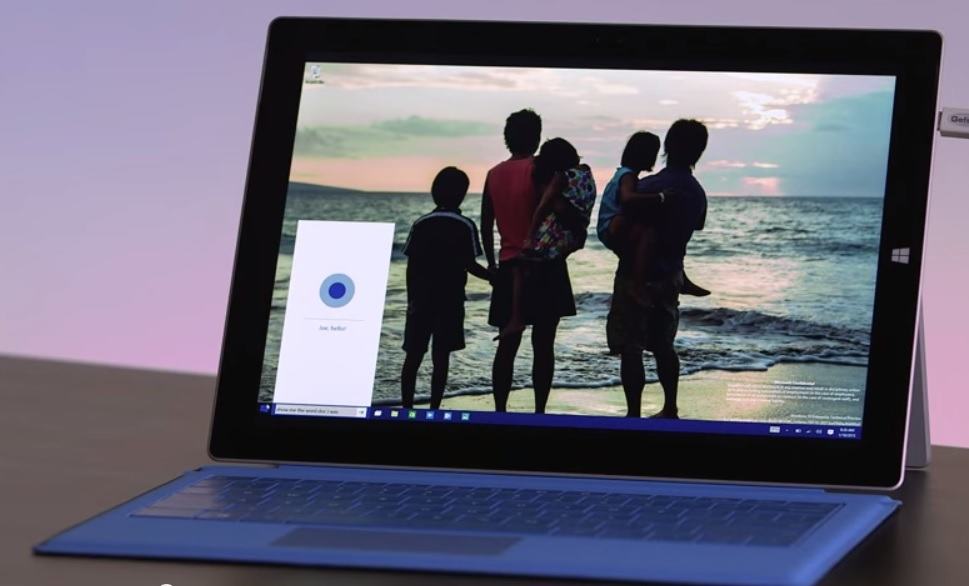
I just installed Windows 10 build 9926, what do I do next?

I just installed Windows 10 build 9926, what do I do next?

On January 21st, Microsoft held a Windows 10 event for select media members, showcasing the company’s progress with Cortana, the new Spartan browser, and much more. During the event, Microsoft revealed that over 1.7 million Windows Insiders who are helping providing over 800,000 bits of feedback. Microsoft also revealed just one day later that the Windows Insider Program had earned 173,624 new members.

If you are one of those 173,624 new members (we’re sure that number has increased by now), what do you do after downloading and installing Windows 10 build 9926? Provide feedback, of course. Just remember that this is Beta software. As long as you do not mind testing software that is in active development, and you do not mind lots of updates and an incomplete UI/UX design, you should have a good time. Remember to create a backup of your system before installing Windows 10 build 9926.

Here’s how and where you can provide feedback:

  • Windows Feedback app — Simply open up this app and send your thoughts straight to Microsoft. Don’t be shy. Microsoft wants to hear it all. Be descriptive in what you tell them. To launch the app, simply hit the search button on the taskbar and type “Windows Feedback.” You can select a category on the left hand side and enter your feedback within the app.
  • Windows 10 Tech Preview forum — Microsoft has a dedicated forum where you can provide feedback about the company’s operating system. You can also see what others are saying and you can provide assistance to them too.
  • Insider Hub — Windows 10 comes with an app called “Insider Hub” which provides you with all the latest news directly from Microsoft. You can see known issues, read all about changes made to the operating system based on user feedback, and much more.
  • Windows UserVoice — Last but not least, you can head over to the official Windows UserVoice page to leave your feedback.

If you think your feedback doesn’t matter, you are wrong. Microsoft listens, so send in your thoughts and suggestions. What else can you do? You can follow WinBeta for the latest Windows 10 news and tutorials. We also recommend bookmarking our dedicated Windows 10 page.

Show us your Windows 10 January Preview start and desktop

Windows 10

Now that all you enthusiasts are settled in with the new Windows 10 January Preview, we want to see how you’ve gone about customizing it to your liking. Show us your Windows 10 Technical Preview desktops and Start Menu’s!

All we need you to do is open the Start Menu (as shown above), take a screenshot (WIN+PrintScreen) of the desktop and Start Menu and then upload it in the comments section of this post. You can vote on which desktop you think is the best looking by liking the post.

Now the last time we did this, we promised you we’d showcase the most popular (upvoted) desktop. So here it is! The most popular desktop from the Windows 10 Technical Preview is!:

Windows 10

Congratulations to Adirocks for having the most upvoted desktop and start menu. Will your desktop be showcased here next? Go on, get posting below!

Windows 10 everywhere – a new confusion for consumers?

Windows 10 everywhere – a new confusion for consumers

Before I began my venture into blogging and journalism, I was a technology sales associate at the all mighty office supply store, Staples. My geeky knowledge was used to sell a number of different products, including Microsoft’s Windows 8 operating system – oh, and overpriced warranties, of course! Launch day was an exciting event, but consumers came in a bit confused; there were two version of Windows to choose. Eventually, a few stress balls later, I was able to inform the average consumer on the difference between Windows 8 and Windows RT.

The Original Name Game

The name confusion didn’t stop there for many consumers, just the idea that there existed a product called Windows Phone, lead many of them to think that their full desktop operating system could now be used on a smartphone – this is the backstory to why I believe that Microsoft’s decision to name both their smartphone and PC operating system, Windows 10, is a poor one.

Windows Vista

Microsoft used to have a problem with creating too many different variations of their software. Not too long ago, the Redmond-based company offered their Windows Vista operating system in six different flavors. Did you want the starter edition? How about the Home Basic edition? Maybe Home Premium? Or if you want the full package, Business, Enterprise, or Ultimate might work. It was a confusion nightmare.

The same situation was evident with Microsoft’s original mobile operating system, Windows Mobile (formally Pocket PC). Did you want Microsoft Mobile Professional for your touchscreen smartphone? How about Microsoft Mobile Standard for your non-touchscreen smartphone? Maybe you want Microsoft Mobile Classic for your Personal Digital Assistant – the options continued to overwhelm consumers.

Better – Not Perfect.

Luckily, Microsoft got it right! They released Windows 8 in three editions – regular, professional, and enterprise (although boxing one edition in six different cases didn’t help). Then, of course, there was Windows RT for ARM-based units. They may not have achieved the actual simpler model we were dreaming for, but at least they cut the number of editions in half. Even better, Windows Phone Series 7 was renamed to Windows Phone.

Windows 8 Pro Editions

When Microsoft announced Windows 10, we figured we would see the same trend of three different editions, and as of current rumors – that appears to be true.

However, Microsoft did not stop there; they made a decision that they felt would unify the entire ecosystem – they decided to call everything Windows 10. What do you have on your PC? Windows 10. What do you have on your tablet? Windows 10. What do you have on your phone? Windows 10.

While I agree that Windows 10 for both PC and tablet editions makes complete sense, as a former retail salesperson, I see Windows 10 on your smartphone as a true nightmare. When a consumer walks into AT&T, a representative won’t just tell them that the phone runs ‘Windows’, but that it runs ‘Windows 10’. For the average consumer, the confusion has just increased.

While working in the retail space and dealing with family and friends on a daily basis, the confusion of whether or not Windows Phone allowed users to run a full-blown desktop operating system continually came into questions. However, at least in this circumstance, the two platforms were named slightly different. With Windows 10, both the phone and the desktop have the same name, which will provide some headaches for retail tech representatives when dealing with customers.

It is an Opinion.

Now, WinBeta audience, I know whom I am talking to – you people are smart. You know the difference between Windows 10, Windows 10, and… Windows 10. You understand what the smartphone variation and what the PC variety offer. Now think about your relatives, maybe grandma, and ask, “will she be able to tell the difference?”

Windows 10 Event

I understand Microsoft’s grand vision; what they are trying to accomplish with their new naming convention. Simplification is great to see, and we have been asking for it, but maybe Microsoft has gone a bit too far or not far enough with the name. I may be completely wrong, but my experience working in retail says otherwise.

Here's a look at the new Alarms, Calculator, and Maps apps in Windows 10

In this article

Here's a look at the new Alarms, Calculator, and Maps apps in Windows 10

As part of the Windows 10 January Technical Preview, Microsoft introduced some reworked system apps with new designs and features in tow. Below, we detail what’s new in the Alarms, Calculator, and Maps apps which seem to have gotten significant improvements.

Alarms

Here's a look at the new Alarms, Calculator, and Maps apps in Windows 10

Starting with the new Alarms app, which should really be called ‘Clock’ considering all of the new features. The app includes four tabs; Alarm, World Clock, Timer, and Stopwatch. Gone are the pretty circular dials from the old app, now replaced with Microsoft’s new rounded toggle buttons, which you may have mixed feelings about.

Here's a look at the new Alarms, Calculator, and Maps apps in Windows 10

Under the World Clock tab is a map of the earth with a sun impression so you know which parts of the world have daylight, and which have night. There’s also a handy compare feature which lets you set a specific time and date in one local and find out what time and date it is in others, because time zones can be nightmares sometimes. You can also pin specific locations to the Start Menu/Screen for quick, glance-able information.

Here's a look at the new Alarms, Calculator, and Maps apps in Windows 10

The Timer and Stopwatch work as expected, allowing you to set a quick countdown so you don’t burn the cake, or figure out how long it takes for you to complete a 500m sprint, all of which are welcome additions to the apps. Both the Timer and Stopwatch can be pinned to Start for quick access.

Calculator

Here's a look at the new Alarms, Calculator, and Maps apps in Windows 10

The current win32 calculator, which first made its debut in Windows 7, is now nowhere to be found. In its place is an all-new Modern UI calculator, and it’s very different from the one included in Windows 8. Now that Modern apps can run in windows, the new calculator launches in a relatively small window, but slightly larger than the win32 calculator, making buttons easier to click. You can still choose from the standard calculator, the scientific or programmer ones.

Here's a look at the new Alarms, Calculator, and Maps apps in Windows 10

Additionally, a converter is also built-in, letting you convert figures in terms of length, temperature, speed, pressure, and seven other measures. And it still gives you interesting estimates. Did you know that you could fit about 21 jumbo jets, nose to tail, in a distance of 1 mile? Neither did we.

Maps

Here's a look at the new Alarms, Calculator, and Maps apps in Windows 10

Microsoft has already gone through several iterations of the Maps app in the past, but the one that is included in the latest Technical Preview seems to be the best one yet. It’s cleaner in design, and everything that you need is at your fingertips. You’ve got the map itself on the right with a few overlay buttons to tilt, change map views and orientation, a ‘my location’ button, and zoom controls. On the left is a sidebar that gives you access to search, your favorites, and settings.

Here's a look at the new Alarms, Calculator, and Maps apps in Windows 10

Favorites will sync across devices, but unfortunately it’s only favorites from the Maps app on Windows Phone, not HERE Drive or Maps, and there doesn’t seem to be an option to have them imported, yet. You can also easily get directions between two points or search for points of interests like hotels, restaurants, shopping venues and others.

Here's a look at the new Alarms, Calculator, and Maps apps in Windows 10

A particularly new feature, one that was carried over from Windows Phone, is the ability to download maps for offline use. This feature can come in handy when traveling and uncertain of network availability at the destination. In case you were wondering, offline maps do not sync across devices so you will need to download them on each device.

Those are just three apps detailed, but there are other apps not mentioned here like the Sound Recorder and Scan apps that also received improvements, although they were relatively minor ones.

How to bring back the old resizable Start Menu running Windows 10 build 9926

Windows 10

With the recent arrival of the new Windows 10 January Preview, a number of new features and changes came included. One new change is the Start Menu, which for some has become a pain to use with the new Continuum mode. Luckily, the code for the old-style 9879 Start Menu is still present, meaning it can be re-enabled with one simple registry tweak.

Just follow the steps below:

  1. ​Right click on the Start Button and select “Run”
  2. Type “regedit”
  3. Navigate to HKEY_CURRENT_USER>Software>Microsoft>Windows>CurrentVersion>Explorer>Advance
  4. Create a new DWORD (32-bit) value, call it “EnableXamlStartMenu”
  5. Restart Explorer​

Thanks for the tip, BAV0

Microsoft acquires Revolution Analytics, provider of data analysis for businesses

Microsoft acquires Revolution Analytics, provider of data analysis for businesses

Today, Microsoft acquired Revolution Analytics for an undisclosed amount. Revolution Analytics provides businesses with services and software for “R;” a programming language used throughout the world for predictive and statistical analytic information. Microsoft explained the reason for the acquisition further in a blog post:

This acquisition will help customers use advanced analytics within Microsoft data platforms on-premises, in hybrid cloud environments and on Microsoft Azure. By leveraging Revolution Analytics technology and services, we will empower enterprises, R developers and data scientists to more easily and cost effectively build applications and analytics solutions at scale.

At a press event in October 2014, Microsoft CEO Satya Nadella showed his appreciation for using Linux as an operating system for its Microsoft Azure cloud service. Microsoft also used “R” to develop game match-making capabilities for Xbox Live and looks to use “R” on other Microsoft projects in the future. Revolution Analytics will continue to expand upon and maintain its Revolution R project lineup, even for non-Windows platforms like Linux and Mac. This acquisition should also boost Microsoft’s Azure cloud service as well as boost future Xbox Live capabilities. What do you think of Microsoft’s buyout of Revolution Analytics? What will it mean for the future of Microsoft projects? Let us know your thought in the comments section.   

Here is a list of known issues you may face with the Windows 10 JTP Build 9926

Here is a list of known issues you may face with the Windows 10 JTP Build 9926

Now that the first Windows 10 Technical Preview of 2015 is out, we know many Insiders are scrambling to get it installed. Although, keep in mind that it is still early and unfinished software, so expect some bugs. Microsoft has also released a list of some of the known issues in Build 9926 of the preview.

Here is Microsoft’s list of known issues:

  • After installing this build, you may see a boot selection menu each time you reboot your PC. This is because a bug where a second boot option is persisted to uninstall the Windows 10 Technical Preview and roll back to the previous OS installed. When you get to this screen, if you do nothing it will automatically boot to the Windows 10 Technical Preview within 30 seconds by default or you can choose it on your own. Don’t worry, this behavior is only temporary.
  • Xbox Live enabled games that require sign-in will not launch correctly. If you see the below dialog box the game requires Xbox Live sign-in. A fix for this will be distributed via WU shortly after the release of Build 9926.
  • Battery icon shows on lock screen of PCs without batteries.
  • Tiles on the Start menu show truncated app names (such as the Windows Feedback app).
  • Remote Desktop has some painting issues that result in tiled pixelation.
  • Connected Standby enabled devices like Surface Pro 3 may experience shorter than expected battery life.
  • In Cortana, reminders can’t be edited and more complex reminders might not get created. The first reminder you create in Cortana in this build might not pop up, but subsequent ones will. Completed reminders also don’t move to the History page in Cortana’s Notebook.
  • The Music app will disappear if minimized within 16 seconds of launch. Just leave it in the foreground for 20 seconds or so and it should work just fine.
  • Occasionally, the Start Menu is improperly registered and will fail to launch.

You may run into new issues yourself, and some may be unique to your specific hardware, but regardless, we suggest you report any additional issues to Microsoft.

NASA's Jet Propulsion Laboratory and Microsoft teamed up to create a holographic Mars

NASA's Jet Propulsion Laboratory and Microsoft teamed up to create a holographic Mars

Hololens created quite a bit of excitement surrounding the new technology and its possible applications. One of the applications which Microsoft discussed was their partnership with NASA’s Jet Propulsion Laboratory (JPL) in California. JPL scientists plan to use the Hololens experience Mars in a first-hand way, as if they are walking around on the surface next to the Mars rover.

This type of application will help scientists to understand the environment which the rover experiences in a more natural way. Now scientists don’t have to rely solely upon 2D screens to understand the Martian landscapes, but a 3D augmented reality will exist where it is possible to walk around and get close to details which may result in new learnings. NASA’s use of the Hololens is just one of many possible uses to experience situations in a more natural way than looking at a screen. Augmented reality also has the benefit of merging physical objects, and digital objects together to create a new way to interact digitally and physically.

Microsoft will likely have an emotion evoking ad during the Super Bowl

Microsoft 2014 Super Bowl Commercial

It’s under a thirty minute drive from Microsoft headquarters in Redmond Washington to Century Link Field, home of the Seattle Seahawks. Microsoft continues to send their support down route 90. During the Windows 10 event they said the technical preview of Windows 10 for mobile would be released after the Seahawks defeat the Patriots in the Super Bowl. Microsoft sponsors the Seahawk’s star quarterback Russell Wilson who can be seen getting haircuts and winning games using the Microsoft Surface, which is incidentally the official tablet of the NFL. But during their upcoming Super Bowl commercial it may not be their on the field connection that is featured.

Last year Microsoft featured an emotion evoking commercial during the Super Bowl that features Steve Gleason, a former NFL player, using technology to communicate while living with ALS. The advertisement has a series of clips showing how technology changes people’s lives. A young double amputee is running between cones, a woman cries as she hears for the first time, and Gleason is shown communicating with his son using a screen that tracks his eye movements.

Microsoft hasn’t revealed any details about the upcoming commercial but it’s likely that they will follow the same trend and show that technology helps people in the real world.

Windows Insider Program gets 173,624 new members just one day after Windows 10 event

Windows Insider Program gets 173,624 new members just one day after Windows 10 event

On January 21st, Microsoft held a Windows 10 event for select media members, showcasing the company’s progress with Cortana, the new Spartan browser, and much more. During the event, Microsoft revealed that over 1.7 million Windows Insiders who are helping providing over 800,000 bits of feedback. Back in December of 2014,  there were 1.5 million insiders with over 450,000 of them being highly active.

In a new tweet today by Gabriel Aul, the man who is front and center with Windows 10, we have learned that the Windows Insider Program has earned 173,624 new members just one day after the Windows 10 event. Clearly, these new Insiders were looking forward to getting their hands on a build of Windows 10 — which wont be arriving until next week. Let’s hope these new Insiders are active and provide feedback!

One Microsoft delivering One Windows 10: a January 21st recap

One Microsoft delivering One Windows 10: a January 21st recap

One Microsoft. A single cohesive Microsoft working together to deliver a single Windows, working across all devices, and powering everything from Office and Bing to Xbox, and yes, even Holographs. That was the message Microsoft sought to deliver yesterday as it invited some 2-300 press to talk about some consumer features coming with Windows 10, including Cortana (introduced with a shout-out to Zac and WinBeta!); modern apps running in windows, with no outward facing differences between how a modern app and a legacy Win32 application are treated; an Xbox app that lets you play games across devices, stream your Xbox One games onto your PC, and find and connect with new gaming friends; new apps for photos and maps and mail that work across your devices seamlessly; and built in controls and support for sensors that make Windows capable of delivering everything from new smartphone experiences to Holographs.  Yes, holographs.

While seamless integration of services like Mail, Calendar, and Maps has been promised since back in the early days of Windows Live, that integration is finally coming to pass.

Windows 10 will run across a full slate of devices, from phones to tablets to the Xbox to PCs to 84” Surface Hubs, but just as importantly, Microsoft is building in a set of experiences that will connect Windows 10 devices that are common and shared. While seamless integration of services like Mail, Calendar, and Maps has been promised since back in the early days of Windows Live, that integration is finally coming to pass. 

Ask Cortana a question, about say an upcoming flight on your phone, and (with permission), she’ll remember that information the next time you log into your PC.  Plan a trip on your PC and get directions on a map (and by the way, it’s Maps now, not Bing Maps, and Microsoft’s Maps will go back to getting top billing on phones, replacing HERE Maps by default), and those directions will be ready for you on your phone.  Mail and Calendar, too, are getting significant upgrades, with new and common sets of functions.

Windows 10 multiple windows start screen

Our day at Microsoft began in Building 92, where the Microsoft Company Store is located, but we headed upstairs to a sharply furnished series of rooms and hallways all decked out in low slung white leather couches and live grass centerpieces, and started the day with the keynote you saw on the webcast. 

Terry Myerson started things off with an overview of Windows 10, giving shout out’s to the Windows Insiders for their participation in building the new product.  He then turned things over to Joe Belfiore, who walked us through Cortana, Spartan, and Windows Phone, confirming much of what you’ve already been reading about on WinBeta, and showing off more aspects of build 9924.

Xbox is coming to Windows 10

Next up was Xbox’s Phil Spencer and the new Xbox app for Windows 10.  In an effort to bring Microsoft’s two gaming communities, those on Xbox and PC gamers, together, Microsoft is tying messaging, achievements, cross platform play, and streaming from Xbox One to the PC all together in a new app that in many ways brings Xbox onto the PC.

Phil Spencer Xbox Windows 10

The Surface Hub – a re-invented whiteboard

Spencer then handed things off to a demo of the Surface Hub, which is of course built on Windows 10 but even more so on top of OneNote, offering an ever-scrolling whiteboard with quick color controls, the ability to move things around easily, 100 points of touch and 3 pen inputs to allow collaboration, and the ability of remote workers to contribute to whiteboard sessions through their own use of OneNote, and full audio/video connections featuring some impressive built-in hardware.

Through the curtains, however, there were still signs that a legacy Microsoft still looms.  Although this was billed as a consumer event, the new Surface Hub (a redesigned Perceptive Pixel smart whiteboard) is a decidedly non-consumer product. No big announcements were made in the keynotes about the elusive touch-friendly Office, except that there still will apparently be touch and non-touch versions of Office co-existing, or was Office featured in the demo sessions. 

While the first build of Windows 10 for phones was confirmed for a February debut, there weren’t any new phones to show off, and the word was that we’ll have to wait for new flagship devices, although they are coming, until around the time Windows ships later this year. With all of the talk of a faster, more nimble Microsoft, they’re behind on flagship phones, they’re behind on a touch friendly Office (we’ve been waiting since Windows 8.0), and it could be argued that they’re behind on Windows 10 for phones, if you expected a January consumer event release.

One More Thing: the HoloLens

But back to the good stuff.  After touting One Microsoft, Microsoft pulled off a mother of a “one more thing”, revealing a completely new consumer product, the HoloLens that you can think of as perhaps a cross between Google Glass and the Oculus Rift.  Instead of being immersed inside of an alternate experience, the HoloLens brings a virtual world on top of the real world by overlaying computer generated imagery over what you still clearly see through the HoloLens glasses. 

While I won’t go into the details of our tour of the secret basement laboratories underneath Microsoft’s Building 92 Visitor’s Center, you can read Peter Bright’s description at Ars Technica or Todd Bishop’s at GeekWire, or any number of others, we all shared the same tour and same experiences, I will say that experiencing even an early version of this new hardware device, new worlds were literally opened up.

Microsoft HoloLens

But, as cool as it is, with an admittedly great “wow factor”, will the HoloLens really be the next big thing in consumer computing? It certainly wowed the tech press in attendance, and there’s no doubt that it’s impressive and amazing technology.  But so of course is the Kinect, which while it works well and opens up new worlds of gesture and voice to the Xbox and the PC, hasn’t really caught on as a mainstream product. 

The fact is, gamers don’t really want to jump around their living rooms and talk to their consoles, they just want to sit and play cool games.  Will a new generation of consumers want to immerse themselves behind a still somewhat imposing set of headgear, in what in this early look seems to be a fairly anti-social experience?  How do you share HoloLens with your friends?  In the demos, we saw computer screens that showed what the user was seeing from inside HoloLens, and maybe that’s the way you’ll be able to share the experience, trading off the Lens and then watching on a screen.

Don’t get me wrong, the HoloLens is a very cool experience, with endless possibilities.  But like the Kinect and Google Glass, it takes more than just cool experiences, they have to fit in to how we live, work, and play.  Microsoft’s entry into the Holograph domain, which up until yesterday we didn’t know existed, set off fireworks amongst the tech press yesterday, and rightly so.  Will it do the same for masses of consumers?  That we’ll have to wait and see.

Satya recaps

Satya Nadella

Microsoft CEO Satya Nadella closed the event by sharing some personal stories about what Microsoft means to him as he meets with people around the world, and what Windows 10, and innovation like the HoloLens, is doing for the company.  He said that Microsoft wants to be “loved” again, and that “Microsoft is home for the very best of Microsoft services”.  Microsoft has added its own event highlights reel to recap the experience, you can watch it here if you missed the event or want to relive it:

Still, the big news of the day, aside from the distractions of futuristic holographs and enterprise whiteboards, was all about Windows 10 and One Microsoft. In talking with Chief Marketing Officer Chris Capossela before yesterday’s festivities began, he made it clear that new CEO Satya Nadella is serious about the company working together as a whole.  With a single core of Windows 10 running across a wide range of devices and a set of services to go along with them, with Xbox and Windows coming ever closer together, with Bing and Cortana and Spartan and Office all existing on every device and sharing one experience, and with almost unheard of new experiences like the HoloLens fitting seamlessly into the system, Microsoft may finally be coming together as one, indeed.


This Video Explains What’s New in Windows 10

We’ve seen at the special Windows 10 event from yesterday what are the new features of the upcoming operating system. But just in case you haven’t followed the event, here’s a special video that will help you go through all of the most important ones.
windows 10 new features video
Microsoft is defintiely changing as a company and we’re all thrilled to see that. We’ve seen Microsoft shape a nice road ahead for Windows 10 on desktop, laptop, smartphones and other devices. And if you missed it, go ahead and have a look at the video from below.

Here are the main features that Joe Belfiore is talking about:

  • Cortana – the release of a voice assistant on traditional Windows devices is indeed something ground-breaking. I am almost sure that this will make Windows 7 users to upgrade like mad.
  • Universal apps – apps that run across phones, tablets PCs; this is what Microsoft is trying to achieve with its universal apps approach. And yeah, Office apps are here!
  • Project Spartan –  everybody’s speaking about the new browser that Microsoft will reveal in Windows 10 and it makes a lot of sense. Internet Explorer has long been considered as a lousy browser, so Redmond wants to put an end to that!
  • Gaming on Windows 10 – the Xbox experience is coming to Windows, as there’s an Xbox app available for free download. Also, you will be able to take your Xbox games to any PC – mindblowing!

https://www.youtube.com/watch?v=teoZk3QEc40#t=102

READ ALSO: Windows 10 is Built on OneCore, the Main OS Kernel for Phones, Tablets, PCs and Xbox

This week's Xbox Live deals include discounts on Sunset Overdrive, Skyrim, and more

This week's Deals with Gold include discounts on Sunset Overdrive, Skyrim, and more
This week’s deals for Xbox Live (Gold or Silver) members feature significant price cuts on a number of Xbox One and Xbox 360 games. There are currently five deals on games and add-ons for Xbox One, and twelve deals on games and add-ons for the Xbox 360. Please note that these discounts are only available for Xbox Live members until January 26th.

Xbox One games including Dead Rising 3: Apocalypse Edition, Sunset Overdrive and Sunset Overdrive Deluxe get 40% cuts off their original prices. For Xbox 360, Skyrim, Final Fantasy XIII 2, and Farming Simulator, will get half off their original prices. Lucky for Xbox 360 gamers, they get the lion’s share of the discounts this week.   

Stay tuned next week for another week of Xbox Live deals on games for the Xbox One and Xbox 360. As a reminder, you can take advantage of this week’s deals as an Xbox Live Gold or Silver member. Head on over to Major Nelson’s website in the link below for a full list of Xbox Live discounts. Be sure to act fast on these Xbox Live discounts, as they expire January 26th. 

Microsoft launches website for HoloLens – includes in-depth experience video

Microsoft launches website for HoloLens - includes indepth experience video
Microsoft had introduced a number of exciting ideas at their January 21st event; one of those amazing products was Microsoft HoloLens. The company in Redmond wants to bring us holograms, and they have created a new product to do just that. If you are excited about the idea, then you should give their new website (and video) a good look.

The new Microsoft HoloLens site proudly proclaims that “the era of holographic computing is here”. When you visit the website, you can sign up for the latest news on the product or follow the development on Twitter.


Microsoft’s creation requires you to wear a visor – something you probably won’t be wearing out in public, so we don’t think you will be fighting invisible zombies in the streets. Microsoft’s latest invention seems more natural to wear for specific purposes such as CAD design, gaming, entertainment, etc.

The website also notes a few features of the HoloLens including that the device has no cords, no phones, nor wires, and no tethers. The headset is also “lightweight and adjustable”, with built-in “spatial sound” that allows wearers to hear holograms within the room.

Take a look at the video and let us know what you think of Microsoft’s HoloLens project. It is up to the world to decide if it is a new revolution, or just another wearable dud.

Windows 10: Microsoft introduces a new massive 84-inch computer for enterprise called Surface Hub

Windows 10: Microsoft introduces a new massive 84-inch computer for enterprise called Surface Hub

Following their enterprise customers, Microsoft has developed a new device called the Surface Hub. This is a 84in device which is built upon the technology acquired with Perceptive Pixel. The device is loaded with sensors and is aimed at businesses as a collaboration device. Ideally suited for meeting rooms, this device will enable people to work in meetings like an enhanced white board.

The device will feature a 84-inch 4K display, with an array of sensors such as Speakers, NFC, WiFi, and microphones. Enterprise customers may be interested in this device’s ability to work digitally while still holding meetings in a similar way. Writing and working with media on the Surface Hub will be easy and natural, then all notes can be saved and shared digitally without the need for scanning or photographing a whiteboard.

Windows 10: Microsoft introduces a new massive 84-inch computer for enterprise called Surface Hub

Windows 10: Microsoft introduces a new massive 84-inch computer for enterprise called Surface Hub

This is Project Spartan, the next-gen browser for Windows 10 with Cortana integration

This is Project Spartan, the next-gen browser for Windows 10 with Cortana integration

Microsoft has today confirmed the existence of its Internet Explorer successor, Project Spartan. This next-generation browser is designed to work with “the way developers develop for the web today”.

This new browser will run on Windows 10 on both the PC’s and the phone and will support a new annotation feature that will allow for users to take notes directly on web pages and have them saved for later viewing. It has OneNote integration and saved pages with markup can be shared the same way users can share content on Windows 8.1; via the Windows system share charm which hooks up to all third-party applications that support sharing.

Project Spartan is also optimized for a great reading experience. Microsoft uses Reading Mode here so that everything but key text and images are shown, no chrome (pun intended). It also has offline support with Reading List integration so users can take webpages offline for later viewing.

Cortana is also built directly into Spartan who will show up at opportune moments to be helpful when she can. Cortana will track flights for example and show up when searching for related sites to make it easier to get flight information. Cortana scours the internet and when users are on websites of particular restaurant for example, Cortana will be right there with directions to that restaurant. Without going into too much detail, it’s clear that Cortana is deeply integrated into Spartan. Microsoft notes that Project Spartan is the first and only browser with a personal assistant integrated and always there to help.

Project Spartan will be available in the next few months for Windows 10 Insider participants. 

“Code-named “Project Spartan,” the next generation browser was built with greater interoperability, reliability and discoverability, with a new look and feel built just for Windows 10. Advanced features include the ability to annotate by keyboard or pen directly on the webpage and easily share with friends, a reading view that is distraction free, displaying the article in a simplified layout for a great reading experience for Web articles online and offline, and the integration of Cortana for finding and doing things online faster,” Microsoft explained.

This is Project Spartan, the next-gen browser for Windows 10 with Cortana integration

This is Project Spartan, the next-gen browser for Windows 10 with Cortana integration

This is Project Spartan, the next-gen browser for Windows 10 with Cortana integration

Microsoft: Windows 10 will be a service, keeping the experience current between all devices

Windows 10

Microsoft has announced that Windows 10 will be a service, keeping the operating system experience current across a number of different devices throughout its supported lifetime. Not much else is known about Windows 10 being a service, however the Official Microsoft UK twitter account tweeted the photo above with unveiling the news. We’ll update this story as soon as we know more.

Microsoft unveils the Windows 10 January Preview with new UI, features and much more

Windows 10

Microsoft has announced the Windows 10 January Preview, which includes a number of new features and user interfaces which align Modern UI with the desktop in a much more natural way.

New features include an updated Start Screen, Start Menu, Notification Center, Tablet Mode, and much much more. The new January Preview works great on tablets too, meaning it’s the first build optimized on more than just desktop and laptops.

The upcoming preview also includes Cortana running on the PC. She can do pretty much everything the Windows Phone version can, which is excellent.

Now, not all features demoed at the event will be available in the upcoming preview, some will be available, some will be showing up over the next few months.

The January Preview is expected to roll out to Windows Insiders starting next week. Stay tuned!

How to Watch Live and Follow the Windows 10 Event [January 2015]

Microsoft has managed to surprise everybody when it announced Windows 10 this fall, as most of us were expecting the company to launch Windows 9. And today we’re going to have a look at some more details at the special Windows 10 event. Let’s see how we can follow it live.
watch live windows 10 eventHave you installed the Windows 10 Technical Preview on your devices yet? And if you have, then you are probably enjoying it and are looking forward to hear more details about it. Well, today is that day as Satya Nadella and his team are ready to take on stage to speak about ‘the next chapter’ for Windows 10. Windows 8 and Windows 8.1 have been described as flops, so that’s why Windows 10 matters to so many out there. Let’s see how we can follow the event live.

Windows 10 live event: how to watch and follow it

The easiest way to follow the live Windows 10 event is, of course, to watch it in real time on the live feed provided by Microsoft itself on the official webpage. As you can see for yourself, the event will kick-start at at 9:00 a.m. Pacific Standard Time. If you live in other parts of the world, go ahead and follow this link to see at what hour it will start in your country or city, as well. Here’s what Microsoft said about the upcoming event:

We’re getting close to our Windows 10 media briefing next week and as promised. We’re pretty excited about this event and to be able to talk about what’s next for Windows 10. You’ll hear directly from senior leaders from the Operating Systems Group including Terry Myerson, Joe Belfiore and Phil Spencer as well as our CEO Satya Nadella!

Terry Myerson, Joe Belfiore and Phil Spencer as well as CEO Satya Nadella – all on stage, then this means the event is going to be quite long and we’re going to see many new details being revealed. So, we’re pretty excited about what Microsoft is going to announce, and I bet you are, as well! We will do our best to talk about the new features in detail. Meanwhile, you might want to check the following blogs and websites that will have live coverage.

Live coverage of Windows 10 event

So, hold your breath for a few more hours until the event gets underway. What do you think Microsoft is going to announce? Sound off by leaving your comment below.

READ ALSO: BenQ Launches 27-inch Gaming Display With 1ms Response Time for Windows Gamers

Over 1,800 Minecraft login credentials leaked online, change your password right now

Over 1,800 Minecraft login credentials leaked online

Microsoft appears to be a frequent target for attackers lately. The company’s Xbox Live service was attacked last month, resulting in an outage for gamers on Christmas. And now, some login credentials of the recently-acquired Mojang’s Minecraft — the company which was acquired by Microsoft for a whopping $2.5 billion — were leaked online in plain text format, yes, both usernames and passwords of users of the game. 

According to a German publication, over 1,800 usernames and passwords of Minecraft users were posted on Pastebin in plain text format, allowing other users to login with the credentials, and install the full version of the game. However, it’s still unclear on how the information was obtained. It could be worse for those users who are using the same password on multiple services, such as their social media accounts, PayPal, or their email addresses. 

On one side, 1,800 may appear to be a small proportion of Minecraft users — which is in millions if we combine the user base on all platforms. Nonetheless, it’s still worrying as we don’t know if any other usernames and passwords were accessed too — the ones not leaked yet. Plus, there’s no mention about any such hack on the Mojang’s website or Microsoft, but if it has happened, now might be a good time for both companies to shed some light on the breach, and guide the users.

In case you’re worried, you should change your password to Minecraft right away, the company already has a guide on how to choose a strong password in their help section — it’s better to be safe then sorry. And remember, never to use the same password for important services such as you bank accounts, PayPal and other services, and enable two-step authentication whenever possible. 

We’ll update you if Microsoft or Mojang release a statement about the breach. 

Microsoft swift to respond to FBI email requests related to the Charlie Hebdo attacks

Microsoft swift to respond to email requests from the FBI and French government

Following the Charlie Hebdo attacks, the French government has launched an investigation to find all of the suspects involved. Two suspects supposedly sent emails related to the attacks from their Microsoft Outlook accounts and the government has requested that the FBI have Microsoft hand them over, to which the company has obliged.

Microsoft lawyer Brad Smith noted in a recent speech that the request was legal and that it took the software giant less than hour to deliver the emails in questions. Smith said that this proves that private companies can work with governments to work towards apprehending criminals but stressed that open government access to consumer information, i.e. snooping, should only happen under strict regulations.

He suggested that if governments want to take full access to consumer information and out of the hands of private companies then those changes should be put into law first.

“If those in government want to shift the line between safety and privacy, the appropriate path is to do so by changing the law rather than asking those of us in the private sector to shift this balance ourselves… Democratic societies, not private companies, need to decide on the balances to be struck between public values such as public safety and personal privacy.” – Brad Smith, Microsoft lawyer

Earlier this month, British Prime Minister David Cameron caused outrage after proclaiming that should he be re-elected, he would work to ban all encrypted mobile communication services like WhatsApp, unless the companies behind those apps build backdoors which the government could use to snoop on customer conversations, more on that here.

Microsoft’s swift response here is evidence that constant government surveillance and breach of customer privacy is not necessary, provided they follow the correct means to obtain information they are looking for.

Microsoft releases iPad app for Windows Server 'Work Folders' feature

Microsoft releases iPad app for Windows Server 'Work Folders' feature

With Work Folders users can store and access work files on personal computers and devices, often referred to as bring-your-own device (BYOD), in addition to corporate PCs. This key feature on Windows Server can now be accessed from an iPad thanks to an app that was just made available.

“Work Folders is a Windows Server feature that allows individual employees to access their files securely from inside and outside the corporate environment. This app connects to it and enables file access on an Apple iPad. Work Folders enables this while allowing the organization’s IT department to fully secure that data. This app for iPad features an intuitive UI, selective sync, end-to-end encryption and in-app file viewing,” Microsoft stated in an official blog post.

Microsoft releases iPad app for Windows Server 'Work Folders' feature

Here are the key features of this app:

  • Pin files for offline viewing.
  • Saves iPad storage space by fully showing all available files but locally storing and keeping in sync only the files you care about.
  • Files are stored encrypted at all times. On the wire and at rest on the device.
  • Access to the app is protected by an app passcode – keeping others out even if the iPad is left unlocked and unattended.
  • Allows for DIGEST and Active Directory Federation Services (ADFS) authentication mechanisms including multi factor authentication.
  • View your files right inside the app with a built-in viewer for many file types.
  • Open files in other apps that might be specialized to work with a certain file type.

Grab the app via the download link below.

Microsoft helps to clean up Naples through YouthSpark initiative

YouthSpark

Mass youth unemployment is one of the unfortunate realities of the world in which we live. This is especially the case for those resident in either Spain or Italy, where around half of all young people are unemployed, placing an enormous strain both on their country’s infrastructure and their personal well-being.

Though this situation isn’t the fault of those it affects; it is still their responsibility to find their way out of it. Even if others find it difficult to find work, there are a few who manage to life their heads above the rest. Lorenzo Dente is one of those who have achieved this, with the help of Microsoft YouthSpark.

Twenty years old and based in the notoriously tough neighborhood of Scampia, on the fringes of Naples, all of the odds were stacked against Dente. Especially when considering that youth unemployment in the region has hit 42%, simply ‘becoming another number’ figured high on his list of possible life outcomes.

Dente

Faced with this, Dente instead joined a local program, which teaches tech and entrepreneurial skills to those from low-income backgrounds, based on the idea that they come up with easy solutions to everyday problems and build a business around the concept. Well aware of the situation from which he had come, Dente resolved to tackle reduce crime, and littering.

As a member of a team, he created a program called “Clean Up and Innovate”, tasking people from around the neighborhood to pick up their trash and then recycle it into works of art to be sold, creating lamps and boxes (among other items) in addition to this.

Funding for this program came from Microsoft YouthSpark, an initiative which seeks to improve the situation for young people across the world by helping to create educational opportunities. With their help, Dente is now helping to improve life for those across his city, and in time he may accomplish a great deal more.

Have you worked with Microsoft YouthSpark? Let us know in the comments below.

Watch "Justice League: The New Frontier" for free, courtesy of Microsoft

Watch "Justice League: The New Frontier" for free, courtesy of Microsoft

It is a little known fact that, while Marvel has been busy empire-building with its all-conquering ‘Avengers’ franchise, little DC has been squirreling away, producing a roster of fine direct-to-DVD releases that are a hidden treat for fans of the comic-book genre.

Justice League

Perhaps aware of this, perhaps just taking whatever was available, “Justice League: The New Frontier” shall be shown by Microsoft as part of the Xbox Video Free Movie Weekend. From now until midnight on Sunday, anyone with a Microsoft account can access the film for free. When accessed, the film will remain available for viewing for another 24 hours, and can be accessed from any device running Windows, or from the Xbox 360 and the Xbox One.

In addition to this, Microsoft is slashing the price of all other such DC Animated Universe films, meaning that anyone with a penchant for spandex and laser beams can have something of a field day.

Will you be viewing the film? Let us know in the comments below.

Resident Evil Revelations 2 release date slips one week for "fine tuning"

Resident Evil Revelations 2

Capcom have announced that Resident Evil Revelations 2, destined to be the first in a serialized set of games, is to be delayed by approximately one week in “an effort to fine-tune the final product” .

Coming to Steam and the Xbox One among others, the game will make its debut to audiences on the 25th of February, with later installments in the series set to arrive on the 4th, the 11th and the 18th of March, making 4 entries overall. All episodes will be released together in one package on the 20th of March, this will include two bonus episodes for users to play through. Each entry in the series will cost $5.99, with the whole bundle coming in at $24.99.

This is an ambitious release schedule, as such it is expected that there may be further release date slips.

Will you be picking up an individual entry, or even the whole series? Let us know in the comments below.

Microsoft Azure had a rough year with big outages and long downtimes

Microsoft Azure had a rough year with big outages and long downtimes

In the tech world stats are easy to come by and can be hard to defend. A recent report has been released which ranks the different cloud providers by their downtime, and Microsoft does not look good. Amazon and Google both had very little downtime in 2014 for both their compute and storage services. Azure on the other hand suffered several outages which yielded considerable total downtime.

Most cloud providers have a Service Level Agreement (SLA) which states an up time guarantee and if that is not met, then the company has to pay their customers for the lost time. Google and Amazon’s cloud storage service were only down for 14.23 minutes and 2.69 hours respectively over all of 2014, and Google’s compute engine was only down for a total of 3.4hrs in the year. Microsoft Azure had compute downtimes totaling 42.94 hours and storage downtimes totaling 10.94 hours.

While these stats are not good, it doesn’t mean that Azure is doomed. 2014 was a big year of growth for Microsoft and hopefully 2015 will be a year where Microsoft invests in stability and has a better record than 2014. These stats are also signs that Amazon and Google may have more stable and mature clouds for now, but Microsoft can still compete on price and features.

Xbox One February system update offers game hubs, tv updates, and more

Xbox One February system update offers game hubs, tv updates, and more

Last year Microsoft, added hundreds of new features to Xbox One – mostly due to user feedback. In February of this year, Xbox One is set to release another system update with an all-new feature called game hubs. With game hubs, you can share comments and content with your Xbox Live friends, game developers, and other Xbox Live members about your favorite Xbox One game. Microsoft has also added more tile transparency for custom backgrounds and a handful of updates to live TV.

Those enrolled in the Xbox Preview program can snag this update right now. According to Xbox Wire, here is a full list of what is included in the Xbox One February update:

  • Game hubs 
  • Custom backgrounds and tile transparency 
  • OneGuide for the Netherlands: Support for OneGuide will continue in preview for the Netherlands and the missing channels for the Netherlands OneGuide listings will become available over the next few weeks.
  • TV trending in OneGuide
  • Live TV trending (new countries) – France, Germany, Brazil and Mexico will begin seeing live TV trending data in Xbox OneGuide.
  • Improved control of TVs, set-top boxes and audio/video receivers – Xbox One will work even better with more devices. This month’s preview release contains updates to the IR blasting database for new models and addresses issues reported by our fan community.
  • “Trick play” with Xbox One Digital TV Tuner – Preview members with the Xbox One Digital TV Tuner in supported countries (UK, France, Germany, Italy and Spain) will now be able to see video frames when fast-forwarding or rewinding paused TV on your Xbox One consoles.
  • Live TV streaming on Windows Phone and Android – We are continuing the preview of live TV streaming on Windows Phone and Android devices for Xbox One Digital TV Tuner owners in the UK, France, Germany, Italy and Spain. 

Let us know what you think about these new features coming out in February in the comments section. Also, check out the video below for more information on these features.

Microsoft Surface Pro 3 and PayPal Here team up to create a better retail experience

Microsoft and PayPal Here are teaming up to make point-of-sale (POS) systems better and more convenient for small business owners. Later this year, small business owners will get a chance to get a new PayPal Here card reader and a PayPal Here app for Windows 8.1 across the US.

Small business owners usually need laptops to handle inventory, payroll, and scheduling. Surface Pro 3 can handle much of the legwork done by a traditional PC and its portability helps small business owners complete tasks while on the move. Amy Berend, the owner of Bridal Boutique in Texas, has nothing but good things to say about her business experience with the Surface Pro 3:

I love working with brides and helping them find their perfect dress. But the number of details and intricacies that go into choosing your wedding dress and accessories can be stressful. By using Surface Pro 3 and PayPal Here, I can actually bring the device into the dressing room with me. I can work with the bride directly to customize her dress and accessories orders in my system and accept payment on the spot. Additionally, with Surface Pro 3 I can photograph my inventory for posting online, manage my employees, and manage my budget, which I wasn’t able to do before when I used an iPad. Surface Pro 3 and PayPal Here have helped make doing business easier, faster and more convenient.

The PayPal Here app will be available for Windows 8.1, and later PayPal Here will make its way to Windows Phone on Microsoft Lumia devices. Check the video below for more information and let us know what you think about this new partnership in the comments section!

Angry Birds Stella Game Available for Windows Phone 8 and Windows 8.1 [Download]

Angry Birds Stella, initially released on September 4 2014 for iOS, Android and Blackberry, has recently become available in Windows Phone Store as well. This is another confirmation that the Windows platform for mobile devices has become stronger – hence the developers’ interest for Windows Phone.
angry-birds-stella-available-for-windows-phone-8-and 8.1
The game offers a gameplay similar to the other Angry Birds titles.  Your mission is to to shoot the pigs with a limited number of birds, and score the highest. This Angry Birds sequel is free to play, however, there are additional in-app purchases available.

Join Stella and her lady friends and help them  to protect Golden Island from the Bad Princess and her piggies. There’s no time to waste. This bad princess has stolen their scrapbook and is now destroying their magical book.   Discover their superpowers on the way and complete all the 120 levels in this slingshot adventure.

Here’s a list of the game features:

  • Play over 120 levels;
  • Slingshot your way through the treetops of golden island.
  • Meet the fierce flock. Six fun birds with unique personalities.
  • Master the moves. New kick-ass superpowers – tap and hold to target attacks.
  • Stop the bad princess! Her pesky piggies are wreaking havoc across the island.
  • Complete your scrapbook. Collect pics and wacky outfits to use in the game.
  • See friends’ scores. Then try to beat them.
  • Scan your telepods. You can bring extra-special birds into the game.
  • Enjoy lush graphics.
  • You can aim Stella again after the first launch. Tap where you to hit, slide and then lift your finger to send her speeding towards the target.
  • The blond bird can turn like a tornado. When you’re over the target, lift your finger and let her attack.
  • The number of avian projectiles depends on how many stars you’ve previously got. Sometimes, if you didn’t won many stars, you can get only one bird available for the next level.

The app is compatible with Windows Phone 8 and 8.1. You need only 29 MB to download the game.

READ ALSO: Up in Flames for Windows 8 is Beautifully Crafted Game, A-la Angry Birds

Scroogled website fades away like it never existed, now redirects to 'Why Microsoft'

Scroogled website fades away like it never existed, now redirects to 'Why Microsoft'

Remember the Scroogled campaign? This controversial campaign kicked off in late 2012 and was on fire in 2013 when Microsoft blatantly trolled Google in various ads. In 2014, the campaign slowly faded into the background like an old toy you didn’t care about anymore, and now the domain name scroogled.com points to whymicrosoft.com, seemingly fading away like it never even existed.

It all started in late-2012 when Microsoft declared that all Google shopping results are basically paid ads and wanted consumers to be aware of that. When the Scroogled campaign was in full force, we were introduced to a video from Microsoft that blatantly bashes the Google Chromebook. In essence, the video touted the Chromebook as being a brick and not a real laptop. Another video featured “Ben the PC Guy” (@BenThePCGuy) walking the streets of Venice, California, with a Google Chromebook. The campaign also attacked Gmail, stating that Google scans emails in order to target and tailor advertising. We’ve embedded some old Scroogled videos below in case you missed them.

Google has always been scrutinized for using targeted ads in its mail services since launching their Gmail service in 2004. In fact, Google has been subject to unsuccessful lawsuits which claimed that the practice violated illegal eavesdropping laws.

Scroogled website fades away like it never existed, now redirects to 'Why Microsoft'

“Scroogled will go on as long as Google keeps Scroogling people. We know Google doesn’t like it when the facts come out,” a Microsoft spokesperson stated back in 2013. Oh how times have changed. Mark Penn was the man behind the campaign, which targeted newspapers, television, and social media. On March 2nd of 2014, we learned he was being promoted and the campaign slowly began fading away. 

The Scroogled website, which is located at scroogled.com, is no longer active and now redirects to a new website at whymicrosoft.com. This new effort seems to be aimed at businesses and appears to be less aggressive that the Scroogled campaign, which admittedly, was quite harsh. Then again, Microsoft was just fighting back in a business where the gloves are typically off.

On Microsoft’s new and friendlier “Scroogled” website, now known as Why Microsoft, the Redmond giant is looking to appeal to businesses. “We combine decades of innovation to deliver high performance, low costs, and a competitive edge for your business. Explore how enterprise-proven solutions from Microsoft stack up against our competitors,” the Why Microsoft website states.

The website lets you compare Google Apps, as well as Amazon’s web services and more against Microsoft’s solutions. Head over to www.whymicrosoft.com to check it out. You can also relive some of the old Scroogled campaigns below.

You Can Now Buy Windows Apps, Music and Other Digital Content with Bitcoins

If you’re into digital currencies, Bitcoin that is, we have a good piece of news for you. You can use this digital currency system to pay for content from Microsoft’s stores. However, there’s a condition to that – you have to live in the US.
microsoft-supports-bitcoin-digital-content-purchasing-soon-product-services-pucrchasing
Bitcoin and Microsoft have recently signed a deal allowing users to buy apps, music and other digital content from Windows, Windows Phone and Xbox Games/Music/ Video stores and use the cryptocurrency to pay for it. As stated before, the service is limited to the United States, and the amount of money you can add at a time is $100. Also, you cannot exchange more than $1,000 per day to your Microsoft account. If you have additional Microsoft accounts registered in your name, the maximum exchange amount is limited to $5,000.

Although Microsoft has integrated bitcoin as a payment method, the company has limited its usage – you can only buy digital content, not services, products (for example,mobile phones) or gift cards.

Also, before turning real money into digital currency, bear in mind that money cannot be refunded. Don’t forget to review you transaction and double check the items selected before paying with you digital wallet.

Here’s how you can add money to your Microsoft account with Bitcoin:

  • Sign in to Microsoft account – Billing with your Microsoft account
  • Select Payment options > Microsoft account > redeem bitcoin
  • Select the amount you want to add, and click Next
  • Review the amount of Bitcoin needed then use your digital wallet to complete the transaction within 15 minutes:
  1. if you use your computer – select Pay with Bitcoin and then pay from your Bitcoin wallet on the same device.
  2. if you use your smartphone – scan the QR code and from your mobile wallet app.
  3. if your wallet is on another device,  copy the receiving address and BTC amount to the wallet on your device or the Web and then confirm your purchase.

By taking this step, Microsoft has joined other tech giants such as Dell and PayPal.

“For us, this is about giving people options and helping them do more on their devices and in the cloud. The use of digital currencies such as bitcoin, while not yet mainstream, is growing beyond the early enthusiasts. We expect this growth to continue and allowing people to use bitcoin to purchase our products and services now allows us to be at the front edge of that trend.” says Eric Lockard, vice president of Universal Store at Microsoft.

In other words, his statement reveals that work is in progress to allow Microsoft clients to soon buy products and services, not just digital content, using bitcoin.

READ ALSO: Bitcoin Miner App for Windows 8 Gets Big Update, Download Now

The end of an era? Windows 7 mainstream support ends January 13th, 2015

Microsoft

As happens with Microsoft, or any software company, when it released Windows 7 back in 2009, it did so with a certain shelf-life in mind. Five years were given to the operating system, as was the case with its predecessors, including the pretty, but absent-minded, Windows Vista, and the functional, but aging, Windows XP. 

It is now 2015, and those five years have, unfortunately, passed. From tomorrow, 01/13/2015, the ‘mainstream’ support phase for Windows 7 will end, meaning that significant software development on the part of the platform, from Microsoft, will cease. From this point onwards, the OS will exist in the strange limbo in which all former children of Redmond live, receiving only security updates to ensure the viability of the platform as future threats emerge, both from outside and within.

Windows 7

With a large subset of the Windows user-base still working from Windows 7, this is quite a significant development, though one that was telegraphed by Redmond rather a long time ago. Though day-to-day usage will most likely remain the same for the vast majority of users, the only option for those who wish to be on the cutting edge is to take the (sometimes bitter) pill and upgrade.

Will you be upgrading to a newer version of Windows? Let us know in the comments below.

Microsoft: 'We urge Google to make protection of customers our collective primary goal'

Microsoft: 'We urge Google to make protection of customers our collective primary goal'

On December 31st, a Google researcher discovered and disclosed a privilege escalation bug in Windows. The researcher even reveals a PoC (Proof of Concept) program for the Windows 8.1 weakness. In it, he details how to take advantage of the vulnerability.

Today, Microsoft has issued a call for ‘better coordinated vulnerability disclosure.’ Basically, the issue is straightforward. Some people, including Google, believe that full public disclosure convinces software vendors to fix vulnerabilities quickly and allows affected customers to take quick actions to protect themselves. This is not always “black and white” especially when it’s the competitor’s software you are exposing.

Microsoft disagrees with this method. In fact, Microsoft believes a software vendor should be able to fully assess the potential vulnerability, evaluate the issue against the threat landscape, and issue a fix before disclosing the information to the public. This would prevent an attacker from utilizing the vulnerability when there is no solution to fix the issue.

“Those in favor of full, public disclosure believe that this method pushes software vendors to fix vulnerabilities more quickly and makes customers develop and take actions to protect themselves. We disagree. Releasing information absent context or a stated path to further protections, unduly pressures an already complicated technical environment,” Microsoft’s Chris Betz stated in an official blog post. “It is necessary to fully assess the potential vulnerability, design and evaluate against the broader threat landscape, and issue a “fix” before it is disclosed to the public, including those who would use the vulnerability to orchestrate an attack. We are in this latter camp.”

Microsoft: 'We urge Google to make protection of customers our collective primary goal'

Betz singles out Google in his blog post, stating that Google released information on a vulnerability before the planned fix, which was set to take place on Patch Tuesday. In fact, the vulnerability was disclosed by Google despite Microsoft’s request not to.

“Specifically, we asked Google to work with us to protect customers by withholding details until Tuesday, January 13, when we will be releasing a fix. Although following through keeps to Google’s announced timeline for disclosure, the decision feels less like principles and more like a “gotcha”, with customers the ones who may suffer as a result. What’s right for Google is not always right for customers. We urge Google to make protection of customers our collective primary goal,” Betz explains.

What’s right for Google is not always right for customers.

Betz further adds that Microsoft does not believe it is right to have security researchers find vulnerabilities in a competitors’ products, apply pressure for the need of a security fix or patch within a certain time frame, and them publicly disclose the information about the vulnerability, allowing customers to be attacked before a fix is even created.

Anyone involved in software development knows that responding to security vulnerabilities can be a complex, extensive and time-consuming process. Microsoft urges Google, as well as other companies, to work together, because ultimately it is all about the customer.

“Let’s face it, no software is perfect. It is, after all, made by human beings. Microsoft has a responsibility to work in our customers’ best interest to address security concerns quickly, comprehensively, and in a manner that continues to enable the vast ecosystem that provides technology to positively impact peoples’ lives,” Betz adds. You can read his entire blog post at the VIA link below.

Weekend Recap: Windows 10 for phones, 6snap and Snapchat, CES 2015, and much more

Weekend Recap: Windows 10 for phones, 6snap and Snapchat, CES 2015, and much more

This week has been quite interesting in the world of Microsoft. We’ve covered a lot over the past week and chances are you most likely missed an important piece of news. Let’s take a look back in a feature we call “Weekend Recap,” highlighting the popular stories from the past week.

Windows Phone

It looks like Microsoft is gearing up to release a build of Windows 10 for Windows Phone devices. This past week, a new app titled Phone Insider appeared in the Windows Phone Store, which “provides registered Windows Insiders the ability to receive pre-release OS updates on their phone, directly from Microsoft.” Right now, normal insiders are unable to sign into the app, as it’s currently only available for internal Microsoft employees.

You will soon be able to take photos faster and with HDR using the new camera app for Windows Phone. These incoming camera improvements to the Lumia 930 and Lumia 1520 were shown off at CES 2015. Speaking of the Lumia 930, Microsoft is selling this smartphone in a gold color in China and other reigons — the Lumia 830 is available in gold too.

According to PornHub’s statistics, from 2013 to 2014, the website saw an amazing 52.3% increase in traffic being served to Windows Phone devices. While that number sounds impressive, Windows Phone devices on PornHub only account for 2.6% of total mobile traffic.

Earlier this week, Verizon Wireless pulled all of its Lumia smartphones from the Verizon Wireless website. Apparently, Verizon is ‘temporarily sold out’ of all Lumia Windows Phone devices.

Tubecast, a third party client for YouTube, got an significant update this past week, adding faster app start-up, new DLNA Smart TV support, and more. Gameloft’s Pastry Paradise hit the Windows Phone Store this past week, giving gamers yet another puzzle game to toy with. VLC for Windows Phone kept receiving updates this past week, fixing bugs and crash issues. Telegram Messenger also got an update, receiving custom sounds for push-notifications and more.

According to a new report from Kantar, Windows Phone market share has hit a new low as Microsoft struggles to compete with Google and Apple.

Microsoft released a new app to their Windows Phone Store dubbed Social News. Social News is designed to allow users to share local events with people around them as well as post their own stories for people located in their general vicinity to read.

Weekend Recap: Windows 10 for phones, 6snap and Snapchat, CES 2015, and much more

Earlier this week, Yezz announced a new Windows Phone, the Yezz Billy 5S LTE. This device features a 5-inch 720P HD screen, LTE, a 1.2 GHz Quad core processor, and Dual-SIM technology. The Yezz Billy 5S LTE has 8 GB of phone storage with 1 GB RAM, with a 5 MP front-facing camera and a 13 MP rear camera.

And finally, Microsoft says they haven’t forgotten about Office for Windows Phone. Microsoft plans to reveal more later this year and promises ‘an incredible Office experience is on the way.”

CES 2015

CES 2015 took place this past week and several new and exciting Windows PCs were unveiled. You can read our top-five picks here. 

Dell unveiled a new XPS 13 that has very little bezel, Intel announced a $149 Compute Stick which runs Windows and Linux, MSI announced a range of new Windows 8.1 gaming laptops and all-in-ones, Lenovo announced a host of new Windows-powered laptops, hybrids and tablets, and much more. You can check out our entire CES 2015 coverage here.

Weekend Recap: Windows 10 for phones, 6snap and Snapchat, CES 2015, and much more

Microsoft’s products and services

Microsoft is testing a new feature where you can save your Outlook email attachments directly to your OneDrive account. The new feature is only available to some users and has not been rolled out to all Outlook users as of yet, but hopefully the new feature will be released system-wide soon.

OneDrive for iOS was updated this past week with push notifications and recycle bin support, bug fixes, and much more. Microsoft also promises a single sync engine in OneDrive by end of 2015, to bring a consistent experience across platforms.

Weekend Recap: Windows 10 for phones, 6snap and Snapchat, CES 2015, and much more

Office Online has also added new improvements and features to help the blind and poor-vision users make their way around the application. Microsoft’s Azure continues to deliver more security, scale, and simplicity with new updates announced this past week.

Microsoft has stepped into predictive policing by helping create a solution for crime prevention and counterterrorism. Thanks to advances in data analytics and machine learning, we can use data to help prevent crime through more effective and efficient resource allocation.

Microsoft released its first foray into wearable computing, the Microsoft Band, nearly two months ago, and now the health and fitness device received it’s first update, with an assist from the Microsoft Health app.

Microsoft has further expanded the preview of Office on Android. Microsoft announced they’re expanding Office for Android tablet preview for all Android users with an ARM-based tablet running Kitkat or Lollipop, and have a screen size between 7 and 10.1-inches. This will definitely help the company to decide what features users are looking for the most, and how they can improve it before the stable version is released in the Google Play Store. 

Weekend Recap: Windows 10 for phones, 6snap and Snapchat, CES 2015, and much more

The weeks biggest stories

Rudy Huyn offers Snapchat the source code for 6snap so they can make an official app

“Rudy Huyn offered Snapchat the source code for his third-party app, 6snap. 6snap and other third-party Snapchat clients were removed from the Windows Phone Store on December 20th, further frustrating Windows Phone owners that no official Snapchat app has been released.”

In a world ruled by Android and iOS, why have I chosen to stay with Windows Phone?

Read this great editorial from Joseph Finney as to why he chooses Windows Phone over Android or iOS everyday.

Windows 10: Another leaked internal UI concept shows off new taskbar, hints at Cortana integration and more

Leaked Windows 10 screenshot hints at possible Cortana integration and more

Yesterday, we reported on a leaked Windows 10 internal concept showing dark and light theme options similar to the theme choices on Windows Phone. Today, cnBeta released another Windows 10 user interface concept (used internally by Microsoft) showing possible new features on the Windows 10 taskbar, as well as a better look at Spartan, the new browser that comes with Windows 10.

The new leaked Windows 10 concept shows a search box with possible Cortana integration and the disappearance of the magnifying glass icon. While these Windows 10 taskbar features are not confirmed as being in the RTM Windows 10, it is good to see Microsoft is experimenting with different taskbar designs and features.

Leaked Windows 10 screenshot hints at possible Cortana integration and more

I think Cortana integration with Windows 10 is a must as I use Cortana daily on my Lumia Icon for reminders and to track flight information when I travel. It would be helpful to also get reminders on my laptop, so I do not have to constantly check my Windows Phone. I also noticed that the leaked Windows 10 concept shows different icons for different Windows services like music. Keep in mind that the design will probably change by the time Windows 10 is officially released, as it is just a concept at this point.

Let us know what you think in the comments.   

New podcast focused on the technology coming out of Microsoft is now available

Episode one of a new podcast focused at looking at new technology coming out of Microsoft is out now
Technology companies are constantly delivering new products which change the way we interact with the world and each other. Microsoft in particular has been releasing new services, programs, devices and ways of using technology. A blog was made named Next at Microsoft which showcases different products and people who are involved in pushing the envelope of technology today. Now, George Takei will host a podcast which will bring on different interesting people to talk about technology.

Getting his fame from being on Star Trek, George Takei has always been interested in how technology is growing every day. On Star Trek a device called the Universal Translator was used by the crew to communicate with other forms of life, and today Skype’s real-time translator has done something similar for enabling natural communication between people speaking different languages. The first episode of the new podcast is currently available for download, grab it below.