
Pandora Not Working? Try 10 Fixes for Playback, Login & Sonos Issues


 4 min. read
  Published on
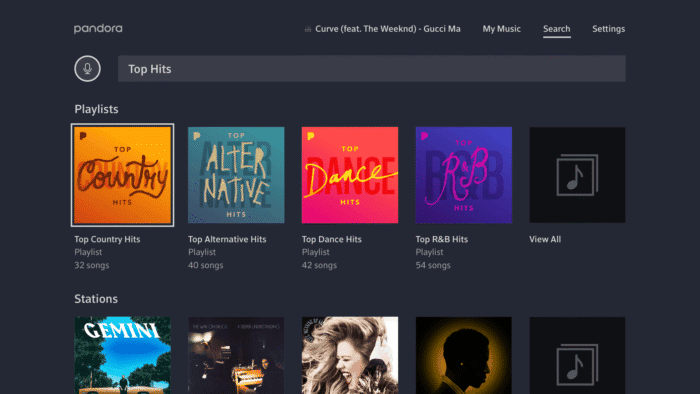
Pandora refusing to play music can quickly ruin your listening session. Whether the Panndora app won’t open, keeps buffering, crashes, or stays stuck loading, the issue is usually easier to fix than you might think. In this guide, we’ll explain why Pandora app may not be working on Android, iPhone, and Windows 11, along with the most effective fixes.
What to do when Pandora app isn’t working and throwing login and playback issues
1. Check if Pandora is down
Make sure Pandora isn’t experiencing a service outage (check on Downdetector). If the servers are offline, you may notice the following issues:
- Songs won’t play
- Login failures
- Endless buffering
- Error messages
- Stations refusing to load
If there’s a widespread outage, waiting is the only solution.
2. Restart the Pandora app
Temporary glitches often disappear after restarting the app.
On Android and iPhone:
- Close Pandora completely.
- Wait 20 seconds.
- Open it again.
On Windows 11:
- Close Pandora.
- End it from Task Manager if needed.
- Launch it again.
3. Check your internet connection
Pandora depends on a stable internet connection. So, when it’s not working for you, you should try the following steps:
- Switch between Wi-Fi and mobile data.
- Restart your router.
- Disable Airplane Mode.
- Test another website or streaming app.
- Restart your modem if necessary.
Slow or unstable connections commonly cause buffering and playback failures.
4. Update Pandora
You must understand that running an older version may introduce bugs. Update Pandora through:
Installing the latest version often fixes playback and login problems.
5. Clear Pandora cache
Corrupted cache files can prevent the app from working properly.
On Android:
- Open Settings.
- Tap Apps > Pandora.
- Select Storage.
- Tap Clear Cache.
Avoid clearing app data unless necessary.
On iPhone:
iOS doesn’t offer cache clearing. Instead:
- Delete Pandora.
- Restart your iPhone.
- Install Pandora again.
6. Fix Pandora on Windows 11
If the desktop app crashes, freezes, or produces no sound, Windows offers built-in repair options. You can always try that.
7. Reset the app
- Open Settings.
- Go to Apps > Installed Apps.
- Select Pandora.
- Choose Advanced options.
- Click Reset.
You can also use Pandora’s built-in Help > Reset App Data option.
8. Reinstall Pandora
If resetting doesn’t help:
- Uninstall Pandora.
- Restart your PC.
- Install it again from the Microsoft Store.
Pandora also recommends using supported Windows releases instead of preview builds.
9. Disable VPN or firewall temporarily
Some VPNs and security software can interfere with Pandora. Temporarily disable them and test again. If Pandora starts working, add it to your firewall’s allowed list before re-enabling protection.
10. Contact Pandora Support
If nothing works, the issue could be account related. Reach out to Pandora Support for help with:
- Subscription problems
- Login failures
- Playback errors
- Account restrictions
What to do when Pandora isn’t working on Sonos
If you find that Pandora is failing to play on your Sonos system, you need to re-authorize your account, check your network connection, or update your software Here are a few things to try:
- Re-link Pandora Account
- Open your Sonos app and go to settings.
- Remove Pandora from your list of active services.
- Add Pandora back and sign in again with your username and password to reset permissions.
Why is Pandora not working?
Pandora can stop working for several reasons. The most common ones include:
- Temporary Pandora server issues
- Weak Wi-Fi or mobile data
- Outdated Pandora app
- Corrupted app cache
- VPN or firewall conflicts
- Windows app glitches
- iOS or Android software bugs
- Expired login sessions
- Background app restrictions
If Pandora is down on its end, you’ll need to wait until the service is restored. In case you are still using Windows 10, in which Pandora app doesn’t work, check this guide to resolve the issue now.
FAQs related to Pandora app issues
1. Is there a problem with Pandora right now?
It depends. Pandora occasionally experiences temporary outages or maintenance. Check whether other users are reporting issues before troubleshooting your device.
2. Why is Pandora not working?
Common causes include server outages, poor internet, outdated apps, corrupted cache, firewall conflicts, or temporary software bugs.
3. Why is Pandora not working on my iPhone?
Restart the app, reinstall it, update iOS, verify your internet connection, and make sure Pandora has permission to use mobile data.
4. How do I reset my Pandora?
On Windows 11, use Help > Reset App Data inside the Pandora app or reset it from Settings > Apps > Pandora > Advanced options > Reset. On mobile, reinstalling the app achieves a similar reset.

Read our disclosure page to find out how can you help Windows Report sustain the editorial team. Read more



Improve this guide



User forum
0 messages