
PowerToys Latest Version Out With Command Palette Upgrades & CursorWrap


 2 min. read
  Published on

Microsoft has rolled out PowerToys version 0.97, which focuses mainly on usability, customization, and speed. In the latest PowerToys version, you’ll find a bunch of changes in Command Palette, but that’s far from the only highlight this time around. There’s a lot more, so keep reading.
PowerToys version 0.97 revamps Command Palette
Command Palette continues to evolve into a central control hub. Version 0.97 introduces a new Personalization page, allowing users to add background images and apply color tinting. It’s a small touch, but it makes the tool feel far more personal.
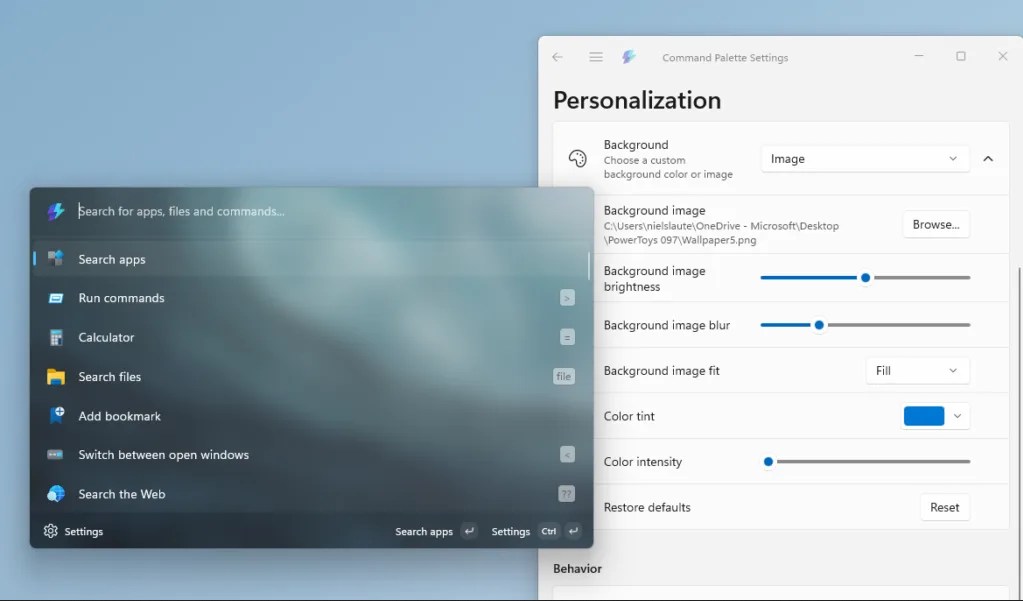
Search behavior also gets smarter. PowerToys now supports fallback ranking, letting users manually reorder commands when results overlap. This adds more control over how searches behave, especially for power users with multiple extensions enabled.
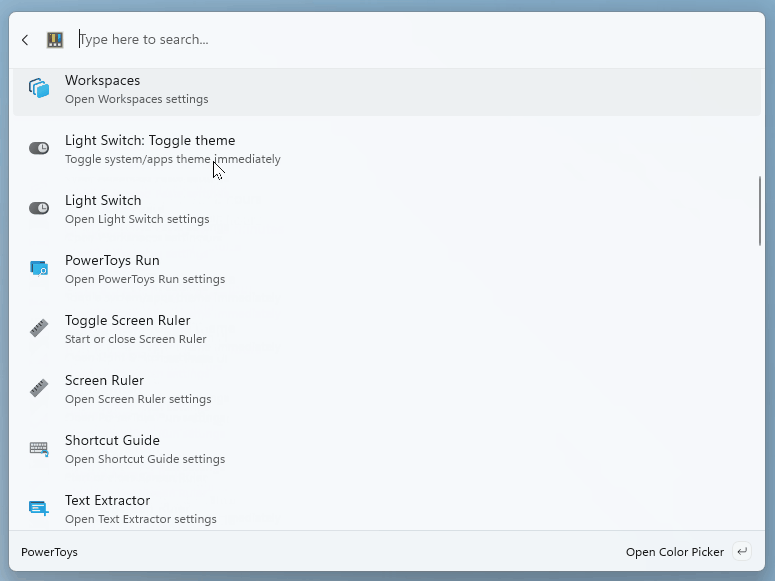
Another long-requested addition is native PowerToys control inside the Command Palette. You can now toggle utilities like Light Switch, change FancyZones layouts, pick colors, and even preview files using Peek, all without leaving the launcher.
Other additions include Pinyin support for Chinese languages, a built-in Remote Desktop extension, custom search engines for web queries, and drag-and-drop support for File Indexer and Clipboard History.
CursorWrap debut, faster access, and better automation
PowerToys 0.97 also introduces CursorWrap, a new mouse utility designed for multi-monitor setups. When enabled, the cursor wraps around the edges of the active display. Move past one edge, and it instantly reappears on the opposite side. It’s simple, but extremely effective.
The Quick Access flyout now launches faster thanks to being detached from the main Settings process. Users can disable it entirely or assign a custom shortcut. A new monochrome tray icon option is also available.
On the automation side, CLI support expands to FancyZones, Image Resizer, and File Locksmith, making PowerToys even more flexible for advanced workflows. PowerToys 0.97 is available now via in-app updates or the official release page. If you rely on Command Palette daily, this one’s worth installing immediately.
Microsoft continues expanding its service updates, with new watermarking features now under testing in Edge for Business and Copilot 365.
The company also plans to introduce an improved folder search experience in Outlook in the near future, so stay tuned.

Read our disclosure page to find out how can you help Windows Report sustain the editorial team. Read more



Improve this guide




User forum
0 messages