
Spectrum Email Not Working? Try These Fixes


 4 min. read
  Published on
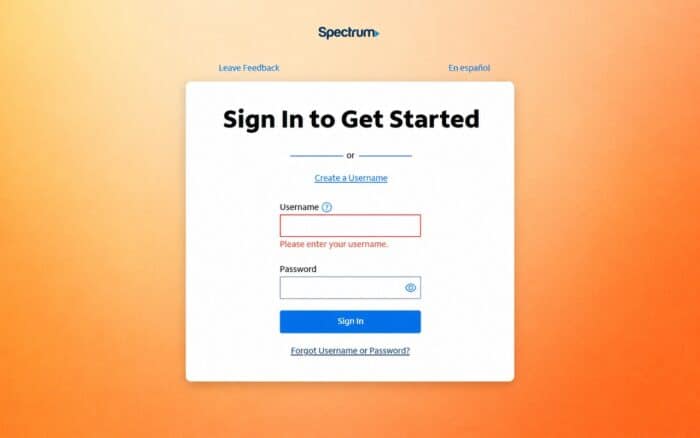
If your Spectrum email is not working, it can be frustrating, especially when you rely on it for important messages, work updates, or personal communication.
The issue may come from anything like a temporary outage, internet problems, or incorrect settings. The good news is that most Spectrum email issues can be fixed with a few simple troubleshooting steps, which are outlined below.
What can I do if the Spectrum email is not working?
1. Check if Spectrum email is down
Before changing any settings, make sure the problem isn’t on Spectrum’s end. Users on Reddit and the Spectrum Community frequently report temporary outages that affect sending, receiving, or logging in.
- Visit Spectrum’s service status page.

- Check the Spectrum Community forum for outage reports.
- Search Reddit to see if other users are experiencing the same issue.
- Wait a while if Spectrum has confirmed an outage.
2. Restart your internet connection
A weak or unstable connection can stop your inbox from syncing properly.
- Restart your modem and router.
- Switch between Wi-Fi and mobile data.
- Disable your VPN temporarily.
- Try opening other websites to confirm your connection is working.
3. Sign out and sign back in
A fresh login often resolves temporary authentication problems.
- Sign out of your Spectrum email account.
- Close your browser or email app.
- Sign back in with your credentials.
- Complete any security verification if prompted.
4. Clear your browser cache and cookies
If Spectrum email won’t load in your browser, cached files may be causing the issue.
- Open your browser settings.
- Clear cache and cookies.

- Restart the browser.
- Log back into your account.
5. Verify your password
Incorrect or outdated credentials can prevent you from accessing your inbox.
- Reset your password if necessary.
- Update the password on every connected device.
- Sign in again.
6. Check your email app settings
If Outlook, Apple Mail, or Thunderbird isn’t syncing, review your account settings.
- Verify your IMAP or POP settings.
- Confirm the SMTP server settings.
- Check that SSL/TLS is enabled.
- Make sure you’re using the correct email address and password.
7. Remove and add your account again
Re-adding the account can fix corrupted sync data.
- Remove the Spectrum account from your email app.
- Restart the device.
- Add the account again.
- Wait for your mailbox to sync.
8. Update your browser or email app
Older software can cause compatibility issues.
- Install the latest browser updates.
- Update your email application.
- Restart your device.
9. Temporarily disable antivirus or firewall
Some security software blocks secure email connections.
- Disable email scanning temporarily.
- Test Spectrum email.
- Re-enable your security software afterward.
10. Contact Spectrum Support
If nothing else works, the issue may be with your account or Spectrum’s servers.
- Check for account-related alerts.
- Ask Spectrum to verify your email account status.
- Report any persistent sending, receiving, or login issues.
If you’ve tried all the steps above and your Spectrum email is still not working, the issue may require direct assistance from Spectrum support. In most cases, though, one of these fixes will restore access and get your email running normally again.
If you use other Spectrum services, be aware that issues can sometimes occur, such as Spectrum Self-Install not working. You may also run into the ELI-9000 error or the RGE-1001 and DGE-1001 errors on Spectrum.
FAQs regarding Spectrum email not working
Why is my Spectrum email not loading at all?
This usually happens due to a weak internet connection or a temporary Spectrum outage. Try switching networks or restarting your router.
Can incorrect settings stop Spectrum email from working?
Yes, wrong IMAP, POP, or SMTP settings can prevent syncing or sending emails. Double-check your configuration.
Why can I log in but not send emails?
This is often caused by SMTP issues or security software blocking outgoing mail. Check your email app settings.
Does clearing cache fix Spectrum email issues?
Yes, clearing browser cache and cookies can resolve loading and login problems caused by corrupted data.
What should I do if nothing fixes the issue?
If all troubleshooting steps fail, contact Spectrum Support to check for account or server-side problems.

Read our disclosure page to find out how can you help Windows Report sustain the editorial team. Read more



Improve this guide




User forum
0 messages