
VS Code Gets Remote AI Agents, HTML Preview And Terminal Optimizations
Microsoft rolls out VS Code 1.121 with native Mermaid diagrams and more


 2 min. read
  Published on
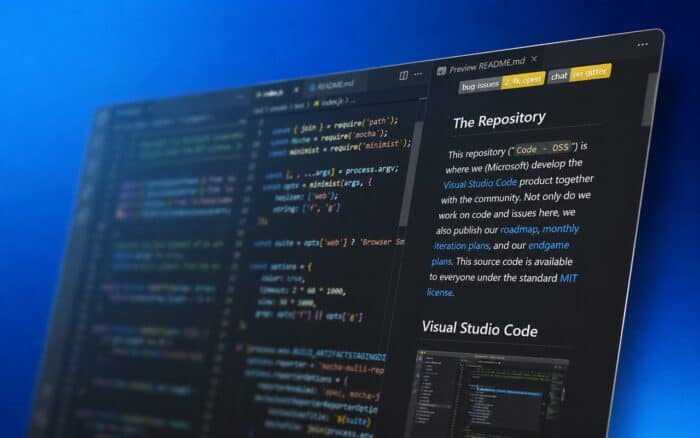
Microsoft has released Visual Studio Code 1.121, introducing a new batch of developer-focused improvements centered around AI agents, Markdown rendering, HTML previews, and terminal performance.
The update adds experimental remote agent support, built-in Mermaid diagrams, configurable AI utility models, and several backend optimizations designed to reduce resource usage.
Remote AI agents arrive in preview
One of the biggest additions in VS Code 1.121 is a new remote agents preview inside the Agents window.

The feature allows developers to run AI agent sessions on a remote machine instead of locally. Microsoft says the system currently works over SSH and dev tunnels, making it easier to offload agent tasks to another environment or development server.
The functionality remains experimental for now.
VS Code expands AI model configurability
Microsoft also changed how chat-related background tasks work inside VS Code.
The editor now uses utility AI models for lightweight operations such as generating chat titles, summaries, commit messages, rename suggestions, prompt categorization, and intent detection.
By default, the feature uses GitHub Copilot utility models. However, developers can now select their own supported models, including Bring Your Own Key configurations.

The change gives users more flexibility over how AI features operate inside the editor.
Mermaid diagrams are now built into VS Code
Microsoft has also integrated Mermaid support directly into VS Code. The company merged Matt Bierner’s Markdown Preview Mermaid Support extension into the editor itself. The new built-in component is called Mermaid Markdown Features.
VS Code can now render Mermaid diagrams directly inside Markdown previews, notebook Markdown cells, and chat interfaces without requiring a separate extension.
HTML previews no longer need extensions
VS Code 1.121 also simplifies HTML previews. Users can now open an HTML file and click the Preview icon directly from the editor title bar. Previously, many users relied on third-party extensions for this workflow.
Microsoft says the change removes friction from a very common development task.
Terminal performance improvements
The update also includes several optimizations for terminal tools.
Microsoft improved output compression and background terminal cleanup behavior. According to the company, these changes should reduce token usage while improving overall terminal performance and responsiveness.
The release arrives alongside other recent Microsoft productivity updates, including improved Narrator behavior in Microsoft Word and new zoom controls in Microsoft Access.
Meanwhile, GitHub recently confirmed that its internal repository breach was linked to the wider TanStack supply-chain attack.

Read our disclosure page to find out how can you help Windows Report sustain the editorial team. Read more



Improve this guide


User forum
0 messages