
Windows 11 File Explorer to Get New Hover Buttons
Handy additions incoming


 2 min. read
  Published on

File Explorer in Windows 11 has been getting bunch of upgrades lately. The company continues to test small but useful updates, aiming to make the app more practical for everyday users.
Well, The latest discovery comes from reliable Windows tipster @phantomofearth on X, who revealed that new hover buttons are on their way to File Explorer.
File Explorer in Windows 11 has been getting useful upgrades from time to time, and this one focuses on reducing unnecessary clicks. Per the tipster’s post on X, when you hover the cursor over a file in the Home page, you will soon see quick-action buttons appear.
These buttons include Open file location, Ask Copilot, and a More actions (three-dot menu), which replicates the existing context menu. In the current design, users need to right-click a file to access these options, but the update will make them instantly available.
Phantomofearth also shared a preview screenshot of the feature in action, showing how the buttons appear in the Recent, Favorites, and Shared sections of File Explorer. While the changes are still in testing, this improvement seems to target both speed and convenience for daily navigation.
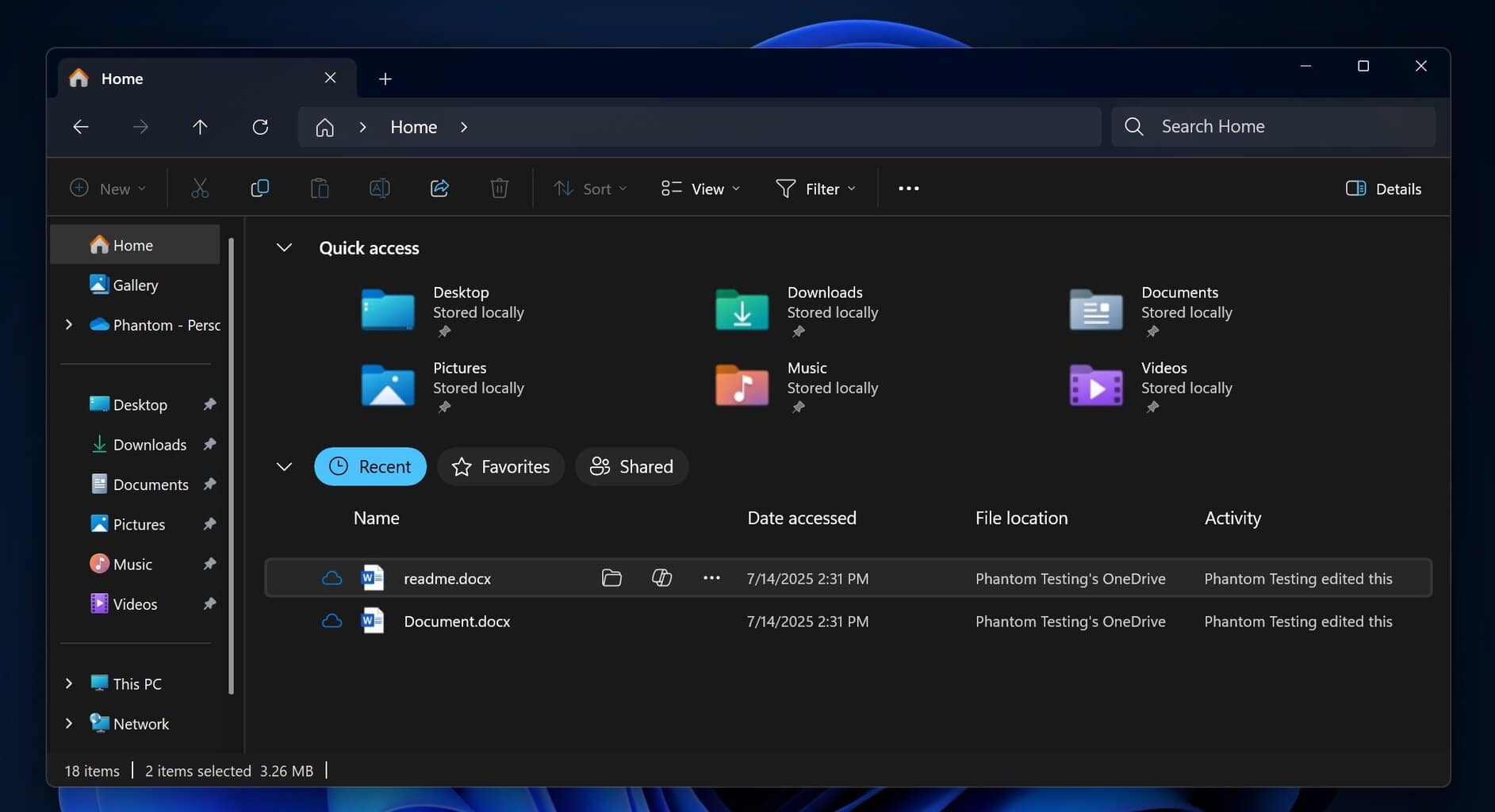
Microsoft hasn’t officially announced the rollout timeline. However, these buttons are expected to rollout in upcoming Windows 11 Insider builds before expanding to all users.

Read our disclosure page to find out how can you help Windows Report sustain the editorial team. Read more



Improve this guide



User forum
0 messages