
Windows 11 Tests Copilot PC Insights for Live Hardware Information


 3 min. read
  Published on
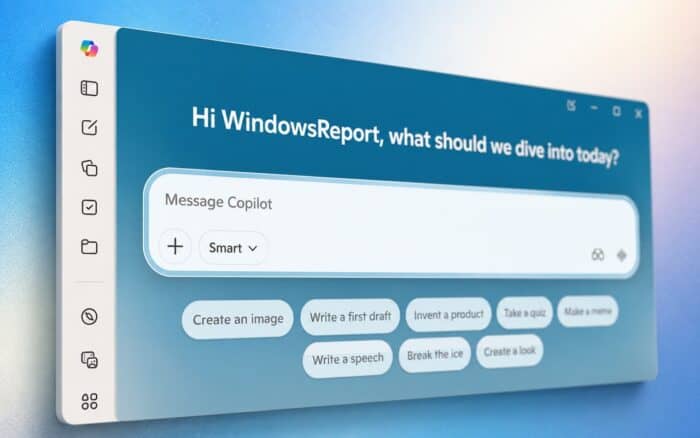
Copilot PC Insights could make it easier for Windows 11 users to check their computer’s performance, storage, hardware, and security status through simple questions.
Microsoft has started testing the feature inside the Copilot app, according to Windows Latest. PC Insights allows Copilot to use live system information instead of answering only with general troubleshooting advice.
Microsoft is gradually rolling out the feature in the United States, so many users will not see it yet.
Copilot can check the current state of a PC
PC Insights can access several types of system information after receiving permission from the user.
Copilot can check current CPU, RAM, and GPU usage, available and total storage space, file and folder sizes, including Downloads and Documents, connected USB devices and external drives, and connected printers and webcams.
Copilot can also check Wi-Fi and Bluetooth status, battery health information, antivirus status, hardware specifications, BIOS details, and general device health.
This access could help users identify performance problems without opening Task Manager, Settings, or several separate diagnostic tools.
For example, a user could ask why a PC feels slow. Copilot could then compare current memory or processor usage and explain which resource may be causing the slowdown.
Copilot can also combine PC data with information from the web. A user could ask whether a game will fit on the device, and Copilot could compare the game’s storage requirements with the space currently available.
Copilot cannot read personal files without permission
Microsoft says PC Insights cannot automatically read the contents of personal files.
The feature can calculate the size of files and folders, but it cannot open or analyze their contents unless the user specifically grants access.
Microsoft also says it does not store personal files or system information or use that information to train its AI models. However, prompts and Copilot responses may contribute to model improvement, depending on the user’s privacy settings.
Users control PC Insights permissions
Copilot must request permission before accessing relevant system and storage information.
Users can keep the permission setting on “Ask every time,” which requires Copilot to request access whenever it needs PC data. Users can also select “Always allow” to provide ongoing access.
Microsoft says Copilot will not scan the computer in the background without permission.
The optional permission model gives users more control over how much system information Copilot can access.
PC Insights currently offers read-only access
PC Insights can analyze system conditions and explain possible problems, but it cannot make changes to the computer.
Copilot cannot currently stop running processes, delete files, modify Windows settings, or take other corrective actions. Users must still apply any recommended fixes themselves.
Microsoft could expand these capabilities later, potentially allowing Copilot to perform approved troubleshooting actions. For now, the company appears focused on giving users a conversational way to understand their PC’s condition.
The PC Insights test comes as Microsoft continues expanding Copilot across its products. The company recently brought GPT-5.6 to Microsoft 365 Copilot and is testing a Web Remix feature in Microsoft Edge.
Microsoft continues to promote Microsoft 365 Copilot heavily, although paid adoption reportedly remains below 5%. Features such as PC Insights may help the company demonstrate more practical uses for Copilot directly inside Windows.

Read our disclosure page to find out how can you help Windows Report sustain the editorial team. Read more



Improve this guide



User forum
2 messages