
Xbox Insiders can now try Gaming Copilot in Windows Game Bar
AI help to improve your gameplay


 2 min. read
  Published on
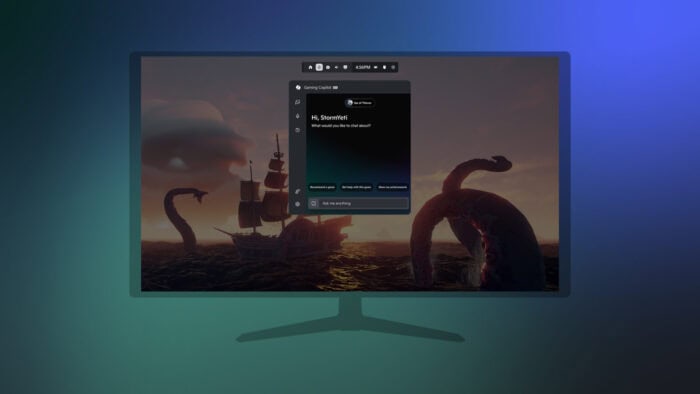
Microsoft has quietly launched a new Copilot assistant just for gamers. The company calls it Gaming Copilot, which is currently in testing for Xbox Insiders on Windows 11 handheld devices, and lives within the Windows Game Bar.
You can open it by pressing Win + G or tapping the Xbox button on your controller. Once it’s open, you’ll see a Copilot panel ready to assist you while playing your favorite games. Gaming Copilot knows what game you’re playing.
You can ask it things like how to beat a boss or what your current objective is. You don’t even need to explain what’s on screen, just say, “What am I looking at?” and Copilot will analyze your current view.


There’s also voice support, meaning you can talk instead of typing, which is great if you’re in the middle of a match. It pulls screenshots on its own and responds based on what it sees. In simple words, it’s built to reduce distraction while you play.
Right now, Gaming Copilot is in preview. Features are limited, and it only works in English. You’ll also need to be 18 or older and should enroll in the Xbox Insider Program on PC to try Gaming Copilot. If you live in the EU, sadly, Gaming Copilot isn’t available for you to try.
Microsoft says more updates are on the way as they refine the experience. To try Gaming Copilot, make sure your Xbox app is updated, and you’re signed into your Microsoft account before launching Game Bar. You’ll then find the Gaming Copilot option in the overlay. Moreover, you can check if Gaming Copilot is available in your region or not by checking the list attached below.


Read our disclosure page to find out how can you help Windows Report sustain the editorial team. Read more



Improve this guide




User forum
0 messages