
YouTube Ad Blocking is Now Available on DuckDuckGo Browser


 2 min. read
  Published on
Watching a YouTube video only to be interrupted by multiple ads is something almost every viewer has experienced. DuckDuckGo now wants to change that. The privacy-focused browser has announced a new built-in feature that blocks most YouTube video ads, giving users a cleaner viewing experience without needing to install third-party extensions.
DuckDuckGo brings built-in YouTube ad blocking
Unlike traditional browser extensions, YouTube Ad Blocking is now integrated directly into the DuckDuckGo browser. According to the company, the feature blocks most ads that appear before and during YouTube videos while keeping the standard YouTube website experience intact. That means users can still access playlists, viewing history, subscriptions, and other YouTube features without switching to a separate player.
The rollout has already started for Windows, macOS, and iPhone, where the feature is enabled by default as long as users are running the latest version of the browser. Android users aren’t being left behind either. DuckDuckGo says automatic rollout is coming soon, although Android users can already enable the feature manually through Settings > Ad Blocking.
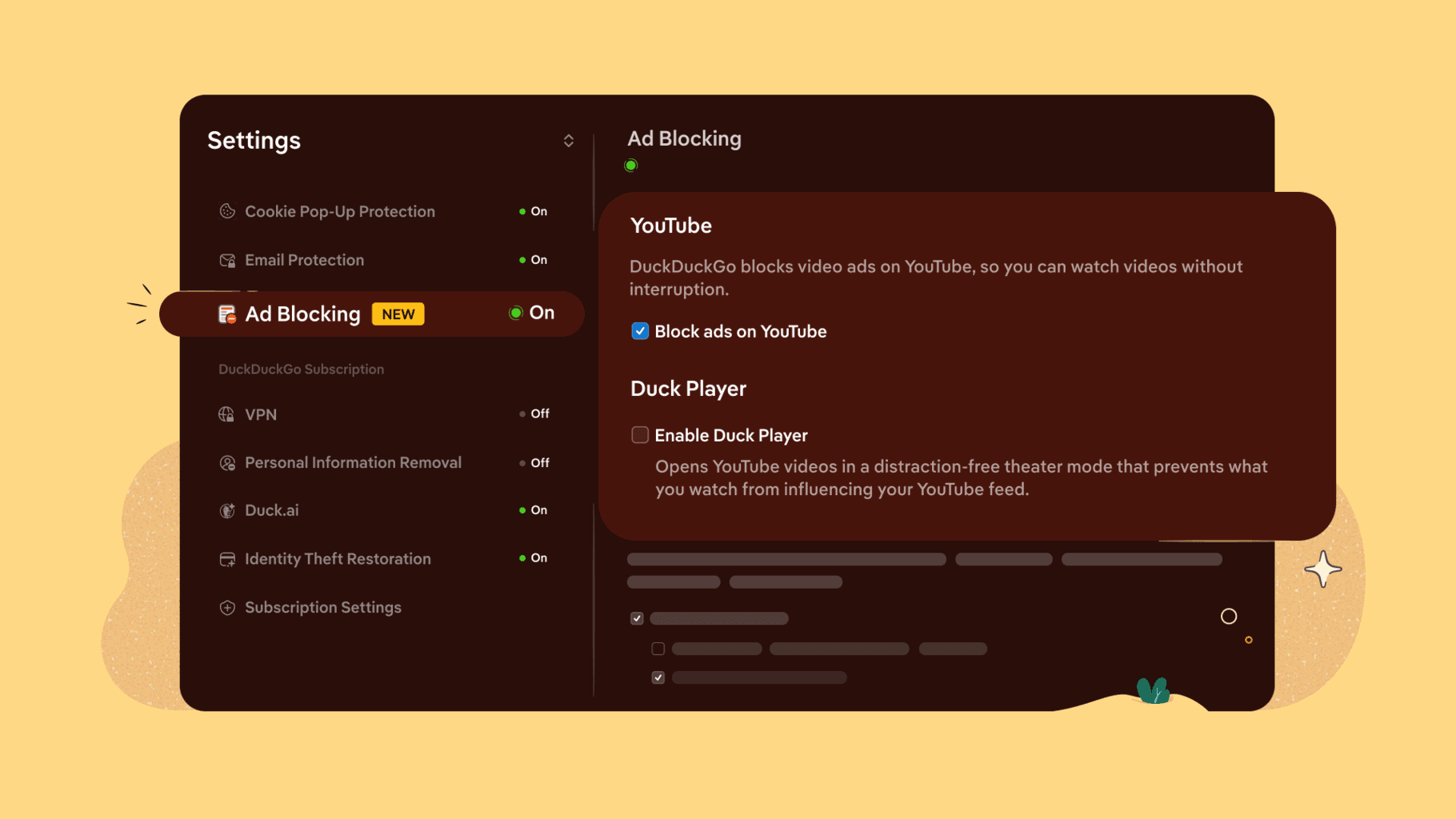
That being said, there are a few limitations. The feature only works when videos are played through the YouTube website inside the DuckDuckGo browser. If a YouTube link opens in Google’s official YouTube app, ad blocking won’t be available.
DuckDuckGo also clarified that YouTube Ad Blocking is separate from its existing Duck Player feature. While Duck Player focuses on improving privacy by preventing tracking cookies and personalized recommendations, the new feature simply removes most video ads while preserving the regular YouTube experience. Users can enable both features simultaneously if they want ad-free playback alongside enhanced privacy protections.
Behind the scenes, DuckDuckGo says its new ad blocker relies on the same community-maintained filter lists used by uBlock Origin, alongside its own compatibility rules. The company notes that some users may occasionally notice slightly longer buffering before a video starts, but once playback begins, interruptions from most YouTube ads should be significantly reduced.

Read our disclosure page to find out how can you help Windows Report sustain the editorial team. Read more



Improve this guide


User forum
0 messages