
Chrome tests Ask Gemini shortcut for selected text with instant AI answers
It appears when text is selected and adds Ask Gemini, Copy, Share, and site controls.


 3 min. read
  Published on
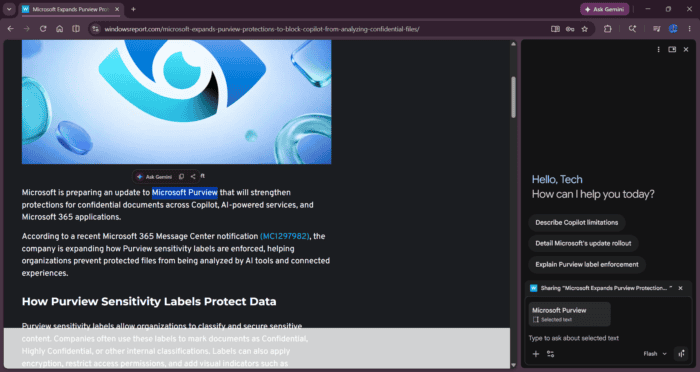
Google is integrating Gemini more deeply into Chrome, this time through text selections on web pages. The company is testing a floating Ask Gemini toolbar in Chrome Canary on desktop that appears when you select text. It shows Ask Gemini, Copy, Share, and a three-dot menu, and it sends selected text straight into the Gemini side panel for follow-up questions.
Google has been steadily adding Gemini entry points in Chrome. The @gemini address bar shortcut was one step, and this text selection feature continues that push by reducing the steps needed to ask AI questions inside the browser.
How Ask Gemini for Selected Text Works in Chrome
Chrome already offers copy and “copy link to highlight” through right-click menus, but this new toolbar brings those actions closer to the text itself. It also puts Ask Gemini front and center, so users can jump into Gemini without opening another menu first.
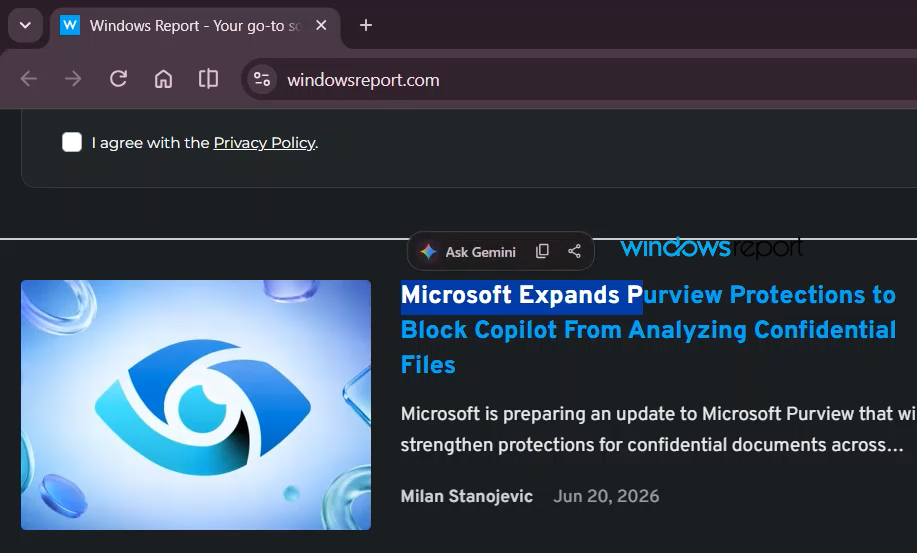
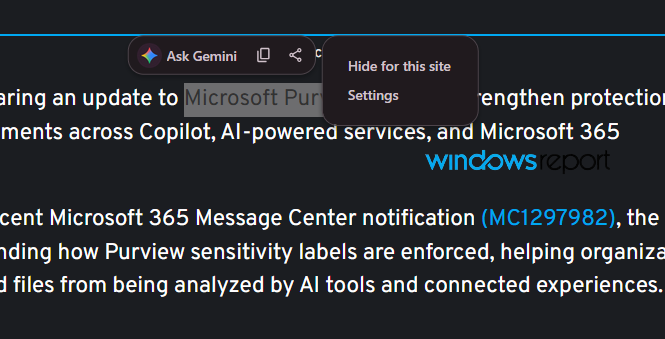
The three-dot menu includes “Hide for this site” and “Settings”. Hide for this site is meant to suppress the Ask Gemini popup on that site, while Settings currently opens Chrome’s regular content settings page rather than a dedicated Gemini page.
Ask Gemini is the main part here. Click it, and Chrome sends the selected text to the Gemini side panel, where it displays a contextual prompt and lets you continue with follow-up questions.
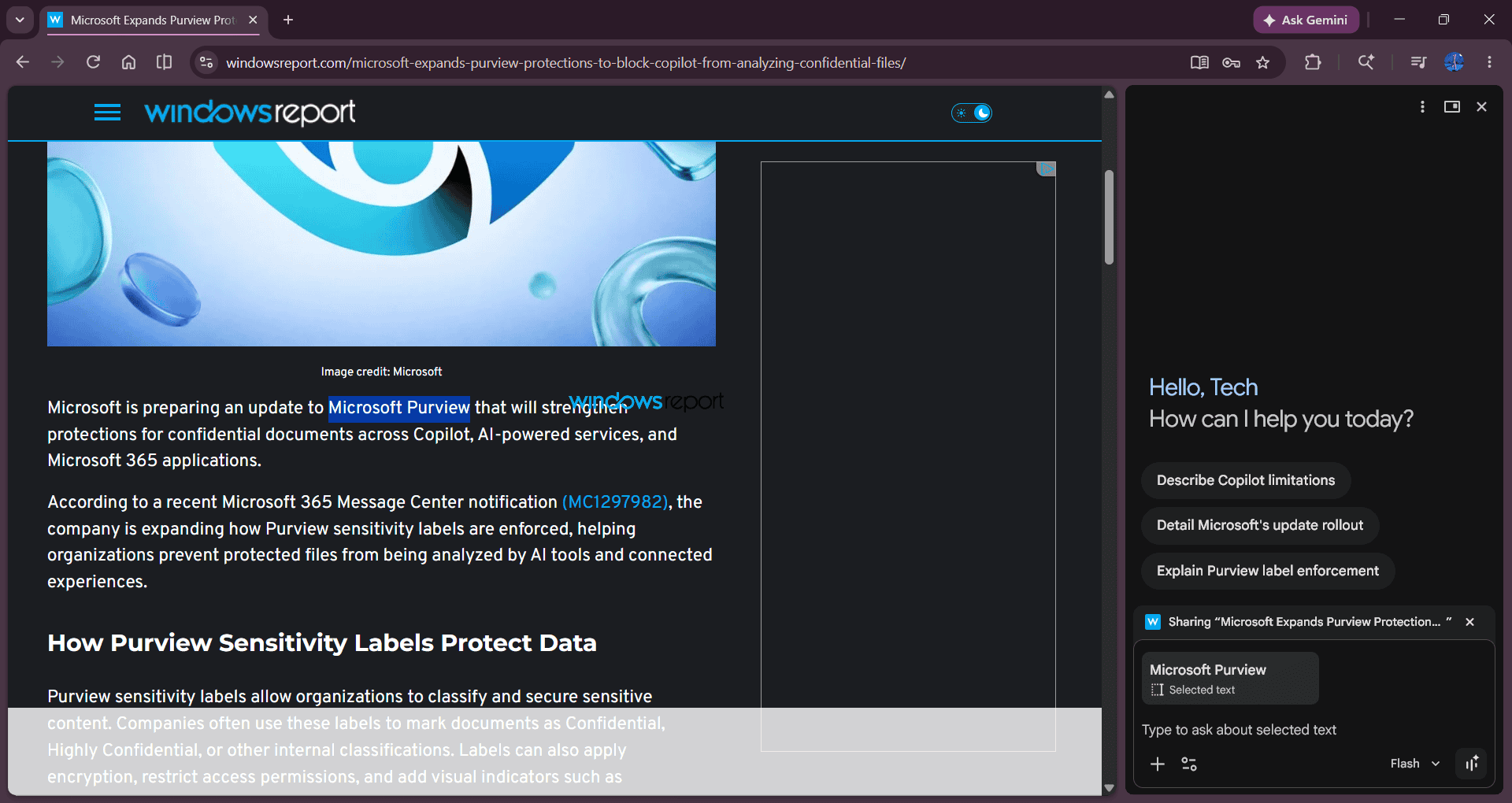
The experience feels like more than a shortcut. Instead of copying text into Gemini manually, Chrome is starting to treat highlighted text as something it can hand directly to AI.
It also matches Chrome’s push to bring Gemini deeper into the browser. Chrome is clearly making Gemini a bigger part of the experience, but it’s still early.
For users, the appeal is clear: highlight a passage, ask a question, and keep moving without switching tabs or opening another app. For Chrome, it is another sign that Gemini is becoming a more natural part of the browser, not just an optional assistant on the side.
This is still early work. The Ask Gemini conversation itself works well, but preferences, settings, and other surrounding pieces still look unfinished. Google hasn’t announced this publicly, and, like most Canary experiments, there’s no guarantee it will reach stable Chrome.
Google is also working on a pinnable AI Mode toolbar button and making Gemini Nano downloadable in the background with a signal trigger and an option to disable Gemini skills.
Update: Windows Report has found additional Chromium code showing that Google internally refers to the Ask Gemini text-selection feature as “Inline Cue Menu.” The company is also building a dedicated settings page and an exception list for sites where users choose to hide the prompt.


Read our disclosure page to find out how can you help Windows Report sustain the editorial team. Read more



Improve this guide




User forum
0 messages