
Chrome Is Testing an Off Switch for Gemini Skills After 4 GB AI Model Backlash
Google is testing a new "Enable Skills in Chrome" toggle in Canary that lets users turn off Gemini-powered Skills without affecting other AI features.


 3 min. read
  Published on
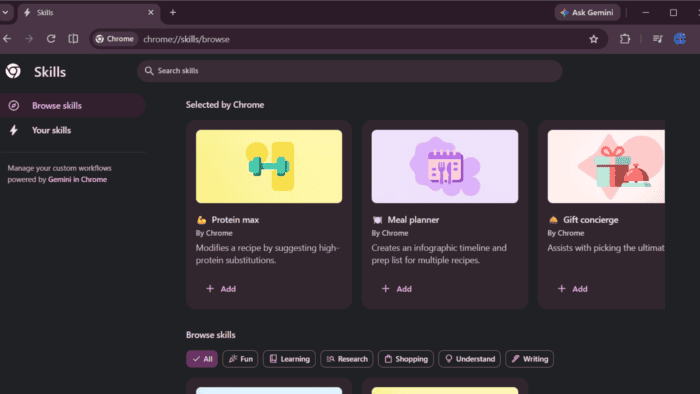
Chrome recently faced backlash for quietly downloading a ~4 GB AI model onto users’ devices. Now, Google is testing a new dedicated Skills subpage and toggle so you can disable Skills in Chrome if they feel like AI bloat.
Chrome recently made headlines for the wrong reason: it was quietly downloading a ~4 GB Gemini Nano AI model to people’s devices without making it obvious. That model powers some on-device AI features (like scam detection and parts of Gemini in Chrome), but many users didn’t know it existed or how to stop it.
Google already added a toggle for the 4 GB model itself in Settings > System > On-device AI. But that disables all on-device AI features (including scam detection), not just Skills. What’s new in Chrome Canary is a dedicated switch specifically for Skills.
How to Disable Skills in Chrome
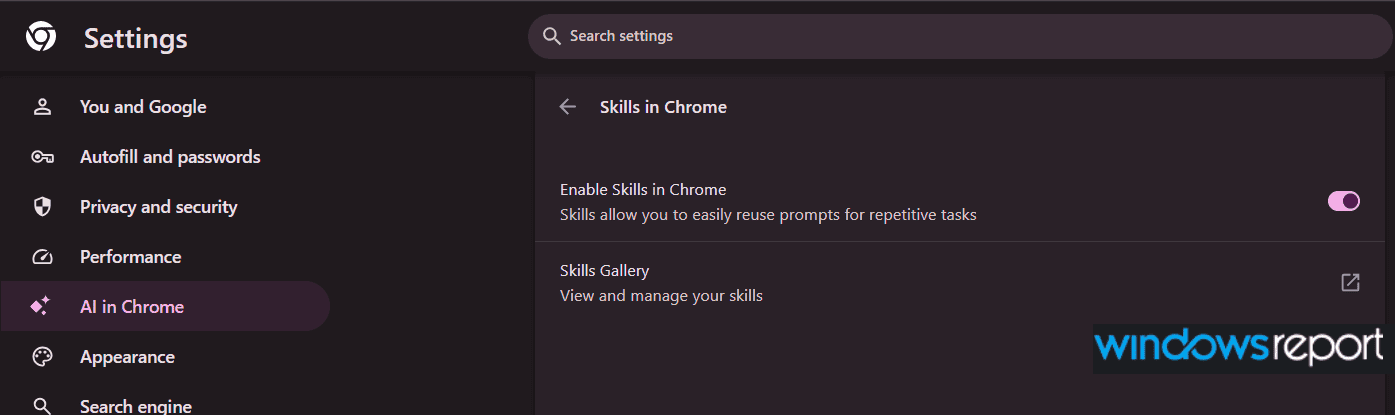
What’s new and only in Chrome Canary right now is a dedicated Skills subpage under AI in Chrome (chrome://settings/ai). It looks like this:
- A “Skills in Chrome” page with the message: “Skills allow you to easily reuse prompts for repetitive tasks”.
- A master switch labeled “Enable Skills in Chrome”.
- A “Skills Gallery” link that opens your saved Skills at chrome://skills.

When the toggle is off, Skills should stop showing up in the Gemini side panel and stop running, even if you keep on-device AI enabled for other things. Before this, there wasn’t a clear, single switch just for Skills.
For context: Skills are part of Gemini in Chrome. You type / in the Gemini side panel to browse and use your saved Skills, or you open the Skills Gallery to manage them. If you don’t use Skills much, or if you see them as just another layer of AI clutter on top of the ~4 GB model drama, this new toggle gives you a simple way to turn them off.
This is only in Chrome Canary right now, so it’s still a test. It might change before it reaches stable Chrome, and not everyone will see it yet. But if Google ships it as-is, it would be the first time Chrome gives users a clear on/off switch specifically for Skills.
Along with Skills, Chrome also lets you disable AI-powered history search and AI suggestions. Microsoft has integrated Copilot into Edge, while Mozilla has been testing AI-powered features in Firefox. As browsers add more AI tools, companies are also creating more settings to manage them individually. Users get more control and can choose which features they want to use.


Read our disclosure page to find out how can you help Windows Report sustain the editorial team. Read more



Improve this guide




User forum
0 messages