
Dave App Login Not Working? Here's Why & How to Fix


 4 min. read
  Published on
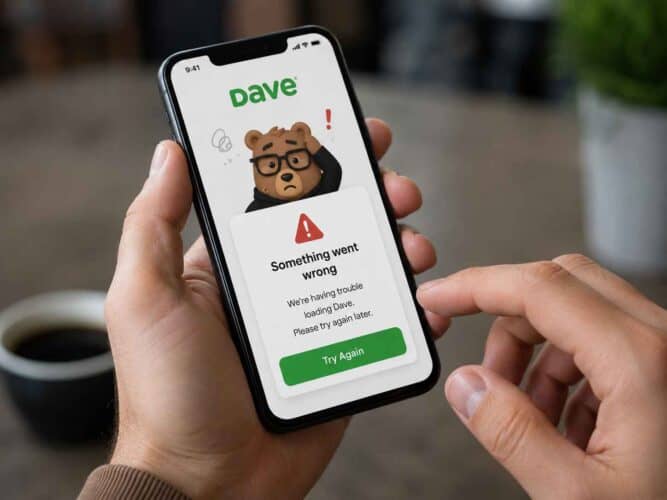
It can be especially frustrating when the Dave app is down, isn’t loading or when login isn’t working when you actually need to access your money. In some cases, the Dave app may open normally but features such as ExtraCash, payments, account balances, or settlement information may not work altogether. Worry not! In this guide, we’ll walk you through multiple ways to fix Dave app when it doesn’t work or load properly.
Here’s what to do when the Dave app isn’t working
1. Check if Dave itself is having problems
In most cases when Dave app isn’t working, it’s likely because the problem is on their end. You can cross-check the same by doing the following:
- Search Reddit for current Dave reports.
- Check whether the same feature works later.
- If ExtraCash alone is failing while the rest of the app works, treat it as a possible Dave-side issue.
- Avoid repeatedly requesting the same transaction while the service is unstable.
2. Clear Dave’s cache and restart the app (for Android)
If the Dave app is not loading correctly, temporary app files can sometimes be responsible. Start with the least destructive reset before reinstalling anything.
- Force-close the Dave app.
- On Android, open Settings > Apps > Dave > Storage.
- Tap Clear cache.
- Reopen Dave.
- If it still freezes, restart your phone and try again.
If you are using the Dave app on your iPhone, make sure to close the app and remove it from recent apps tray. Then, try opening the app and see if it works fine.
3. Update Dave after an app or system update
Dave recommends running the latest version of its app, and its current support instructions cover both iPhone and Android updates.
- Open the App Store or Google Play Store.
- Search for Dave.
- Install any available update.
- Restart Dave.
- If your phone recently received a system update, check for another pending Dave update afterward.
4. Try Dave app on another device
This is one of the quickest ways to figure out whether the problem is limited to your device.
- Sign in to Dave on another supported device.
- If Dave works there, troubleshoot the original phone.
- If Dave fails there too, the problem is unlikely to be related to your installation.
In the past few hours, users have reported Dave issues persisting even after reinstalling and switching devices, which points toward a service-side problem rather than a broken app.
5. Contact Dave when the problem is server-side
If Dave fails across devices and other users report the same problem, stop repeating local fixes. Dave directs users to its Member Success team through the app’s settings and Chat with us option.
Why is the Dave app not working?
The most likely causes are corrupted local app data, an outdated Dave installation, a device-specific problem, or a temporary Dave outage. The important distinction is whether Dave alone is broken or whether the same error is appearing for many users.
FAQs related to Dave app issues
1. Is Dave currently down, or is it just me?
If multiple users report the same error, an outage becomes much more likely. Dave has experienced incidents where users across iOS and Android could not log in or use core features.
2. Will reinstalling Dave delete my account?
No. Removing the app does not normally close your Dave account, although you will need to sign in again.
3. Why does Dave app keep crashing?
A damaged local installation or outdated app version can cause repeated crashes. Updating or reinstalling Dave is worth trying after clearing its cache.
4. How to fix Dave app stuck on the loading screen?
Start by force-closing the app and clearing its cache on Android. If the same loading problem occurs across devices, it may be a Dave-side issue.

Read our disclosure page to find out how can you help Windows Report sustain the editorial team. Read more



Improve this guide

User forum
0 messages