
DoorDash Dasher App Not Working? 8 Quick Fixes to Try Now


 4 min. read
  Published on
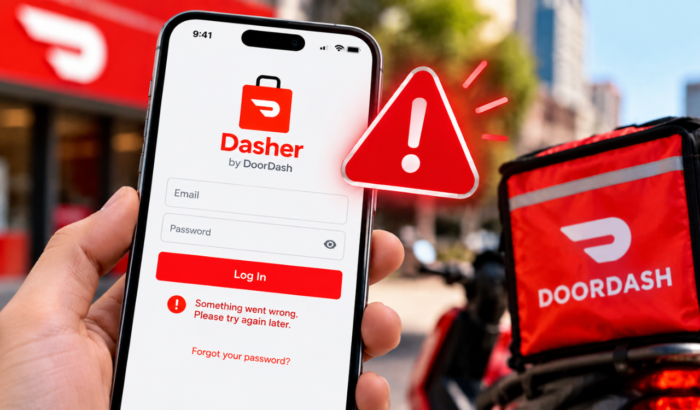
DoorDash Dasher app appears to be not working for many users right now, with more than 860 outage reports showing on Downdetector today on October 6, 2026. So, if you have been facing problems with the Dasher app, you are likely not the only one. The current problems include login failures, crashes, missing orders, and issues starting or ending a Dash. DoorDash also confirms that these issues are common during a Dasher app outage. So, we recommend you confirm that before trying the following troubleshooting steps.
What to do when DoorDash Dasher app doesn’t work
1. Check Your Internet Connection
A weak connection can make the Dasher app appear broken. DoorDash recommends checking your cellular connection and Wi-Fi before trying other troubleshooting steps.
- Turn Wi-Fi off.
- Turn mobile data on.
- Open another website or app.
- Check whether the connection works normally.
- Switch back to Wi-Fi if cellular data is unstable.
- Turn airplane mode on for a few seconds.
- Turn airplane mode off.
- Open Dasher again.
DoorDash also recommends avoiding VPN connections when troubleshooting the Dasher app.
2. Update the DoorDash Dasher App
If the outage has ended but Dasher still does not work, check for an app update. DoorDash recommends using the latest Dasher version on both Android and iOS.
- Open Google Play Store on Android.
- Search for DoorDash Dasher.
- Tap Update if available.
- Open the app after the update.
- Try logging in again.
On iPhone, open the App Store and search for DoorDash Dasher. Install any available update before opening the app again.
4. Force Close and Reopen Dasher
A temporary app process can sometimes cause crashes or loading problems. DoorDash recommends force-closing and relaunching the app as part of its troubleshooting process.
- Open your recent apps screen.
- Find DoorDash Dasher.
- Swipe the app away.
- Wait several seconds.
- Open Dasher again.
- Try logging in or starting your Dash.
5. Clear the Dasher Cache on Android
Android users can clear the Dasher cache if the app keeps freezing or behaving strangely. This removes temporary files without deleting the application itself.
- Open Settings.
- Tap Apps.
- Select Dasher.
- Tap Storage or Storage & cache.
- Tap Clear cache.
- Open Dasher again.
- Try using the app.
Do not clear app data during an active outage unless DoorDash specifically instructs you to do so.
6. Restart Your Phone
Restarting your phone can clear temporary system and network problems. DoorDash includes restarting the device among its recommended troubleshooting steps.
- Hold the power button.
- Select Restart.
- Wait for the phone to boot completely.
- Open the Dasher app.
- Try logging in again.
7. Reinstall Dasher After the Outage Ends
Reinstalling can help if the app remains broken after DoorDash’s servers return to normal. However, DoorDash specifically says not to uninstall and reinstall during an active outage.
- Confirm that the outage has ended.
- Uninstall DoorDash Dasher.
- Restart your phone.
- Open Google Play Store or the App Store.
- Search for DoorDash Dasher.
- Install the official app.
- Open Dasher.
- Sign in again.
8. Contact DoorDash Dasher Support
If the outage has ended and the app still does not work, contact Dasher Support. DoorDash lists 24/7 chat support through the Dasher app or you can call to get support at 855-431-0459.
- Open the Dasher app if you can access it.
- Open the support section.
- Select the issue affecting your account.
- Explain what stopped working.
- Include any error message you see.
- Contact support by phone if the app cannot be used.
Moreover, you can also check official troubleshooting guide for the Dasher app from DoorDash here.
Summing Up
If the DoorDash Dasher app is not working right now, check for an outage before changing your phone settings. If DoorDash is down, waiting and refreshing the app is safer than reinstalling it or resetting your password. We also have guide for times when DoorDash app isn’t working or validating basket and internal server error. You can also check our guide to fix DoorDash payment failed issue.
FAQs related to DoorDash Dasher app issues
1. Is the DoorDash Dasher app down right now?
There are currently reports of Dasher problems, including users reporting issues through Downdetector. Check the latest report count before troubleshooting your phone.
2. Why is my Dasher app not working?
The problem could be an active DoorDash outage, poor connectivity, an outdated app, or a device issue. Check the outage status before making major changes.
3. Should I reinstall Dasher during an outage?
No. DoorDash specifically advises Dashers not to uninstall or reinstall the app during an outage.
4. Why can’t I start or end my Dash?
An outage can prevent Dashers from starting or ending a Dash. DoorDash lists this as one of the indicators of a Dasher app outage.
5. Will my completed deliveries disappear during an outage?
DoorDash says completed orders and earnings should appear correctly after an outage is resolved.

Read our disclosure page to find out how can you help Windows Report sustain the editorial team. Read more



Improve this guide




User forum
0 messages