
Xfinity Wi-Fi Not Working Today? Here's Why & How to Fix It


 5 min. read
  Published on
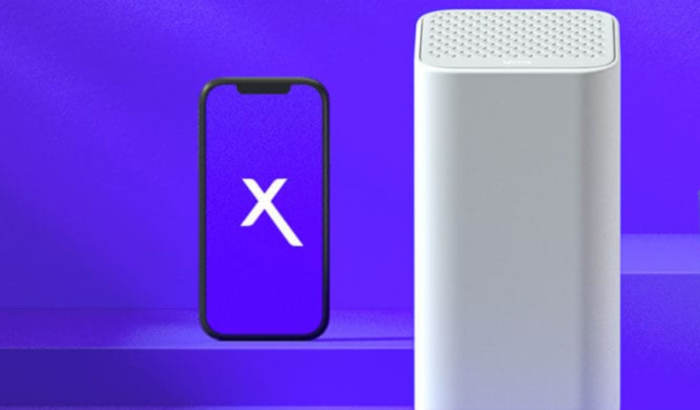
If your Xfinity Wi-Fi isn’t working for you today, don’t just assume the gateway has suddenly failed. The problem may be related to an ongoing Xfinity outage, a gateway connection issue, a device-specific glitch, or even a weak Wi-Fi signal. Recent Xfinity service disruptions have affected large numbers of customers, so checking the service status should come before changing network settings.
Table of contents
How to fix Xfinity Wi-Fi not working
1. Check whether Xfinity is having an outage
Before resetting anything, check the Xfinity outage status in the Xfinity app or via Outage Map. Xfinity says its troubleshooting tools can detect outages, and an active outage can prevent normal troubleshooting from running.
- Open the Xfinity app.
- Go to Wi-Fi and select Troubleshoot.
- Check whether an outage is reported for your address.
- If there is an outage, wait for service to be restored rather than repeatedly restarting your equipment.
2. Restart your Xfinity Gateway
A gateway restart is one of the simplest fixes when Xfinity Wi-Fi suddenly stops working. Xfinity recommends restarting the gateway through the app first, although you can also restart it manually.
- Open the Xfinity app.
- Select Wi-Fi and choose Troubleshoot.
- Select Restart your Gateway.
- Wait for the restart to finish.
For a manual restart, unplug the gateway, wait about one minute, then plug it back in. Xfinity says the restart process can take around 12 minutes.
3. Check the cables and gateway lights
If the gateway isn’t receiving a proper connection, Wi-Fi may appear available while the internet itself remains offline.
- Check that the power cable is firmly connected.
- Tighten the coaxial cable at both the wall outlet and gateway.
- Make sure the gateway has power and its status lights look normal.
- If you use your own modem or router, confirm that it is compatible with Xfinity.
Xfinity specifically recommends checking the coaxial connection and equipment compatibility when troubleshooting connectivity problems.
4. Find out whether the problem affects every device
If Xfinity Wi-Fi works on your phone but not your laptop, TV, or console, the internet connection itself may be fine.
- Test at least two or three devices.
- On the affected device, turn Wi-Fi off and back on.
- Forget your home Wi-Fi network and reconnect.
- Restart the affected device.
- Make sure you are connected to your home Wi-Fi network, not the public xfinitywifi hotspot.
Xfinity notes that problems affecting only one device are often device-side rather than gateway-related.
5. Run Xfinity’s network test
The Xfinity app can run a full network test that checks for outages, gateway speed, and connection strength to connected devices.
- Open the Xfinity app.
- Select Wi-Fi.
- Run the available network test.
- Follow the recommended troubleshooting steps.
- If Xfinity detects equipment that cannot deliver your subscribed speed, it may recommend a gateway replacement or technician visit.
6. Move closer to the gateway
If Wi-Fi works near the gateway but drops in another room, the issue may be coverage rather than Xfinity’s internet service. Move the device closer to the gateway and test again. Large furniture, walls, distance, and other sources of interference can weaken Wi-Fi; Xfinity also recommends considering Wi-Fi Boost Pods for areas with poor coverage.
Why is Xfinity Wi-Fi not working?
The most common causes are Xfinity outage, gateway failure or temporary connection problem, loose coaxial/power cables, a single-device networking problem, or weak Wi-Fi coverage. Account or billing issues can also prevent service from working normally, so checking the account status is worthwhile.
When should you contact Xfinity?
If the outage check is clear, you’ve restarted the gateway, checked the cables, and multiple devices still can’t connect to Wi-Fi, use Xfinity Assistant or the troubleshooting option in the Xfinity app. Xfinity says its tools can diagnose the connection and, when necessary, help arrange a technician appointment.
Summing Up
That’s all we have for fixing Xfinity Wi-Fi problems. In case you got your Wi-Fi issues resolved, but later come across streaming issues, our guide on fixing Xfinity Stream when it isn’t working covers some additional solutions for you to check. You can also check our guide on fixing Xfinity VPN issues if your connection works normally but VPN services are being blocked or disconnected. If Wi-Fi connectivity remains completely dead after these checks, the issue may be outside your home network and may require Xfinity to repair the line or equipment.
FAQs related to Xfinity Wi-Fi issues
1. Is Xfinity currently down, or is it just me?
Check the outage information in the Xfinity app or its Support page first. If multiple devices are offline and Xfinity reports an outage for your area, there is little to fix locally until service returns.
2. Will restarting my Xfinity Gateway delete my Wi-Fi settings?
A normal gateway restart should not erase your Wi-Fi name or password. It simply takes the gateway offline temporarily and reconnects it.
3. Why does Xfinity Wi-Fi work on one device but not another?
That usually points toward the affected device rather than the Xfinity connection. Restart the device, reconnect to your home Wi-Fi, and check whether its network settings need updating.
4. How long does a Xfinity outage take to resolve?
There is no single guaranteed timeframe because outages can have different causes and locations. Xfinity’s outage information is the best place to check the current status for your address.

Read our disclosure page to find out how can you help Windows Report sustain the editorial team. Read more



Improve this guide


User forum
0 messages