
Quizlet Login: How to Sign In to Your Account


 4 min. read
  Published on
Quizlet login only takes a few steps if you already have an account. You can sign in through the Quizlet website or mobile app and quickly return to your flashcards, classes, and study materials.
How do I log in to Quizlet?
1. Log in to Quizlet from a web browser
To access your Quizlet account on a Windows PC, Mac, Chromebook, or another computer:
- Open your preferred web browser.
- Go to the Quizlet website.
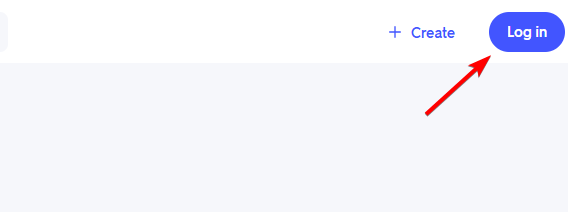
- Select Log in in the upper-right corner.
- Enter the email address or username associated with your account.
- Type your password.
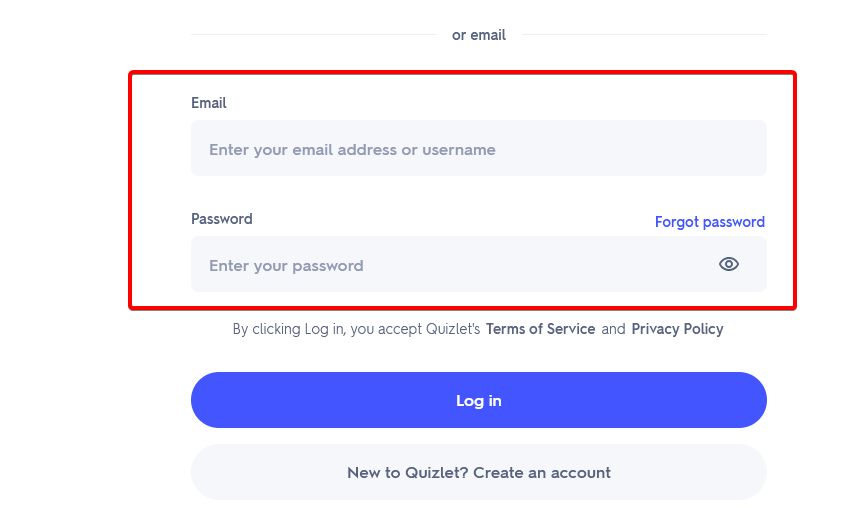
- Select Log in to access your Quizlet account.
Once signed in, Quizlet should take you to your account, where you can access saved flashcards, study sets, classes, and other learning tools.
2. Sign in to Quizlet with Google
If you created or connected your Quizlet account through Google, you can use your Google credentials instead.
- Open the Quizlet login page.
- Select Log in with Google or the available Google sign-in option.
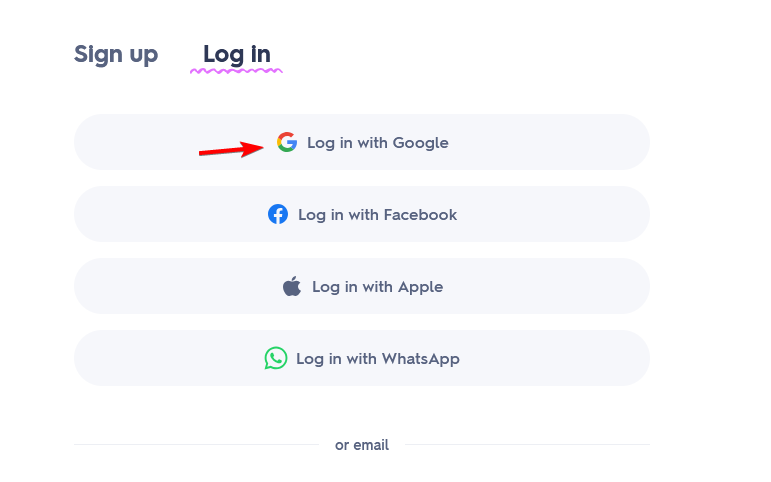
- Choose the Google account connected to Quizlet.
- Enter your Google password if prompted.
- Complete any verification steps required by Google.
Make sure you select the same Google account you originally linked to Quizlet. Using another Google account can open a different Quizlet profile or prevent you from accessing the account you expect.
3. Access your Quizlet account on Android or iPhone
You can also complete the Quizlet sign in through the mobile app.
- Open the Quizlet app on your phone or tablet.
- Select Log in.
- Enter the credentials associated with your Quizlet account or select your linked sign-in method.
- Complete the login process.
Using the same account on your phone and computer lets you access the study materials associated with that Quizlet profile.
What Can I Do If My Quizlet Login Isn’t Working?
Several issues can prevent you from signing in, including an incorrect password, the wrong Google account, or restrictions placed on school-managed accounts.
- Reset your Quizlet password – Use the Forgot password option and follow the email instructions to create a new password and regain access.
- Use a Quizlet login link – Request a sign-in link through your email if you can’t remember your password or have trouble accessing your account normally.
- Check your Google account – Make sure you select the same Google account that you originally connected to your Quizlet profile.
- Fix Google Workspace login errors – If your school blocks Google sign-in, add a password to your Quizlet account and log in directly with your email instead.
- Fix too many login attempts – Stop trying different passwords and use the password reset option before attempting to sign in again.
We hope this guide helped you complete the Quizlet login and access your study materials. If you’re looking for more useful learning tools, check out our guide to the best school apps or explore our recommended quiz maker software.
And if you use other classroom platforms, our Gimkit login guide explains how to sign in and join games on any device.
FAQs
How do I log in to my Quizlet account?
Open Quizlet, select Log in, and enter the email or username and password associated with your account. You can also use a linked Google account.
Can I log in to Quizlet with Google?
Yes. If your Quizlet profile connects to your Google account, select the Google sign-in option and choose the correct Google account.
What should I do if I forgot my Quizlet password?
Use the Forgot password option, enter the email linked to your account, and follow the reset instructions Quizlet sends to your inbox.
Why can’t I log in to Quizlet with my school Google account?
Your school or organization may restrict Quizlet through Google Workspace. In that case, you may need to add a password to your Quizlet account and log in directly instead.
Can I use Quizlet on my phone?
Yes. Quizlet provides mobile apps, and you can access your account by signing in with the credentials associated with your existing profile.
Why does Quizlet keep logging me into the wrong account?
This can happen when your browser already has a different Google account active. Sign out of that Google account and select the Google profile connected to the Quizlet account you want to use.

Read our disclosure page to find out how can you help Windows Report sustain the editorial team. Read more



Improve this guide



User forum
0 messages