
How to Log In to Aetna and Manage Your Health Insurance


 3 min. read
 Published on

Aetna lets you access your health insurance account, check benefits, view claims, download ID cards, and manage coverage. You can log in to Aetna via the website or by using the mobile app.
How to log in to your Aetna account?
1. Use the web browser
Follow these steps to access your Aetna member account.
- Visit the official Aetna login page.
- Select Member as your account type.
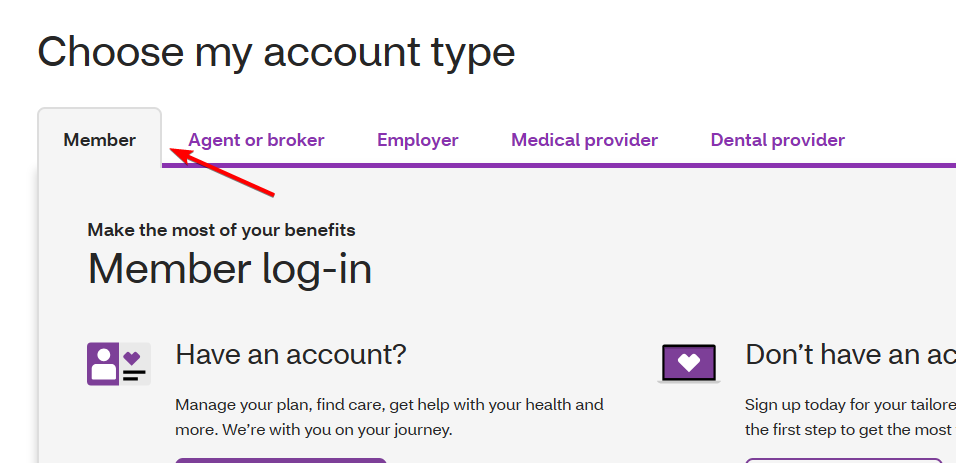
- Click Log in to my account.
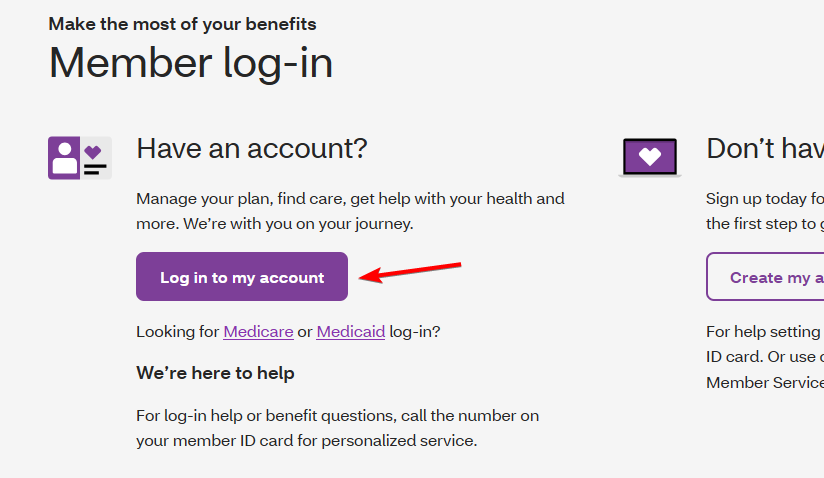
- Enter your username and password.
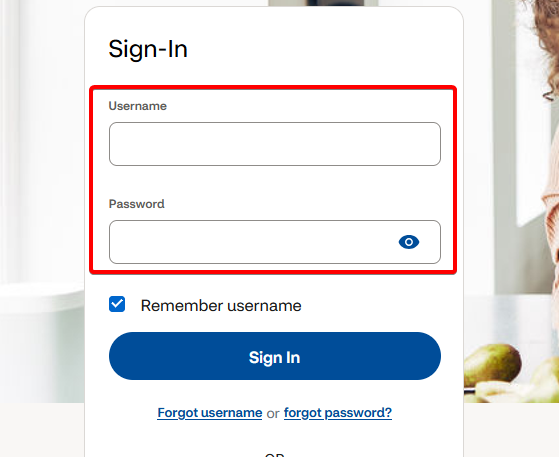
- Click Log In to access your account.
Once you sign in, you can review your coverage, find healthcare providers, and track medical expenses.
2. Use the Aetna Health app
You can also access your account from your smartphone.
- Download the Aetna Health app from the Apple App Store or Google Play.
- Open the app.
- Select the login option.
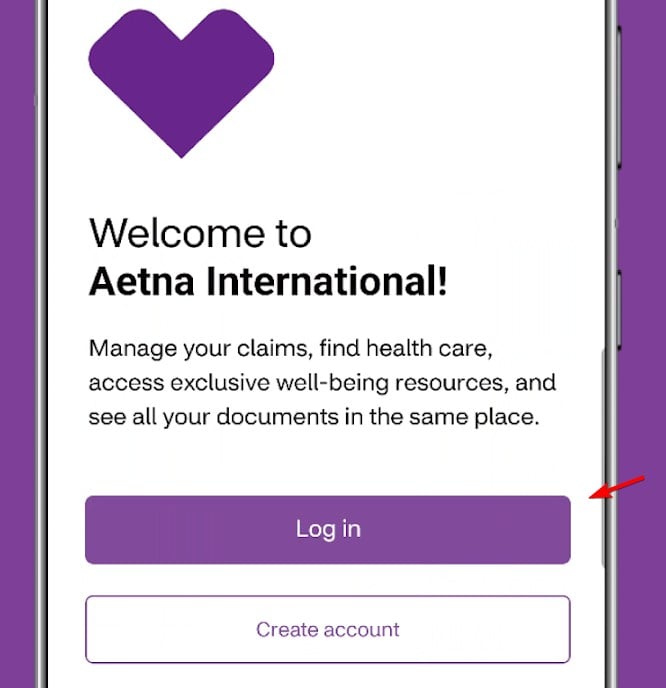
- Enter your Aetna account credentials.
- Follow any additional security prompts to access your account.
The app lets you view your digital ID card, review claims, track spending, and find healthcare providers.
3. How to access Aetna Medicare login
Aetna Medicare members can sign in through a separate page.
- Visit the Aetna Medicare login page.
- Choose your plan type, such as Medicare Advantage, SilverScript Prescription Drug Plan, or Medicare Supplement.
- Select the corresponding login option.
- Enter your account credentials.
- Follow the prompts to access your plan information.
Different Medicare plans may use different login portals.
How to fix Aetna login problems
If you cannot access your account, try these solutions.
- Check your credentials – Make sure you entered the correct username and password.
- Reset your password – Use the password recovery option if your credentials no longer work.
- Clear browser data – Delete cookies and cached files, then try signing in again.
- Try another browser – Open the login page using Chrome, Edge, Firefox, or Safari.
- Disable browser extensions – Temporarily turn off extensions that may interfere with the login page.
- Check your account type – Make sure you selected the correct member or Medicare login portal.
- Contact Aetna support – Call the Member Services number on your insurance ID card if the problem continues.
If you need help accessing other online accounts, check our guides on Progressive Insurance login, Fidelity NetBenefits login, and IRS account login for step-by-step instructions.
Frequently asked questions
Can I access my Aetna ID card online?
Yes. Sign in to your Aetna member account or the Aetna Health app to view, download, or print your digital ID card.
Why can’t I log in to my Aetna account?
Incorrect credentials, browser problems, or selecting the wrong login portal can prevent access. Reset your password or contact Aetna Member Services if you still cannot sign in.
Can I use the same Aetna login on my phone?
You can use your existing member credentials with the Aetna Health app if your plan supports the app. Some Medicare and specialized plans use separate portals.

Read our disclosure page to find out how can you help Windows Report sustain the editorial team. Read more


Improve this guide


User forum
0 messages