
How to Login to Alaska Airlines Account on Web & Alaska Hawaiian Mobile App


 4 min. read
  Published on
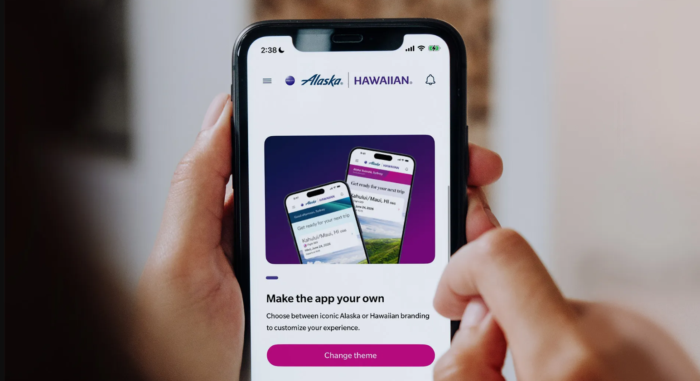
Logging into Alaska Airlines account gives you instant control over your entire travel experience from a single sign-in. Whether you access your account through the official website or the new Alaska Hawaiian mobile app, managing flight reservations, retrieving boarding passes, and tracking Atmos Rewards points is seamless. With unified travel management across both Alaska and Hawaiian Airlines, all your trip details are right at your fingertips using your existing sign-in credentials.
How to Log In to Alaska Airlines on the Website
You can sign in through the official Alaska Airlines website using a computer or mobile browser. This method works well when you want to manage your account, review bookings, or update your loyalty details.
- Open Chrome, Edge, Firefox, or Safari.
- Visit the official sign in page for Alaska Hawaiian website.
- Enter your registered email address, User ID, or other account identifier requested by the page.
- Enter your password.
- Select Sign in to access your account.
The login fields can differ depending on the page and account type. Follow the instructions displayed on the official website if you see an Atmos Rewards or Hawaiian account sign-in option. Once signed in, you can access the account features available to you. To manage a booking without signing in, use the Manage trips option and enter your confirmation code and passenger’s last name.
How to Log In to the Alaska Hawaiian App
Alaska Airlines and Hawaiian Airlines now use a unified mobile app called Alaska Hawaiian. Most existing Alaska Airlines app users received the new version through an app update, while Hawaiian Airlines customers needed to download the unified app.
- Open the Google Play Store or Apple App Store.
- Search for Alaska Hawaiian and confirm that the developer is Alaska Airlines, Inc. (Google Play Store | App Store)
- Install or update the app.
- Open the app and select the account or sign-in option.
- Enter your Atmos Rewards or other supported account credentials.
- Enter your password and complete any requested verification.
If the app redirects you to a browser during sign-in, follow the authentication prompts and return to the app afterward. Once logged in, you can check in, retrieve boarding passes, manage eligible reservations, and view rewards.
How to Fix Alaska Airlines Login Issues
If you cannot access your account, try these troubleshooting steps before creating another account.
- Reset your password: Visit the official Alaska Airlines account recovery page. Enter the requested account information and follow the password recovery instructions.
- Recover your User ID: Return to the website’s sign-in page and select Forgot user ID? if available. Follow the instructions to retrieve your account details.
- Check your verification code: Confirm that your registered email address or phone number is accessible. Check your spam folder and request another code if the first one does not arrive.
- Update the Alaska Hawaiian app: Open your device’s app store and install any available updates. Restart the app and try again.
- Fix browser-related issues: Clear the browser’s cookies and cache or try a private window. If the login page keeps redirecting, use another browser to determine whether the problem is browser specific.
- Contact customer support: If your account remains locked or you cannot access your registered contact details, use the official Alaska Airlines Help Center.
FAQs related to Alaska Airlines Account Login
1. Is Alaska Hawaiian a different app from Alaska Airlines?
Yes, it is the unified mobile app for Alaska Airlines and Hawaiian Airlines. The existing Alaska Airlines app transitioned to the new experience in March 2026.
2. Do I need a new account to use the Alaska Hawaiian app?
No. Existing Atmos Rewards members can continue using their existing login credentials. You do not need to create a second account simply because the app has changed.
3. Can I use Alaska Airlines without signing in?
Yes. You can generally retrieve a reservation through Manage trips using your confirmation code and last name. Some account features require you to sign in.
4. Can I manage Hawaiian Airlines flights through the Alaska Hawaiian app?
Yes. The unified app supports bookings and trip management across both airlines, although some options depend on your reservation and eligibility.
Summing Up
Alaska Airlines login works through the official website and the Alaska Hawaiian app, giving travelers a shared way to manage trips across both airlines. If you encounter login errors, recover your credentials through the official website and ensure your app is up to date.

Read our disclosure page to find out how can you help Windows Report sustain the editorial team. Read more



Improve this guide


User forum
0 messages