
Best Interior AI Virtual Staging Tools


 6 min. read
  Published on

Virtual staging is now a common method of showcasing rooms and properties within the real estate and interior design industries. The process of digitally furnishing and decorating spaces saves considerable time and money over hiring a professional stager.
However, it still requires skills in CAD and 3D modeling software. That’s where AI comes into play.
We tested the best interior AI virtual staging tools, narrowing down 6 top picks.
6 Best Interior AI Virtual Staging Tools
The following AI virtual staging tools allow you to quickly decorate and furnish room photos in different styles, without any design skills. Here’s how each tool stands out:
1. StageHQ AI – Overall Best Interior AI Virtual Staging Tool

StageHQ AI turns any empty room into a fully styled, photorealistic space in seconds—helping realtors, designers, and homeowners save time, money, and effort.
As our top pick, it stands out for its exceptional ease of use, affordability, and photorealistic results.
4 available modes focus on different tasks, including AI furniture staging only, furnishing and décor, full remodelling, or furniture removal.
The web-based tool doesn’t require any software downloads, and the AI does all the hard work, so you don’t need any design skills either.
All you have to do is upload a photo of your room (empty or furnished), choose a style, enter any prompts, and the one-click staging process transforms it in under 30 seconds!
Why StageHQ takes the top spot?
- 30+ supported room types, more than any other interior virtual staging tool.
- Over 30 different styles, which can be refined further by custom prompts!
- High resolutions and upscaling (up to 4K).
- Affordable plans from $19 with full commercial rights.
⇒ Transform your listings or redesign your home in seconds—try StageHQ AI free today.
2. Virtual Staging AI – Fastest One-Click Staging
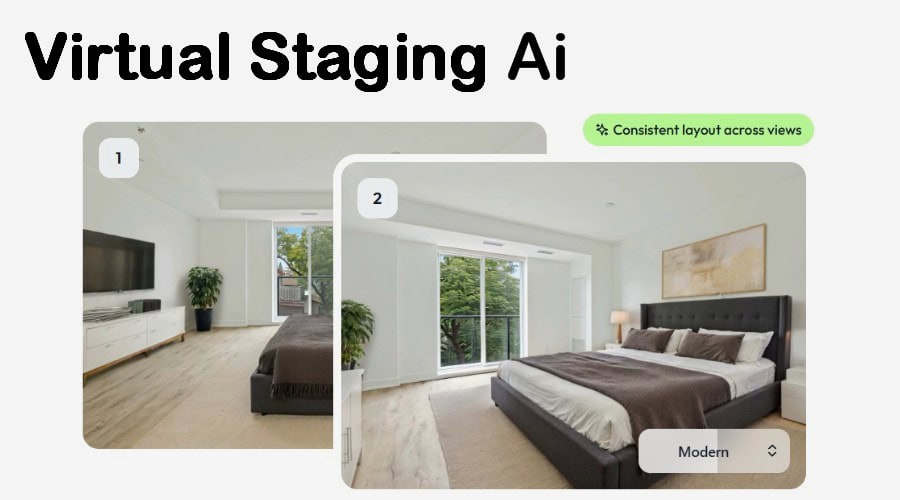
When it comes to speed, Virtual Staging AI promises to render your room within 15 seconds. The powerful web-based platform supports both furnished and unfurnished rooms, and you can use the AI to remove furniture from your photo before rendering.
Simply drag and drop the photo, select the room type from 7 options, and choose from over 50 styles.
Although there is no prompting, every generation is unique, and no objects are pulled from a pre-rendered library. Instead, the AI makes a decision based on the settings and dynamics of the photo.
One standout feature is multi-view staging. This lets you apply consistent staging, with the same décor and furniture, to photos of the same room from different angles.
You can upload and stage one image for free, while premium pricing starts at $16/mo.
3. AI HomeDesign – Best AI Virtual Staging with Human Option
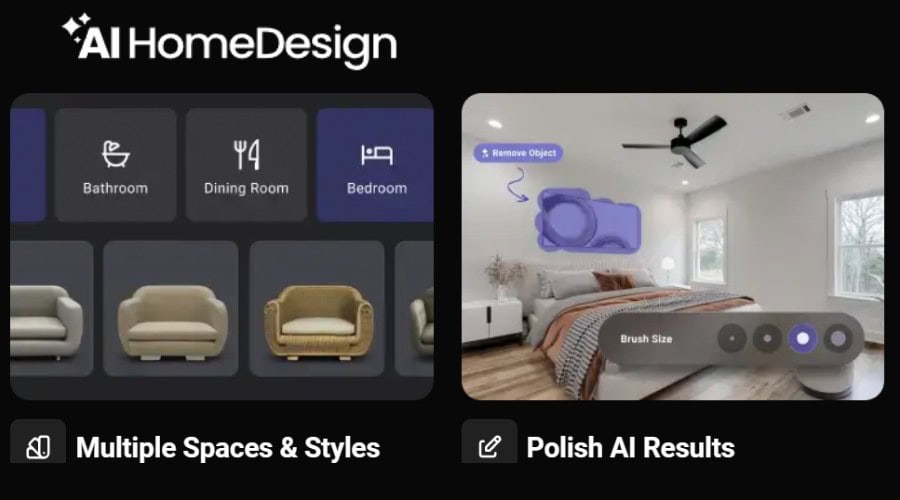
The virtual staging tool from AI HomeDesign is a comprehensive solution that generates high-res photorealistic images in seconds.
Simply upload a photo of an empty room or use the “remove furniture” feature to declutter it automatically. Then choose from 4 room types and 7 base styles, and it will revitalize the room with the appropriate décor and furniture within 30 seconds.
What’s more, if you can’t quite get the results you want, HomeDesign offers a professional human option for $9.99 per image.
Other notable features include:
- Object removal and replacement via brush selection.
- Upscaling and enhancement.
- Option to keep or replace floors and walls.
Pricing starts from $35/mo for 30 photos, and you can use some free credits first to give it a try.
4. REimagineHome – Best AI Companion
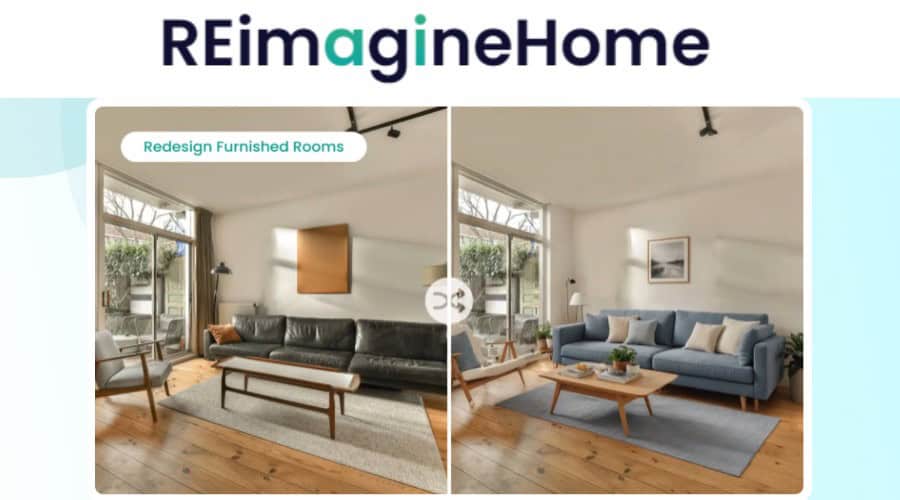
With REimagineHome, AI doesn’t just process the end result, it helps you at every step along the way.
As soon as you upload a photo of your room, it analyzes the shot’s strengths. For example: “This foyer image has great natural light and architecture, making it perfect for showcasing bold entryway designs.”
It then offers four suggestions for full virtual staging or style transformation, that you can view with one click. Alternatively, you can enter a descriptive prompt to bring your own ideas to life.
Once the first image is generated, it asks you to specify any changes, such as removing an item, changing the color palette etc. You can chat to the bot for as long as you need to refine the room.
Users get 5 free credits to try REimagineHome, while subscriptions start from $7/mo for 30 images.
5. Sofabrain – Best AI Style Transfer Tool
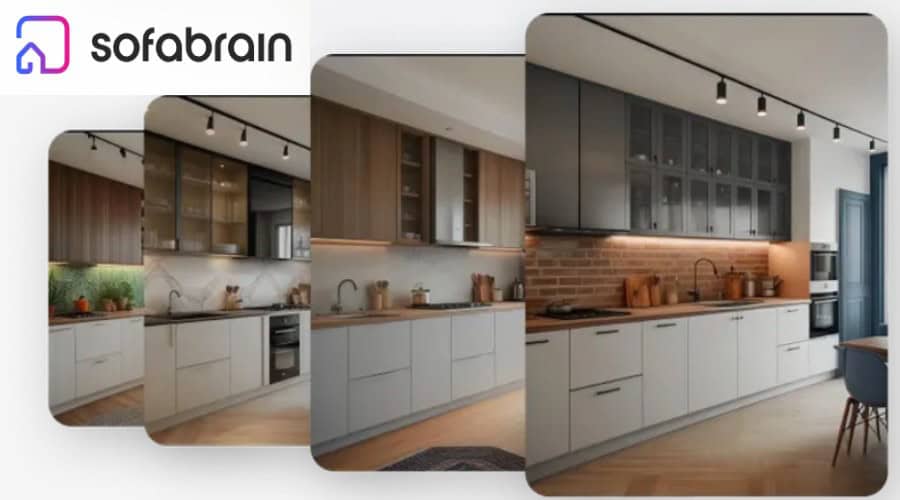
From AI furniture staging to full room rendering, Sofabrain is a feature rich virtual staging solution.
It follows a familiar approach, allowing you to upload a furnished or unfurnished room photo, select the room type, and then choose from several styles. However, it is one of the few that also lets you choose the color palette directly.
Moreover, you can opt to only replace furniture or keep the furniture and only redecorate.
Another unique feature is the ability to use a style reference. This is a secondary photo you upload, and the AI takes its style and applies it to your original photo.
After rendering, you can even select individual objects to be recolored or removed entirely.
Sofabrain offers limited free features and paid plans starting from $18/mo.
6. Collov AI – Basic Virtual Staging
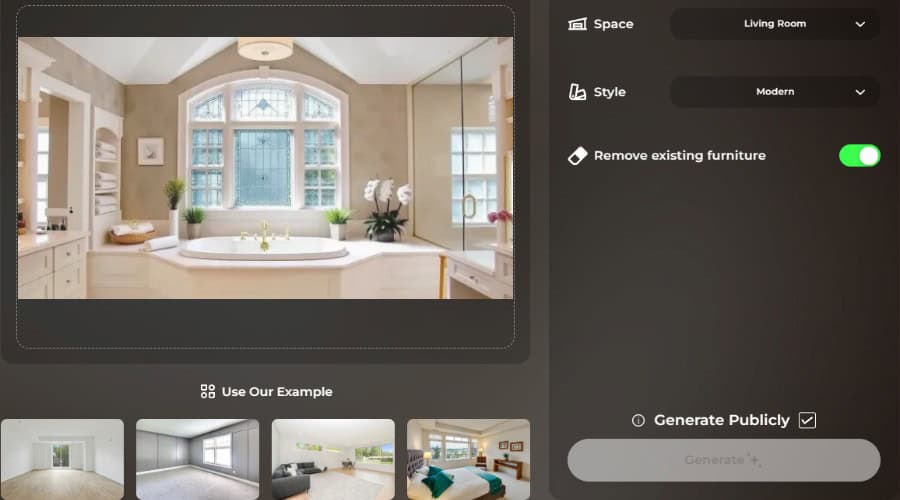
Collov AI keeps things simple, providing fast photorealistic virtual staging from a single page. It covers all the basics, including room selection from 8 options, along with 8 styles, and a useful toggle to remove existing furniture from your photo before staging.
The no-prompt, one-click staging process generates results in less than a minute.
What’s more, if you are planning to apply your room styles in real life, Collov has a unique feature where you can purchase matching or similar furniture from over 300 partners.
Collov offers free credits to test the platform, while premium plans are available from $16/mo for 60 photos.
Conclusion
Thanks to AI, complicated virtual staging software or expensive physical staging are things of the past. Now, tools like StageHQ transform your room photos in seconds.
StageHQ currently leads the pack due to its vast selection or rooms and styles, and the ability to add your own prompts. However, all the tools we reviewed excel in their own way.
What’s your favorite interior AI virtual staging solution? Let us know in the comments below!


Read our disclosure page to find out how can you help Windows Report sustain the editorial team. Read more



Improve this guide




User forum
0 messages