
How to Download & Install Bytescout PDF Suite on Windows 10
Visit the official website to download this tool


 2 min. read
  Published on
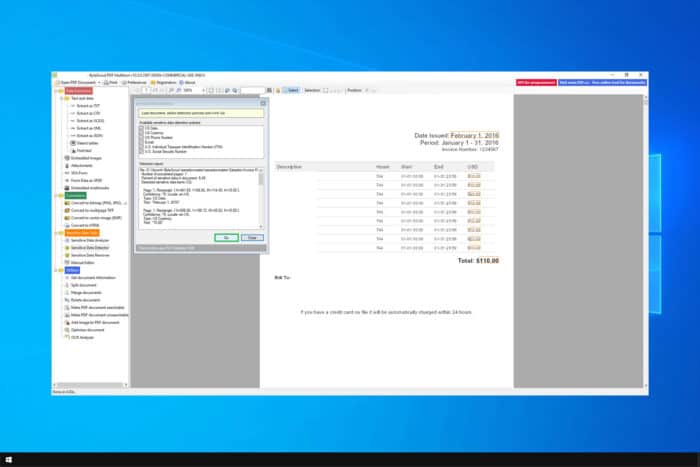
There are many PDF editing applications, and if you’re looking for reliable software that can create and view PDF files, today we’re going to show you how to download Bytescout PDF Suite for Windows 10.
How can I download Bytescout PDF Suite on Windows 10?
How do I install PDF Suite?
- Navigate to the Bytescout download page.
- Next, click on Free Trial.

- Lastly, click on Download now.
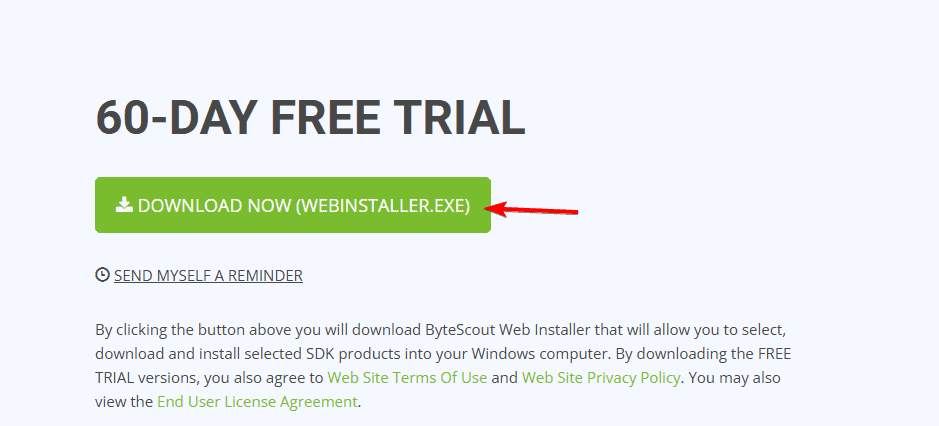
- Wait for the application to download.
- Run the setup file.
- Follow the instructions on the screen to complete the process.
Is ByteScout free?
No, ByteScout isn’t free, but it does come with a 60-day free trial that you can use. To continue using the software, you’ll need to purchase a license.
Is PDF Suite better than Adobe?
Adobe Acrobat offers more features when working with PDF files and it’s available on various platforms compared to Bytescout PDF Suite. However, Adobe Acrobat subscription is slightly higher.
If you’re looking to download Bytescout PDF Suite for Windows 10, you can do that right from the official website, but keep in mind that the software isn’t free. On the bright side, you’ll get a 2-month free trial.
To learn more about PDF files, we have a great guide on how to convert multiple files to PDF, so don’t miss it.
Did you know that you can lock a PDF file and prevent editing? All that you have to do is change PDF security settings, and we have a guide that shows you how to do that.

Read our disclosure page to find out how can you help Windows Report sustain the editorial team. Read more



Improve this guide



User forum
0 messages