
How to Fix ChatGPT Not Working or Responding
High traffic can sometimes cause this and other problems to appear


 3 min. read
  Updated on

If ChatGPT is not working right now, it might be due to server outage, ChatGPT being resricted in your country or interfering cookies and extensions.
Error messages and loading screens on ChatGPT show up on all devices, but some people claim it is not working on desktop while access on mobile is completely fine. So if you want a quick fix, try your phone.
But let’s address the root causes and make ChatGPT work. Here’s how you fix it if it’s not responding.
How to fix ChatGPT if it’s not working?
1. Clear the cookies
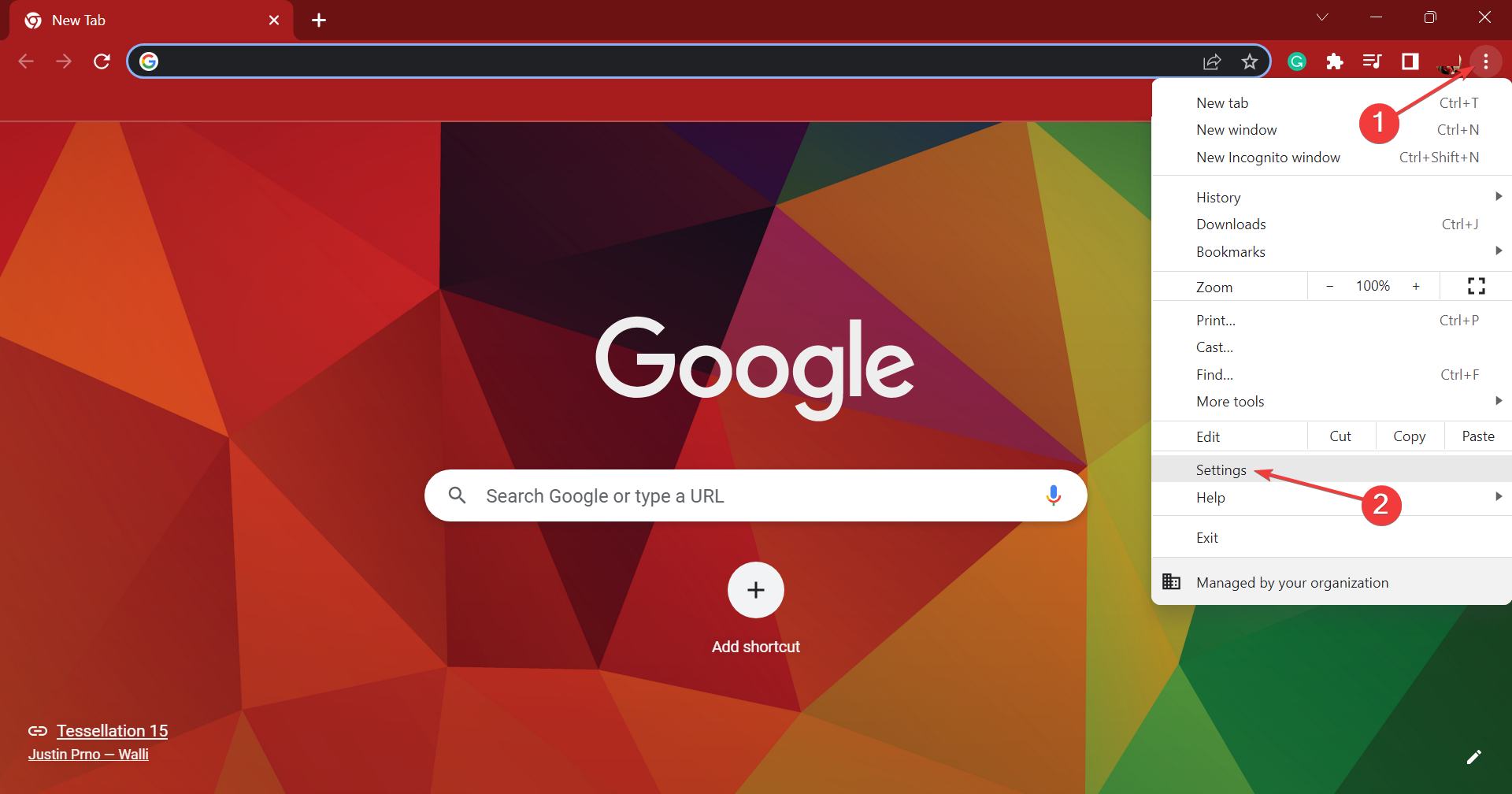
- Click on the ellipsis near the top-right corner, and choose Settings.
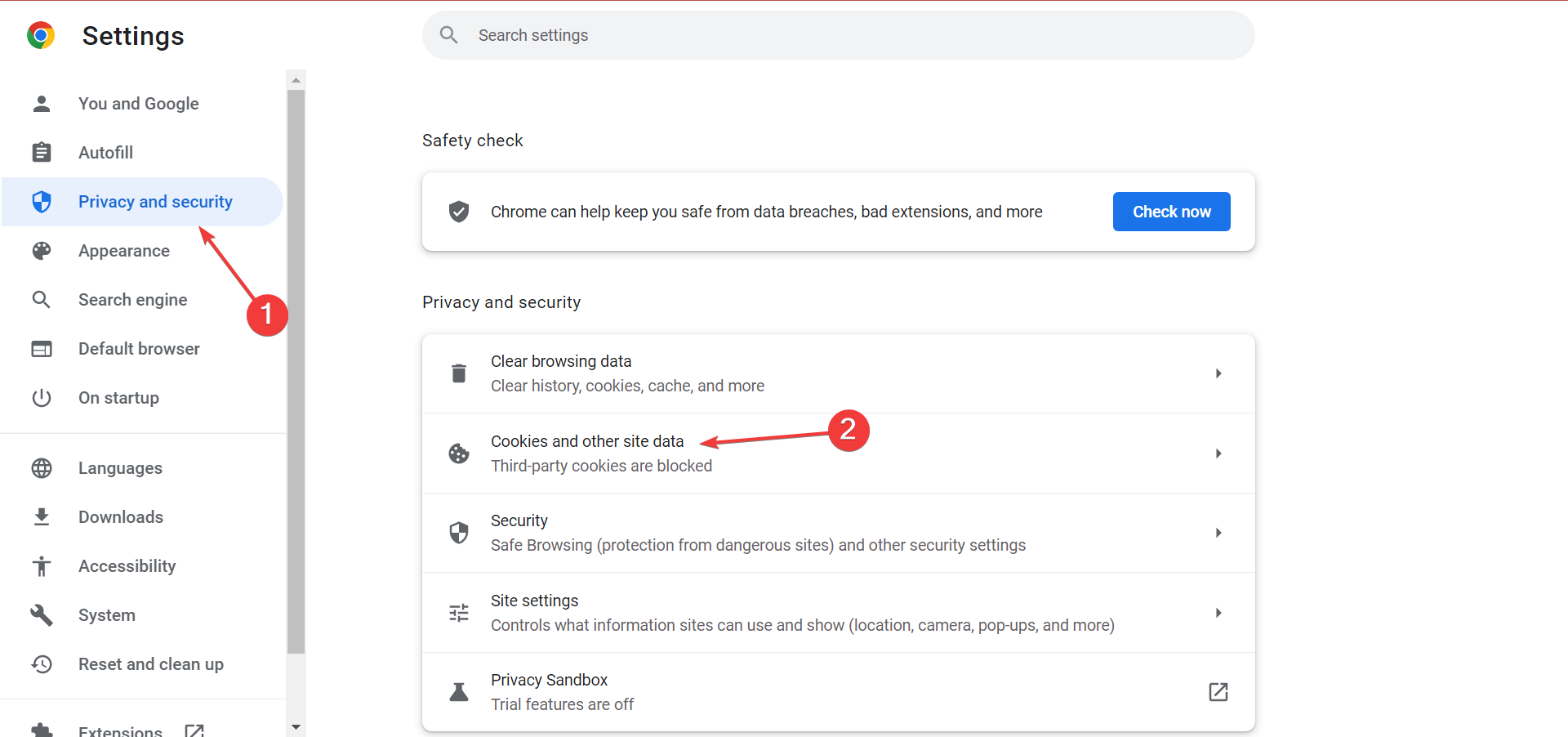
- Select Privacy and security from the navigation pane, and click on Cookies and other site data.
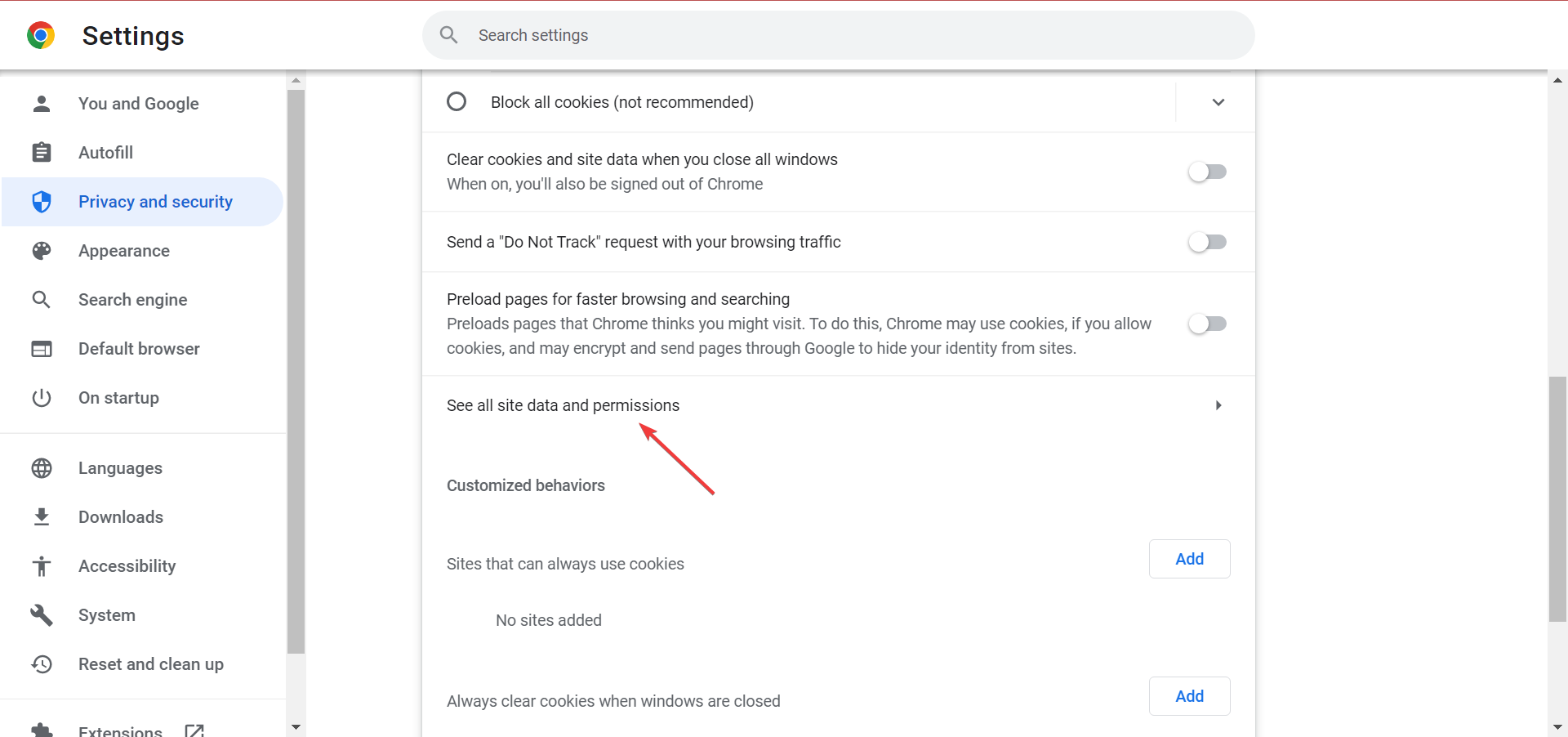
- Click See all site data and permissions.
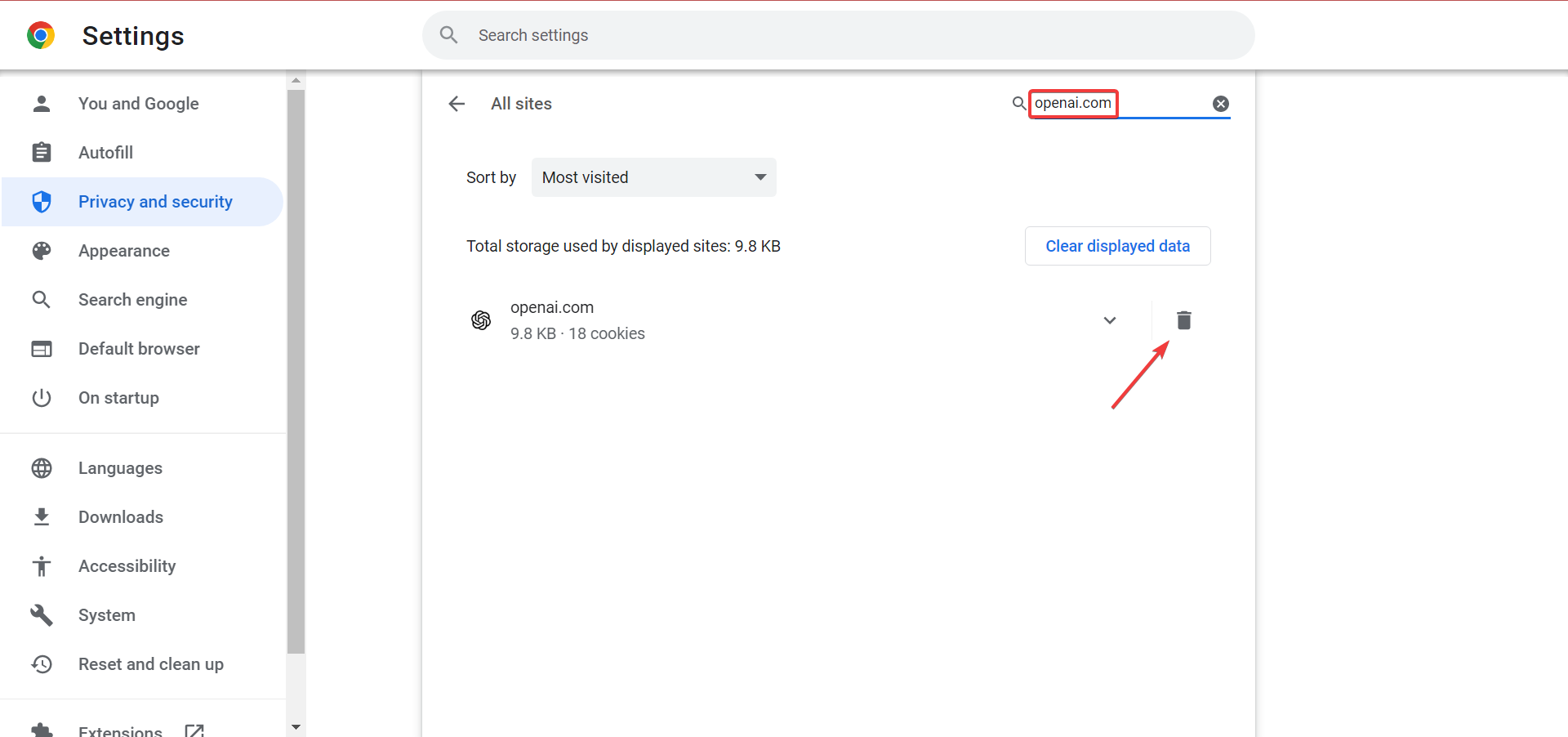
- Search for openai.com in the text field, and click on the Delete icon for the website.
- Again, click Clear in the confirmation prompt.
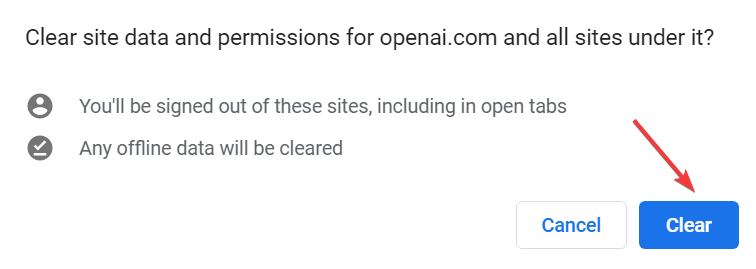
Clearing cookies of your browser and usage of simple prompts can also help you fix similar issues like Error in Moderation; read this guide to learn more.
2. Disable all extensions
- Click on the Extensions icon, and then select Manage extensions from the flyout menu.
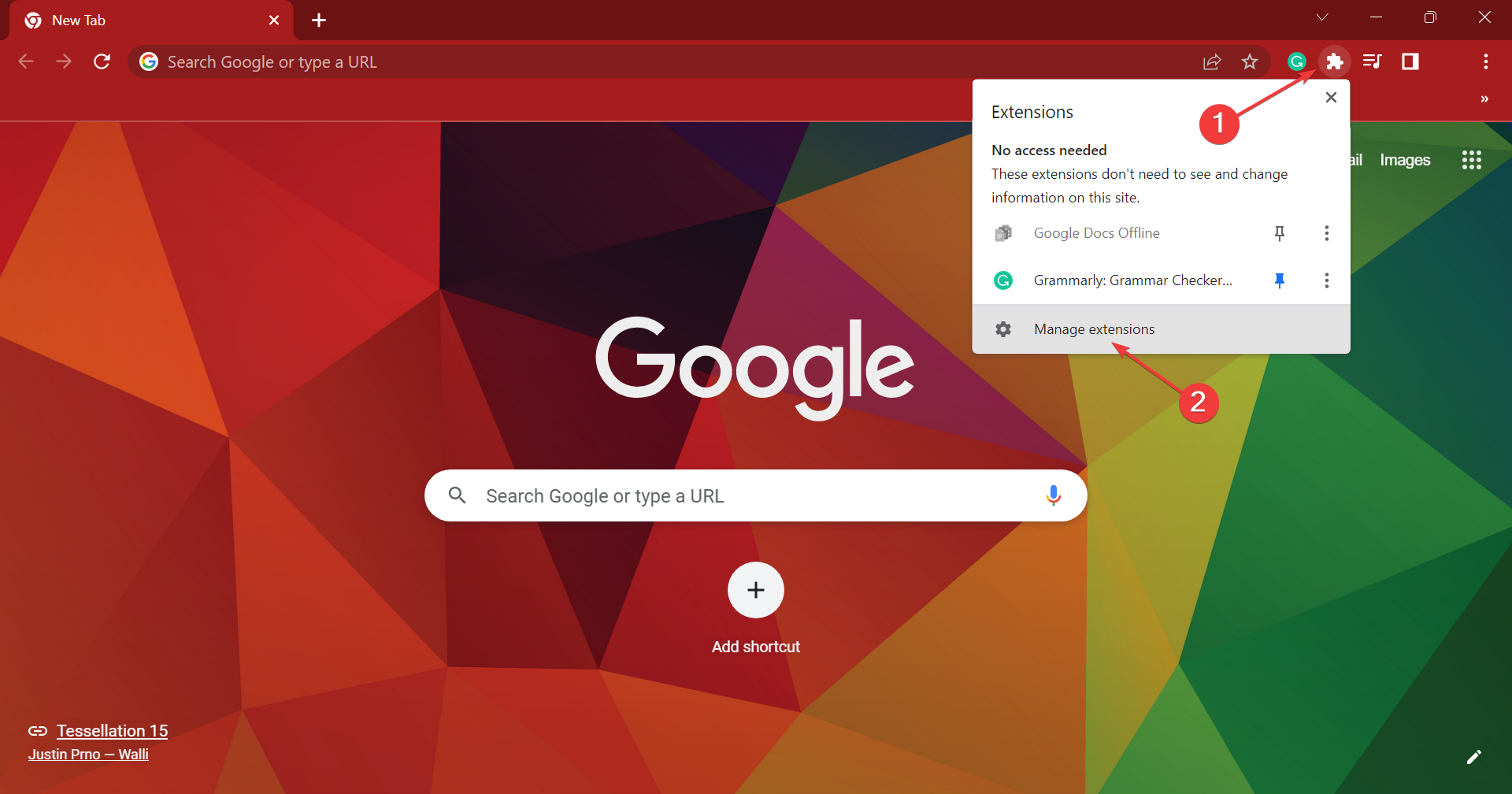
- Now, disable the toggle for all the extensions listed here.
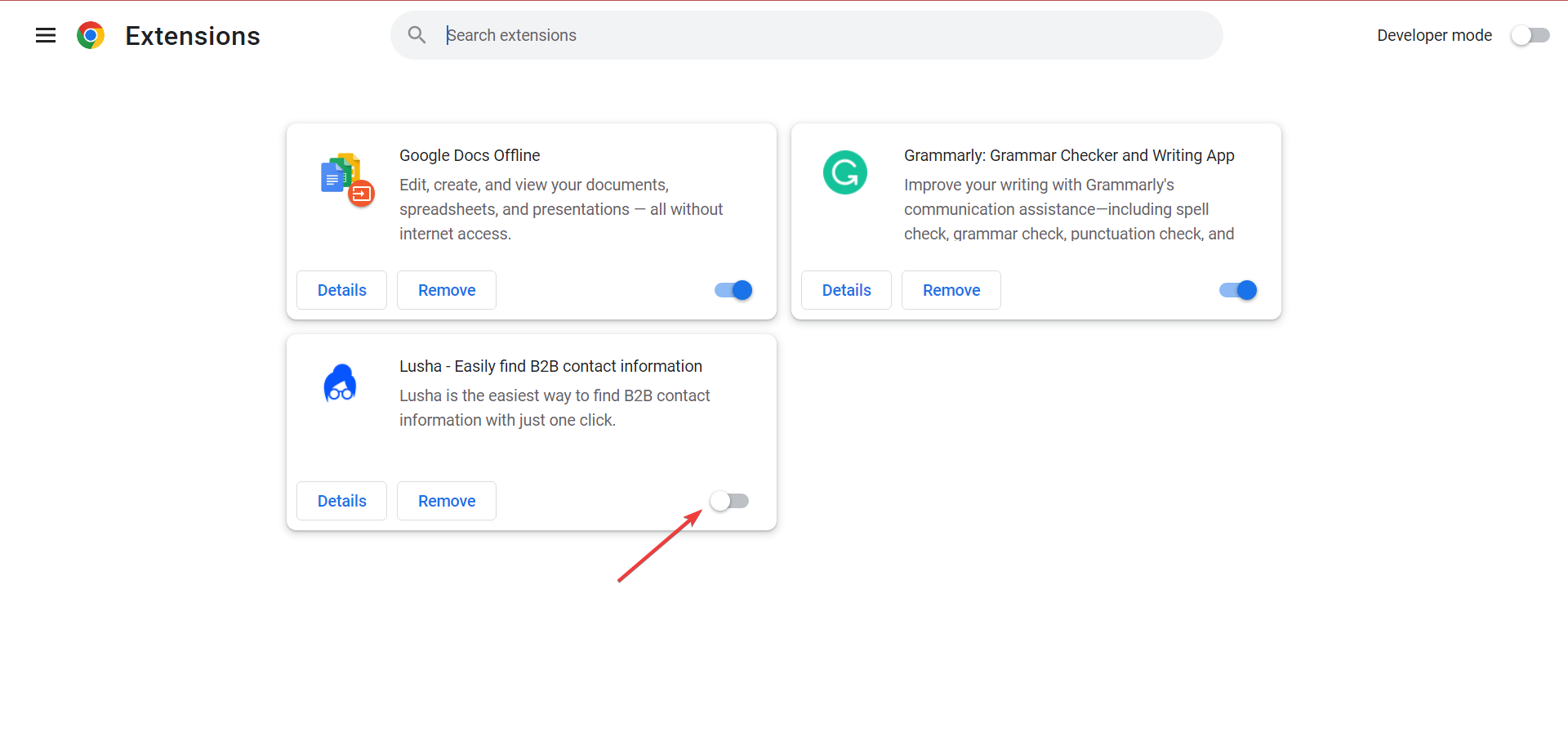
- Check whether ChatGPT now works. If it does, start enabling them one at a time until the problem reappears. As soon as it does, the extension enabled last triggered the issue.
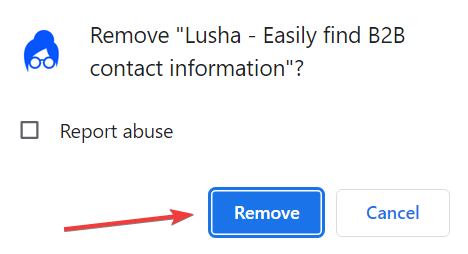
- So, click on the Remove button under it.
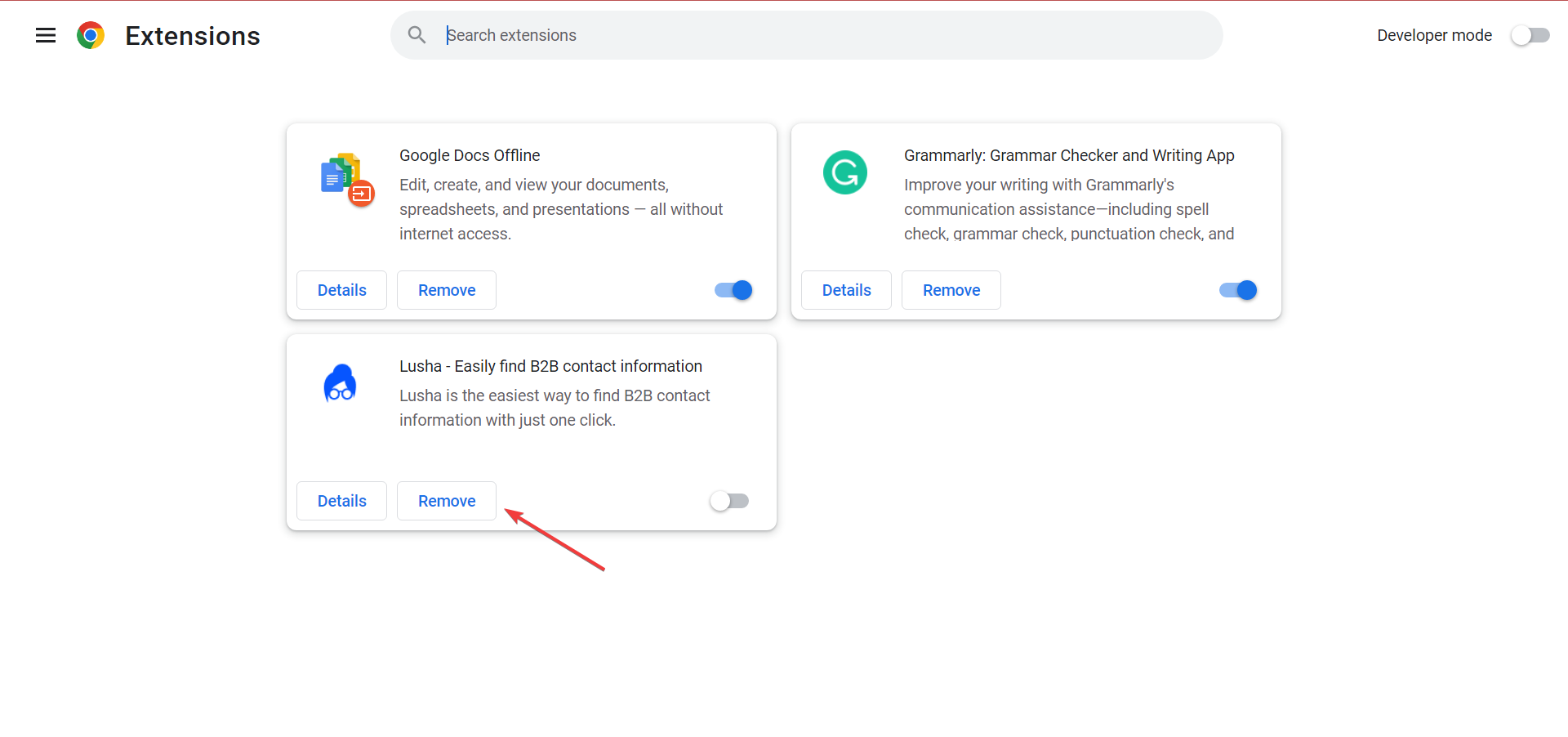
- Again, click on Remove in the confirmation prompt.
3. Contact the ChatGPT support
If nothing works, you should contact ChatGPT support and ask them for advice. There’s a chat box on the support website to raise a ticket, though don’t expect a quick response from their end.

That’s it! With these solutions, you can improve things if ChatGPT is not working.
And if you’re looking for a quick way to fix Error in Moderation on ChatGPT, take a closer look at our dedicated guide. We also have a guide on what to do if you encounter a ChatGPT network error that you shouldn’t miss.
These aren’t the only issues. Many reported errors while validating credentials, and some even get a message saying that ChatGPT is not available in their country.
Before you go, don’t miss our guide on Searching knowledge error in ChatGPT for more information about ChatGPT issues.
Remember to share your ChatGPT review in the comments section below. Also, drop any other solutions that you may know of.

Read our disclosure page to find out how can you help Windows Report sustain the editorial team. Read more



Improve this guide



User forum
15 messages