
Chrome Tests New Stacked Split View for Tabs: Here Is How It Looks
Top and bottom, not just left and right.


 3 min. read
  Updated on

Google Chrome is testing a new Split View layout in Canary that lets users arrange tabs in a “horizontal” split alongside the existing side-by-side view. The feature, called “Stacked Split Views”, adds a top-and-bottom layout alongside Chrome’s current Split View mode.
Split View allows two tabs to appear within the same browser window so users can view both pages at once. It can be useful for comparing webpages, referencing information while writing, or multitasking between different sites. Until now, Chrome only supported a side-by-side arrangement, with one tab on the left and the other on the right.
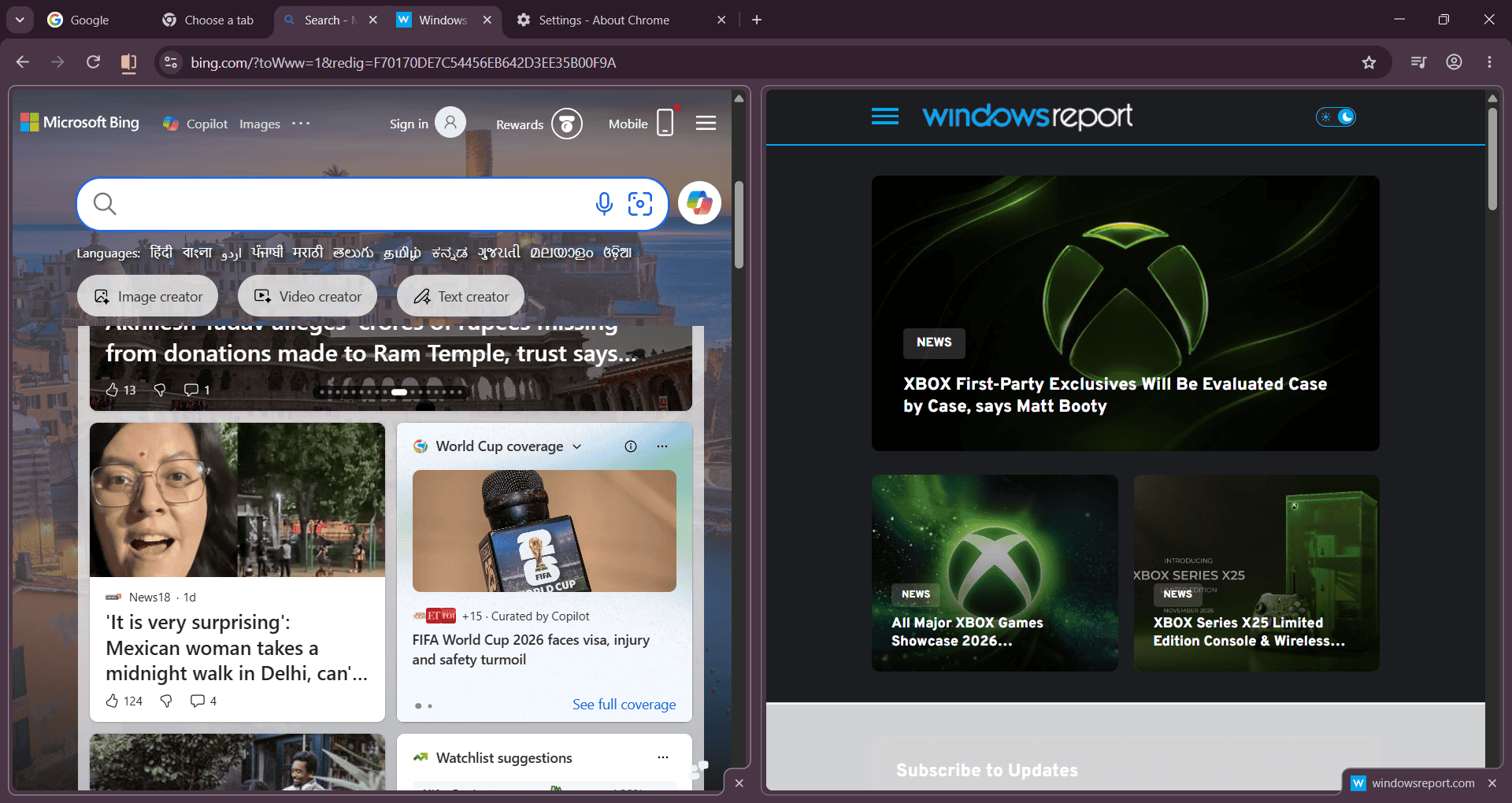
Chrome Lets You View Split Tabs in Horizontal View, Not Just Side by Side
The new layout places one tab above the other, giving both tabs the full width of the browser window. Users can choose between the traditional side-by-side arrangement and the new stacked view.
The feature is hidden behind an experimental flag. Chrome appears to refer to it internally as “TopBottomSplits”, while the user-facing flag name is Stacked Split Views. The experiment includes “Direct Access” and “Indirect Access” variants.
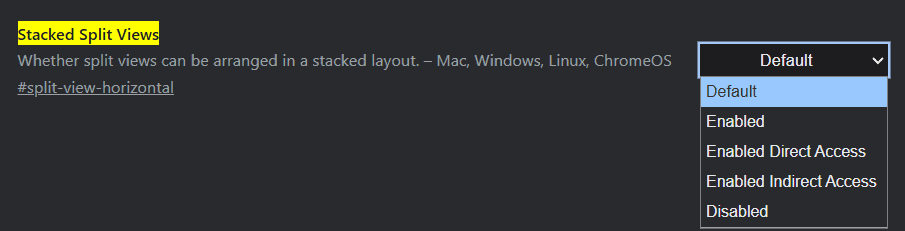
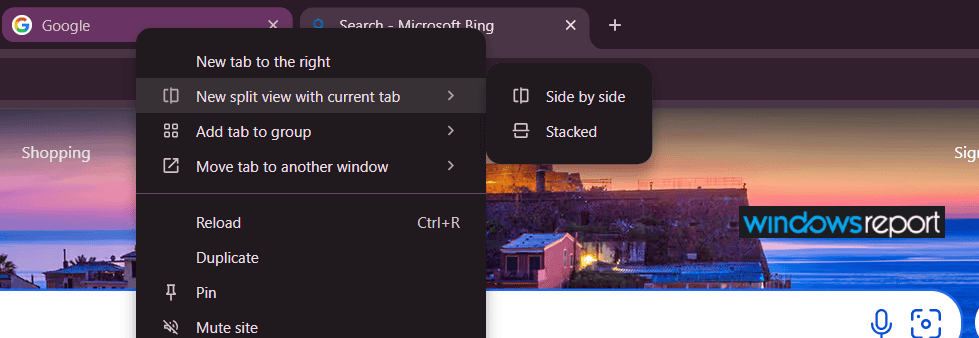
During testing, Windows Report found that with Direct Access enabled, right-clicking a tab shows a “New split view with current tab” option that offers both “Side by side” and “Stacked” layouts.
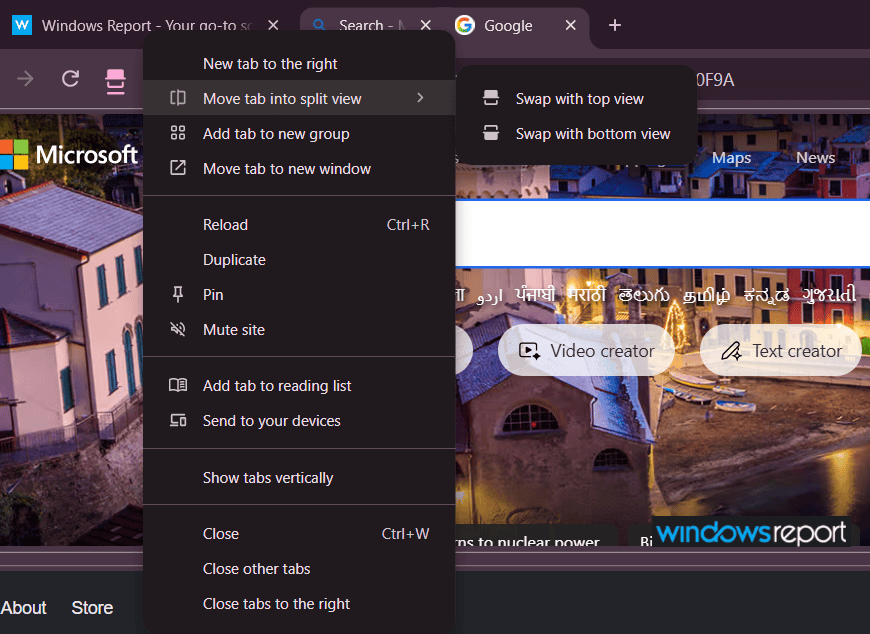
Once inside the split, tabs sitting outside the stacked view show a “Move tab into split view” option when right-clicked, with “Swap with top view” and “Swap with bottom view” controls to replace either the top or bottom tab in the split.
To exit the stacked view and return to normal tabs, users can select “Close bottom view” from the “Arrange split view” menu.
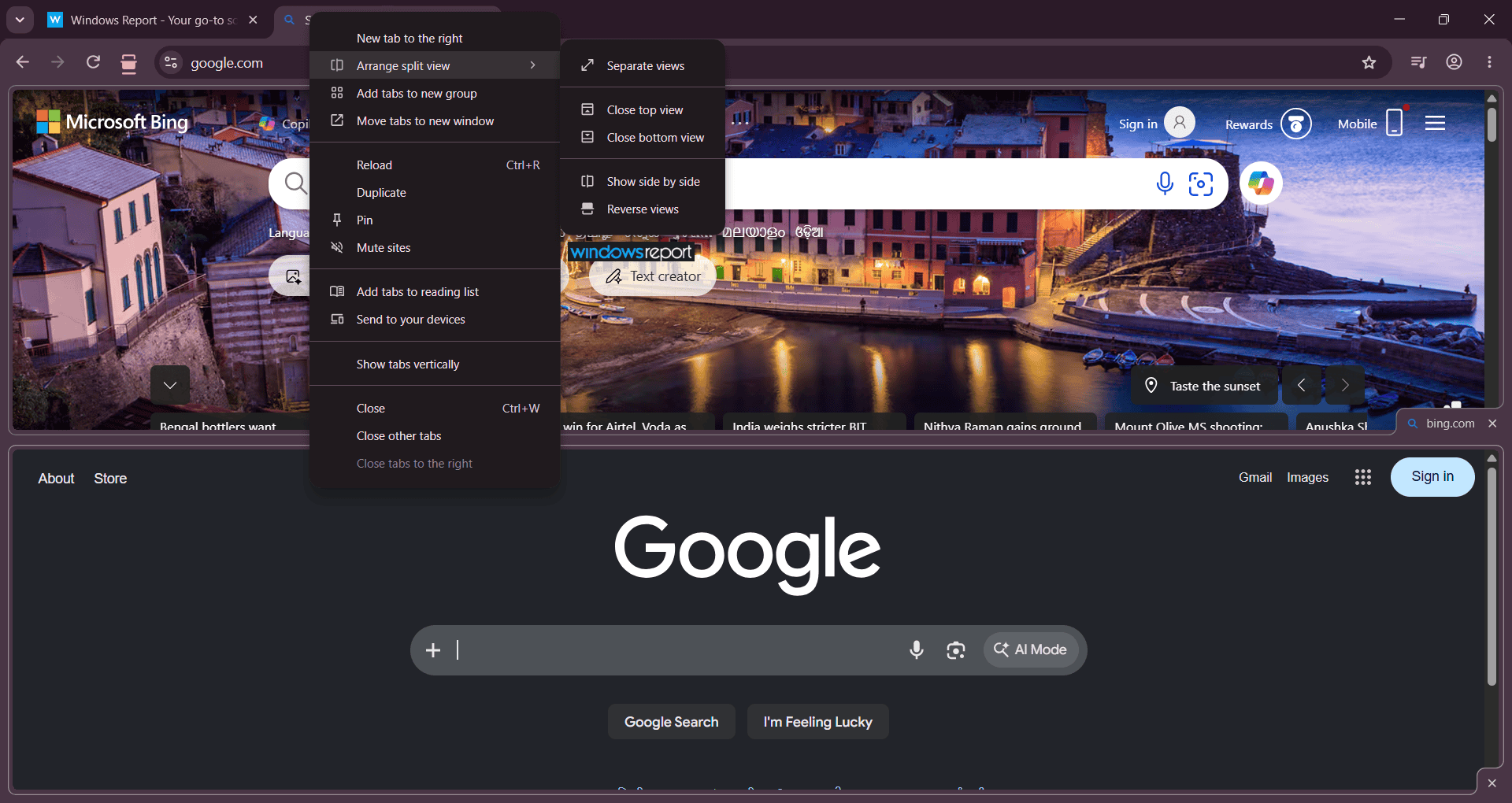
The stacked layout works best when full page width matters more than height. Video content benefits most, as sports streams, YouTube, and live broadcasts are widescreen 16:9, and a horizontal split gives each stream room to breathe rather than squeezing two feeds side by side. It also suits portrait displays where side-by-side tabs can become too narrow.
Chrome’s existing Split View feature already provides a convenient way to work with two tabs at once. The addition of a stacked layout gives users another option, depending on their screen size and workflow.
There is currently no indication of when, or if, the feature will reach the stable version of Chrome.
Vivaldi already offers a horizontal split view for tabs. Edge, Opera, Firefox, and Brave support split view, too, but only side-by-side. With Chrome testing horizontal split, it matches Vivaldi and gives mainstream users this option for the first time.
Chrome is also testing other features in Canary. It allows users to hide the bookmarks bar on new tabs and tests redirecting searches to AI Mode and a floating AI Mode search bar.


Read our disclosure page to find out how can you help Windows Report sustain the editorial team. Read more



Improve this guide


User forum
0 messages