
Chrome Will Let You Ask Gemini About a Whole Tab Group, Not Just One Tab
You can just right click a group to ask Gemini.


 3 min. read
  Published on
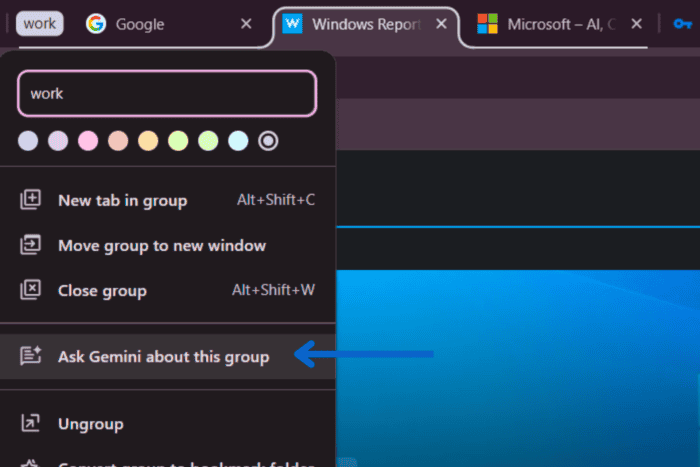
Google is testing Gemini integration for tab groups in Chrome Canary. A new “Ask Gemini about this group” option lets you ask Gemini about an entire tab group instead of digging through individual tabs one by one.
Gemini in Chrome already lets you pull in up to 10 open tabs for a single conversation. That’s still a manual, per-chat selection each time. A tab group is something you build once and keep using, not something you reassemble every time. Google now looks to be tying Gemini to that instead of the tab picker.
Unlike Chrome’s existing “Share tab with Gemini” option, which works on individual tabs, this new command is tied directly to the tab group itself.
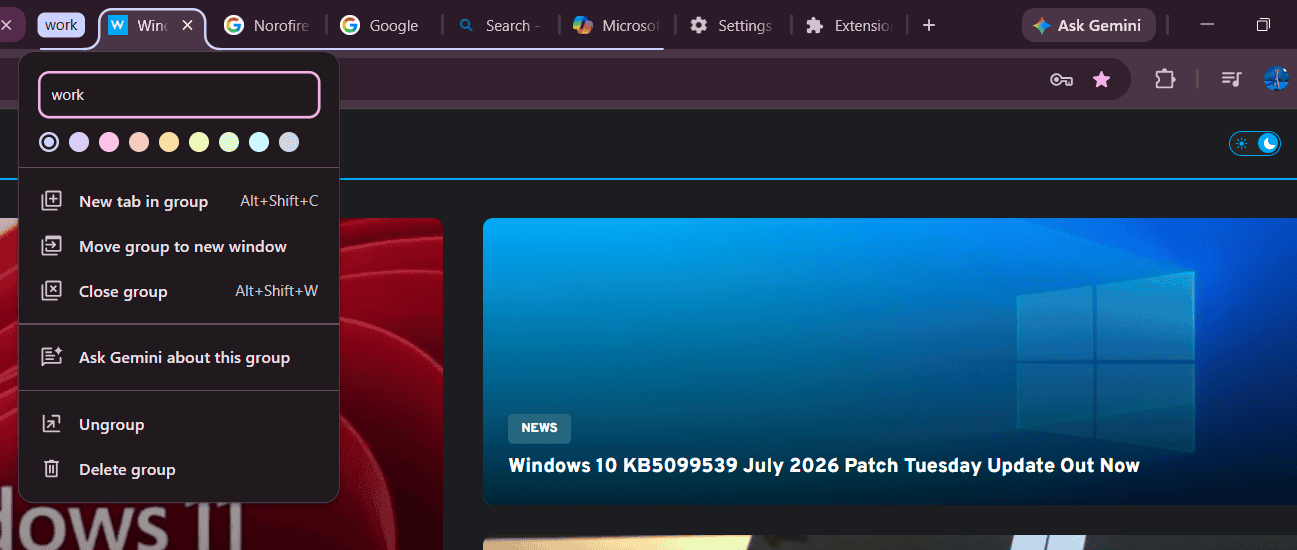
Here’s how it works. If you don’t already have a tab group, group two or more related tabs first. Then right-click the tab group label and select “Ask Gemini about this group.”
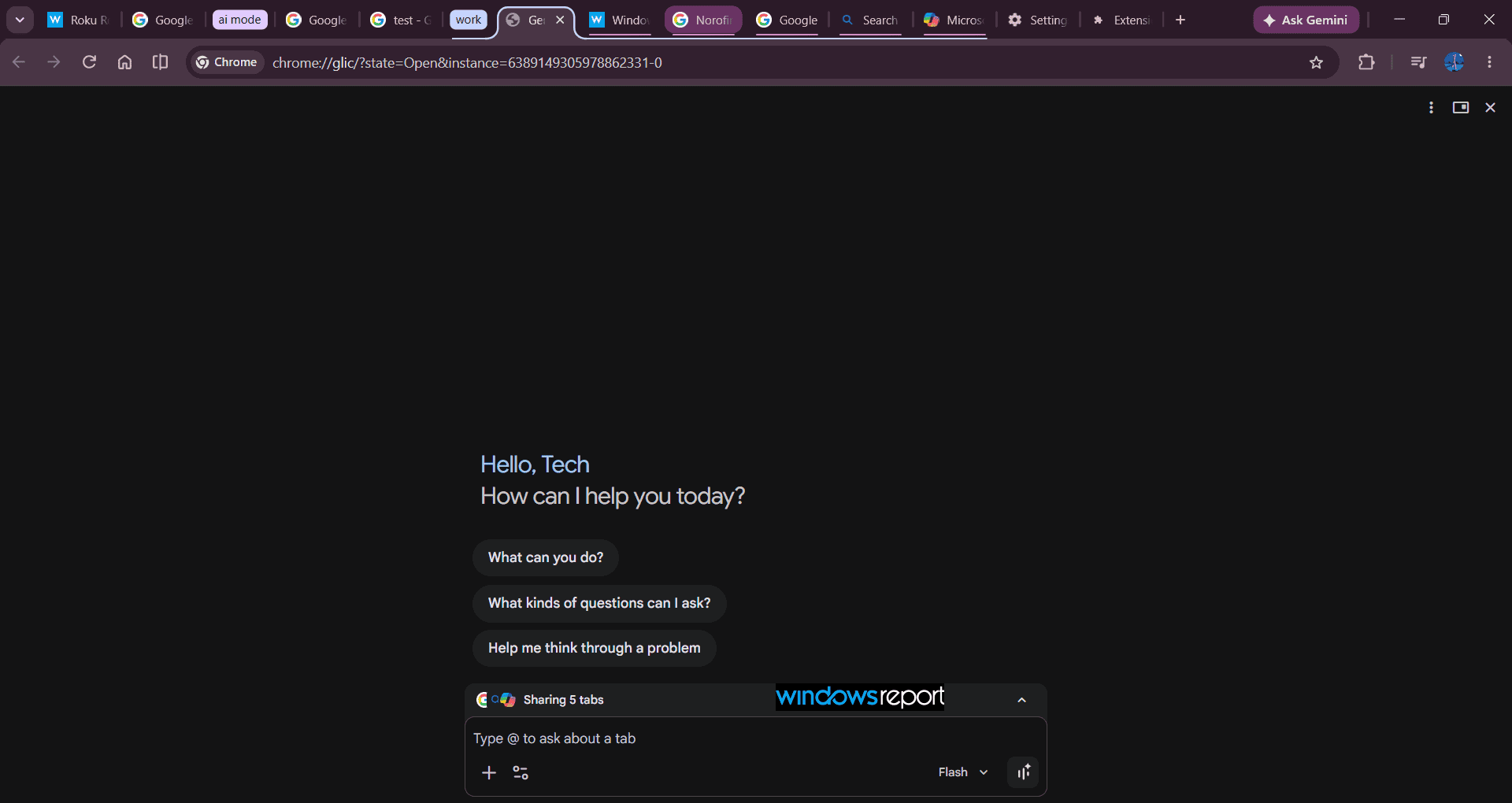
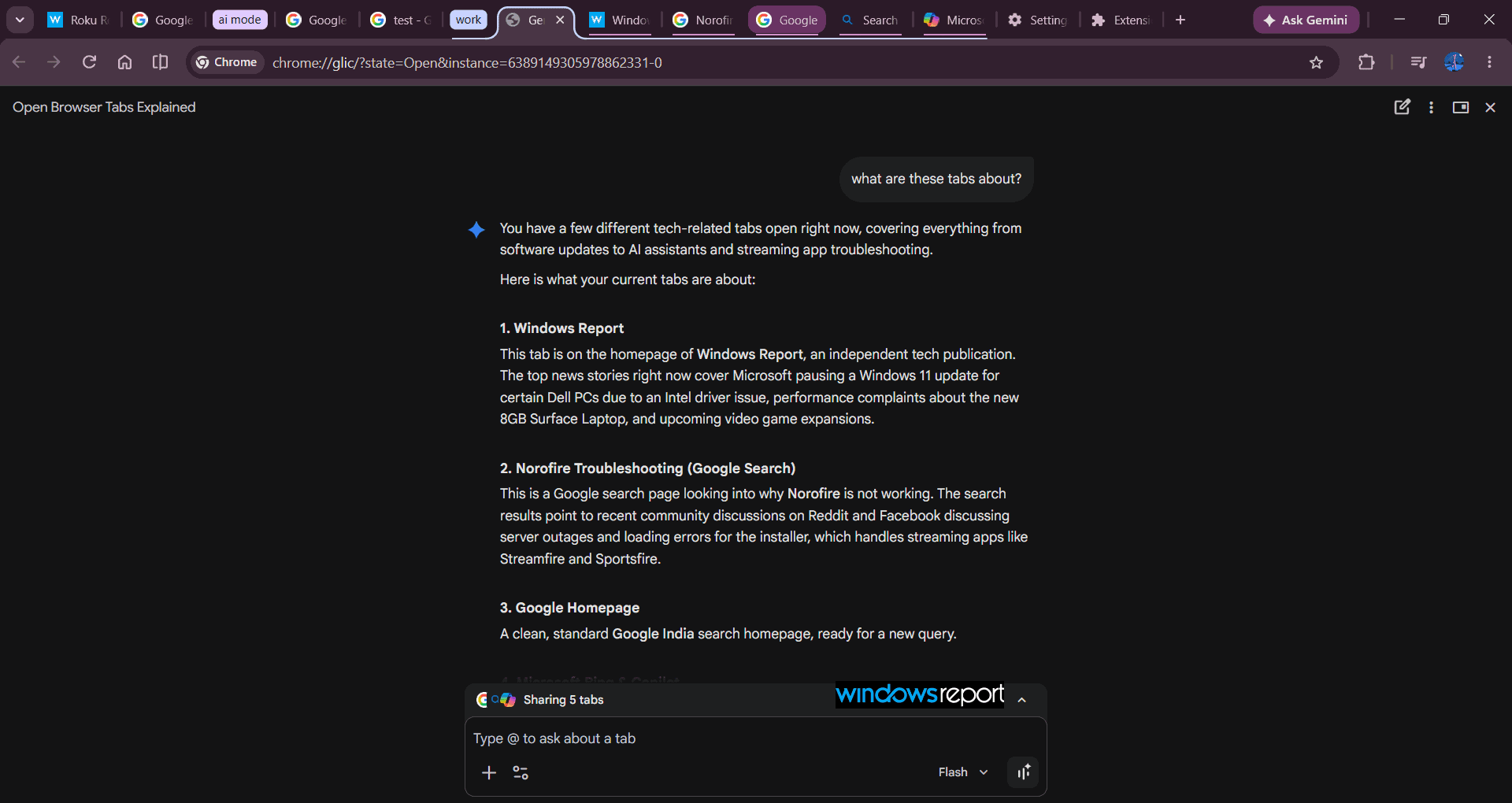
In our testing, selecting “Ask Gemini about this group” opened Chrome’s internal Glic interface with every tab in the selected group automatically shared with Gemini. The assistant then summarized the group and described the contents of individual tabs, showing that Chrome can already pass an entire tab group to Gemini, even though the feature remains experimental.
Windows Report spotted the Chromium Gerrit commit titled “[glic] Integrate Glic with Tab Groups,” which lays out the plan. The change adds Glic Tab Mode support for entire tab groups, turning Glic into what the commit calls a “group-wide assistant.”
Based on the commit, designating a tab group automatically associates a Glic instance with it. You don’t have to manually launch Glic and point it at your tabs. Grouping the tabs does that for you.
Chrome also watches for grouping changes in real time, per the commit. Add a tab to the group and Glic picks it up. Remove one and Glic drops it. No manual re-syncing required.
The commit also describes the integration extending to tab pinning. Glic can pin and unpin tabs within its associated group, meaning it may do more than just answer questions about what’s already there.
The Gemini tab group integration in Chrome is being tested behind a flag you can enable in Canary.

Google has steadily expanded Gemini across Chrome through features such as PDF summarization, selected-text actions, and AI features that can work with browser context. The new tab groups integration builds on that work by letting Gemini understand and answer questions about an entire collection of related tabs instead of a single webpage.


Read our disclosure page to find out how can you help Windows Report sustain the editorial team. Read more



Improve this guide

User forum
0 messages