
Chrome’s Reading Mode Gets 4 New Color Themes for a More Comfortable Read
What’s new with Chrome’s Reading Mode Colors?


 2 min. read
  Published on
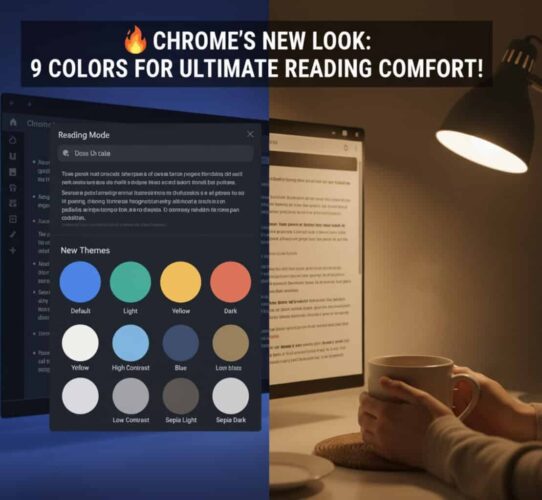
Google is giving its desktop Reading Mode a small makeover. In the latest Chrome Canary update, the company has added four new color theme options: High Contrast, Low Contrast, Sepia Light, and Sepia Dark.
Reading Mode in Chrome for desktop is designed to strip away clutter and make long articles easier to read. It even works in Google Docs and supports Images.
Chrome Reading Mode on Desktop Gets Four New Color Themes
Until now, users only had a handful of themes to choose from: Default, Light, Dark, Yellow, and Blue. With the new update, the total count increases to nine themes, allowing you to change the background to match your style or make things easier to read.
To get started, right-click on a page and select “Open in reading mode.” In the side panel showing readable copy, click the color theme icon on the toolbar and choose a new theme.
The new themes
- High Contrast: Improves text visibility, which is particularly helpful for those with visual impairments.
- Low Contrast: Gives the page a softer look that’s easier on the eyes.
- Sepia Light: Adds a warm, book-like background and gentle colors to help you read comfortably.
- Sepia Dark: Offers a cozy, darker background that’s great for reading at night.
While Reading Mode on desktop has not seen many improvements compared to features like tab groups or side panels, this update shows that Google is still experimenting with ways to make it more useful. The new colors could make Reading Mode more appealing to people who prefer different text backgrounds depending on when and how they read.

The feature is currently live in Chrome Canary and is expected to expand to stable builds later once development is complete.
That’s not all. Google Chrome could soon get a one-click unsubscribe option for web notifications, following its introduction on Android. The browser may also block Picture-in-Picture videos for privacy reasons.
Additionally, Chrome is testing automated passkey upgrades and rollback options for third-party cookie tracking protection.


Read our disclosure page to find out how can you help Windows Report sustain the editorial team. Read more



Improve this guide


User forum
0 messages