
Error Corrupt Log Unavailable 796 (0x31C): How to Fix it
This error is associated with the drive corruption


 2 min. read
  Published on

The ERROR_CORRUPT_LOG_UNAVAILABLE usually affects developers and occurs if there’s a problem with your drive. However, there are a few ways you can fix this problem.
How can I fix ERROR_CORRUPT_LOG_UNAVAILABLE?
1. Use Event Viewer
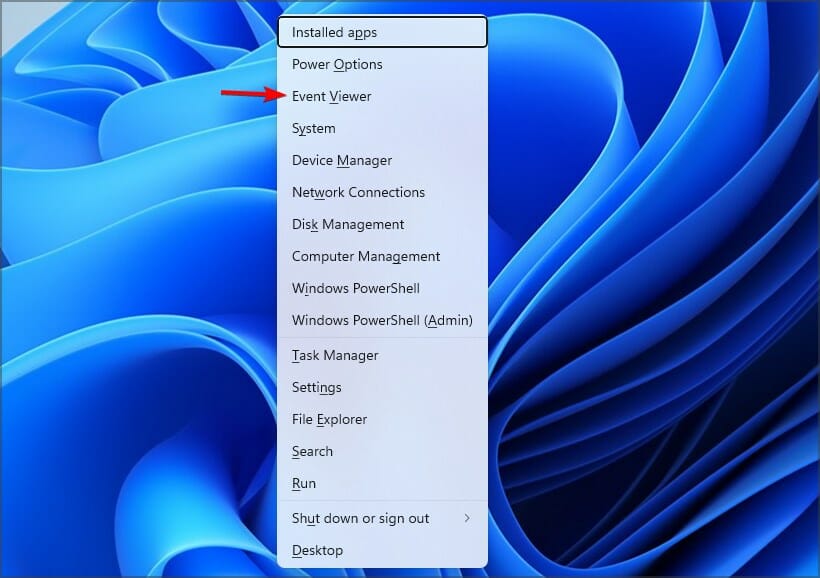
- Press the Windows key + X and choose Event Viewer.
- Go to Windows Logs and select System.
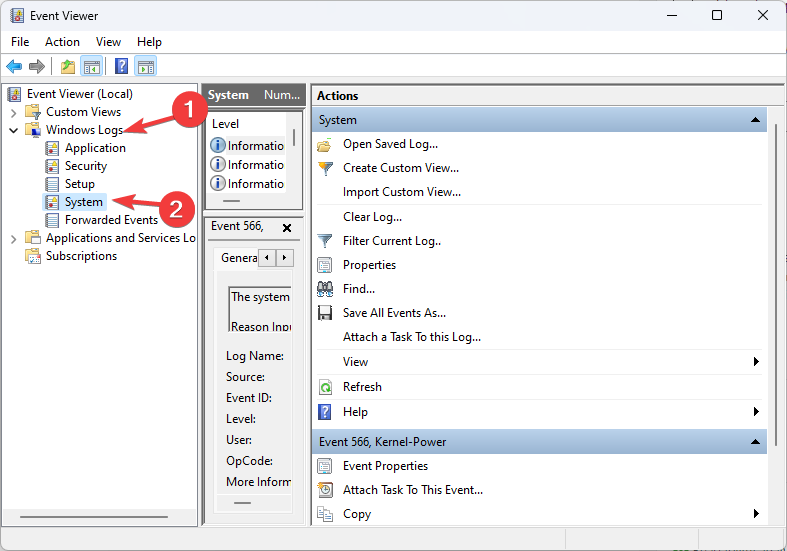
- Look for any errors related to corrupt logs or disk issues.
2. Run chkdsk
- Press the Windows key + S and type cmd. Choose Run as administrator.

- Run the following command:
chkdsk C: /f /r /x
- Press Y to schedule the restart.
- Restart your PC.
3. Repair system files
- Open Command Prompt as administrator.
- Next, run the following command:
sfc /scannow
- Once finished, check if the problem is gone.
- If the issue persists, run
DISM /Online /Cleanup-Image /RestoreHealth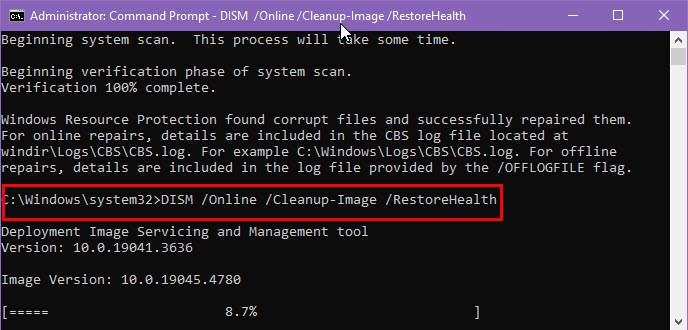
Keep in mind that these scans can take a while, so don’t interrupt them.
4. Check drive health
- Start Command Prompt with administrative privileges.
- Next, run
wmic diskdrive get model,status
- If the status says Caution or Bad, it might be time to back up your drive.
If the error persists, you might have to reinstall Windows and reformat the affected drive.
ERROR_CORRUPT_LOG_UNAVAILABLE often comes with the following message: 796 (0x31C) One of the volume corruption logs is unavailable for being operated on, so it can be easily recognized.
This is one of many developer errors you can encounter, and we already wrote about Error_Log_Hard_Error and Error_Mca_Occured in our previous articles, so don’t miss them.
We also have a guide on ERROR_CORRUPT_LOG_OVERFULL, so you might want to check it out.

Read our disclosure page to find out how can you help Windows Report sustain the editorial team. Read more



Improve this guide



User forum
0 messages