
Facebook Share Button Missing: How To Get It Back


 2 min. read
  Published on
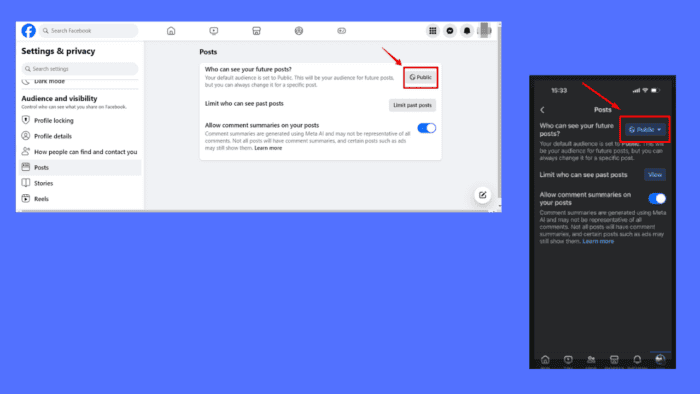
Is your Facebook share button missing? I’ll show you how to get it back and fix it.
Usually, the main reason for this lies in the privacy settings. Let me show you how to deal with this below!
How To Get the Missing Facebook Share Button Back
I’ll show you how to restore the share button on both Desktop and mobile Facebook versions.
On Desktop
Follow the below steps:
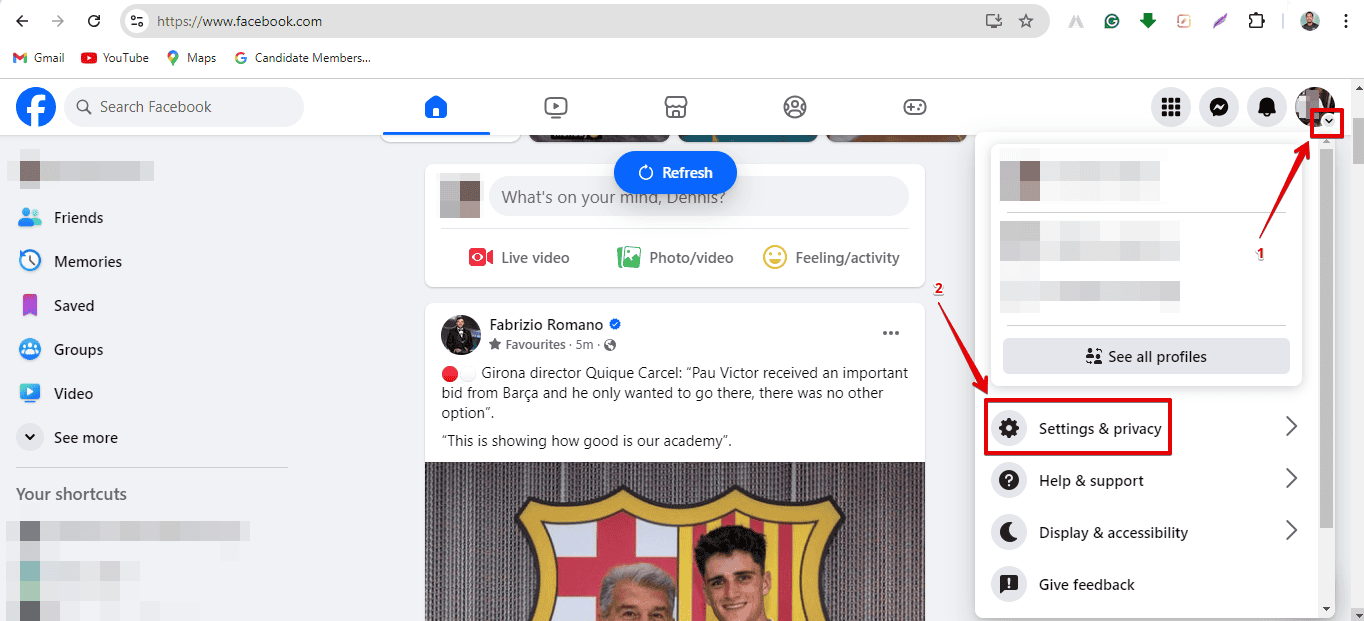
- Open your favorite browser and log into Facebook. Tap the drop-down arrow next to your profile picture at the top right, then select Settings & privacy.
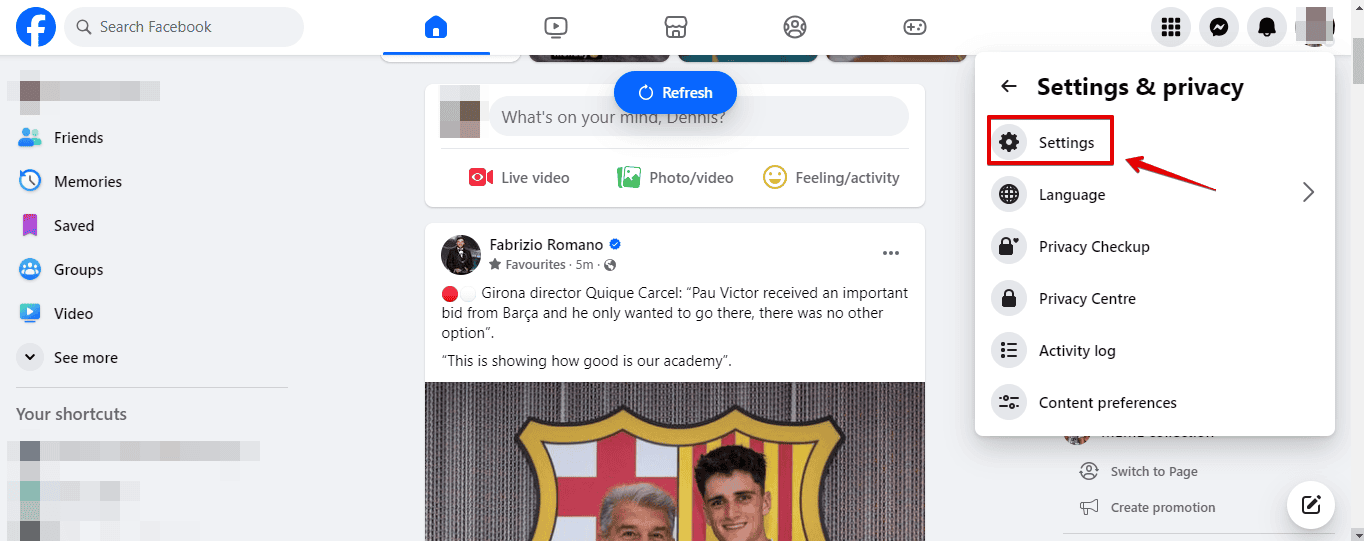
- Click Settings.
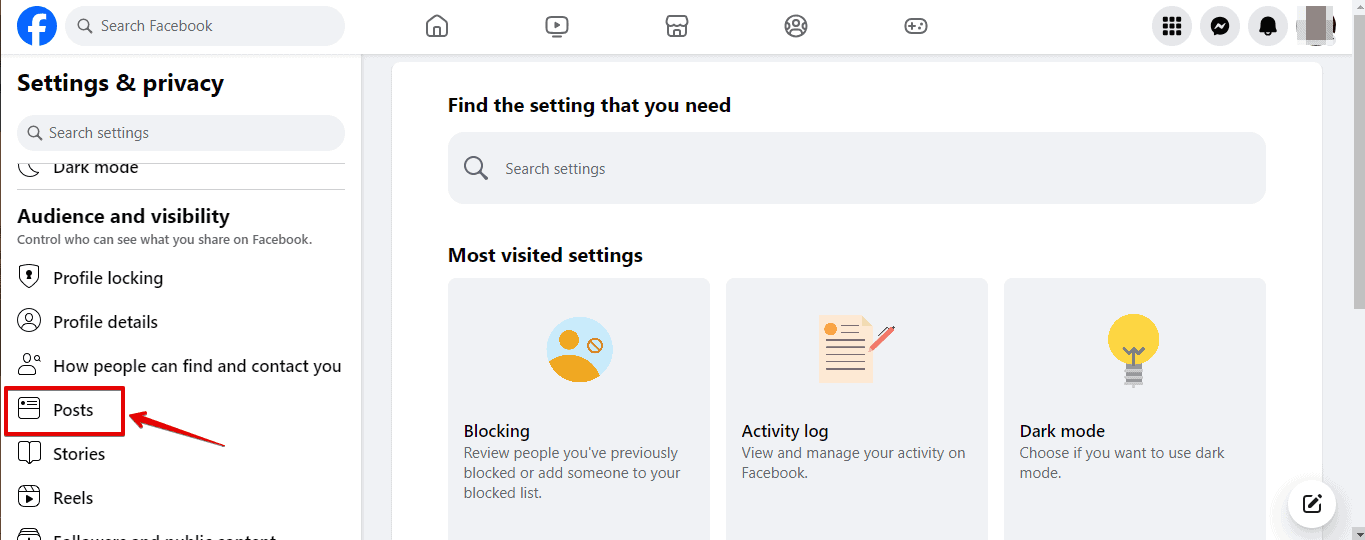
- Scroll on the left panel and select Posts under Audience and Visibility.
- Set who can see your future posts to Public.
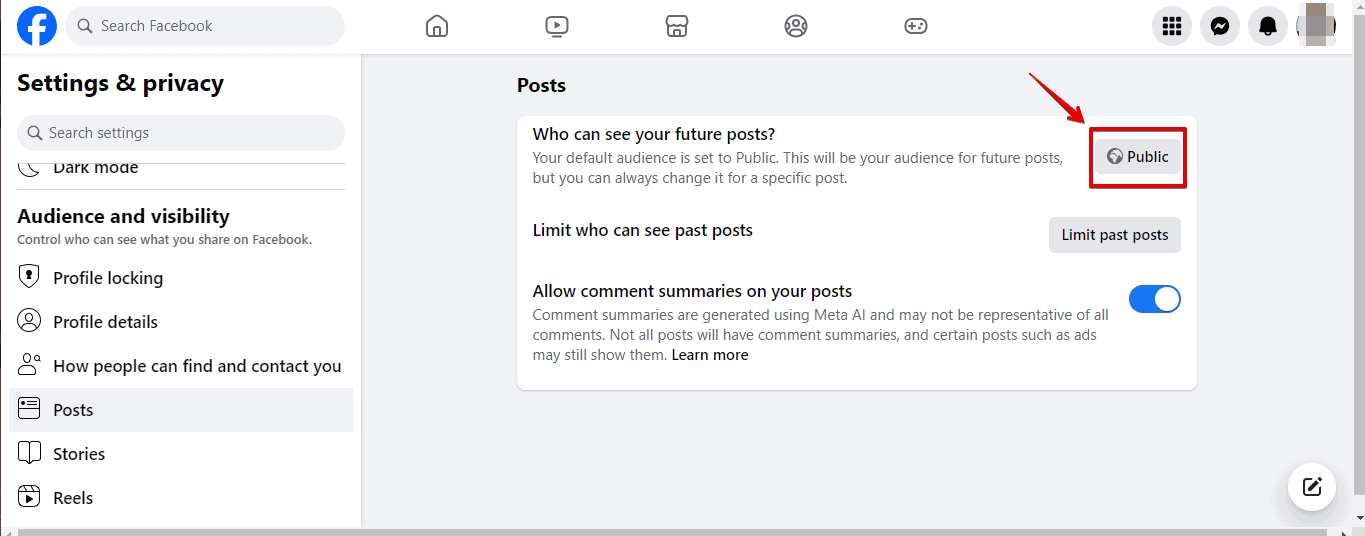
Ask a friend to check your posts, and they’ll notice that the share button is available.
On Mobile
Here are the steps to follow:
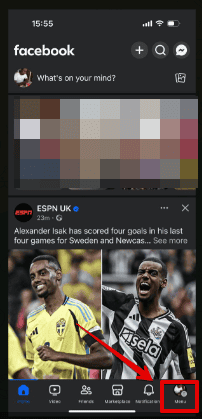
- Log into your Facebook app and tap the profile icon in the bottom right corner.
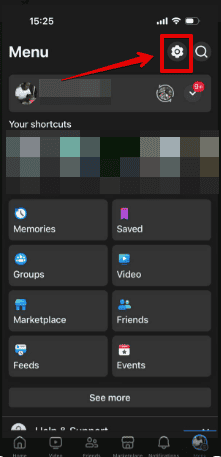
- Click the setting gear on the top right corner.
- Scroll down and tap Posts under Audience and Visibility.
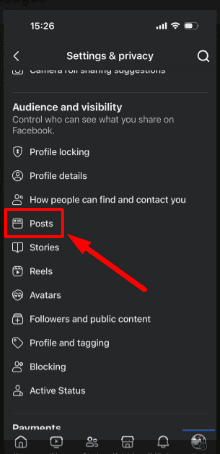
- Tap on Who can see your future posts and select Public.
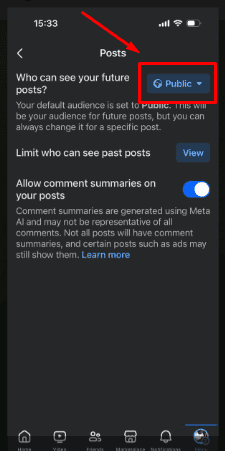
The share button should now be visible on your posts.
The Facebook share button goes missing due to privacy settings that limit post visibility. Adjusting your post’s audience to “Public” ensures that others can share your content. I’ve included steps for the desktop and mobile versions.
Also, learn to fix Facebook if it’s not working with Chrome or not showing birthdays or the Add friend button.

Read our disclosure page to find out how can you help Windows Report sustain the editorial team. Read more



Improve this guide



User forum
0 messages