
Firefox Adds Microsoft Copilot AI to Its Sidebar — But Will Users Accept It?
Copilot arrives in Firefox Nightly with Quick Response, Think Deeper, and Smart GPT-5 modes,


 3 min. read
  Published on
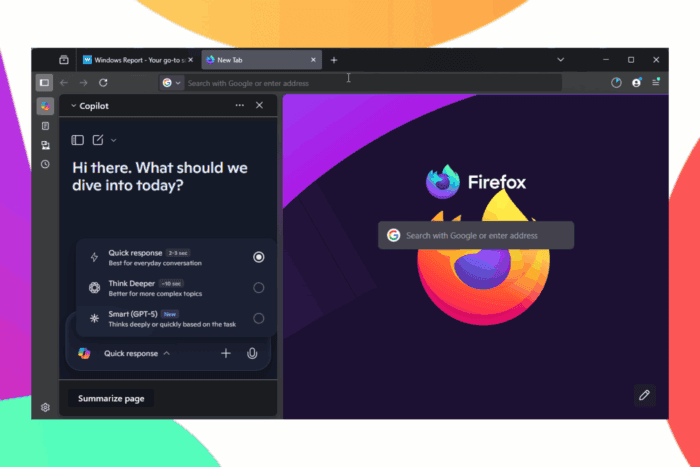
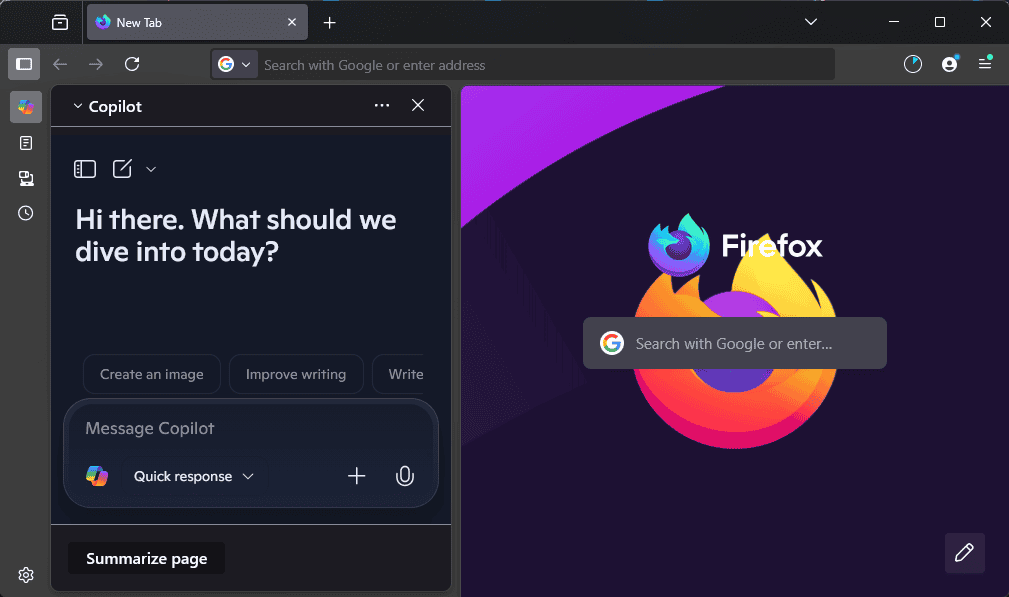
After starting work on MKV Video support, Mozilla has added Microsoft Copilot to Firefox’s sidebar as a built-in AI chatbot, available in Nightly. Copilot appears alongside ChatGPT, Claude, and Gemini, giving Firefox users direct access to Microsoft’s flagship AI tool without leaving the browser.
Copilot’s Chat Options in Firefox
Inside the sidebar, Copilot comes with three modes:
- Quick Response: fast answers for everyday queries.
- Think Deeper: slower, more detailed replies for complex topics.
- Smart (GPT-5): a new adaptive setting that balances depth and speed.
These options mirror what Copilot offers in Edge, though in Firefox, they remain limited to the sidebar interface.
How to Use Copilot in Firefox’s Sidebar
You can try Copilot directly inside Firefox’s sidebar by following these steps:
- Open Settings in Firefox.
- Under “Browser Layout”, make sure “Show Sidebar” is enabled.
- Click the Sidebar icon on the toolbar.
- From the list of chat providers, select Copilot.
- Start chatting with Copilot right inside the sidebar.
Why It Took Time?
Mozilla has been working on adding Copilot for months, but the feature never reached release until now. During that time, the company has steadily expanded its AI integrations, from chatbots to tab grouping experiments, proofreading, and summarization tools.

Mixed Community Reaction
Not all Firefox users welcome these changes. The community has a history of being resistant to AI additions:
For instance, the “Summarize” option in the sidebar, which was recently promoted with pop-ups, drew complaints. Earlier AI features in Firefox also caused serious performance issues, leading to CPU spikes and battery drain, which Mozilla later fixed.
Many users cite privacy concerns and skepticism about embedding AI tools directly into the browser. Mozilla has also faced backlash for testing Perplexity AI as a search option, which divided opinions.

What This Means for Firefox
By adding Copilot, Mozilla is moving closer to Chrome and Edge, both of which have leaned heavily into AI. The difference is that in Firefox, Copilot is optional, aligning with Mozilla’s philosophy of giving users choice and control.
Copilot is Microsoft’s main AI tool, long positioned as a key feature of its Edge browser. By integrating Copilot into Firefox, Microsoft is ending that exclusivity.
For Mozilla, this is a big change. The company has been very cautious and deliberate with AI features, so adding Copilot suggests they are now more willing to compete directly with other browsers.
Overall, Copilot is no longer just for Edge. Its arrival in Firefox could change how people see both companies in the race to offer the best AI-powered browser.


Read our disclosure page to find out how can you help Windows Report sustain the editorial team. Read more



Improve this guide




User forum
1 messages