
Former Microsoft Engineer Reveals How Task Manager Calculates CPU Usage
Original Task Manager developer breaks down how it works


 2 min. read
  Published on
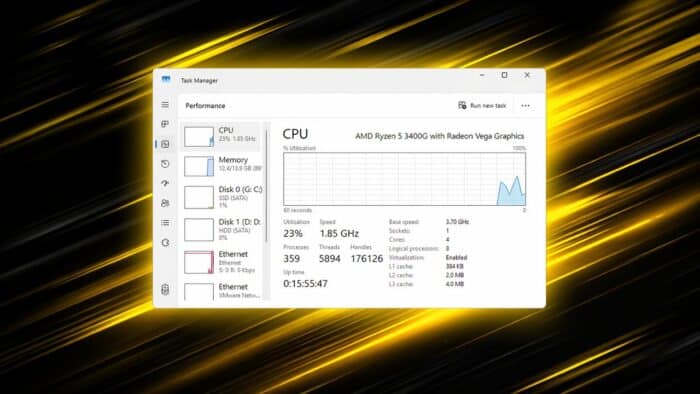
Dave Plummer, the engineer behind the original Windows Task Manager, has clarified how CPU usage is actually calculated, highlighting why the numbers users see can sometimes feel misleading.
Why CPU usage is more complex than it looks
As reported by Tom’s Hardware, Plummer said that CPU usage is not a simple “busy vs idle” measurement. What appears as a straightforward percentage is actually the result of deeper system-level accounting.
Task Manager does not track instantaneous CPU activity. Instead, it relies on periodic sampling and calculations over short time intervals.
How Task Manager calculates CPU usage
Task Manager operates as a timer-driven tool rather than a real-time monitor. It gathers CPU time data for each process, including both user and kernel activity.
It then compares the current reading with the previous one, calculates the difference, and determines usage within that interval. Finally, it divides this value by the total CPU time consumed by all processes.
This method ensures consistency and avoids relying on potentially uneven UI refresh timing.
Why the numbers can feel inaccurate
Because Task Manager shows averaged values between refresh intervals, it does not reflect sudden spikes or short bursts of activity.
Users may notice a mismatch between what they see and how the system feels. A system can feel slow even if CPU usage appears moderate, or vice versa.
Modern CPUs make it harder to measure
Today’s processors introduce additional complexity. Features like dynamic frequency scaling, turbo boost, thermal throttling, and deep idle states all affect how CPU time translates into actual work.
As a result, CPU time no longer directly represents performance in a simple way.
A simplified view of a complex system
Plummer notes that an ideal metric would measure work completed versus maximum possible output. Current CPU percentages do not fully capture that.
Task Manager is not incorrect. It presents a simplified, consistent interpretation of a much more complex system that has evolved beyond a single easy-to-understand metric.
In other news, the KB5083769 update has left some systems stuck in recovery loops. Microsoft has also released emergency updates for Windows Server and rolled out improvements to the Windows Recovery Environment.

Read our disclosure page to find out how can you help Windows Report sustain the editorial team. Read more



Improve this guide



User forum
0 messages