
Google Expands Gemini-Powered Chrome Features to India, Canada, and New Zealand


 2 min. read
  Published on
Google is expanding Gemini-powered Chrome features to users in India, New Zealand, and Canada. The latest features in Chrome are powered by Gemini 3.1, which first landed in the U.S. back in January this year. To catch you up, Gemini-powered Chrome browsing has been available to U.S. users since September last year.
Gemini 3.1-powered features in Chrome expand beyond the U.S
As part of the rollout, Gemini now works as a built-in assistant that sits inside the browser. You can open the side panel and ask questions, summarize long web pages, or generate ideas without switching tabs. Earlier this year, Windows Report also reported that Gemini features were available in Chrome Beta for some Indian users. At the time, Gemini could do all the things we just pointed out before.
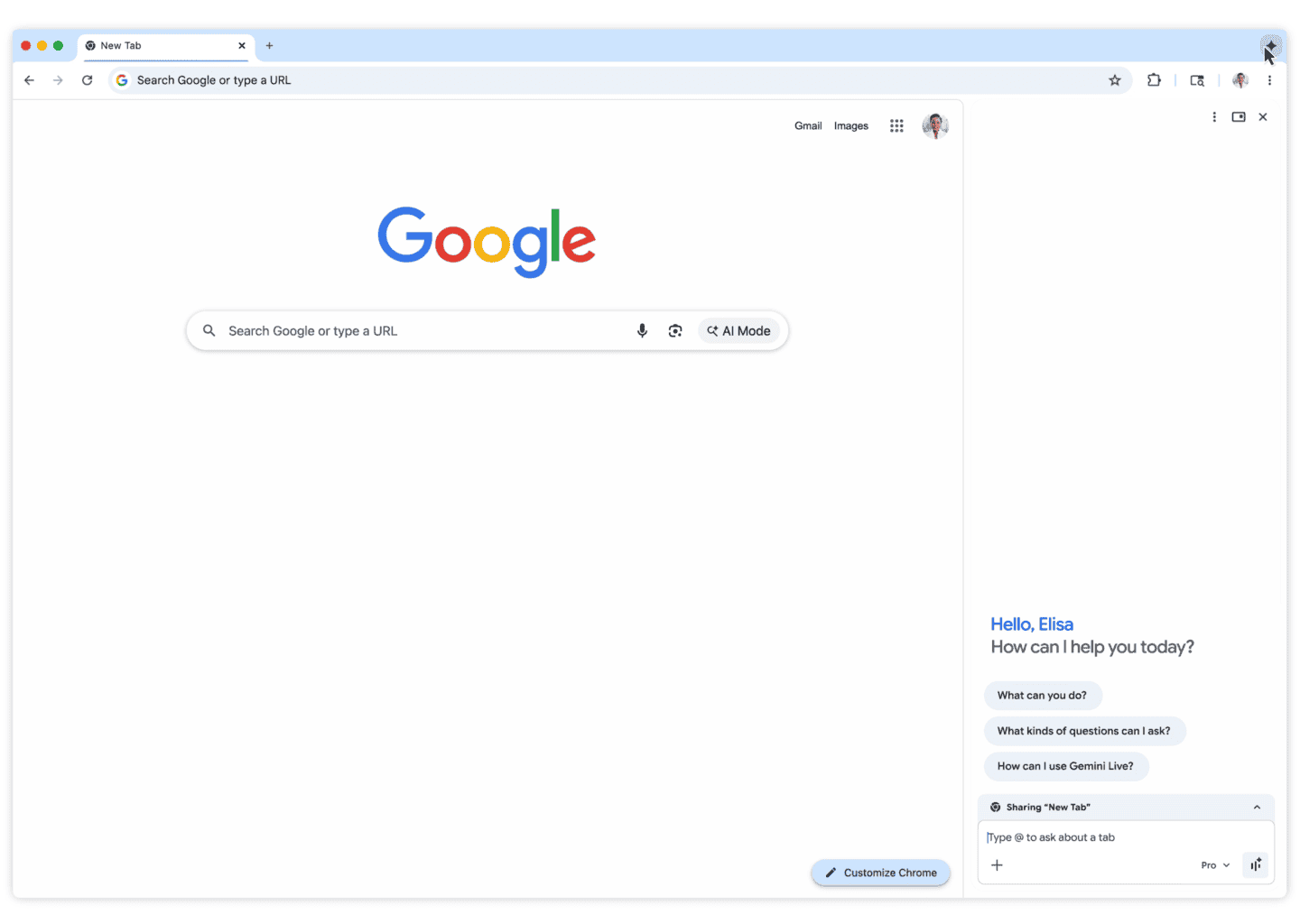
For example, Gemini can turn a lengthy article into key points, create study quizzes, or adjust recipes based on dietary preferences. Chrome can even remember previously visited pages, which helps you close the endless stack of tabs many people keep open. That’s not all; Google is also expanding language support to more than 50 languages, including Hindi, French, and Spanish.
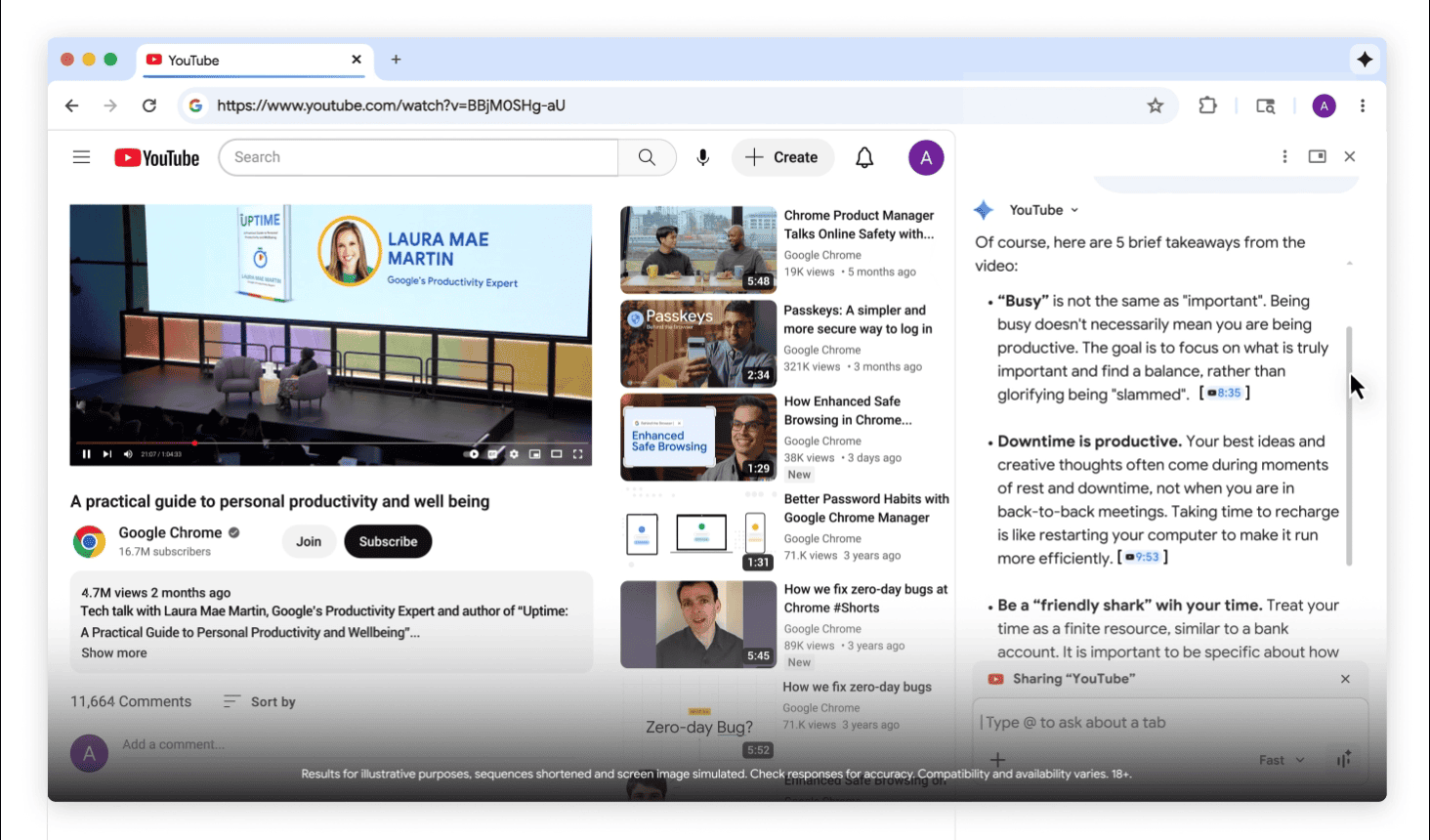
Gemini inside Chrome also integrates with several Google services. You can interact with Gmail, Maps, Calendar, and YouTube directly from the browser’s side panel. In other words, things like drafting emails, checking locations, scheduling meetings, or summarizing YouTube videos can be done without leaving the current tab.
If you are into shopping, Chrome’s AI tools can also analyze multiple open tabs at once. This allows users to compare products across sites or combine research into a single summary. Google is also integrating the Nano Banana 2 image model, which allows users to edit images directly on web pages using prompts. In other news, Google is also testing Gemini antiscam protection in Chrome.
As noted by Google, the latest rollout will initially reach desktop and iOS users, including those on Mac, Windows, and Chromebook Plus devices. On Android, you can activate Gemini while using Chrome or other apps simply by holding the power button.

Read our disclosure page to find out how can you help Windows Report sustain the editorial team. Read more



Improve this guide



User forum
0 messages