
How to Link Your Child's Account in ChatGPT for Parental Oversight & Control


 3 min. read
  Published on
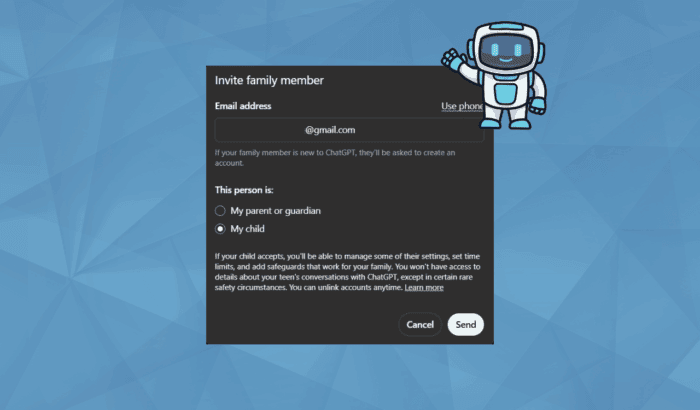
Late last month, OpenAI introduced parental controls for ChatGPT. The option helps parents link accounts with their teens, manage how the chatbot is used, and set limits for safer, more age-appropriate conversations. The update also includes new safety filters, a parent resource hub, and alerts for potential well-being concerns. In this guide, we’ll walk you through every steps to set up parental controls in ChatGPT.
How to Set up Parental Controls in ChatGPT for Your Teen’s Safety
Setting up ChatGPT’s parental controls is simple. Here’s how to do it:
1. Invite your teen using Parental Controls setting
Parents can start by sending an invitation link to their teen’s ChatGPT account. Here’s how to do it:
- Open ChatGPT linked to parent’s email
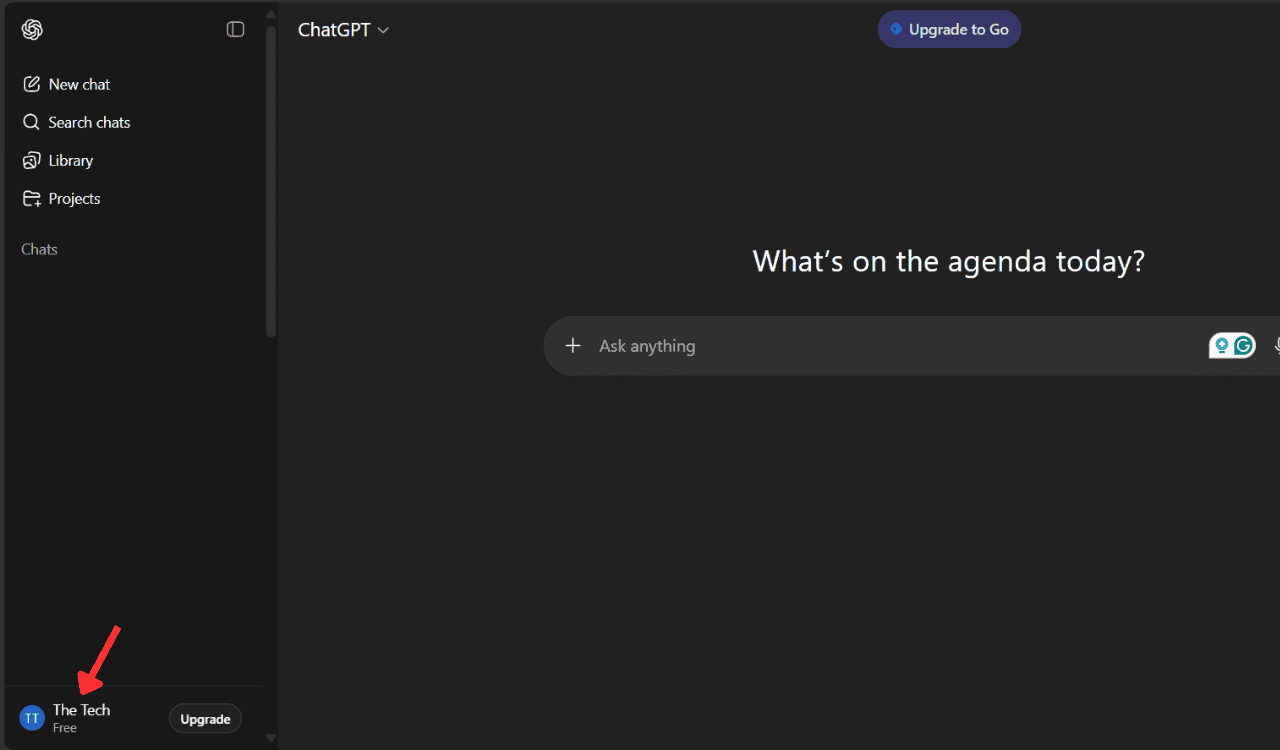
- Then, click on the profile option from the bottom left
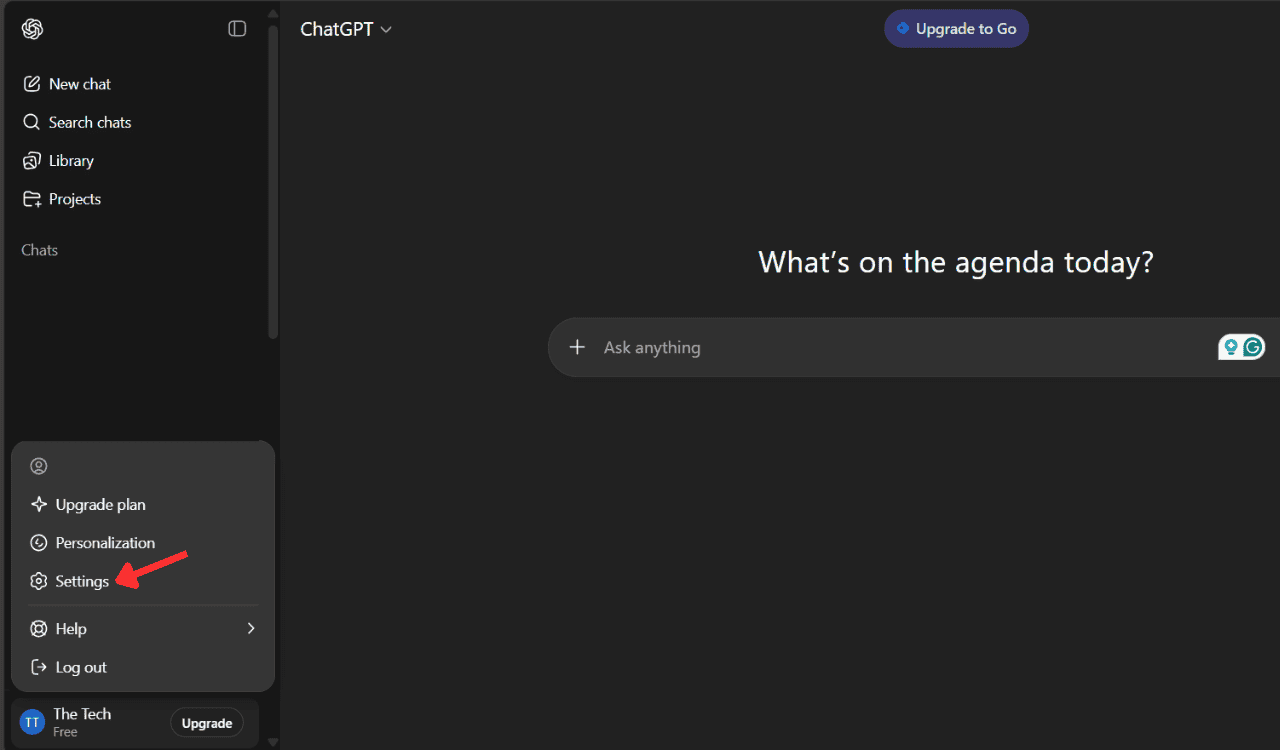
- Next, click on Settings
- Now, tap on the Parental Controls option as seen below
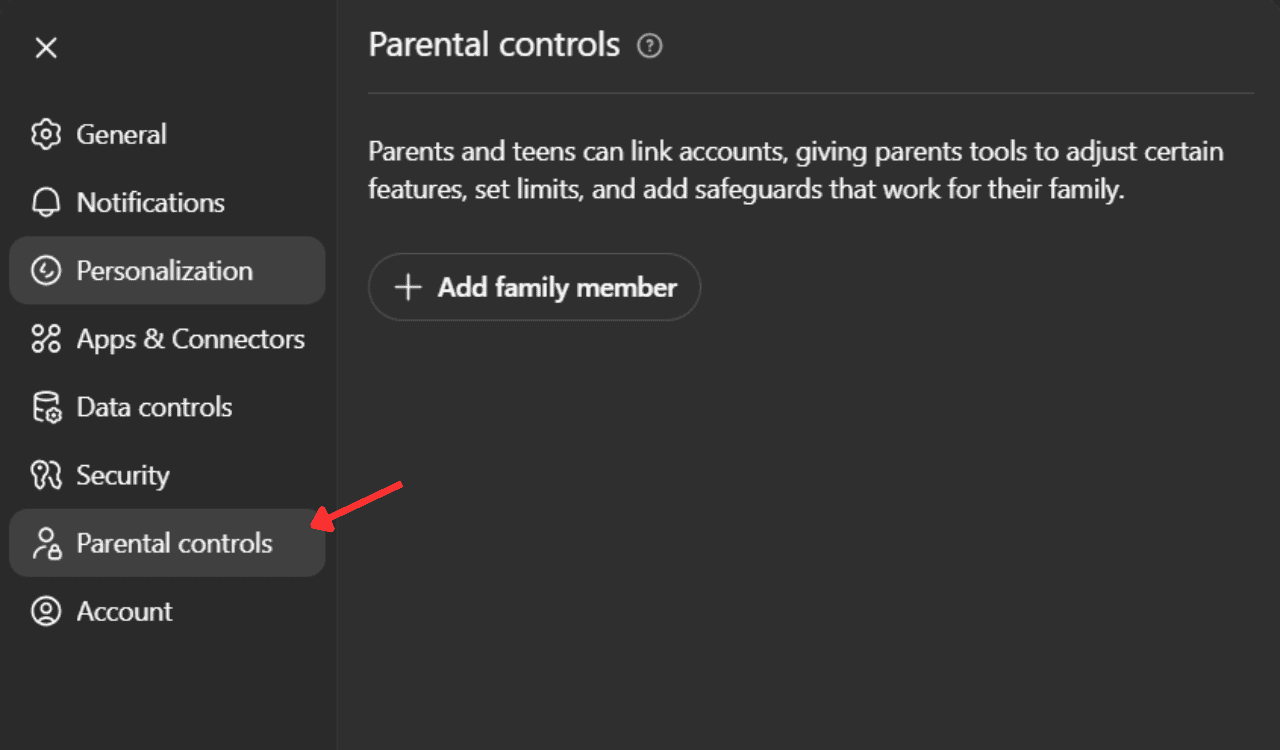
- Then, click on Add family member
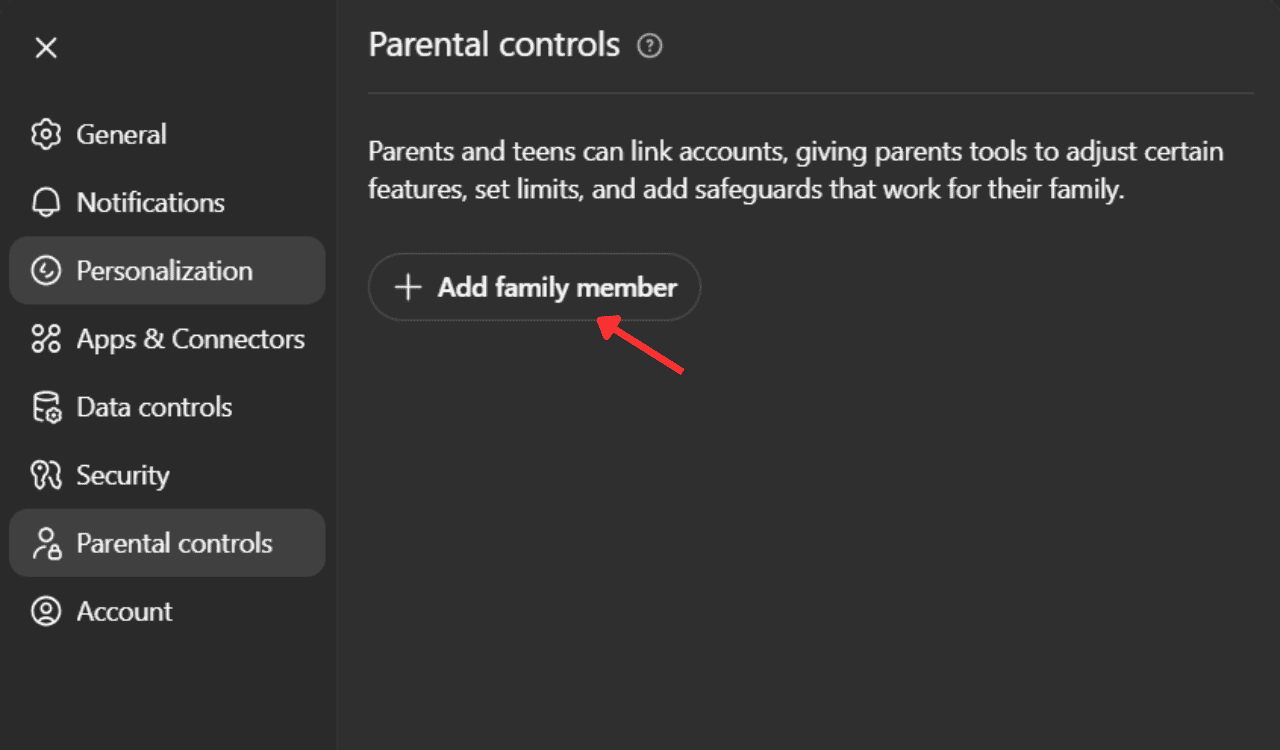
- Now, enter your teens email and hit Send button.

Once the teen accepts, both accounts are linked and you as a parent can start monitoring your teens activity inside ChatGPT. OpenAI will send an email similar to this:

2. Manage Teen Safety Notifications
After linking, parents can open safety notifications panel, to get notified about ther child’s activity in ChatGPT. Here’s what the OpenAI’s mentions about teen safety notifications inside ChatGPT:
Teen safety notifications: Choose how we should contact you if our trained reviewers identify that your teen has asked ChatGPT about certain serious safety concerns.
3. Monitor well-being alerts
If ChatGPT detects signs that a teen might be struggling with self-harm or distress, OpenAI’s team reviews the case. In serious matter, parents may receive alerts via push notifications and email notifications.
Summing up
That’s all we have for you in this guide for setting up parental controls in ChatGPT. In an era where AI’s dominance is getting much bigger, it’s important for parents to take care of their kids. OpenAI, bring one of the biggest players in the AI industry, knows this and doing its bit to protect kids interaction with the AI assistant.
If you want to change your ChatGPT password, you can follow this quick guide here. Once that’s done, you can customize ChatGPT to match your tone or preferences by tweaking its settings, learn how to do it here. And if you’d like to take it further, you can even train ChatGPT to respond more personally by following the steps outlined here.

Read our disclosure page to find out how can you help Windows Report sustain the editorial team. Read more



Improve this guide

User forum
0 messages