
Latest Windows 11 Beta Build Adds a Handy New Cursor Tool, Phone Link Upgrades & More
Windows 11 Insider Preview Build 26220.9568 is out in the Beta Channel


 2 min. read
  Published on

Microsoft has released Windows 11 Insider Preview Build 26220.9568 to the Beta Channel, and this one brings a few genuinely useful changes for accessibility, Phone Link, Magnifier and File Explorer.
Windows 11 gets a new way to find your cursor
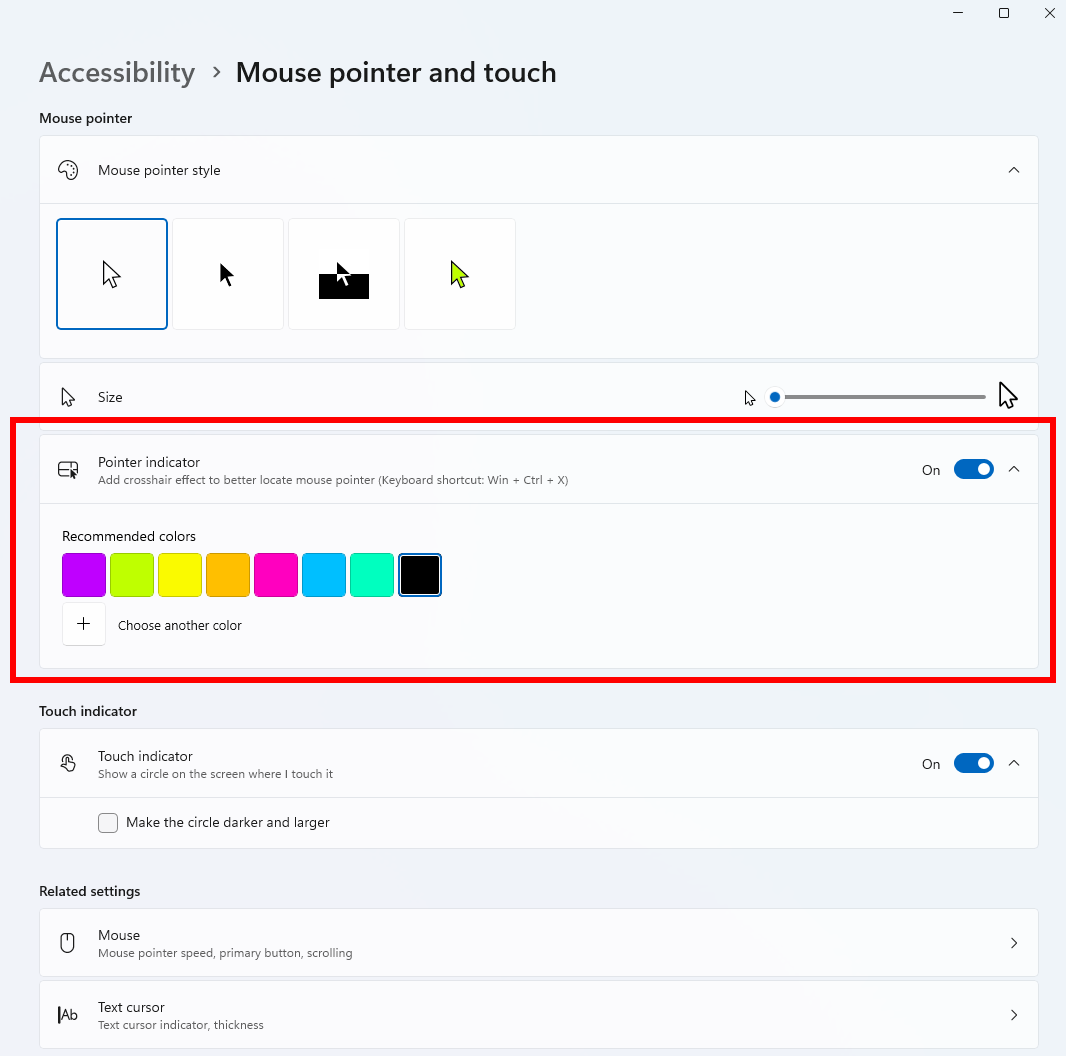
The biggest addition is Pointer Indicator, a new accessibility feature designed to make the mouse cursor easier to locate, especially for users with low vision. You can enable it from Settings > Accessibility > Mouse pointer and touch, or search for Pointer Indicator directly in Settings. Once enabled, the feature can also be toggled using Windows + Ctrl + Shift + X.
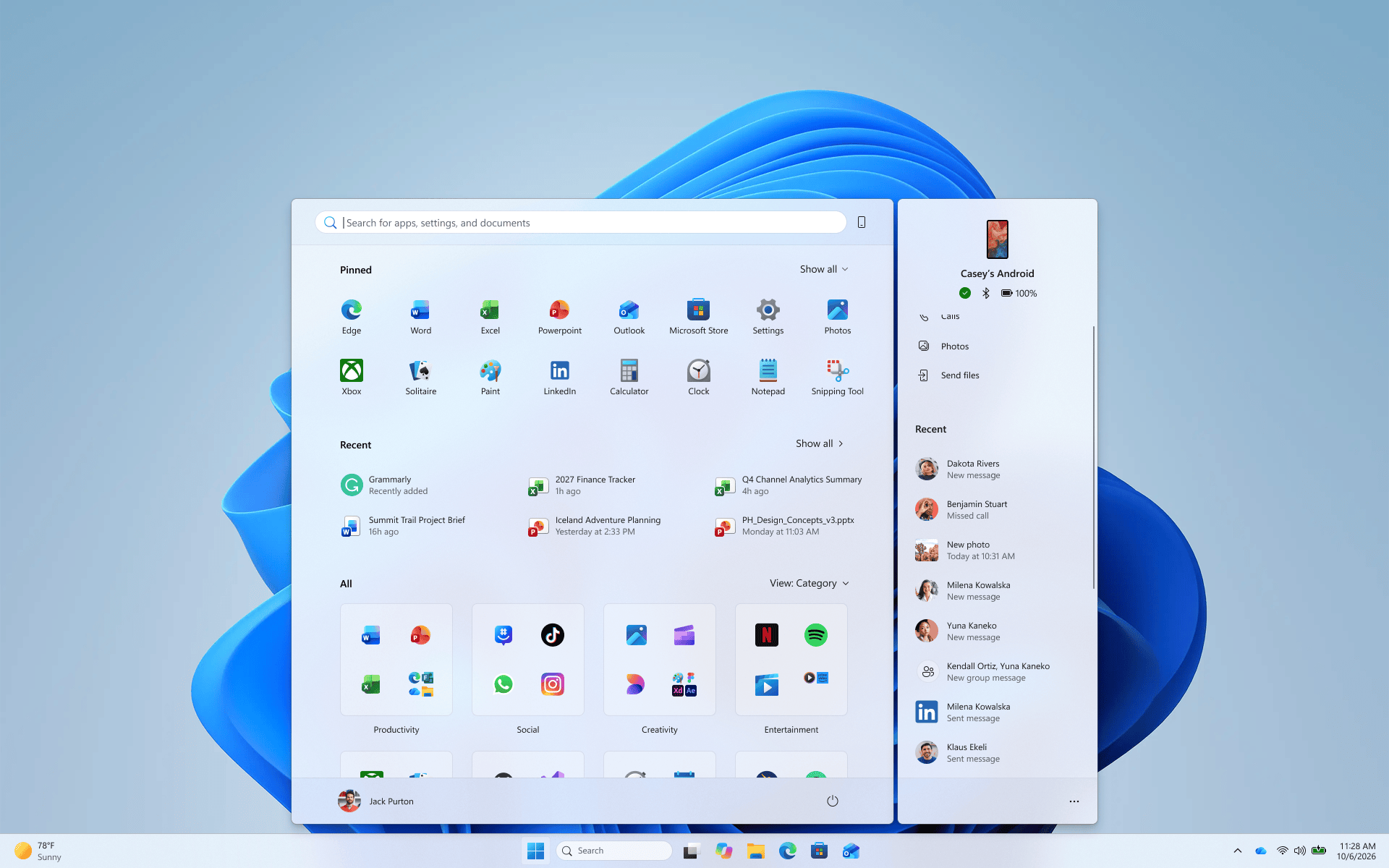
Microsoft is also making Phone Link more useful directly from the Start menu. Recent messages and notifications can now be previewed by hovering over them, meaning users can quickly check what came in without opening the notification or reaching for their phone. The Phone Link change is rolling out to Beta Channel Insiders with Phone Link version 1.26021.3.0 or newer.
Magnifier gets a much-needed lower-glare option
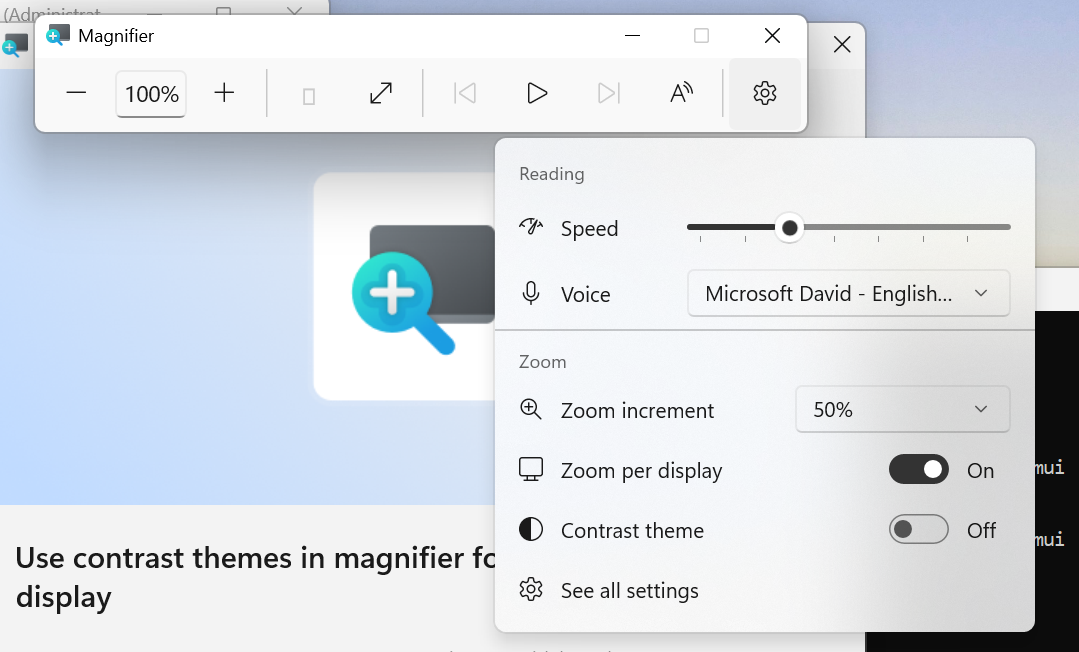
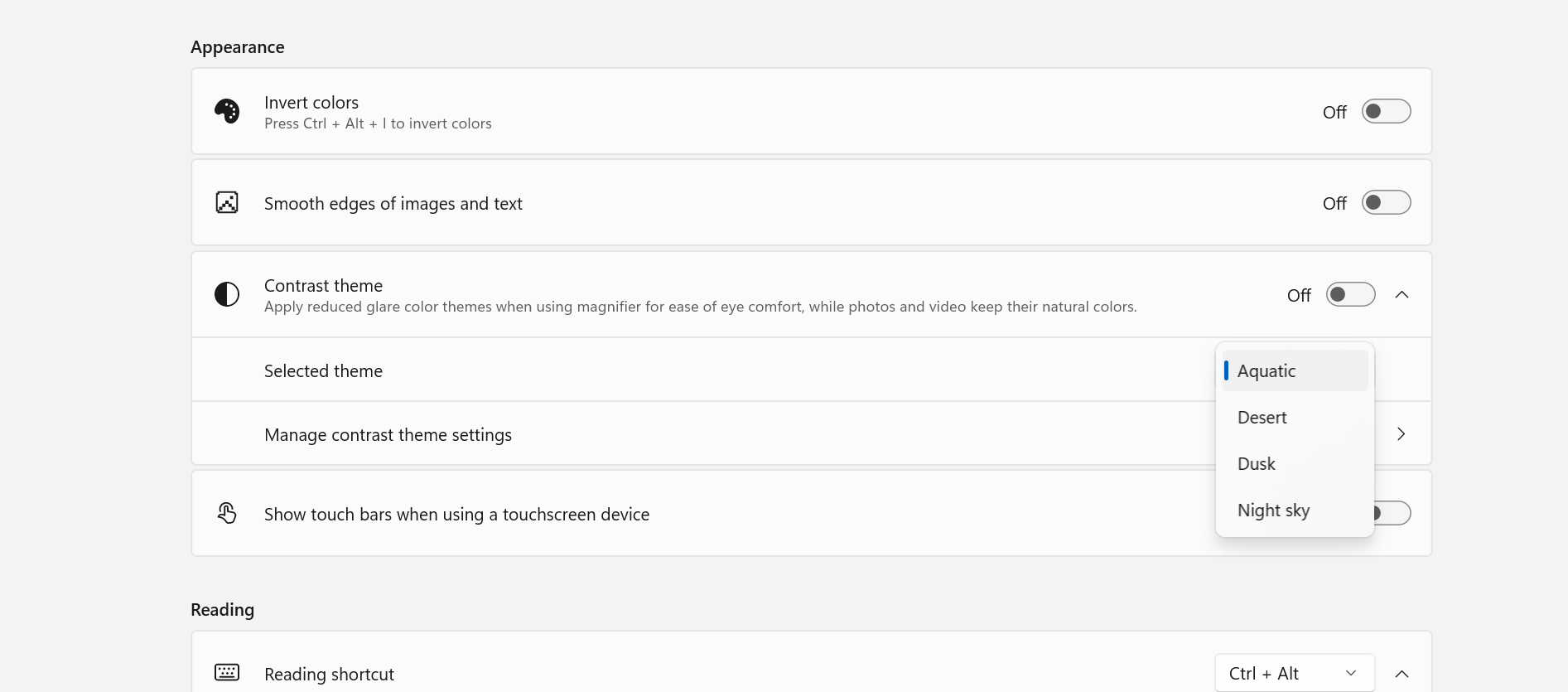
Microsoft is also adding a new contrast theme toggle to Magnifier. Instead of using color inversion, which changes the appearance of everything on screen, the new option darkens the interface while keeping photos, videos and charts in their original colors. Users can select the preferred contrast theme under Settings > Accessibility > Magnifier.
File Explorer is getting a smaller but welcome change too. The Folder Options dialog now supports dark mode. Microsoft has also fixed an issue affecting some USB Audio Class 1.0 devices, including certain multichannel headsets, that could stop working correctly after recent updates. Finally, Windows 11 Build 26220.9568 includes some visual refinements to the Temporary files section under Settings > System > Storage. Moreover, the company has also released Build 28020.3112 to the Beta Channel for devices running the 26H1 branch.

Read our disclosure page to find out how can you help Windows Report sustain the editorial team. Read more



Improve this guide


User forum
0 messages