
Microsoft 365 Copilot App Gets Voice Support on Mobile; Coming for Desktop Soon
Now you can talk to Copilot and get real-time spoken replies


 2 min. read
  Published on
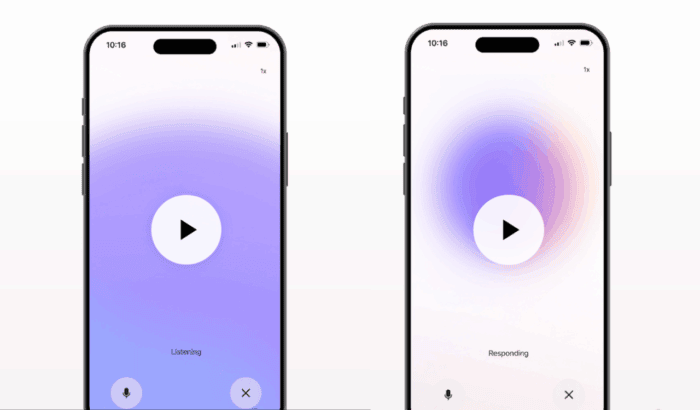
If you’ve ever wanted to talk to Microsoft 365 Copilot instead of typing, the wait is over. Microsoft has officially rolled out voice support in the Copilot mobile app. In other words, you can speak naturally with the AI assistant, interrupt it mid-conversation, and receive spoken responses in real time.
How Voice Works in Copilot App on Mobile
Microsoft says users can start a new voice chat directly from the input box in the Copilot app. During conversations, you can interrupt Copilot mid-sentence, ask it to adjust its tone or speed, or simply hit “Mute” or “End voice chat” to stop. All text transcripts from these sessions are saved under “Conversations,” so you can revisit or resume later. You can check demonstration here.
The voice support in Microsoft 365 Copilot is rolling out currently on iOS and Android. Do note that this feature is only available to those having Copilot license. With the latest update to its AI assiastant, Microsoft plans to make work more flexible and hands-free.
As with text chats, voice chat follows Microsoft’s enterprise-grade privacy and compliance standards. Microsoft confirms that no voice data is stored. However, text transcripts remain subject to retention and audit policies.
Moreover, Microsoft plans to expand availability to all Copilot users, including those without a full Microsoft 365 Copilot license, in the coming months.

Read our disclosure page to find out how can you help Windows Report sustain the editorial team. Read more



Improve this guide



User forum
0 messages