
Chrome Adds Save Video Frame Button to Global Media Controls
The new button lets you save the current video frame as a PNG image without opening the video's right-click menu.


 2 min. read
  Published on
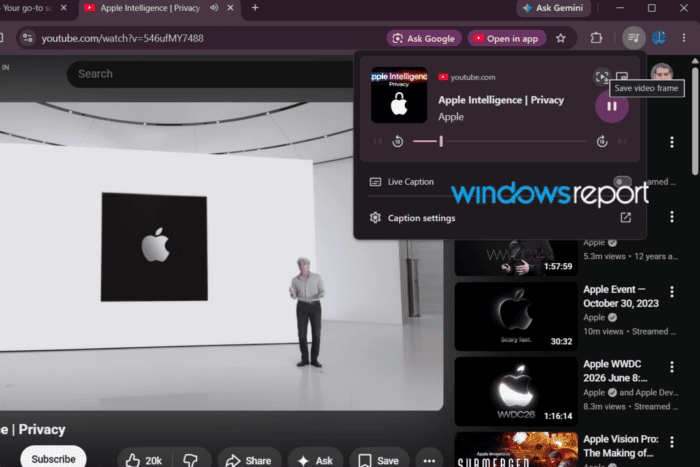
Chrome Canary has picked up a new Save video frame option in Global Media Controls, bringing video frame capture to the browser’s media panel. We tested the feature, and it saves the current frame as a PNG image with a single click.
The option appears in Global Media Controls (GMC), the panel that opens from Chrome’s media button while audio or video is playing. Instead of opening the video’s right-click menu, you can capture the current frame directly from Chrome’s media controls.
In our testing on YouTube, the Save video frame icon appeared at the top of the panel, next to the Cast button and before Picture-in-Picture. Hovering over it showed a “Save video frame” tooltip. Clicking the button immediately downloaded the current frame as a PNG image with a filename such as videoframe_96171.png. The saved image matched the frame visible when the button was pressed.
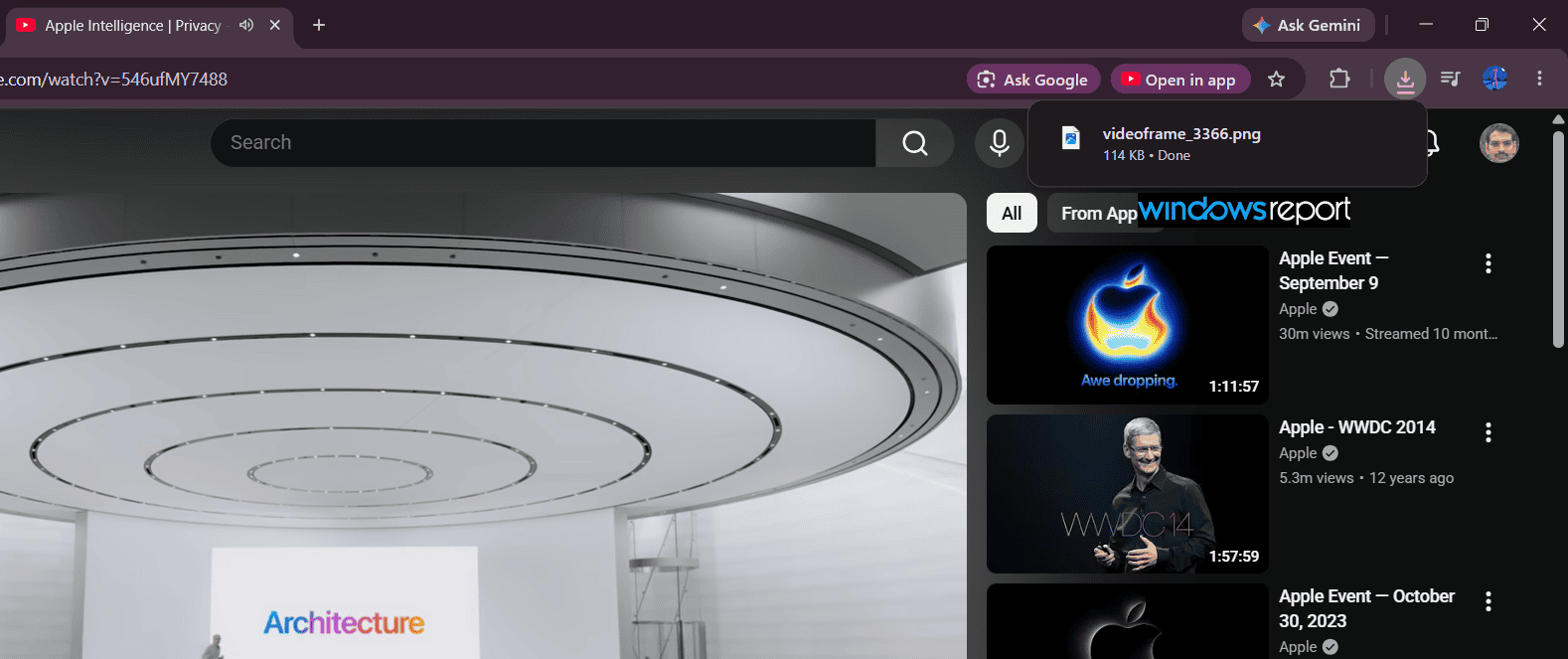
This isn’t a new capability for Chrome. The browser already supports Save video frame as from the context menu on supported HTML5 videos, including YouTube.
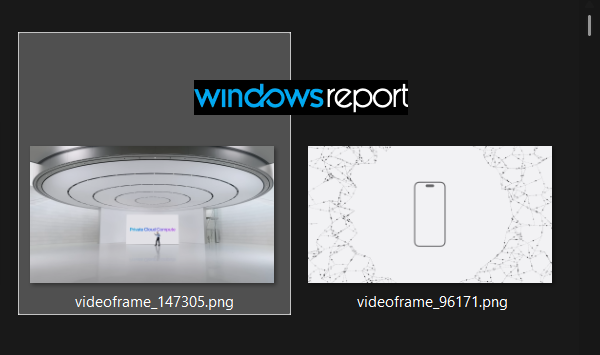
The difference is that the feature is now available from GMC, so you don’t have to interact with the video player or open its right-click menu to capture a frame. For anyone who regularly grabs still images from videos, the new button removes the extra step of taking and cropping a screenshot.
We first spotted this feature in a Chromium commit back in April. It has now landed in Chrome 152 Canary, where we verified it works in our testing.


Read our disclosure page to find out how can you help Windows Report sustain the editorial team. Read more



Improve this guide



User forum
0 messages