
Microsoft Added These New Features to Excel in May 2026


 2 min. read
  Published on
We are back with another monthly roundup of features Microsoft introduced to Excel in May 2026. Considering how aggressively Microsoft is integrating Copilot across its apps and services, it wasn’t surprising to see new AI features in Excel.
Excel’s Copilot experience has been redesigned again
One of the biggest changes revolves around how Copilot itself appears inside Excel. Microsoft says it reduced the number of Copilot entry points down to just two main locations across Windows and Mac versions of Excel. The goal apparently is to make the interface feel cleaner and less cluttered while keeping AI tools easier to access.
There is also a new dock option that lets users reposition the Copilot panel while working. Besides that, Microsoft added curated smart suggestions and refreshed keyboard shortcuts for making the overall experience feel more keyboard friendly.

Microsoft increasingly wants Copilot behaving like a built-in workspace assistant rather than a separate AI chatbot floating beside documents.
Excel formulas can now pull live web data through Copilot
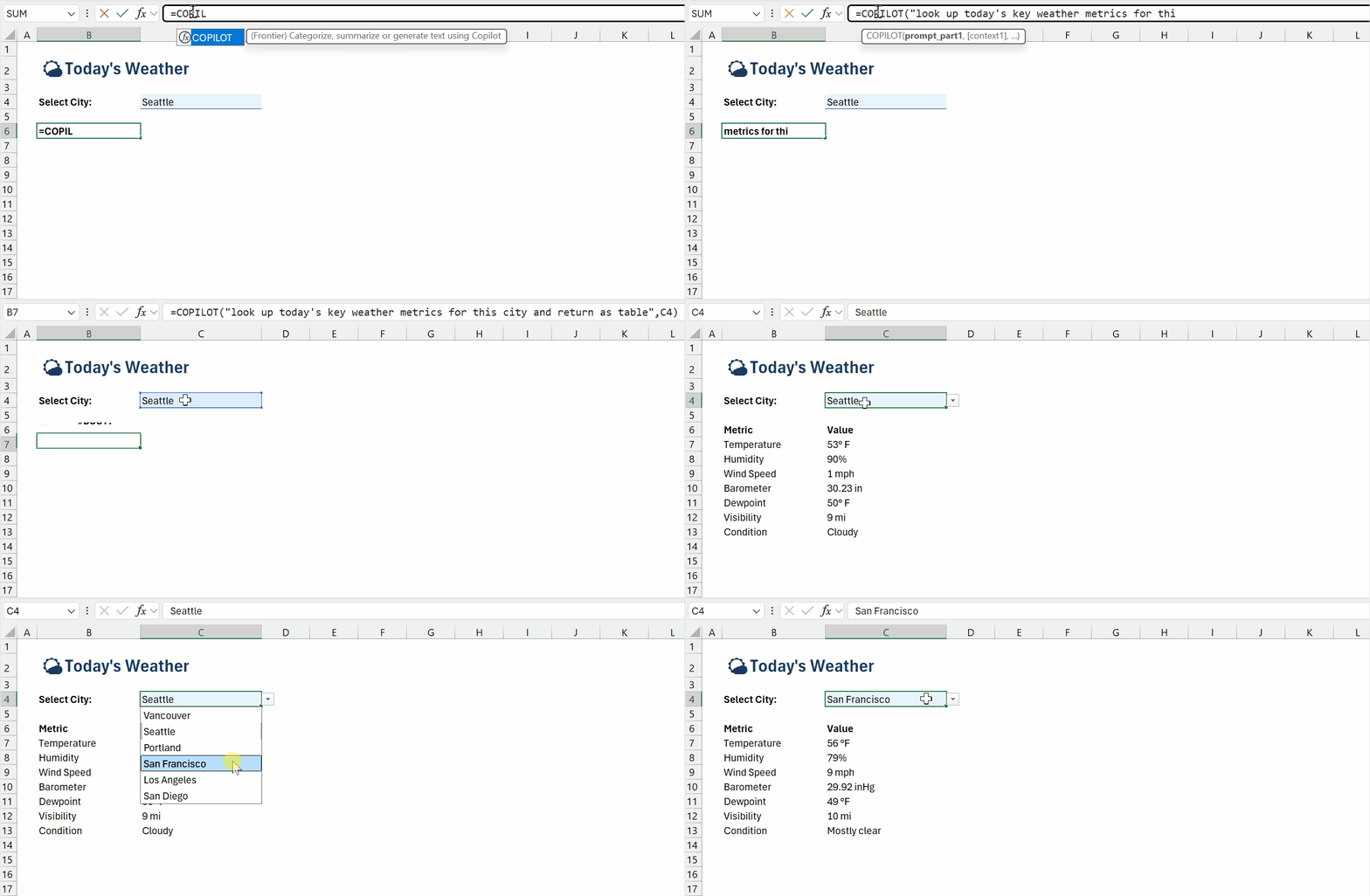
Meanwhile, Microsoft also upgraded the experimental =COPILOT formula for Insiders. The feature can now search the web directly and pull live information into spreadsheets through formulas themselves. That means users potentially can fetch current company information, benchmarks, external data, or other web-based details without manually leaving Excel. For now, these updates remain limited to Insider and Frontier testing channels across Windows, Mac, and web versions.
Microsoft also wants AI edits to become more transparent
Over on Excel for web, Microsoft introduced a new “Show Changes” experience to Copilot-generated edits. Whenever collaborators modify spreadsheets using AI assistance, Excel now displays attribution markers and Copilot icons showing exactly where AI contributed changes.
The company says the feature is designed to improve transparency and make AI-assisted collaboration easier to track across shared workbooks.

Which of the aforementioned features did you find useful? Let us know in the comments below.

Read our disclosure page to find out how can you help Windows Report sustain the editorial team. Read more



Improve this guide




User forum
0 messages