
Microsoft Confirms Point-in-time Restore for Windows 11 is Now Available for Everyone


 2 min. read
  Published on
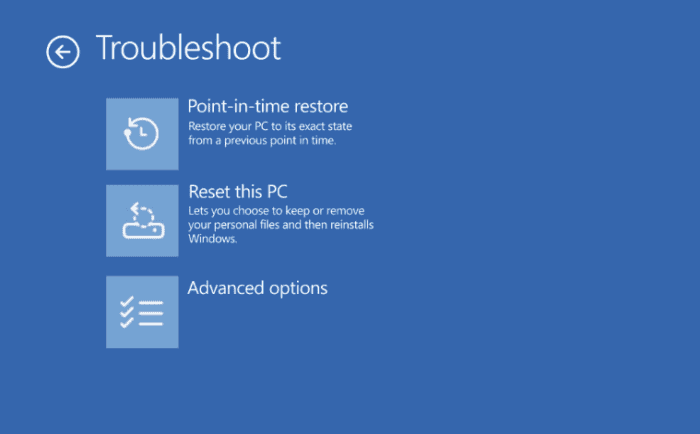
Windows PCs have become far more resilient over the years, but recovering from a broken update, faulty driver, or corrupted application can still be a frustrating experience. Microsoft now wants to change that by making system recovery far less frustrating for both everyday users and IT administrators.
The company has officially announced the general availability of Point-in-Time Restore for Windows 11, a new built-in recovery feature designed to roll a PC back to an earlier working state in minutes instead of hours. The capability is now available across Windows 11 Home, Pro, and Enterprise editions running version 24H2 and later.
Windows 11 can now roll back to an earlier state
Unlike the legacy System Restore feature, Point-in-Time Restore captures complete restore points automatically on a scheduled basis, storing them locally on the device. These restore points include the Windows operating system, installed applications, system and app configurations, settings, and even local user files.
Microsoft says the feature is designed to help recover from a wide range of issues, including problematic Windows updates, driver failures, broken applications, configuration mistakes, and other changes that leave a PC unstable or unable to boot properly.
By default, Windows creates a restore point every 24 hours, although Enterprise administrators can configure restore frequency, retention periods, and storage limits through management policies.
A More Modern Recovery Experience
The new recovery system is deeply integrated into Windows 11 instead of relying on the older Control Panel-based System Restore experience. Users can configure the feature through Settings > System > Recovery, while actual restores are performed through the Windows Recovery Environment for a more secure recovery process.
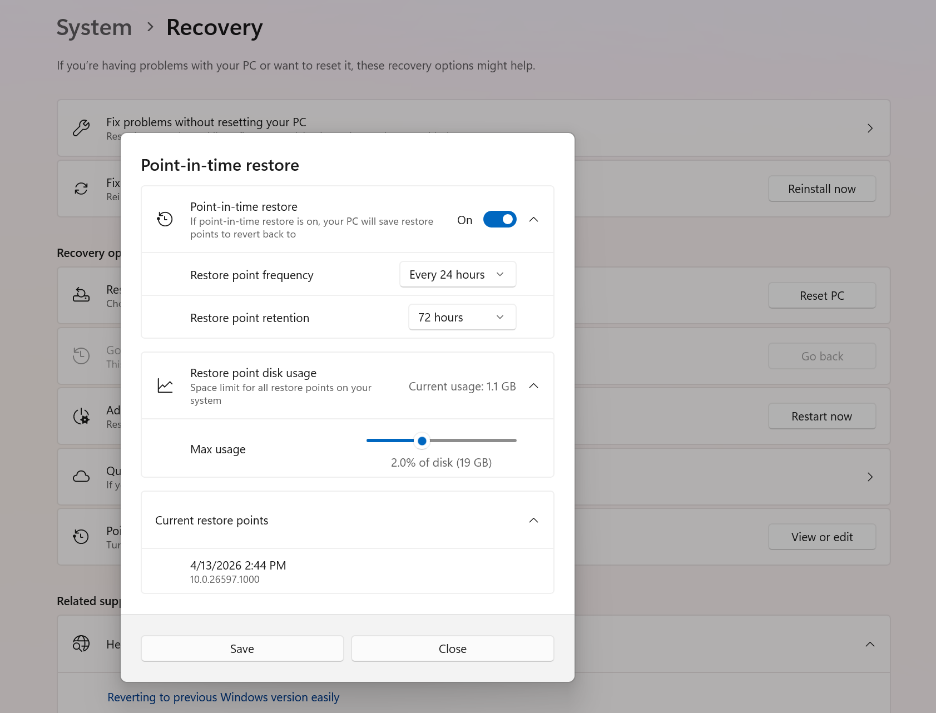
Microsoft also says Point-in-Time Restore is smarter about storage management by integrating with Reserved Storage to minimize disk usage. Restore points remain available for up to 72 hours by default before older snapshots are automatically removed.
There are a few important limitations to keep in mind. Any files, applications, or settings created after the selected restore point will be lost, BitLocker-protected devices require the recovery key before restoration begins, and restore points remain stored locally on the device.
Furthermore, Microsoft has also confirmed that remote restore initiation through Intune is planned for a future update, giving IT administrators another tool for recovering Windows devices at scale.

Read our disclosure page to find out how can you help Windows Report sustain the editorial team. Read more



Improve this guide




User forum
0 messages