
Microsoft Expands Auto SR to Intel Core Ultra Series 3 PCs With AI-Powered Gaming Boost


 2 min. read
  Published on

Microsoft is expanding its Auto SR technology to Intel Core Ultra Series 3-based Copilot+ PCs in order to give more Windows PC gamers access to AI-powered upscaling without requiring individual game developers to add support.
Auto SR comes to Intel Core Ultra Series 3
Microsoft announced the expansion yesterday, saying Auto SR can now be used on PCs powered by Intel Core Ultra Series 3 processors. The feature uses the system’s NPU to upscale games from a lower rendering resolution to a higher effective resolution, potentially improving frame rates while keeping visuals close to the original presentation.
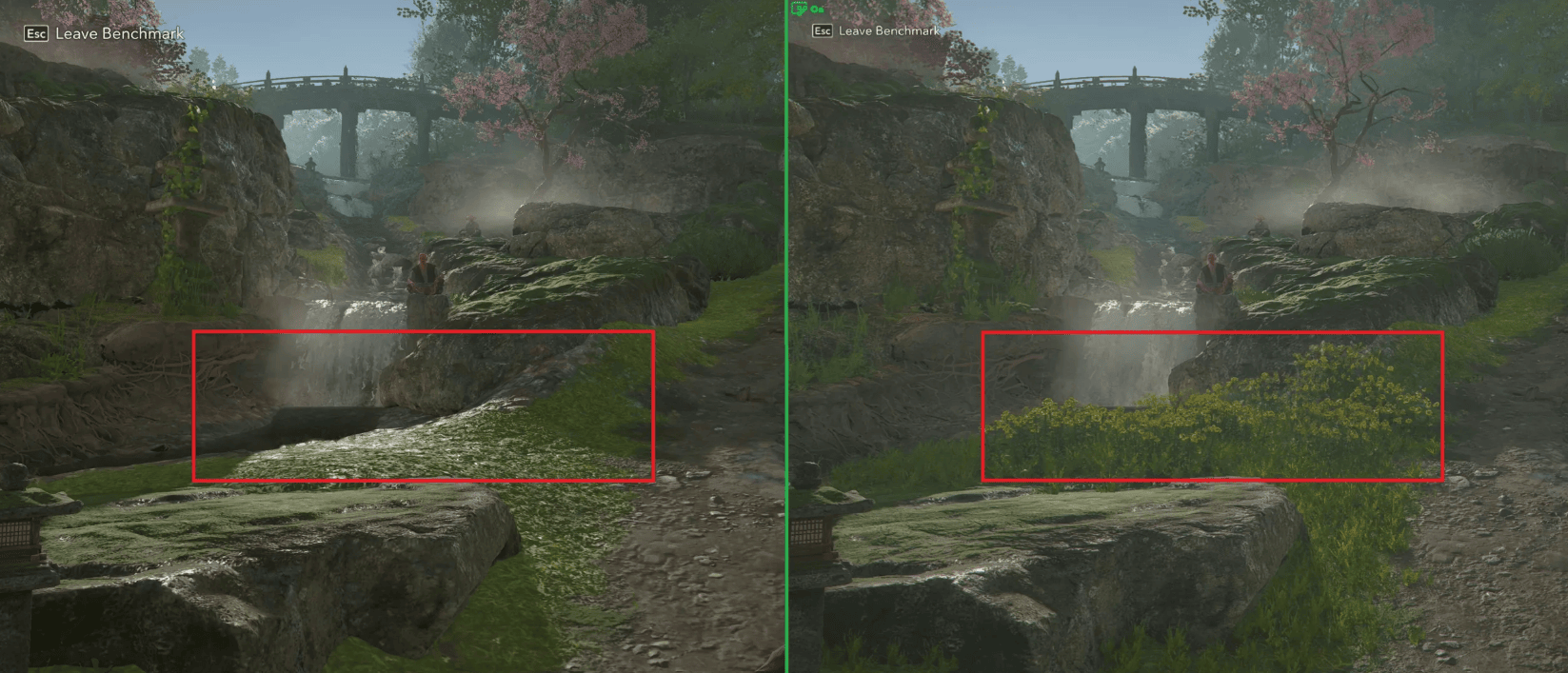
Microsoft’s Assassin’s Creed Valhalla test shows how the feature can change the balance between graphics and performance. Running natively at 1600p with High settings averaged 45 FPS, while rendering at 1050p and using Auto SR to reach 1600p averaged 52 FPS with Ultra High settings.

That’s a 7 FPS or roughly 15% increase in the company’s test, although results will vary depending on the game, resolution and hardware. Microsoft also tested Assassin’s Creed Shadows. In that example, Auto SR allowed Ultra High settings at around 29 FPS, compared with roughly 31 FPS using Very Low settings at native 1600p. The point is less about raw FPS and more about allowing weaker hardware to use substantially higher graphics settings.
Xbox keeps pushing Windows gaming forward
The update arrives as Microsoft continues expanding Windows as a gaming platform rather than limiting improvements to Xbox consoles. Auto SR can work across thousands of existing DirectX 10 and later games without requiring developers to integrate a separate upscaling solution.
Microsoft says input resolutions up to 1080p are supported on Intel Core Ultra Series 3 devices, while disabling effects such as film grain can produce cleaner results. It also recommends turning off Auto SR when a game already uses an integrated solution such as Intel XeSS Super Resolution.

Read our disclosure page to find out how can you help Windows Report sustain the editorial team. Read more



Improve this guide




User forum
0 messages