
Microsoft Expands Copilot Notebooks With OneNote Sync and AI Spreadsheets
Copilot Notebooks gains deeper OneNote and Microsoft 365 integration


 3 min. read
  Published on
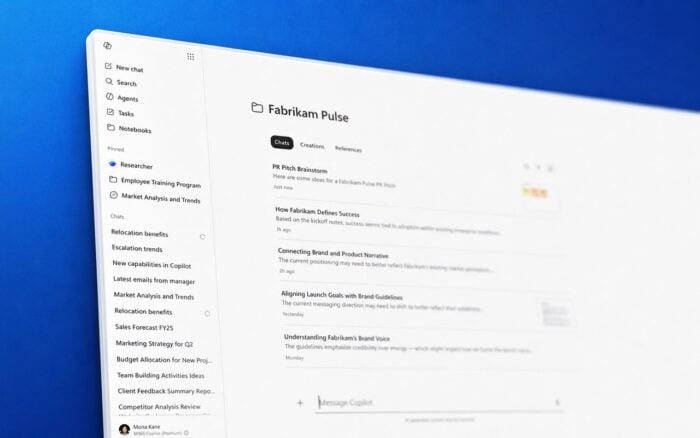
Microsoft is rolling out major updates for Copilot Notebooks inside Microsoft 365 Copilot, expanding the feature with deeper OneNote integration, new enterprise reference types, and AI-powered content generation tools.
Copilot Notebooks is Microsoft’s answer to Google’s NotebookLM, but the company continues positioning it around Microsoft 365 workflows, enterprise collaboration, and organizational data. The latest update redesigns how notebooks work across Microsoft apps while adding more ways to collect and generate information.
Copilot Notebooks now keeps chats, files, and references together
Microsoft recently redesigned Copilot Notebooks inside the Microsoft 365 Copilot app. Chats, generated content, and reference materials now appear in one unified workspace.
The company says this should make it easier for users to track ongoing work without constantly switching between different sections or apps. The update focuses heavily on reducing friction during research, brainstorming, and document creation.
Microsoft also confirmed that the traditional workspace-style notebook experience will now live primarily inside OneNote. Notebooks automatically sync between the Microsoft 365 Copilot app and OneNote, allowing users to continue work across both applications.
OneNote becomes the center of the notebook experience
The updated OneNote experience includes navigation changes designed to surface important actions faster. Features like Create and Add Reference now appear closer to the top of the navigation panel.
Microsoft says the navigation redesign is rolling out to general availability.
The company also expanded the types of content users can add into notebooks. Frontier program users can now use Teams meetings as references, including transcripts, chats, shared files, and meeting notes.
Support for web page URLs is also available, while Outlook email thread support is expected to arrive in Frontier soon.
OneNote on iPhone gains AI-powered note generation
Microsoft is also bringing new AI capabilities to the OneNote iPhone app.
Users can now record audio, capture images, and type notes during the same session. Copilot can then combine those inputs into a structured notebook page automatically.
After the notebook is generated, users can ask Copilot questions about the content, create presentations, and continue working directly from the generated material.
Microsoft says the feature is rolling out to general availability on iOS.
Copilot can now generate spreadsheets and infographics
The latest Copilot Notebooks update also introduces new AI creation tools.
Frontier users can now generate Excel spreadsheets directly from notebook content. Microsoft also confirmed that infographic generation support is coming soon as part of the Frontier rollout.
The company continues expanding Copilot beyond text generation and summaries, pushing deeper into structured business content creation across Microsoft 365.
These updates arrive shortly after Microsoft rolled back the floating Copilot button in Office apps following user criticism. Despite the backlash, Microsoft remains heavily focused on AI integration across its ecosystem, including its broader plans to position Windows 11 as an AI-first operating system and advance its AI Forward initiative.

Read our disclosure page to find out how can you help Windows Report sustain the editorial team. Read more



Improve this guide




User forum
0 messages