
Microsoft Replaces Printer Drivers in Windows 11 With New Secure System
New print system removes need for third-party drivers in Windows 11


 3 min. read
  Published on
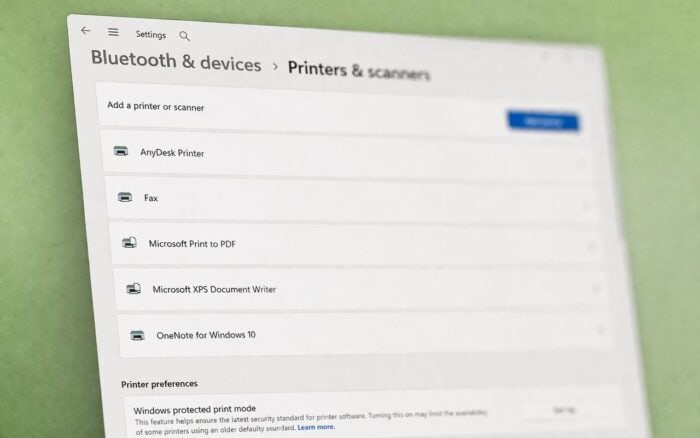
As Neowin reports, Microsoft is moving away from legacy printer drivers in Windows 11, signaling a major shift toward a modern, driverless printing experience. The change centers around a new feature called Windows Protected Print Mode, designed to improve security and reduce reliance on third-party drivers.
Windows Protected Print Mode replaces legacy drivers
Microsoft’s new approach introduces Windows Protected Print Mode (WPP), which uses a modern print stack built around a driverless architecture. Instead of relying on traditional vendor-specific drivers, the system works with Mopria-certified printers that support standard protocols like IPP.
This change removes the need to install and manage third-party printer drivers, while also delivering a more consistent printing experience across different devices and environments.
New Settings indicator shows compatibility
To help users understand whether their printer supports the new system, Microsoft added a compatibility indicator in the Settings app under Printers & Scanners. A shield icon paired with a green checkmark confirms that the device supports both Windows Protected Print Mode and IPP.
The update aims to reduce confusion as users transition to the new model, especially in mixed environments with older hardware.
Microsoft blocks new third-party drivers
As part of the transition, Microsoft will no longer accept new third-party printer drivers through Windows Update. Existing drivers will continue to work in many cases, and exceptions remain for older systems or printers that do not support Mopria standards.
This policy marks a clear break from legacy driver distribution, pushing manufacturers toward modern, standardized printing solutions.
Users reassured about existing printers
The shift has raised concerns among users who fear older printers may stop working. Microsoft clarified that currently supported Windows 11 printers will continue to function, and no immediate action is required for most users.
The company emphasized that the transition will happen gradually, avoiding sudden disruptions in everyday printing tasks.
Enterprise environments face biggest changes
The biggest impact will likely affect IT administrators and enterprise setups. Organizations will need to adapt to a driverless infrastructure, updating deployment strategies and internal policies.
Microsoft has already started providing migration guidance to help businesses move toward the new model without breaking existing workflows.
Part of a broader Windows cleanup effort
This move fits into Microsoft’s wider effort to remove legacy components from Windows 11 and replace them with modern, secure alternatives. The goal is to standardize core system functions while reducing attack surfaces tied to outdated drivers.
Related issues: printing and updates still causing trouble
In parallel, Microsoft confirmed a bug affecting Universal Print that can break print sharing in certain environments. The company is working on a fix, though no timeline has been provided yet.
At the same time, the April 2026 Windows 11 update has introduced backup issues linked to kernel driver blocking, adding to a growing list of update-related complications.
Overall, the shift to Windows Protected Print Mode marks a long-term change in how Windows handles printing, with security and simplicity taking priority over legacy compatibility.

Read our disclosure page to find out how can you help Windows Report sustain the editorial team. Read more



Improve this guide




User forum
0 messages