
Microsoft Teams Adds “Facilitator” AI Tool to Keep Meetings Focused & Action-Oriented
The AI assistant helps manage time, notes, and tasks in real time


 2 min. read
  Published on
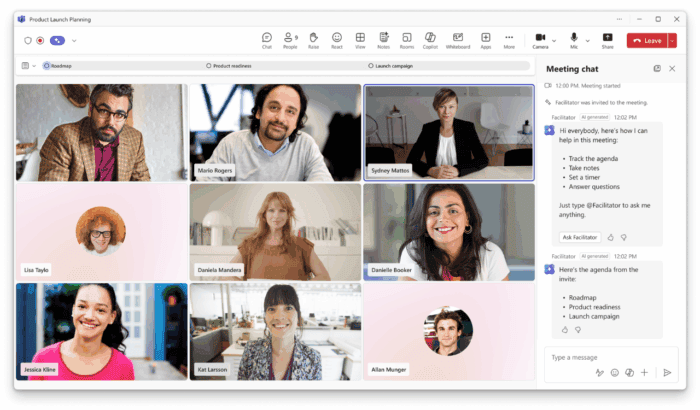
By now, we all know that Microsoft is integrating AI across its products, and Teams has been the one getting a lot of focus recently. In yet another update, Microsoft is rolling out a new AI-powered meeting assistant called Facilitator in Teams.
As the name suggests, the feature makes meetings more focused, structured, and productive. So, what does it do? Well, it manages agendas, tracks discussions, and summarizes key points in real time. In short, Facilitator works as an intelligent meeting agent within Teams.
The AI tool can highlight progress and capture important notes and decisions as the meeting unfolds. Additionally, the tool can also track topics and time, provide midway and wrap-up reminders, and record collaborative notes that everyone can edit. Users can engage with it using simple chat commands like “@Facilitator add this to the agenda.”
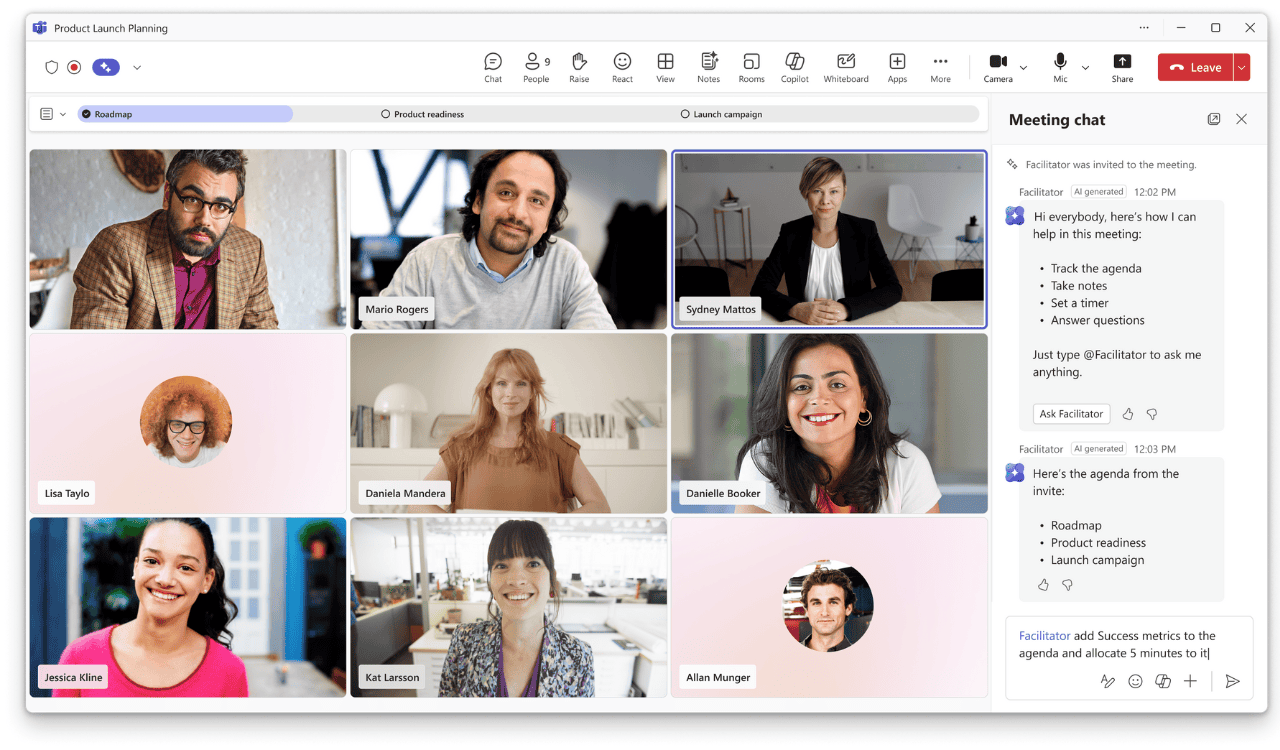
It also integrates with Planner for follow-up tasks and can even draft documents in Word or Loop directly from meeting content. You can enable Facilitator before or during a meeting from the Teams Calendar or Outlook meeting setup. It can also be activated from the “More options” menu on the toolbar during a live session.
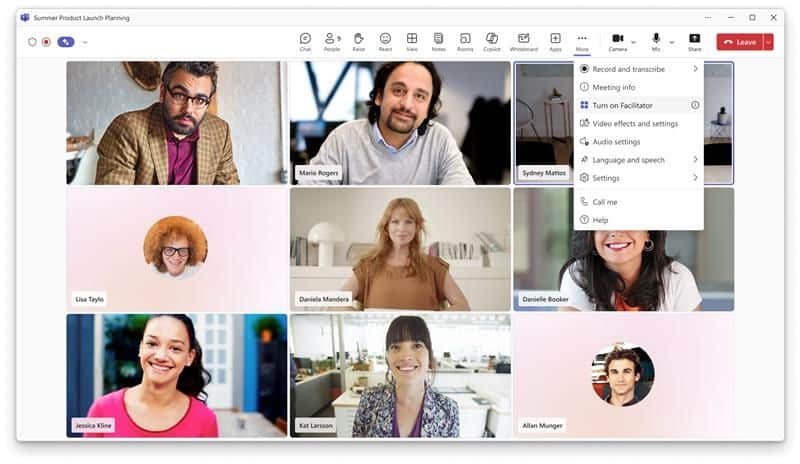
Microsoft says Facilitator helps with various meeting types, including project check-ins, brainstorming sessions, and client reviews. It’s especially useful in hybrid or large meetings, ensuring remote and in-person participants stay aligned.
The company has further clarified that external participants cannot access meeting notes created by the Facilitator. The feature also doesn’t work in chat, channel, or ad-hoc calls.
If you’re looking to use it, it’s now available for Teams users with a Microsoft 365 Copilot license across Windows, Mac, mobile, and web. Do note that some advanced features, like task tracking and document creation, are currently in Public Preview.

Read our disclosure page to find out how can you help Windows Report sustain the editorial team. Read more



Improve this guide

User forum
0 messages