
Microsoft Teams Gets New Bot Security Controls for Meetings


 3 min. read
  Published on
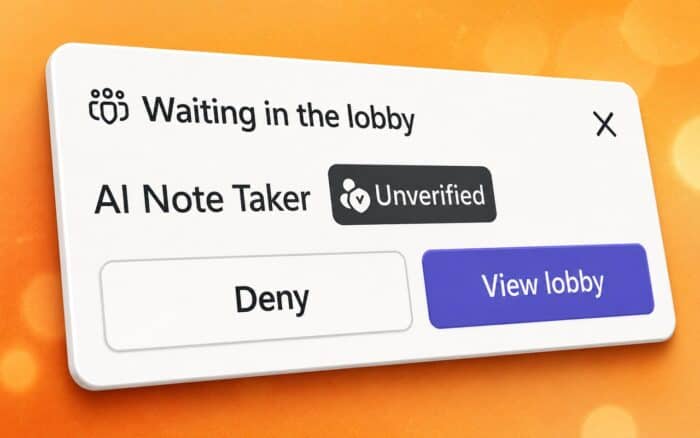
Microsoft is rolling out new security controls in Microsoft Teams that give organizations more control over bots joining meetings. The update introduces stricter admission policies, clearer bot identification, and new warnings designed to reduce the risk of unauthorized or misconfigured bots accessing sensitive conversations.
Microsoft first began working on bot detection capabilities earlier this year, and the latest rollout builds on those efforts with new administrative controls and participant safeguards.
Teams Now Requires More Control Over Bot Access
One of the biggest additions is a new Teams admin policy called “Manage external bots and their access to meetings.” By default, external bots must receive manual approval from the meeting lobby before they can join.

Organizations that prefer stricter controls can disable the bot admission experience altogether.
For the highest level of protection, Microsoft recommends allowing only meeting organizers and co-organizers to manage bot access. This reduces the chance that another attendee accidentally admits a bot into a confidential meeting.
The new approach gives IT administrators more predictable control over how automated participants enter meetings.
Teams Can Now Identify Bots More Accurately
Microsoft has also improved how Teams distinguishes automated participants from real people.
Instead of relying only on existing verification methods, Teams now uses infrastructure signals to determine whether a participant is a bot. This allows the platform to recognize automated attendees more reliably during the admission process.
Microsoft is also preparing a registration program for independent software vendors. Developers will be able to register their bots with Microsoft, allowing Teams to recognize them as known bots.
Registered bots can then receive trusted status, while unknown or suspicious bots can be flagged as potential security risks. This should help organizers make faster decisions when approving meeting participants.
Additional Safety Measures Arrive
The rollout also introduces several interface changes designed to prevent accidental bot admission.
Microsoft is removing the existing one-click “Admit” option for identified bots. Instead, Teams will display confirmation prompts whenever organizers admit participants if bots are included in the request.
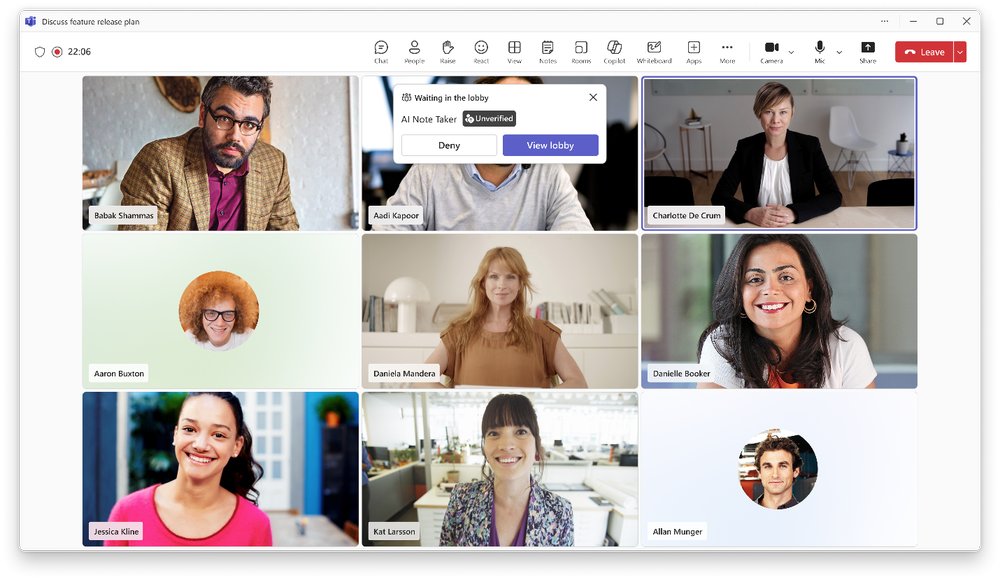
The “Admit all” option is also becoming more cautious. If the waiting room contains bots, organizers will receive a warning before everyone is admitted into the meeting.
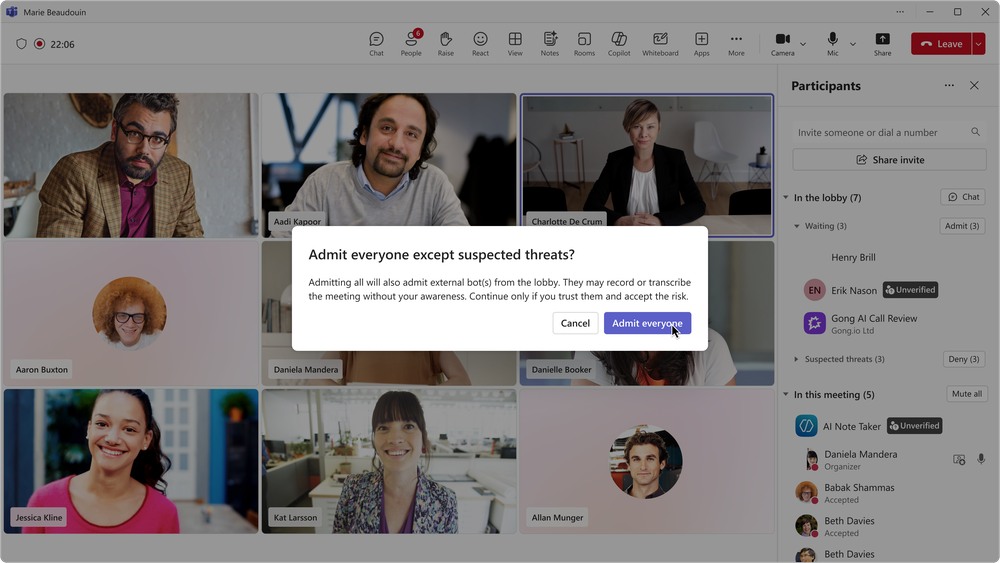
At the same time, Microsoft is retiring the current CAPTCHA verification system previously used for bots.
More Bot Management Features Are Planned
Microsoft says additional bot management capabilities are already on its roadmap.
Future updates are expected to include:
- Organization-wide bot allow-lists
- Expanded administrator policies
- Detailed audit logs
- Administrative reports
- More granular bot management settings
These additions should give IT departments greater visibility into how bots are used across their organizations while making it easier to enforce security policies.
Teams Continues to Expand Beyond Security
The bot security improvements arrive alongside several other Teams enhancements that Microsoft is preparing.
The company is introducing a dedicated Recap experience that makes meeting summaries easier to access after calls. Microsoft is also expanding PowerPoint Live with additional functionality to improve presentations during Teams meetings.
As AI assistants become a larger part of everyday meetings, Microsoft’s latest security changes aim to ensure organizations can benefit from automation without giving up control over who, or what, joins their conversations.

Read our disclosure page to find out how can you help Windows Report sustain the editorial team. Read more



Improve this guide



User forum
0 messages