
Microsoft Teams Is Getting a New Efficiency Mode for Low-End PCs


 2 min. read
  Published on
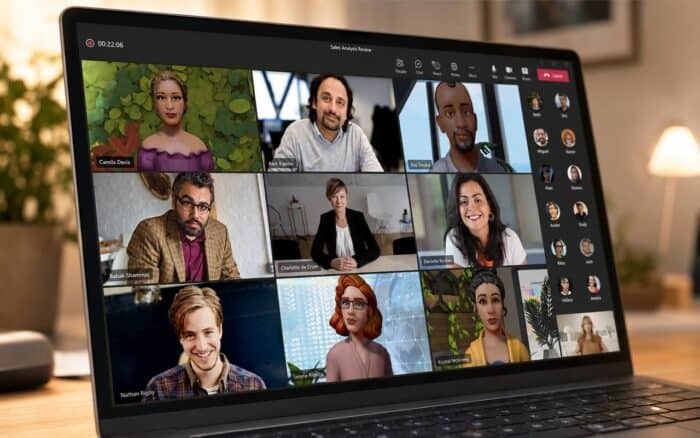
Microsoft is rolling out a new Efficiency Mode for Microsoft Teams that aims to improve performance on devices with limited CPU and RAM resources. The feature appeared in the Microsoft 365 Admin Center message MC1287373 after an earlier rollout delay.
Microsoft originally planned to launch the feature in early May, but the company pushed the release back. The updated timeline says the rollout started in late May and should be finished by the end of May.
Teams efficiency mode focuses on lighter resource usage
The new mode does not completely redesign Teams. Instead, Microsoft is making smaller performance-focused adjustments designed to reduce sluggishness on weaker hardware.
One of the biggest changes affects startup behavior. Instead of waiting for a chat conversation to fully load, users will first see a static placeholder image in the messages pane. They can then select the conversation they want to open.
Microsoft says this should make Teams feel more responsive during startup, especially on PCs with lower memory and slower processors.
Meeting video quality changes automatically
Efficiency Mode will also adjust meeting video quality based on the device’s available resources.
If the system is under heavy load, Teams can reduce participant video quality to lower CPU and RAM usage. This should help meetings run more smoothly on older laptops and entry-level business PCs.
The feature appears to target devices with limited processing power, although Microsoft has not shared the exact hardware requirements yet.
Efficiency Mode turns on automatically
Microsoft says Efficiency Mode will be enabled by default on eligible devices.
When the mode is active, Teams will display a leaf icon in the title bar so users know the feature is running.
Users who do not want the optimization can disable it manually by going to:
A quieter update with practical benefits
The changes are subtle, but they could improve the overall Teams experience on lower-end hardware. Faster startup behavior and automatic video adjustments may help reduce lag during daily meetings and chats.
The update also arrives as Microsoft continues redesigning Teams meetings with a cleaner interface. At the same time, the company recently removed Together Mode from Teams.
Via Neowin

Read our disclosure page to find out how can you help Windows Report sustain the editorial team. Read more



Improve this guide



User forum
0 messages