
Top 5 Free Network Monitoring Tools for Real-Time Insights


 4 min. read
  Published on

Network monitoring is crucial for businesses and individuals who need to track performance, detect issues, and secure their systems. Fortunately, there are several powerful free tools available to help with this. Below are five of the best free network monitoring tools for 2025.
Table of contents
What are the best free network monitoring tools?
1. PRTG Network Monitor – Comprehensive and Easy-to-Use
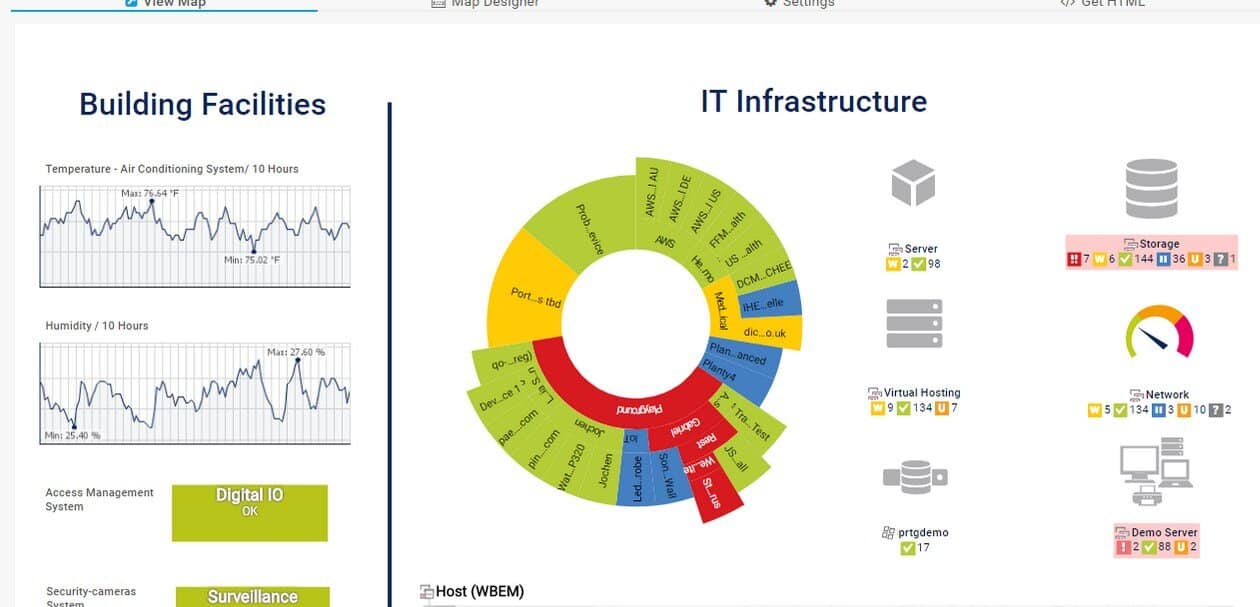
PRTG Network Monitor is a top choice for network monitoring. The free version allows you to monitor up to 100 sensors, offering insights into your devices, applications, and services. Its intuitive interface makes it easy for users to start monitoring right away.
PRTG offers real-time data collection and alerts you when performance issues arise. It’s perfect for keeping tabs on bandwidth, systems, and more.
Other great features:
- Supports up to 100 sensors in the free version
- Automatic network discovery
- Real-time data collection
- Customizable dashboards
- Advanced reporting tools
For more information on alternatives, check out SolarWinds User Device Tracker Alternatives.
2. Zabbix – Open-Source and Highly Flexible
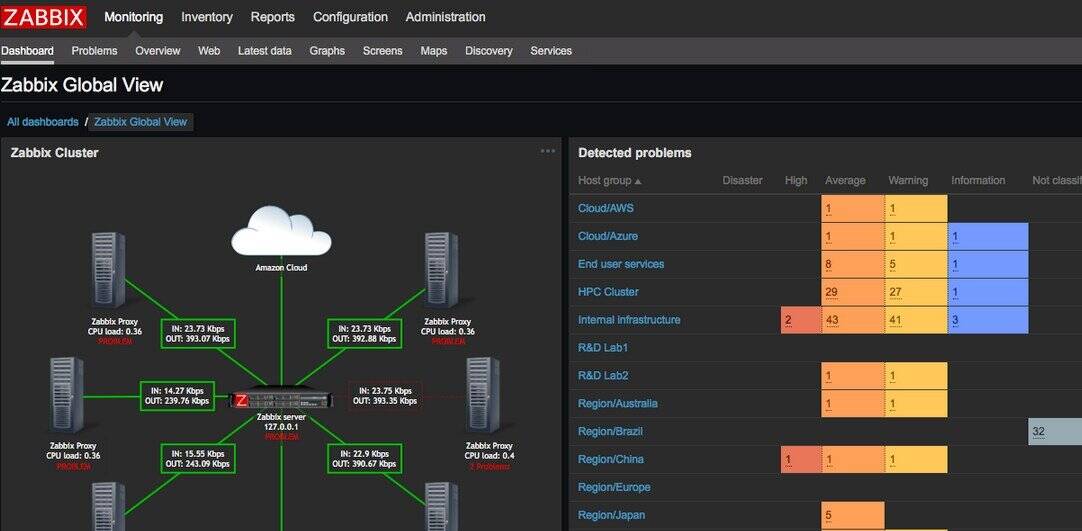
Zabbix is an open-source monitoring tool that’s perfect for large networks. It tracks everything from servers to cloud services, providing a comprehensive view of your infrastructure. Though it may require some technical knowledge, it’s well-suited for complex environments.
With Zabbix, you can customize your monitoring setup, track trends over time, and receive detailed metrics. Other great features:
- SNMP support
- Agent-based monitoring
- Customizable user interface
- Active community support
- Detailed trend graphs
3. SolarWinds TFTP Server – Efficient for File Transfers

SolarWinds TFTP Server isn’t just for file transfers, as it also includes basic network monitoring features. It’s designed to ensure smooth data transfer operations, making it ideal for network engineers. The free version is easy to set up and use.
This tool supports transfers up to 4 GB in size, with detailed logs for each transfer. Other great features:
- Transfers files up to 4GB
- Built-in security options
- Supports multiple transfers
- Simple user interface
- Detailed logs of transfer activities
For more information on monitoring software that helps with dead node detection, you can read about it here: Dead Nodes Monitoring Software.
4. Wireshark – Comprehensive Network Analyzer

Wireshark is a network analyzer that captures and inspects data packets in real-time. It’s perfect for anyone who needs detailed information on network traffic. The open-source tool is trusted by IT professionals worldwide.
Wireshark supports a wide range of protocols, offering deep insights into network performance. Other great features:
- Real-time packet capture
- Customizable filtering options
- Supports multiple protocols
- Open-source tool
- Active community for support
5. Nagios Core – Highly Extensible and Customizable

Nagios Core is a powerful open-source tool ideal for enterprise networks. It offers real-time monitoring, alerting, and reporting. While the setup may require technical expertise, Nagios is flexible and can be customized to meet any network monitoring need.
Nagios offers extensive reporting options and the ability to monitor remotely. Other great features:
- Plugin support for extended functionality
- Advanced reporting options
- Remote monitoring capabilities
- Customizable interface
- Highly flexible and scalable
FAQ
A network monitoring tool helps track and manage the performance of devices and services in a network. It alerts you about potential issues like downtime or slow performance.
Consider the size of your network and the features you need. Some tools are better for large, complex networks, while others are suited for small businesses or individual use.
Yes, many of the tools listed, like Zabbix and Nagios, support cloud monitoring alongside traditional network devices.
Free tools often provide robust features, but they might have limitations such as fewer sensors or less advanced analytics compared to their paid counterparts.
Conclusion
In conclusion, these five free network monitoring tools offer a range of features to meet various needs. Whether you’re monitoring a small network or a complex enterprise setup, these tools provide the necessary functionality without the added cost. Test out a few of them to find the best fit for your requirements and start ensuring your network’s stability and performance today.

Read our disclosure page to find out how can you help Windows Report sustain the editorial team. Read more



Improve this guide


User forum
0 messages