
New Firmware & Driver Update for Surface Pro 11 & Laptop 7 Fixes Windows Studio Effects Bug
The update also fixes video streaming issues during video conference calls


 2 min. read
  Published on
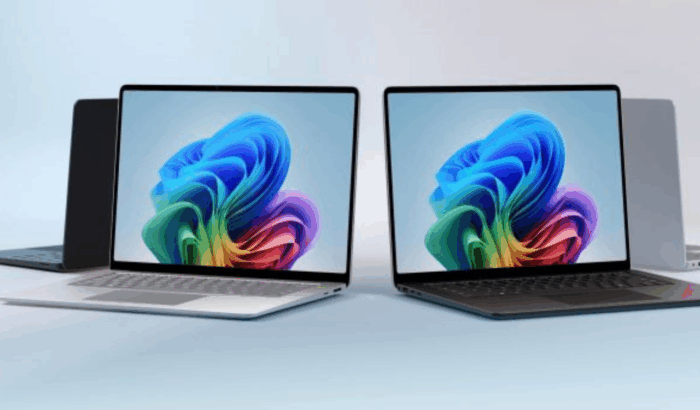
If you have been frustrated because you’re unable to stream or record video when Windows Studio Effects are enabled on your Surface Pro 11 and Surface Laptop 7, fortunately, Microsoft has a fix for you.
The company has rolled a new firmware update for both PCs powered by Qualcomm Snapdragon X chip. For the uninitiated, Surface Pro 11 and Surface Laptop 7 users encountered issues where video calls and recordings to fail on apps like Microsoft Teams, Zoom, and even the Windows Camera app.
Not to mention, that’s a major frustration for Copilot+ PC users who rely on AI-enhanced effects for meetings and presentations. According to Microsoft, the latest firmware and driver update addresses the issue and improves device performance and stability. The changelog lists updates to several key components, including:
- Qualcomm(R) Hexagon(TM) NPU (v30.0.145.1000) – Neural processors
- Qualcomm Hexagon NPU (v30.0.145.1000) – Neural processors and extensions
- Qualcomm Audio DSP Subsystem Device (v2.0.4374.1300)
- Qualcomm NSP0 CDSP SW Thermal Device (v2.0.4374.1300)
The update is available for devices running Windows 11 version 24H2 or newer. Users can install it via Settings > Windows Update. Alternatively, you can manually update via Microsoft’s support site where offline packages are available to download.
Worth noting that the update package for the Surface Pro 11 weighs 600.2 MB, and for the Surface Laptop 7, it’s 482.8 MB.
By pushing this firmware update, Microsoft is ensuring that its Copilot+ PCs offer AI and multimedia performance across its new Snapdragon-powered lineup.
via: Neowin

Read our disclosure page to find out how can you help Windows Report sustain the editorial team. Read more



Improve this guide


User forum
0 messages