
Nintendo Switch 2 Update Brings Handheld Mode Boost for Better Visuals in Switch 1 Games


 2 min. read
  Published on
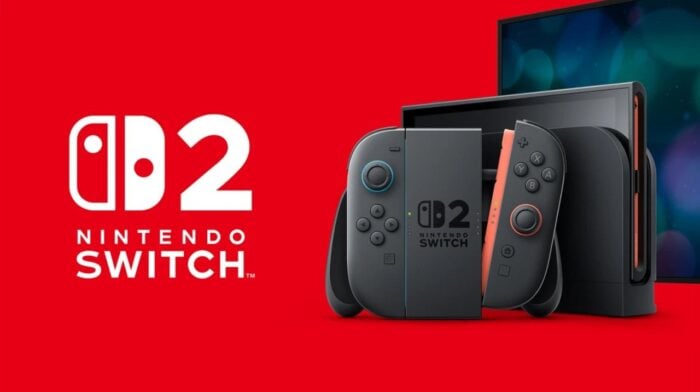
Nintendo has officially rolled out system update 22.0.0 for the Switch 2. The update comes with a few feature upgrades and quality-of-life improvements. However, one feature stands out for gamers who use the Handheld Mode.
Switch 2 update adds Handheld Mode Boost for better visuals while playing Switch 1 games
The new Handheld Mode Boost option allows compatible Switch 1 games to run as if they are in TV mode while in handheld. In simple words, after the update, you are in for better visuals and improved performance when playing on the go, though some features may behave differently.
As far as system changes are concerned, Nintendo has also updated on-screen text and animations when loading virtual game cards. There is now an option to save notes about friends in your Friend List, which remain private and can be edited through the Nintendo Switch App.
The latest Switch 2 update also brings some improvements to GameChat. Players can now invite friends into GameChat rooms more easily, even if they haven’t completed the initial setup. Nintendo has also improved screen sharing quality, which may make multiplayer sessions feel smoother.
Moving on, the update adds small but useful changes like the ability to rewind or skip videos in News and the eShop, better control over Automatic Uploads. Storage management also gets a boost as you get breakdowns of the system and microSD usage.
Notably, Nintendo is also improving Airplane Mode with better control over Bluetooth, Wi-Fi, and NFC settings. “When Airplane Mode is activated, the previously set preferences for Bluetooth, Wi-Fi, or NFC while in Airplane Mode will be saved and applied. Added the ability to individually enable or disable Bluetooth, Wi-Fi, or NFC during Airplane Mode from the Quick Settings,” notes Nintendo in the release notes.
Moreover, the update has also added the “ability to see a notification in the Nintendo Switch Parental Controls smart device application when the Parental Controls PIN is input successfully on the console.” However, Nintendo notes that the app must be on version 2.4.0 or higher to “use this functionality.”

Read our disclosure page to find out how can you help Windows Report sustain the editorial team. Read more



Improve this guide



User forum
0 messages