If you’re someone who likes to immerse yourself in a great story anytime, anywhere, then we have some good news for you. The folks over at Audible have just given the Audiobooks from Audible app for Windows 10 a fresh new update.
The update brings the app to version 10.4.0 overall, and adds in a new social feature to the mix. The new social feature, Audible Channels, is a curated collection of premium short-form content. Ad-free podcasts, news, comedy, exclusive shows and more are all just a few of the content that can be expected in this new feature. Of course, Audible.com members get unlimited access to Channels as part of their membership at no extra charge.
Audiobooks from Audible app for Windows 10
So, if you’re an avid user of Audible, now is a great time to head over to the Windows Store and grab up this update, or grab it from the link below. As always, though, once you do get his update, be sure to drop us a comment telling us what you think of the new feature.
Into the Belly of the Beast and Lumo are now available on the Xbox One. Into the Belly of the Beast is an action adventure game which contains some rather unique gameplay elements involving character and villain evolution.
Here’s the official game description for Into the Belly of the Beast: “Into the Belly of the Beast” is an action-adventure game where you jump into the role of Sploosh, a sea worm who is heading out to bring back his children who were swallowed by a huge sea monster. On your journey through the diverse and unique locations inside its body, you have to make use of the given properties of this special environment to solve numerous puzzles.
Master fights against DNA based enemies in creative and inventive ways:
Eating DNA of different types will change the behaviour of other creatures towards you and will provide you with different special abilities.
Lumo on the other hand is an isometric platform game which is heavily inspired by video games in the 80s and 90s. Here’s the official description for Lumo: Witness the rebirth of a genre in Lumo – a classic isometric adventure with a modern twist for gamers young and old alike!
As a contemporary take on the long-lost isometric platform genre, Lumo can be enjoyed by anyone looking for an absorbing, challenging and rewarding adventure. But for those who lived through the golden age of videogames – the 80s and early 90s – or know about the games and culture from that time, layer upon layer of nods, winks and touches to those times help build upon an experience that’s as heart-warming as it is exciting!
Microsoft’s Movies & TV app (also called, Films & TV in some regions) has just updated on Windows 10 devices. The new update to the app brings a variety of bug fixes but also something quite significant, maturity ratings.
The maturity ratings implemented are those recognized by the relevant governments in different regions and appear between the year of release and media category on the series or movie product pages. Not all shows and films have maturity ratings listed though in all regions, most likely due to studios having to submit that data now while before they didn’t. For example, right now in the Australian Films & TV app, The Walking Dead has an MA15 rating while Marvel’s Agents of S.H.I.E.L.D. is “Unrated”.
The latest update also added, “Smarter default sorting” of users’ collections however it’s unclear what exactly was changed. Have you spotted any differences after the latest update? Let us know about them in the comments below.
Update: Gary Davis reached out to us with the following statement:
“Please correct this article to reflect that the State *alleges* that I am a Silk Road administrator. I maintain my innocence and am not, nor have I ever been, involved with Silk Road, nor have I been convicted on any such charges.”
The post has been edited to reflect Mr. Davis’s alleged involvement.
+++
Since 2014, Microsoft has been embroiled in a series of court battles with the US Government over emails stored on Microsoft servers in Ireland, related to a drug case in the United States. Up until now, not much has been said about who the purported drug dealer is, but a new report by The Times of London (a paywalled site, via IBTimes) says that the person in question is Gary Davis, alleged to be a Silk Road administrator who is fighting extradition to the US from Ireland on drug charges related to the notorious “dark web” site.
Silk Road sold drugs, guns, and other illicit items over the internet, and was finally shut down when its creator, Ross Ulbricht was tried and sentenced for money laundering, computer hacking, and conspiracy to traffic illegal drugs. Ulbricht is currently serving a life sentence on the charges.
Gary Davis, via the Times
Since the US Justice Department first requested access to the emails, Microsoft has resisted, contending that the US doesn’t have the right to access information stored by a foreign individual on servers stored on foreign soil, and filing an appeal when it lost the initial case in court. The company’s lawyers just cited a recent US Supreme Court ruling that US laws don’t apply outside the country unless the law in question explicitly says so.
Davis, who could be facing similar charges to Ulbricht, was in court in Dublin on Tuesday fighting his extradition, but that case was delayed until July 8th, according to IBTimes. Davis had tweeted in April that the Microsoft case could be about him:
Some whistling wind informs me that this centers around my emails. Not playing by the rules again, @FBI ? Shocking!! https://t.co/QQxIwtN16t
Microsoft has the backing of numerous international tech firms, according to IBTimes:
The case is currently being considered by the U.S. Court of Appeals for the Second Circuit, and the judgment is highly anticipated by technology companies as well as privacy advocates. As well as amicus briefs from fellow U.S. tech giants like Apple, Verizon, AT&T, Cisco and Amazon, the Irish government, the ACLU, the Electronic Frontier Foundation and the U.S. Chamber of Commerce have backed Microsoft’s stance.
Microsoft’s case has never been about defending the actions of the alleged drug dealer, whether it’s Gary Davis or someone far less notorious. The company’s business dealings in other countries depend on a level of security from prying eyes, even from the US Justice Department (or perhaps especially from the US Justice Department). Still, knowing who the government is after in this case, while it might not affect its outcome, could conceivably change the court of public opinion.
Google Chrome is the most popular browser in the world, and Microsoft wants to change that. With the aim of finding a new argument to convince Chrome users to switch to Edge, Redmond carried out an experiment demonstrating its browsers superior battery management.
Despite the test having been carried out by Microsoft, it’s easy to trust the results as this isn’t the first time Chrome has been accused of gobbling up battery.
Microsoft tested four browsers in this experiment: Chrome, Edge, Firefox and Opera: The results showed that Edge is the most battery friendly browser, followed by Opera, Firefox then Chrome. The battery on the laptop running Edge lasted for 7 hours and 22 minutes, the battery on the laptop running Opera lasted for 6 hours and 18 minutes, followed by Firefox with 5 hours and 9 minutes and Chrome with a disappointing 4 hour 19-minute battery life.
It is very startling that Opera achieved just second place given that the company after boasting about its new battery saver feature. Opera’s new Saver Mode is supposed to help users to extend laptop battery life by almost 50% because it keeps laptops 3°C cooler, as well as reduce activity in background tabs, automatically pause unused plug-ins, reduce frame rate to 30fps, and pause animations of browser themes.
Edge is lighter and faster to launch, and is integrated with Windows for use with Cortana, something that could explain the results from Microsoft’s experiment. Since Edge is specially built for Windows 10, the browser is fully optimized for the OS and has a minimum impact on the laptop’s battery life.
Microsoft’s Text Analytics API is part of the Cortana Intelligence Suite, specifically a Cognitive Services that assists with turning unstructured text into more meaningful information. The set of tools has been used by numerous Microsoft customers to improve the customer experience by better understanding customer feedback.
We are excited to announce the launch of the following new capabilities. Sentiment analysis can now be performed in English, Spanish, French and Portuguese, and key phrases can be extracted from text in English, Spanish, German and Japanese. These features are in addition to our market-leading ability to recognize the language of text in 120 languages and topic detection for English documents.
Microsoft notes that the sentiment analysis tools can be combined with the Bot Framework and Language Understanding Intelligence Service to create bots that can understand whether a user response is positive or negative. As the blog points out:
Customers such as Ziosk are using the Text Analytics API to provide a more granular understanding of their customer’s experience. Al Pappa, head of Business Intelligence at Ziosk, says, “Thanks to Text Analytics by Azure Machine Learning, we are able to incorporate guest sentiment into our actionable guest feedback platform that delivers a comprehensive view of guest satisfaction and server performance.”
Text Analytics API Now Available in Multiple Languages | Cortana Intelligence and Machine Learning Blog
Text Analytics API demo screen.
Microsoft has set up a demo environment that can be used to try out the tools, and developers can try everything for free by signing up at the Azure Portal. Let Microsoft know your thoughts on these and other tools by providing feedback at the Cognitive Services UserVoice. Of course, let us know in the comments if you have any thoughts on these new tools.
Rarely does Microsoft’s super secretive Surface team open up its doors to anyone outside of its credentialed staff, but on June 27, 2016, a select few will have a chance to explore its lab facilities. Today, Ben Rudolph, the retail marketing director at Microsoft, reached out via his Twitter account to those who might be interested in touring the Surface Labs alongside Panos Panay, the corporate vice president of devices at Microsoft.
According to Rudolph, the tour will be live streamed at 11:00 AM PDT, with no indicated time of ending, as of yet. While the offer sounds ever inclusive, the finer details reveal that to see the Livestream tour of the facilities, attendees will, at the very least, have to be Microsoft ExpertZone participants or partners.
The Microsoft Expert Zone is a place reserved typically for sales professionals or hardware partners who want to talk, learn, trained or rewarded for their passion for Microsoft products. To join, there is a sign-up page. However, most casual fans may trip over the required company name answer in order to complete their eligibility form.
For those who work in retail the eligibility form should not be a problem, but for those who see it as a barrier yet still want to be kept abreast of the development that’s associated with the Surface Lab, follow the team on Facebook, Twitter, and YouTube for updates.
There may not be any signs of the next Surface Book or Surface Pro laying around in the open, but the tour may reveal early designs of Microsoft’s Project Scorpio or even the famed Surface Phone. We’ll be keeping an eye out on any news that may surface from the live stream event.
If you’re a Microsoft Health user, particularly if you own a Band or Band 2, then you likely find yourself using the Health app on a daily or more frequent basis. According to Windows Central, the Health app on Windows 10 for PC and mobiles is getting a revamp soon, along with a new feature.
The UI changes appear to be aimed at making navigation quicker, by adding a navigation bar at the bottom of the screen with Home, Profile, Insights, and Social buttons. According to WC’s sources, both PCs and mobile devices will be getting the changes.
Windows 10 Mobile Health app updates (Source: Windows Central).Windows 10 Health app updates (Source: Windows Central).
The new feature appears to be “Insights,” which looks like it will pull together data from Cortana and Band devices. Apparently, the Insights feature will be customized per user, likely based on their unique data combined with Health’s backend intelligence. WC notes that the Insights feature isn’t working quite yet, and so we’ll have to wait until its release to see how it impacts our ability to stay healthy.
We’re all for continuous improvements to the Health app and platform hope to see these same updates make their way across platforms. The more people that use Microsoft’s fitness solutions, the more likely the company will be to continue improving their devices and health intelligence. And that’s good for everyone.
If you’ve been hurting for entertainment, the Windows store has a few things lined up that you might be able to enjoy. The store has a huge selection of Fox movies on sale or just $4.99 each, offering users a ton of options if they were looking for a movie or two to watch during the summer. On any other day, the movies, at the same HD quality, would be going for 3 times as much – $14.99.
Here’s the full list of movies.
The Heat
Parental Guidance
This Means War
Office Space
Hitman
Mrs. Doubtfire
The Internship
The Other Woman
The Secret Life of Walter Mitty
Taken
Fight Club
Mr. & Mrs. Smith
The League of Extraordinary Gentlemen
I, Robot
Kingdom of Heaven
Predator
L.A. Confidential
The Day After Tomorrow
Unstoppable
Man on Fire
Max Payne
Cast Away
Say Anything
Super Troopers
Me, Myself and Irene
There’s Something About Mary
Dodgeball: A True Underdog Story
Big
Rio
Epic
Dr. Seuss’ Horton Hears A Who!
Robots
Fantastic Mr. Fox
Mr. Popper’s Penguins
Night at the Museum
The Chronicles of Narnia: The Voyage of the Dawn Treader
Chicken Run
Antz
Monsters Vs. Aliens
Megamind
Wallace & Gromit: The Curse of the Were-Rabbit
Flushed Away
Bee Movie
Sinbad: Legend of the Seven Seas
Shark Tale
You can check out the sales on the Windows store by checking the movies individually, but there’s currently no section of the Store that has them all put together. If you like something on this list, you can go ahead and search it up on the Windows store for a nice, cheap movie night. There’s something in the group of deals for everyone, with an especially big selection of family movies – you won’t be disappointed.
Unfortunate news for all those fans who’ve been waiting for the next installment of Sniper Elite: the game’s developer, Rebellion, has confirmed that it is delaying its release. Originally announced for a late 2016 release, the popular WWII series will now arrive on February 14, 2017 for Windows PC, Xbox One and PlayStation 4.
Brothers Jason and Chris Kingsley, who co-founded Rebellion, talked about their reasoning behind the game’s delay in an official blog post:
“When we sat down recently to decide a launch date, we had a decision to make,” the Kingsleys said in a statement. “Do we stick to 2016 as planned many moons ago, or do we give the team just a little more time to help them deliver beyond the promise that the game has already shown?”
At the end of the day, the game needed more polish and instead of rushing the release and risking its performance and subsequent reception, they’ve decided to delay it. This is perfectly reasonable because as much as people want the game to be released sooner, they’d rather wait longer for a more stable version
Sniper Elite 4 will continue the story of the American OSS agent Karl Fairburne during World Ware II. This time, our hero will be in 1944 Italy on a mission preceding the Allied intervention in Europe. Just like the previous title, Sniper Elite 4 will feature a single-player, as well as co-op and competitive multiplayer modes.
In case you haven’t seen Sniper Elite 4 in action yet, check out the gameplay video showcased at last week’s E3 conference in Los Angeles:
When you own a small business, one of the most important things you could do is find the right enterprise email provider for just in case your business might grow in scale. Luckily, the folks over at the Office Blog have kept this in mind, and have just posted some advice regarding the benefits of enterprise email.
Along with saving time and money, the Office team notes that highlights of having an enterprise email include that customers will notice your email address more easily and that customers will have more trust in you. The post also notes that with an enterprise email, your technology will grow with you, and help you scale with ease. In the end of the post, the Office team also mentions that an email is a recorded history of your company, and losing any bit of that could leave one without important context as a company grows.
So, what are your thoughts on this? Do you or someone you know own a small business and use an enterprise email? Let us know by dropping us a comment below!
Last year, Microsoft acquired Israeli information protection company Secure Islands, explaining at the time that the company’s technology would soon be integrated with Azure Rights Management Service to work alongside the data classification capabilities of Office 365 and Windows. Today, just a few months after this acquisition, Microsoft is introducing Azure Information Protection, a new service that combines Microsoft Azure Rights Management and Secure Islands’ technology to makes it simpler to classify and protect information, even as it travels outside of an organization.
In a blog post on the company’s Enterprise Mobility and Security Blog, Microsoft Partner Director for Information Protection Dan Plastina explains that as sensitive information can sometimes escape a company’s corporate network through all the employees’ devices, Microsoft wants to enable secure productivity in the enterprise through an “identity-driven approach to security”:
In this new approach, protecting employee identity is the foundation of how Microsoft on-premises products and cloud services help you secure and manage devices, apps and data. Enterprise Mobility Suite is a great example of this, and Azure Information Protection is yet another example of this identity-driven approach to security.
If you’re not familiar with it, the Enterprise Mobility Suite is Microsoft’s cloud solution built to deliver apps and data access across all devices to allow employees to work securely on any device. The new Azure Information Protection is a complementary solution which will allow companies to define how their employees can classify their documents and emails during their work, track where sensitive documents are traveling and more. Plastina shared the full list of capabilities below:
Classify, label and protect data at the time of creation or modification. Use policies to classify and label data in intuitive ways based on the source, context and content of the data. Classification can be fully automatic, user-driven or based on a recommendation. Once data is classified and labeled, protection can be applied automatically on that basis.
Persistent protection that travels with your data. Classification and protection information travels with the data. This ensures that data is protected at all times, regardless of where it is stored, with whom it is shared, or if the device is running iOS, Android or Windows.
Enable safe sharing with customers and partners. Share data safely with users within your organization as well as with external customers and partners. Document owners can define who can access data and what they can do with it; for example, recipients can view and edit files, but they cannot print or forward.
Simple, intuitive controls help users make the right decisions and stay productive. Data classification and protection controls are integrated into Office and common applications. These provide simple one-click options to secure data that users are working on. In-product notifications provide recommendations to help users make the right decisions.
Visibility and control over shared data. Document owners can track activities on shared data and revoke access when necessary. IT can use logging and reporting to monitor, analyze and reason over shared data.
Deployment and management flexibility. Protect data whether it is stored in the cloud or on-premises, and choose how your encryption keys are managed with Bring Your Own Key options.
You can watch the above video to know more about the solution, and Plastina added that current Azure RMS customers will “continue to use the same capabilities with no change to their service until the General Availability of Azure Information Protection later this calendar year”. Lastly, a public preview of Azure Information Protection will be available next month and you can already sign up to preview the service.
Back in 2014, the US Government issued a search warrant to Microsoft asking the company to hand over details about customers that are held on servers outside of the US, specifically a customer with emails stored in Ireland. Today, a new report published in the National Law Journal is showing that to perhaps further challenge the government’s argument in the battle, Microsoft is citing a recent opinion of the Supreme Court that finds that U.S. laws can not apply to global conduct without Congressional approval.
In their report, The National Law Journal cites a letter to the US Court of Appeals written by a Microsoft lawyer. In the letter, Microsoft notes that the government is using a statute to seize emails stored on a foreign computer. As The National Law Journal notes, Microsoft finds that the “presumption against extraterritorial application applies,” and, “Congress, as required, has not made its intent clear that the statute applies abroad.”
This “presumption against extraterritorial application,” dealt with in the recent Supreme Court ruling, basically says that unless a law specifically includes a cross-nation application, it must be presumed to be US only.
The Supreme court ruling that Microsoft also cites in its letter involved a ruling in the case of RJR Nabisco v. European Community. A decision in that case was similar to Microsoft’s battle with the US Government, where the justices found that racketeering law applies extraterritorially in some circumstances, but a private plaintiff must show an injury within the United States to recover damages.
Microsoft lost a court case in the Ireland email case late in 2014, but has appealed.
The Microsoft Educator Community is a global network of school leaders and teachers wanting to share knowledge and lessons created by educators for educators. While the community is free to join and use, Microsoft has introduced new features to provide a smoother and more intuitive experiences for educators browsing the online community, according to a new post on the Microsoft Education blog.
The first new feature is a simplified sign-in process with fewer required fields. It’s also possible to use social sign-in with various online identities such as Office 365, Microsoft, Skype, Facebook and Twitter accounts. Returning users will also benefit from an easier sign-in with a new pop up that displays the the authentication method used to access the site previously.
The new, simplified registration process.
Next, Microsoft has revamped the profile navigation with a new dropdown menu that makes the different community features easier to find. User profiles will also now display how many points the community members have earned as well as how they earned those points, as you can see in the image below:
Points are now displayed on user profiles.
Last, the company is adding 16 new badges to be earned by educators which are related to Microsoft Products suh as OneNote, Sway and Office Mix. Users who also earned more than 1,000 points in the Educator community will now get the new “MIE Certified” badge (for “Microsoft Innovative Educator”) which is replacing the existing “MIE” badge:
The new badges to be earned by educators.
You can join the Microsoft Educator Community and get free access to CPD resources, lesson plans, quick tip videos and access to a global next work of educators. If you’re already a member, let us know what do you think of all these new features in the comments section below.
The Excel team has just taken to the official Office Blog to announce a powerful set of new features based on Power Query technology. The new features, which provides fast, easy data gathering and shaping capabilities, can be accessed through the Get & Transform section on the Data ribbon.
Overall there are four of these new data transformation and connectivity features, and the Excel team is noting all have been long requested by Office users. Conditional Columns, Column type indicator in Query Editor preview column headers, Reorder Queries and Query Groups inside Query Editor via drag and drop gestures, and Query Management menu in Query Editor all wrap up the new set of features.
A look at Excel
First off, Conditional Columns make it easy for users to create new columns in their queries based on values from a different column. The Excel team is noting that starting with this update, users can now define a set of rules and output values for the new column based on values in other columns within their tables. This can be achieved via the new Conditional Columns dialog, available in the Query Editor under the “Add Column” tab on the ribbon.
Conditional Columns
Secondly, with column type indicator in Query Editor preview column headers, users can now quickly understand the types for each of the columns in their table. Additionally, users can change them to another type by clicking on these indicators or by using the previously available ribbon options.
column type indicator in Query Editor preview column headers
With the third new feature, Excel users can reorder Queries and Query Groups inside the Query Editor via drag and drop gestures. This can be used to reorder items within a given group (or top level) and also to move objects into a query group. The Excel team notes that this greatly improves the user experience for reorganizing queries and query groups, which was previously only possible via Context Menu options.
Reorder Queries and Query Groups inside Query Editor via drag and drop gestures
The final of the four features is Query Management menu in Query Editor. The Excel team notes that they are exposing a new “Manage” drop-down menu for a query within the Query Editor Home tab on the ribbon. This menu exposes common management operations for a query, such as Delete, Duplicate and Reference.
Query Management menu in Query Editor
These new features are all rolling out as part of an update to those who have an Office 365 subscription. So, if you are one of those who are subscribed to Microsoft’s Office 365 service, head over to this webpage to learn more about how to grab up these new features. Additionally, and if you have Excel 2010 or Excel 2013, you can also take advantage of these updates by downloading the latest Power Query for Excel add-in. As always, though, once you manage to get these new features, be sure to drop us a comment below telling us how these new Excel functions are working for you!
If you’re like a lot of Windows 10 gamers, you’re eager to start using the Xbox app on your PC as the hub from which you do all of your gaming. There are tons of good reasons to use the Xbox app as the core of your gaming experience – most of them revolve around the fact that Xbox Live is a strong community experience, especially with the onset of LFG and Clubs in the coming year. That said, most people who are playing games on PC have made their home in Steam, which remains the biggest online community and marketplace for PC games by far.
While many services lock you within their confines and prevent you from launching certain titles, the Xbox app actually allows you to plug in any game on your computer, and launch from there. This is mostly meant for importing your Steam library, but you can also use this for any games from Origin, GOG, Battle.Net, etc.
It’s actually a pretty simple process, all things considered. All you have to do is head over to the “My Games” tab of the Xbox app (that’s two tabs down from your profile on the left pane of the app) to check out your library. All you need to do is go to the “Add a game from your PC” option to bring up the list of game shortcuts that you can add to your Xbox Library. Here, I’m adding Final Fantasy XIV to the list of games that I can launch through the Xbox app.
As you can see from the appearance of Viber, Winrar, Word 2016, and other non-gaming apps, the list that’s showing up here consists of what you have in your Start menu. In the likely event that you’re not seeing the game that you want in the list, all you need to do is find the .exe file for the game in question (Usually you can find this in C:\Program Files (x86)\Steam\steamapps\common for Steam games), right-click it, and add it to Start from the right-click menu. After you do that, check the list of games again and you should be able to add it with no problems.
After the game is in your library, all you need to do is pick from the list, press play, and go. Steam is still going to be launched in the background when you open up a Steam game – the game is tied to Steam, and there’s not much you can do about that. Through this method, though, you can still use the Xbox App to launch every game on your PC from one place.
While this feature doesn’t make the game compatible with Xbox Live, it does have the value of keeping all of your games in one place. In a PC gaming climate that’s desperately trying to make you install more and more third party game clients, using the Xbox App as the place from which to launch every app should make things a little bit less hectic.
The Windows team has been working on a slew of new features for its upcoming Windows 10 Anniversary Update release, many of which were shown off during Microsoft’s developer conference earlier this year. During Build 2016, several keynote speakers took the stage to show off how the Windows team has improved a multitude of Windows 10 code and features, perhaps most notably the operating system’s varied input recognition.
In a demo that drew a modest amount of ooh’s and ahh’s Windows team members showcased new and improved inking, Windows 10 Hello authentication and voice initiated Cortana commands. On the cusp of the updated operating system release, the Windows team has created an app that combines specific Windows 10 UWP development with all of the soon-to-be-highlighted features of Windows 10 Anniversary Update, including ink, speech and face recognition.
Meet FamilyNotes, a OneNote equivalent hopped up recognition steroids. FamilyNotes is a “notice board app designed to demonstrate modern features in a real world scenario, with support for ink, speech and some rather impressive behind-the-scene “smarts” using Microsoft Cognitive Services,” according to the Windows Apps team.
Due to its dense functional nature, the Windows Apps team has chosen to break up the details and walkthrough of the app into three ongoing post on its blog page. In the first and only post up to date, the team covers the apps features and development story, how it leverages face detection and recognition and finally discusses the use of Ink and speech within the app.
Some specific features include:
Users can create and present “sticky notes” for everyone in the family.
Users can add new notes by typing, inking, or dictating them.
Users can utilize Cortana and voice commands to activate the app and start a new note to the entire family or a specific family member.
Users can utilize face detection and face recognition to automatically display the notes applicable to a specific user.
App is written in C# and XAML, following a Model-View-Controller methodology.
Source code is generously documented.
Unfortunately, the app isn’t a simple Windows Store grab at the moment. Interested parties will need to do some GitHub searching and eventual unzipping with Visual Studio 2015 usage and subscription keys for Microsoft’s Face API to get the app working on their devices. From the description, this pretty powerful note app appears to be developer focused at the moment.
FamilyNotes UI
The GitHub sample, which you can download by clicking on the “Download Zip” button and unarchiving it.
A computer running Windows 10, preferably with ink and touch support, with a camera and microphone. External webcams should work fine if your computer doesn’t have one built-in.
Visual Studio 2015, Community Edition or better, with Universal Windows App Development Tools.
A subscription key for the Microsoft Face API. For information about getting a free trial key, see the Microsoft Cognitive Services site.
The app currently, doesn’t seem to be the pinnacle of design but does seem rather functional incorporating ink, video, and Cortana commands. Visit the GitHub repository to grab a copy of FamilyNotes today.
343 Industries finally revealed more information about the upcoming Halo 5 update that includes the previously announced Warzone Firefight game mode.
According to the developer, Warzone Firefight is a new multiplayer mode that will let up to eight players work together in order to complete five rounds of dynamic objectives before the timer ends.
The new update also adds a Score Attack mode to the Halo 5 campaign, allowing the players to earn points and claim up to 50 medals for killing enemies with style. Along with these two new features, the update comes with three new multiplayer maps. As of now, only the Prospect map has been revealed.
On the Prospect map, players will be dropped into a mining facility where they will need to attack mine’s defenders. Various flanks paths hidden in the terrain are the key to victory. This map is also layered with strategically-placed scaffoldings designed to give players on both sides of the battle more options to take the fight to their enemies.
Players can also focus on power weapons in order to rush or try to open the map’s gates in order to access vehicles to support ground troops. We can confidently say this new map will be enjoyed by players and thanks to the new Warzone Assault game type, there will be new kind of strategies and tactics that the gamers can use.
The new update for Halo 5: Guardians will also introduce the Forge map editing canvas called Tidal, along with new armor, weapons, a Temple Banshee vehicle and much more.
What are your thoughts about the new update for Halo 5: Guardians?
The Gartner analysis teams have assigned another victory to Microsoft with the publication of the Magic Quadrant for Disaster Recovery as a Service, also known as DRaaS. According to the market research firm, over 250 providers support disaster recovery through configurations, pricing policies, and service tiers. With an expected increase of production failover solutions doubling over the course of the next four years, providers on the DRaaS quadrant, such as Microsoft, continuously attempt to provide more flexible policies.
Even though 2016 was the first time that Microsoft participated in Gartner’s DRaaS Magic Quadrant, the company still managed to land in the upper right quadrant in the Leaders group. Gartner outlined in the study that Microsoft Azure cloud service and migration, combined with Azure Site Recovery, enabled customers to take things into their own hands for hybrid disaster recovery.
In fact, ASR’s availability to the broader population through partners and clients ensured that Microsoft had a distinguished DRaaS solution. ASR continued to expand their services with the addition of InMage technology and recovery support for VMware’s vSphere.
STRENGTHS
Microsoft is uniquely positioned to provide customers converged data and availability solutions within a hyperscale cloud (that is, Azure). Growth of production quality workloads in the public cloud is just starting to accelerate, and Microsoft believes it is well-positioned to take advantage of this phenomenon.
The Azure portal that is used to back DRaaS supports more than 50 languages.
ASR pricing is simple: It is priced on the number of instances protected, or through the OMS add-on.
Microsoft received high customer reference scores for service feature innovation, service cost-effectiveness and simplicity of the provider portal GUI.
CAUTIONS
Although its installed base is growing rapidly, Microsoft currently does not have the same level of service delivery experience as some of its larger competitors (for example, IBM, Sungard Availability Services [AS] and Verizon).
Currently, Microsoft supports only self-service delivery and lacks the hybrid configuration management capabilities of some of its competitors.
Microsoft received low customer reference scores for the quality of technical support and contract flexibility. It also received a low customer reference score for account management. Microsoft now has a dedicated technical support team for its data and availability solutions.
Microsoft’s recovery management experience with data configurations that contain a wide variety of system platform types (for example, IBM System i, IBM System p, Oracle Solaris and HP-UX) is limited.
Twenty providers met the inclusion criteria for the Magic Quadrant for DRaaS compared to the fourteen that were eligible for the 2015 report. Only seven of those providers were placed in the Leaders quadrant, but according to Gartner there was significant improvement among most providers in the last year. Even more impressive was the fact that smaller providers that had been known for better customer care programs achieved the higher satisfaction ratings despite their placements on the DRaaS Magic Quadrant.
With offices in over 120 countries and Azure data centers within 28 regions, including the recently added Canada expansion, it’s not surprising the company is high on Disaster Recovery for customer care. After nabbing a leader position in other quadrants such as the Mobile App Development Platforms and the Identity and Access Management as a Service quadrants, Microsoft has proven once again that they are truly one of the highest contenders for Gartner’s reports.
Talk sports games and usually hear about FIFA, NBA 2K and Madden — but rarely of anything else. The big wide world is filled with a pantheon of popular sports, and one of the many consists of men on bicycles racing down streets. In this sport, winning the Tour de France is the coup de grace. Why? In this race, the top cyclists from around the world come to race their hearts out for the top prize. It is also a place where the infamous Lance Armstrong made his now tarnished name.
With such a strong history behind the Tour de France name, it’s about time a game was made about it. Tour de France 2016 is available right now for download via the Xbox One from the Xbox Store and costs $49.99. Whether or not players will be able to take performance enhancing drugs is still up in the air.
Full description of the game:
Embody the greatest cycling champions competing to conquer the yellow jersey along the 21 official stages of a Tour de France 2016, packed with exciting new features! Experience the emotions of a pro-rider by attacking, sprinting, counter-attacking; picking the best trajectories and taking the best tactical decisions to lead your team-mates to victory. Take to the road in solo, compete against your friends, or play in coop on the same screen.
Your challenge? Conquer the yellow jersey!
Become the best descender in Challenge mode
Build your dream team in Pro Team mode
Coop and versus local multiplayer
The file size here is around 17GB, so make sure your hard drive is ready.
Internet domain registrar and web hosting company GoDaddy aims to provide small businesses a complete suite of cloud-based products to help them increase business opportunities. To improve its offering to small business across Asia, the company announced yesterday that it has partnered with Microsoft to offer Office 365 to small businesses in 14 new Asian markets, an offer that will allow local customers to get a professional email connected to a domain name, secure cloud storage as well as a comprehensive set of productivity and collaboration tools.
According to the press release, Microsoft Office 365 from GoDaddy is now available in the following Asian countries in local language and currency: Hong Kong (English and Traditional Chinese), Indonesia, Japan, Malaysia (English and Malay), Philippines (English and Filipino), Singapore (English and Simplified Chinese), South Korea, Taiwan, Thailand, and Vietnam. If you’re not familiar with Office 365, Parri Munsell, Senior Director O365, Microsoft detailed the full features of this offering:
Office 365 from GoDaddy offers business-class email and shared calendars powered by Exchange Online, up to 1TB of secure online storage for document sharing, real-time collaboration capabilities, and both client and web versions of Microsoft Office apps (including Word, Excel, PowerPoint, Outlook and more). These capabilities are delivered as a cloud service available to users wherever they are, online or offline and across a variety of devices. Office 365 also includes enterprise-grade, built-in security features that help deflect malware, spam, phishing attacks and other threats.
GoDaddy Vice President of Asia Roger Chen added that “GoDaddy’s small business expertise combined with Microsoft’s email and productivity offering provides small business owners in Asia with solutions to make the business of running their business much easier.” Moreover, according to the exec, GoDaddy “research shows consumers are nine times more likely to choose a company that uses a professional email address with its own domain name,” and it’s not hard to believe that.
If you’re using Office 365 for your small business, do you think Microsoft’s offering has helped your employees to be more productive? Let us know what you think in the comments.
Microsoft Wallet, a new tap-to-pay app available on select Windows 10 phones, is set to launch sometime later this Summer. According to Microsoft, Microsoft Wallet is already available for “Windows Insiders (build 14360 and higher)—general availability later this summer,” and it’s likely to come out with the Windows 10 Anniversary Update.
Currently, only a handful of banks are available on the Microsoft Wallet tap-to-pay app, including Bank of America, BECU, First Tech Federal Credit Union, People’s United Bank, and the Virginia Credit Union. Chase, Fifth Third Bank, and US Bank are listed as “coming soon.”
Here is the Microsoft Wallet YouTube video.
Microsoft Wallet will be available on Lumia 650, Lumia 950, and Lumia 950 XL. The app will be available “anywhere you see the Contactless Symbol or Microsoft Wallet logo, including at popular stores, coffee shops, and restaurants.”
For the initial launch, Microsoft Wallet will only be available in the US and will support cards with Visa and Mastercard logos. Also, it will allow you to store your gift cards and loyalty cards as well.
Earlier today we delivered you the news that an update for the Maps for Windows 10 was rolling out to all users. Now a few hours later, Kushal Kapoor, the Product Marketing Manager for the Windows Maps team has taken to an official blog to announce all the details on the latest update to Windows 10 Maps.
Overall, the post addresses the new features and how the team worked to deliver their promise of a maps experience that goes far beyond directions. It begins by mentioning the fact that guided navigation has been updated in Windows 10 Maps, with turn-by-turn instructions optimized for glanceability, including phone landscape mode. Kushal also notes that it is now easier to use the Windows Maps app on a phone with one hand now that navigation has been positioned at the bottom. New support for a guided transit experience, which includes notifications to get off the bus, also highlights this section of the post.
A look at turn by turn directions on Windows 10 Maps
Second is the fact that you can now view multiple searches in a single map view at the same time. Kushal notes how the Maps team made it easy to plan your activities with a map that also surfaces the right type of information at the right time by allowing you to label for your search results directly on the map.
A look at searches on Windows 10 Maps
Improved detail cards and more support for offline maps were also detailed in the third section of the post. Kushal notes that in addition to the offline routing and search support, all your saved favorite places are now available offline. Additionally, Cortana, Kushal notes, will make this easy for you by automatically reminding you to download the offline map before you take off on vacation.
A look at the improved detail cards in Windows 10 Maps
The post ends with the fact that that the Windows 10 Maps app is a great option for those who use the HERE suite of apps. It is noted that HERE customers can now migrate up to 300 of their HERE favorites right into the Windows 10 Maps app.
Migrating data from HERE Maps
For the complete details on these new features, and on how to go about transitioning your phone favorites from HERE to the Windows 10 Maps app, you can check out the full blog post from Microsoft. As always, we would love to hear your thoughts on these new features of the Windows 10 Maps app, so be sure to drop us a comment below!
As more companies and businesses transition to hybrid or full-scale cloud infrastructures, many are prepping themselves with tools that can reliably retrieve, compute and analyze their growing banks of data on the go.
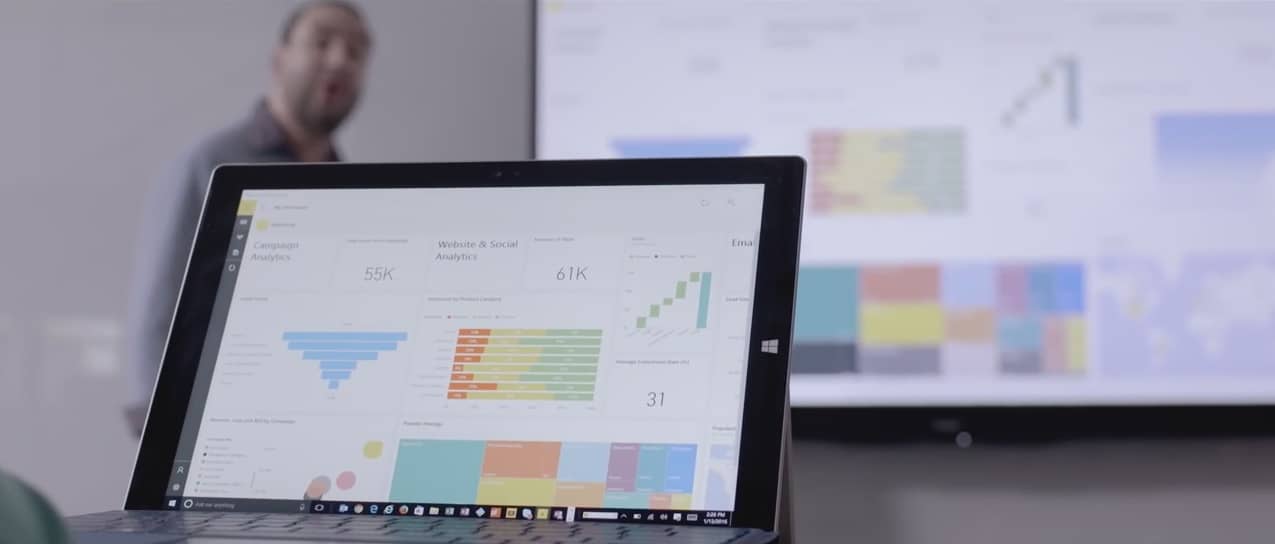
Microsoft believes its Power BI tool is the perfect solution for a mobile sales team whose company has or is making the move to the cloud. Using Power BI, sales reps, and associates can do away with fumbling through spreadsheets, or cycling through a litany of specialized apps when presenting offers or proposals dependent on the analysis of big data.
Instant reports—Companies are always trying to find new ways to increase productivity. For a sales team, that can mean eliminating difficult and time-consuming manual reports and replacing them with a technology partner that can sort through data from myriad sources and produce actionable insights. Pipeline reports and sales trends can be generated in hours, minutes and sometimes seconds—instead of days—leaving you plenty of extra time to review and develop thoughtful strategies.
Data share across departments—For your sales team to succeed, your company’s other departments also need analytical success. Because Power BI supports nearly 60 applications, different departments can import the data they’ve collected to share with each other and provide deeper insight. When a sales team can see where marketing efforts have succeeded, for example, they can more effectively realign their strategies.
Quota management—In an ever-changing market, setting realistic quotas proves challenging, especially when your sales success depends on variables like region, month and customer segment. Power BI eliminates the difficulty by gathering past and present data—in one place—so you can set attainable goals for the future.
For companies or businesses looking to expedite the close of a deal or hand their men and women the tools to branch out into new markets, Microsoft’s Power BI tool should be a top consideration. Beyond just enabling an efficient sales force, Power BI is also one of the best means for a business to wrap its head around the multitude of signals it receives by processing data into customizable visualizations. Tools such as Power BI go hand in hand with the ever increasing data noise cloud infrastructures are designed to catch.
On the Xbox One, the Battlefield 4 Second Assault downloadable content (DLC) is completely free while BADLAND: Game of the Year Edition, LA Cops, and Schrödinger’s Cat and the Raiders of the Lost Quark have been given a 75% discount.
The Gears of War: Ultimate Edition Deluxe Weapon Skin Pack is now 67% cheaper and WWE 2K16 Digital Deluxe is 60% off the usual price. WWE 2K16, This War of Mine: The Little Ones, Plants vs. Zombies Garden Warfare 2, Plants vs. Zombies Garden Warfare 2: Deluxe Edition, and Grand Theft Auto V & Megalodon Shark Cash Card Bundle are now selling for half price.
Deals with Gold
The Grand Theft Auto V & Whale Shark Cash Card Bundle has been reduced by 45% and the Assassin’s Creed Syndicate – Jack the Ripper DLC, Grand Theft Auto V & Great White Shark Cash Card, Homefront: The Revolution ‘Freedom Fighter’ Bundle have had their prices slashed by 40%. Grand Theft Auto V and Homefront: The Revolution are 35% cheaper for this week and King’s Quest : The Complete Collection is 25% cheaper. The King’s Quest: Season Pass – Chapter 2-5 DLC pack is 20% off the regular price.
On the Xbox 360, the Battlefield 4 Second Assault DLC is being given away for free while Dead Island, Dead Island Riptide, and Escape Dead Island are now selling for 80% off the usual asking price. Worms Revolution and Worms 2: Armaggedon are now 75% off and the Gears of War 2: All Fronts Collection DLC, Gears of War Judgment VIP Pass DLC, and WWE 2K16 have been reduced by 50%.
Finishing up the Xbox 360 discounts are Grand Theft Auto V, which has had its price cut by 40%, and the King’s Quest: Season Pass, which is now 20% cheaper than usual.
There’s a new Xbox One video game based on the upcoming Ghostbusters theatrical reboot and it’s now available for pre-order and pre-download on the Xbox One ahead of its July 12th release date.
Here’s the official description: Have you and your friends been experiencing paranormal activity? Grab your Proton Pack and join the Ghostbusters as you explore Manhattan, blasting ghosts, and trapping those runaway ghouls.
Thrilling Multiplayer Experience: Play alongside your friends as the Ghostbusters in the 2-4 player local co-op campaign!
Terrifying Ghost Trapping: Battle new and classic Ghostbusters characters, including Slimer, Gertrude Eldridge, Sparky and many more!
Electrifying Weapon Choices: Dynamically swap weapons during battle with unique options for each character.
Blockbuster Film Extension: An original story that takes place after the events of the movie!
Ghostbusting fun for the whole family: Gamers of all ages and experience can dive right into the action.
The game is currently being sold in a special pre-order bundle that includes both the full game and a special bit of downloadable content (DLC) that gives gamers the option to enable classic character costumes based on those used in the original two Ghostbusters movies from the 80s.
Despite being somewhat based on the new movie and even providing players with a story campaign set after the events in the film, the game seems to feature entirely unique characters with a noticeable equal representation of male and female characters to play as (the new movie has an entirely female team of Ghostbusters).
Blizzard is known for developing successful and popular games and it looks like the company found another winning formula with its latest game, Overwatch. The newly released multiplayer FPS hit a new milestone, reaching 10 million players in less than a month since release.
Blizzard celebrated this achievement with a video on Twitter, where it thanked all Overwatch players for purchasing the game.
Ten million Overwatch agents activated and counting! Thank you for daring to see the world for what it could be. ????pic.twitter.com/5nCe4e32XT
Unlike Blizzard’s previous successful title, World of Warcraft, Overwatch doesn’t require a subscription. Of course, Overwatch still has a healthy competition in its own house as the aforementioned WoW once had around 14 million monthly players at its peak and Blizzard’s free digital card game, Hearthstone, has around 40 million active players.
Overwatch is available on Windows PCs, Xbox One, and PlayStation 4. You can purchase it and join the army of more than 10 million agents (and counting) for the price of $59.99.
RELATED STORIES YOU NEED TO CHECK OUT:
Minecraft: Story Mode Episode 6 “A Portal to Mystery” available now
If you’re in the Xbox One Preview program, then you can expect a new build to start rolling out today at approximately 6PM PDT. The news comes from Xbox’s Mike Ybarra via Twitter.
The link goes to the Xbox Preview private forum, but Windows Central posted some of the update’s details:
Language Independence – Based on overwhelming fan feedback, we’ve enabled Language Independence to give you even more choices over your Xbox experience and how you engage with your Xbox One. Language Independence gives you the freedom to choose any supported language on Xbox One, regardless of your location.
Please try out this capability and give us your feedback. If you encounter any issues, change your language and location settings back to their previous values to see if the issue still exists. We look forward to your feedback.
Game Pre-orders – When purchasing a game pre-order, funds may no longer be deducted from your account immediately (depending on when the game pre-order is purchased). Pre-order funds will now be deducted from your account 10 days or less prior to the game’s release date.
If you’re in the preview, then hit that update button at the appropriate time. Let us know in the comments what you think of the update.
The massive multiplayer online strategy game Imperia Online is a relatively new entrance to the Windows Store, but its developers are already headed back to the drawing board to bring the gaming app more in line with Microsoft’s new Universal Windows Platform.
Before today’s announcement, Imperia Online initially saw the Windows Store as a way to expand its reach beyond its humble beginnings on Facebook to eventually iOS, Android, and the web. The developers had a bit of trepidation when considering Windows, perhaps due to its separate and uneven ecosystems early on.
At first, we were skeptical of the Windows ecosystem, but then we saw the lack of strategy titles in their games section, and we thought this new platform can expand the company’s market significantly.
Mariela Pavlova, Head of Marketing and Business Development for Imperia Online
Perhaps thinking beyond simplifying the amount of development work the gaming studio would have to do, UWP also provides a single significant foundation to support Imperia Online’s vital in-app purchasing model. Using UWP development for gaming, developers can implement promotional codes for in-app products the coincide with timely events, holiday specials, or encourage weekend bonus play.
From the beginning we have believed that free-to-play is the business model of the future because you can reach a broader audience,” said Cvetan Rusimov, COO of Imperia Online Ltd.
In-app monetization
Another benefit of UWP development is utilizing platform specific resources such as Live Tile manipulation as a subtle alternative to annoying pop-up notifications, drawing gamers back into gameplay.
Our experience on Windows,” said Mariela, “shows that users benefit a lot from Live Tiles mainly because they are not disturbed by notifications. Instead, they see nice images for the local offers, coming attacks and finished missions in game. Retention rates are increased, as shown by more frequent logins and game sessions.”
The powers that be over at Imperia Online also see UWP development as a quick injection of regional expansion as well. Using UWP development enables Imperia Online to reach a broader audience than which it currently caters to in Europe, South America, the Middle East and Japan. While not relying solely on the 300 million install base, Imperia Online developers are looking more into utilizing Microsoft’s global presence with its Azure cloud platform to ensure their game is translated and repurposed with the right localized assets and data.
Imperia Online Languages
Imperia Online has been supporting users on various platforms ranging from the web to the more popular mobile ones. Fortunately, Imperia Online’s development roadmap includes Windows 10. For their time and effort, UWP development for Imperia Online should offer a larger audience and continue to help expand the number of platforms the game is present on. Once Imperia Online’s app is fully developed for the UWP, its developers have a prompt window into putting its in-app purchase model in front of a console audience or AR crowd that no other platform is equipped to do today.
Apparently, players have been demanding that the DOOM demo be extended because today on Twitter, @DOOM revealed that it would be continuing for a while longer. The original demo was meant to be available for the E3 conference week, however, the DOOM developers figured ‘what the hell’ according to their social media.
The DOOM demo is available right now for download and lets you play the opening level of the single-player campaign. Download it for free for Xbox One, Playstation 4, or PC.
Microsoft has released an update for its Sway storytelling tool Sway, a Microsoft tool that helps in creating digital stories through a canvas layout in which you import images, videos, web content and text to create an interactive and immersive story. Sways can be shared with others online via a link, allowing them to quickly view your digital story and view the content all in one place.
Support for these new languages will allow more people to make use of Sway in their native language, and not have to resort to a second language.
Along with new languages also comes a new method of finding content in your Sway whilst editing it: keyword searching. From today, you will be able to quickly search for keywords in your story and it will allow you to rotate through all of the found references, much like when using the Find (CTRL+f) feature in a web browser.
Programmers and developers have been anxiously waiting for an invite into the Docker application beta since earlier this year. During their announcement video, Docker shared that they had over 30,000 interested parties sign up within hours of the initial announcement. A grand total of 70,000 were able to join the beta to provide feedback and get a hands-on experience with the application. But for those that haven’t gotten in, today they can do so with the open beta announced for Docker on Mac and Windows.
The Docker platform is one of the most versatile means for developers and IT to create and test their application software through multiple devices. Docker boasts that the Windows application will provide better performance and reliability as well as advanced options to change CPU, Memory Usage, and many more tweaks to improve development.
With Docker on Windows, users can expect the same experience they’ve had before with enhancements, including deeper integration of running Docker and native virtualization for the Windows platform. The in-container development makes it possible to auto-update the software within the platform–just a save and refresh after, and the application reflects changes made to the coding without any hassle.
The polyglot environment is a major feature for teams, developers, and organizations that use multiple coding on their projects. Mounted volumes will notify the document when it’s changed. Developers are now able to build applications on a Windows machine without the need to add more frameworks. For example, when a developer writes in Java coding, the application will recognize it as Java coding. The same will occur with other supported languages.
The Docker application for Windows will provide better networking than before with built-in DNS servers and easy use over VPN. It will run with Native Hypervisor Support meaning that minimum specifications require a Windows 10 Pro machine with the latest Hyper-V updates. So what are you waiting for? The Docker public beta can be downloaded from their official website.
A professional learning community (PLC) is a group of teachers that meet regularly to share classroom techniques and discuss ways of better engaging their students to improve their academic performance. Office 365 Groups provides teachers with a number of ways to collaborate within a PLC easier and more efficient. For the most part, PLCs are formed and focused on specific grade levels and subject areas.
Here are some examples of problems that PLCs face that Office 365 Groups can help fix:
Teachers can be isolated, time is severely limited and collaboration is difficult.
Professional collaboration tools are disconnected and don’t always support meaningful, sustained collaboration.
A challenge for many PLCs is extending the work and relationships in the times and spaces between physically coming together.
It can be difficult for new teachers to ramp up.
Information is often stored in personal spaces as opposed to one common place that can benefit others.
New members need to better understand the journey, story, exploration and history of a PLC, its activities and areas of inquiry.
In April 2016, Office 365 looked to help improve the user experience for PLCs. Today, Microsoft announced that the PLC Groups Preview, tailored to meet the needs of teachers and address some of the issues that they face in their PLCs. Available later this Summer, the Office 365 Groups for PLC Preview will help teachers in PLCs by providing a better collaborative experience.
Each Office 365 Groups for PLC Preview will come with:
Inbox for group email communication, including Connector for connecting your group to Twitter and following topics or Twitter handles that interest your PLC group.
Calendar for scheduling group events.
Document library for storing and working on group files and folders.
OneNote notebook for taking project and meeting notes.
Planner for organizing and assigning tasks and getting updates on project progress.
Here is a video showing how Omaha Public Schools uses Office 365 Groups for PLCs:
To learn more about new features and capabilities coming soon to Office 365 Groups for Education, you can check out the Office 365 Education Roadmap. If you are interested in trying out the Office 365 Groups for PLC Preview, you can sign up here.
The Office 365 team has just taken to their blog to announce the availability of Microsoft Forms for Office 365 Education customers. Microsoft Forms is an easy-to-use Quizzing Function which lets anyone confidently create a form and easily see results as they come in.
Microsoft Forms
Microsoft Forms works for anyone with an Office 365 Education account and is unique because of its automatic grading and in quiz functionality, which is especially valuable for those in education. Built on the direct feedback of educators, Forms’ automatic grading reduces the time spent grading. In quiz feedback meanwhile, lets quiz authors personalize messages depending on how a student answers a question. The Office 365 Team describes the functionality of Microsoft Forms as follows,
When an instructor wants to assess how well the students understand a given topic, they can quickly author a quiz directly from their desktop or mobile web browser. The instructor simply determines the questions they would like to ask and then chooses an answer type, such as multiple choice, text or a rating. The Forms authors can then send a link or QR code to quiz takers or embed the quiz into a web page, blog or Learning Management System (LMS), and recipients can complete the quiz on phones, tablets or PCs. And with the real-time feedback in Forms, the instructor can very quickly see where the class may need additional instruction or could advance more rapidly. Forms responses can also be exported to Microsoft Excel for richer analyses.
The Office 365 team also is claiming that Microsoft Forms is a great quizzing platform because the quiz question types are unique. Additionally, the team notes that Forms is also flexible and can be used to create surveys, requisitions, assessments and so much more.
A look at Office 365 Forms in action
Microsoft Forms is available for Office 365 Education customers starting today. Customers can find the tile for Forms in the My Apps section of the Office 365 App Launcher. It is also worth noting that while the Office 365 team is exploring possibilities of launching Forms outside of Office 365 Education, more details are not available at the time.
With the Windows Insider program on Windows 10, we were introduced to what Microsoft likes to call a ‘Bug Bash’. The first bug bash took place on April 26, 2016. Bug bashes are used as a way for the company to gather direct feedback on specific journeys that a user may take; this involves asking the user to complete a specific scenario or set of tasks, and providing their feedback at the end.
Microsoft generally announces an upcoming bash a few weeks ahead, and once the time comes around, they release a number of quests into the Feedback Hub. These quests are designed to get users to test a number of features in Windows 10; this could include Bluetooth connectivity, or new functionality in the Edge browser, such as extensions. Sometimes new quests are added throughout the duration of the bug bash.
A bug bash doesn’t just involve quests. Microsoft also wants users to test everything, do everything they would normally do, and report any issues that they notice, no matter how big or small it might be. It is a chance for the company to refine the user experience and weed out any annoyances that could occur, to ensure a smoother experience, particularly for an upcoming large release, such as the 2016 Anniversary Update.
What platforms are Bug Bashes held on?
Bug bashes are available on any Windows 10 device that features the Feedback Hub. This includes Windows 10 PCs, tablets and mobile. All you need to do is head over to the Quest’s page and start working your way through them – or provide your own feedback, through the standard Add Feedback functionality.
How often are Bug Bashes run?
So far, bug bashes are a somewhat rare event, used only to refine the experience before major releases. Stay tuned to OnMSFT for all the latest Windows 10 Insider Bug Bashes!
What does Microsoft do with my Feedback items?
When you submit a Feedback item in the Feedback Hub, particularly so during a Bug Bash event, Engineering teams responsible for the feature affected will triage and review the reported issue. They will then attempt to replicate the issue or view similar reports to gather insightful information. If they have the necessary information, it will be queued and assigned for a fix to be created. Eventually, the fix gets rolled out to Windows 10 Insiders.
As many users throughout the internet have reported, one of the biggest problems with the Microsoft Band 2 is that the thermal plastic elastomer silicone vulcanite wristband on the device would tear in certain areas. According to WinSuperSite, Microsoft has fixed the material in newer shipments of Band 2’s in order to protect against such rips and tears.
A broken band on the Microsoft Band 2 – image credit Kellogg Brengel
The report notes that employees helping in the exchange of torn Band 2’s at Best Buy and the physical Microsoft Retail Store have mentioned that, “there’s a special lot number that has been fortified with either new or thicker material.” This lot number, apparently, can be found on the retail box for the Band 2 (as seen below.) The site is also noting that Lot numbers with 1608 or above, might have shipped with the thicker skin.
A look at where to find the Lot Number on your Band 2 box
As WinSuperSite notes, the first two numbers in the Lot number appear to be the year of shipment, and the second two appear to be the week. So, this indicates that Band 2’s with the Lot number of 1608 (2016, 8th week) are the ones with the heftier skin for enhanced tear protection.
So, will you check your Lot Number to see if you’re one of the lucky folks with the thicker Band 2 skin? Let us know by dropping us a comment below!