Popular MMO game DC Universe Online just arrived on Xbox One. The game is finally available on Microsoft’s console, five years after its initial release for PC and PlayStation 4, and everyone who wants to download it can do so from the Xbox Store for free.
This MMO game lets you jump into DC’s world of heroes and villains by creating your own unique character. The game features most of DC Universe’s signature heroes, villains, and other characters as well, so if you want to fly with Superman or fight against Batman, this is the right game.
A lot of users demanded the Xbox version of the game for years and the development team finally fulfilled their wishes. Since this is the first fully-featured DC Universe game for Xbox One, users who download it will receive three exclusive items for free: Powered-Up Emblem, Powered-Up Cape, and the Vapor Aura.
DC Universe was originally released in 2011 for Windows PCs and PlayStation 4. DC and Daybreak constantly work on new content as they have released 23 expansion episodes so far, with more on the horizon. All 23 episodes are already available to Xbox One players, and every new episode will be released on both PlayStation 4 and Xbox One at the same time.
“DCUO is an ever-expanding world and we have much more content in the pipeline. Players can expect to see Darkseid make his debut in DCUO and an all-new Harley Quinn storyline inspired by the Gotham Girls and Gotham City Sirens! We also have Water Powers in the works – a healer and damage-based power set inspired by Mera’s aquakinesis and Aqualad’s hard water constructs.”
If you want to download DC Universe Online for Xbox One, you can do so from the Xbox One Store for free. Additionally, if you want to play some of the already available episodes, you can purchase it from the DC Universe Online Store for $4 each.
The official Twitter app for Windows 10 has been serving people quite faithfully for some time, but there are tons of Twitter users who would rather split off and use a third-party app instead. The third-party app of choice for many Twitter users on Windows 10 is Tweetium, a premium application that provides a somewhat sleeker interface than the official app.
Just recently, Tweetium faced some issues due to changes made by the folks running Twitter. After the changes were made, Tweetium users were unable to look at their conversations with friends–a problem that seriously hampered the experience of those who tend to use Twitter as the platform by which they talk to their friends.
An update with a fix for conversation views is rolling out now in the Windows 10 Store. Win/WP 8.1 users stay tuned, update is in the works.
Earlier today, Tweetium rolled out the fix to this issue for anyone that was using the app through the Windows 10 store, making it so the conversation window is once again functional for them. Unfortunately, Windows 8.1 users are still stuck with the issue, but the people behind Tweetium are working on a fix right now. While there’s no way to know just when that fix may be rolling out, it’s fair to assume that Windows 8.1 users should likely be getting it in the next couple of days.
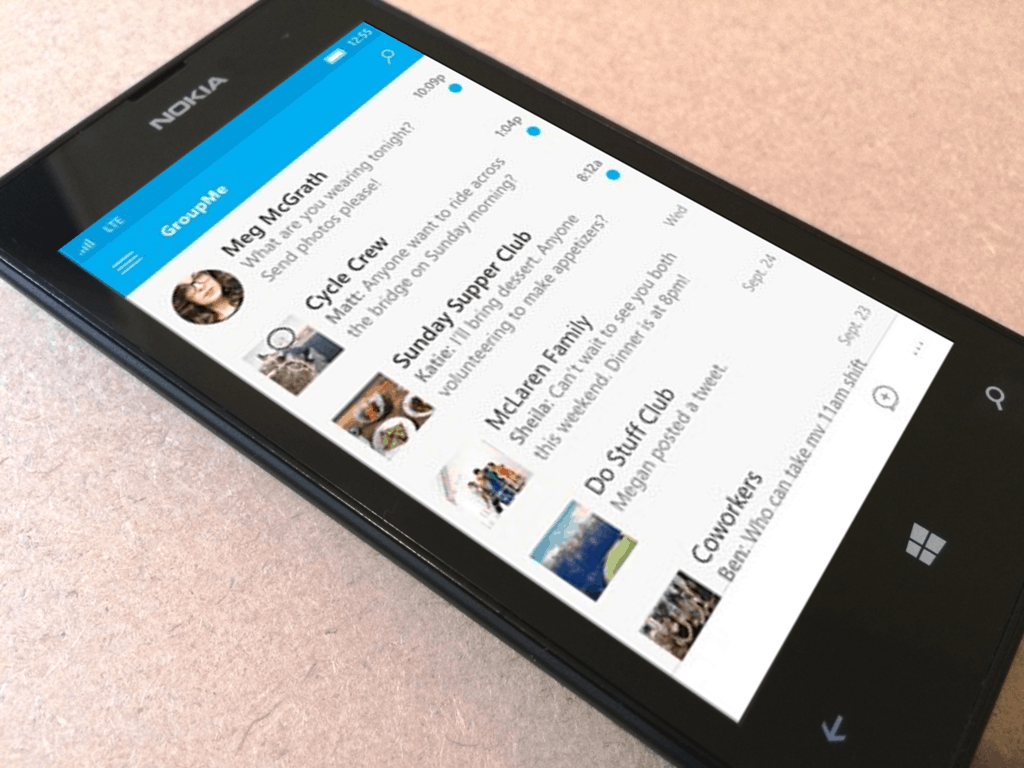
GroupMe is advertised an easy way to connect with the people that matter most to you by chatting with their phone number or email address. Similar to its predecessor, Skype, the application boasts that it can replace the functionality of smartphones in general by texting with direct conversations and using a web browser version that connects to all of your conversations at her desktop.
Now GroupMe has rolled out its beta version 1.9.2.9 with an added Media Search function (first spotted by MSPU). Tapping the button will open an image and GIF gallery with a search bar. Users can find exactly how they want to communicate with the list of pre-selected media that will post directly in the conversation with their friends, co-workers, and family.
The current version of GroupMe on Windows 10 Mobile doesn’t have the feature yet, but the feature is similar to that of other social networks. We have no doubt that it will be part of a release update shortly.
VR fans will be able to buy an Oculus Rift from the Microsoft Store and other stores starting from May 6th. As far as Microsoft’s Store is concerned, you can buy this VR device only from the online store and not from physical stores.
One day later, the Oculus Rift will also be launched in Best Buy Stores. However, according to the manufacturer, supply for Oculus Rift is limited, therefore, you’d better buy one on May 6th if you don’t want an unpleasant surprise.
A small number of Rifts will be available for purchase at select Best Buy stores starting May 7 and online from Microsoft and Amazon, starting May 6 at 9am PST. Quantities will be extremely limited while we catch up on Rift pre-orders.
If you have already pre-ordered the Oculus Rift but you end up changing your mind and decide to buy from Microsoft’s online store or any other stores instead, you can cancel your pre-order after you buy the device. All you have to do is contact Oculus and ask them to cancel your pre-order.
The company has also confirmed that later this summer it will start offering even more in-store Rift demos at additional Best Buy locations. In this manner, you’ll have the chance to try out the VR experience that Oculus Rift brings.
For many, this is a first chance to jump into truly immersive VR. We’ll have a variety of experiences that everyone can enjoy, including VR vignettes with Oculus Dreamdeck. Ultimate thrill seekers will be able to experience what it’s like rock climbing on the side of a cliff with The Climb, and in the coming weeks, you’ll be able to explore the beautiful alien world of Farlands.
If you want to try out Oculus Rift, you can schedule a demo at Best Buy locations up to a month in advance via the Oculus Live service. As far as competition is concerned, you can also test out HCT Vive at selected Microsoft Stores.
Are you ready to immerse yourself into the VR world? You could start with Eve: Valkyrie, a multiplayer dog-fighting shooter game. This game is using the virtual reality headset technology and it was already released especially for the Oculus Rift.
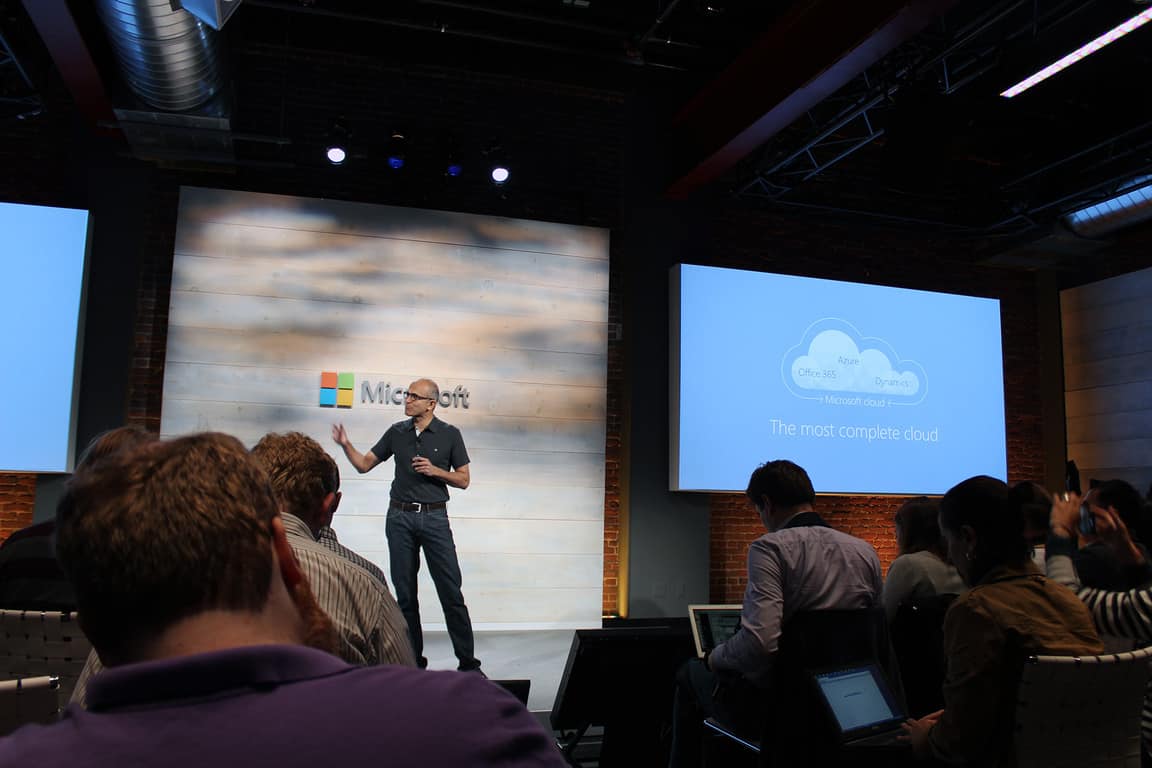
Microsoft has been beating the file sharing drum all day today as the company introduced several new additions to its SharePoint and OneDrive services during an announcement today at the “Future of SharePoint” event.
For those unable to attend the Future SharePoint event held in San Francisco, California today, the Office team has put together a little CliffsNotes announcement about the future file sharing capabilities landing in the various services across Office 365.
Some of the event highlights include a OneDrive announcement recap:
It’s been a breakthrough year for OneDrive. We’ve made important advances with rock-solid, reliable sync on your PC and Mac, deep Office integration, four-star and above–rated mobile apps and a fast, intuitive browser experience. Additionally, we’ve built lots of new admin and security controls for IT to protect critical corporate data. Great progress, but as always, there is more to do! Later this year, we’ll make it possible for you to sync files stored in any SharePoint document library. Stay tuned for details of our Pre-Release program in the third quarter of 2016.”
OneDrive share to SharePoint 2016
Up next is the seeming star of today’s event, SharePoint. Microsoft announced several much needed improvements to the arguably stagnating platform.
We’re rolling out an update to SharePoint document libraries that builds on the core value people depend on—adding new user experiences and capabilities that bring consistency to working on files throughout Office 365 while maintaining the full power of SharePoint document libraries.
Use Pin to top to increase visibility and discoverability for important files at the top of the document library for all users. You can also add a link in an Office 365 document library to an item that is located outside the document library. For example, you can add a link to a file or folder located in a different document library or website. When you add a link in a document library, the link shows up in the list of items in that library with a web globe icon to identify it as a linked item.
To help you find and manage items, you can now sort and filter columns. In addition, new real-time, full-text search results appear directly in the document library experience along with quick, inline metadata management.”
Lastly, the company put a continued emphasis on cross-platform data syncing and retrieval by highlighting offline capabilities for OneDrive on iOS, an Intelligent Discovery feature for OneDrive for Android, and ongoing work on the means by which users will be able to measure the reach of their files via mobile apps.
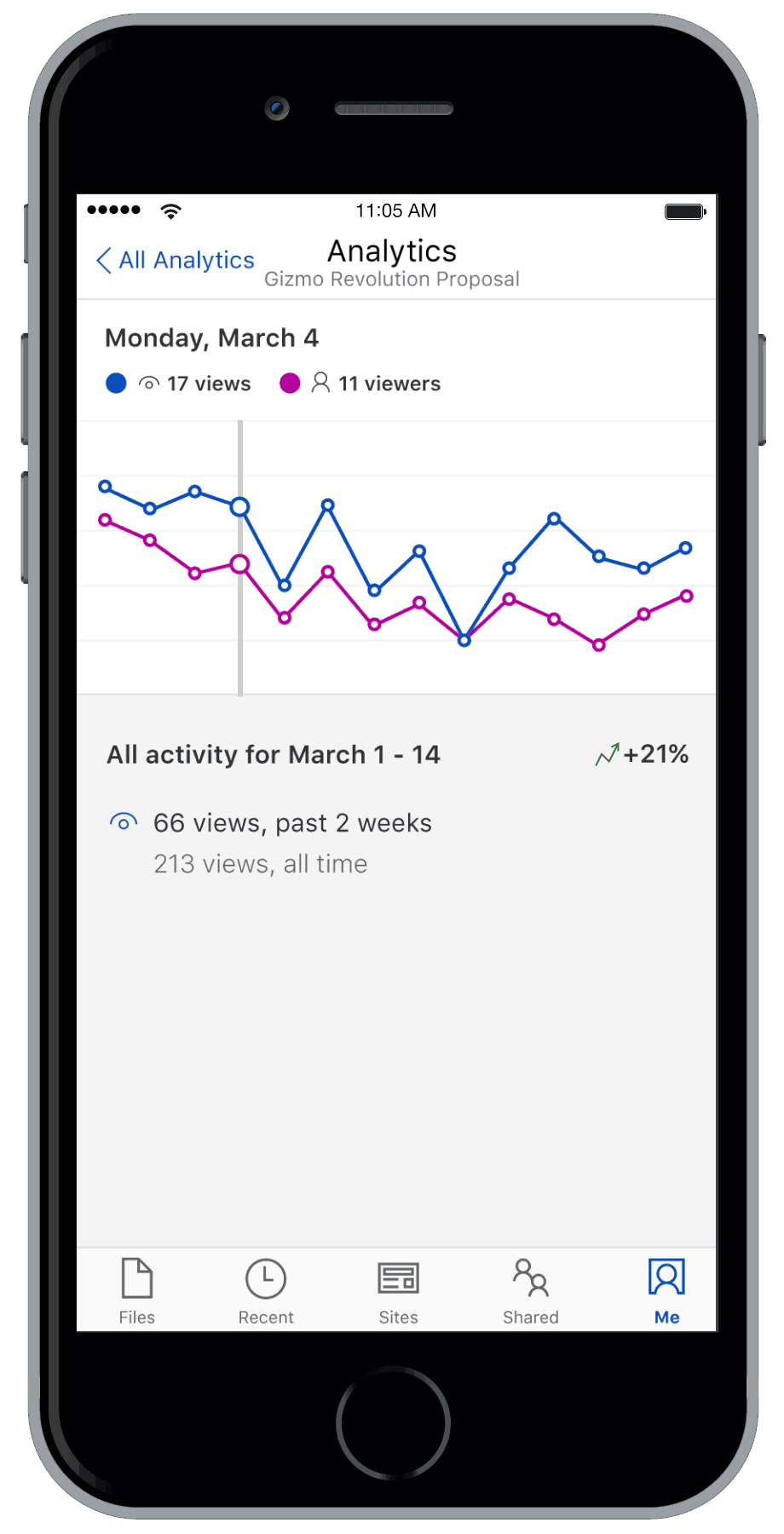
We’re laying the foundation of a simpler, more powerful way to manage your files in Office 365, but our mission is to go beyond this. We looked at what will motivate people to copy or move their files between OneDrive and SharePoint Online. Historically it’s due to organization-mandated processes, but increasingly people want to make their work broadly discoverable, reviewed, liked, shared—all the reasons why Facebook and Instagram have been such big social phenomena. Our vision is to do with files what Instagram did for photos. Not only can you publish from OneDrive to SharePoint, but you’ll want to for the visibility and discoverability this offers. We harness your desire for self-expression and recognition—to be noticed and valued for your contribution. We’re currently working on a means for you to measure the reach of your files with embedded analytics that show over time how many people have discovered and viewed your files. Like never before you’ll be able to get an insight into the impact of your work. We’ll ship this new feature in our mobile apps before the end of the year.”
Microsoft has big plans for SharePoint, OneDrive and Office 365. As Slack continues to snatch the gazes of potential Office users, Microsoft is quickly pivoting to counter with its own set of sharing and social aspects being embedded in a productivity suite currently used by millions. Whether or not the company succeeds in staving off competition remains to be seen, but it’s great to see the Office team react as quickly as it has to an evolving business consumer.
Microsoft held an event in San Francisco recently to discuss with users the future of SharePoint, an online and on-premise solution that lets users collaborate with team members from anywhere. At this event, it was announced that PowerApp, a program from Microsoft that lets users make mobile/tablet apps without writing code, is going to be able to plug into SharePoint in the coming months.
Create PowerApp from within SharePoint.
This is a fairly big deal for several reasons. SharePoint is a solution that’s incredibly useful for any team that needs to stay in touch and collaborate on content constantly, but effectively. The integration with PowerApp means that SharePoint’s functionality is going to be fundamentally improved, offering teams the ability to bring the data that they compile in SharePoint into mobile apps that are easy to digest.
Microsoft went over a lot of the details in their blog post, discussing the particulars of how SharePoint users are going to be able to create PowerApps. Beyond that, they also spoke about what they think the future is going to look like for the PowerApp platform, laying out a number of new features that are currently being developed:
Full read/write support for all Sharepoint list data types including Person or Group, Managed Metadata, Lookup, and Multi-select Choice
Support for document libraries
PowerApps can be created from within SharePoint with a straightforward UI.
Whether or not the integration with SharePoint is going to be rolling out alongside or before those new features is yet to be seen, but hopefully Microsoft is working to make them quickly and effectively.
The biggest concern that many users have about using the Internet is having their personal information stolen from them. It’s scary how much data can be skimmed off of a simple username and password combination. But today, Reuters.com has been made privy of a recent exchange of millions of accounts that is being traded on the internet freely for as little as internet fame.
272.3 million accounts were stolen from Mail.ru, Google, Yahoo, and even Microsoft. Alex Holden, chief information security officer and founder of Hold Security, said that they discovered the Russian hacker after he started bragging online. Through a forum, the hacker had told users that he stole up to nearly 1.17 billion records and that he was looking to sell all of the information for 60 roubles (less than $1 USD). But money isn’t what he really wanted. The young person handed over the entire stash to Hold Security after they promised to write comments in hacker forums praising his capabilities.
But hacks like these don’t come without a cost. With the information being freely exchanged for such little compensation, hackers can utilize the data breaches and cause major problems not limited to identity theft, stolen money, and damaged reputations. In fact, thousands of the data actually belonged to US banking employees and manufacturing/retail companies that could lead to even more data breaches down the line.
It was revealed that 12%, approximately 33 million, of the account credentials stolen were Microsoft Hotmail accounts. “Microsoft has security measures in place to detect account compromise and requires additional information to verify the account owner and help them regain sole access.” a Microsoft spokesperson told Reuters.com.
Alex Holden ensured readers Hold Security has a firm policy to return all stolen data that it recovers back to the original holders without any cost to the company.
While Microsoft hasn’t officially suggested any recourse on protecting your data, here are a few tips that can increase your account security:
Change your password regularly. Some sites suggest every month.
Use a password that is randomly generated. Include a variation of symbols, letters, and numbers.
Use a different password for every account. Having the same password for everything will result in all of those accounts being compromised at once.
Have a different means to recover your password. Use phone or app authentication when provided.
Are you concerned that any of your accounts have been compromised? Let us know in the comments.
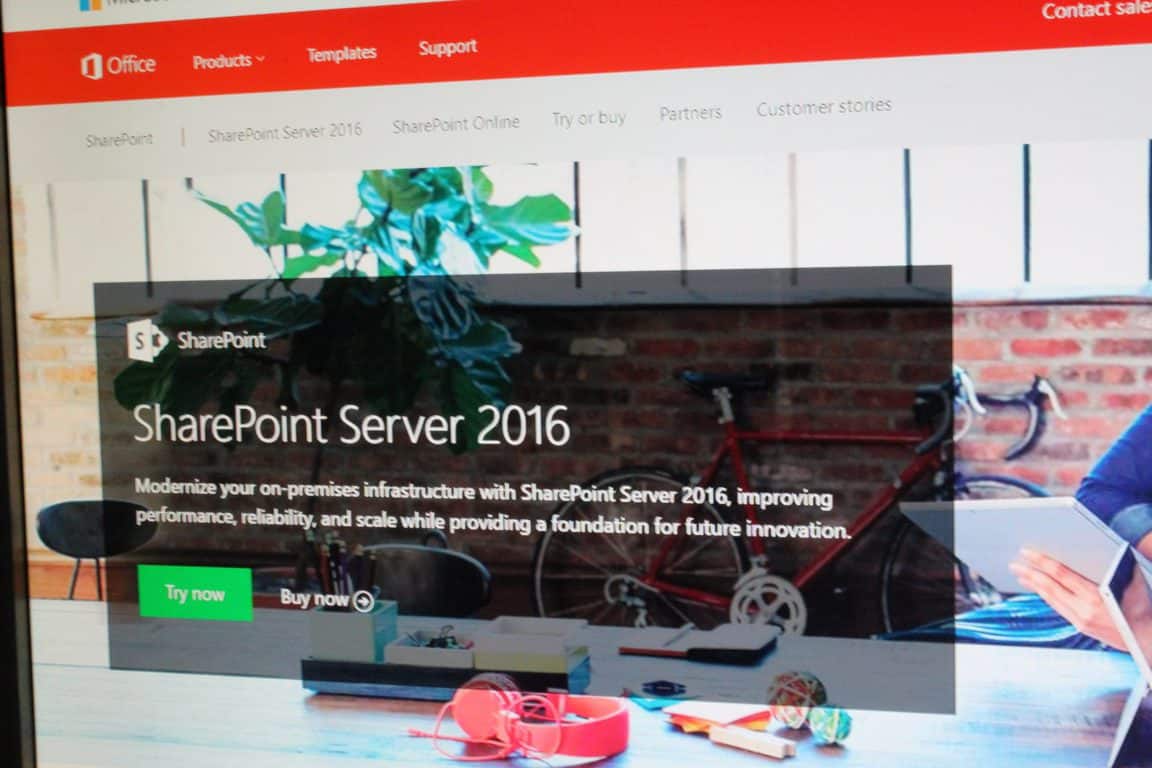
Microsoft has just announced the general availability of SharePoint Server 2016, which will now be providing SharePoint customers with a foundation for modern, intelligent intranet and content collaboration.
Cloud-Inspired Infrastructure: SharePoint Server 2016 represents a new generation of SharePoint that accures the experience of running SharePoint at scale in Office 365 and brings investments in SharePoint Online to your data center to improve performance, reliability, manageability, and scale.
Compliance and Reporting: SharePoint Server 2016 provides a broad array of features and capabilities designed to make certain that sensitive information remains protected with investments in data loss protection, new scenarios to enable data encryption and compliance tools that span on-premises servers and Office 365.
Enhanced User Experiences: SharePoint Server 2016 brings innovations in user experience from Office 365 to on-premises farms, with improvements to document libraries and navigation constructs that are consistent with Office 365.
SharePoint Server 2016 will also deliver unconditional improvements to enhance the quality of on-premises SharePoint solutions and enable customers to take advantage of the innovations in Office 365. Microsoft is highlighting the value of SharePoint 2016 in a blog post and is dividing it into three areas: cloud inspired infrastructure, compliance and reporting, and enhanced user experiences. The full details on each of these values can be seen below.
Additionally, Microsoft is also highlighting how SharePoint 2016 is the foundation for the future. Moving to a unified code-base, Microsoft claims, will bring as much value as possible from SharePoint Online to SharePoint Server. The company details this in each of the following categories which can be seen below:
Seamless connection to innovate Office 365 features and experiences: SharePoint Server 2016 allows users to transition smoothly between on-premises sites and Office 365 sites and experiences.
Integrated, unified, hybrid experiences: SharePoint Server also delivers cloud-both innovation through hybrid capabilities that span, integrate, and unify on-premises farms and Office 365.
On-premises experiences and feature: We will provide many of the new experiences and frameworks to SharePoint 2016 customers with Software Assurance through Feature Packs. This means customers won’t have to wait for the next version of SharePoint Server to take advantage of cloud-born innovation in data centers.
Microsoft customers around the world use SharePoint to support collaboration, search, business process automation and custom business applications, so this release is a step towards the future. The company has also noted that the SharePoint team is also committed to SharePoint, so this release will not be the last on-premises server release.
Yesterday, Microsoft introduced a preview of docs.microsoft.com, a new repository for developers and IT Pros, bringing documentation into the modern age. The new site will support Microsoft’s Enterprise Mobility products, moving content (and creating new content) from TechNet and MSDN into a cloud first, mobile first modern experience.
To make a couple of long Twitter threads short, in a few hours, Dennis Delimarsky of Microsoft responded, fixed, and deployed a fix, and the results speak for themselves:
Docs.microsoft.com is an interesting project with lots of promise, as Rafael noted, but sometimes something as simple as the wrong font can derail the most worthy projects.
We applaud both Rafael for speaking out, and for Microsoft (or at least this dedicated group) for jumping in and fixing a glaring but easily fixed error.
It is once again that special day for Star Wars fans to celebrate the franchise, its characters, the stories, and the Force. May the Fourth is known as the unofficial annual celebration of all things Star Wars because the day sounds similar to the iconic phrase “may the force be with you.” And over the years more and more companies have found ways to join in on the holiday with some clever marketing and big deals.
HP Special Edition Star Wars 15-an097nr Signature Edition Laptop
The machine features a 15.6” full HD touchscreen, Skylake generation i5 processor, a standard 8GB of RAM, and a NVIDIA GeForce 940M graphics card. But what makes this laptop stand out is its red backlit keyboard and emblazoned Star Wars graphics of Darth Vader, a Storm Trooper, and the Imperial logo. There is also some Star Wars content pre-loaded such as a wallpapers, screensavers, sounds, and a special font. The HP Special Edition Star Wars laptop is on sale today for $699, which is $150 off the normal price.
The Star Wars Day store page also has deals on a Star Wars edition mouse, keyboard sleeve, and an assortment of Disney Infinity 3.0 Figurines. And Star Wars Battlefront for Xbox One is $15 off, but the PC version is unfortunately not similarly discounted. Finally, you can of course pick up Star Wars: The Force Awakens digital release from the Microsoft Store; however, the title has not be discounted in honor of the holiday.
How are you planning to celebrate Star Wars Day? Let us know in the comments section below.
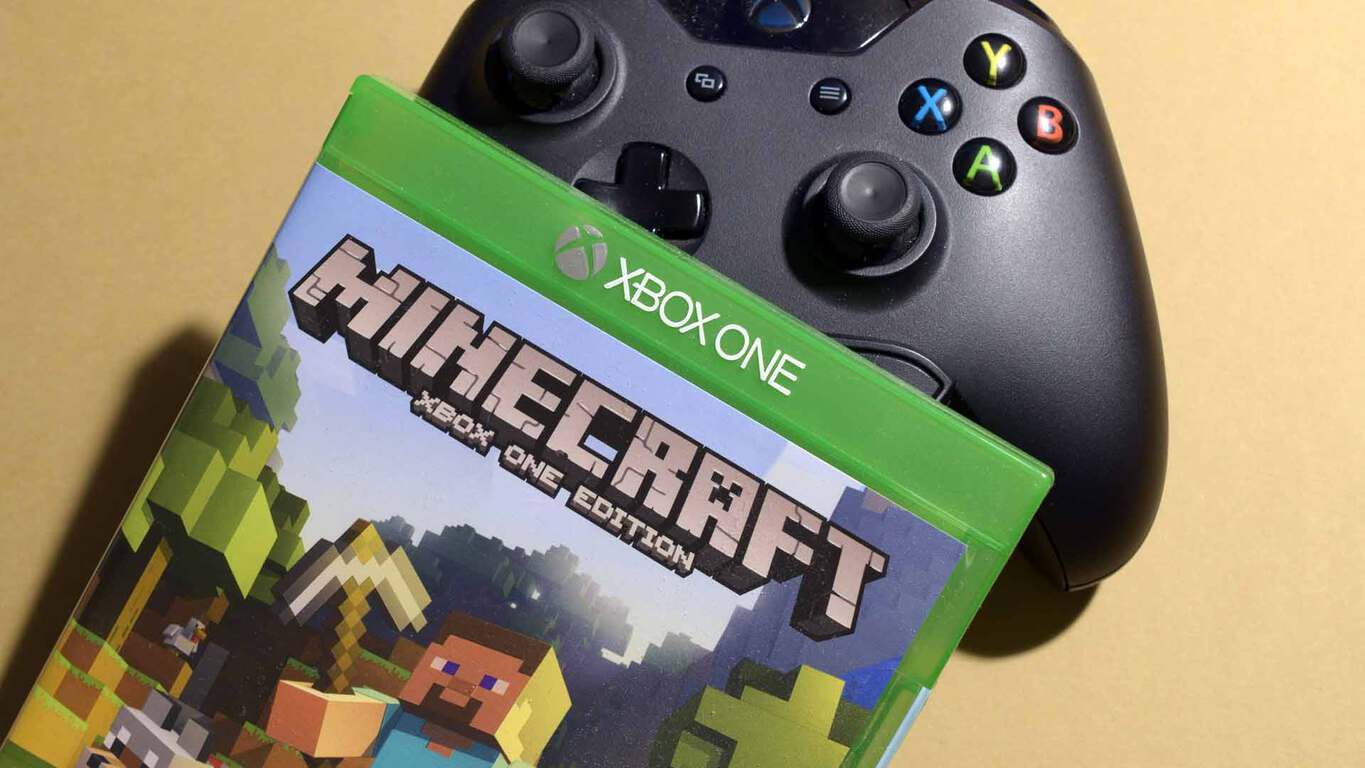
Being such a wildly popular game and an open experience, Minecraft is bound to have a few (read: a humongous, mind-numbing number) of add-ons, both fan-made and first-party. The most popular of the latter will soon be released in a bundle with the Xbox One edition of Minecraft, announces Xbox Wire and the Mojang homepage.
By now, Minecraft should not need any more introduction, but for the sake of completeness, the game is a hugely popular sandbox world-building games with special blocky, low-resolution graphics reminiscent of older titles. Its developer, Mojang, was purchased by Microsoft two years ago, and the game has been keeping its growth in footprint ever since, spanning every type of gaming hardware under the sun, new gaming mediums, and even other game genres. The game has garnered a massive following of all ages (especially younger players) and nationalities through YouTube and game streaming, spawning myriads mods and add-ons in the process.
Named “Minecraft: Xbox One Edition Favorites Packs”, the new bundle consists of Minecraft for Xbox One along with seven add-ons, featuring best-selling skin packs, texture packs and mash-ups – 120 skins, 5 texture packs and 2 mash-up packs in total. The chosen add-ons were apparently determined by “some of the hottest data analysts in the world” after “months of hard graft” number-crunching, according to Mojang Director of Creative Communications Owen Hill. The bundle’s exact list of content is as follows:
Minecraft: Xbox One Edition
Battle and Beasts Skin Pack
Battle and Beasts 2 Skin Pack
Natural Texture Pack
City Texture Pack
Fantasy Texture Pack
Festive Mash-up
Halo Mash-up
As the original Xbox Wire post noted, the bundle is a good way for non-players who are interested in the game, as well as Minecraft players on last-gen Xboxes, to try out a superior version of the game both graphically and content-wise, with all the best goodies it has to offer, especially since Minecraft worlds from the Xbox 360 version can be imported right into the new game. Pricing will be at $29.99 or the equivalent worldwide; players in New Zealand and Australia will get first dibs with a June 7 release, while the rest of the world will have to wait until June 21 to get their hands on the bundle.
Just before Build 2016, we reported that Microsoft was working on a Universal Windows App of OneDrive for Windows 10 desktop users that the company could release alongside the Windows 10 Anniversary Update in the summer. We also did get some screenshots of the app which looked nearly identical to what we already have on Windows 10 Mobile, but we still needed to know if the upcoming Windows 10 app would guarantee feature parity with the already available Windows 10 Mobile version.
Today, a new report from Mary-Jo Foley from ZDNet.com explains that Microsoft could release this OneDrive UWP app for Windows 10 this quarter along new SharePoint mobile apps for iOS, Android and Windows. Foley added that the Onedrive UWP app could be released “most likely later in May”, so we may no longer have to wait for the upcoming Windows 10 Anniversary update to play with this app. Furthermore, we could get more information about this OneDrive UWP app later today during Microsoft’s “Future of SharePoint” event where the company will share its vision and roadmap for SharePoint and OneDrive for Business.
Killer Instinct Season 3 is looking great with several new characters joining the fray. One of those characters is Mira, a vampire — and a powerful one at that.
The latest trailer for the game showcased Mira and all the cool things she can do — and yes, that includes some biting action. Her sister is Maya and as its clearly shown from the trailer, they do not get along. Mira said she has been waiting a long time to reunite with her sister but not in a good way. This seems to suggest Maya must have done something to her in the past or even decided to abandon her after she turned.
Other characters players can expect to see in Season 3 of Killer Instinct, includes the likes of Arbiter, Battletoads’ Rash, Tusk and Kim Wu. Mira is a DLC character that is available right now for Season 3 owners.
Killer Instinct Season 3 is the latest update to the popular Xbox One and Windows 10 fighter. Rumors have it that the dark lord Gargos, the main antagonist in the Killer Instinct universe, is likely to show up later in Season 3.
That should mean his nemesis, Eyedol — also a god — will probably show up in Season 4. Despite being his rival, Eyedol is not a good guy in this story, so his death is just as needed as the death of Gargos. Time will tell what both Gargos and Eyedol will look like with modern designs.
Fans of the popular video game Rocket League have another game mode to look forward to, so brush up your basketball skills because this is going to be a wild ride.
The developer of Rocket League, Psyonix, announced the addition of a new game mode simpy known as “Hoops.” The new mode should be rolling out right now to Xbox One owners of the game and from what we have seen so far, this mode should be a fun one for all players.
HEADS-UP: We'll start rolling out the "Hoops" update for PC, PS4, and Xbox One around 4pm PDT / 7pm EDT! Get ready for dunking!
The free update was set for an April 26 release, but Psynoix released it a day early and surprised all the fans. Bear in mind that once the game is installed, players will be able to check out a new space called “Dunk House” along with a cool NBA flag for your car.
We’ve seen Hoops in action and it looks very fun. It is pretty much the same as the core experience with the main difference being a basketball hoop. It makes us wonder how long the fun will last since it doesn’t come with any redeeming features to keep players coming back for more. In the end, basketball fans may be the only ones to be playing this mode in the long term, while all others will likely continue playing the regular mode.
The new mode is available right now for Xbox One and Windows PC as a free download.
According to a blog post from Microsoft, SQLite, a self-contained data storage library, is going to be rolling out with Windows 10 Anniversary as a part of the Universal Windows Platform. This marks the first time that a third party program was put into the UWP SDK, and offers developers a laundry list of unique benefits. According to SQLite’s website, the program is already the most deployed database engine in the world – with this added spotlight in the UWP, the number of active users is only going to go up.
The advantage to SQLite mostly comes from the fact that it works totally independently, not requiring too much setup. The database is completely self-contained, making the process of data management much simpler and easier to digest for those who aren’t interested in doing very much configuration. Along with this, new SQLite users may enjoy the fact that the program is completely open source, letting developers play around with it and redistribute as they see fit.
As has been the case in other areas lately, Microsoft is embracing open source solutions, and supporting SQLite as an important data source in Universal Windows Apps is a major step in that direction as well. Go here To find out more about how to implement data access in UWP.
Cloud storage has become the norm for many users. Sharing files seamlessly across countless distances has found many uses in business and personal endeavors. That’s why applications such as Dropbox for Windows 10 are popular choice for the Universal Windows platform. Today, Dropbox just got even better with the release of Dropbox UWP 4.2.
“More is coming,” Rudy Huyn, a developer for Dropbox, said in a tweet earlier this year. More was right! The major update includes:
After using copy, delete, or rename, a notification toast will appear. Swipe to remove it or click the undo button to undo the action.
Notifications view will include a preview of comments and be able to browse a folder that is not in your Dropbox.
New transitions and animations to ease performance on GPU.
Reactive UI for Desktop or tablet when the Dropbox window is small while previously the app had a minimum width of 500px.
The new Search feature can be accessed online and offline. It will include mini breadcrumbs, a distinction with files of the same name, and allow easy navigation to parent folders. Also, you are able to extend your search results to the parent folders by selecting the name in the header.
The Add button appears as a small plus sign at the bottom right of the application. Clicking it brings up a small menu that allows the users to upload files, photos, take pictures, and create folders.
Via the Add button, the camera can now take pictures and record videos. The files will be uploaded to the current folder.
Recent activity will now include comments with a preview.
The photo tab is now updated in real time and videos will display a length timestamp in the corner.
The full changelog can be accessed for public consumption via Dropbox Paper. Other small improvements include background uploads and general performance tweaks of course. As the application develops further, Dropbox continues to build a reputation for itself as one of the smoothest cloud storage services available. Get the app for free by following the link below!
While the term Roaming App Data may have smartphone users familiar with carrier overages cringing at its title, Microsoft is attempting to re-engineer the connotation for developers. Now, instead of being associated with the seemingly nickel-and-dime-like charging process of carriers for the times a smartphone user goes outside of their mobile operator’s coverage area, Roaming App Data will stand for a sync status across multiple devices.
The Windows team appears to be gearing up another round of developer interest in its Universal Windows Platform. Last year, during its developer conference, the Windows team pitched Universal Windows Apps as being cross-device experiences that allow developers to code a single app that could span across Xbox, HoloLens, Windows 10 PCs, and mobile devices.
Roaming app data is the way in which all Universal Windows Platform (UWP) apps keep data in sync across multiple devices. It allows you, the developer, to create apps that help users carry data such as user profiles or documents from one device to the next. Generally speaking, roaming app data breaks down into three main categories:
App data is the data your application requires to function. This information needs to be in sync across all devices.
User data is any data that the user initiates via the application that will synchronize across all devices. For example, if you use your Microsoft account to store Microsoft Office files in the cloud from your desktop and then open Microsoft Office on your laptop, you will be presented with a list of your recent files.
App settings are any configuration settings for an app that will stay in sync across all devices. Think of your profile settings in Visual Studio 2015.
Developers can find the necessary instructions, lines of code and workarounds for potential syncing conflicts at the Building Apps for Windows blog, here.
Needless to say, Microsoft’s Universal Windows App Platform is building a future that’s fast approaching as more users move their data to the cloud and pull it down when necessary. Roaming App Data appears to be a more elegant experience that should have some wanting a UWP app experience on every device across all platforms.
Haven’t played Fallout 4 in a while? Well, now is the time to get back to it — but only if you play the game on a Windows machine. Apparently, those who own the Windows version of Fallout 4 will be given the chance to beta test the mod tools system.
Bethesda, the developers behind Fallout 4, recently announced that Fallout 4 players on Windows can give the mod tools a test drive right now. The company had the tools in closed beta for the majority of April and it appears that things went well.
To create mods, players are required to use the Creation Kit, a suite of key tools designed to make it easier for players to create mods. Folks won’t have to know much about programming to get a mod up and running, but those who do will likely be more creative.
Before anything, PC players on Windows are asked to update Fallout 4 to version 1.5 beta. From here, it will be possible to access, search for, and install mods.
If you want to try making Mods (and we think everybody should), the Creation Kit – the same tool that we used to create Fallout 4 – is a free download via the Bethesda.net launcher. You can check out the Creation Kit Wiki, our online documentation and help file, for more details and tips on how to make them.
What about the Xbox One version of the Creative Kit? No worries: mod tools are slated for May of this year.
“For console players, Mods will be coming to Xbox One in May and PlayStation 4 in June. We have a lot to do yet, but we hope it changes console gaming the way it has changed PC,” according to Bethesda.
We can’t wait to see what players come up with in the coming days and weeks.
Today, Microsoft announced the preview release of docs.microsoft.com, which comes with Enterprise Mobility-content support. Microsoft found that the best way to provide enterprise documentation support was by starting from scratch.
“In short, content matters. We interviewed and surveyed hundreds of developers and IT Pros and sifted through your website feedback over the years on UserVoice. It was clear we needed to make a change and create a modern web experience for content. The first thing we did was evaluate our existing content infrastructure TechNet and MSDN. Both sites are built on a 10-15-year-old brittle codebase with an archaic publishing and deployment system that was never designed to run on the cloud. Our focus was not only on the experience, but also on the content we create and how each of you consume it. For years customers have told us to go beyond walls of text with feature-level content and help them implement solutions to their business problems. We knew that the content we delivered and the platform we built must make it easy for customers to learn and deploy solutions.”
Currently, the docs.microsoft.com preview release has website content for the following subject areas: Advanced Threat Analytics, Azure Active Directory, Azure Remote App, Multi-factor Authentication, Azure Rights Management, Intune, and Microsoft Identity Manager. Microsoft will add more documentation support in the future based on feedback received through UserVoice.
The docs.microsoft.com includes a number of improvements and features, including:
Readability
Estimated Reading Time
Content and Site Navigation
Shortened Article Length
Responsive Design
Community Contributions
Feedback Mechanisms
Social Sharing
Friendly URLs
Website theming
For a more in-depth look at each of these features, visit docs.microsoft.com and send your feedback on the new site and available features through Microsoft’s UserVoice.
The Windows Feedback hub has long been known as a great way to report bugs and also tell Microsoft what you think about the latest builds of Windows 10. Sometimes, though, it’s a little hard to get to, especially on a Windows phone, but recently Gabriel Aul delivered a quick tip on how to quickly access the Feedback Hub on your Windows 10 mobile device.
@Kuloskap Quickly press power+voldown to open Feedback Hub and then enter text. Only 1 Hoop ?
Responding to a complaint about having to take too many steps to give feedback, Gabriel mentioned that quickly pressing the power button and volume down button will open the Feedback hub in one simple step!
So, have you ever tried this trick before? As always, let us know by dropping us a comment below!
While we already live in a world where technology is nearly everywhere, engineers at Microsoft Research are hard at work in imagining what’s next and pushing boundaries. And if the Redmont giant is on a mission to empower everyone through ubiquitous services that will increasingly rely on artificial intelligence and machine learning, Microsoft engineers are also exploring how technology could augment the human body through DNA-based storage and smart tattoo technology that “blends aesthetics and functionality.”
According to a new report from Winbuzzer, Microsoft has just published a research paper about Tattio, a proof of concept for a tattoo-inspired temporary connected skin device that could complete the company’s efforts in quantified self and wearable technology. The research paper acknowledges that human skin, “the largest organ on the body, has been recognized as a promising surface for human-computer interactions.” Furthermore, as miniaturization of electronics enables technology to be actually wearable, Microsoft has designed Tattio as a small skin tatoo that could store NFC tags and circuitry while being skin-safe and customizable:
Furthermore, as miniaturization of electronics enables technology to be actually wearable, Microsoft has designed Tattio as a small skin tattoo that could store NFC tags and circuitry while being skin-safe and customizable:
The fabrication process that draws from current body decoration processes (i.e., jewelry like metallic temporary tattoos) for the creation of on skin technology. The fabrication process generates functional components such as NFC tags, circuitry, to thermochromic tattoos, while maintaining the aesthetics and user experience of existing metallic temporary tattoos. The fabrication process is low cost, accessible and customizable; we seek to enable individuals to design, make, and wear their own skin technology creations.
To create those smart metallic tattoos, the engineers have created a straightforward process where they gild the metal circuitry in gold, create a stencil design with the Silhouette Cameo software before applying gold imitation leaf onto tattoo paper with stencil traces. The NFC tags embedded in the circuitry are robust enough to last around a day, and the engineers have designed a phone app that let participants interact with each other through their tattoos which could be associated with image and text to create a “digital identity.”
Scanning a Tattio with the smartphone app would reveal the identity of participants.
Microsoft engineers shared that “we hope our work inspires in bridging the emerging field of on-skin electronics to the everyday maker, while rethinking cultural and aesthetic perspectives for the design of on- skin technology.” You can read the full research paper over here.
What do you think of this proof of concept? Do you think smart tattoos could have interesting use cases? Please tell us what you think in the comments.
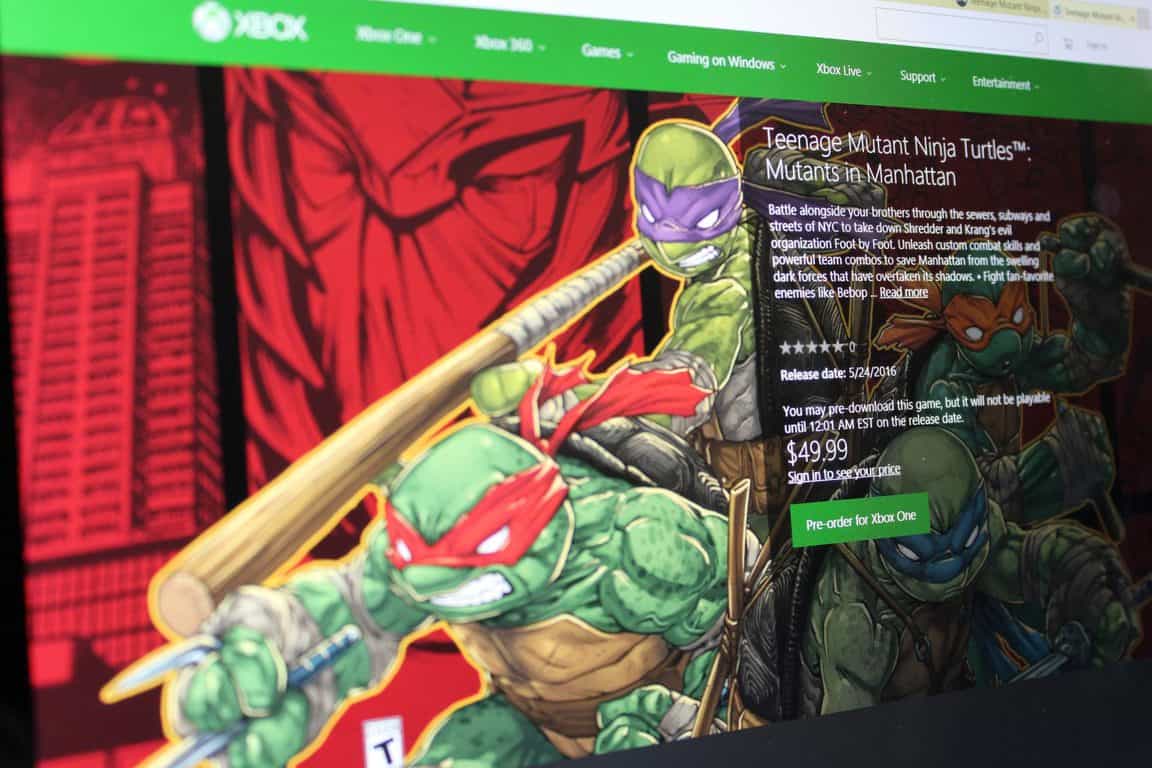
Major Nelson has just posted on his blog that Teenage Mutant Ninja Turtles: Mutants in Manhattan will launch on May 24th on Xbox One, and is now available for pre-order.
In the game you will battle alongside your turtle brothers through the sewers, subways, and streets of NYC in order to take down Shredder and Krang’s evil organization Foot by Foot. You will also be able to unleash custom combat skills and powerful team combos in order to save Manhattan from the swelling dark forces that have overtaken its shadows.
The $49.99 game is a bundle only edition which includes the Mutants in Manhattan Samurai Pack and the Mutants in Manhattan Rock N Roll Pack. These packs give you 4 awesome Samurai character skins and 4 awesome Rock N Roll Character skins, with one skin one for each turtle.
Teenage Mutant Ninja Turtles: Mutants in Manhattan features a gritty-comic art style, visually stunning combat true to Platinum Game’s signature style, and an original story penned by IDW Comic’s author Tom Waltz. So, if this sound interesting to you, fire up your Xbox One and pre-order now, or visit this page to view more information about this great title.
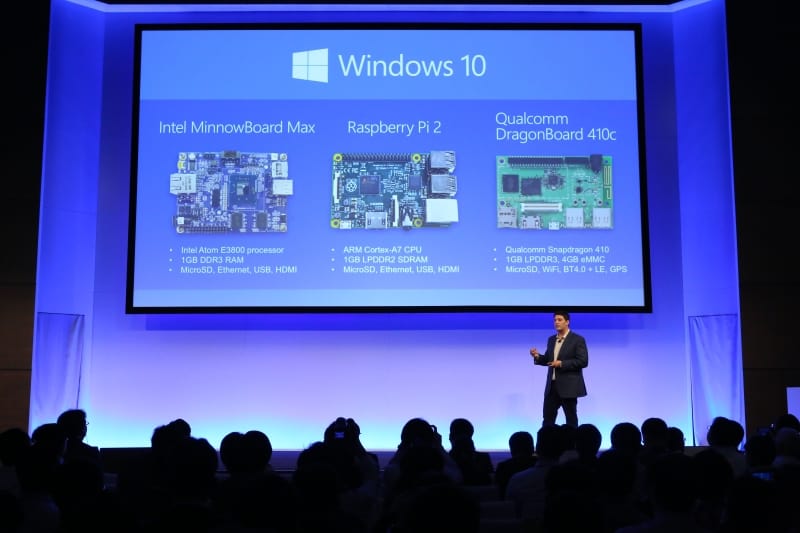
Ever since brandishing its ‘Internet of Things’ (IoT) vision and ambition last year with Windows 10 IoT, Microsoft has been rather quiet about the market, especially compare to some of its more exciting new ventures. Nothing spells commitment more than an acquisition however, and Microsoft has done just that with IoT company Solair, announces the Microsoft blog.
Founded in 2011 by Tom Davis, Solair has had five years in the IoT market, quite some time before it became the popular buzzword of today. Sure enough, the company has managed to create a great reputation and a nice portfolio of customers in manufacturing, retail, food & beverage and transportation, ranging from an Italian coffee machine makers, to factories in Japan – with their Smart Factory Advisor app.
“By building our solutions based on real customer requirements that allow them to gain real value, I’m confident that Solair’s technology and talent will be able to make an important contribution to Microsoft’s Azure IoT Suite and Microsoft’s broader IoT ambitions.”
– Tom Davis, CEO, Solair
The acquisition should greatly bolster the capabilities of the Azure IoT team. Solair’s CEO, Tom Davis, also shares his excitement for the deal in a new post on Solair’s blog. After the acquisition, Solair’s IoT technology will be integrated directly into the Microsoft Azure IoT Suite; more information is promised to come into the future about how this will work out, so stay tuned.
The list of Xbox One titles is always growing, and today a new game from the makers of Borderlands is hitting Xbox One consoles worldwide.
Battleborn, the new Xbox One next gen shooter, brings you into a world where a tremendous band of badass heroes fight to protect the universe’s very last star from a mysterious evil. In the game, you will also slash, parry, run and fun, or simply obliterate foes while building and growing your personal team of heroes.
Priced at $59.99 the game is also available in a $79.99 digital deluxe edition which includes the both the main game and a $19.99 (when sold separately) season pass. The season pass will bring access to 5 additional downloadable content packs, 5 new heroes, and new skins and taunts.
So, if this game sounds interesting, you can head over to the Xbox Store now to download the game, or you can click this link to get more details before making your purchase.
Microsoft has just announced, via the Azure blog, a new security-related mark in the expansion of its cloud service brand in Europe, this time in Spain.
Specifically, the Redmond technology giant has become the first cloud provider to receive the Esquema Nacional de Seguridad (ENS, or National Security Framework in English) at high security measures for Microsoft Azure. The framework, which encompasses security governance, information security, physical security, personnel security and other guidelines, applies to all Azure regions, and certifies Microsoft Azure’s security policy, procedures and controls as compliant with high-level security measures established on January 8 this year.
Getting the ENS is an important step for Microsoft Azure both in Spain and in EU to build trust in the services and its ability to protect customer data across the Atlantic. More info about the certificate can be found at the Service Trust Portal (a Microsoft account is needed), or through the Microsoft Trust Center. Stay tuned for more Azure and Microsoft news.
There is an old saying that goes, “the third time is the charm.” The folks over at Mojang seem to understand this saying, and after two pre-releases for Minecraft 1.9,3, the company is once again pushing out another (and third) pre-release for Minecraft 1.9.3.
This time, the third version of the pre-release fixes the changes that were made in 1.9.3 pre-release 2, fixes a positional crash when spreading water or lava, and also added in 0.17% more cowbell. Of course, though, you can always report other bugs from the pre-release to bugs.mojang.com in order to better the Minecraft experience for both you, and the community.
This is just the latest set of Minecraft news, as yesterday, Microsoft owned Mojang gave their Minecraft.net site a facelift, moving the website up to what Mojang calls Minecraft.net version 2.0. The new website features all the same familiar content, but with a new layout, hamburger menu, and optimization for mobile.
Amazon is one of the most popular sites to go for savings and shopping for almost every type of consumer. It’s not rare to find a technical gem or two for the computer savvy shoppers. One of the latest is the sale on Office 365 for nearly a fourth of the retail price.
Amazon.com is offering physical key cards on sale for $76.09 for US residents. The product doesn’t contain a disc but instead is a 25-digit key that is registered under the Microsoft account page. If you want to buy the download, however, the Office 365 is still nearly at the full retail price.
Office 365 Home Amazon deal.
Office 365 is made for teamwork, collaboration, and integration across all devices and applications. In fact, it is still the most trusted cloud application used by businesses, according to reports from Okta.
Other features of Microsoft Office 265 Home Subscription includes:
Save $20 on this product when you purchase it with a PC or Desktop that is sold and shipped by Amazon.com. Add both products to cart to see savings.
1-year subscription for 5 PCs or Macs, 5 tablets including iPad, Android, or Windows, plus 5 phones
Full, installed 2016 versions of Word, Excel, PowerPoint, Outlook. (Also includes Publisher, Access, and Onenote for PC users.)
Licensed for one user to install on up to five devices. Box includes one Product Key Card – No Disc
NOTE: Office 365 Home is an annual subscription with 1 year included at initial purchase and requires renewal at term end to maintain full access
Ongoing updates for applications that can be installed at any time during the 1-year subscription
Microsoft has even thrown in a 1-Month Xbox Live Gold subscription for the gamers that want even more discounts and access to a library of games.
It is unknown when the sale will end, so it’s best for potential buyers to take advantage of the 25% savings and free shipping from Amazon. Check out the product page here!
The Microsoft Surface Pro 3 and Surface Dock got some love recently in the April firmware update. To be completely honest, the updates are not of the significant variety, but we do not recommend skipping them because they are designed to improve.
The Surface Pro 3 is probably the first Surface that knocked it out of the park with solid specification and design.
The following are description of the updates:
Surface Pro 3 devices with Windows 10 update:
Microsoft driver update for Surface Dock Firmware Update
Microsoft driver update for Surface Dock Integration
Surface Pro 3 devices running Windows 8.1 update:
The following update will be listed as “Surface Firmware Update – 4/19/2016” or “Surface Hardware Update – 4/19/2016” when you view your update history after installing the updates
There’s also something called the Surface Dock Updater tool. This is great for updating multiple docs at the same time. The Surface Dock is arguably the best accessory available for the Surface Pro 3 as it gives the user more options when it comes down to using the device.
Here’s the update’s description:
When updates are available for the Surface Dock, you can use the same method to deploy them as you are using for other Surface updates. As with Surface updates, users can receive the updates via Windows Update when the dock is connected to a Surface device, or you can visit the Microsoft Download Center at to download the files directly.
Despite the release of the Surface Pro 4, the Surface Pro 3 is still one of the best 2-In-1 computers on the market today. The major downside is the option to use it on your lap, something reviewers claim is not very comfortable.
Additionally, the battery life is not the best, so if you’re going in expecting 8-10 hours, you’ll need to look elsewhere.
Overall, great device, but the Surface Pro 4 greatly improves on it. If you have the cash laying around, that’s the Surface to get today.
According to reports, the rumored Call of Duty: Infinite Warfare will include a remastered version of “Call of Duty: Modern Warfare”. An image has been posted on Reddit and it seems to be from Target, an US retailer.
The photo shows a cover for a “Legacy Edition” of the game and it states that the package also contains a “Call of Duty: Modern Warfare Remastered” game. As for the release date, the date November 4, 2016 has been listed, which means that there are still a few months left until this game will finally see the sunlight.
Here is the cover we’ve talked about:
Even if Activision and Infinity Ward didn’t make any official announcement about this game yet, we can say that this game has been listed on Sony’s PlayStation Store, which means that these rumors might be true. We remind you that Activision usually reveals a new Call of Duty title between April and May, and since April is nearing to its end, it might announce the game next month.
Call of Duty: Infinite Warfare will be developed by Infinity Ward and published by Activision. We remind you that Call of Duty: Ghosts and Modern Warfare games have been developed by Infinite Warfare.
Unfortunately, Activision will not have its own booth during the E3 2016 event and, instead, it will reveal its latest games with the help of its partners, such as Sony, the creator of PlayStation console. So, if you are looking forward for the next “Call of Duty” games, you will most likely see them at Sony’s booth, at E3 2016.
Do you think that the Call of Duty: Infinite Warfare game will be unveiled during the E3 2016 event that will take place in June, from 14 to 16, in Los Angeles?
Back in 2012, Microsoft and GE hooked up to create a joint venture in healthcare, Caradigm, that was intended to create data solutions for that industry and was where Microsoft migrated most of the staff belonging to its Health Services Group. As is usual with such endeavors, a number of other Microsoft acquisitions went into creating Caradigm, and the entity represented the thrust of Microsoft’s efforts to penetrate the healthcare market.
Now, according to ZDNet, the company is divesting itself of its stake in Caradigm, a move that was confirmed by a Microsoft spokesperson:
“Microsoft and GE Healthcare are proud of the progress that Caradigm has made since its inception in 2012,” the Microsoft spokesperson said. “This decision is consistent with both parties’ business strategies and their continued commitment to the healthcare industry. Microsoft continues to deliver new technologies and work with partners across the industry to empower health organizations, communities and people to improve care. Microsoft will continue to work with Caradigm as a partner.”
This doesn’t mean that Microsoft isn’t interested in healthcare, of course, but rather that the company’s approach to the market will be in working with its various partners rather than maintaining its own healthcare-specific organization. Microsoft’s dedication to health remains obvious with its HealthVault service, Microsoft Health, and of course products like the Band 2.
Today, Windows Device Recovery Tool has received a small update to version 3.4.34 that included some minor enhancements and bug fixes. The recovery tool is used for Lumia and third-party phones using Windows Phone 8.0/8.1 or Windows 10 , and it allows users to reset and recover phone software to the factory preset. It is particularly useful in case a phone has frozen and not responding.
Unfortunately, there aren’t any new major features in today’s update. To download the latest version of Windows Device Recovery Tool, use this direct download link.
Established in mid-2014, the non-profit Chamber of Digital Commerce group has been pushing for for fair regulation and oversight for companies working on bitcoin or blockchain applications. More famously, though, the group recently became the one of the founding organizations behind the Blockchain Alliance, a public-private forum aimed at promoting cooperation between industry stakeholders and government agencies. So, after making their venture into the Bitcoin world, and partnering with R3 to advance Bitcoin blockchain technology, Microsoft has now joined the Chambers of Digital Commerce.
The Redmond giant joins USAA, Bloq, and Symbiont in the Executive Committee of the Chamber of Digital Commerce. Along with the other companies, though, Microsoft will be contributing $50,000 in financial support to the Chamber. In an interview published on Coindesk, Perianee Boring, a former Forbes columnist and Capitol Hill staffer, said that firms like USAA and Microsoft – which by nature of their business models regularly interact with government regulators – are bringing a relevant expertise to the table.
In another statement also published on Coindesk, Marely Gray, who is the leader of Microsoft’s blockchain business development and strategy efforts, said,
We firmly believe industry collaborations are critical to bringing distributed ledger technology to market.”
Microsoft joining in on the Chamber of Digital Commerce is no doubt a very interesting move, and is a step forward into bringing regulation into the sometimes troubling world of Bitcoin. We would love to hear your thoughts on this move by Microsoft, so be sure to drop us a comment below.
The provider of popular enterprise-class data protection tools Veritas Technologies has just joined the Microsoft Enterprise Cloud Alliance, a free partnership program that aims to provide members the opportunity to create strategic alliances with Microsoft and increase the awareness of their product portfolio to enterprise customers.
Veritas Technologies currently delivers backup and recovery solutions to 86 percent of global Fortune 500 companies, and its NetBackup and Backup Exec solutions provide protection for Microsoft platforms and applications including Windows, Hyper-V, SQL Server, Exchange, and SharePoint.
Veritas VP of Product Management Simon Jelly shared in the press release:
“Hybrid cloud is the next technology wave for business and Veritas is there again for our customers delivering powerful, flexible, and easy-to-use backup and recovery for the entire IT infrastructure regardless of platform: virtual, physical and cloud. Joining the Microsoft Enterprise Cloud Alliance continues that leadership role and is further evidence of our ongoing strategy to support major cloud service providers. With both large global enterprise and SMB footprint of our customers, the Alliance helps accelerate our efforts to provide information management solutions.”
Microsoft Principal PM Manager Chris Lwanga echoed this enthusiasm and said that “we look forward to working with and sharing our ideas with them for the betterment of enterprise customers.” You can learn more about the Microsoft Enterprise Cloud Alliance on the dedicated website.
At Build 2016, Microsoft announced project Centennial, a tool which “converts” Win32 desktop applications into Windows Store apps by altering the way in which they are installed and run. Today, well-known Microsoft follower WalkingCat has discovered that a few of those desktop apps have already been “converted,” and are appearing in the Windows Store.
WalkingCat originally noticed that there were Windows Store versions of Win 32 Windows Accessories, such as WordPad, Character Map, and Windows Fax and Scan. As per WalkingCar’s linked app listings, though, the apps are only for PC and not yet Windows 10 Mobile.
Of course, it is worth noting that all these “converted” apps are not currently available for download, and will most likely become available once the Windows 10 Anniversary Update launches this summer. Microsoft, though, previously released a preview version of the Desktop App Convertor tool, and is clearly supporting the Universal Windows Platform by “converting” over its own desktop apps.
But the apps aren’t flowing into the Windows Store, and the discussion over on Reddit brings up a number of possibilities as to why. Reddit user Aditya1311 points out some issues with Project Islandwood:
“Any or all of the following:
Islandwood does not support Swift, only ObjC. iOS apps are rapidly transitioning and almost all new development is in Swift
The bridge only supports apps using iOS 7 APIs as of now. This is years out of date.
Even assuming 1 & 2 above are not an issue, porting apps even with such a bridge is not a zero-effort process.”
Another Reddit user, tonyunreal, details his frustration with Project Islandwood:
“For me the deal breaker is that microsoft takes absolute zero effort to make islandwood behave exactly like an iOS device.
I know it’s supposed to be a compatibility layer for windows development instead of an emulator, but with this approach, even if islandwood is fully api compatible with the iOS one day, I’m 100% certain that my same piece of code will look or run differently between iOS and Windows. Barely thinking of the effort to make existing app code to run on windows for me is unacceptable, not to mention the need of sugar coating all the UI solely for islandwood.
Until Microsoft take it seriously and implement an actually working UIKit simulation, plus all the needed UNIX calls for daily iOS programming, I see islandwood as nothing but a gimmick.”
Why do you think there aren’t any bridged iOS apps in the Windows Store? Let us know in the comments.
According to Microsoft, SQL Server 2016 is the “the biggest leap forward in the Microsoft data platform history with real-time operational analytics, rich visualizations on mobile devices, built-in advanced analytics, new advanced security technology, and new hybrid cloud scenarios.” The company had previously released SQL Server 2016 Preview in May 2015 and expected the following features to be included in the final version:
Always Encrypted – a new capability developed by Microsoft Research that is designed to protect data “at rest and in motion”
Stretch Database – new technology that lets allows users to dynamically stretch warm and cold transactional data to Microsoft Azure
Enhancements to Microsoft’s “Hekaton” in-memory technologies for real-time analytics
New in-database analytics with R integration
Polybase — an engine that, to date, has been part of the SQL Server
Parallel Data Warehouse Appliance, for more easily managing relational and non-relational data
Row-level security, allowing users to control access to data based on characteristics of the user, without modifications to applications
Dynamic Data Masking — supports real-time obfuscation of data to prevent access to unauthorized dataTemporal database support for tracking historical data changes
Query Data Store — a “flight data recorder” for database administrators
Enhanced server management for Master Data Services
Enhanced hybrid backup to Azure and faster restores to SQL Server in Azure virtual machines
Today, the company has released an exhaustive document explaining which features will be included in the four different SQL Server 2016 editions:
SQL Server 2016 features by edition.
Last, you can already download and SQL Server 2016 Release Candidate (RC) 3 to get ready for the general availability of SQL Server 2016 in June. Please tell us in the comments what do you think of all the new features included in SQL Server 2016.