Microsoft Tests New Windows 10 11097 Redstone Build Internally

Microsoft released a very first Redstone build last month, and the company recently announced that we’ll see more Redstone builds for Windows 10 Preview in the coming weeks. It looks like Microsoft will keep its promise, as head of Insider Program, Gabe Aul confirmed on Twitter that the developing team is currently testing the new build internally, and it will be available to Insiders soon.

When asked on Twitter about the new build, Aul responded: “I’m running 11097 on my PC right now.” Which means that the new build, labeled as 11097 will be ready for wide use, once all the bugs are removed. This is going to be a second Windows 10 build under the Redstone tag, a second major update for Windows 10, which should arrive in two waves, with first being released in June, and the second in October 2016, but these dates aren’t official, so changes are possible.

Still no Major Changes in Sight

Besides asking about the new build, the same user asked Aul if there will be any noticeable changes in the next Redstone build, and Gabe responded negatively.

“It’s still early in development, so mostly underlying structural stuff still, not UX”

As a reminder, previous Redstone build also brought no changes to the system (it caused some problems, however). But we shouldn’t be surprised by the fact that there are no new features and improvements yet, because Redstone is still in its earliest development phase, and new features and other changes will surely arrive in the coming months.

Although we have no official confirmation, there are some features that are rumored to come with Windows 10 Redstone update, like extensions support for Microsoft Edge, improved Cortana options, notifications hub in Windows 10, and more.

It is good to know that the new Windows 10 Redstone build is coming soon, and it will possibly be released to both Windows 10 PCs and Mobile devices.

Assassin’s Creed Chronicles: India, Unepic, The Banner Saga, and more now available on Xbox One

The latest entry in the popular Assassin’s Creed franchise leads the release of a rather impressive selection of games on Microsoft’s Xbox One console this week that cover a variety of genres.

Assassin’s Creed Chronicles: India, launching today, is the second in the 2.5D platformer Assassin’s Creed Chronicles trilogy and follows on from the previous entry, China. Assassin’s Creed Chronicles: India naturally moves the action to India and, like China whose visual look reflected that of Chinese artwork, takes design inspiration from India’s own rich culture and traditional artworks. The third game in the trilogy, Assassin’s Creed Chronicles: Russia, along with a special collection of all three titles, is due for release on February 9th.

Now available via console Store

The Banner Saga, also out today, features a unique art style of its own inspired by American artist Eyvind Earle. Originally released on PC, this story-heavy game is being released on Xbox One in English, French, German, Polish, Portuguese, Russian, Spanish, and Italian and there are already plans for a console release of The Banner Saga 2 in the near future which will carry over elements from The Banner Saga’s save files once released.

Now available via console Store

Xbox One owners looking for a new puzzle game may want to check out Cubot: The Complexity of Simplicity which is a return to the simpler puzzle games of yesteryear. Here’s the rather strange game description for your enjoyment:

At first sight, Cubot is a puzzle-game with a minimalist gameplay, just move color cubes towards tiles of the same color. It’s really easy, but it will be a torture for your mind to complete all levels of the game because the apparent simplicity of the game is in contradiction with the complexity of the puzzles. Moreover, an important point in the gameplay is if you have multiple cubes, they move simultaneously!

Buy on Cubot: The Complexity of Simplicity Xbox One here

Those after a new platformer could be interested in Unepic which is a mix of 2D platforming and roleplaying. The game takes place in a classic medieval fantasy setting and features over 200 areas to explore, 100 weapons to use, and 7 bosses to defeat.

Buy Unepic on Xbox One here

Another option for some modern retro gaming fun this week is the top-down shooter, AIPD, which is heavily inspired by 80s neon art styles yet runs on the powerful Unreal Engine 4 to push the basic graphics to the next level. The game supports up to four players in local play and features thousands of possible combinations of enemy and arena permutations which should keep things fresh.

Buy AIPD on Xbox One here

Last week saw the release of Lovely Planet, G Prime: Into The Rain, and Hyper Void on Xbox One and there are several titles still to come before the end of the month such as Resident Evil 0 on January 18th, A Boy and His Blog on January 19th, and The War of Mine: The Little Ones on January 29th.

One of the most anticipated games coming out this month is Lego: Marvel’s The Avengers on January 26th. A sequel to the incredibly popular Lego: Marvel’s Superheroes, Lego: Marvel’s The Avengers features a heavier influence from the live action Marvel films and TV series and a cast of playable characters that will be the largest ever used in a Lego videogame.

Are you going to buy (or have you already bought?) one of this month’s new Xbox One titles? Which one do you think is the best? Let us know in the comments below.

Microsoft congratulates its OEM partners for an award-winning CES 2016

As personal computing continues a transition in both software and hardware, Microsoft is congratulating its partners on some well-deserved CES awards this year. From fanless PC designs with edge-to-edge displays to lighter and thinner gaming laptops, Microsoft’s PC partners flexed their hardware design muscles, and the voters at CES 2016 took notice.

Among the awarded were Asus, who took home a CES Innovation Award honoree mention for Computer Hardware and Components for its ZenBook UX310. Another big winner was Dell for its plethora of impressive devices shown at the event. Impressively, Dell was recognized for Best Business Laptop with its Dell Latitude 13 7000. The company also walked away with awards in:

  • Computer Shopper “Best Business Laptop” – Dell Latitude 13 7000
  • PC Mag “Best Business Laptop” – Dell Latitude 13 7000
  • CES Innovation Award honoree Computer Hardware and Components – Latitude 13 7000 Series
  • CES Innovation Award honoree Computer Hardware and Components – Dell Precision 15 5000 Series
  • CES Innovation Award honoree Computer Hardware and Components – XPS 12
  • ZDNet Best of CES – Latitude 12 7275
  • SlashGear Best of CES 2016, Best Tablet – Latitude 12 7000 2-in-1

Dell and Asus weren’t the only showers at this year’s CES. Longtime Microsoft buddy HP was also recognized for Best of CES with its HP Spectre x 360 while also walking away with awards for also having a great business laptop in the EliteBook Folio G1. Other HP awards include nods from ZDNet, Wall Street Journal and PC Mag.

  • ZDNet “Best of CES” – HP Spectre x360 15.”
  • Wall Street Journal “Best of CES” – HP EliteBook Folio G1
  • “Best Business Laptop” PC Mag – EliteBook Folio G1
  • CES “Best of Innovations” Honoree – HP ENVY Curved AIO
  • CES Innovation Award honoree Computer Hardware and Components – Pavilion X2
  • CES Innovation Award honoree Computer Hardware and Components – Spectre X2
  • Techradar Editor’s Choice, Best Laptop – EliteBook Folio G 1

OEM_Product_HP-EliteBook-12_00566


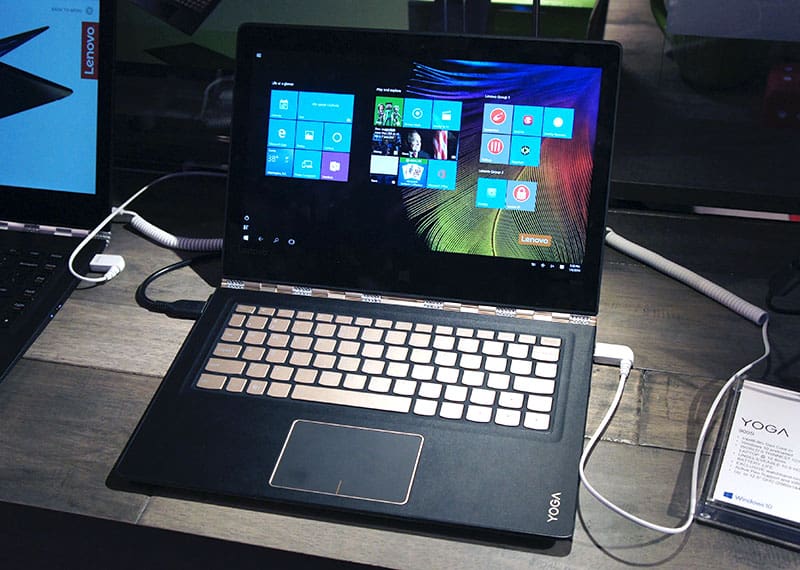
While Dell and HP stuck to more traditional offers, Lenovo continues to lead the way for 2-in-1 devices with its award for Best Convertible Laptop with its Yoga 900S and Idea Pad Y900 for gaming. SlashGear, ZDNet, Laptop Mad, Digital Trends and PC Mag all agreed that both devices were the best in class 2-in-1’s this year.

Lenovo-3

As many news outlets reported on, Samsung snatched a day of headlines with its Samsung Galaxy TabPro S and Notebook 9. While the Galaxy naming scheme may confusing some Android loyalist, the Windows 10 powered Galaxy TabPro S, along with the Notebook 9 were recognized as Best Tablet and Best of CES respectively.

Toshiba snuck away with an honor in the Best Tablet category with its Toshiba dynaPad.

Even LG walked away as an award honoree in Computer Hardware and Components with a recognition for Best of CES for its LG Gram. Rounding out the awards was MSI, Razer, and Origin. MSI received recognition for Best Extreme Desktop and Best Gaming laptops. Both the MSI GT72 and MSI Vortex were recognized by Computer Shopper and PC Mag as being top notch devices. Origin was recognized as Best of CES for its All-in-One PC with the Origin Omni. Razer got its recognition for Best Gaming Laptop as well as Best of CES for its Razer Blade Stealth.

Origin-Omni-1024x683

While the PC market continues its readjustment to shifting dynamic of personal computing, hardware manufacturers are quickly catching up to the demands of users. With devices such as the Lenovo Yoga 900S for businesses or the Samsung Galaxy ProS for more mobile computing, Windows users are finally getting the tools they want and need for their personal computing lifestyles.


Microsoft Store sweetens the Surface 3 with US and UK deals

Microsoft’s Surface Pro 3 was a huge hit with both corporations and consumers, with Microsoft having taken to heart painful lessons from its Surface Pro predecessors, and paved way for the seemingly also-successful 4th generation. If you like the aethestics and functionality of the Surface Pro 3, but demand an even more mobile, compact package, however, the Surface 3 is still your only choice. If you haven’t picked one up by now and are staying in the US or UK, Microsoft is now offering some pretty good reasons to open your wallet.

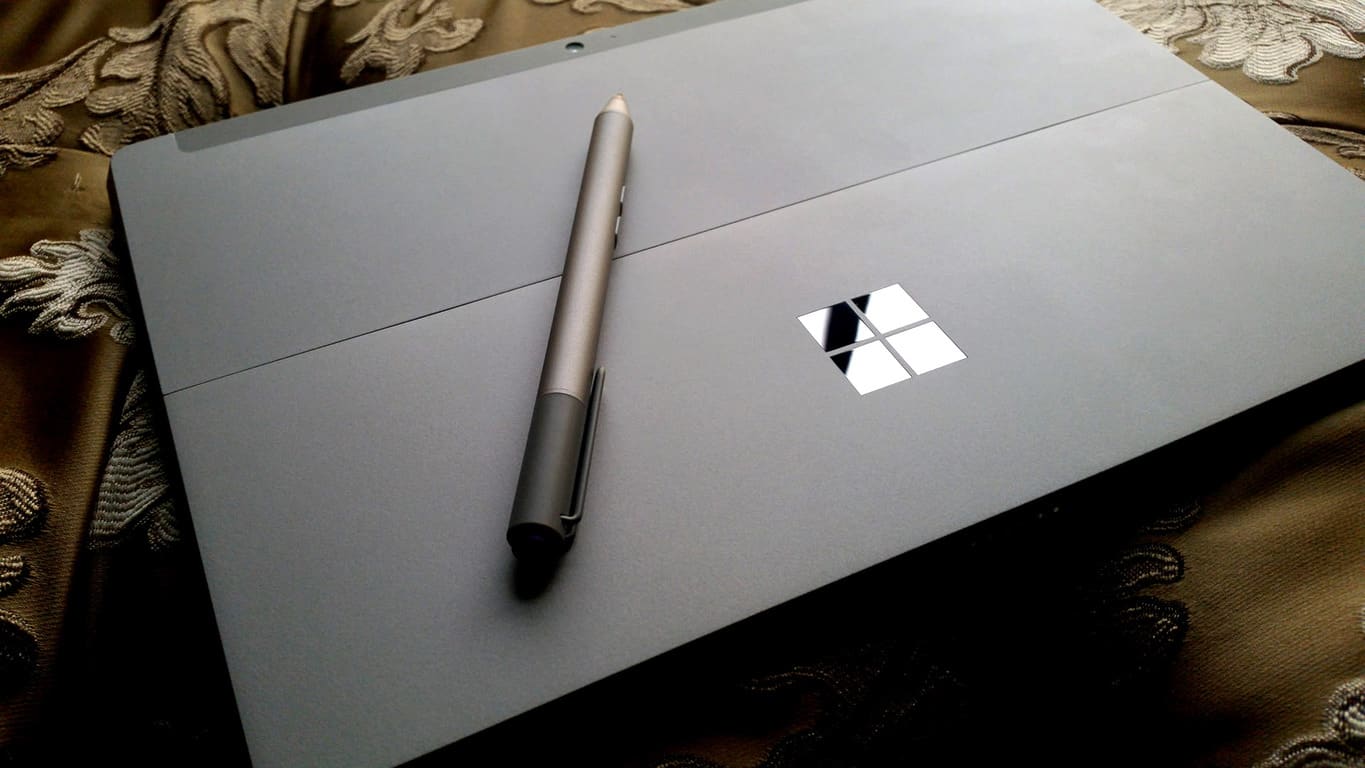
As a quick recap, unlike the Surface 2 which runs the ill-fated Windows RT (and also started the thin-silver Surface looks), the 10.8-inch Surface 3 runs full blown Windows, powered by a relatively powerful Atom X7 Cherry Trail mobile chip. Memory options can go up to 4GB RAM and 128GB eMMC storage, and the Surface Pen is also fully supported (as a separate purchase, unlike the bundled-in pen of its bigger brother). It’s just a smaller, less powerful but still perfectly capable Surface Pro 3, with much better battery due to the size reduction, which makes it the perfect choice for road warriors and mobile workers.

Of course, a Type Cover is almost essential for a Surface tablet in spite of the separate hefty price tag,  and you’re put off by the additional purchase,  Microsoft Store in the US is now offering a free Type Cover with all models of the Surface 3. That’s a $129 saving off of something most of you would eventually have to purchase, so if you already have eyes on the Surface 3, it’s almost too good to pass up.

surface-3-deal-us

Elsewhere on the other side of the Atlantic Ocean, Microsoft UK is also joining in on the discounting spree with some not-as-good-but-still-good deals of their own, reports Neowin. All models of the Surface 3, even the 4G LTE which just came back in stock can now be had for 50-60£ off their original prices. The 109£-Type Cover is unfortunately not included, but it’s still a substantial saving, especially when considering the additional free one-year Office 365 Personal subscription valuing at 59.99£.

surface-3-deals-UK

The US Surface 3 deals lasts only until January 17 or when stock runs out, and UK folks get even less time with the offer running till January 16, so decisions have to be made fast.


Microsoft exec teases Xbox One party feature, coming soon?

Twitter seem to have become the favorite place for Microsoft people to sneak-peek cool stuff, and Mike Ybarra of Xbox and Windows gaming is joining the fun with some early looks on a new Xbox One party feature.

Specifically, a short clip Ybarra posted on Twitter reveals a new option in the party menu, which allows players to see who’s in a party before joining it. This feature has been much requested by users, and here’s another instance of Microsoft soliciting customer feedback for improvements.

There is no mention of when this feature will be coming (Ybarra is, in fact, rather cryptic with his message), nevertheless, given the track record of the Xbox team in pushing out timely updates, it should probably come soon, perhaps as soon as in the next monthly update in February. We will keep an eye on this and update you once more information comes.

Gabe Aul is running Windows 10 Redstone build 11097

Microsoft has promised a “faster” fast ring beginning this month for those of you enrolled in the Windows Insider Program. As we begin the development of Windows 10 Redstone, the next major update to the operating system, Windows Insider boss Gabriel Aul is teasing everyone by mentioning exactly what new build he is currently running on his desktop (first spotted by Neowin).

For those wondering, Gabe is running Windows 10 Redstone build 11097 on his desktop. Microsoft recently rolled out Windows 10 Redstone build 11082 to Insiders and is currently working hard to “get one out pretty quickly” implying that we may see a new build very soon.

Gabe also mentioned that this particular build he is running does not have any user experience or user interface changes. Rather, this new build has mostly underlying structural code improvements. So keep that in mind when the next build drops.

Are you ready to test new Windows 10 Redstone builds at a faster pace?

Windows 10 news recap: 200M installs, Redstone bits, and more

Welcome back to our weekly Windows 10 news recap, in which we recap the top news stories regarding Windows 10 for the week. Let’s dive straight in.

Windows 10 activations exceeds 200 million installs, includes Xbox One consoles

This week, Microsoft confirmed that Windows 10 is now installed on over 200 million devices across the globe, making it one of the fastest growing operating systems ever released by the company.

More than 40% of those devices became active since Black Friday on November 29th, raising US retail PC share for Windows 10 by 16 points to 62%, and the number of sales of Windows 10 machines over the holiday season has also been impressive, with some 87% of PCs sold coming installed with Windows 10, versus only 58% before the holidays.

Windows 10 is now used by almost 33% of Steam gamers

In light of Microsoft announcing 200 million Windows 10 installs, Steam updated their stats to reveal Windows 10 was now in use on over 33% of Steam users PC’s, a pretty impressive number considering Windows 10 is less than a year old.

Last month, just under 30% (specifically, 29%) of Steam users were running Windows 10. In December 2015, that number jumped roughly three percentage points to 32.46%. Windows 7’s lead is narrowing, down to 42.58% although still firmly in the #1 spot.

Microsoft working to get next Windows 10 Redstone preview build out “pretty quickly”

Also this week, Gabe Aul mentioned that his team was working hard on getting the next Redstone build out pretty quickly, and that once the next preview build was release, the company would begin speeding up build drops.

In the past, Microsoft referencing any time frame for Insider drops would mean anything from a few weeks to a couple months, but the insinuation here as that Insiders should expect it soon, probably within the next week or so at the latest.

Here’s what Microsoft plans to do with display scaling on Windows 10 Redstone

This week also saw Microsoft detail advances that had been made with display scaling in Windows 10, including features such as using different DPIs across different screens at one time. Microsoft says:

Scaling is a complex problem for the open Windows ecosystem, which has to support devices ranging in size from roughly 4” to 84,” with densities ranging from 50DPI to 500DPI. In Windows 10 we took steps to consolidate and simplify our developer story for scaling and to improve the end-user visual experience. Stay tuned for future release!”

Our top 5 most interesting products at CES 2016

To finish of this weeks news recap, we thought it would be fitting to check out our top 5 most interesting products announced at CES this week. In our list, we picked:

  • Samsung TabPro S
  • Alcatel OneTouch Pixi 3
  • Acer Liquid Jade Primo
  • Lenovo Yoga S900
  • Voice on Call app for Microsoft Band 2

You can check out the link above for more details on each product we listed. In the meantime though, that’s all for this weeks Windows 10 news recap. Let us know what your favorite story was below!

Microsoft Minesweeper for Windows 10 gets better touchscreen support

Do you remember Minesweeper? The classic game, packaged with some of the oldest Windows operating systems, is strangely one of the most recognizable brands that Microsoft has – you could walk up to any stranger and ask about Minesweeper, and they’ll probably tell you a story about how they played around with it when they were younger, but couldn’t figure out how it worked. While Microsoft may have moved on from a lot of the little games in their old operating systems (we’re still waiting on you, Space Cadet Pinball 3D!), Minesweeper has made it to the contemporary age with a new coat of paint.

Originally brought out for Windows 8, the new version of Microsoft Minesweeper is a pretty nice homage to the original. On top of repackaging the original game and all of its charm to a better-looking interface, the game also offers us some new features, like Adventure mode, adjustable difficulty, and even Xbox Live support, for those who wanted to show off their Minesweeper skills to all of their Xbox friends. Recently, a new update to the Microsoft Minesweeper app added to that package a few minor tweaks that may go a long way for the nostalgic Windows user.

The changes to Microsoft Minesweeper in the new update are as follows:

  •  Optimization for Windows desktop and touchscreen devices
  •  General bug fixes & optimizations
  •  New ability to reset your statistics

The substantial part of the update is the new optimizations for touchscreen devices, considering the new spread of touchscreen devices among laptop owners across the world. Minesweeper always made sense for touchscreen devices, since the entire game is built around tapping tiles – the fact that Minesweeper is having its core gameplay made to feel a little better is just good to see.

Microsoft Minesweeper
Developer:
Xbox Game Studios
Price:
Free

Our top 5 most interesting products at CES 2016

CES 2016 is coming to a close, and as it was a few days of technology mayhem. All kinds of fascinating products were introduced, from home automation to drones to 3D printers to, yes, Windows 10 PCs and smartphones. Here at WinBeta, of course, we’re mostly interested in those things that are associated with Microsoft in one way, shape, or form, and there was plenty of such material to delve into.

Generally speaking, the most interesting items at CES 2016 were the myriad Windows 10 ultrabooks, 2-in-1s, and smartphones. Here are the introductions that most struck our fancy.

Samsung TabPro S

While some have described Samsung’s TabPro S as competing with Microsoft Surface Pro 4, a more apt comparison is likely Apple’s iPad Pro. The TabPro S is a more traditional tablet format, it’s completely fanless, and at a glance could pass for any of Samsung’s many Android tablets. The only difference is that the TabPro S is a bit larger with a 12-inch AMOLED screen, and runs Windows 10.

Samsung-11


ALCATEL ONETOUCH PIXI 3

It’s not the most powerful 8-inch tablet on the market, but ALCATEL has done something very different by pushing out a larger device running Windows 10 Mobile. One might call the PIXI 3 a very large phablet if one wanted, and yes, you can make phone calls on the beast. With a Snapdragon 210, 1GB RAM, and 8GB of storage, nobody will be mistaking the PIXI 3 for a flagship Windows 10 Mobile device. But ALCATEL should be credited for making something that stands out from the crowd.

PIXI_3-8

Acer Liquid Jade Primo

We’ve known about Acer’s higher-end Windows 10 Mobile smartphone for quite some time now, but seeing it live and operating at CES 2016 was refreshing. Microsoft’s success in mobile might very well depend on the willingness of OEMs to offer their own, preferably high-end, smartphones. At the very least, the likes of Acer and Dell and HP producing Windows 10 Mobile devices could only help the platform’s growth.

The Acer Liquid Jade Primo, in addition to having an awesome name, is a relatively well-spec’d device with a Snapdragon 808 (the same SoC as in Microsoft’s Lumia 950), 3GB RAM, 32GB of storage, and a 5.5-inch Full HD AMOLED screen. Continuum is supported, making it only of the only non-Microsoft devices to support the feature so far. It’s too bad, though, that Acer only plans to introduce the device into regions outside of the U.S.

Liquid-Jade-Primo_06-1024x1024

Lenovo Yoga 900S

Lenovo has been in the Windows 10 2-in-1 market for about as long as anyone, and the Yoga line is a venerable one. Their most recent iteration, the Yoga 900S, is notably primarily for being so incredibly thin for a wraparound convertible notebook, at 12.8mm thin. It’s also light, at 999 grams (2.2 lbs). Specs are decent enough, with a 12.5-inch 2560 X 1440 resolution display, Intel Core m7, up to 8GB RAM and 512GB PCIe storage, and USB Type-C port.

Lenovo Yoga 900S

“Volvo on Call” app with Microsoft Band 2 support

Microsoft is getting hot and heavy into automotive solutions, with the company announcing a number of partnerships with automobile manufacturers that should see Microsoft having some serious impact in the years to come. One of the more interesting introductions was Volvo’s integration of Microsoft’s Band 2 wearable with their Voice on Call solution, whereby the Band 2 and Cortana can be used to issue command such as starting navigation, setting thermostats, locking doors, and flashing lights.

Think of it as Jarvis meets Knight Rider.

These five products just scratch the surface of everything introduced at CES 2016. Check out all of our coverage for more on the year’s most frantic show all about consumer electronics.

At least 18 million Xbox One consoles have been reportedly sold

Microsoft is well aware that the Xbox One is at a bit of a competitive disadvantage to Sony’s Playstation 4, at least in terms of units sold, with Xbox chief Phil Spencer admitting that the PS4 has a “huge lead” over the Xbox One. Although Microsoft doesn’t report sales numbers directly, ZDNet’s Mary Jo Foley reported during her Windows Weekly podcast that, according one source, the Xbox One has sold at least 18 million units (via GameSpot).

The information hasn’t been confirmed by Microsoft, and that might never happen. However, if true, it places the number of Xbox One’s sold at roughly half as many unit as PS4’s, which have been purchased by around 35.9 million people around the world.

GameSpot goes on to mention that the 200 million Windows 10 users number, which is based on “active” users within the last 28 days, includes these 18 million or so Xbox One machines. That makes perfect sense–after all, the Xbox One is officially a member of the Windows 10 family following the release of the New Xbox One Experience in November.

Microsoft clearly has a ways to go if they’re ever going to catch up to Sony in terms of the number of consoles sold. It’s not that 18 million is anything to sneeze at, of course, and there are plenty of good Xbox One titles upcoming. Ultimately, it’s down to bragging rights more than anything else, because it’s not like Microsoft will be abandoning the Xbox platform anytime soon.

Newegg has Star Wars Battlefront, Call of Duty: Black Ops III, Xbox One consoles on sale

The just-finished holiday season was full of great deals on Xbox One consoles, games, and accessories, and that makes us happy. However, just because the holidays are over, that doesn’t mean that the deals won’t keep coming. Case in point: Newegg has a couple of sales on some Xbox One games and consoles that are worth a look (via GameSpot).

First up is Star Wars Battlefront, which usually retails at $59.99. However, Newegg has it available for a nifty $25 off, bringing your price down to only $35. You’ll need to use promo code EMCEFEM59 to get in on the deal.

Next, Call of Duty: Black Ops III is also available at the bargain price of $35, down from $56.99. This deal also needs a promo code, specifically EMCEFEM65.

Finally, Newegg also has 10% off on some Xbox One consoles. Use the promo code EMCEFEL43 to get the following console bundles at a reduced price:

There you have it, some nice little deals from Newegg on some Xbox One consoles and games. Get your credit card out, and we’ll try to keep you up-to-date on the latest deals as we find them.

Thanks to WinBeta reader Natan A. for the tip!

Target accidentally reveals release date for Homefront: The Revolution Xbox One exclusive

Homefront: The Revolution, an Xbox One exclusive open-world FPS game of resistance and guerilla warfare, has had through a road in getting to market. Delays have marred the platform’s progress since we reported on the game last year, but retailer Target may have accidentally the game’s release date, according to Cnet.

Essentially, some of Target’s retain pre-order materials were let loose, including a reservation card indicating a release date of Tuesday, May 17. According to Cnet:

The project has lingered for years due to a number of obstacles such as former publisher THQ’s bankruptcy, as well as previous money problems at its second owner Crytek. Its latest proprietor, Koch Media, declined to comment on the leak, aside from stating that Homefront: The Revolution is scheduled to ship “Spring 2016.”

And so, getting the game to market at all seems like a coup, and a late Spring release date is likely better than never. We’ll keep you updated on the game and its alleged release date as we learn more.

Microsoft Xbox Elite Wireless Controller back in stock at Microsoft Store

We just made note of Best Buy and GameStop having the highly demanded Xbox Elite Wireless Controller in stock, which seemed like a pretty major deal to us given just how short inventory has been on the popular device. Now, however, it seems like more venues are getting some inventory in, with the Microsoft Store getting in on the action.

Yes, that’s right, you can (right) now purchase a new Xbox Elite Wireless Controller for the usual $149.99, straight from the source.

Microsoft Store Xbox Elite Wireless Controller

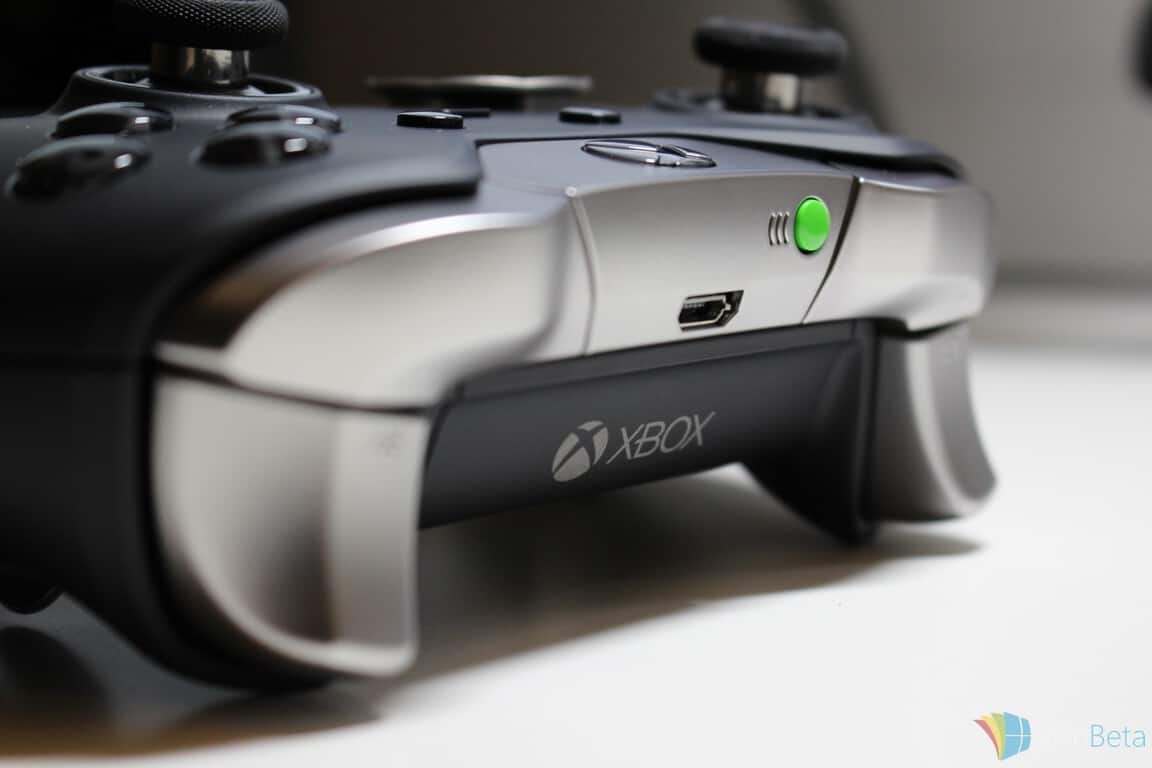
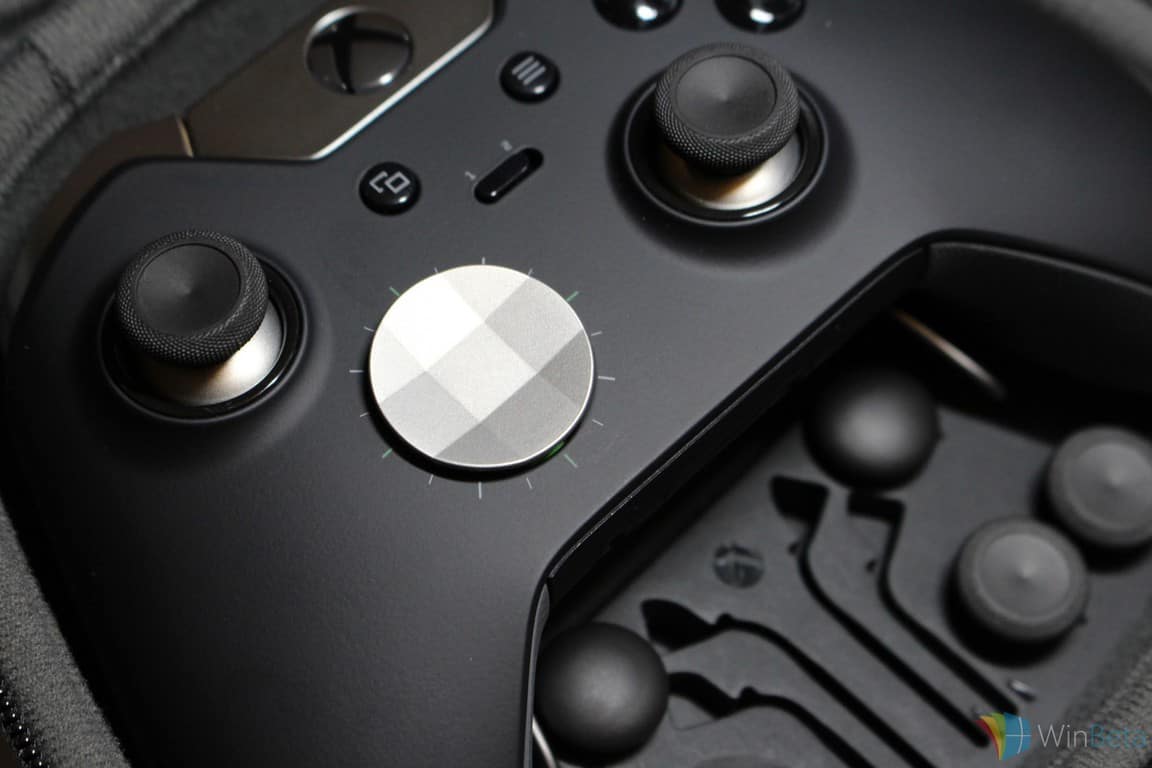
The Xbox Elite Wireless Controller looks like a real winner with its numerous customisable buttons and improved shell. Not surprisingly, the popular albeit pricey Xbox One accessory has sold out in many stores around the world and inventory levels remain limited, at least temporarily.

We suggest that you get your order in today, because the controller isn’t likely to remain in stock for too long. So what are you waiting for?

Plants vs. Zombies: Garden Warfare 2 beta dates announced for Xbox One

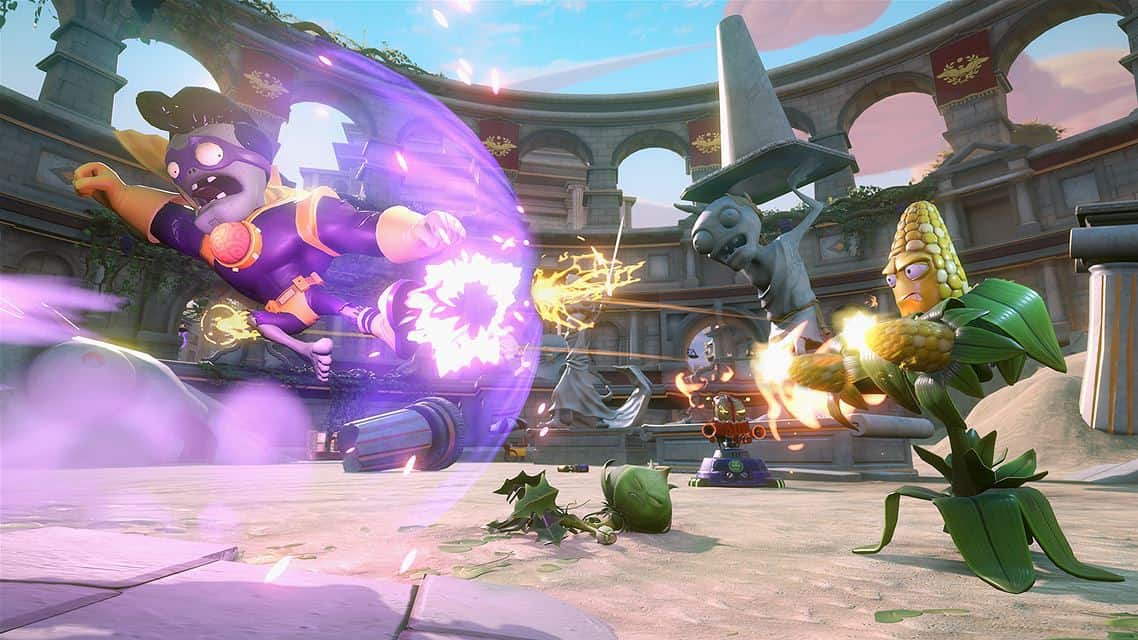
The official open multiplayer beta for Plants vs. Zombies: Garden Warfare 2 has just been announced for Xbox One and will be running from January 14 through January 18.

Naturally, the beta gameplay will exclude a variety of features from the full game, which is due to launch on the 23rd of February, but participants will be able to play in the Backyard Battleground level and enjoy the game’s Flag of Power mode which is apparently inspired by the classic catch-the-flag type experience.

Six new Plants vs. Zombies classes will be available to play as in addition to some classic classes from the original game and all of the multiplayer modes will support up to 24 players (which probably explains why they’re doing this beta; to test server connectivity and stability for that number of players). Four maps will be made playable in the beta; Moon Base Z, Frosty Creek, Z-Tech Factory, and Seeds of Time.

Here’s the official press release:

Join the battle for Suburbia in the Plants vs. Zombies Garden Warfare 2 public access multiplayer beta on Xbox One and Playstation 4, starting January 14 and ending January 18! Experience exciting new modes, hilarious new characters, and Backyard Battleground – an all-new dynamic environment that connects you to every map and mode, and brings to life more ways to experience the PvZ universe.

To join the beta, Xbox One owners simply need to check the beta website on the 14th of January to download the special beta version of the game. There doesn’t currently appear to be any sort of registration required for participating.

Are game betas something that interest you? The Star Wars: Battlefront beta in particular proved to be very popular. Let us know your thoughts about this testing method and if you’re going to participate in the Plants vs. Zombies Garden Warfare 2 open beta in the comments below.

GameStop and Best Buy have the Xbox Elite Wireless Controller in stock NOW

Microsoft has had a hard time keeping up with demand for the excellent Xbox Elite wireless controllers. Inventory sold out quickly on release, and normal stocking levels aren’t expected until March 2016. However, right now, both GameStop and Best Buy have the controller in stock.

Best Buy’s listing is the usual $149.99, and is online only for the moment.

Best Buy Xbox One Elite Wireless Controller

GameStop, on the other hand, is offering a bundle of the Xbox Elite controller and a pair of Skullcandy Halo 5 earbuds for $179.99. That’s a little extra bit of kit there, but it’s in stock and so it could be a legit option for those Xbox One gamers who simply need the best controller out as soon as possible.

GameStop Xbox One Elite Controller

The Xbox Elite Wireless Controller has proven extremely popular with Xbox One owners with its numerous customisable buttons and improved shell that improves grip during sweaty play sessions. The controller has sold out in many stores around the world and stock is apparently limited, at least temporarily

Microsoft joins Samsung onstage for IoT demo featuring Cortana

At this morning’s Samsung keynote at CES, Dr. WP Hong, President of the Solution Business Unit, Samsung SDS, introduced a number of partners to Samsung’s push into IoT, including BMW, Goldman Sachs, and a number of others, including Microsoft.

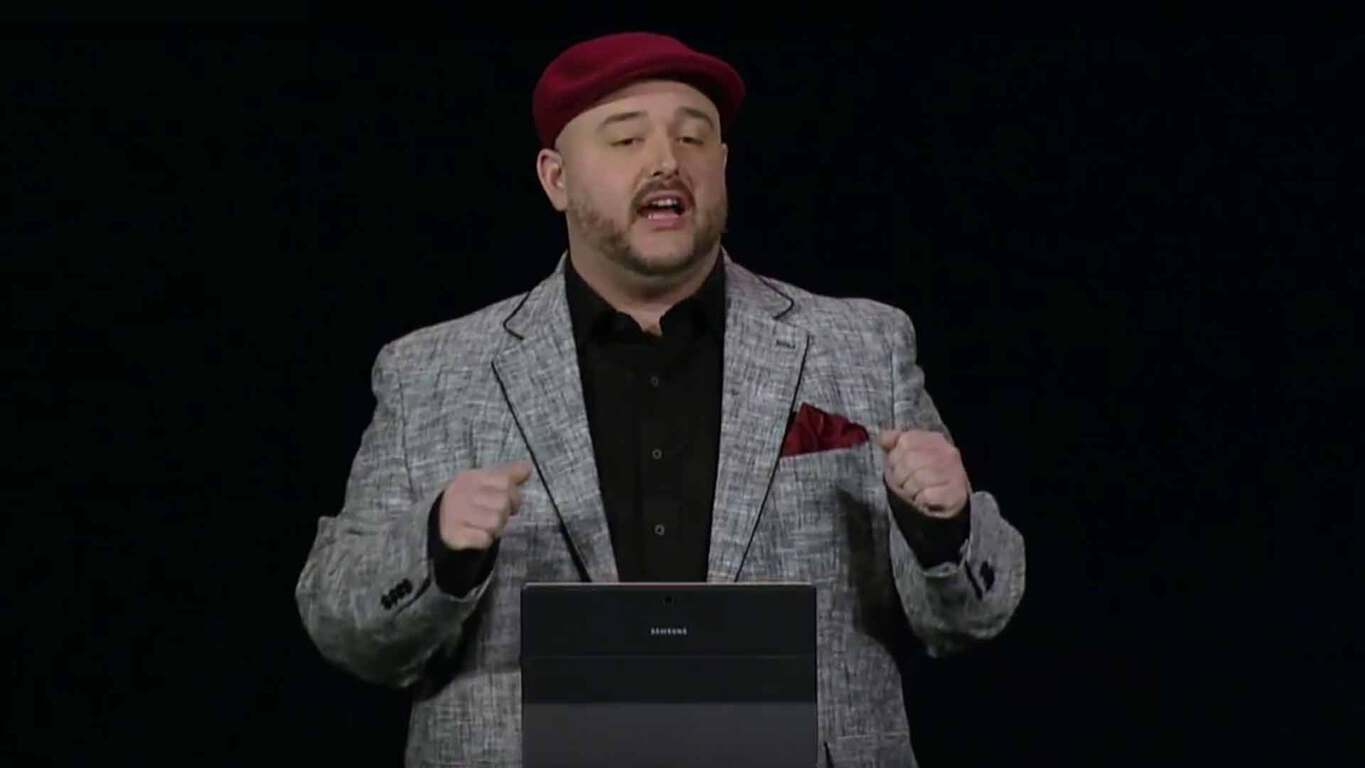
Microsoft’s Terry Myerson took to the stage to tout the company’s “renewed partnership” with Samsung, to highlight the Samsung Galaxy TabPro S running Windows 10, and with the help of Microsoft’s new designated presenter Bryan Roper, to show off how Windows 10 and Cortana can connect with Samsung’s IoT devices including washing machines, TVs, and refrigerators.

In a quick demo, Roper asked Cortana (using Windows 10 on the Galaxy TabPro S) first to check to see if the washing machine was in use, and then noticed that the previous load was only filled to 15% capacity. In a quick series of Cortana queries, Roper checked on appliance usage when a child, “Billy”, was home alone after school, and was able to see how long the TV was on, and how long the refrigerator door was open.

This was done all with just a few simple questions to Cortana, who responded not only with facts, but provided graphic information to make the IoT data consumable:

Microsoft Samsung CES
Appliance usage data busting Billy

Microsoft again highlighted Windows 10 and their Samsung partnership in a blog post, highlighting their collaboration with Samsung now and in the future:

Today, I had the honor of joining Samsung President Dr. Won-Pyo Hong during his keynote briefing at CES to celebrate a renewed partnership and a commitment to joint innovation. Of course, Windows and Samsung have worked closely together for over 30 years – co-designing many great Windows devices. With Windows 10, both companies wanted to do something great together, and we showcased the new Samsung Galaxy TabPro S, along with our shared vision for future innovation together across the entire Internet of Things.

The live stream of the keynote has just finished, but you should be able to watch a recording of it soon on YouTube. Update: Watch it below.

Microsoft Learning site fixes problems, back up for training and certification

Those of you looking to get qualifications for Microsoft products might have been in distress the past few days, as the Microsoft Training and Qualification website, hosting materials and exams for such qualifications, went offline to fix some problems. You may breathe a sigh of relief today, for the website is now back online, announces the official Microsoft Learning Twitter account.

Specifically, users reportedly encountered problems signing in and registering for exams on Microsoft’s Training and Qualification website. The company acknowledged the problem and took the site offline yesterday to apply fix. At the current time, it should be back fully working and again available to Microsoft experts around the world.

Microsoft, others raise objections to UK’s proposed Investigatory Powers Bill

Ever since Edward Snowden, the world’s governments and technology companies seem to have been locked in a loud, forever-lasting war of data security. The newest battle of which is happening in the United Kingdom, where the recent proposal to give the government power over encrypted user data, called Investigatory Powers Bill, is meeting with heavy backlash from major tech companies, Microsoft included.

A new Snooper’s Charter

The proposal – aptly nicknamed the Snooper’s Charter despite the government’s effort to distance it from the similarly duped flunked Communications Data Bill from 2013 – is the biggest overhaul of  the UK’s surveillance laws in 15 years, introduced by Home Secretary Theresa May. The gist of it is that ministers can sign off warrants for intrusive surveillance, communication companies have to retain customer data for up to 12 months, and the government can collect data en masse and hack into suspects’ electronic devices. The bill supposedly would bring UK’s national security up-to-date with the internet age.

Security and trust

Naturally, none of this sits well with tech companies that rely on customer trust with their data, and they have sure enough protested heavily. Apple fired the first shot, calling out the potential for the government to force a break of data encryption, necessitating a backdoor in the first place and therefore posing security risk. This is not to mention losing integrity with customers and potentially breaking conflicting international laws from the US and other countries.

Following Apple, Google, Microsoft, Twitter, Yahoo and Facebook have made a joint submission to oppose the bill stating similar concerns. Additionally, it claims that the wording of the draft is “vague and confusing” and could be interpreted unfavorably for end-to-end encryption. Leading communication service providers in the UK like Vodafone and EE have also voiced their disapproval.

There is time till the middle of February to oppose and recommend changes to the proposal. We will be keeping an eye on the situation’s development and update you once information comes.

Microsoft to Release New Windows 10 Redstone Builds in Coming Weeks

The next big update for Windows 10, Redstone, is considerably in the works. Microsoft already presented its very first Windows 10 Redstone build last month, and sources claim that the company prepares even more releases soon.

Windows 10 Preview Build 11082 is currently the latest build release for Windows 10 Insider program, and it is labelled as the very first Redstone build for Windows 10. But Microsoft is already working on Redstone preview builds 10.0.11094.1000 and 10.0.11095.1000.

Still no Info About New Features in Windows 10 Redstone Builds

Since Microsoft is only testing these builds closed doors for now, we don’t have any info about when exactly will they arrive, and if they’ll bring any bigger improvements or new features. Just as a reminder, previous 11082 preview build was only called a Redstone build, but it didn’t include any noticeable changes. So, maybe we’ll have more luck with the upcoming releases.

“Right now, the team is focused on product improvements based on the feedback we’re hearing on the November update to Windows 10. This includes the changes that have also been going out as cumulative updates through Windows Update on your PCs running the Windows 10 November Update as well as on phones running Windows 10 too.”

Redstone is the codename of Windows 10’s second major update, and even though there’s no official word about the actual release of the update, many people believe that it will be released in summer 2016.

We also don’t know a lot about new features and improvements in Redstone update, but one of the features we expect to see in the future is third-party extensions support for Windows 10’s default browser, Microsoft Edge.

Microsoft started to work on the new update right after the release of Threshold 2, the first ever major update for Windows 10. The release of Threshold 2 didn’t go as smooth as planned, as the update brought a lot of issues to users, and that’s probably the reason why Microsoft decided to start working on the new build that early, so the company will have time to eliminate all flaws, and bring as stable final product, as possible.

Insiders are also playing a big role in the development of Windows 10 Redstone update, because Microsoft will make changes and improvements, mainly based on users’ feedback.

The next Redstone update should arrive in the coming weeks, so if you’re part of Windows 10 Insider program, keep your eye on updates.

Microsoft’s ‘Made by You’ series starts with addressing scaling in Windows 10

While many Windows Insider lay in dormant wait for another Fast or Slow Ring build of the latest Windows 10 operating system, the Insider Hub is being primed for future content. As of January 6th, the most recent update located in the Insider Hub describes a series called ‘Made by You’ that will prominently showcase issues the community votes to the top.

The idea behind the series seems similar to the Windows Blog, where Windows developers and engineers take the time to address the Insider community’s feedback regarding features or issues with Windows 10 in great length and detail.

Made by you highlights how we are addressing feedback from Windows Insiders, how we are investigating this feedback to shape Windows, and why we have made these improvements.”

The first post in the series is in regards to the notoriously bad job Windows does with scaling on Hi-Res displays.

Back during late Spring and early Summer of 2015, when the Windows 10 Insider program was in full swing, Windows teams used the newly renamed Insider Hub prominently. The Insider Hub grew and swelled with conversations to and from the development and engineer teams within the Windows division.

As time went on, the evolution of the Insider Hub matured, where Windows Insiders were no longer inundated with borderline malware-like pop-ups for feedback and in-your-face placement of the Hub throughout various areas of the OS. Rather, over time, the Insider Hub became a subtle place continuingly dedicated Insiders gathered after the public launch of Windows 10. The Insider Hub went from a mainstay to an optional download and the information it contained went from feverish and rabid bug squashing to casual conversations about upcoming releases and notes.

The ‘Made by you’ series may be an effort to reignite the fandom previous Windows 10 Insider builds garnered early on, as well as prep Insiders for the promised rush of builds this year.

Here’s what Microsoft plans to do with display scaling on Windows 10 Redstone

As the offices at Microsoft begin to churn again with regular employee traffic, questions about Windows 10 Redstone are starting to resurface. Many have speculated that Windows 10 Redstone will be the fit and finish update that the seemingly early Windows 10 release missed.

While Microsoft has been rather cagey on the details of Redstone, Windows engineers and developers are ready to talk about an important aspect of the operating system with regards to scaling. With the Consumer Electronics Show under way, the event has helped showcase a centralized resolution theme for PC and PC-like devices for this upcoming year. Unfortunately, many Windows users have notoriously fallen victim to the operating systems lack of standardized scaling practices. That is, until Windows 10 Redstone.

In a series buried away in the Insider Hub called “Made by you,” the Windows team goes into great length and detail about how things are going change when it comes to scaling in Windows 10.

Scaling is a complex problem for the open Windows ecosystem, which has to support devices ranging in size from roughly 4” to 84,” with densities ranging from 50DPI to 500DPI. In Windows 10 we took steps to consolidate and simplify our developer story for scaling and to improve the end-user visual experience. Stay tuned for future release!”

Thanks to some detailed criticism and real-world examples provided by the Windows 10 Insider community, the Windows team can accurately tailor upcoming Windows 10 development to cater to the increasing pixel density wars developers are encountering.

To begin, the Windows team covers a glossary of terms that are relevant to the way Windows 10 currently handles scaling that include:

  • Physical Pixels: dots making up the screen – the smallest parts of the screen that can be lit up
  • Effective Pixels: an abstract unit of the display; each one represents a block of physical pixels
  • Scale Factor: The ratio between the size of an effective pixel and a physical pixel, roughly equating to the ratio between the physical resolution and effective resolution.
  • Dynamic Scaling: Essentially what modern apps are currently designed to address. Switching and adjusting content based on the display or windows size. Even scenarios including projecting, docking, moving apps between different monitors, and using remote desktop connections

windows 10 scaling

As most Windows users already understand, or can relatively grasp, Universal Windows Apps (UWP) look great on high-resolution screens while some updated Windows Presentation Foundation (WPF) apps also look great on high DPI screens, and the majority of the millions of Win32 desktops apps look like oatmeal against a stained glass window.

From this starting point, the Windows team has taken up the task of unifying how content scales across devices, extended the scaling system an important system UI element to handled upwards of 8K displays and improved Windows support for more OS and application content. Before the new unification and extension in resolution scaling, Windows would interval its scaling options from 100%, 125% 150%, 200%, and 250%. In Windows 8.1, Store apps would scale to 100%, 140%, and 180%, resulting in potential side-by-side visual app inconsistencies. Adding to the visual nightmare were hi-res screens that would cap-out at different points and kick back the all-too-familiar “too small to read” windows.

In Windows 10 and subsequent releases, the scaling factors have been adjusted to read in intervals that range from 100% to 450% where there is enough headroom in displays for supporting 6-inch 4K phone screens and up to 23” 8K desktop monitors.

W10EPI

As part of the this effort, Windows 10 has polished the most commonly used desktop UI to look beautiful and clear even at 400% scaling.”

Contrary to popular belief, the Windows team managed to work on the Windows 10 Mobile scaling as well, overhauling the entire mobile shell scalability. Most of the effort, understandably, is geared toward ensuring UWP apps run at the right size on phones and phablets, but also on desktop displays. The overall work will probably blossom as more people make use of developing apps with support for Continuum.

Beyond the work to up the scaling system, the Windows team’s work with dynamic scaling is being put to the grind with not only UWP HTML and XAML apps but with UI elements such as:

  • Windows “classic” desktop UI
  • Start Experience
  • File Explorer
  • Windows Taskbar
  • Command Shell et al.
  • User scaling settings

Even with the above improvements, there is work still to be done and the Windows team is fully aware. With Redstone rumored to be hitting devices sometime during the summer, the Windows team list a few items regarding scaling, they were unable to get to but hope to have ready soon.

Perhaps, the most front-facing UI element on any Windows users desktop are the mismatch of icons representing open folders, most used programs, and most accessed content. Examples include the Lync app and desktop icons. Microsoft plans to address this in Redstone.

Blurry bitmap scaling of content

Another instance in which the Windows team is looking to address, specifically, in Office apps. Even though the UWP (the ones that took forever to release) are fully per-monitor scaled in Windows 10, classic desktop apps are unfortunately still utilizing older Windows “system scaling factors,” resulting in blurry bitmap scaling when docked on a second monitor. Other poorly displayed bitmapping desktop applications include Notepad++, Chrome, and Firefox. The Windows team is working feverishly (well maybe not for Chrome of Firefox’s sake) at improving migration tools for more complex Win32 applications.

Bottom line, the Windows team has done a lot of foundational work to prepare Windows 10 for an ever-changing future. Hopefully, with the Redstone update, Windows users will begin to see more of that work shine through in implementation and polish. Executing on the long-dreaded resolution issues of Windows would be a huge first step in the right direction.

Xbox One gains some Sci-Fi action with Hyper Void

The Xbox One isn’t all about Halo and Lara Croft and other first-person shooters. Other games can also be a blast, and Xbox Live’s Major Nelson clues us in on some exciting sci-fi space combat in Hyper Void.

Hyper Void Screenshot

The game description sound exciting enough:

This is the first time space battles occur not only in the depths of galaxies, but right inside cross-dimensional wormholes!

Punch your way through waves and waves of enemies from all races in the universe as you travel through volatile and crazy wormholes, all rendered in high-quality 3D with a heart-pumping progressive soundtrack!

Over 25 levels are awaiting you, filled with challenge and dangerous big boss encounters. And if that wasn’t enough, three EPIC boss showdowns will test every space combat skill you have!

Are you ready to embark on the mission that will determine the fate of our race?

You can also check out some gameplay videos to get a better idea of the action. Hyper Void is available right now for only $9.99, and so if you’re looking for some gaming you can jump right into, get your credit card out and start downloading.

G Prime Into The Rain tries to be more than a puzzle game on Xbox One

Soma Games has just released their first game in what appears to be an ongoing series of games called, Arc. The premiere entry in the Arc series, called G Prime Into The Rain, is a sort of gravity puzzle game but has been significantly evolved beyond that basic premise with its futuristic space setting, a detailed storyline, a well-established world with 10 different futuristic corporations to make alliances with, and an unusual hand-painted art style reminiscent of Disney’s Treasure Planet.

Here’s the official description:

Explore the vast uncharted mystery of The Rain, a solar-system spanning shock wave of gas and dust from far, far away. In your role as sounding officer onboard Ptolemy Station you configure and drive sub-etheric reconnaissance rockets into increasingly challenging fields where Icetroids, theophosphorus and quicksand clouds make your mission much more work than your employers led you to believe…

Gorgeous hand painted art, eerily atmospheric music and a deep, compelling storyline make G Prime more than just a puzzle game. As the first chapter in a four part series, G Prime introduces you to a steampunk styled world where corporate intrigue and competing mercenaries all vie for their share of the unknown promise.

If you like Gravity Sling, Blast Off or Gears of Gravity, you’ll love this game. G Prime is the 3D Arcade-Inbred update to Soma Games’ award-winning iOS game from 2008. Now rendered in marvelous 3D environments plus 7X the background and dialog, this is the game we WANTED to make back then… but didn’t know how.

G Prime Into The Rain is now available on Microsoft’s Xbox One console in select regions. You can check to see if it’s available in yours via the link below. Will you give G Prime Into The Rain a go or is there another Xbox One title that’s taking up your time this week? Let us know in the comments below.

Buy G Prime Into The Rain on Xbox One

Microsoft heading to Retail’s BIG Show in NYC this January 17-19

Microsoft is going to be spending a few days in New York this month as they set out five different showcases in the Retail’s BIG Show. Microsoft’s goal there is going to be trying to reach out to different retailers and help them as they adapt to the digital world – something that anyone could agree is an important lesson to learn for a business that wants to stay relevant going forward.

Microsoft believes 2016 will be the year that physical and digital experiences really blend together. It will be the year when intelligent solutions empower more personal shopping.

Microsoft’s showcases this year should be covering tons of ground for retailers that are attempting to conform to the modern consumer’s needs. Here’s a brief overview of what they’re going to be addressing during their time down in New York later this month:

  1. 1. Check out modern shopping experiences in action Microsoft wants to make sure that customers no longer need to choose between going to a retail store and shopping online. It’s their hope to have a marriage between the two experiences, and with this showcase, they plan to assist store operations and help retailers implement assisted selling.
  2. Understand what it takes to empower workforces for a new level of customer service Microsoft is going to be bringing out lead retailers to show off how companies should be “Supporting mobile workstyles” for the new age of customer service. This includes showing how dashboards can be utilized to give employees all of the information they need to work effectively.
  3. Get the scoop on how moving to the cloud can fast-track digital transformation for retailers. Doing exactly what it sounds like, this showcase is going to show off some of the many advantages that businesses stand to benefit from by transferring their business to the cloud. Whether it be to make access to data more convenient or to free up budget for other customer service improvements, movement to the cloud is an undertaking that Microsoft wants everyone to make a priority.
  4. See how the Internet of Things (IoT), cloud and big data enable increased customer insight and interaction. The Internet of Things is a massive deal when speaking about how the digital retail and physical retail worlds collide. With QR codes being plastered everywhere in many retail stores, they can be used to not only enrich customer interaction with products, but keep tabs on customer interactions with products. Microsoft is going to use this showcase to go over the significance of that dynamic.
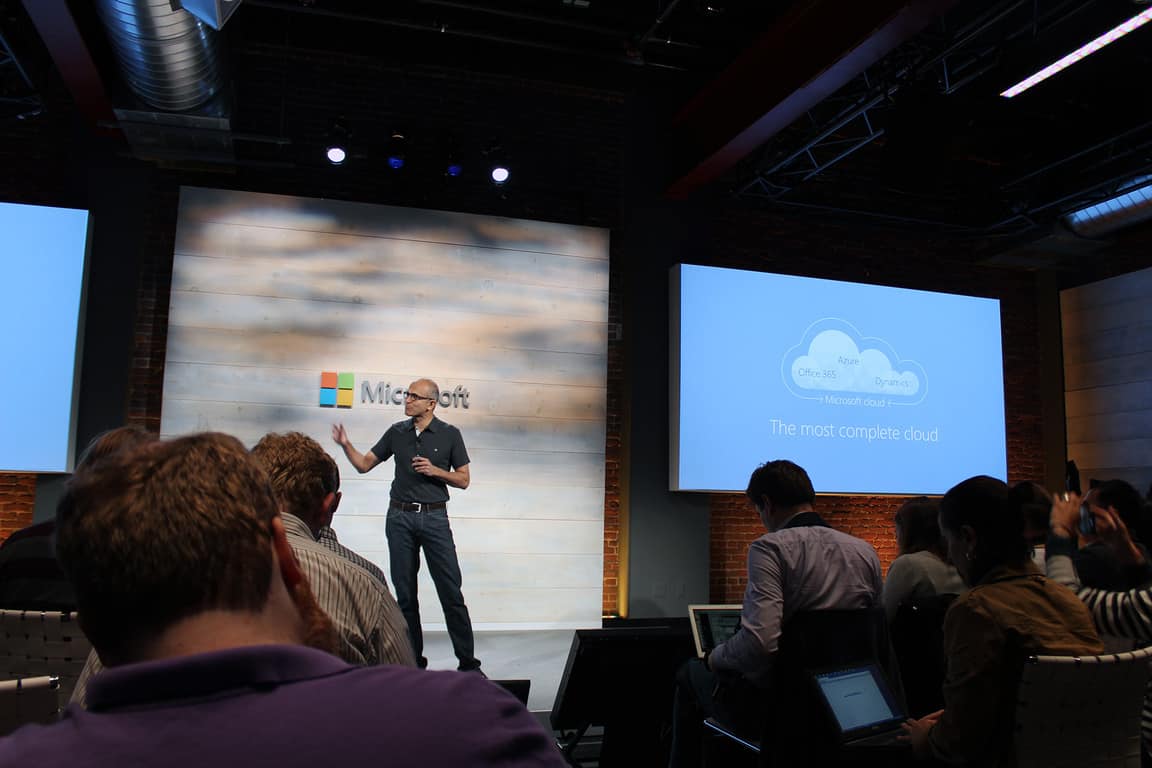
  5. Learn directly from customers. Microsoft is going to be showing COOP Italia’s “digitally enabled supermarket of the future” to give examples on how physical and digital retail can be fused together elegantly using “seamless, social, and immersive retail experiences.” This panel should be a solid round-up for those who want to have what they’ve already learned recapped.

If you’d like to see Microsoft present at the BIG show, they’ll be offering passes for free to those who are already retailers. Otherwise, you can get access to the show right here.

Microsoft simplifies age rating system for Windows 10 app submissions

Parents tend to frown on their kids playing games that are blatantly inappropriate to their ages. That’s why age rating systems exist, to set guidelines for kids (and, more importantly parents) to understand whether a game is appropriate for them. Market-specific rating systems exist, such as the ESRB and PEGI, but that’s cumbersome and requires hours for developers to wade through.

That’s why Microsoft is now supporting the International Age Rating Coalition (IARC), which supports age ratings across geographies that thus requires far less work for developers to utilize in pushing their apps for submission. As Microsoft details:
The IARC rating system is a global rating and age classification system for digitally-delivered games and apps. With IARC, you complete a single questionnaire about the content in your app during submission and Dev Center automatically adds regional and international age rating certificates to the Store listing for you. If you change your app’s content, you can update the questionnaire and receive a new rating at any time.

IARC makes it quick and simple to obtain age and content ratings across the globe, making it easier to offer your apps in more countries and markets. There is no cost to you, and the questionnaire can be competed in just a few minutes. The ratings are then automatically generated for:

– Classification Board (ACB) in Australia
– Classificação Indicativa (ClassInd) in Brazil
– Entertainment Software Rating Board (ESRB) in North America
– Pan European Game Information (PEGI) in Europe
– Unterhaltungssoftware Selbstkontrolle (USK) in Germany
– International Age Rating Coalition (IARC) for general purpose

Once the IARC rating is established, Microsoft can issue its own Windows Store rating, the CSRR for Taiwan, and the PCBP for Russia. Clearly, this process is less intensive than the previous system.

The Dev Center team provides all of the details a developer could want over at the Windows blog. Things can get tricky when preparing an app for submission to the Windows Store, but it looks like Microsoft is doing everything it can to make the process easier–and thus hopefully increase the number of submissions. And that’s good for all of us.

Microsoft and Sensoria team up on Soccer Data Dashboard

Soccer is the biggest sport in the world, and has already received attention from Microsoft in the past, it only makes sense that it’s being treated with some of the most advanced technology on the market. Sensoria, a clothing technology company founded by ex-Microsoft employees, is coming together in a partnership with Microsoft to make boots plugged into the Internet of Things that are built to help gather statistics in soccer games. The boots are meant to do a great many things, covering all of the bases that someone needs to have a comprehensive look at the teams and players that make up the sport.

The boots have a low-power tracking system built into them that doesn’t get in the way of actually playing, but still tracks information successfully. Sensoria will be working with Microsoft to gather heat maps of where each player is spending most of their time on the pitch. Along with being able to sense how a player is kicking the ball while passing or shooting, and taking other important biometric measures to make sure that coaches, and possibly fans in the future, have all of the information they want.

The Microsoft Soccer Dashboard will make it easier for coaches and scouts to equip each junior team’s player and make it easier for them to find the next Cristiano Ronaldo.

Statistics are comparatively limited when put up against what Microsoft and Sensoria are doing. Now, instead of just observing the actions of players on the pitch and recording them, we’ll have foolproof and extremely detailed information to bring to light. The new partnership means that scouts are going to have an easier time, as are coaches and players who want to improve themselves. Collecting data through these means is a huge step for the Internet of Things, and hopefully it’s going to catch on among the major worldwide soccer leagues.


Microsoft talks up 2016 developer opportunity as Windows 10 Store continues to pick up steam

Universal Windows Apps (UWA) are Microsoft’s future, and the company knows it. With Windows 10, the company has made clear its vision for an unified operating system that can adapt to the growing number of form factors in today’s technology world, lying at the core of which is universal apps. The versatility of the model can hardly be disputed; developers need to listen, however. It’s only befitting that in the beginning of the new year of 2016, Microsoft has decided to hype up the progress it’s made popularizing UWA with some impressive numbers.

All about the base

The app user base has always been a chicken-and-egg situation for Windows, most damaging on the mobile front: users needs app to care about the platform, and developers need users to care about making apps. The plus-200 millions installs of Windows 10 – officially announced not too long ago and again touted here – coupling with growth rate superior to previous Windows version, should alleviate concerns about whether there will be enough exposure to Universal Windows App.

“Seventy percent of NPR listeners use Windows devices, and we’ve seen a 50-percent increase in their listening time just since Windows 10 came out. And that was before we upgraded our app.”
— Ben Schein, Product Manager at NPR

The apps take front-and-center in the new Windows experience, and sure enough, gains have been made in customer interactions both with the apps and the Store itself. 67% of Store downloads in December 2015 were made from Windows 10; 3 billion visits to the Store were made since Windows 10 launched; paid Store purchases rose twofold during the holiday sales from last year, 60% of which are from new Store users, raking in 4.5 times more revenue per device compares to Windows 8. While these are all early numbers, they go to show the momentum Windows 10 has gained in the app space.

“By combining the two apps in Windows 10 as a universal Windows app, it decreased our engineering overhead, and increased our velocity for future iterations. We’re really excited about this.”
— Lois Wang, Senior Product Manager at Box

Sure enough, developers are taking notice: news of new UWA from popular services flow in continuously (you probably know if you follow us closely), and many more are confirmed to be in the works. Two of them, Box and NPR, has shared some favorable experience of developing and deploying their respective UWA.

Every road leads to UWA

Of course, momentum is nothing without being built on, and Microsoft is certainly not a place where they can relax. To that end, their effort to make the Store a better market for both developers and customers are again highlighted; the most notable among which are Windows Bridges and Windows Store for Business.

Windows Bridges will allow developers to utilize existing code from multiple sources to make UWA at minimal effort. Currently there are bridges for web apps, iOS and Silverlight-based apps, with more promised in 2016. Initially there was also an Android bridge, going so far as to allow installation of Android apps straight on Windows 10; the project has since been suspended and the feature removed from the current version of Windows. Windows Store for Business is strictly for organizations and enterprise customers, and allows these customers to limit app selection, deploy specific organizational apps and more.

Other efforts include expanding payment options by adopting carrier billings, better app monetization, and app discoverability with deals and affiliate programs. The latter especially used to be a pain point for Windows Store compare to other app stores, and given the great result from the previous holiday sales, the improvements seem to be working.

Promising future

Overall, the post paints a motivating picture of the future of Windows 10 and Universal Windows Apps, despite the usual skepticism exclusive to Microsoft. With the number of devices running Windows in all form factors ever growing, and Microsoft itself delivering on much-awaited updates for its ultimate operating system, customers will be the one benefiting the most from these efforts. The future of Windows seems bright, we can’t wait to see what it holds.

WATCH ABC and WATCH ABC Family will be removed from the Windows Store

Once again, a former Window app developer is pointing its user base to the web for engagement. The WATCH ABC and WATCH ABC family apps will soon be removed from the Windows Store with no signs of replacements coming anytime soon.
A press release from the app developers explains that while the WATCH ABC app that was launched in 2013 and followed by the WATCH ABC Family in 2014 were launched in the Windows Store to make it easier for viewers to watch their favorite ABC shows, that is no longer the case. Instead of going to the Windows Store and downloading the two apps, Windows users are now encouraged to view their content via a web browser.

We launched the WATCH ABC and WATCH ABC Family apps on Windows in 2013 and 2014 respectively, to make it easy for viewers to watch their favorite ABC and ABC Family shows on the Windows phone or tablet of their choice. While we appreciate our loyal Windows community, we regret to inform viewers that we will be retiring the WATCH ABC and WATCH ABC Family apps on the Windows platform on January 11, 2016. Both apps will not be available for download in the Windows app store starting today, and you will no longer be able to stream content through the apps starting January 11th, 2016.

But have no fear – You can continue to watch your favorites ABC and ABC Family (now Freeform) shows at abc.com or freeform.com from a supported web browser on your desktop or supported mobile devices.

We look forward to your continued viewership.”

Ancedotally, the WATCH ABC and WATCH ABC Family apps appeared to have fallen off the development schedule for updates as the apps still adhere to the old ‘Metro’ design and offer very little in the way of features. Moving to the web using the Edge browser ideally should offer more features and better functionality over the currently defunct offerings, however, the Edge browser on Windows 10 Mobile needs one or two more updates to enable video full-viewing.

The news of a developer directing Windows users to the web is nothing new and will undoubtedly not be the last time a situation like this occurs. While it may be disheartening for Windows users who have become reliant on the convenience of a native app, Microsoft, and some developers are hard at work turning web apps into native-like experiences. Soon, a redirect to the web may just be a redirect to the web app in the Windows Store.

WATCH ABC
WATCH ABC
Developer:
ABC
Price:
Free

What happens when you lose Xbox Live Gold on Xbox One?

Xbox Live Gold is a popular subscription service available on Microsoft’s Xbox 360 and Xbox One videogame consoles. Pricing varies by region but generally average around US$7 per month depending on the plan chosen.

Originally, an Xbox Live Gold membership was required to enjoy almost all online services on the Xbox 360 (such as playing online and watching online video on its numerous apps) but soon after the arrival of the newer Xbox One console the plan evolved slightly and now media streaming is available to free members (often referred to as Xbox Live Silver members) as well.

The evolution of Xbox Live Gold hasn’t really affected continuing members all that much but for those who may be considering taking a break from the service due to travel plans or a need to save money, many wonder how exactly their console will be affected and what they will lose once their Xbox Live Gold membership is cancelled. Here is what happens.

  • You get to keep your Xbox 360 Xbox Live Gold games: The way Xbox Live Gold was set up originally on the Xbox 360 was that it would reward subscribers with free Xbox 360 videogames on a monthly basis under the Games with Gold system. These games, once claimed, would be added to the user’s account and they would maintain ownership indefinitely. This hasn’t changed. Even after cancelling an Xbox Live Gold subscription, any Xbox 360 titles claimed while a member will remain in a user’s account and will be fully playable after the cancellation.
  • You can no longer play your Xbox One Xbox Live Gold games: Xbox One Xbox Live Gold games on the other hand work a little differently than the Xbox 360 titles as instead of giving ownership of the games to the user, the membership grants access to them for as long as they’re a member. This isn’t an issue for most Xbox One owners as the majority remain Xbox Live Gold members for the lifetime of their console, but for those that terminate their membership (or forget to renew) all access to any Xbox One titles claimed under the Games with Gold banner is removed, even though the game data will remain on their console and in the cloud. The good news is that whenever a membership is reactivated, access to all previously claimed titles is renewed and all of the save data is made immediately accessible.
  • The majority of your Xbox 360 and Xbox One apps will still function without Xbox Live Gold: Thanks to the policy update a few years ago, Xbox Live Gold is no longer needed to view online streaming apps such as YouTube and Netflix so any cancellation of an Xbox Live Gold subscription will not affect media watching at all.

  • Online play will be extremely limited with no Xbox Live Gold membership: For the most part, an Xbox Live Gold subscription is required to play games online on Xbox 360 and Xbox One. Single player modes will still be functional after the membership is cancelled but gamers wishing to enjoy an online multiplayer session will need to pay up. There are some exceptions though due to the online nature of several modern titles like, Destiny, which is perpetually online. Xbox Live Silver members will still be able to play the game in its online worlds and observe other players but the ability to join and create parties will be absent.
  • Xbox consoles will still be online after cancelling Xbox Live Gold: While online play will be significantly impacted by the loss of an Xbox Live Gold membership, both the Xbox 360 and Xbox One consoles will continue to function as normal with an active friends list, Community feed, and Achievements that will unlock as requirements are met in games and apps.

Cancelling an Xbox Live Gold membership really isn’t as dramatic as it used to be for Xbox 360 and Xbox One owners despite the loss in certain online features and monthly free games. Have you ever let your Xbox Live Gold membership expire? Would you ever want to? Let us know about your experience in the comments below.

Microsoft’s R Server data analytical products are now up for grabs to MSDN subscribers

Microsoft has recently put several of its R Server analytics platform services up for grabs to MSDN subscribers. For those unfamiliar with Microsoft’s R Servers, picture them as low-cost services that allow businesses to run advanced computational analysis with machine learning capabilities for multiple platforms.

More specifically, the MSDN site sources the R servers as:

Microsoft R Server is a fast and cost-effective enterprise-class big data advanced analytics platform supporting a variety of big data statistics, predictive modeling and machine learning capabilities. Microsoft R Server includes Open Source R and is fully compatible with R scripts, functions, and CRAN packages, and offers a variety of analytics capabilities including exploratory data analysis, model building and model deployment.”

Thanks to a report from ZDNet’s Microsoft reporter, Mary Jo Foley, we now know that Microsoft has put its R Server for Hadoop on Red Hat, R Server for Teradata DB, R Server for Red Hat Linux, R Server for SuSE Linux, and its Revolution R Enterprise up on MSDN.

Mary Jo further speculates that the new R Server products listed at MSDN are part of rebranding Microsoft is conducting after several previous acquisitions and integrations. Early last year, Microsoft completed its acquisition of Revolution Analytics, and it’s believed that the R programming language the company was known for is now further supported by Microsoft and its server products.

Microsoft has yet to offer any clarification on the matter.

Two new Star Wars: The Force Awakens pinball tables coming to Windows 10 and Xbox next week

Zen Studios will be adding to their impressive library of digital Star Wars tables during the week of January 12th with the release of two new tales based on the film, Star Wars: The Force Awakens.

The Star Wars Pinball: The Force Awakens table will follow the events of the film’s storyline directly while the Star Wars Pinball: Might of the First Order table will focus more on the film’s villainous group, The First Order, and allows the player to control their own Star Destroyer, fire Starkiller Base, and explore characters such as Kylo Ren and Captain Phasma. Both new Star Wars tables feature art, models, and sounds directly from the film.

The two Force Awakens pinball tables will be released on Windows 10 devices, Xbox 360, and Xbox One. Currently, players who buy Zen Pinball tables on Xbox 360 consoles are able to download their purchased content for free on the Xbox One version. While table scores do sync between the Windows 10 and Xbox One versions, there is no cross-buy capability right now. This feature however will be made available in the future (so there’s no need to buy the same tables multiple times just yet).

Star Wars Pinball: Might of the First Order on Xbox 360, Xbox One, and Windows 10

These two tables come out almost a month after the theatrical release of Star Wars: The Force Awakens which has already had its fair share of cross-promotion on Microsoft devices. The film itself is already available for digital pre-order via Microsoft’s Movies & TV service, while the Jakku downloadable content for Star Wars: Battlefront on Xbox One has proven incredibly popular with movie fans and gamers. There has also been the release of a The Force Awakens Play Set for Disney Infinity 3.0 on Xbox 360, Xbox One, and Windows 10 which, while aimed at younger gamers, is a lot of fun to play in its own right.

Have you been enjoying all of the Star Wars content released recently? What have you been playing the most? Let us know in the comments below.

Download Pinball FX2 on Xbox One

Pinball FX2 Windows 10 Edition

Add some style to your Forza Motorsport 6 Xbox One experience with Ralph Lauren Polo Red car pack

Microsoft’s pays a great deal of attention to its Forza Motorsport 6 Xbox One title, pushing out new downloadable content, investing in various racing tournaments around the globe, and even partnering with the Peterson Automotive Museum in Los Angeles with a dedicated Forza Motorsport Racing Experience Gallery. Today, Microsoft is announcing a new car pack with Ralph Lauren style.

Dubbed the Ralph Lauren Polo Red Car Pack, the new downloadable content offers seven new cars to the title, to be customized, tuned, and raced to the Xbox One lover’s delight. Available for free via the Forza Motorsport 6 Car Pass, which offers seven new cars a month, the new pack is available by itself for a cool $6.99.

1973 Holden HQ Monaro GTS 350

The cars included in the Ralph Lauren Polo Red pack include everything from the 2016 W Motors Lykan HyperSport featured in the film Furious 7, to the 1973 Nissan Skyline GT-R. Here are the included cars:

  • 2016 W Motors Lykan HyperSport
  • 2015 Nissan #1 NISMO MOTUL AUTECH GT-R
  • 1973 Holden HQ Monaro GTS 350
  • 1973 Nissan Skyline GT-R
  • 1979 Opel Kadett C GT/E
  • 2014 Toyota #8 Toyota Racing TS040 HYBRID
  • 2015 Mazda Formula Mazda

1973 Nissan Skyline GT-R

1973 Nissan Skyline GT-R

So if you’re a Forza Motorsport 6 aficionado, you’ll want to get on this deal pronto. We’re sure you never can get enough cars, right?

Microsoft back in China’s antitrust crosshairs with new investigation

The on again, off again relationship between Microsoft and China appears to be on the rocks due to a new antitrust inquiry. The New York Times is reporting that Chinese regulators are poised to open a new antitrust investigation into Microsoft.

Perhaps the governmental raids conducted by the State Administration for Industry and Commerce (SAIC) on Microsoft Offices in the area were able to surface enough to warrant the new investigation. During the seizures, the SAIC obtained Microsoft contracts, records, electronic data such as email and company communication, while also conducting several rounds of interviews of staff and executives.

While the raids were carried out under the pretense of gaining answers to questions the SAIC failed to make clear, the results of its investigation went mostly unquestioned. Without a clear case laid out as to what the SAIC was looking into Microsoft for, or any social publishing’s of the raids, some have speculated that the initial investigation was spurred by the company ending support of its Windows XP software that is used heavily by many Chinese government offices and businesses. Even though Windows XP usage in China was done mainly through pirated copies of the software, Microsoft’s recent decision shined a spotlight on how dependent even China’s government had become on its utility.

Perhaps, in relation to Microsoft’s decision, a news agency in China called Xinhua recently posted an article that offers a bit of clarification on the investigation and the new allegations. Xinhua claims that without releasing information about its mainly proprietary Windows operating system and Office Suite, Microsoft purposefully caused ‘incompatibility problems.’ Due to the significance that Windows, especially XP, holds in China, a move that creates ‘incompatibility problems’ to such a degree can be held as an anticompetitive offense.

It should be noted that the Chinese government has been working on releasing its own Linux-based operating system for some time now. The new Linux-based OS being called NeoKyklin also happens to look oddly familiar to Windows XP. Tangentially, the raids issued on Microsoft property were designed to force the company to “fully disclose information of its Windows operating system and Microsoft Office applications.” Whether or not this information has any relation to the antitrust claims is pure conjecture at this point.

Regardless of the history between China and Microsoft, the company is maintaining that it has always taken the claims seriously and are trying to comply with the SAIC’s inquiries, according to a Microsoft spokesman who conversed with the New York Times.

Nissan selects Microsoft Azure to provide in-vehicle solutions for the Nissan LEAF

Electricity-powered cars has been a trend for some time for the environmental conscious customers worldwide. Veteran carmaker Nissan has had quite some success in this product category, with 200,000 of its Nissan LEAF grean car sold worldwide, making it a best-seller. Nissan has now chosen Microsoft Azure as the definitive platform to power its highly-popular product.

Specifically, Microsoft Azure will power the Connect Telematics Systems (CTS) in all Nissan LEAF models and Infiniti models in Europe. CTS is used for remote controlling a number of functions in the car, including climate control, timed charging, and more. Azure’s powerful cloud capabilities will surely be a boon to the connectivity between the car and the owner. Not only that, Azure will also powers interaction between owners with Nissan LEAF-exclusive Hands-Free Text Messaging Assistant.

Microsoft Azure will help us deliver a more innovative and intelligent future for our connected technologies,” “This is also a bold first step toward innovations that will realize future new mobility,” – Celso Guiotoko, chief information officer and corporate vice president in charge of global corporate IS/IT, Nissan

Additionally, Azure also provides enterprise-grade security and compliance needed for international regulations approval for Nissan’s high-tech vehicles, specifically the ISO 27018 cloud privacy standard, which Microsoft was the first to adopt. Azure brings additional value by plugging into Microsoft’s other capabilities in data analytics and management, and its flexibility with development tools and supported platforms ensure that updates are easy and swift.

Microsoft and Harman are partnering to offer immersive and personalized experience in the car

Microsoft and Harman announced a new partnership today at CES 2016 to collaborate on integrating Harman’s Connected Car Systems and Microsoft’s productivity services. For those of you who might not be familiar with Harman, they are an American firm that designs, manufactures and markets audio equipment for automobiles as well as homes and theaters. In a press release, Harman said,

“This project will introduce new mobile productivity services, as well as utilize existing products, services and technologies, including cloud platforms, telematics and driver productivity, to offer better convenience, safety and reliability for drivers and greater operating efficiency for auto manufacturers. Most importantly, the collaboration will integrate key elements of Microsoft Office 365 productivity suite capabilities into HARMAN infotainment systems.”

While at first glance, the mention of integrating Office 365 into a car seems a little odd. It is hard to comprehend how accessing a Power Point deck or Excel spreadsheet could be either safe or useful when you are on the freeway. But the press release goes on to mention it will be integrating Office 365 services through “intelligent personal assistant software” for drivers to be able to make calls, respond to emails, and automatically join conference calls without having to manually enter a meeting passcode.

Cortana, Microsoft’s digital personal assistant, was never mentioned by name, but the statement describes very similar functionality to what Cortana can do on your phone. Microsoft has also previously said they are planning to integrate Cortana across all of their Office 365 services.

Harman also announced the new system which integrates Office 365 productivity services, will be updated incrementally with over-the-air updates to make sure the driver always has the latest version and features.

Connected car systems, such as Android Auto and Apple CarPlay, have been standing out in the news this year at CES, as the long promised systems are finally making their way into production vehicles in a bigger way. While Microsoft’s connected car system was dropped by Ford when the auto manufacturer announced their new Sync 3 software, it looks like the technology company is finding new ways to get its services behind the wheel in this growing market space.

Kudo Tsunoda’s Windows Apps Studio team begins work on a new consumer app, “Behai”

Six weeks ago, Kudo Tsunoda, who worked within Xbox on Kinect and HoloLens, moved to a new job, as Corporate Vice President of Microsoft’s Windows Apps Studio. Now, according to Mary Jo Foley, Tsunoda’s team has set to work on a new Windows consumer app, code-named “Beihai”. The code name comes from a city in China, and so we’ll have to keep our eyes out for “China-class” code names and what they have in common.

There has been some speculation that “Beihai” is a new HoloLens game, but Mary Jo thinks there’s more to it than that, and her sources are telling her that instead, the new consumer focused Windows app will run on HoloLens, yes, but also on other Windows 10 devices. One job posting that has left clues about what we might expect from “Beihai” comes from the team that created Skype for HoloLens, and reveals that they’re now focused on “building groundbreaking 3D experiences across all devices: phone, tablet, desktop and HoloLens.”

Microsoft seems intent on blurring the lines between Xbox and Windows, and on bringing HoloLens into the fold as a key component in the company’s strategy moving forward. It will be interesting to see how “Beihai”, and the Windows Apps Studio fits in to the company’s grand plans