Flipkart now available as a universal Windows 10 app

FlipKart is one of the leading online retail stores in India, offering a variety of products. The company has released its universal Windows 10 app, which means that you can install it on any Windows 10 device you own, whether it’s a phone, a tablet or a full-fledged desktop.

In addition to the usual bug fixes and enhancements, the latest update brings a new, simplistic interface with a slide-out menu, quick sharing options, Ping assistant and lots more. You can manage your accounts from your mobile device or PC, and even get quick suggestions from your friends if any specific product is worth buying.

The update is available and can be downloaded from the Windows Store using the link below. If you’re based in India, and love to shop online, head over to FlipKart and install their app to shop on-the-go. Let us know about your thoughts if you’ve already updated the app.

Flipkart
Flipkart
Developer:
FLIPKART
Price:
Free

Microsoft Kills Support for Internet Explorer 8, 9 and 10

Along with ending the support for Windows 8, Microsoft will also end the lifecycle of older versions of its Internet Explorer browser. So, Internet Explorer 8, 9 and 10 will no longer be supported, and from now on, updates will be delivered to Internet Explorer 11 only. But unlike Windows 8, Microsoft already announced the end of support of Internet Explorer some time ago.

Just like Microsoft encouraged users to upgrade to Windows 8.1 or Windows 10, it now tells users to switch to Internet Explorer 11 or Microsoft Edge, because browsing in older Internet Explorer browsers won’t be safe anymore, and users would still use them at their own risk.

So, what does the end of support mean for Internet Explorer? Well, basically it’s same as for all other Microsoft products. The company will stop to provide security updates for older versions of the browser, so using them will be insecure, as they’ll become an easy target for malicious software and other kinds of attack.

Also starting from today, you won’t be able to upgrade to Internet Explorer from an older version, so you may get stuck with an outdated and insecure version of Internet Explorer.

Reports show that about 340 million people still run Internet Explorer, but just under a half of them are using one of the expired versions of the browser.

Microsoft Ends Support for Windows 8, Asks you to Jump to Windows 10

A little more than three years after the release of the system, Microsoft decided to end the support of Windows 8. The company delivered the last pack of security updates for Windows 8 as a part of Patch Tuesday, and encouraged users to upgrade to the newer version of Windows (8.1 or 10).

The usual lifecycle of a Windows operating system is 10 years from the date it was launched. But since Windows 8 has been upgraded to with Windows 8.1, the company now considers Windows 8.1 as the main operating system, as it’s being treated as a Service Pack instead of a new OS.

So Microsoft will end the support of Windows 8, but it will still support older versions of Windows, like Windows Vista (until April 11, 2017) and Windows 7 (January 4, 2020).

“Unlike service packs that are typically just a collection of fixes, Windows 8.1 has new features and enhancements. We designed Windows 8.1 to give customers an ability to deploy this update in a manner that is similar to how customers deploy service packs, therefore we are applying the existing service pack support policy to Windows 8.1.

[For] Windows 8, support ends 24 months after the next service pack releases or at the end of the product’s support lifecycle, whichever comes first. If you are using software without the latest service pack you won’t be offered any new security or non-security updates, although preexisting updates will continue to be offered.”

Microsoft encourages users to upgrade to a newer version of Windows, because if they stick with Windows 8, their system will be vulnerable to attacks, due to the lack of security updates. The upgrade to Windows 8.1 or Windows 10 is free (if you have a genuine version of Windows, of course), so the end of support shouldn’t be a problem, unless you’re emotionally attached to Windows 8.

Windows 8 isn’t the only Microsoft’s product that faced the end of support today, as Microsoft also ended the support of all older versions of Internet Explorer, as well.

Windows 10 Insider Preview is more than just Gabe Aul, meet the rest of the team

As far as the Windows 10 Insider Preview program is viewed by the general public, the only faces responsible for the products are Terry Myerson, Joe Belfiore to an extent, and the almighty Gabe Aul. Entering into its second year of availability, however, the Windows team would like to introduce Insiders to the many unsung faces behind Windows 10.

For those continuing to stay abreast of Windows 10 news via the Insider Hub, the Windows team is now offering its new Windows 10 Team Profiles post.

To give you even more insight into Windows 10, we’d like to introduce you to some of the people on our team and how they support the platform – and Windows Insiders like you. We’ll feature team profiles on an ongoing basis here in the Hub.

The profiles are sort of Q&A sections that allow Insiders glimpses into the quirks and personalities that comprise the Windows team and those who subsequently handle the Windows 10 operating system.

To start off the profile action, Brandon LeBlanc, better known inside the walls of the Microsoft as the senior program manager of awesomeness. As Leblanc self-describes, he’s responsible for putting together content that goes into those rather lengthy blog posts that detail updates, features, and fixes that appear on the Windows Blog and Insider Hub. Ironic, huh?

WindowsProfiles

What Insiders can glean from LeBlanc’s Q&A profile is that as a seven year veteran of Microsoft, he “absolutely loves Cortana,” he prefers sushi, and he’s a fan of Batman comics. LeBlanc’s more thoughtful responses were in regards to his experiences with Windows 10.

For example, asked to describe one of his favorite experiences with Insider community, LeBlanc answered:

I have too many favorite experiences to be able to just name one. I did use the Microsoft Translator app for Windows to interact with a Windows Insider from Portugal the other day in Portuguese which was very cool! Windows Insiders are “my people” as our biggest fans of Windows, and I am such a big fan of Windows too.”

Another encapsulating response came when Leblanc was asked about his most memorable moment at Microsoft:

When Terry Myerson took the stage on September 30, 2014, and unveiled Windows 10”, and deservedly so.

Other tidbits like his setup at work and his Twitter handle (for those who have some respectful questions or suggestions to offer) can all be found via the new Windows 10 Team profile post in the Insider Hub.

As Microsoft continues to prep for Redstone and other future updates, the Insider Hub is becoming ripe with content for readers. As far as we’re concerned, the more info the better, and the Insider Hub is a great place to put it all.

Who threw the craziest party at CES? Microsoft, of course

That headline might seem a bit odd to you, Microsoft throwing the coolest party in town? The people who make Word and Excel? And Access?!?

You wouldn’t be at fault for thinking that way; after all, Microsoft is just starting to get into the stride of being considered a “cool” tech company. Not long ago, pre-Xbox or Surface, it was largely business as usual, with Windows updates, Office updates, and more Windows updates. However, times have changed for Microsoft–now they’re the ones throwing the best Vegas afterparty.

Usually, “what happens in Vegas, stays in Vegas,” but today we get that rare glimpse into those crazy nightclub parties you hear about. For CES, Microsoft rented out the Omnia nightclub at Caesar’s Palace and brought all the bells and whistles. Floating Darth Vadar? Check. Storm Trooper bottle servers? Check. Cirque Ole type performers? Check. Dom Perignon? Check. DJ Aoki? Why not.

From the looks of the pictures taken from Venture Beat’s report, it looks to have been a great time. With Microsoft steadily becoming more and more focused on their goals for the future with Windows 10, Office, Surface, and Xbox, it’s cool to see them able to loosen up and get a bit wild. Don’t believe us, take a look for yourself.

Who knows what’s next for Microsoft’s and the party scene. Perhaps it will be a Surface phone that’s used to take the selfie at the next Academy Awards.

Windows PCs join Xbox One with EA’s Origin Access subscription program

Similar to Xbox One’s EA Access program, Electronic Arts launched a similar program for Windows PCs called Origin Access. For $4.99 a month, Windows PC owners can play 14 older EA titles, including:

  • Battlefield 3
  • Battlefield 4
  • Battlefield Hardline
  • Dragon Age 2
  • Dragon Age Origins
  • Dragon Age Inquisition
  • SimCity
  • Need for Speed Rivals
  • FIFA 15
  • Plants Vs. Zombies Garden Warfare
  • Dead Space
  • Dead Space 2
  • Dead Space 3
  • The Sims 3

Another title, This War of Mine, is also available. Although This War of Mine is not an EA title, EA will also be adding some third-party titles to its Origin Access program for Windows PCs and promises to add more EA titles as they become available.

Origin Access subscribers will also get a 10% discounts on all games purchased through the Origin service. Just like EA Access, Origin Access will offer free trials on upcoming EA games. The first free trial that will be available through Origin Access will be Unravel on February 4. While EA Access offers a 12-month subscription for $29.99 or a monthly subscription for $4.99, Origin Access is only available for a monthly subscription for $4.99 at this time.

So there you have it, PC gamers, yet another way to enjoy some unlimited gaming for the price of a small monthly subscription. As always, we’ll continue to let you know about ways to spend your money have some fun.

Thanks to WinBeta reader Brendon for the tip!

Microsoft Showcase School program adds two more to its growing list

The Microsoft Showcase School program has grown by two recently. The Asia Pacific College (APC) in Makati City and La Salle Green Hills (LSGH) in Mandaluyong City have joined Microsoft’s vision of a fully integrated and Microsoft-centric institution of learning.

We’ve reported earlier on the Microsoft Showcase School program as the company handpicking elite educational schools around the globe to be powered by its hardware, software, and services. Both the APC and the LSGH are joining the elite ranks of schools benefiting from the tight integration of Microsoft products designed and tailored specifically for education.

Specifically, the IBM Philippines and SM Foundation established APC with its 3000-something student body is using its new Microsoft embossed technology clout to manage classes, student content, and form classroom methodology, according to APC managing director Maria Teresita Medado.

Likewise, educators and pupils at LSGH are exploring Personal Learning Devices to improve curriculum and workflow for grades 3 through 10. LSGH faculty are looking to supplement older methods of teaching with the increasing rise of smartphones, tablets and other mobile devices in classrooms, to form a more efficient self-guided learning process.

wsc07

APC’s ultimate goal as being a Microsoft Showcase school is to improve the employability of its student body by heavily integrating the new Microsoft services and technologies during a student’s educational journey.

Becoming a Microsoft Showcase School is no easy task and requires institutions to meet rigid Microsoft criteria that include proper use of the company’s technologies, educator training, chart goals of employment beyond education and outline a favorable impact on its surrounding regions and or country. Both APC and LSGH began their journey of becoming a Microsoft Showcase School in mid-2015 by taking advantage of their existing ties to Microsoft services and technologies.

microsoftteaches1

Now, as part of the program, the APC and LSGH not only benefit from slowly integrated flows powered by Microsoft technologies, but the schools now have access to first-hand training of future services and products. Other MSS program benefits include online certifications for various specialties or Microsoft products, ensuring employment from agencies or businesses utilizing Microsoft solutions. Teachers who are involved in a Microsoft Showcase School program can also save money over the long haul by accessing many features of services or products for free, including templates for brochures, online courses, webcast, and certifications.

The list of benefits for Showcase schools is vast. As Microsoft continues its partnerships with schools, teachers, faculty and students around the world are experiencing the company’s products with a renewed sense of passion. While Microsoft has a firm grip on how businesses and enterprises utilize its solutions, the company seems to realize that gaining mind share in schools is just as important if not more so for its continued success.

Schools interested in joining the program can apply here.

Get 20% off Xbox One game pre-orders and new releases through Amazon Prime

Starting today, Amazon Prime members will receive 20% off on all Xbox One pre-orders and new releases. Instead of this being a limited time offer, it looks like this will be a permanent perk for Amazon Prime members. For new releases, you will have to buy games within the first two weeks of the game’s release to get the 20% discount, and remember that Amazon Prime already offers launch-day delivery on video game pre-orders.

Amazon Prime costs $99.99 a year, which includes Prime Video and Prime Music subscriptions, plus unlimited storage with Prime Photos, and free two-day shipping on most Amazon orders. Best Buy and GameStop offer comparable pre-order and new release offers on Xbox One and PS4 games.

Best Buy offered its Gamers Club as a $14.99 monthly add-on to its Reward Zone program starting in 2008. Gamers Club Unlocked offered a two year membership for a 20% discount on games for $119.99, before dropping the price to $99.99 and in March 2015 to $29.99 for the same time period.

GameStop offers a similar program for Xbox One pre-orders; its PowerUp Rewards Pro program offers a 20% discount on Xbox One pre-orders for $14.99 a year, plus a free yearly subscription to Game Informer magazine. The only difference with the GameStop program is that it doesn’t offer any discounts on Xbox One new releases.

Getting Xbox One stuff for less money is always a good thing, and so head on over to these retailers and get signed up. Amazon Prime is particularly attractive for all of the other benefits it provides, and so getting Xbox One pre-orders and new releases at a 20% discount is nothing but a good thing.

Sharegate migration tool supports moving data from Google Drive to SharePoint and Office 365

Migrating your company’s data from Google Apps for Work to Office 365 just got a whole lot simpler thanks to the folks at Sharegate. Their popular Office 365 and SharePoint Management tool, known for its easy to use Drag and Drop migration feature, has been extended to support migrating your data from Google Drive to Office 365’s OneDrive for Business cloud storage. With this added support, IT admins can migrate all of their company’s data to Office 365 while preserving authorship, versioning and more.

Sharegate is a privately held Montreal based firm but is committed to aiding companies adopt Office 365. Their latest Google Drive to OneDrive for Business migration support is the result of a year of extensive collaboration between Microsoft and Sharegate to make transitioning to Office 365 easier.

Simon De Baene, CEO of Sharegate, explains:

“Cloud storage solutions, such as Google Drive, are widely adopted by enterprises to fulfill a need with little considerations for scalability and long term feature requirements. Office 365 and its OneDrive for Business offering brings just that! It’s powerful, and comes packed with everything any global company needs to run their business… Cloud computing is all about convenience, but moving from one solution to another is still a huge and painful process! We aim to change that. With our staple Drag and Drop migration, we provide the ultimate convenience when importing all your data to Office 365 as smoothly and easily as possible.”

As Office 365’s market share has outgrown Google Apps for Work, the competition between Microsoft and Google has been increasing. This new migration support from Sharegate could help Microsoft’s Office 365 growth by not only making it easier to sign up new clients but now grab some of Google’s customers as well. However, as we reported earlier, Google isn’t resting on the news of Office 365’s recent success. Last fall the Mountain View company made Google Apps for Work free for anyone who is currently under an Enterprise Agreement contract with Microsoft. And Google is also paying third party resellers $25 per user for each new Google Apps for Work customer they sign up.

With many analysts still very optimistic about growth of cloud services, Microsoft and Google are both betting heavy on their competition to be your company’s provider of cloud based producvity services.

Microsoft Pulse set to enhance US State of the Union address

Microsoft has announced partnerships with CNN, MSNBC, NBC Universo and Telemundo to deliver real-time feedback via Microsoft Pulse to viewers of US President Barack Obama’s final State of the Union address to the Congress, happening at 9 p.m. EST today.

Previously Bing Pulse, Microsoft Pulse is an audience engagement system that allows for live feedback from any device to any event. Users will be able to vote every five seconds to express their agreement or disapproval with any statements, with no amount limit, at no charges; real-time feedback view and polls are also supported. Microsoft Pulse was used by CNN an MSNBC during the 2014 U.S. midterm elections, and has since become a regular feature on the two news outlets during political coverage. The service was available for the State of the Union address last year and even the year before; the additional partnership with Spanish-language news outlets of NBC Universo and Telemundo is happening for the first time this year, however, and should be a boon to Spanish-speaking US citizens.

“To date, Microsoft Pulse has enabled millions of Americans to make their voices heard on important issues and during key forums and moments in time – from company meetings to the State of the Union address. It’s growth and success demonstrate how online technology can empower people to engage and become active participants in the decisions that affect their lives,” “On the other hand, Pulse allows broadcasters, and any organization seeking to connect with its audience and customers, to enable instant participation and real-time feedback.” – Dritan Nesho, Director of Technology and Civic Engagement at Microsoft.

Besides the usual real-time feedback feature, this year Pulse is also bringing additional value to producers with a new “social annotation” feature and integration with other Microsoft communication products. Social annotation will allow for live commentary on a part of an event, and extracting user comment on the commentary for on-air data analysis. Integration with Microsoft products may bring in additional revenue streams.

Viewers of the State of the Union address this evening can watch CNN or NBC Universo and vote at cnn.com/pulse, telemundo.com/pulse, or stream and vote on msnbc.com or telemundo.com.


inKin social fitness platform available for Microsoft Band and Band 2, Windows 10 app in the works

Microsoft’s first Band was not the best fitness tracker, nor the best smartwatch, but it does what it does really well with its overwhelming amount of sensors and intuitive software. The second generation improve on almost everything that held the first Band from true greatness, streamlining the design while adding even more sensors, making it one of the best not-smartwatch-but-close fitness band on the market. Such a great device deserves great services, and Band 2 owners now have another excellent choice with the arrival of inKin.

For those unfamiliar, inKin is a cross-platform free social fitness service that focuses on connecting people to raise motivation for doing sports. Examples include a workout leaderboard, competitions, and personal sport duels with friends. The service already supports almost all major fitness tracking platforms on the market like Fitbit, Withings, and Garmin, and Microsoft’s is the latest addition. Owners of the original Band need not feel spurned: it is also supported. In fact, both Microsoft Bands are now included on inKit’s website, which also has a nifty device comparison feature.

Even more good news: inKin is working on its mobile apps for major mobile platforms, and this time Windows users are finally not left in the dust. The information was first discovered by a Redditor and inKin user, who received a message from the developer announcing the coming beta versions for Android and iOS, with promise of a Windows app also in the works.

inKin Windows app confirmed. Courtesy of u/honigbar.

The thankfully up-to-date lingo usage of the word “Windows” suggests that the app may not just be for Windows 10 Mobile, instead of the Universal Windows App variety, which should be good news for Windows users in general. The interface of the Android and iOS apps look refined and modern, and here’s hoping that the developer put the same amount of care into the Windows app, and follow Microsoft’s design guideline. We will be keeping an eye on this and update you once more information comes.

Microsoft Tests New Windows 10 11097 Redstone Build Internally

Microsoft released a very first Redstone build last month, and the company recently announced that we’ll see more Redstone builds for Windows 10 Preview in the coming weeks. It looks like Microsoft will keep its promise, as head of Insider Program, Gabe Aul confirmed on Twitter that the developing team is currently testing the new build internally, and it will be available to Insiders soon.

When asked on Twitter about the new build, Aul responded: “I’m running 11097 on my PC right now.” Which means that the new build, labeled as 11097 will be ready for wide use, once all the bugs are removed. This is going to be a second Windows 10 build under the Redstone tag, a second major update for Windows 10, which should arrive in two waves, with first being released in June, and the second in October 2016, but these dates aren’t official, so changes are possible.

Still no Major Changes in Sight

Besides asking about the new build, the same user asked Aul if there will be any noticeable changes in the next Redstone build, and Gabe responded negatively.

“It’s still early in development, so mostly underlying structural stuff still, not UX”

As a reminder, previous Redstone build also brought no changes to the system (it caused some problems, however). But we shouldn’t be surprised by the fact that there are no new features and improvements yet, because Redstone is still in its earliest development phase, and new features and other changes will surely arrive in the coming months.

Although we have no official confirmation, there are some features that are rumored to come with Windows 10 Redstone update, like extensions support for Microsoft Edge, improved Cortana options, notifications hub in Windows 10, and more.

It is good to know that the new Windows 10 Redstone build is coming soon, and it will possibly be released to both Windows 10 PCs and Mobile devices.

Assassin’s Creed Chronicles: India, Unepic, The Banner Saga, and more now available on Xbox One

The latest entry in the popular Assassin’s Creed franchise leads the release of a rather impressive selection of games on Microsoft’s Xbox One console this week that cover a variety of genres.

Assassin’s Creed Chronicles: India, launching today, is the second in the 2.5D platformer Assassin’s Creed Chronicles trilogy and follows on from the previous entry, China. Assassin’s Creed Chronicles: India naturally moves the action to India and, like China whose visual look reflected that of Chinese artwork, takes design inspiration from India’s own rich culture and traditional artworks. The third game in the trilogy, Assassin’s Creed Chronicles: Russia, along with a special collection of all three titles, is due for release on February 9th.

Now available via console Store

The Banner Saga, also out today, features a unique art style of its own inspired by American artist Eyvind Earle. Originally released on PC, this story-heavy game is being released on Xbox One in English, French, German, Polish, Portuguese, Russian, Spanish, and Italian and there are already plans for a console release of The Banner Saga 2 in the near future which will carry over elements from The Banner Saga’s save files once released.

Now available via console Store

Xbox One owners looking for a new puzzle game may want to check out Cubot: The Complexity of Simplicity which is a return to the simpler puzzle games of yesteryear. Here’s the rather strange game description for your enjoyment:

At first sight, Cubot is a puzzle-game with a minimalist gameplay, just move color cubes towards tiles of the same color. It’s really easy, but it will be a torture for your mind to complete all levels of the game because the apparent simplicity of the game is in contradiction with the complexity of the puzzles. Moreover, an important point in the gameplay is if you have multiple cubes, they move simultaneously!

Buy on Cubot: The Complexity of Simplicity Xbox One here

Those after a new platformer could be interested in Unepic which is a mix of 2D platforming and roleplaying. The game takes place in a classic medieval fantasy setting and features over 200 areas to explore, 100 weapons to use, and 7 bosses to defeat.

Buy Unepic on Xbox One here

Another option for some modern retro gaming fun this week is the top-down shooter, AIPD, which is heavily inspired by 80s neon art styles yet runs on the powerful Unreal Engine 4 to push the basic graphics to the next level. The game supports up to four players in local play and features thousands of possible combinations of enemy and arena permutations which should keep things fresh.

Buy AIPD on Xbox One here

Last week saw the release of Lovely Planet, G Prime: Into The Rain, and Hyper Void on Xbox One and there are several titles still to come before the end of the month such as Resident Evil 0 on January 18th, A Boy and His Blog on January 19th, and The War of Mine: The Little Ones on January 29th.

One of the most anticipated games coming out this month is Lego: Marvel’s The Avengers on January 26th. A sequel to the incredibly popular Lego: Marvel’s Superheroes, Lego: Marvel’s The Avengers features a heavier influence from the live action Marvel films and TV series and a cast of playable characters that will be the largest ever used in a Lego videogame.

Are you going to buy (or have you already bought?) one of this month’s new Xbox One titles? Which one do you think is the best? Let us know in the comments below.

Microsoft congratulates its OEM partners for an award-winning CES 2016

As personal computing continues a transition in both software and hardware, Microsoft is congratulating its partners on some well-deserved CES awards this year. From fanless PC designs with edge-to-edge displays to lighter and thinner gaming laptops, Microsoft’s PC partners flexed their hardware design muscles, and the voters at CES 2016 took notice.

Among the awarded were Asus, who took home a CES Innovation Award honoree mention for Computer Hardware and Components for its ZenBook UX310. Another big winner was Dell for its plethora of impressive devices shown at the event. Impressively, Dell was recognized for Best Business Laptop with its Dell Latitude 13 7000. The company also walked away with awards in:

  • Computer Shopper “Best Business Laptop” – Dell Latitude 13 7000
  • PC Mag “Best Business Laptop” – Dell Latitude 13 7000
  • CES Innovation Award honoree Computer Hardware and Components – Latitude 13 7000 Series
  • CES Innovation Award honoree Computer Hardware and Components – Dell Precision 15 5000 Series
  • CES Innovation Award honoree Computer Hardware and Components – XPS 12
  • ZDNet Best of CES – Latitude 12 7275
  • SlashGear Best of CES 2016, Best Tablet – Latitude 12 7000 2-in-1

Dell and Asus weren’t the only showers at this year’s CES. Longtime Microsoft buddy HP was also recognized for Best of CES with its HP Spectre x 360 while also walking away with awards for also having a great business laptop in the EliteBook Folio G1. Other HP awards include nods from ZDNet, Wall Street Journal and PC Mag.

  • ZDNet “Best of CES” – HP Spectre x360 15.”
  • Wall Street Journal “Best of CES” – HP EliteBook Folio G1
  • “Best Business Laptop” PC Mag – EliteBook Folio G1
  • CES “Best of Innovations” Honoree – HP ENVY Curved AIO
  • CES Innovation Award honoree Computer Hardware and Components – Pavilion X2
  • CES Innovation Award honoree Computer Hardware and Components – Spectre X2
  • Techradar Editor’s Choice, Best Laptop – EliteBook Folio G 1

OEM_Product_HP-EliteBook-12_00566


While Dell and HP stuck to more traditional offers, Lenovo continues to lead the way for 2-in-1 devices with its award for Best Convertible Laptop with its Yoga 900S and Idea Pad Y900 for gaming. SlashGear, ZDNet, Laptop Mad, Digital Trends and PC Mag all agreed that both devices were the best in class 2-in-1’s this year.

Lenovo-3

As many news outlets reported on, Samsung snatched a day of headlines with its Samsung Galaxy TabPro S and Notebook 9. While the Galaxy naming scheme may confusing some Android loyalist, the Windows 10 powered Galaxy TabPro S, along with the Notebook 9 were recognized as Best Tablet and Best of CES respectively.

Toshiba snuck away with an honor in the Best Tablet category with its Toshiba dynaPad.

Even LG walked away as an award honoree in Computer Hardware and Components with a recognition for Best of CES for its LG Gram. Rounding out the awards was MSI, Razer, and Origin. MSI received recognition for Best Extreme Desktop and Best Gaming laptops. Both the MSI GT72 and MSI Vortex were recognized by Computer Shopper and PC Mag as being top notch devices. Origin was recognized as Best of CES for its All-in-One PC with the Origin Omni. Razer got its recognition for Best Gaming Laptop as well as Best of CES for its Razer Blade Stealth.

Origin-Omni-1024x683

While the PC market continues its readjustment to shifting dynamic of personal computing, hardware manufacturers are quickly catching up to the demands of users. With devices such as the Lenovo Yoga 900S for businesses or the Samsung Galaxy ProS for more mobile computing, Windows users are finally getting the tools they want and need for their personal computing lifestyles.


Microsoft Store sweetens the Surface 3 with US and UK deals

Microsoft’s Surface Pro 3 was a huge hit with both corporations and consumers, with Microsoft having taken to heart painful lessons from its Surface Pro predecessors, and paved way for the seemingly also-successful 4th generation. If you like the aethestics and functionality of the Surface Pro 3, but demand an even more mobile, compact package, however, the Surface 3 is still your only choice. If you haven’t picked one up by now and are staying in the US or UK, Microsoft is now offering some pretty good reasons to open your wallet.

As a quick recap, unlike the Surface 2 which runs the ill-fated Windows RT (and also started the thin-silver Surface looks), the 10.8-inch Surface 3 runs full blown Windows, powered by a relatively powerful Atom X7 Cherry Trail mobile chip. Memory options can go up to 4GB RAM and 128GB eMMC storage, and the Surface Pen is also fully supported (as a separate purchase, unlike the bundled-in pen of its bigger brother). It’s just a smaller, less powerful but still perfectly capable Surface Pro 3, with much better battery due to the size reduction, which makes it the perfect choice for road warriors and mobile workers.

Of course, a Type Cover is almost essential for a Surface tablet in spite of the separate hefty price tag,  and you’re put off by the additional purchase,  Microsoft Store in the US is now offering a free Type Cover with all models of the Surface 3. That’s a $129 saving off of something most of you would eventually have to purchase, so if you already have eyes on the Surface 3, it’s almost too good to pass up.

surface-3-deal-us

Elsewhere on the other side of the Atlantic Ocean, Microsoft UK is also joining in on the discounting spree with some not-as-good-but-still-good deals of their own, reports Neowin. All models of the Surface 3, even the 4G LTE which just came back in stock can now be had for 50-60£ off their original prices. The 109£-Type Cover is unfortunately not included, but it’s still a substantial saving, especially when considering the additional free one-year Office 365 Personal subscription valuing at 59.99£.

surface-3-deals-UK

The US Surface 3 deals lasts only until January 17 or when stock runs out, and UK folks get even less time with the offer running till January 16, so decisions have to be made fast.


Microsoft exec teases Xbox One party feature, coming soon?

Twitter seem to have become the favorite place for Microsoft people to sneak-peek cool stuff, and Mike Ybarra of Xbox and Windows gaming is joining the fun with some early looks on a new Xbox One party feature.

Specifically, a short clip Ybarra posted on Twitter reveals a new option in the party menu, which allows players to see who’s in a party before joining it. This feature has been much requested by users, and here’s another instance of Microsoft soliciting customer feedback for improvements.

There is no mention of when this feature will be coming (Ybarra is, in fact, rather cryptic with his message), nevertheless, given the track record of the Xbox team in pushing out timely updates, it should probably come soon, perhaps as soon as in the next monthly update in February. We will keep an eye on this and update you once more information comes.

Gabe Aul is running Windows 10 Redstone build 11097

Microsoft has promised a “faster” fast ring beginning this month for those of you enrolled in the Windows Insider Program. As we begin the development of Windows 10 Redstone, the next major update to the operating system, Windows Insider boss Gabriel Aul is teasing everyone by mentioning exactly what new build he is currently running on his desktop (first spotted by Neowin).

For those wondering, Gabe is running Windows 10 Redstone build 11097 on his desktop. Microsoft recently rolled out Windows 10 Redstone build 11082 to Insiders and is currently working hard to “get one out pretty quickly” implying that we may see a new build very soon.

Gabe also mentioned that this particular build he is running does not have any user experience or user interface changes. Rather, this new build has mostly underlying structural code improvements. So keep that in mind when the next build drops.

Are you ready to test new Windows 10 Redstone builds at a faster pace?

Windows 10 news recap: 200M installs, Redstone bits, and more

Welcome back to our weekly Windows 10 news recap, in which we recap the top news stories regarding Windows 10 for the week. Let’s dive straight in.

Windows 10 activations exceeds 200 million installs, includes Xbox One consoles

This week, Microsoft confirmed that Windows 10 is now installed on over 200 million devices across the globe, making it one of the fastest growing operating systems ever released by the company.

More than 40% of those devices became active since Black Friday on November 29th, raising US retail PC share for Windows 10 by 16 points to 62%, and the number of sales of Windows 10 machines over the holiday season has also been impressive, with some 87% of PCs sold coming installed with Windows 10, versus only 58% before the holidays.

Windows 10 is now used by almost 33% of Steam gamers

In light of Microsoft announcing 200 million Windows 10 installs, Steam updated their stats to reveal Windows 10 was now in use on over 33% of Steam users PC’s, a pretty impressive number considering Windows 10 is less than a year old.

Last month, just under 30% (specifically, 29%) of Steam users were running Windows 10. In December 2015, that number jumped roughly three percentage points to 32.46%. Windows 7’s lead is narrowing, down to 42.58% although still firmly in the #1 spot.

Microsoft working to get next Windows 10 Redstone preview build out “pretty quickly”

Also this week, Gabe Aul mentioned that his team was working hard on getting the next Redstone build out pretty quickly, and that once the next preview build was release, the company would begin speeding up build drops.

In the past, Microsoft referencing any time frame for Insider drops would mean anything from a few weeks to a couple months, but the insinuation here as that Insiders should expect it soon, probably within the next week or so at the latest.

Here’s what Microsoft plans to do with display scaling on Windows 10 Redstone

This week also saw Microsoft detail advances that had been made with display scaling in Windows 10, including features such as using different DPIs across different screens at one time. Microsoft says:

Scaling is a complex problem for the open Windows ecosystem, which has to support devices ranging in size from roughly 4” to 84,” with densities ranging from 50DPI to 500DPI. In Windows 10 we took steps to consolidate and simplify our developer story for scaling and to improve the end-user visual experience. Stay tuned for future release!”

Our top 5 most interesting products at CES 2016

To finish of this weeks news recap, we thought it would be fitting to check out our top 5 most interesting products announced at CES this week. In our list, we picked:

  • Samsung TabPro S
  • Alcatel OneTouch Pixi 3
  • Acer Liquid Jade Primo
  • Lenovo Yoga S900
  • Voice on Call app for Microsoft Band 2

You can check out the link above for more details on each product we listed. In the meantime though, that’s all for this weeks Windows 10 news recap. Let us know what your favorite story was below!

Microsoft Minesweeper for Windows 10 gets better touchscreen support

Do you remember Minesweeper? The classic game, packaged with some of the oldest Windows operating systems, is strangely one of the most recognizable brands that Microsoft has – you could walk up to any stranger and ask about Minesweeper, and they’ll probably tell you a story about how they played around with it when they were younger, but couldn’t figure out how it worked. While Microsoft may have moved on from a lot of the little games in their old operating systems (we’re still waiting on you, Space Cadet Pinball 3D!), Minesweeper has made it to the contemporary age with a new coat of paint.

Originally brought out for Windows 8, the new version of Microsoft Minesweeper is a pretty nice homage to the original. On top of repackaging the original game and all of its charm to a better-looking interface, the game also offers us some new features, like Adventure mode, adjustable difficulty, and even Xbox Live support, for those who wanted to show off their Minesweeper skills to all of their Xbox friends. Recently, a new update to the Microsoft Minesweeper app added to that package a few minor tweaks that may go a long way for the nostalgic Windows user.

The changes to Microsoft Minesweeper in the new update are as follows:

  •  Optimization for Windows desktop and touchscreen devices
  •  General bug fixes & optimizations
  •  New ability to reset your statistics

The substantial part of the update is the new optimizations for touchscreen devices, considering the new spread of touchscreen devices among laptop owners across the world. Minesweeper always made sense for touchscreen devices, since the entire game is built around tapping tiles – the fact that Minesweeper is having its core gameplay made to feel a little better is just good to see.

Microsoft Minesweeper
Developer:
Xbox Game Studios
Price:
Free

Our top 5 most interesting products at CES 2016

CES 2016 is coming to a close, and as it was a few days of technology mayhem. All kinds of fascinating products were introduced, from home automation to drones to 3D printers to, yes, Windows 10 PCs and smartphones. Here at WinBeta, of course, we’re mostly interested in those things that are associated with Microsoft in one way, shape, or form, and there was plenty of such material to delve into.

Generally speaking, the most interesting items at CES 2016 were the myriad Windows 10 ultrabooks, 2-in-1s, and smartphones. Here are the introductions that most struck our fancy.

Samsung TabPro S

While some have described Samsung’s TabPro S as competing with Microsoft Surface Pro 4, a more apt comparison is likely Apple’s iPad Pro. The TabPro S is a more traditional tablet format, it’s completely fanless, and at a glance could pass for any of Samsung’s many Android tablets. The only difference is that the TabPro S is a bit larger with a 12-inch AMOLED screen, and runs Windows 10.

Samsung-11


ALCATEL ONETOUCH PIXI 3

It’s not the most powerful 8-inch tablet on the market, but ALCATEL has done something very different by pushing out a larger device running Windows 10 Mobile. One might call the PIXI 3 a very large phablet if one wanted, and yes, you can make phone calls on the beast. With a Snapdragon 210, 1GB RAM, and 8GB of storage, nobody will be mistaking the PIXI 3 for a flagship Windows 10 Mobile device. But ALCATEL should be credited for making something that stands out from the crowd.

PIXI_3-8

Acer Liquid Jade Primo

We’ve known about Acer’s higher-end Windows 10 Mobile smartphone for quite some time now, but seeing it live and operating at CES 2016 was refreshing. Microsoft’s success in mobile might very well depend on the willingness of OEMs to offer their own, preferably high-end, smartphones. At the very least, the likes of Acer and Dell and HP producing Windows 10 Mobile devices could only help the platform’s growth.

The Acer Liquid Jade Primo, in addition to having an awesome name, is a relatively well-spec’d device with a Snapdragon 808 (the same SoC as in Microsoft’s Lumia 950), 3GB RAM, 32GB of storage, and a 5.5-inch Full HD AMOLED screen. Continuum is supported, making it only of the only non-Microsoft devices to support the feature so far. It’s too bad, though, that Acer only plans to introduce the device into regions outside of the U.S.

Liquid-Jade-Primo_06-1024x1024

Lenovo Yoga 900S

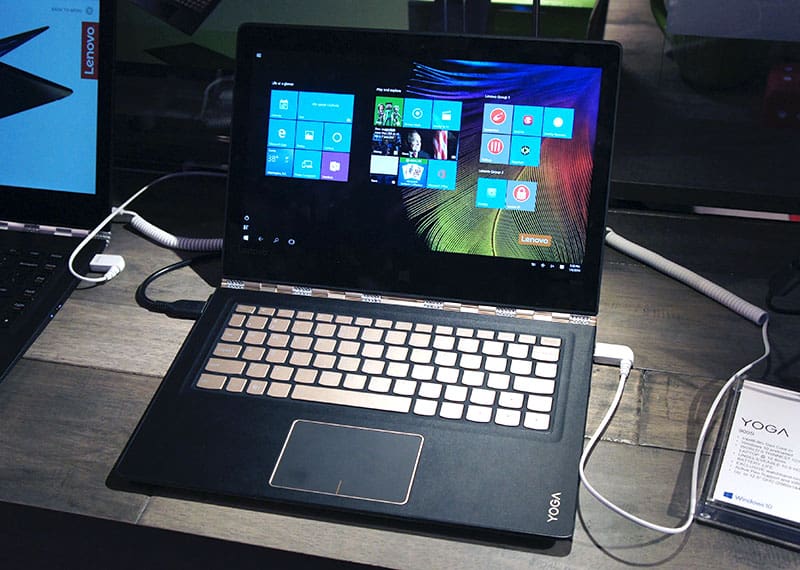
Lenovo has been in the Windows 10 2-in-1 market for about as long as anyone, and the Yoga line is a venerable one. Their most recent iteration, the Yoga 900S, is notably primarily for being so incredibly thin for a wraparound convertible notebook, at 12.8mm thin. It’s also light, at 999 grams (2.2 lbs). Specs are decent enough, with a 12.5-inch 2560 X 1440 resolution display, Intel Core m7, up to 8GB RAM and 512GB PCIe storage, and USB Type-C port.

Lenovo Yoga 900S

“Volvo on Call” app with Microsoft Band 2 support

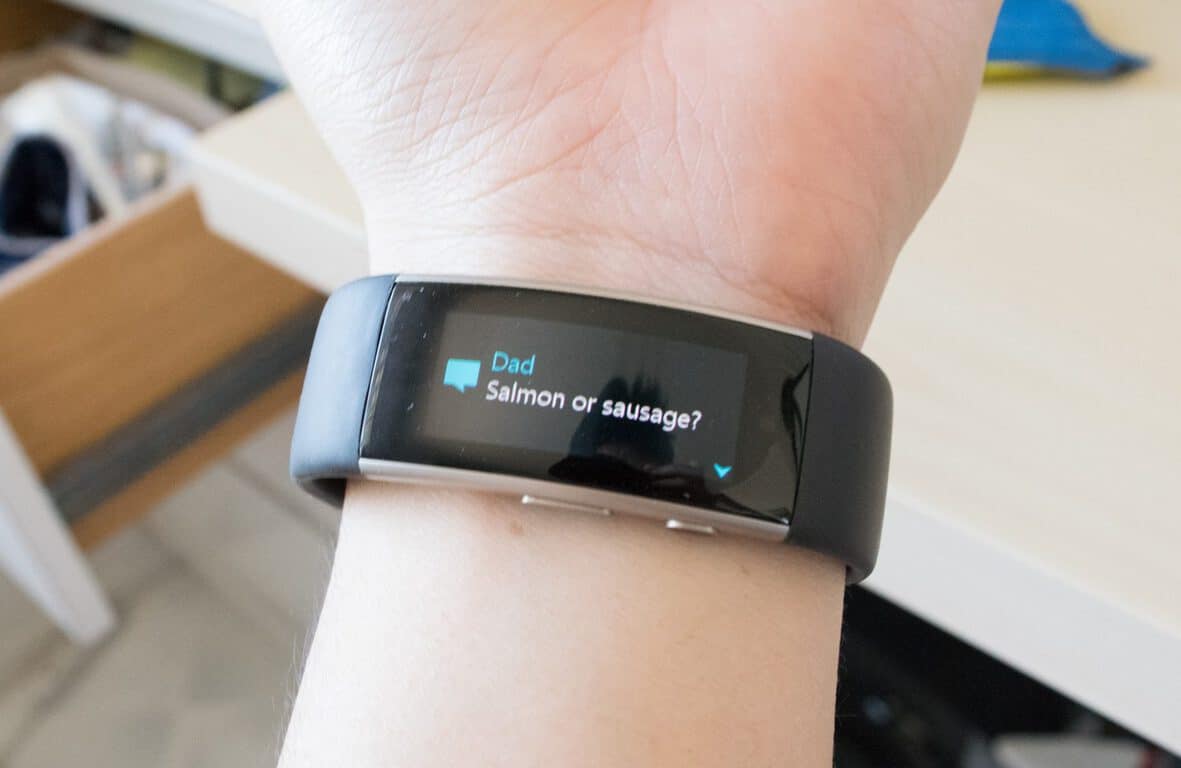
Microsoft is getting hot and heavy into automotive solutions, with the company announcing a number of partnerships with automobile manufacturers that should see Microsoft having some serious impact in the years to come. One of the more interesting introductions was Volvo’s integration of Microsoft’s Band 2 wearable with their Voice on Call solution, whereby the Band 2 and Cortana can be used to issue command such as starting navigation, setting thermostats, locking doors, and flashing lights.

Think of it as Jarvis meets Knight Rider.

These five products just scratch the surface of everything introduced at CES 2016. Check out all of our coverage for more on the year’s most frantic show all about consumer electronics.

At least 18 million Xbox One consoles have been reportedly sold

Microsoft is well aware that the Xbox One is at a bit of a competitive disadvantage to Sony’s Playstation 4, at least in terms of units sold, with Xbox chief Phil Spencer admitting that the PS4 has a “huge lead” over the Xbox One. Although Microsoft doesn’t report sales numbers directly, ZDNet’s Mary Jo Foley reported during her Windows Weekly podcast that, according one source, the Xbox One has sold at least 18 million units (via GameSpot).

The information hasn’t been confirmed by Microsoft, and that might never happen. However, if true, it places the number of Xbox One’s sold at roughly half as many unit as PS4’s, which have been purchased by around 35.9 million people around the world.

GameSpot goes on to mention that the 200 million Windows 10 users number, which is based on “active” users within the last 28 days, includes these 18 million or so Xbox One machines. That makes perfect sense–after all, the Xbox One is officially a member of the Windows 10 family following the release of the New Xbox One Experience in November.

Microsoft clearly has a ways to go if they’re ever going to catch up to Sony in terms of the number of consoles sold. It’s not that 18 million is anything to sneeze at, of course, and there are plenty of good Xbox One titles upcoming. Ultimately, it’s down to bragging rights more than anything else, because it’s not like Microsoft will be abandoning the Xbox platform anytime soon.

Newegg has Star Wars Battlefront, Call of Duty: Black Ops III, Xbox One consoles on sale

The just-finished holiday season was full of great deals on Xbox One consoles, games, and accessories, and that makes us happy. However, just because the holidays are over, that doesn’t mean that the deals won’t keep coming. Case in point: Newegg has a couple of sales on some Xbox One games and consoles that are worth a look (via GameSpot).

First up is Star Wars Battlefront, which usually retails at $59.99. However, Newegg has it available for a nifty $25 off, bringing your price down to only $35. You’ll need to use promo code EMCEFEM59 to get in on the deal.

Next, Call of Duty: Black Ops III is also available at the bargain price of $35, down from $56.99. This deal also needs a promo code, specifically EMCEFEM65.

Finally, Newegg also has 10% off on some Xbox One consoles. Use the promo code EMCEFEL43 to get the following console bundles at a reduced price:

There you have it, some nice little deals from Newegg on some Xbox One consoles and games. Get your credit card out, and we’ll try to keep you up-to-date on the latest deals as we find them.

Thanks to WinBeta reader Natan A. for the tip!

Target accidentally reveals release date for Homefront: The Revolution Xbox One exclusive

Homefront: The Revolution, an Xbox One exclusive open-world FPS game of resistance and guerilla warfare, has had through a road in getting to market. Delays have marred the platform’s progress since we reported on the game last year, but retailer Target may have accidentally the game’s release date, according to Cnet.

Essentially, some of Target’s retain pre-order materials were let loose, including a reservation card indicating a release date of Tuesday, May 17. According to Cnet:

The project has lingered for years due to a number of obstacles such as former publisher THQ’s bankruptcy, as well as previous money problems at its second owner Crytek. Its latest proprietor, Koch Media, declined to comment on the leak, aside from stating that Homefront: The Revolution is scheduled to ship “Spring 2016.”

And so, getting the game to market at all seems like a coup, and a late Spring release date is likely better than never. We’ll keep you updated on the game and its alleged release date as we learn more.

Microsoft Xbox Elite Wireless Controller back in stock at Microsoft Store

We just made note of Best Buy and GameStop having the highly demanded Xbox Elite Wireless Controller in stock, which seemed like a pretty major deal to us given just how short inventory has been on the popular device. Now, however, it seems like more venues are getting some inventory in, with the Microsoft Store getting in on the action.

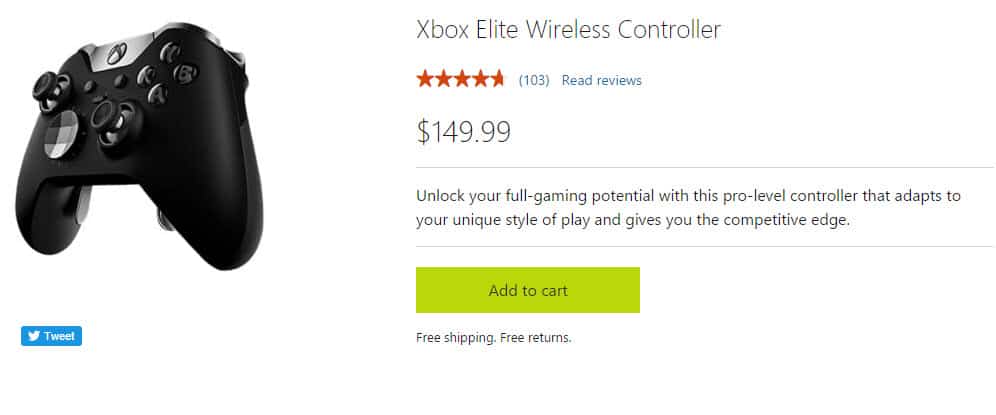
Yes, that’s right, you can (right) now purchase a new Xbox Elite Wireless Controller for the usual $149.99, straight from the source.

Microsoft Store Xbox Elite Wireless Controller

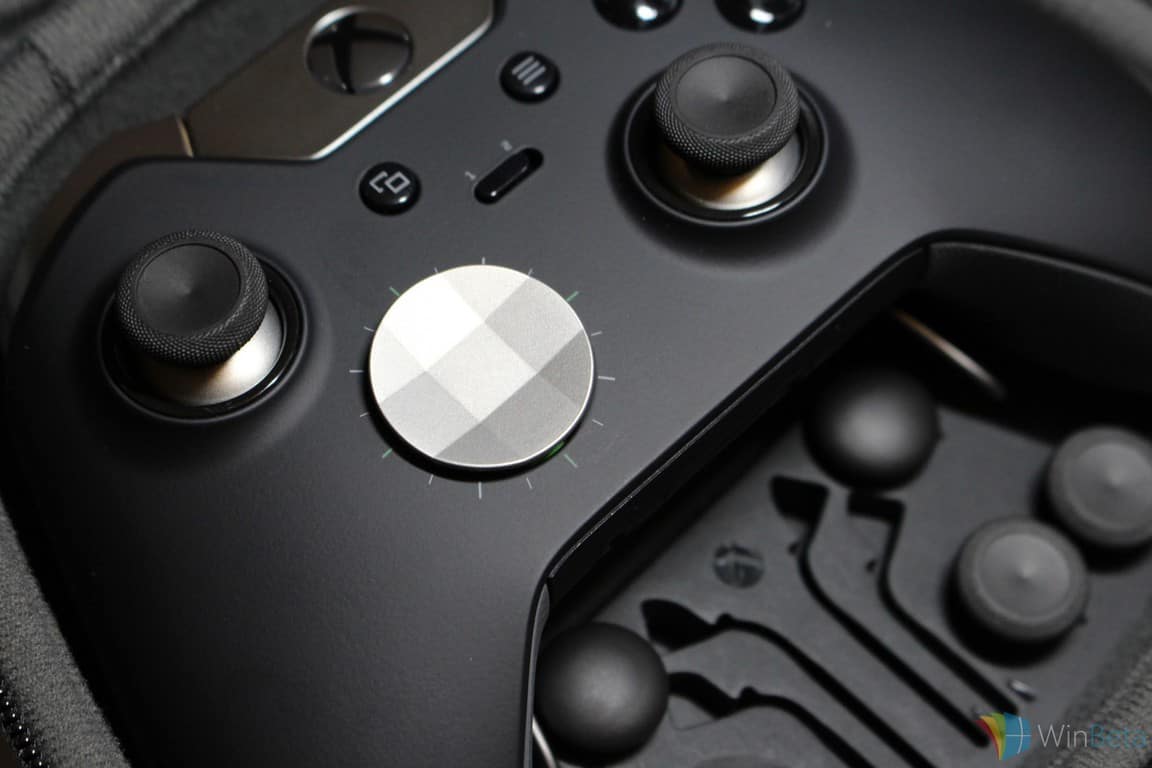
The Xbox Elite Wireless Controller looks like a real winner with its numerous customisable buttons and improved shell. Not surprisingly, the popular albeit pricey Xbox One accessory has sold out in many stores around the world and inventory levels remain limited, at least temporarily.

We suggest that you get your order in today, because the controller isn’t likely to remain in stock for too long. So what are you waiting for?

Plants vs. Zombies: Garden Warfare 2 beta dates announced for Xbox One

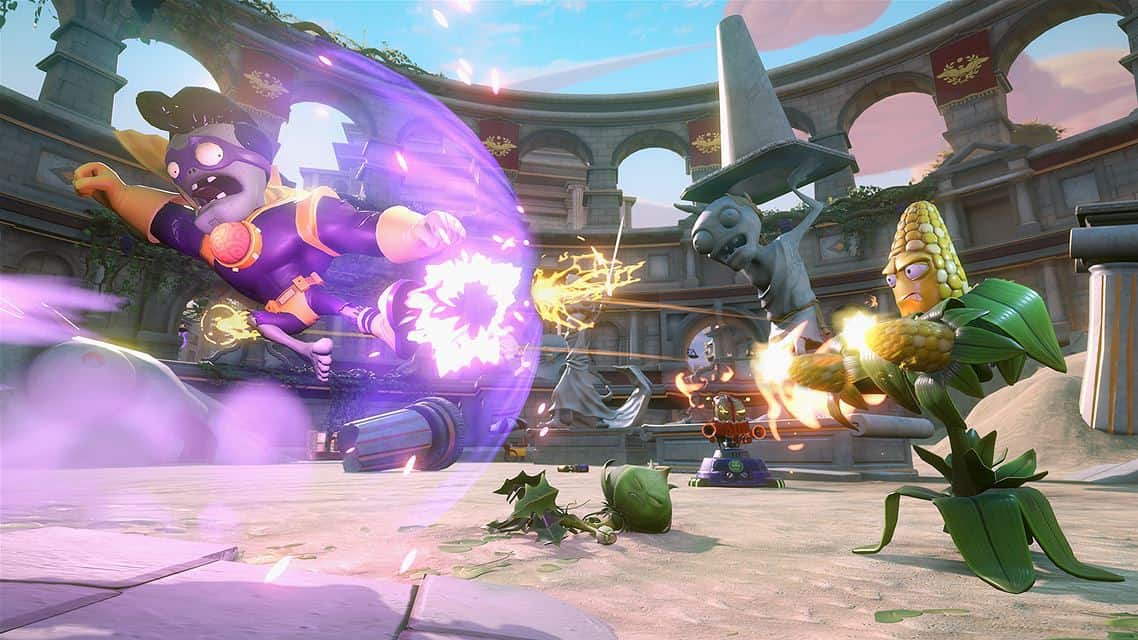
The official open multiplayer beta for Plants vs. Zombies: Garden Warfare 2 has just been announced for Xbox One and will be running from January 14 through January 18.

Naturally, the beta gameplay will exclude a variety of features from the full game, which is due to launch on the 23rd of February, but participants will be able to play in the Backyard Battleground level and enjoy the game’s Flag of Power mode which is apparently inspired by the classic catch-the-flag type experience.

Six new Plants vs. Zombies classes will be available to play as in addition to some classic classes from the original game and all of the multiplayer modes will support up to 24 players (which probably explains why they’re doing this beta; to test server connectivity and stability for that number of players). Four maps will be made playable in the beta; Moon Base Z, Frosty Creek, Z-Tech Factory, and Seeds of Time.

Here’s the official press release:

Join the battle for Suburbia in the Plants vs. Zombies Garden Warfare 2 public access multiplayer beta on Xbox One and Playstation 4, starting January 14 and ending January 18! Experience exciting new modes, hilarious new characters, and Backyard Battleground – an all-new dynamic environment that connects you to every map and mode, and brings to life more ways to experience the PvZ universe.

To join the beta, Xbox One owners simply need to check the beta website on the 14th of January to download the special beta version of the game. There doesn’t currently appear to be any sort of registration required for participating.

Are game betas something that interest you? The Star Wars: Battlefront beta in particular proved to be very popular. Let us know your thoughts about this testing method and if you’re going to participate in the Plants vs. Zombies Garden Warfare 2 open beta in the comments below.

GameStop and Best Buy have the Xbox Elite Wireless Controller in stock NOW

Microsoft has had a hard time keeping up with demand for the excellent Xbox Elite wireless controllers. Inventory sold out quickly on release, and normal stocking levels aren’t expected until March 2016. However, right now, both GameStop and Best Buy have the controller in stock.

Best Buy’s listing is the usual $149.99, and is online only for the moment.

Best Buy Xbox One Elite Wireless Controller

GameStop, on the other hand, is offering a bundle of the Xbox Elite controller and a pair of Skullcandy Halo 5 earbuds for $179.99. That’s a little extra bit of kit there, but it’s in stock and so it could be a legit option for those Xbox One gamers who simply need the best controller out as soon as possible.

GameStop Xbox One Elite Controller

The Xbox Elite Wireless Controller has proven extremely popular with Xbox One owners with its numerous customisable buttons and improved shell that improves grip during sweaty play sessions. The controller has sold out in many stores around the world and stock is apparently limited, at least temporarily

Microsoft joins Samsung onstage for IoT demo featuring Cortana

At this morning’s Samsung keynote at CES, Dr. WP Hong, President of the Solution Business Unit, Samsung SDS, introduced a number of partners to Samsung’s push into IoT, including BMW, Goldman Sachs, and a number of others, including Microsoft.

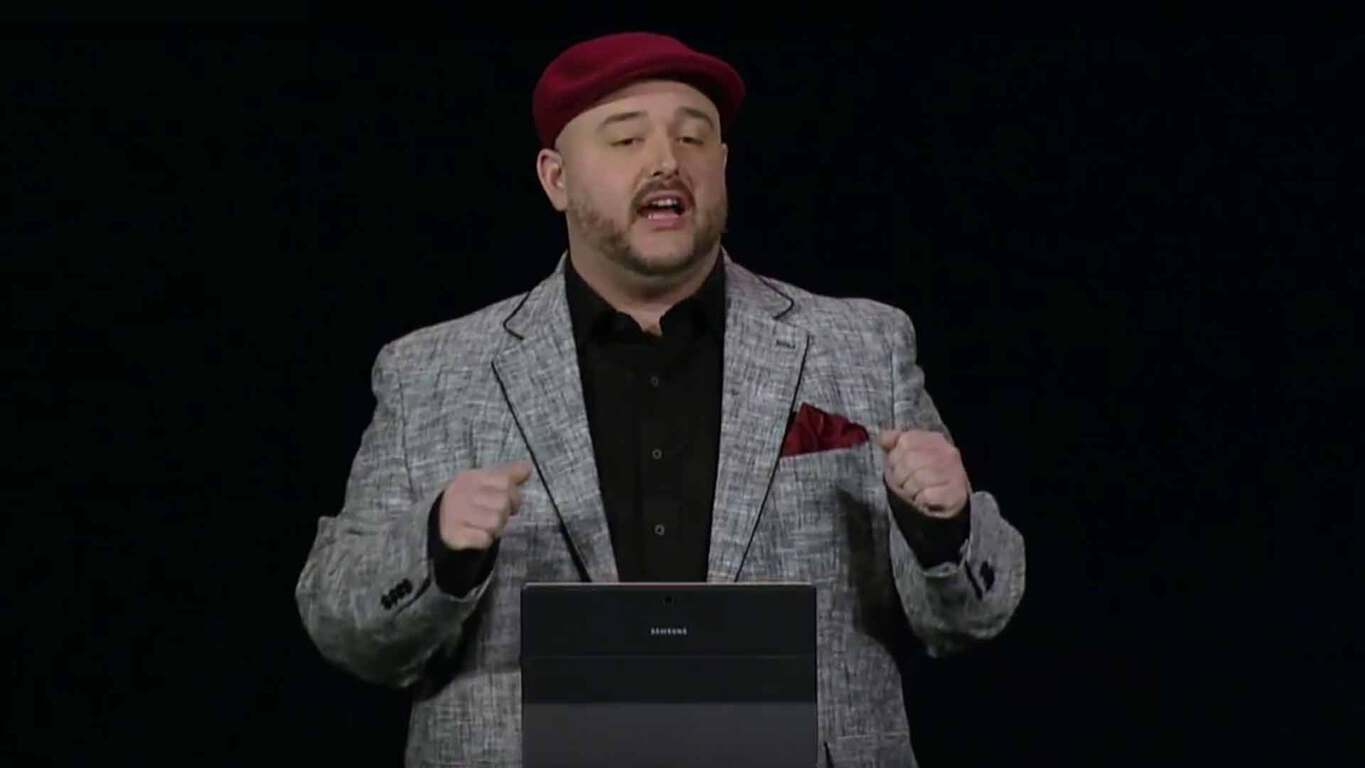
Microsoft’s Terry Myerson took to the stage to tout the company’s “renewed partnership” with Samsung, to highlight the Samsung Galaxy TabPro S running Windows 10, and with the help of Microsoft’s new designated presenter Bryan Roper, to show off how Windows 10 and Cortana can connect with Samsung’s IoT devices including washing machines, TVs, and refrigerators.

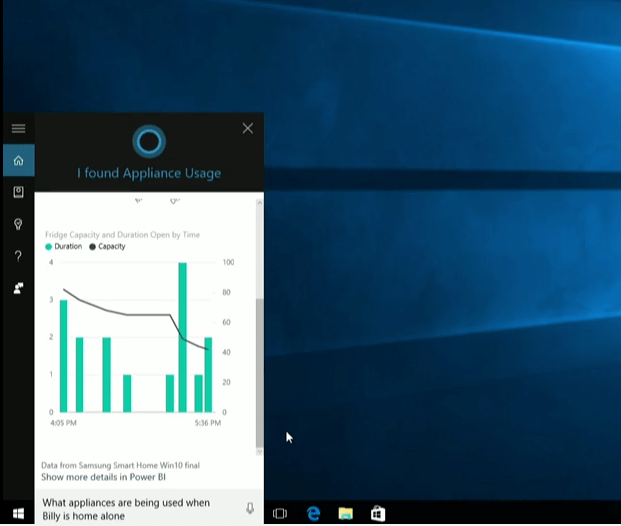
In a quick demo, Roper asked Cortana (using Windows 10 on the Galaxy TabPro S) first to check to see if the washing machine was in use, and then noticed that the previous load was only filled to 15% capacity. In a quick series of Cortana queries, Roper checked on appliance usage when a child, “Billy”, was home alone after school, and was able to see how long the TV was on, and how long the refrigerator door was open.

This was done all with just a few simple questions to Cortana, who responded not only with facts, but provided graphic information to make the IoT data consumable:

Microsoft Samsung CES
Appliance usage data busting Billy

Microsoft again highlighted Windows 10 and their Samsung partnership in a blog post, highlighting their collaboration with Samsung now and in the future:

Today, I had the honor of joining Samsung President Dr. Won-Pyo Hong during his keynote briefing at CES to celebrate a renewed partnership and a commitment to joint innovation. Of course, Windows and Samsung have worked closely together for over 30 years – co-designing many great Windows devices. With Windows 10, both companies wanted to do something great together, and we showcased the new Samsung Galaxy TabPro S, along with our shared vision for future innovation together across the entire Internet of Things.

The live stream of the keynote has just finished, but you should be able to watch a recording of it soon on YouTube. Update: Watch it below.

Microsoft Learning site fixes problems, back up for training and certification

Those of you looking to get qualifications for Microsoft products might have been in distress the past few days, as the Microsoft Training and Qualification website, hosting materials and exams for such qualifications, went offline to fix some problems. You may breathe a sigh of relief today, for the website is now back online, announces the official Microsoft Learning Twitter account.

Specifically, users reportedly encountered problems signing in and registering for exams on Microsoft’s Training and Qualification website. The company acknowledged the problem and took the site offline yesterday to apply fix. At the current time, it should be back fully working and again available to Microsoft experts around the world.

Microsoft, others raise objections to UK’s proposed Investigatory Powers Bill

Ever since Edward Snowden, the world’s governments and technology companies seem to have been locked in a loud, forever-lasting war of data security. The newest battle of which is happening in the United Kingdom, where the recent proposal to give the government power over encrypted user data, called Investigatory Powers Bill, is meeting with heavy backlash from major tech companies, Microsoft included.

A new Snooper’s Charter

The proposal – aptly nicknamed the Snooper’s Charter despite the government’s effort to distance it from the similarly duped flunked Communications Data Bill from 2013 – is the biggest overhaul of  the UK’s surveillance laws in 15 years, introduced by Home Secretary Theresa May. The gist of it is that ministers can sign off warrants for intrusive surveillance, communication companies have to retain customer data for up to 12 months, and the government can collect data en masse and hack into suspects’ electronic devices. The bill supposedly would bring UK’s national security up-to-date with the internet age.

Security and trust

Naturally, none of this sits well with tech companies that rely on customer trust with their data, and they have sure enough protested heavily. Apple fired the first shot, calling out the potential for the government to force a break of data encryption, necessitating a backdoor in the first place and therefore posing security risk. This is not to mention losing integrity with customers and potentially breaking conflicting international laws from the US and other countries.

Following Apple, Google, Microsoft, Twitter, Yahoo and Facebook have made a joint submission to oppose the bill stating similar concerns. Additionally, it claims that the wording of the draft is “vague and confusing” and could be interpreted unfavorably for end-to-end encryption. Leading communication service providers in the UK like Vodafone and EE have also voiced their disapproval.

There is time till the middle of February to oppose and recommend changes to the proposal. We will be keeping an eye on the situation’s development and update you once information comes.

Microsoft to Release New Windows 10 Redstone Builds in Coming Weeks

The next big update for Windows 10, Redstone, is considerably in the works. Microsoft already presented its very first Windows 10 Redstone build last month, and sources claim that the company prepares even more releases soon.

Windows 10 Preview Build 11082 is currently the latest build release for Windows 10 Insider program, and it is labelled as the very first Redstone build for Windows 10. But Microsoft is already working on Redstone preview builds 10.0.11094.1000 and 10.0.11095.1000.

Still no Info About New Features in Windows 10 Redstone Builds

Since Microsoft is only testing these builds closed doors for now, we don’t have any info about when exactly will they arrive, and if they’ll bring any bigger improvements or new features. Just as a reminder, previous 11082 preview build was only called a Redstone build, but it didn’t include any noticeable changes. So, maybe we’ll have more luck with the upcoming releases.

“Right now, the team is focused on product improvements based on the feedback we’re hearing on the November update to Windows 10. This includes the changes that have also been going out as cumulative updates through Windows Update on your PCs running the Windows 10 November Update as well as on phones running Windows 10 too.”

Redstone is the codename of Windows 10’s second major update, and even though there’s no official word about the actual release of the update, many people believe that it will be released in summer 2016.

We also don’t know a lot about new features and improvements in Redstone update, but one of the features we expect to see in the future is third-party extensions support for Windows 10’s default browser, Microsoft Edge.

Microsoft started to work on the new update right after the release of Threshold 2, the first ever major update for Windows 10. The release of Threshold 2 didn’t go as smooth as planned, as the update brought a lot of issues to users, and that’s probably the reason why Microsoft decided to start working on the new build that early, so the company will have time to eliminate all flaws, and bring as stable final product, as possible.

Insiders are also playing a big role in the development of Windows 10 Redstone update, because Microsoft will make changes and improvements, mainly based on users’ feedback.

The next Redstone update should arrive in the coming weeks, so if you’re part of Windows 10 Insider program, keep your eye on updates.

Microsoft’s ‘Made by You’ series starts with addressing scaling in Windows 10

While many Windows Insider lay in dormant wait for another Fast or Slow Ring build of the latest Windows 10 operating system, the Insider Hub is being primed for future content. As of January 6th, the most recent update located in the Insider Hub describes a series called ‘Made by You’ that will prominently showcase issues the community votes to the top.

The idea behind the series seems similar to the Windows Blog, where Windows developers and engineers take the time to address the Insider community’s feedback regarding features or issues with Windows 10 in great length and detail.

Made by you highlights how we are addressing feedback from Windows Insiders, how we are investigating this feedback to shape Windows, and why we have made these improvements.”

The first post in the series is in regards to the notoriously bad job Windows does with scaling on Hi-Res displays.

Back during late Spring and early Summer of 2015, when the Windows 10 Insider program was in full swing, Windows teams used the newly renamed Insider Hub prominently. The Insider Hub grew and swelled with conversations to and from the development and engineer teams within the Windows division.

As time went on, the evolution of the Insider Hub matured, where Windows Insiders were no longer inundated with borderline malware-like pop-ups for feedback and in-your-face placement of the Hub throughout various areas of the OS. Rather, over time, the Insider Hub became a subtle place continuingly dedicated Insiders gathered after the public launch of Windows 10. The Insider Hub went from a mainstay to an optional download and the information it contained went from feverish and rabid bug squashing to casual conversations about upcoming releases and notes.

The ‘Made by you’ series may be an effort to reignite the fandom previous Windows 10 Insider builds garnered early on, as well as prep Insiders for the promised rush of builds this year.

Here’s what Microsoft plans to do with display scaling on Windows 10 Redstone

As the offices at Microsoft begin to churn again with regular employee traffic, questions about Windows 10 Redstone are starting to resurface. Many have speculated that Windows 10 Redstone will be the fit and finish update that the seemingly early Windows 10 release missed.

While Microsoft has been rather cagey on the details of Redstone, Windows engineers and developers are ready to talk about an important aspect of the operating system with regards to scaling. With the Consumer Electronics Show under way, the event has helped showcase a centralized resolution theme for PC and PC-like devices for this upcoming year. Unfortunately, many Windows users have notoriously fallen victim to the operating systems lack of standardized scaling practices. That is, until Windows 10 Redstone.

In a series buried away in the Insider Hub called “Made by you,” the Windows team goes into great length and detail about how things are going change when it comes to scaling in Windows 10.

Scaling is a complex problem for the open Windows ecosystem, which has to support devices ranging in size from roughly 4” to 84,” with densities ranging from 50DPI to 500DPI. In Windows 10 we took steps to consolidate and simplify our developer story for scaling and to improve the end-user visual experience. Stay tuned for future release!”

Thanks to some detailed criticism and real-world examples provided by the Windows 10 Insider community, the Windows team can accurately tailor upcoming Windows 10 development to cater to the increasing pixel density wars developers are encountering.

To begin, the Windows team covers a glossary of terms that are relevant to the way Windows 10 currently handles scaling that include:

  • Physical Pixels: dots making up the screen – the smallest parts of the screen that can be lit up
  • Effective Pixels: an abstract unit of the display; each one represents a block of physical pixels
  • Scale Factor: The ratio between the size of an effective pixel and a physical pixel, roughly equating to the ratio between the physical resolution and effective resolution.
  • Dynamic Scaling: Essentially what modern apps are currently designed to address. Switching and adjusting content based on the display or windows size. Even scenarios including projecting, docking, moving apps between different monitors, and using remote desktop connections
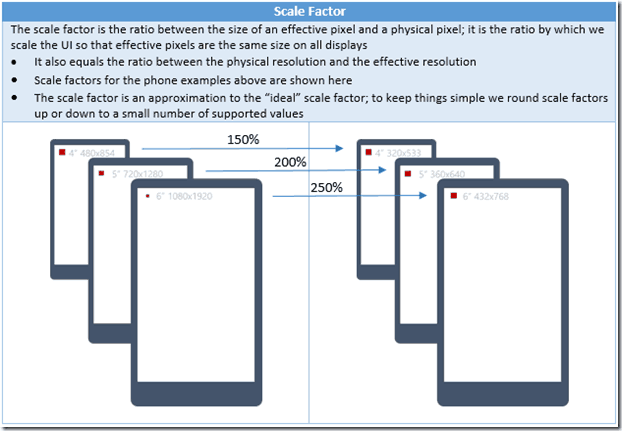
windows 10 scaling

As most Windows users already understand, or can relatively grasp, Universal Windows Apps (UWP) look great on high-resolution screens while some updated Windows Presentation Foundation (WPF) apps also look great on high DPI screens, and the majority of the millions of Win32 desktops apps look like oatmeal against a stained glass window.

From this starting point, the Windows team has taken up the task of unifying how content scales across devices, extended the scaling system an important system UI element to handled upwards of 8K displays and improved Windows support for more OS and application content. Before the new unification and extension in resolution scaling, Windows would interval its scaling options from 100%, 125% 150%, 200%, and 250%. In Windows 8.1, Store apps would scale to 100%, 140%, and 180%, resulting in potential side-by-side visual app inconsistencies. Adding to the visual nightmare were hi-res screens that would cap-out at different points and kick back the all-too-familiar “too small to read” windows.

In Windows 10 and subsequent releases, the scaling factors have been adjusted to read in intervals that range from 100% to 450% where there is enough headroom in displays for supporting 6-inch 4K phone screens and up to 23” 8K desktop monitors.

W10EPI

As part of the this effort, Windows 10 has polished the most commonly used desktop UI to look beautiful and clear even at 400% scaling.”

Contrary to popular belief, the Windows team managed to work on the Windows 10 Mobile scaling as well, overhauling the entire mobile shell scalability. Most of the effort, understandably, is geared toward ensuring UWP apps run at the right size on phones and phablets, but also on desktop displays. The overall work will probably blossom as more people make use of developing apps with support for Continuum.

Beyond the work to up the scaling system, the Windows team’s work with dynamic scaling is being put to the grind with not only UWP HTML and XAML apps but with UI elements such as:

  • Windows “classic” desktop UI
  • Start Experience
  • File Explorer
  • Windows Taskbar
  • Command Shell et al.
  • User scaling settings

Even with the above improvements, there is work still to be done and the Windows team is fully aware. With Redstone rumored to be hitting devices sometime during the summer, the Windows team list a few items regarding scaling, they were unable to get to but hope to have ready soon.

Perhaps, the most front-facing UI element on any Windows users desktop are the mismatch of icons representing open folders, most used programs, and most accessed content. Examples include the Lync app and desktop icons. Microsoft plans to address this in Redstone.

Blurry bitmap scaling of content

Another instance in which the Windows team is looking to address, specifically, in Office apps. Even though the UWP (the ones that took forever to release) are fully per-monitor scaled in Windows 10, classic desktop apps are unfortunately still utilizing older Windows “system scaling factors,” resulting in blurry bitmap scaling when docked on a second monitor. Other poorly displayed bitmapping desktop applications include Notepad++, Chrome, and Firefox. The Windows team is working feverishly (well maybe not for Chrome of Firefox’s sake) at improving migration tools for more complex Win32 applications.

Bottom line, the Windows team has done a lot of foundational work to prepare Windows 10 for an ever-changing future. Hopefully, with the Redstone update, Windows users will begin to see more of that work shine through in implementation and polish. Executing on the long-dreaded resolution issues of Windows would be a huge first step in the right direction.

Xbox One gains some Sci-Fi action with Hyper Void

The Xbox One isn’t all about Halo and Lara Croft and other first-person shooters. Other games can also be a blast, and Xbox Live’s Major Nelson clues us in on some exciting sci-fi space combat in Hyper Void.

Hyper Void Screenshot

The game description sound exciting enough:

This is the first time space battles occur not only in the depths of galaxies, but right inside cross-dimensional wormholes!

Punch your way through waves and waves of enemies from all races in the universe as you travel through volatile and crazy wormholes, all rendered in high-quality 3D with a heart-pumping progressive soundtrack!

Over 25 levels are awaiting you, filled with challenge and dangerous big boss encounters. And if that wasn’t enough, three EPIC boss showdowns will test every space combat skill you have!

Are you ready to embark on the mission that will determine the fate of our race?

You can also check out some gameplay videos to get a better idea of the action. Hyper Void is available right now for only $9.99, and so if you’re looking for some gaming you can jump right into, get your credit card out and start downloading.
G Prime Into The Rain tries to be more than a puzzle game on Xbox One

Soma Games has just released their first game in what appears to be an ongoing series of games called, Arc. The premiere entry in the Arc series, called G Prime Into The Rain, is a sort of gravity puzzle game but has been significantly evolved beyond that basic premise with its futuristic space setting, a detailed storyline, a well-established world with 10 different futuristic corporations to make alliances with, and an unusual hand-painted art style reminiscent of Disney’s Treasure Planet.

Here’s the official description:

Explore the vast uncharted mystery of The Rain, a solar-system spanning shock wave of gas and dust from far, far away. In your role as sounding officer onboard Ptolemy Station you configure and drive sub-etheric reconnaissance rockets into increasingly challenging fields where Icetroids, theophosphorus and quicksand clouds make your mission much more work than your employers led you to believe…

Gorgeous hand painted art, eerily atmospheric music and a deep, compelling storyline make G Prime more than just a puzzle game. As the first chapter in a four part series, G Prime introduces you to a steampunk styled world where corporate intrigue and competing mercenaries all vie for their share of the unknown promise.

If you like Gravity Sling, Blast Off or Gears of Gravity, you’ll love this game. G Prime is the 3D Arcade-Inbred update to Soma Games’ award-winning iOS game from 2008. Now rendered in marvelous 3D environments plus 7X the background and dialog, this is the game we WANTED to make back then… but didn’t know how.

G Prime Into The Rain is now available on Microsoft’s Xbox One console in select regions. You can check to see if it’s available in yours via the link below. Will you give G Prime Into The Rain a go or is there another Xbox One title that’s taking up your time this week? Let us know in the comments below.

Buy G Prime Into The Rain on Xbox One

Microsoft heading to Retail’s BIG Show in NYC this January 17-19

Microsoft is going to be spending a few days in New York this month as they set out five different showcases in the Retail’s BIG Show. Microsoft’s goal there is going to be trying to reach out to different retailers and help them as they adapt to the digital world – something that anyone could agree is an important lesson to learn for a business that wants to stay relevant going forward.

Microsoft believes 2016 will be the year that physical and digital experiences really blend together. It will be the year when intelligent solutions empower more personal shopping.

Microsoft’s showcases this year should be covering tons of ground for retailers that are attempting to conform to the modern consumer’s needs. Here’s a brief overview of what they’re going to be addressing during their time down in New York later this month:

  1. 1. Check out modern shopping experiences in action Microsoft wants to make sure that customers no longer need to choose between going to a retail store and shopping online. It’s their hope to have a marriage between the two experiences, and with this showcase, they plan to assist store operations and help retailers implement assisted selling.
  2. Understand what it takes to empower workforces for a new level of customer service Microsoft is going to be bringing out lead retailers to show off how companies should be “Supporting mobile workstyles” for the new age of customer service. This includes showing how dashboards can be utilized to give employees all of the information they need to work effectively.
  3. Get the scoop on how moving to the cloud can fast-track digital transformation for retailers. Doing exactly what it sounds like, this showcase is going to show off some of the many advantages that businesses stand to benefit from by transferring their business to the cloud. Whether it be to make access to data more convenient or to free up budget for other customer service improvements, movement to the cloud is an undertaking that Microsoft wants everyone to make a priority.
  4. See how the Internet of Things (IoT), cloud and big data enable increased customer insight and interaction. The Internet of Things is a massive deal when speaking about how the digital retail and physical retail worlds collide. With QR codes being plastered everywhere in many retail stores, they can be used to not only enrich customer interaction with products, but keep tabs on customer interactions with products. Microsoft is going to use this showcase to go over the significance of that dynamic.
  5. Learn directly from customers. Microsoft is going to be showing COOP Italia’s “digitally enabled supermarket of the future” to give examples on how physical and digital retail can be fused together elegantly using “seamless, social, and immersive retail experiences.” This panel should be a solid round-up for those who want to have what they’ve already learned recapped.

If you’d like to see Microsoft present at the BIG show, they’ll be offering passes for free to those who are already retailers. Otherwise, you can get access to the show right here.

Microsoft simplifies age rating system for Windows 10 app submissions

Parents tend to frown on their kids playing games that are blatantly inappropriate to their ages. That’s why age rating systems exist, to set guidelines for kids (and, more importantly parents) to understand whether a game is appropriate for them. Market-specific rating systems exist, such as the ESRB and PEGI, but that’s cumbersome and requires hours for developers to wade through.

That’s why Microsoft is now supporting the International Age Rating Coalition (IARC), which supports age ratings across geographies that thus requires far less work for developers to utilize in pushing their apps for submission. As Microsoft details:
The IARC rating system is a global rating and age classification system for digitally-delivered games and apps. With IARC, you complete a single questionnaire about the content in your app during submission and Dev Center automatically adds regional and international age rating certificates to the Store listing for you. If you change your app’s content, you can update the questionnaire and receive a new rating at any time.

IARC makes it quick and simple to obtain age and content ratings across the globe, making it easier to offer your apps in more countries and markets. There is no cost to you, and the questionnaire can be competed in just a few minutes. The ratings are then automatically generated for:

– Classification Board (ACB) in Australia
– Classificação Indicativa (ClassInd) in Brazil
– Entertainment Software Rating Board (ESRB) in North America
– Pan European Game Information (PEGI) in Europe
– Unterhaltungssoftware Selbstkontrolle (USK) in Germany
– International Age Rating Coalition (IARC) for general purpose

Once the IARC rating is established, Microsoft can issue its own Windows Store rating, the CSRR for Taiwan, and the PCBP for Russia. Clearly, this process is less intensive than the previous system.

The Dev Center team provides all of the details a developer could want over at the Windows blog. Things can get tricky when preparing an app for submission to the Windows Store, but it looks like Microsoft is doing everything it can to make the process easier–and thus hopefully increase the number of submissions. And that’s good for all of us.